



 electronics
Similar presentations:










Acti 9 communication system
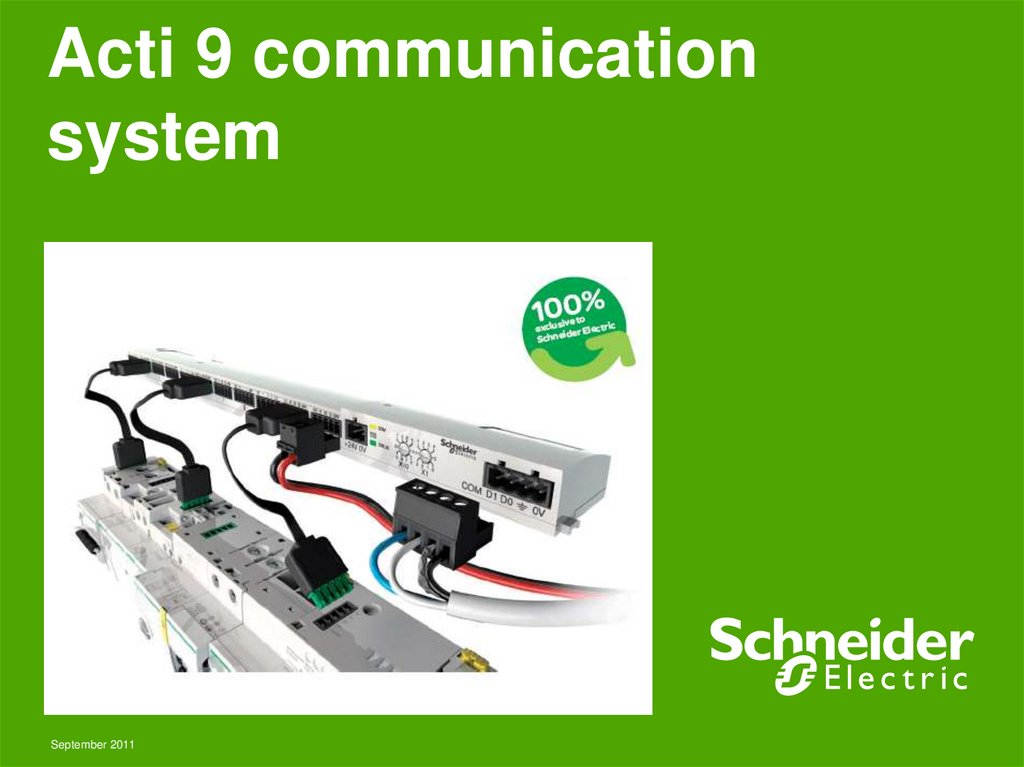
1. Acti 9 communication system
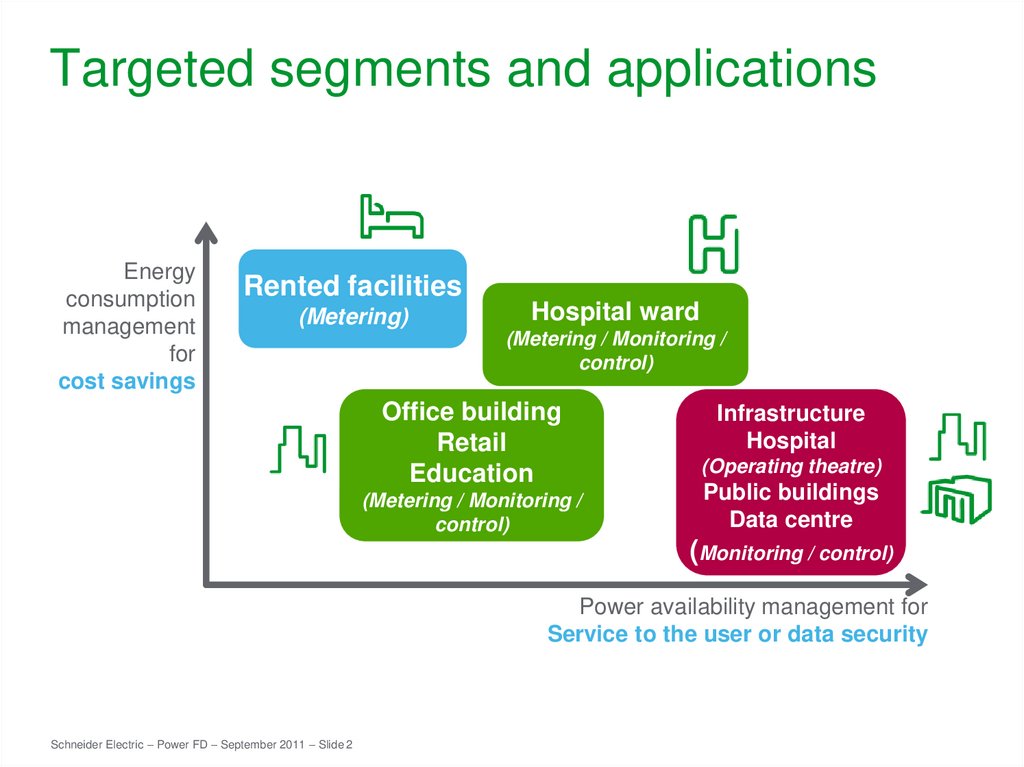
September 20112. Targeted segments and applications
Energyconsumption
management
for
cost savings
Rented facilities
(Metering)
Hospital ward
(Metering / Monitoring /
control)
Office building
Retail
Education
(Metering / Monitoring /
control)
Infrastructure
Hospital
(Operating theatre)
Public buildings
Data centre
(Monitoring / control)
Power availability management for
Service to the user or data security
Schneider Electric – Power FD – September 2011 – Slide 2
3. Schneider Electric solution: relevant information for relevant action…
Collect dataCircuit status, energy data
Relevant
information
… is the
key to
relevant
action
Process,
summarise,
display
Control loads
and behaviour
Acti 9
Assist
Schneider Electric – Power FD – September 2011 – Slide 3
4. …right to the final distribution panel
Automatic / remotecontrol of loads
Service to user, power & load
management, continuity of supply
Schneider Electric – Power FD – September 2011 – Slide 4
Energy
Electrical distribution
metering
monitoring
Cost
allocation
Energy consumption
optimization
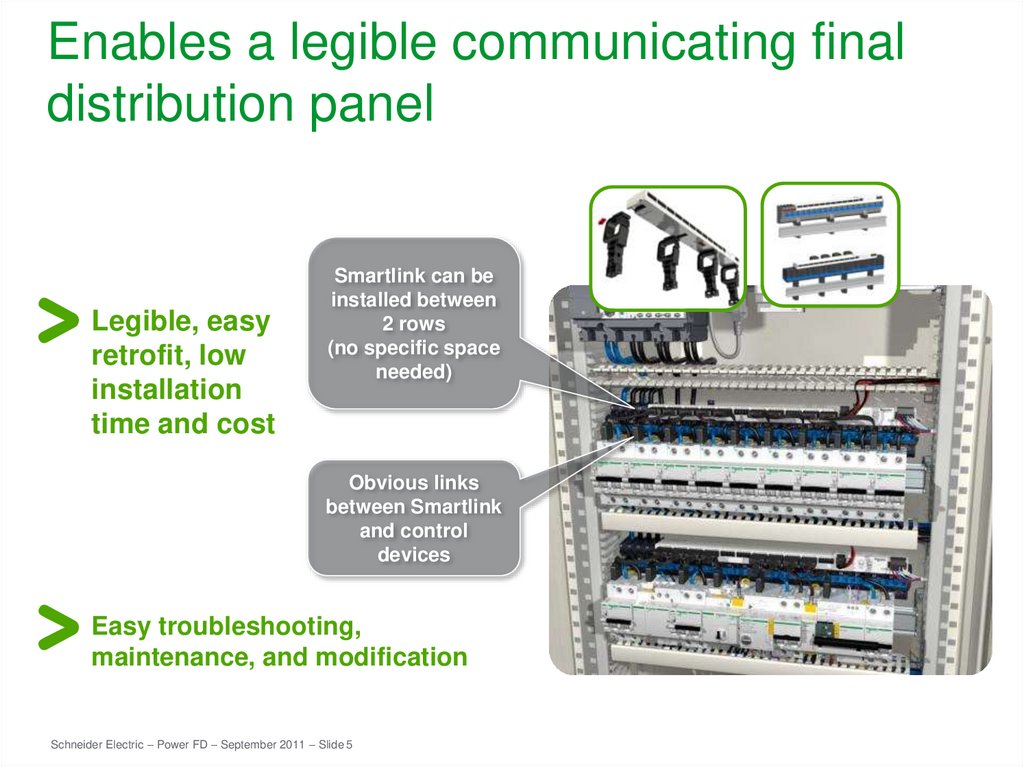
5. Enables a legible communicating final distribution panel
Legible, easyretrofit, low
installation
time and cost
Smartlink can be
installed between
2 rows
(no specific space
needed)
Obvious links
between Smartlink
and control
devices
Easy troubleshooting,
maintenance, and modification
Schneider Electric – Power FD – September 2011 – Slide 5
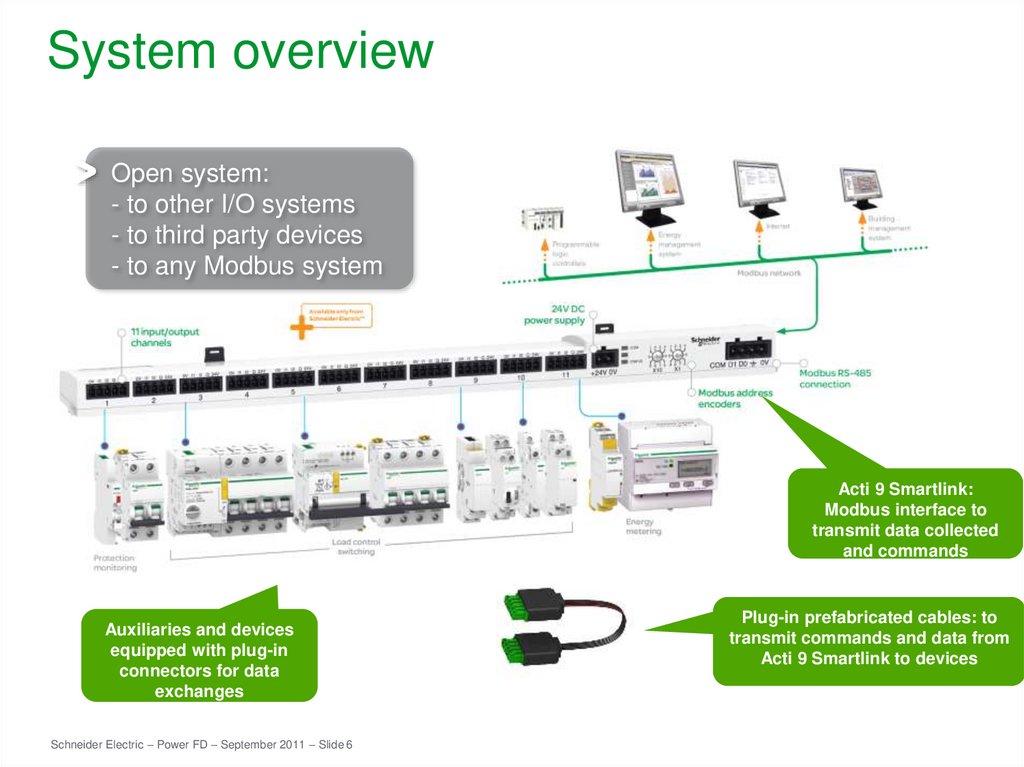
6. System overview
Open system:- to other I/O systems
- to third party devices
- to any Modbus system
Acti 9 Smartlink:
Modbus interface to
transmit data collected
and commands
Auxiliaries and devices
equipped with plug-in
connectors for data
exchanges
Schneider Electric – Power FD – September 2011 – Slide 6
Plug-in prefabricated cables: to
transmit commands and data from
Acti 9 Smartlink to devices
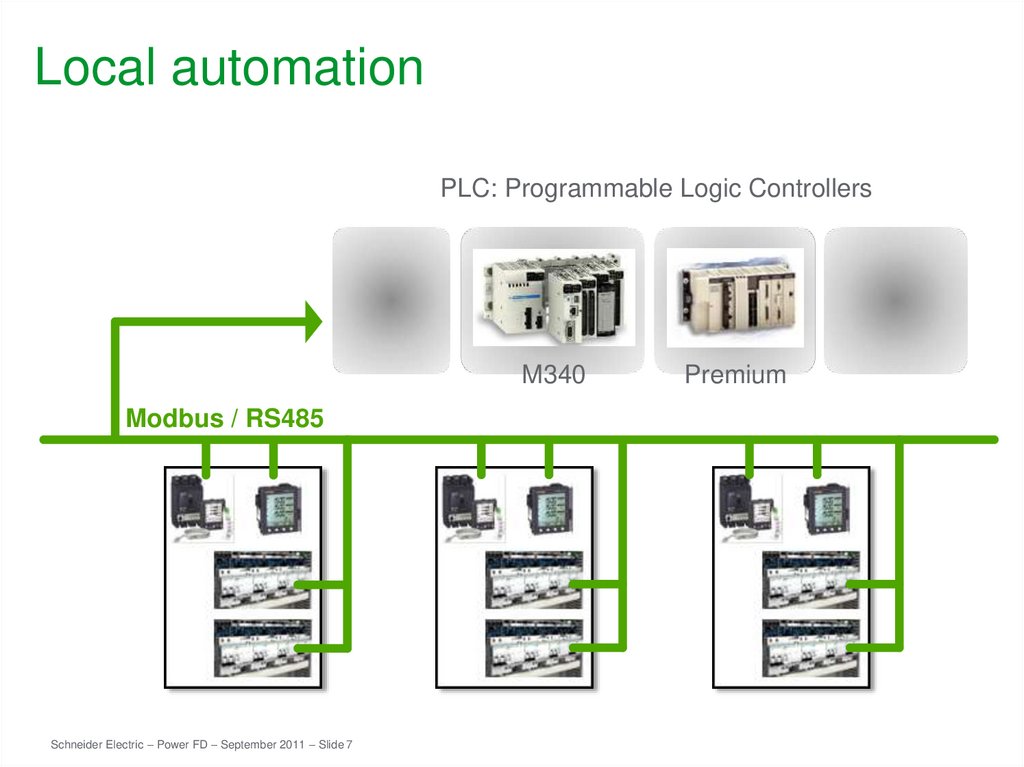
7. Local automation
PLC: Programmable Logic ControllersM340
Modbus / RS485
Schneider Electric – Power FD – September 2011 – Slide 7
Premium
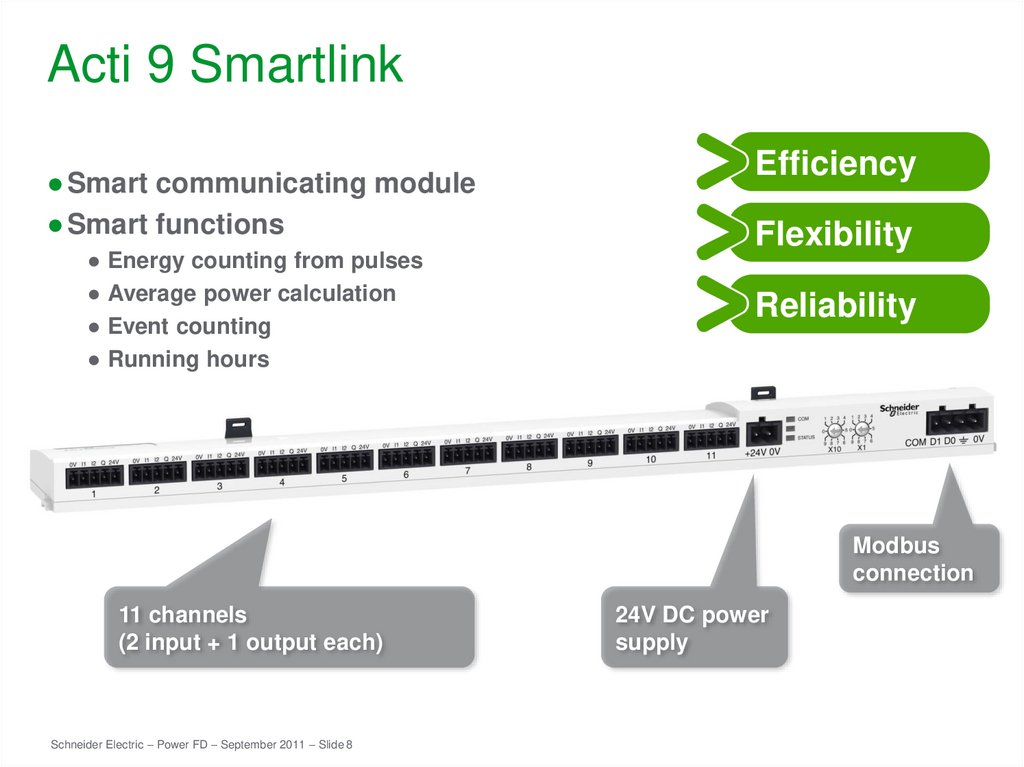
8. Acti 9 Smartlink
● Smart communicating module● Smart functions
● Energy counting from pulses
● Average power calculation
● Event counting
● Running hours
Efficiency
Flexibility
Reliability
Modbus
connection
11 channels
(2 input + 1 output each)
Schneider Electric – Power FD – September 2011 – Slide 8
24V DC power
supply
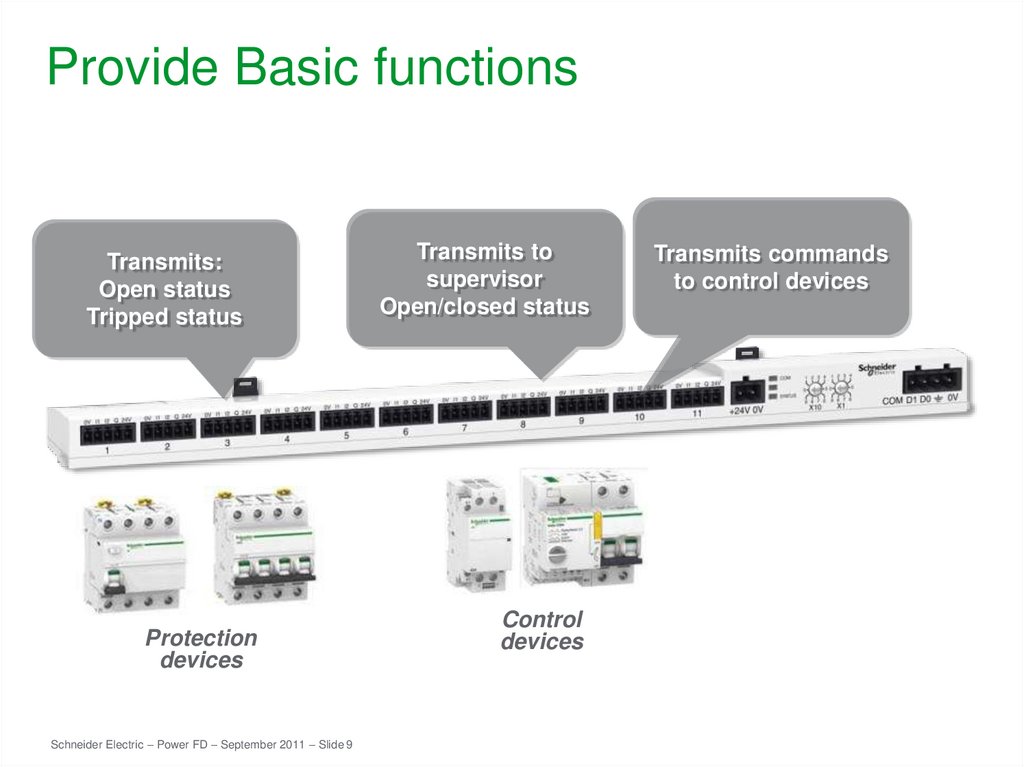
9. Provide Basic functions
Transmits:Open status
Tripped status
Protection
devices
Schneider Electric – Power FD – September 2011 – Slide 9
Transmits to
supervisor
Open/closed status
Control
devices
Transmits commands
to control devices
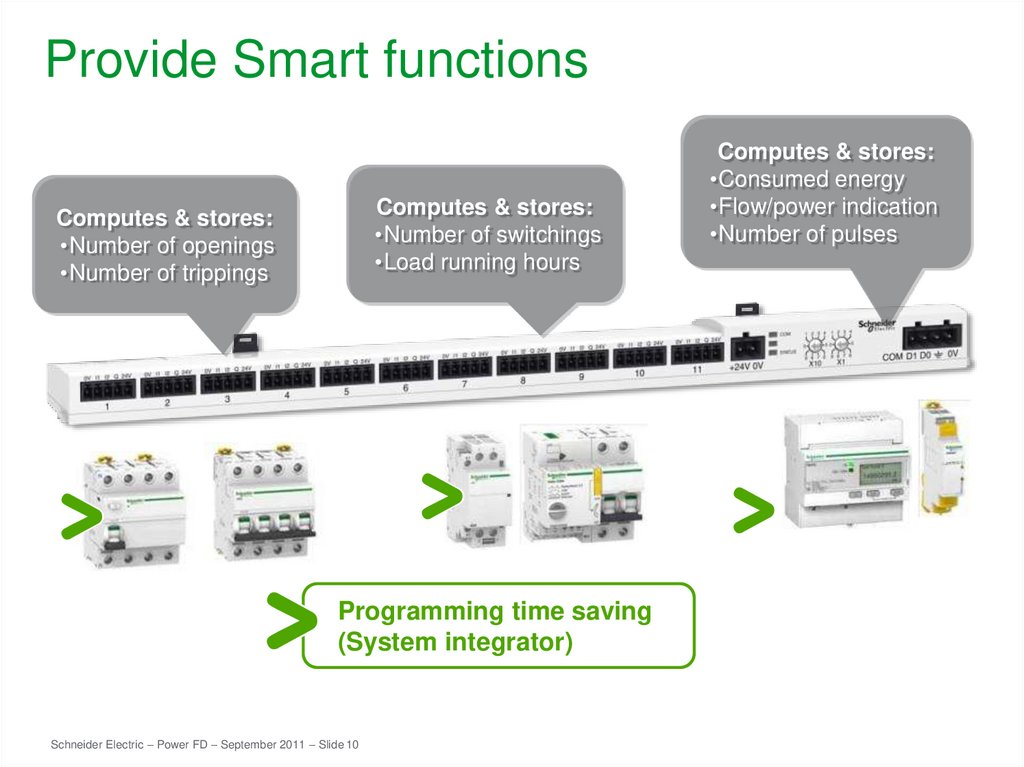
10. Provide Smart functions
Computes & stores:•Number of switchings
•Load running hours
Computes & stores:
•Number of openings
•Number of trippings
Programming time saving
(System integrator)
Schneider Electric – Power FD – September 2011 – Slide 10
Computes & stores:
•Consumed energy
•Flow/power indication
•Number of pulses
11. DFB for Acti9 Communication system
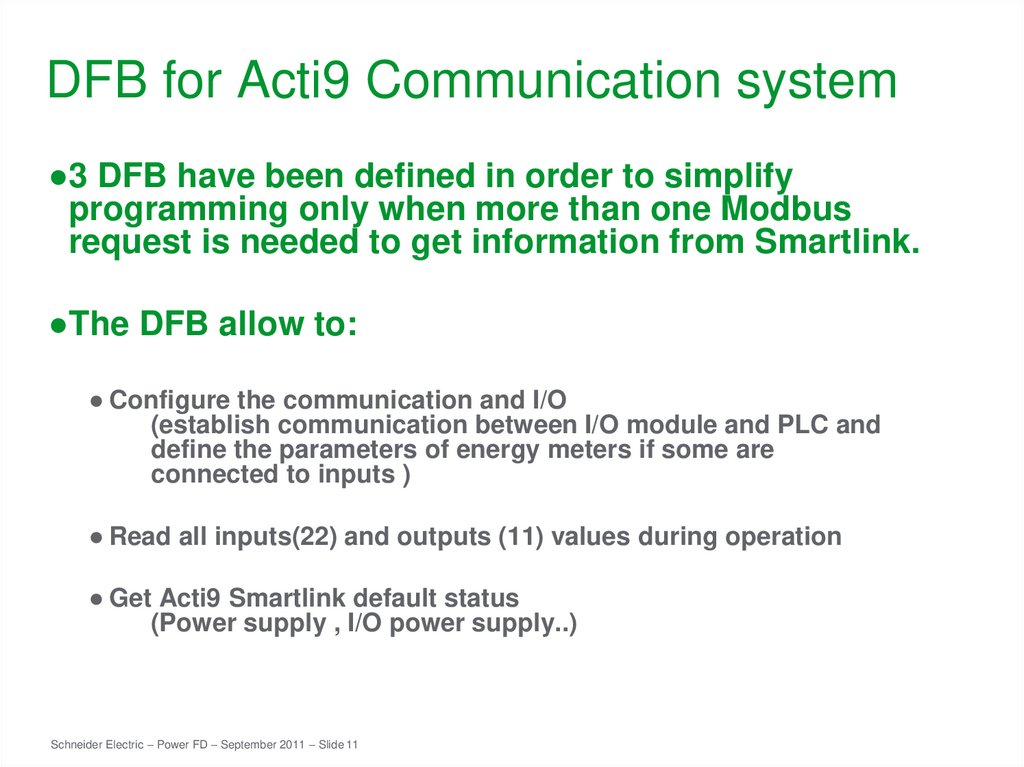
●3 DFB have been defined in order to simplifyprogramming only when more than one Modbus
request is needed to get information from Smartlink.
●The DFB allow to:
● Configure the communication and I/O
(establish communication between I/O module and PLC and
define the parameters of energy meters if some are
connected to inputs )
● Read all inputs(22) and outputs (11) values during operation
● Get Acti9 Smartlink default status
(Power supply , I/O power supply..)
Schneider Electric – Power FD – September 2011 – Slide 11
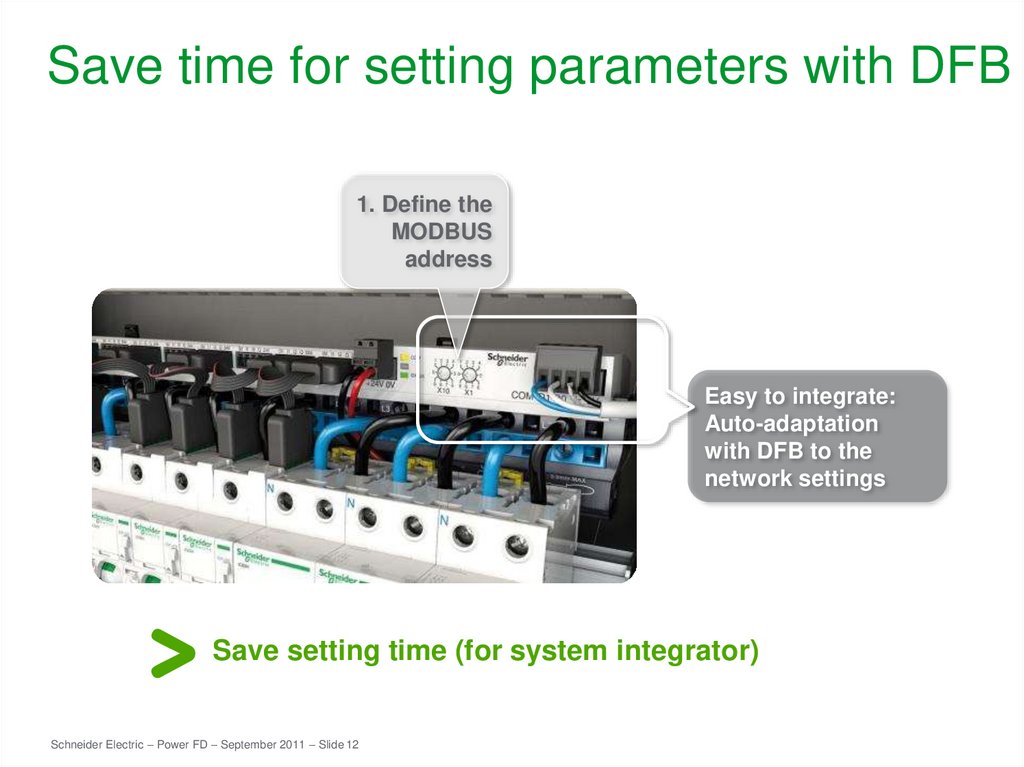
12. Save time for setting parameters with DFB
1. Define theMODBUS
address
Easy to integrate:
Auto-adaptation
with DFB to the
network settings
Save setting time (for system integrator)
Schneider Electric – Power FD – September 2011 – Slide 12
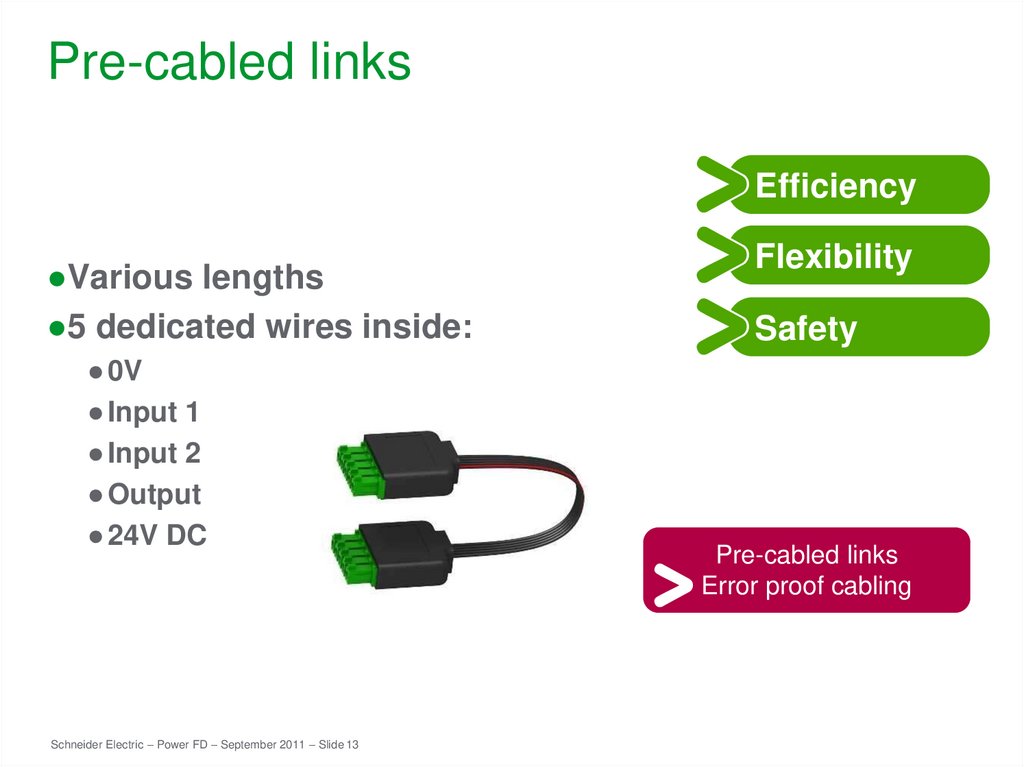
13. Pre-cabled links
Efficiency●Various lengths
●5 dedicated wires inside:
● 0V
● Input 1
● Input 2
● Output
● 24V DC
Schneider Electric – Power FD – September 2011 – Slide 13
Flexibility
Safety
Pre-cabled links
Error proof cabling
14. Other component of the system
Schneider Electric – Power FD – September 2011 – Slide 1415. Monitoring: iOF+SD24, OF+SD24
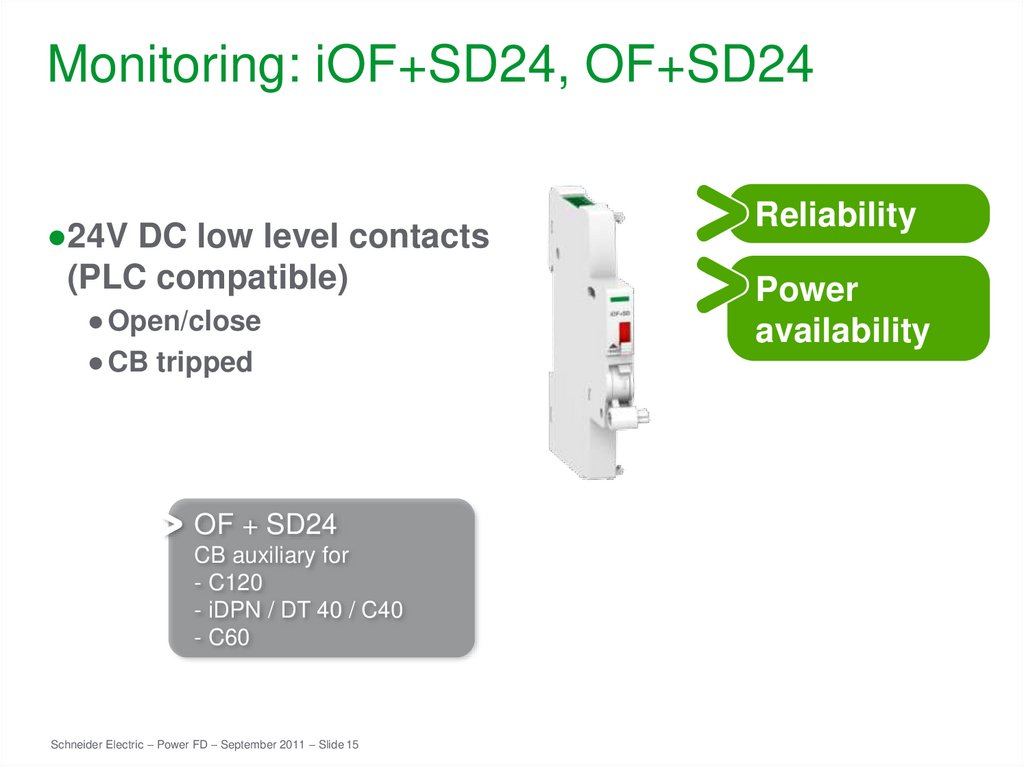
●24V DC low level contacts(PLC compatible)
● Open/close
● CB tripped
OF + SD24
CB auxiliary for
- C120
- iDPN / DT 40 / C40
- C60
Schneider Electric – Power FD – September 2011 – Slide 15
Reliability
Power
availability
16. Modular devices for control: iACT24, iATL24
●24V command to contactor●CT or TL position indication
(PLC compatible contacts)
+ 230V command
Schneider Electric – Power FD – September 2011 – Slide 16
Reliability
Flexibility
17. Modular devices for control: Reflex iC60
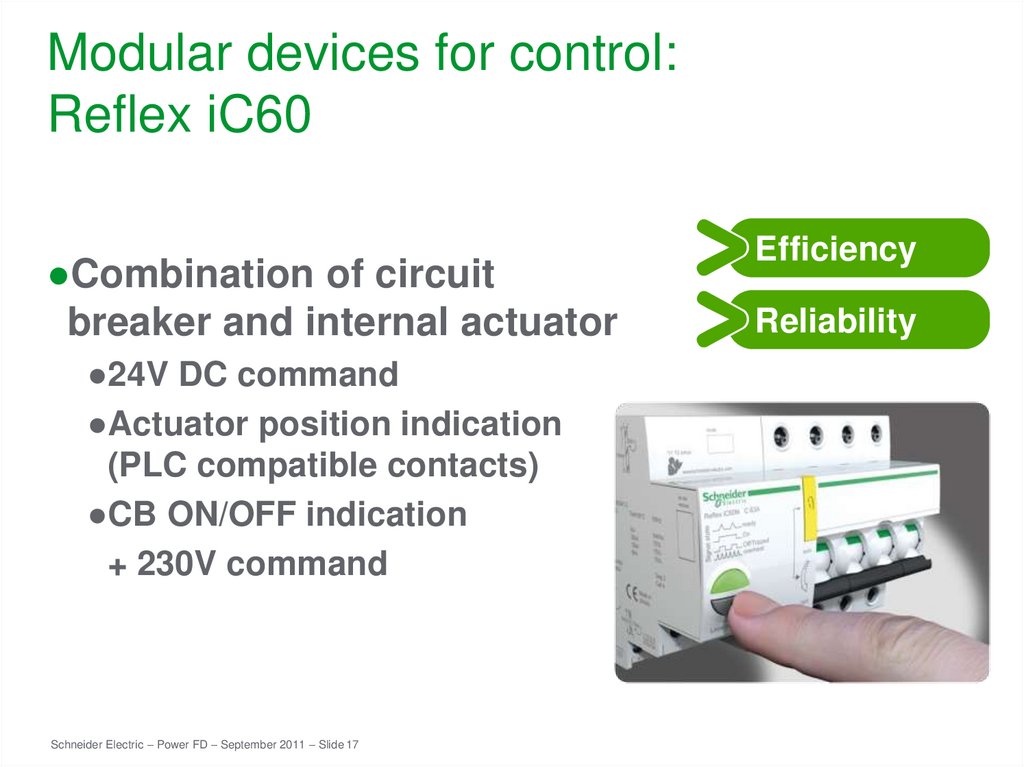
●Combination of circuitbreaker and internal actuator
●24V DC command
●Actuator position indication
(PLC compatible contacts)
●CB ON/OFF indication
+ 230V command
Schneider Electric – Power FD – September 2011 – Slide 17
Efficiency
Reliability
18. Modular devices for control: RCA iC60
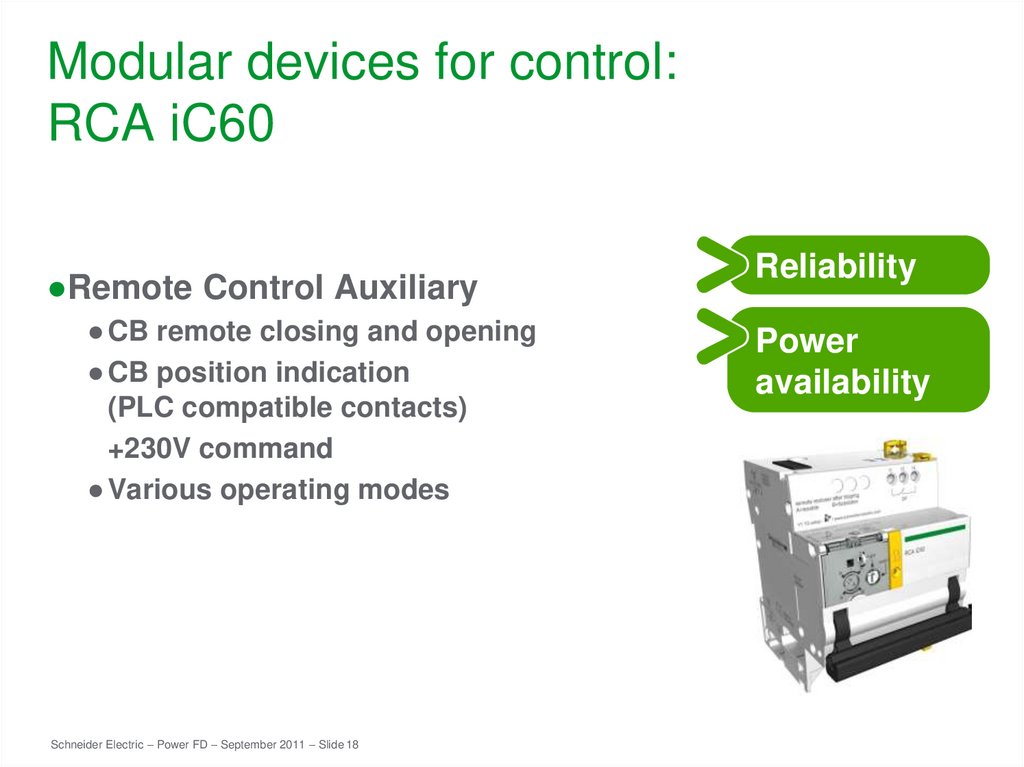
●Remote Control Auxiliary● CB remote closing and opening
● CB position indication
(PLC compatible contacts)
+230V command
● Various operating modes
Schneider Electric – Power FD – September 2011 – Slide 18
Reliability
Power
availability
19. Metering
Energyefficiency
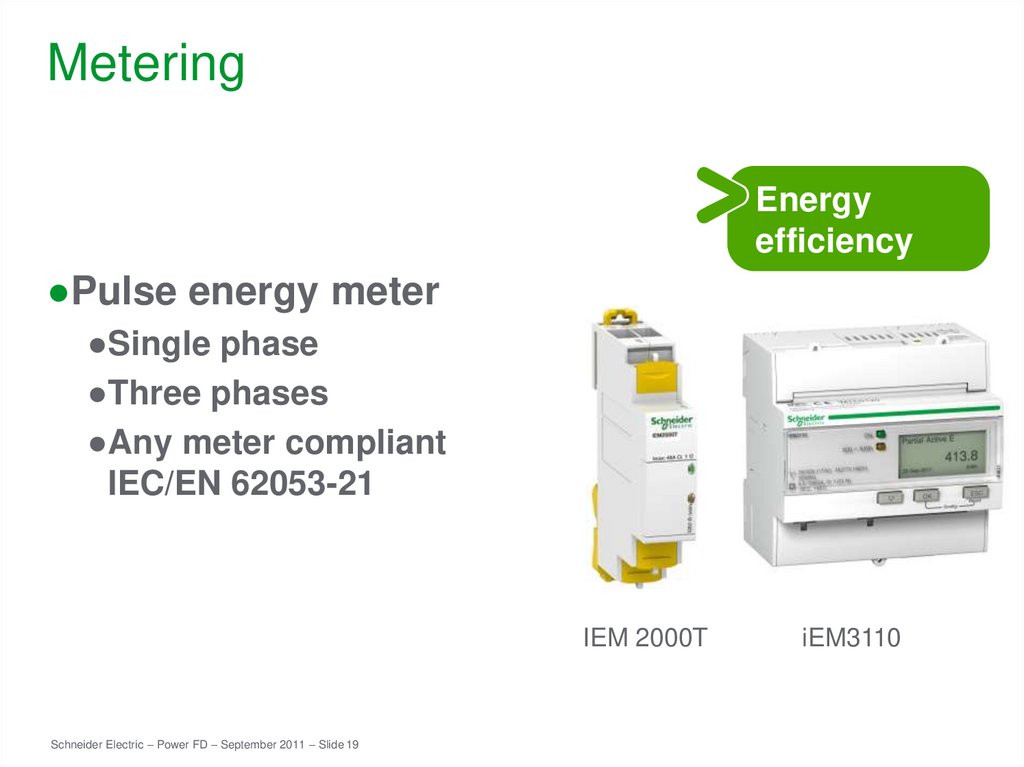
●Pulse energy meter
●Single phase
●Three phases
●Any meter compliant
IEC/EN 62053-21
IEM 2000T
Schneider Electric – Power FD – September 2011 – Slide 19
iEM3110
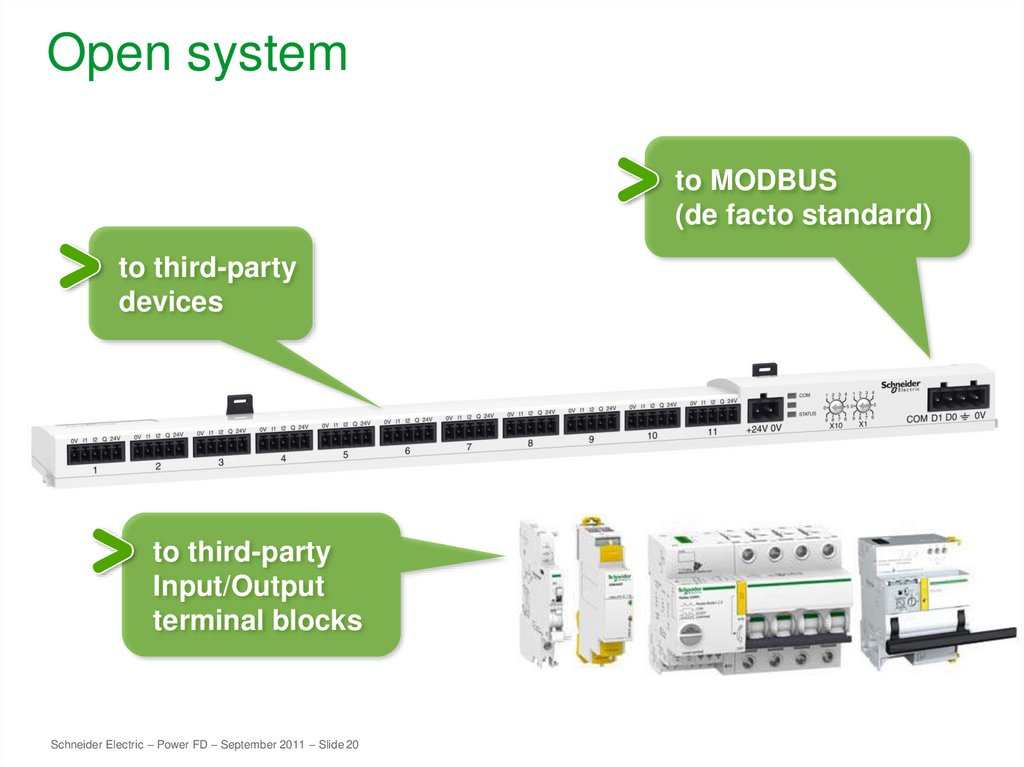
20. Open system
to MODBUS(de facto standard)
to third-party
devices
to third-party
Input/Output
terminal blocks
Schneider Electric – Power FD – September 2011 – Slide 20
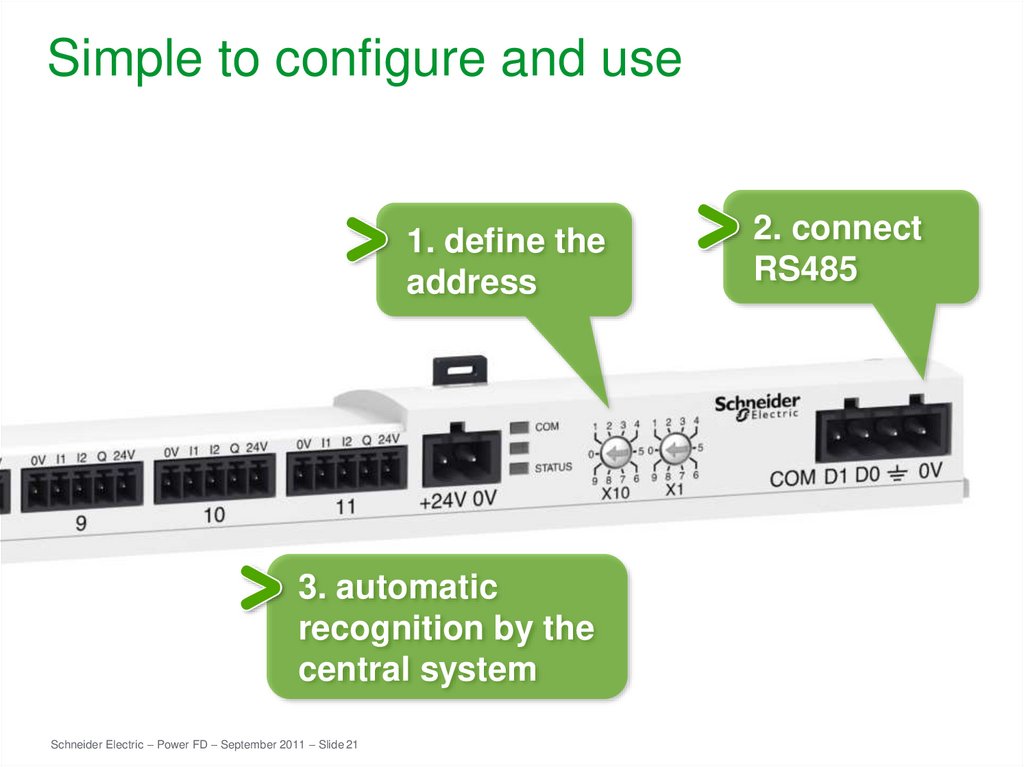
21. Simple to configure and use
1. define theaddress
3. automatic
recognition by the
central system
Schneider Electric – Power FD – September 2011 – Slide 21
2. connect
RS485