 software
Similar presentations:






Configuration file check tool. Manual
1.
Configuration File Check ToolManual
(KX-TGP600/HDV1xx/HDV230/HDV330 series)
Feb 3 , 2016
Ver.1.0.0.4
Panasonic System Networks Co., Ltd.
© Panasonic System Networks Co., Ltd. 2015
1
2.
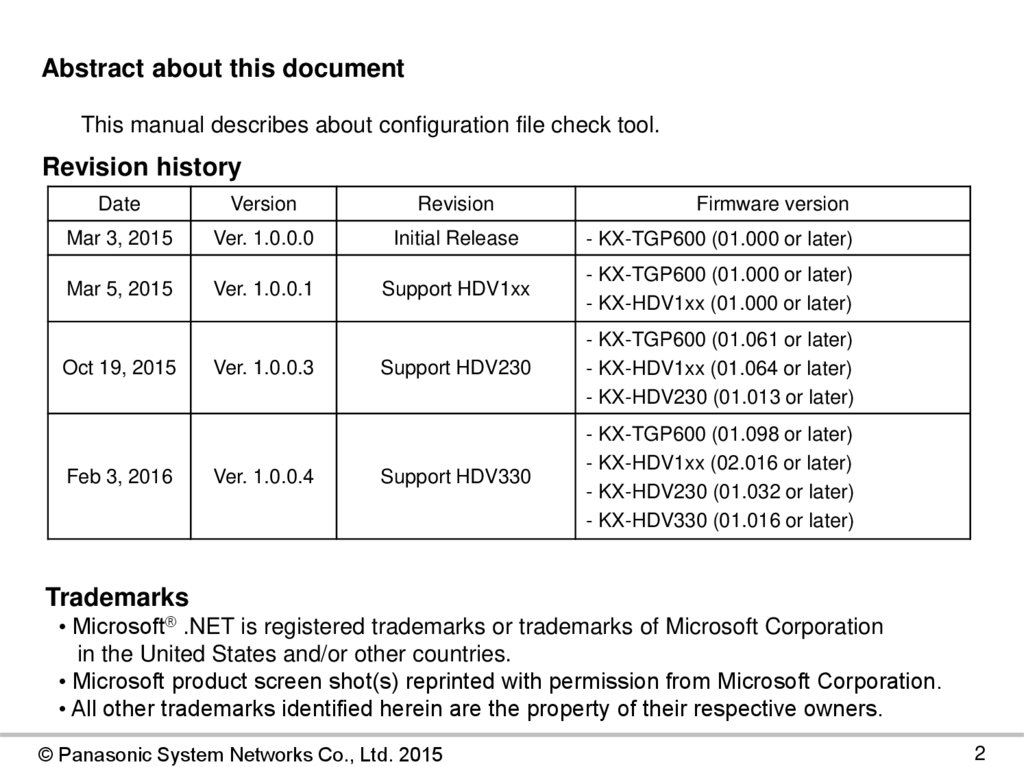
Abstract about this documentThis manual describes about configuration file check tool.
Revision history
Date
Version
Revision
Mar 3, 2015
Ver. 1.0.0.0
Initial Release
- KX-TGP600 (01.000 or later)
Mar 5, 2015
Ver. 1.0.0.1
Support HDV1xx
- KX-TGP600 (01.000 or later)
- KX-HDV1xx (01.000 or later)
Support HDV230
- KX-TGP600 (01.061 or later)
- KX-HDV1xx (01.064 or later)
- KX-HDV230 (01.013 or later)
Support HDV330
- KX-TGP600 (01.098 or later)
- KX-HDV1xx (02.016 or later)
- KX-HDV230 (01.032 or later)
- KX-HDV330 (01.016 or later)
Oct 19, 2015
Feb 3, 2016
Ver. 1.0.0.3
Ver. 1.0.0.4
Firmware version
Trademarks
• Microsoft® .NET is registered trademarks or trademarks of Microsoft Corporation
in the United States and/or other countries.
• Microsoft product screen shot(s) reprinted with permission from Microsoft Corporation.
• All other trademarks identified herein are the property of their respective owners.
© Panasonic System Networks Co., Ltd. 2015
2
3.
Outline1. How to Setup
2. How to Start
3. How to Check
Note
・ “Microsoft® .NET Framework(4.5)” is required for installation and use of this tool.
(Other versions doesn’t support this tool)
For details, please refer to the information of Microsoft Corp. web site.
© Panasonic System Networks Co., Ltd. 2015
3
4.
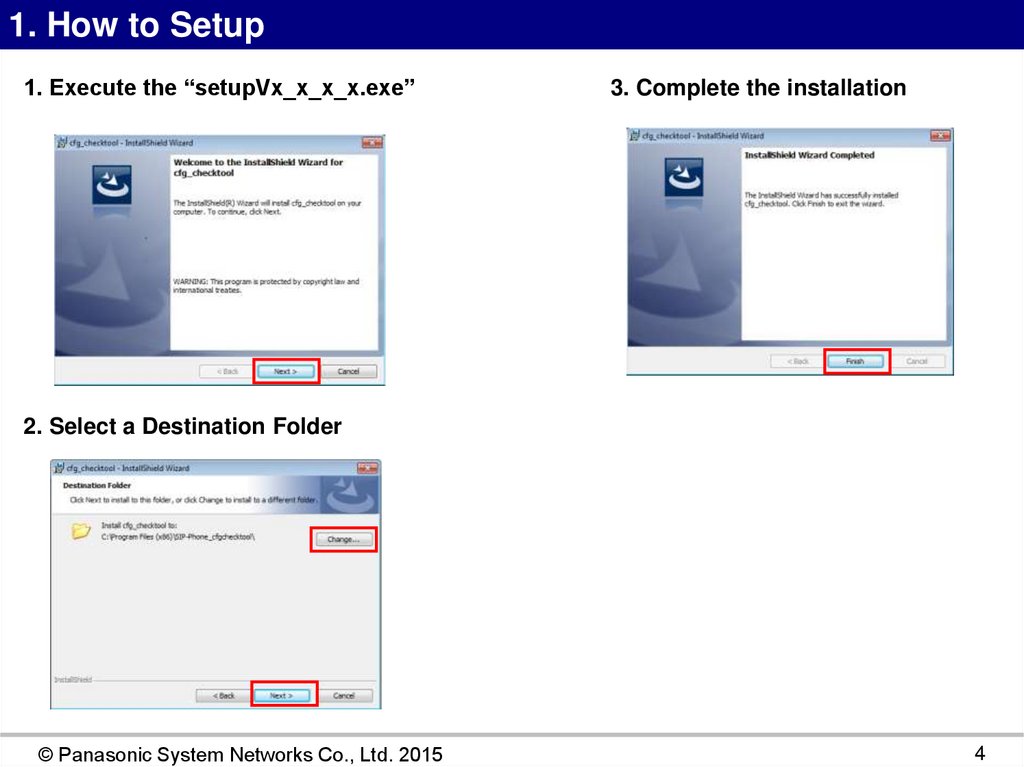
1. How to Setup1. Execute the “setupVx_x_x_x.exe”
3. Complete the installation
2. Select a Destination Folder
© Panasonic System Networks Co., Ltd. 2015
4
5.
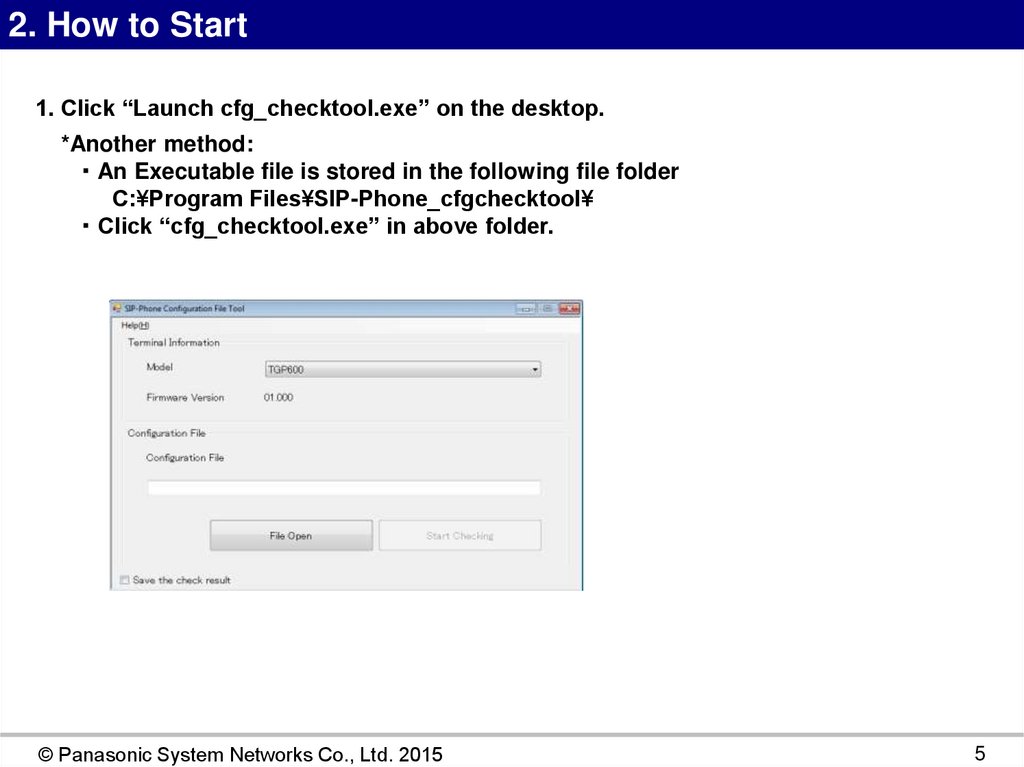
2. How to Start1. Click “Launch cfg_checktool.exe” on the desktop.
*Another method:
・ An Executable file is stored in the following file folder
C:¥Program Files¥SIP-Phone_cfgchecktool¥
・ Click “cfg_checktool.exe” in above folder.
© Panasonic System Networks Co., Ltd. 2015
5
6.
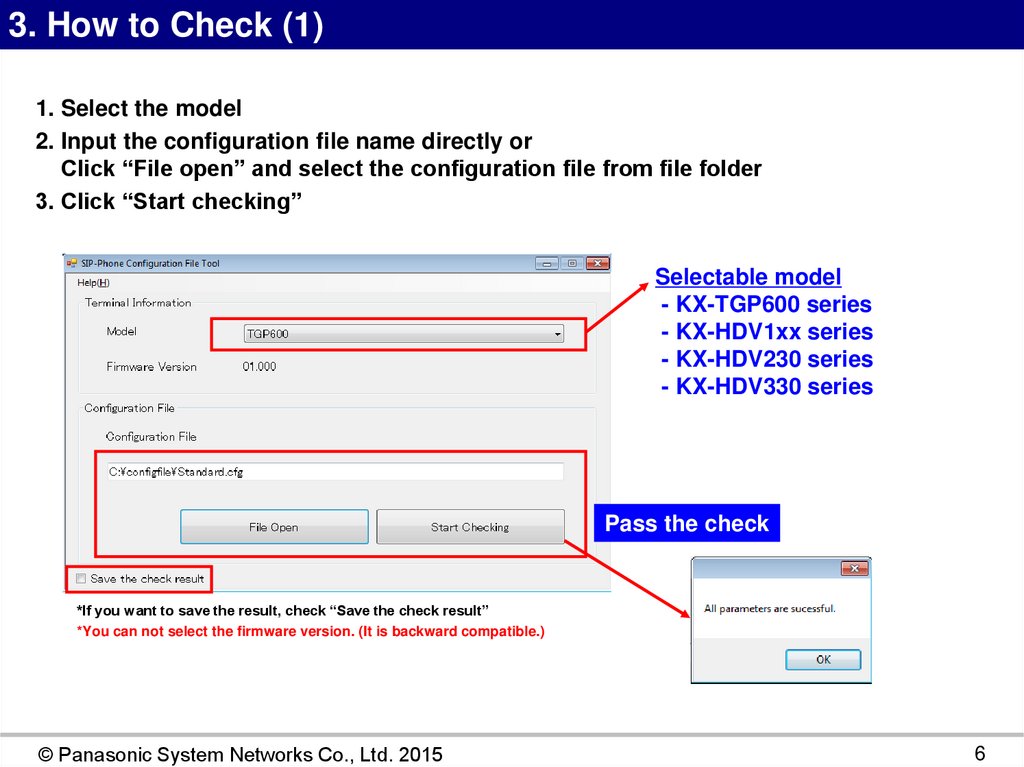
3. How to Check (1)1. Select the model
2. Input the configuration file name directly or
Click “File open” and select the configuration file from file folder
3. Click “Start checking”
Selectable model
- KX-TGP600 series
- KX-HDV1xx series
- KX-HDV230 series
- KX-HDV330 series
Pass the check
*If you want to save the result, check “Save the check result”
*You can not select the firmware version. (It is backward compatible.)
© Panasonic System Networks Co., Ltd. 2015
6
7.
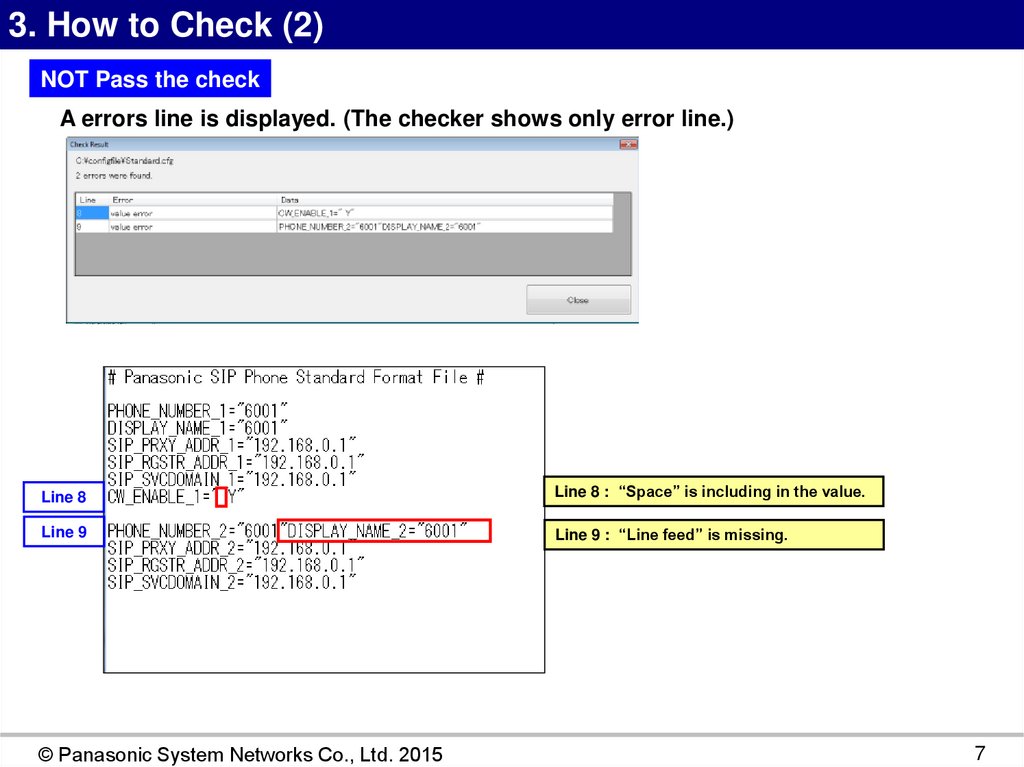
3. How to Check (2)NOT Pass the check
A errors line is displayed. (The checker shows only error line.)
Line 8
Line 8 : “Space” is including in the value.
Line 9
Line 9 : “Line feed” is missing.
© Panasonic System Networks Co., Ltd. 2015
7
8.
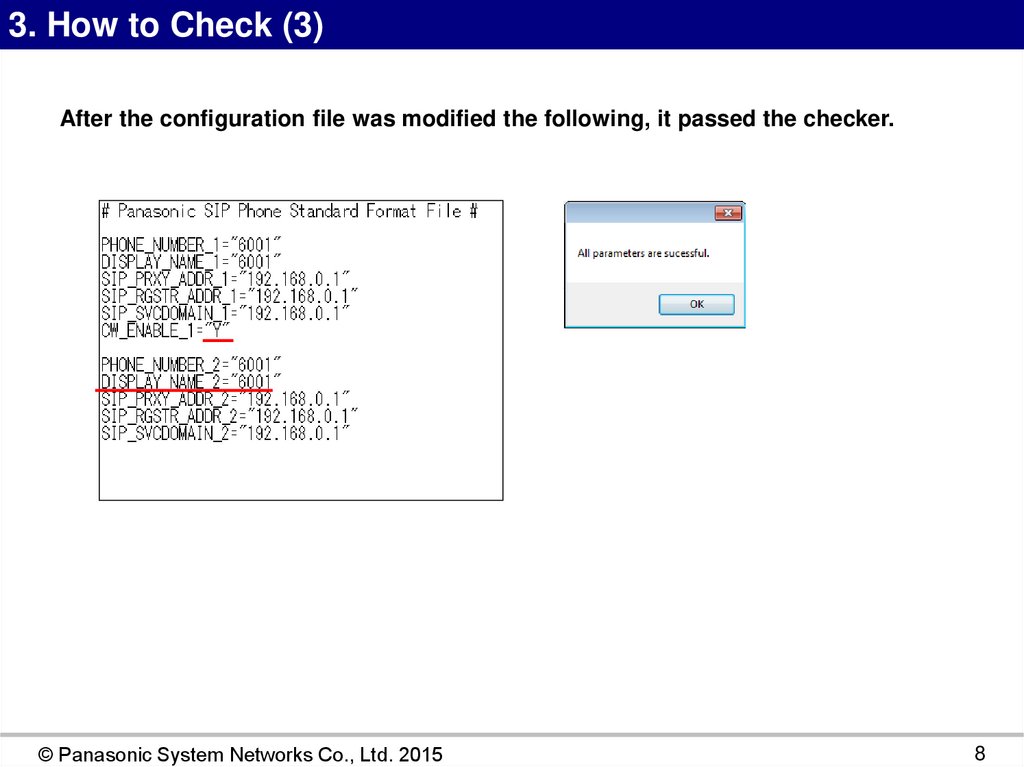
3. How to Check (3)After the configuration file was modified the following, it passed the checker.
© Panasonic System Networks Co., Ltd. 2015
8