


 informatics
Similar presentations:





Fundamentals of Computer Architecture - Part 1
1. SOF108 Computer Architecture
Chapter 1: Fundamentals of ComputerArchitecture
2.
Slide Credits/ Additional Resources• The slides/diagrams in this course are an adaptation, enhancement, and
combination of the materials from the followings sources and persons:
• https://www.youtube.com/channel/UC0j4jTCkhMLmGwriVbbBtSw by Professor David
Black-Schaffer
• http://chortle.ccsu.edu/AssemblyTutorial/index.html#part3
• http://www.cs.fsu.edu/~hawkes/cda3101lects/index.html
• Harry H. Porter, http://web.cecs.pdx.edu/~harry/videos-architecture/
• Edgar Gabriel, http://www2.cs.uh.edu/~gabriel/courses/cosc6385_s18/index.shtml
• Mohammadmahdi Ariannejad, Xiamen University Malaysia
• John L. Hennessy, David A. Patterson (2019) Computer Architecture: A Quantitative
Approach, 6th Edition. Morgan Kaufmann.
• William Stallings (2019) Computer Organization and Architecture, Global Edition. Pearson
Education Ltd.
• Mallikarachchi Dilshani Hansika, Xiamen University Malaysia
3. Today’s lecture outline
1.1 Computer Architecture Preliminaries1.2 Trends in technology
1.3 Dependability/Reliability
• Fault, error and failure
• Dependability Measures
1.4 Computer Performance
3
4. 1.1 Preliminaries
5. What is a computer?
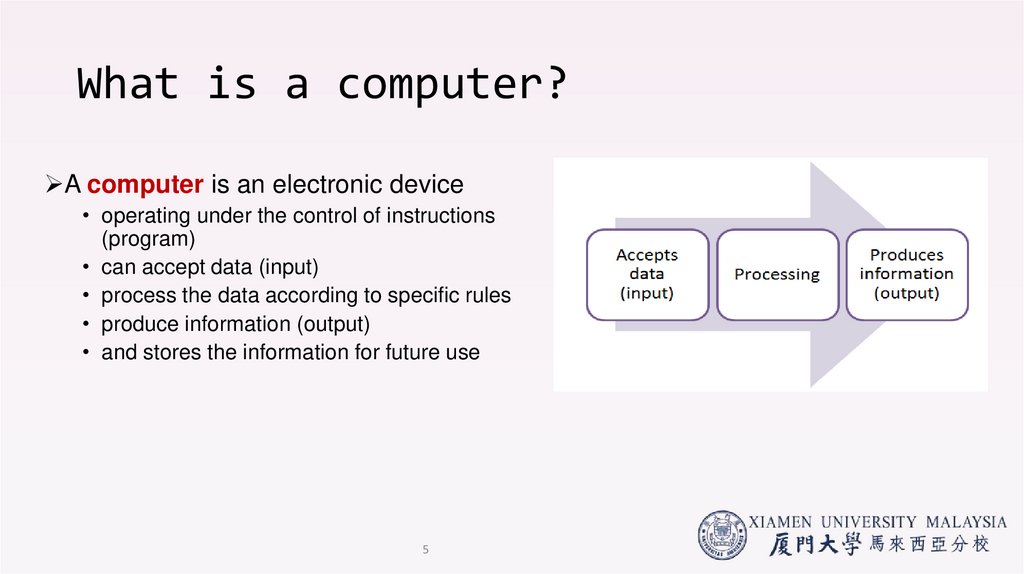
A computer is an electronic device• operating under the control of instructions
(program)
• can accept data (input)
• process the data according to specific rules
• produce information (output)
• and stores the information for future use
5
6. Price/Performance Pyramid
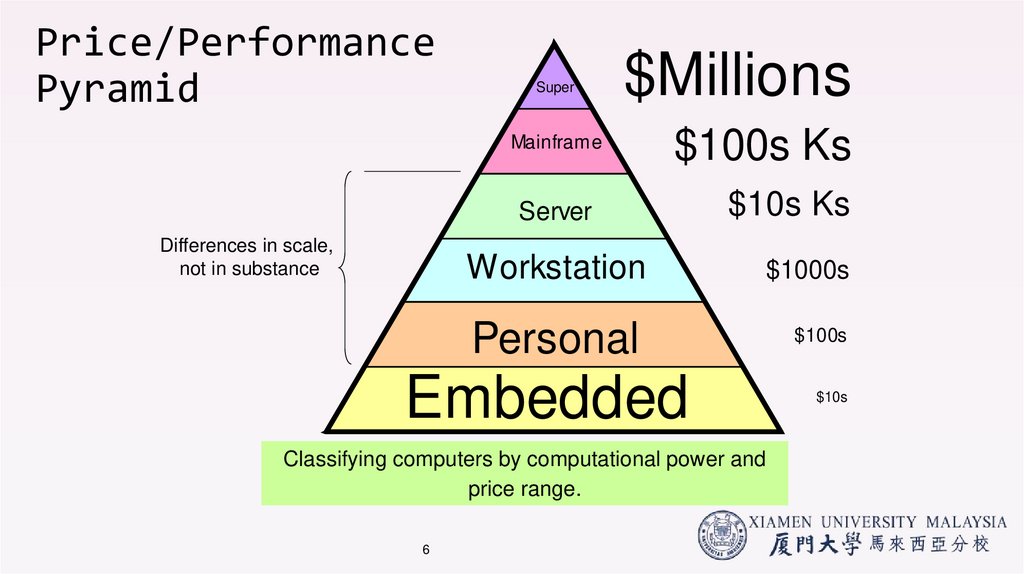
Differences in scale,not in substance
Super
$Millions
Mainframe
$100s Ks
Server
$10s Ks
Workstation
$1000s
Personal
$100s
Embedded
Classifying computers by computational power and
price range.
6
$10s
7. Automotive Embedded Computers
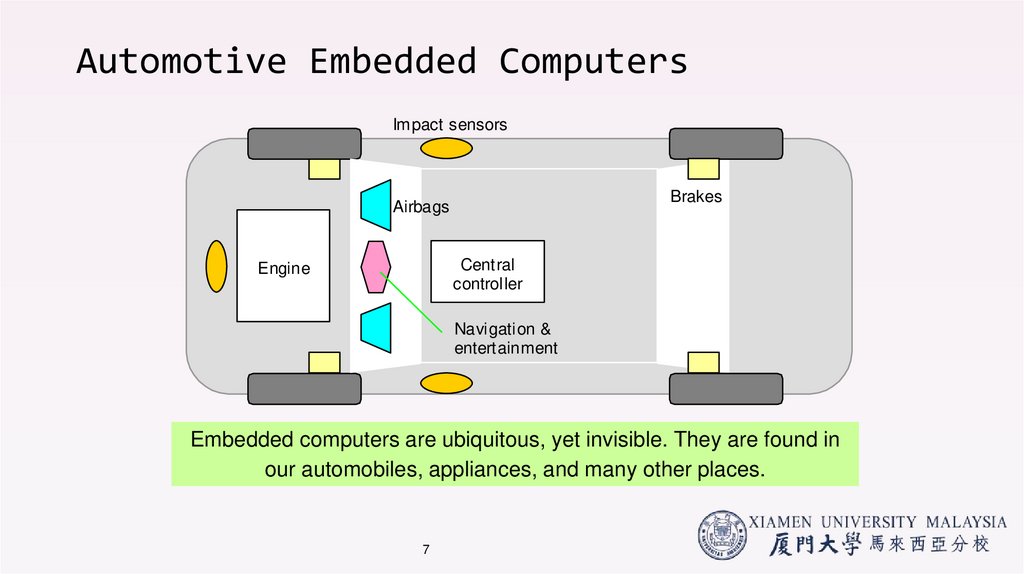
Impact sensorsBrakes
Airbags
Cent ral
controller
Engine
Navigation &
entert ainment
Embedded computers are ubiquitous, yet invisible. They are found in
our automobiles, appliances, and many other places.
7
8. Personal Computers and Workstations
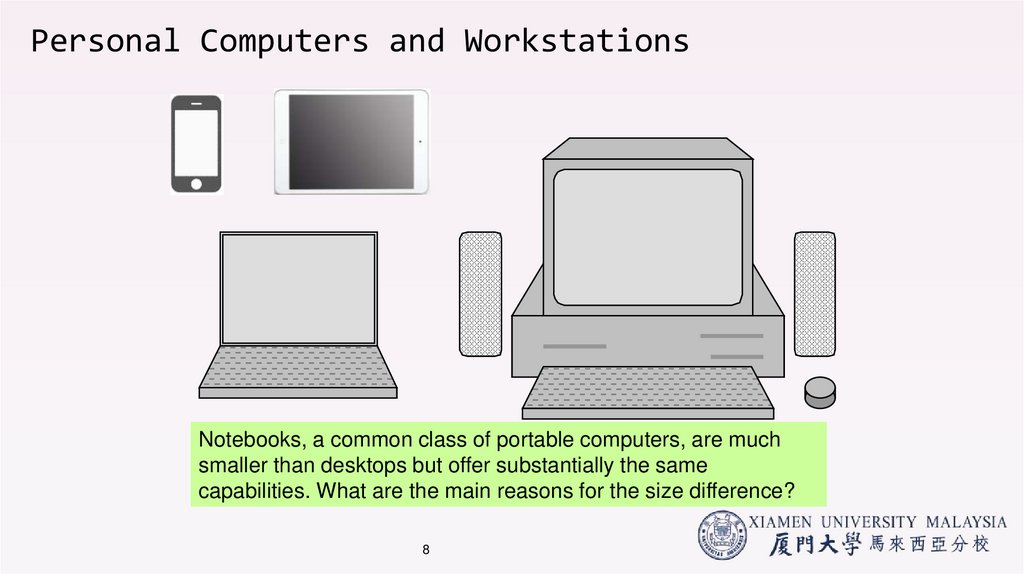
Notebooks, a common class of portable computers, are muchsmaller than desktops but offer substantially the same
capabilities. What are the main reasons for the size difference?
8
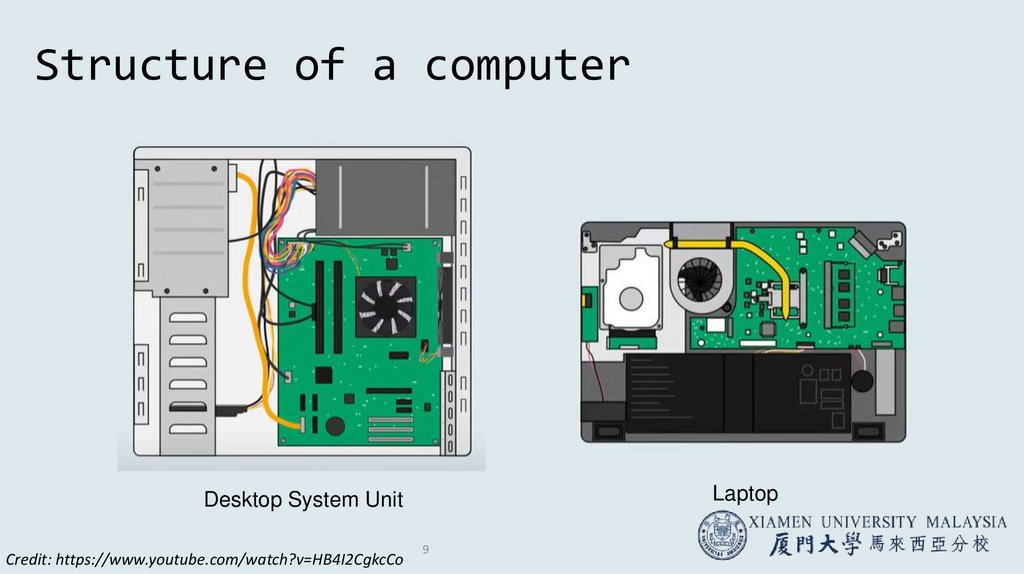
9. Structure of a computer
LaptopDesktop System Unit
Credit: https://www.youtube.com/watch?v=HB4I2CgkcCo
9
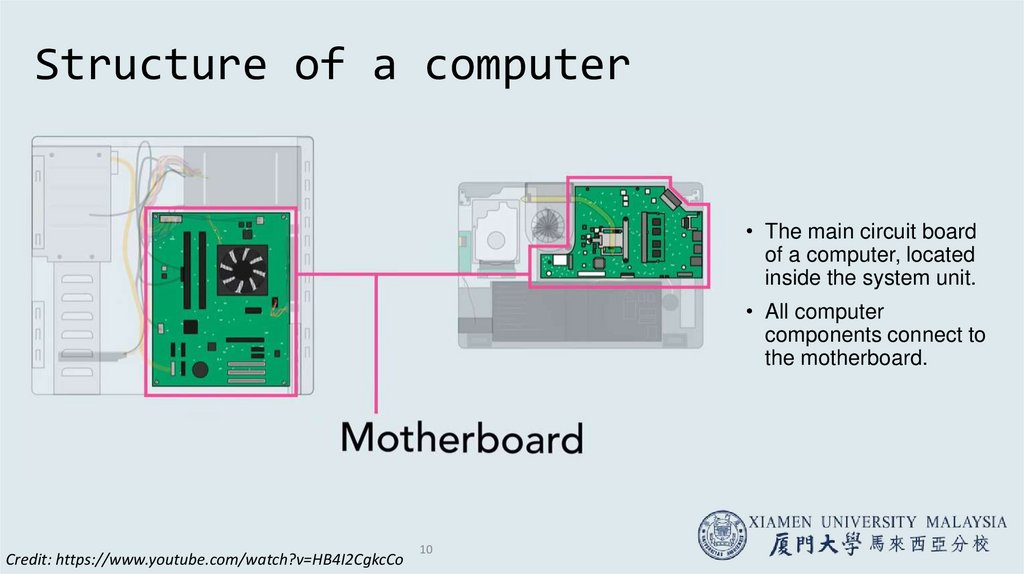
10.
Structure of a computer• The main circuit board
of a computer, located
inside the system unit.
• All computer
components connect to
the motherboard.
Credit: https://www.youtube.com/watch?v=HB4I2CgkcCo
10
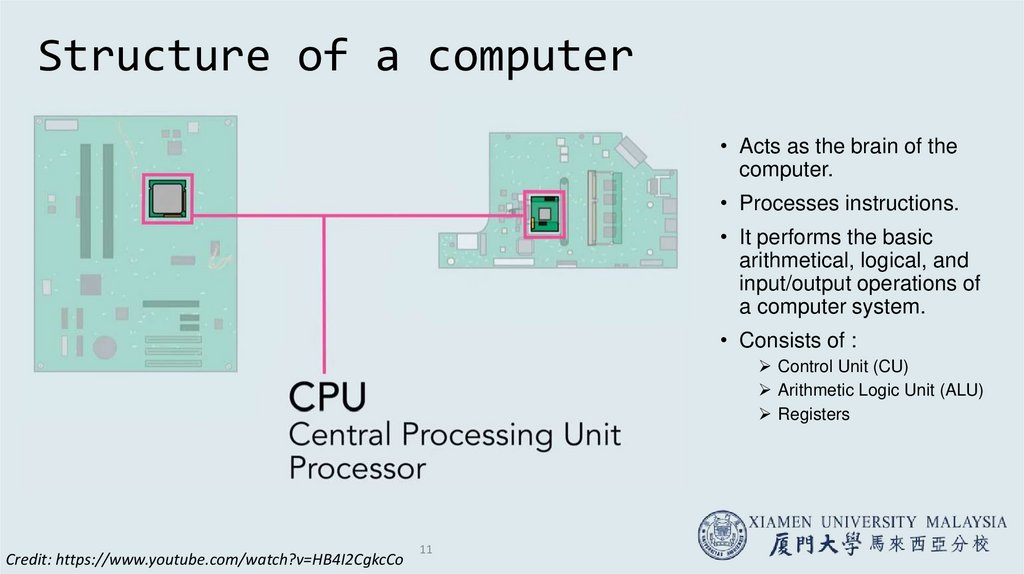
11. Structure of a computer
• Acts as the brain of thecomputer.
• Processes instructions.
• It performs the basic
arithmetical, logical, and
input/output operations of
a computer system.
• Consists of :
Control Unit (CU)
Arithmetic Logic Unit (ALU)
Registers
Credit: https://www.youtube.com/watch?v=HB4I2CgkcCo
11
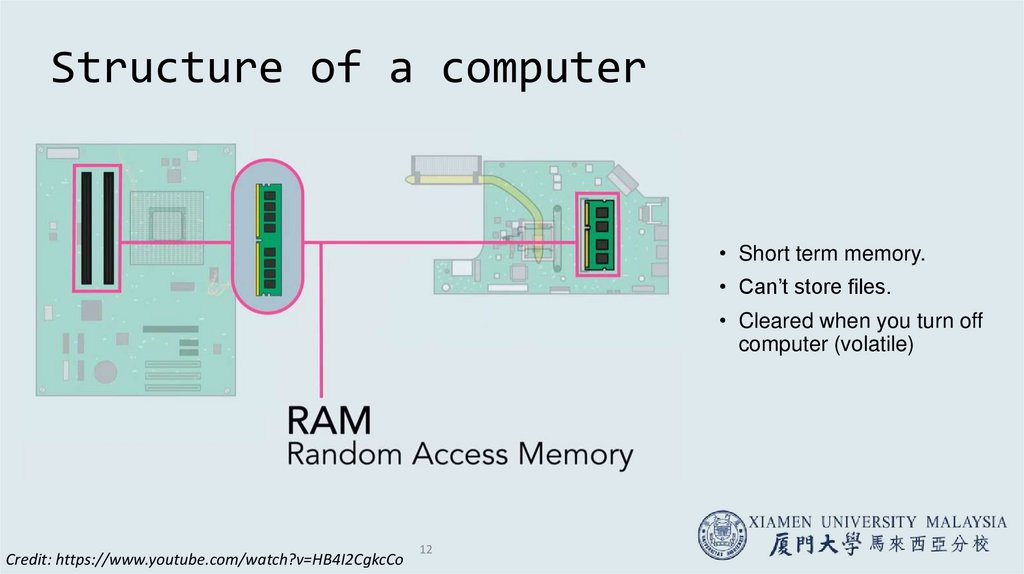
12. Structure of a computer
• Short term memory.• Can’t store files.
• Cleared when you turn off
computer (volatile)
Credit: https://www.youtube.com/watch?v=HB4I2CgkcCo
12
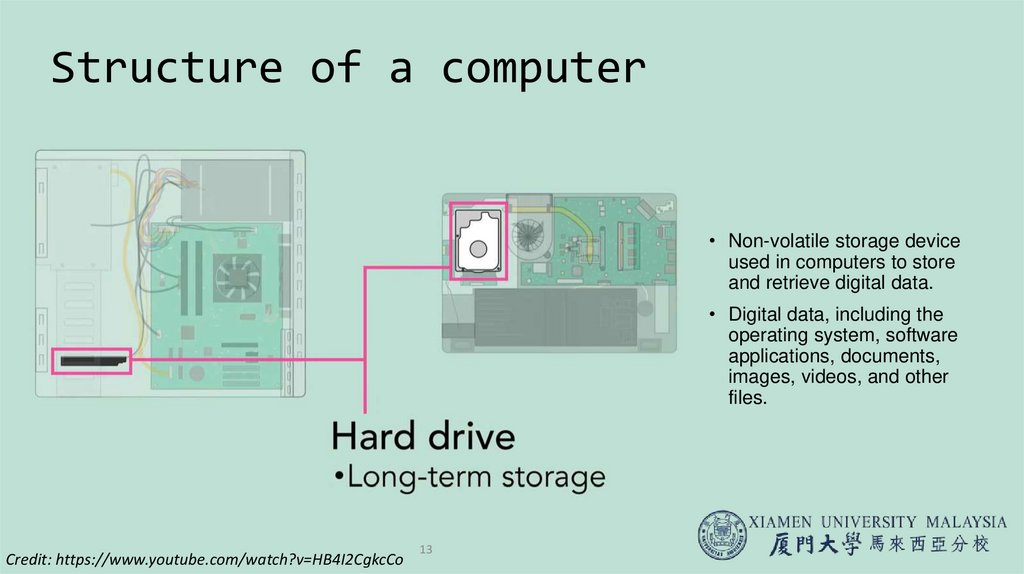
13. Structure of a computer
• Non-volatile storage deviceused in computers to store
and retrieve digital data.
• Digital data, including the
operating system, software
applications, documents,
images, videos, and other
files.
Credit: https://www.youtube.com/watch?v=HB4I2CgkcCo
13
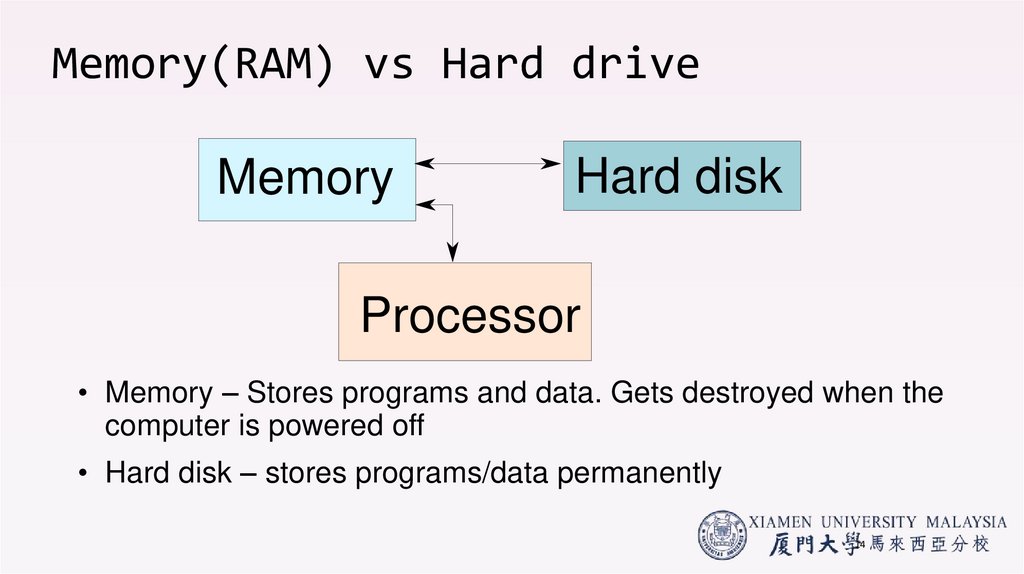
14. Memory(RAM) vs Hard drive
MemoryHard disk
Processor
• Memory – Stores programs and data. Gets destroyed when the
computer is powered off
• Hard disk – stores programs/data permanently
14
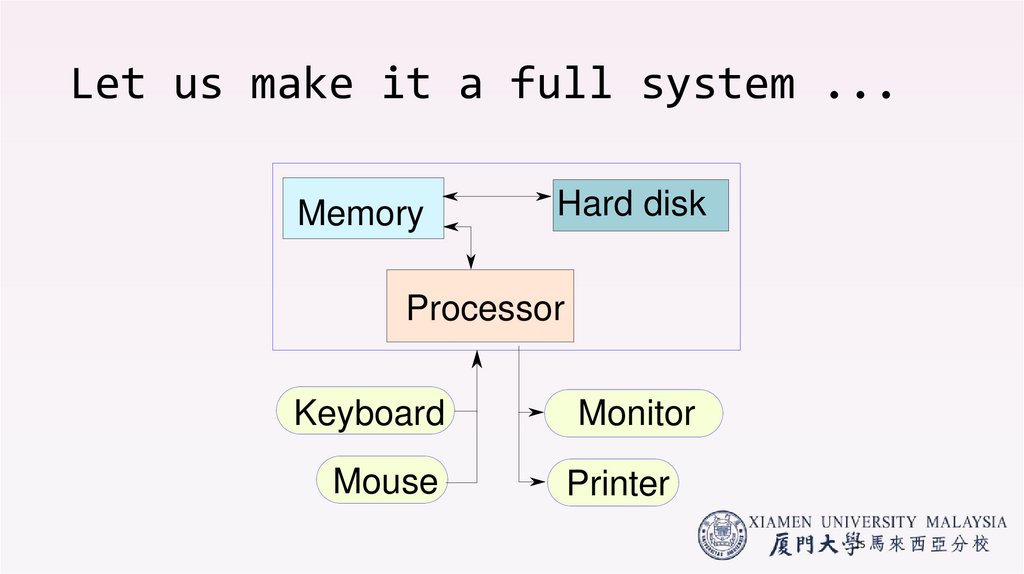
15. Let us make it a full system ...
MemoryHard disk
Processor
Keyboard
Monitor
Mouse
Printer
15
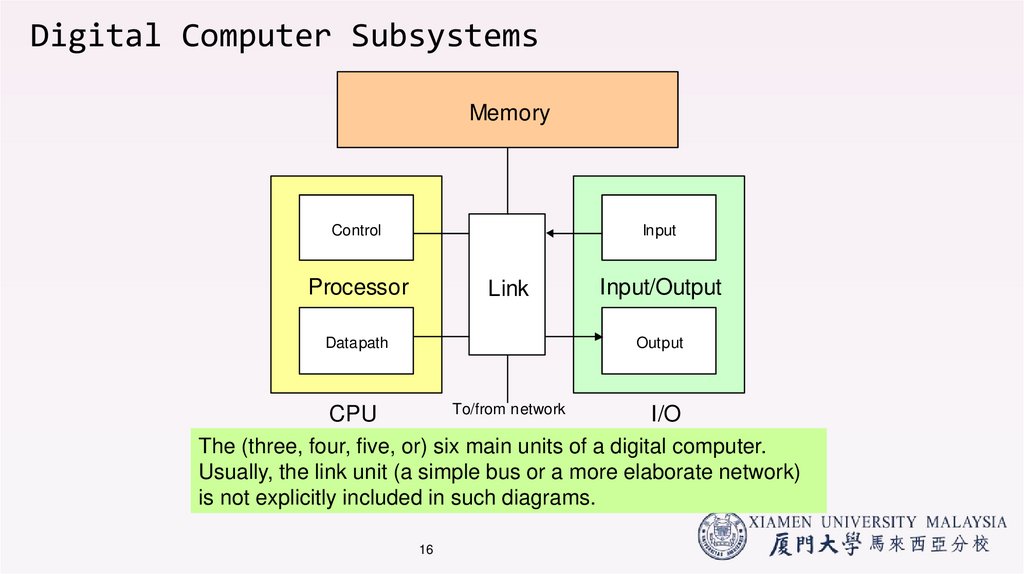
16. Digital Computer Subsystems
MemoryControl
Input
Processor
Link
Datapath
Input/Output
Output
To/from network
CPU
I/O
The (three, four, five, or) six main units of a digital computer.
Usually, the link unit (a simple bus or a more elaborate network)
is not explicitly included in such diagrams.
16
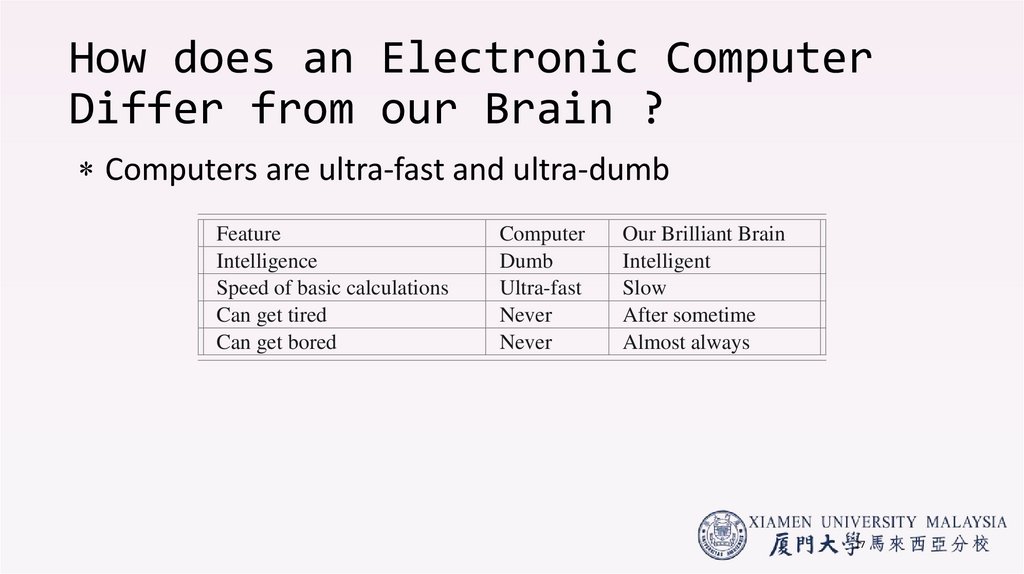
17. How does an Electronic Computer Differ from our Brain ?
How does an Electronic ComputerDiffer from our Brain ?
Computers are ultra-fast and ultra-dumb
Feature
Intelligence
Speed of basic calculations
Can get tired
Can get bored
Computer
Dumb
Ultra-fast
Never
Never
Our Brilliant Brain
Intelligent
Slow
After sometime
Almost always
17
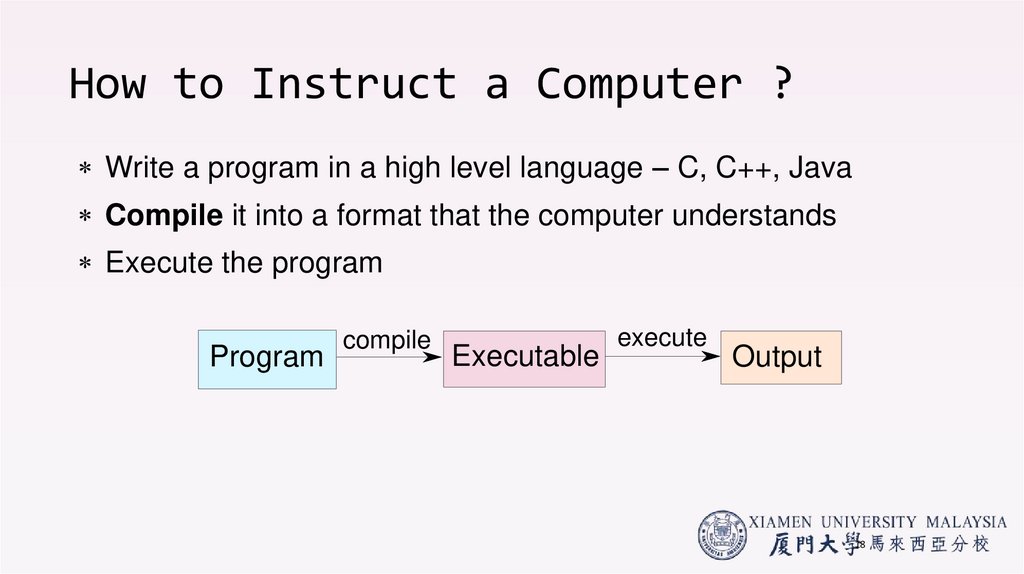
18. How to Instruct a Computer ?
How to Instruct a Computer ?Write a program in a high level language – C, C++, Java
Compile it into a format that the computer understands
Execute the program
Program
compile
Executable
execute
Output
18
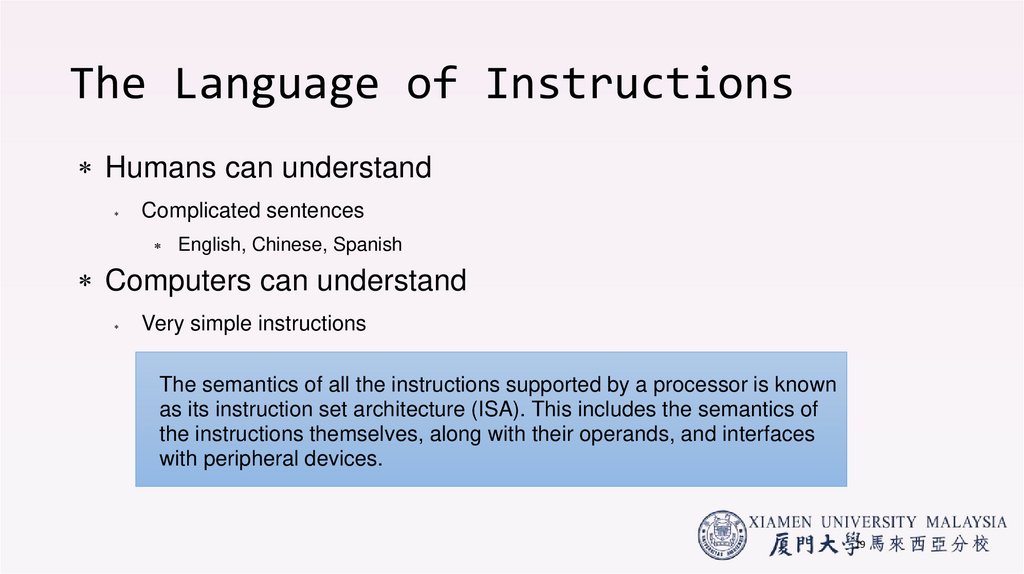
19. The Language of Instructions
Humans can understandComplicated sentences
English, Chinese, Spanish
Computers can understand
Very simple instructions
The semantics of all the instructions supported by a processor is known
as its instruction set architecture (ISA). This includes the semantics of
the instructions themselves, along with their operands, and interfaces
with peripheral devices.
19
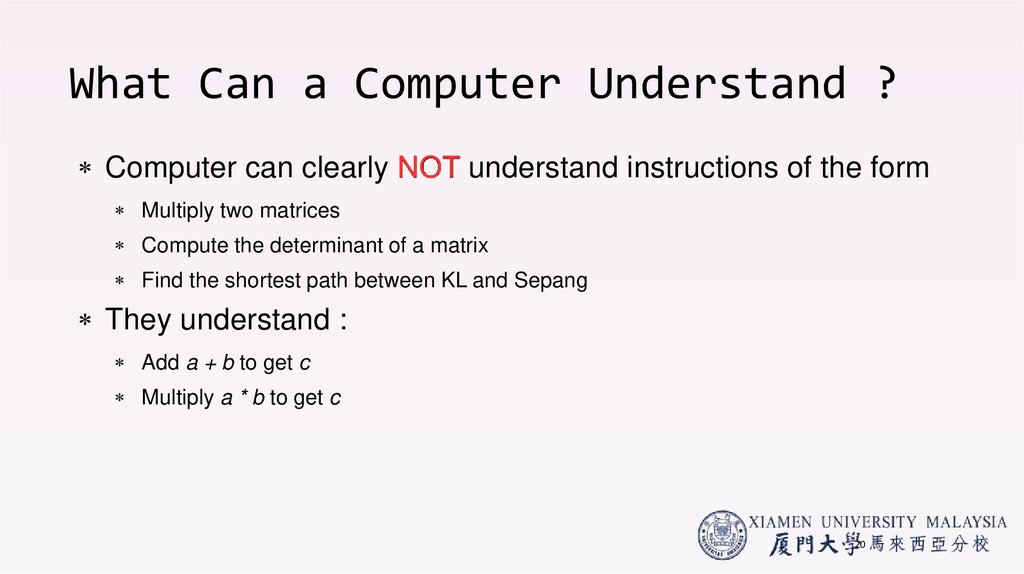
20. What Can a Computer Understand ?
What Can a Computer Understand ?Computer can clearly NOT understand instructions of the form
Multiply two matrices
Compute the determinant of a matrix
Find the shortest path between KL and Sepang
They understand :
Add a + b to get c
Multiply a * b to get c
20
21. How does a Computer work?
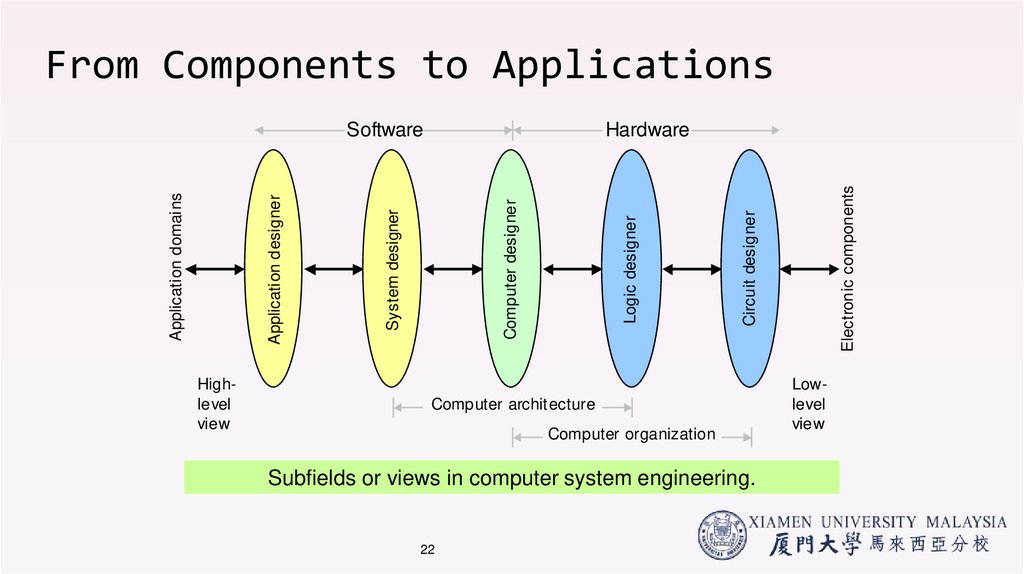
https://www.youtube.com/watch?v=AkFi90lZmXA&list=LL&index=922. From Components to Applications
Highlevelview
Computer archit ecture
Computer organization
Subfields or views in computer system engineering.
22
Electronic components
Circuit designer
Logic designer
Computer designer
Hardware
System designer
Application designer
Application domains
Software
Lowlevel
view
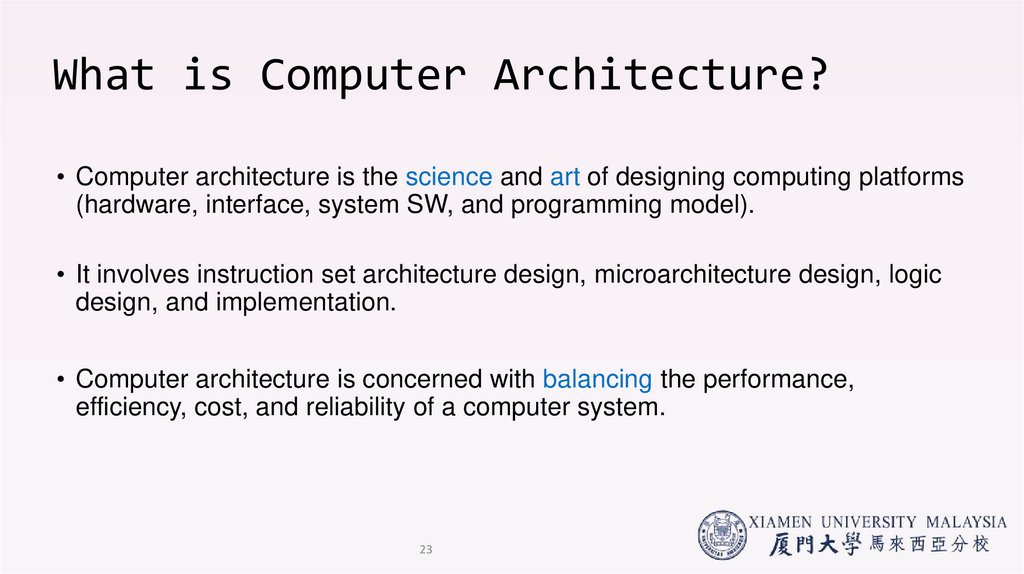
23. What is Computer Architecture?
• Computer architecture is the science and art of designing computing platforms(hardware, interface, system SW, and programming model).
• It involves instruction set architecture design, microarchitecture design, logic
design, and implementation.
• Computer architecture is concerned with balancing the performance,
efficiency, cost, and reliability of a computer system.
23
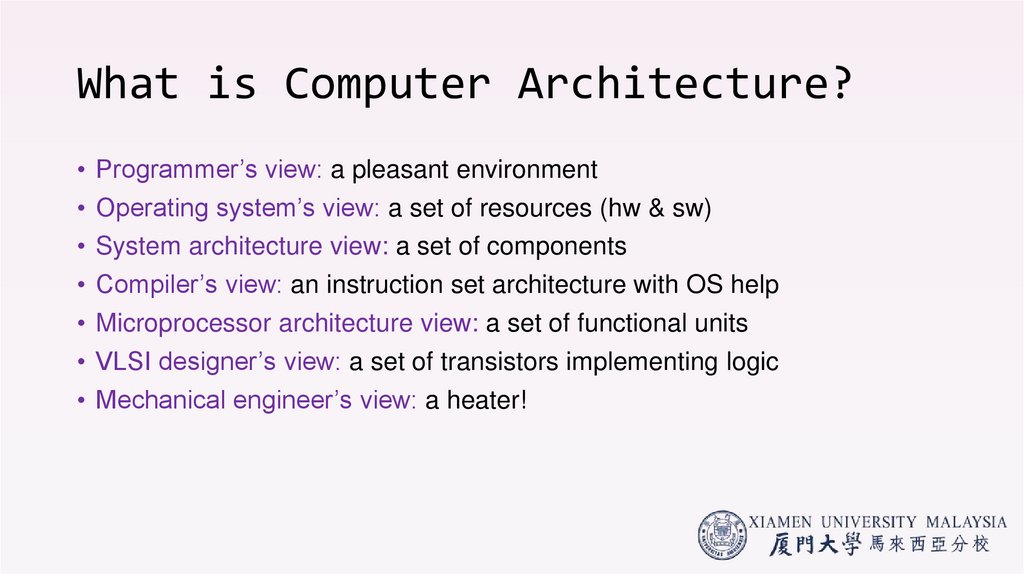
24. What is Computer Architecture?
• Programmer’s view: a pleasant environment• Operating system’s view: a set of resources (hw & sw)
• System architecture view: a set of components
• Compiler’s view: an instruction set architecture with OS help
• Microprocessor architecture view: a set of functional units
• VLSI designer’s view: a set of transistors implementing logic
• Mechanical engineer’s view: a heater!
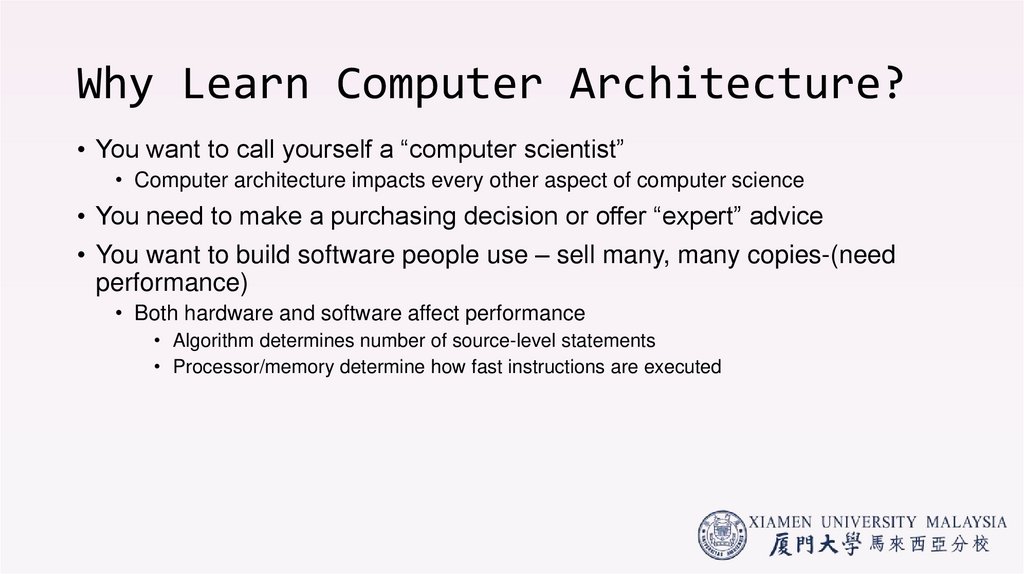
25. Why Learn Computer Architecture?
• You want to call yourself a “computer scientist”• Computer architecture impacts every other aspect of computer science
• You need to make a purchasing decision or offer “expert” advice
• You want to build software people use – sell many, many copies-(need
performance)
• Both hardware and software affect performance
• Algorithm determines number of source-level statements
• Processor/memory determine how fast instructions are executed
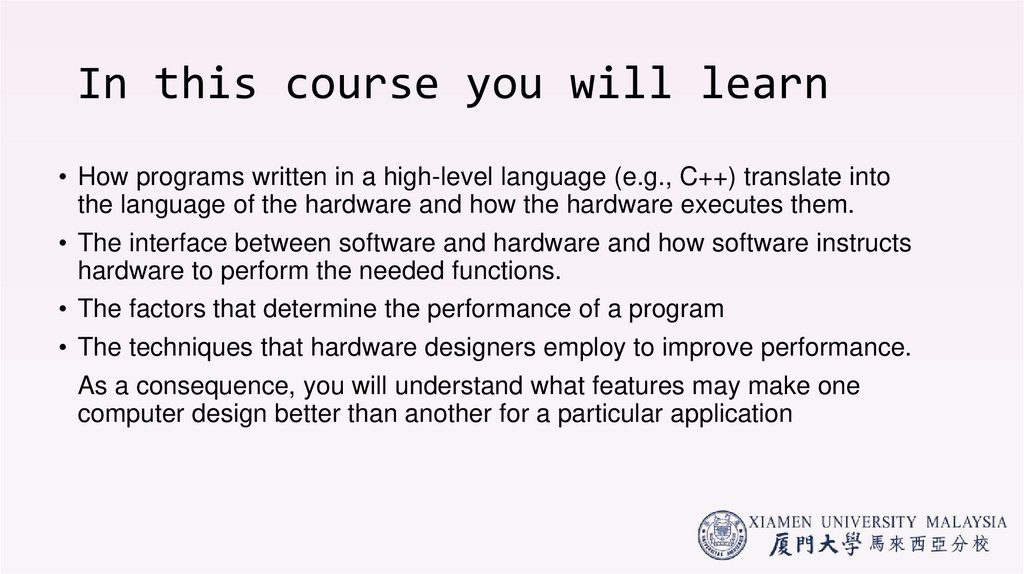
26. In this course you will learn
• How programs written in a high-level language (e.g., C++) translate intothe language of the hardware and how the hardware executes them.
• The interface between software and hardware and how software instructs
hardware to perform the needed functions.
• The factors that determine the performance of a program
• The techniques that hardware designers employ to improve performance.
As a consequence, you will understand what features may make one
computer design better than another for a particular application
27. 1.2 Trends in Technology
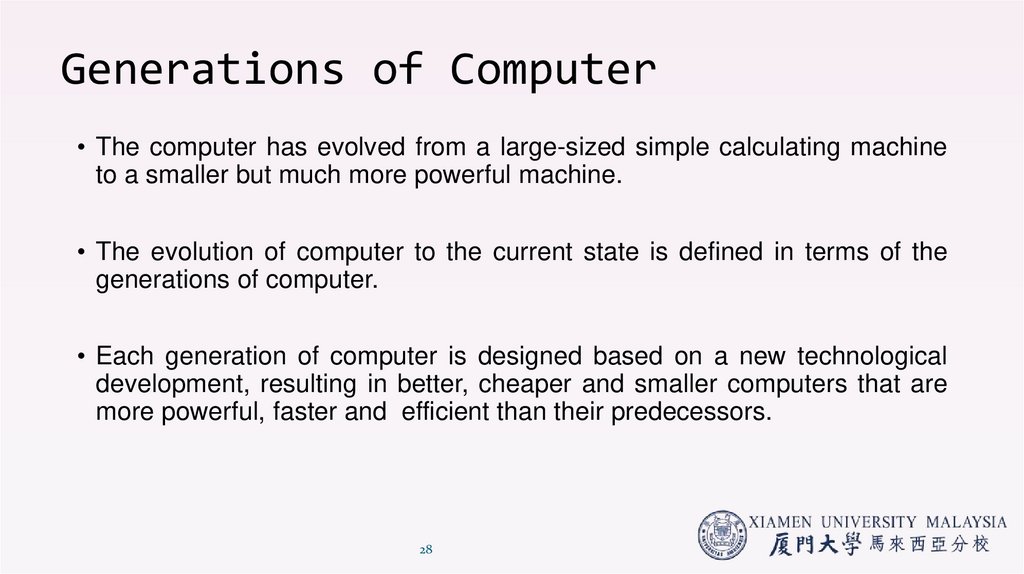
28. Generations of Computer
• The computer has evolved from a large-sized simple calculating machineto a smaller but much more powerful machine.
• The evolution of computer to the current state is defined in terms of the
generations of computer.
• Each generation of computer is designed based on a new technological
development, resulting in better, cheaper and smaller computers that are
more powerful, faster and efficient than their predecessors.
28
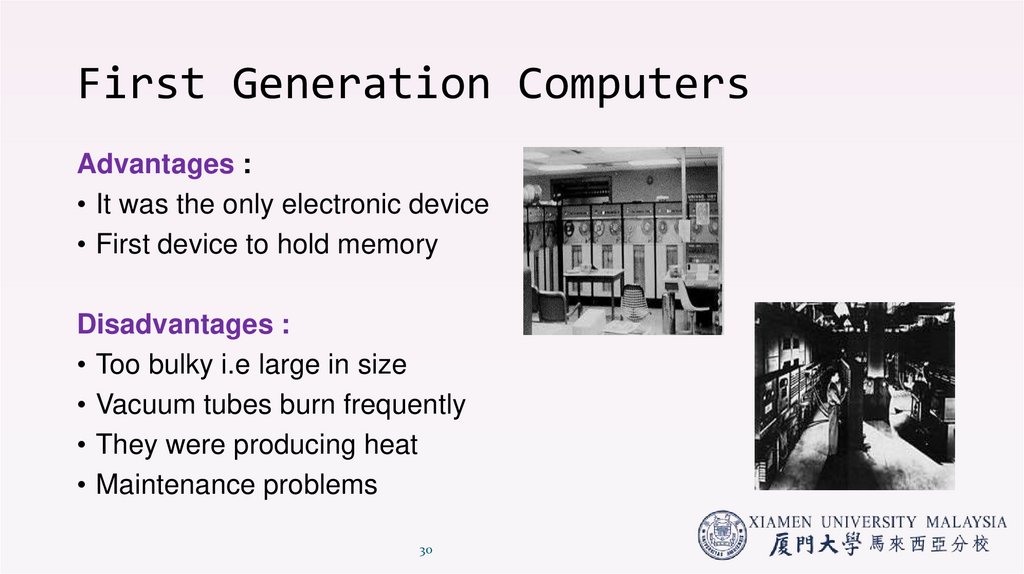
29. First Generation Computers (1940-1956)
• The first computers used vacuum tubes(a sealed glass tube containing anear-vacuum which allows the free passage of electric current.) for
circuitry and magnetic drums for memory.
• They were often enormous and taking up entire room.
• First generation computers relied on machine language.
• They were very expensive to operate and in addition to using a great deal
of electricity, generated a lot of heat, which was often the cause of
malfunctions(defect or breakdown).
• The UNIVAC and ENIAC computers are examples of first-generation
computing devices.
© Educational Technology Department, Group Head Office, The
29
City School.
30. First Generation Computers
Advantages :• It was the only electronic device
• First device to hold memory
Disadvantages :
• Too bulky i.e large in size
• Vacuum tubes burn frequently
• They were producing heat
• Maintenance problems
30
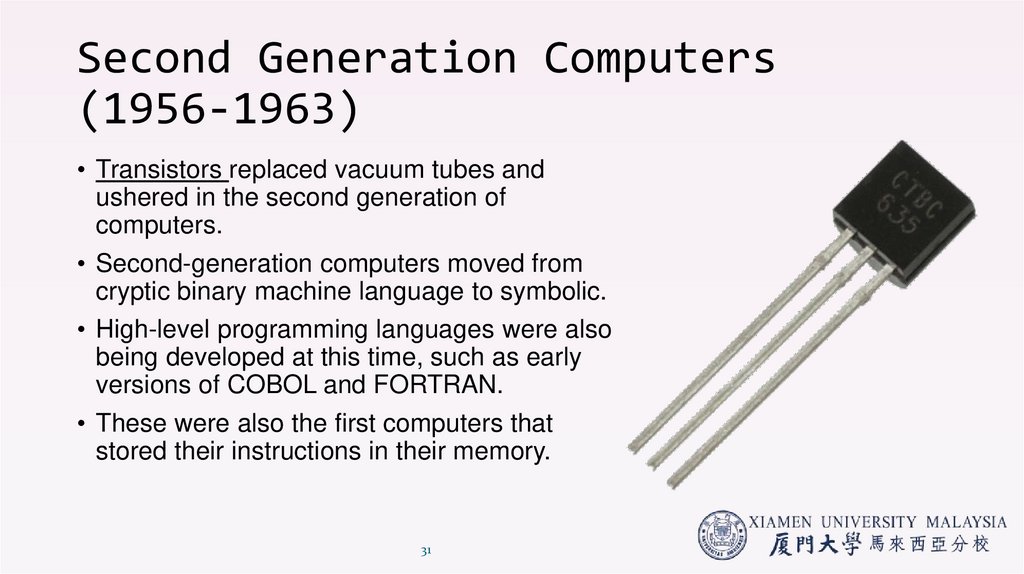
31. Second Generation Computers (1956-1963)
• Transistors replaced vacuum tubes andushered in the second generation of
computers.
• Second-generation computers moved from
cryptic binary machine language to symbolic.
• High-level programming languages were also
being developed at this time, such as early
versions of COBOL and FORTRAN.
• These were also the first computers that
stored their instructions in their memory.
31
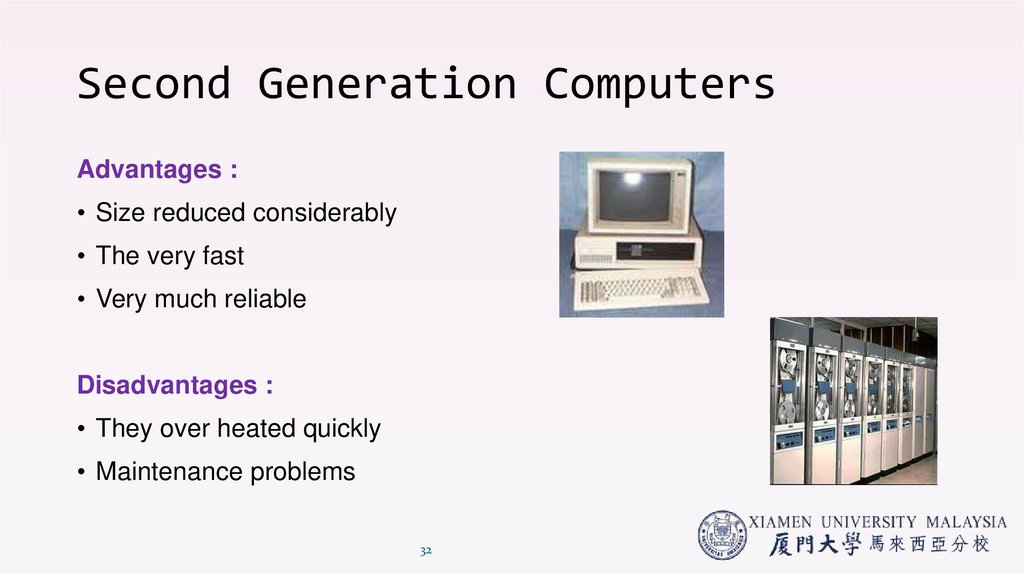
32. Second Generation Computers
Advantages :• Size reduced considerably
• The very fast
• Very much reliable
Disadvantages :
• They over heated quickly
• Maintenance problems
32
33. Third Generation Computers (1964-1971)
• The development of the integrated circuit wasthe hallmark of the third generation of computers.
• Transistors were miniaturized and placed
on siliconchips, called semiconductors.
• Instead of punched cards and printouts, users
interacted with third generation computers
through keyboards and monitors and interfaced
with an operating system.
• Allowed the device to run many
different applications at one time.
33
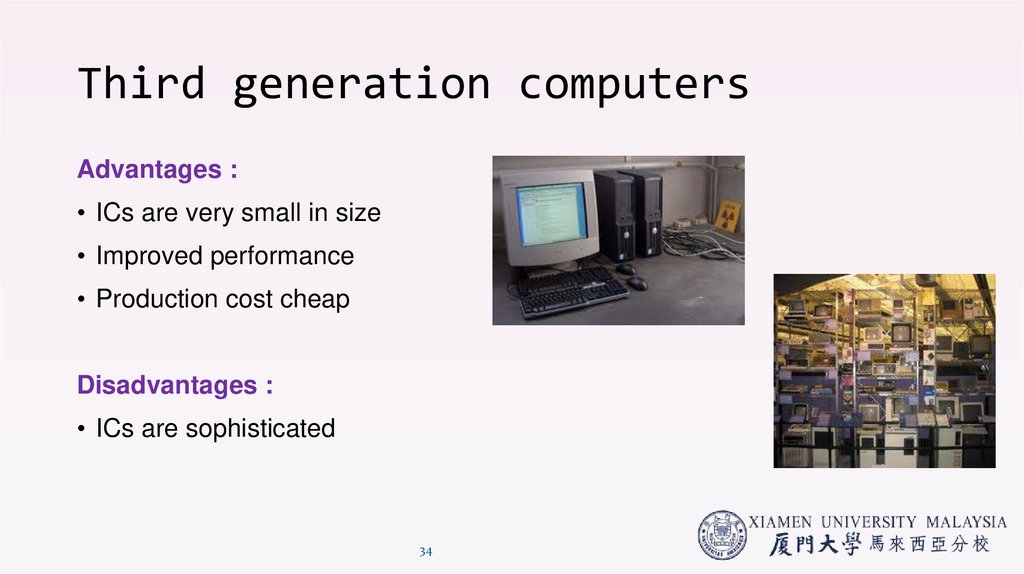
34. Third generation computers
Advantages :• ICs are very small in size
• Improved performance
• Production cost cheap
Disadvantages :
• ICs are sophisticated
34
35. Fourth Generation Computers (1971-present)
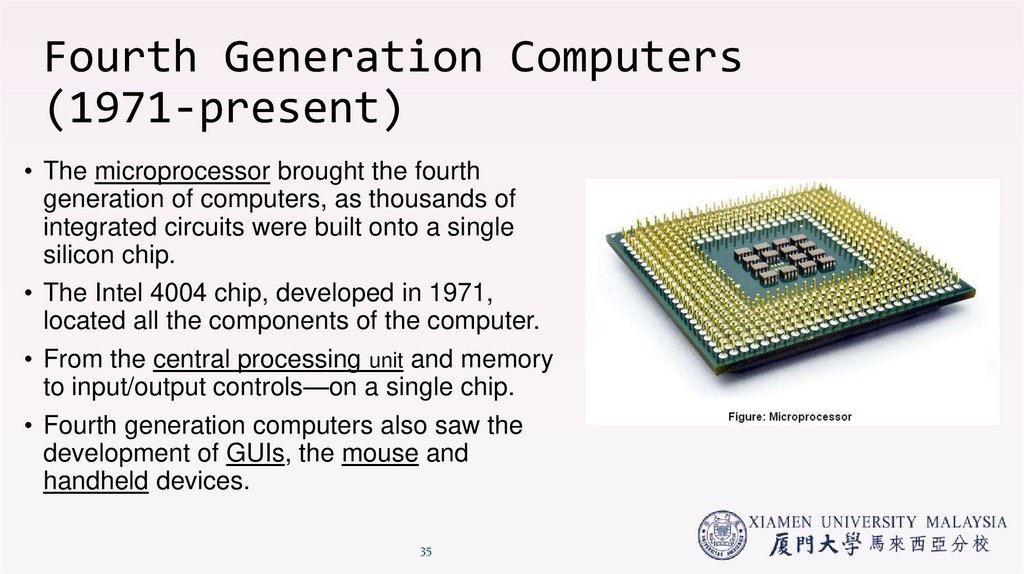
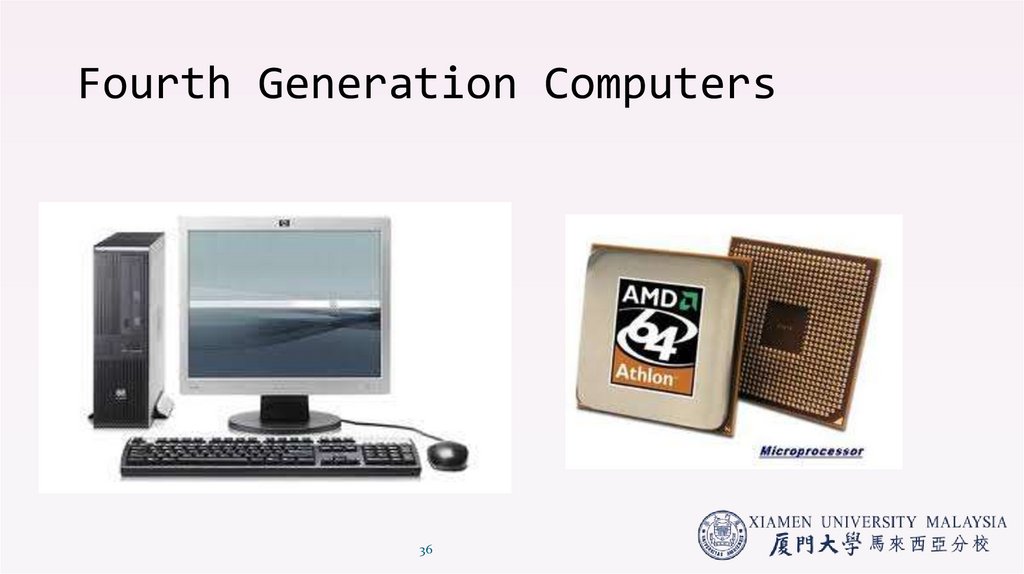
• The microprocessor brought the fourthgeneration of computers, as thousands of
integrated circuits were built onto a single
silicon chip.
• The Intel 4004 chip, developed in 1971,
located all the components of the computer.
• From the central processing unit and memory
to input/output controls—on a single chip.
• Fourth generation computers also saw the
development of GUIs, the mouse and
handheld devices.
35
36. Fourth Generation Computers
3637. Fifth Generation Computers (present and beyond)
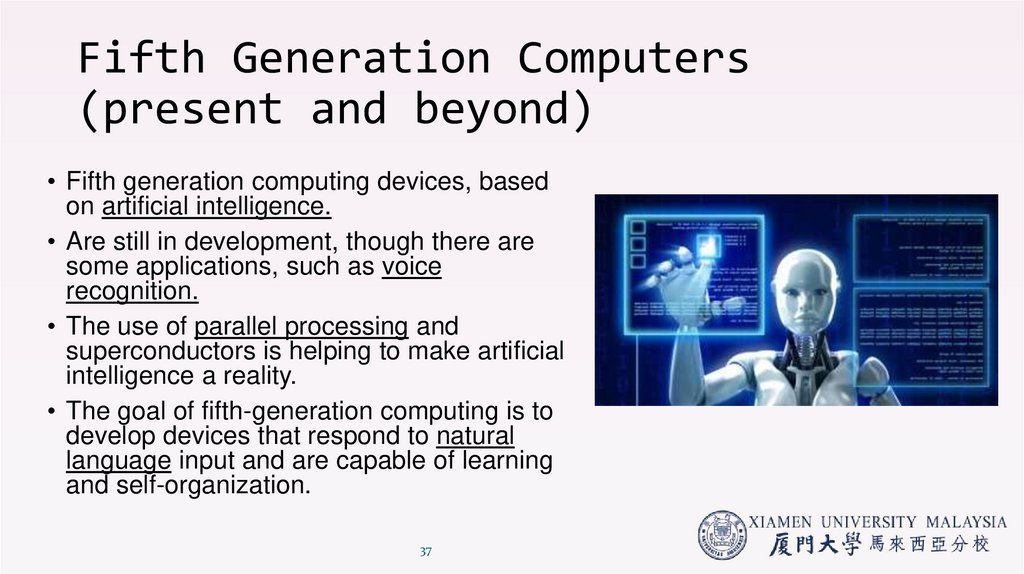
• Fifth generation computing devices, basedon artificial intelligence.
• Are still in development, though there are
some applications, such as voice
recognition.
• The use of parallel processing and
superconductors is helping to make artificial
intelligence a reality.
• The goal of fifth-generation computing is to
develop devices that respond to natural
language input and are capable of learning
and self-organization.
37
38. Fifth Generation Computers
3839. Generations of Progress
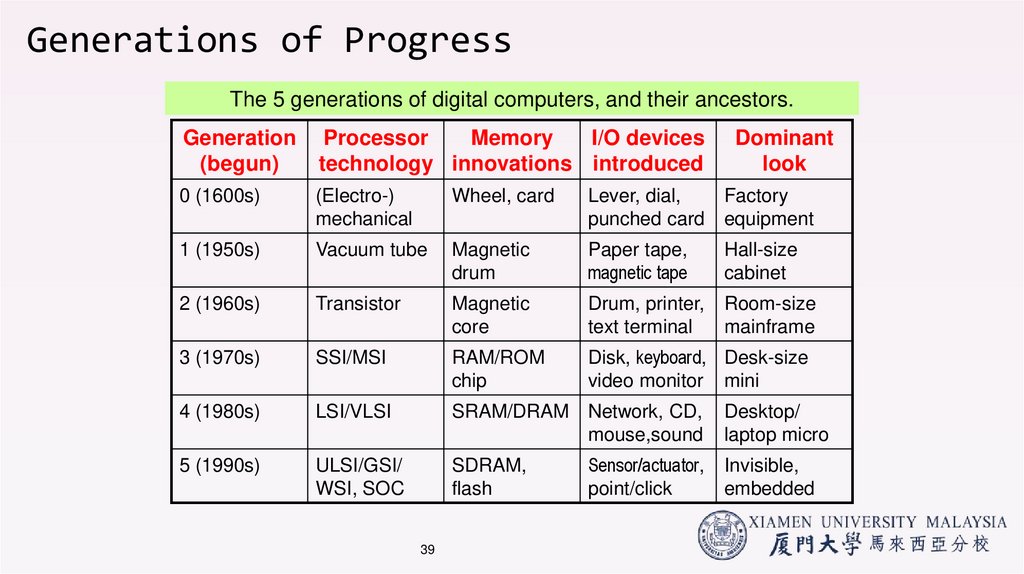
The 5 generations of digital computers, and their ancestors.Generation
(begun)
Processor
Memory
I/O devices
technology innovations introduced
Dominant
look
0 (1600s)
(Electro-)
mechanical
Wheel, card
Lever, dial,
punched card
Factory
equipment
1 (1950s)
Vacuum tube
Magnetic
drum
Paper tape,
magnetic tape
Hall-size
cabinet
2 (1960s)
Transistor
Magnetic
core
Drum, printer,
text terminal
Room-size
mainframe
3 (1970s)
SSI/MSI
RAM/ROM
chip
Disk, keyboard, Desk-size
video monitor mini
4 (1980s)
LSI/VLSI
SRAM/DRAM Network, CD,
mouse,sound
5 (1990s)
ULSI/GSI/
WSI, SOC
SDRAM,
flash
39
Sensor/actuator,
point/click
Desktop/
laptop micro
Invisible,
embedded
40. Trends in technology
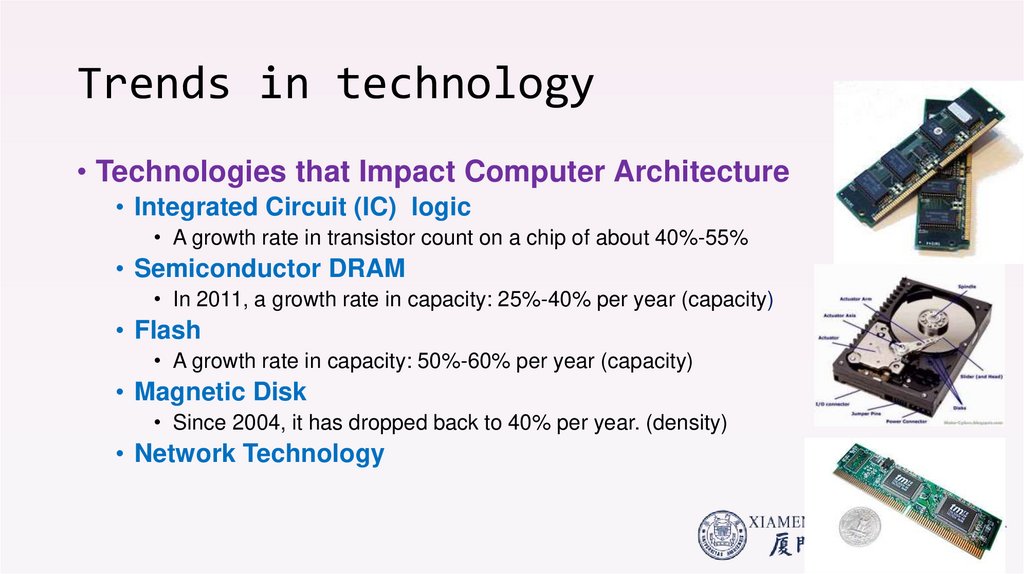
• Technologies that Impact Computer Architecture• Integrated Circuit (IC) logic
• A growth rate in transistor count on a chip of about 40%-55%
• Semiconductor DRAM
• In 2011, a growth rate in capacity: 25%-40% per year (capacity)
• Flash
• A growth rate in capacity: 50%-60% per year (capacity)
• Magnetic Disk
• Since 2004, it has dropped back to 40% per year. (density)
• Network Technology
41. Evolution of Computer Languages
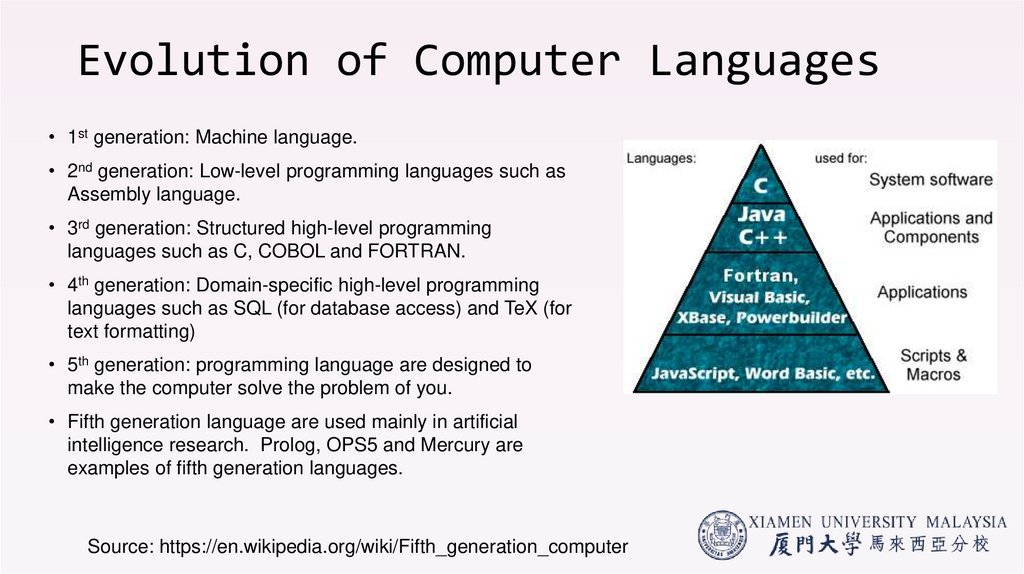
• 1st generation: Machine language.• 2nd generation: Low-level programming languages such as
Assembly language.
• 3rd generation: Structured high-level programming
languages such as C, COBOL and FORTRAN.
• 4th generation: Domain-specific high-level programming
languages such as SQL (for database access) and TeX (for
text formatting)
• 5th generation: programming language are designed to
make the computer solve the problem of you.
• Fifth generation language are used mainly in artificial
intelligence research. Prolog, OPS5 and Mercury are
examples of fifth generation languages.
Source: https://en.wikipedia.org/wiki/Fifth_generation_computer
42. Power & energy: a systems perspective
Power & energy: a systems perspective• System Needs:
• Get power in (battery electrical supply) & get power out (heat)
• Power needs to be brought in and distributed around the chip (input)
• Power dissipated as heat needs to be removed (output)
• Considerations:
• Peak Power
• Power supply system needs to provision for peak power needs
• If a processor attempts to draw more current than the supply can provide, there is
a “voltage droop”, which leads to malfunction
42
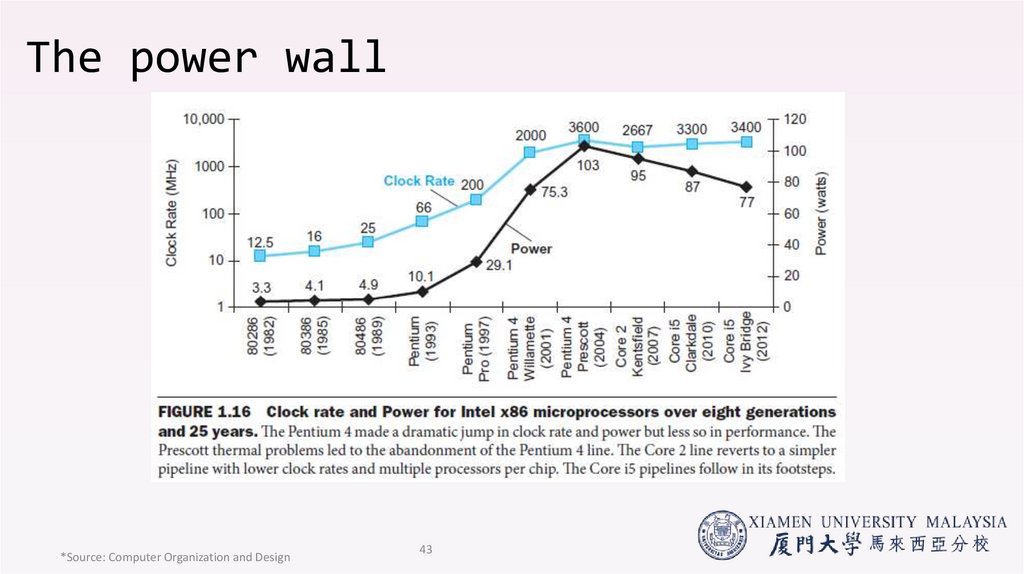
43. The power wall
*Source: Computer Organization and Design43
44. 1.3 Dependability/Reliability
45. Dependability
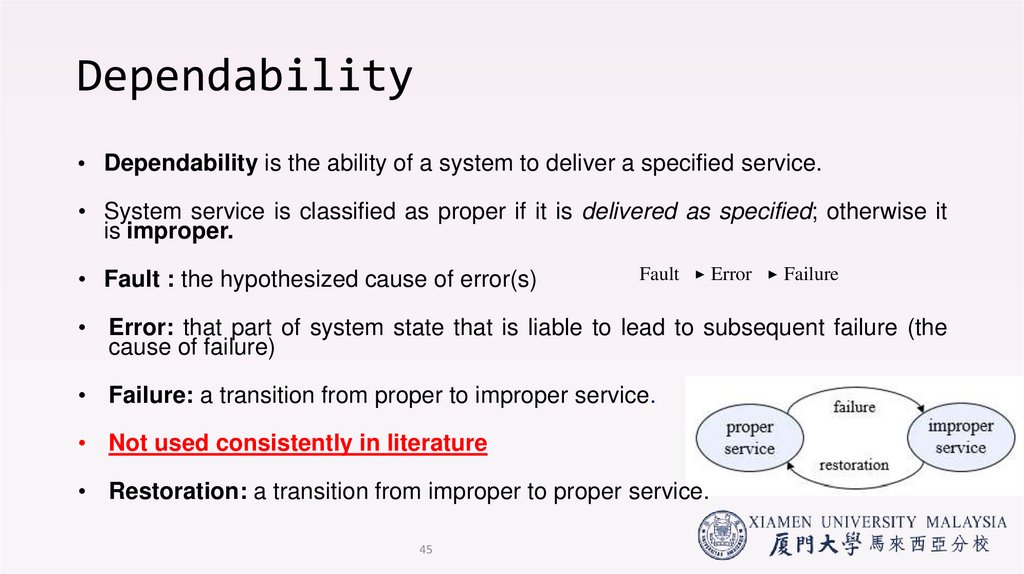
• Dependability is the ability of a system to deliver a specified service.• System service is classified as proper if it is delivered as specified; otherwise it
is improper.
• Fault : the hypothesized cause of error(s)
Fault
Error
Failure
• Error: that part of system state that is liable to lead to subsequent failure (the
cause of failure)
• Failure: a transition from proper to improper service.
• Not used consistently in literature
• Restoration: a transition from improper to proper service.
45
46. SLA / SLO
• A service-level agreement (SLA)• An official commitment that prevails between a service provider and the customer.
• Particular aspects of the service – quality, availability, responsibilities – are agreed
between the service provider and the service user
• A service level objective (SLO) is a key element of a service level
agreement (SLA) between a service provider and a customer.
• SLOs are agreed upon as a means of measuring the performance of
the Service Provider and are outlined as a way of avoiding disputes
between the two parties based on misunderstanding.
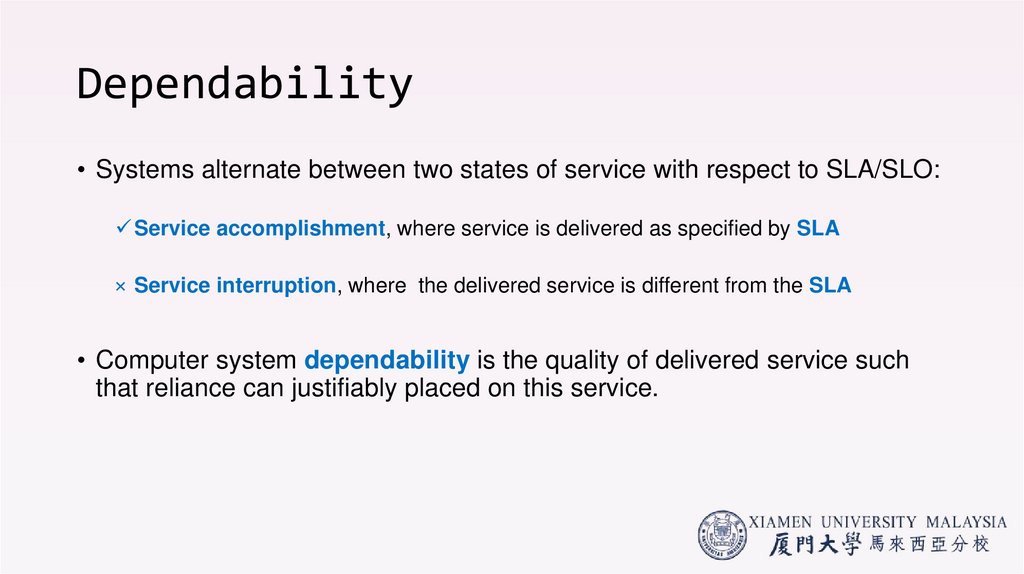
47. Dependability
• Systems alternate between two states of service with respect to SLA/SLO:Service accomplishment, where service is delivered as specified by SLA
× Service interruption, where the delivered service is different from the SLA
• Computer system dependability is the quality of delivered service such
that reliance can justifiably placed on this service.
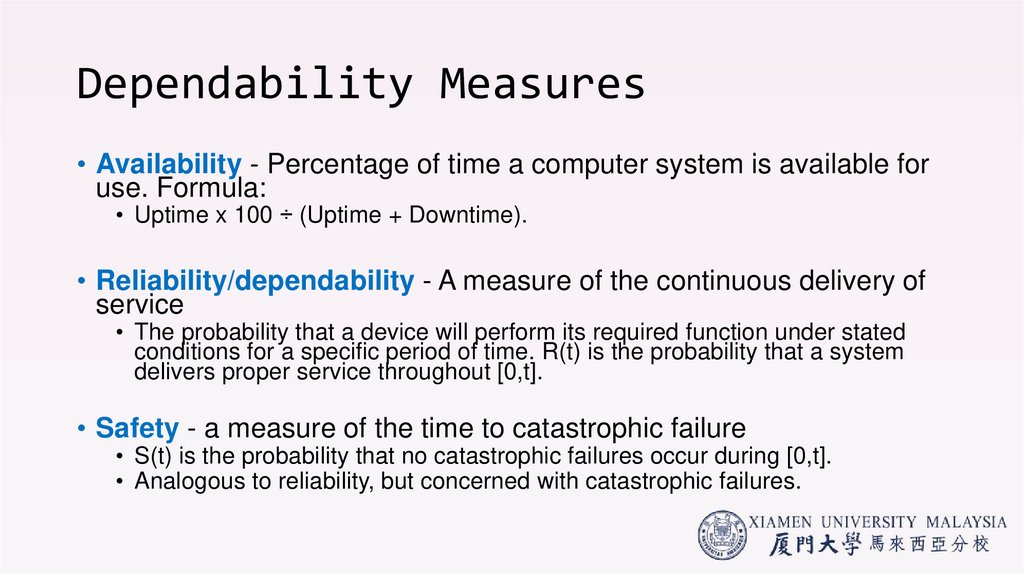
48. Dependability Measures
• Availability - Percentage of time a computer system is available foruse. Formula:
• Uptime x 100 ÷ (Uptime + Downtime).
• Reliability/dependability - A measure of the continuous delivery of
service
• The probability that a device will perform its required function under stated
conditions for a specific period of time. R(t) is the probability that a system
delivers proper service throughout [0,t].
• Safety - a measure of the time to catastrophic failure
• S(t) is the probability that no catastrophic failures occur during [0,t].
• Analogous to reliability, but concerned with catastrophic failures.
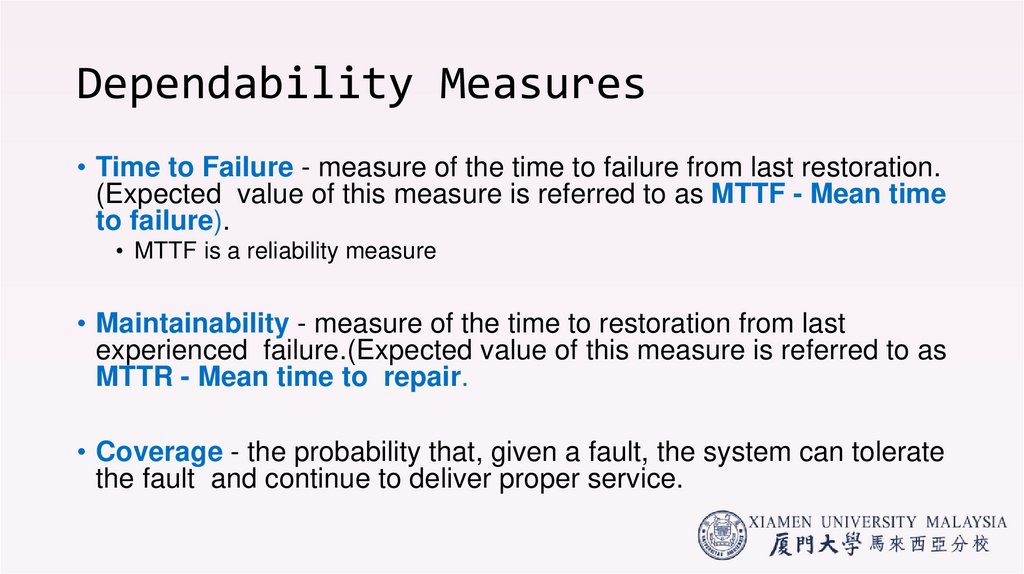
49. Dependability Measures
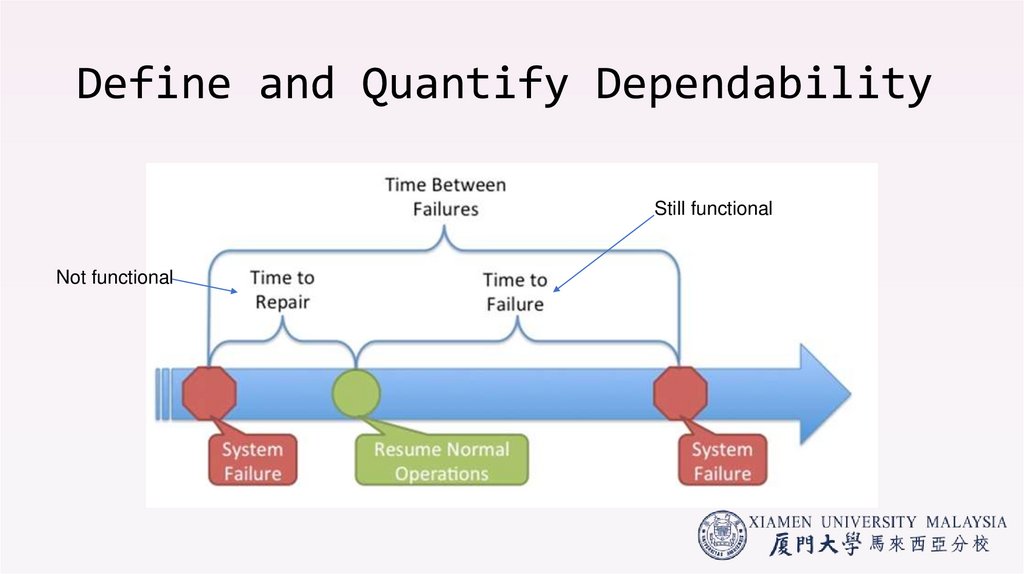
• Time to Failure - measure of the time to failure from last restoration.(Expected value of this measure is referred to as MTTF - Mean time
to failure).
• MTTF is a reliability measure
• Maintainability - measure of the time to restoration from last
experienced failure.(Expected value of this measure is referred to as
MTTR - Mean time to repair.
• Coverage - the probability that, given a fault, the system can tolerate
the fault and continue to deliver proper service.
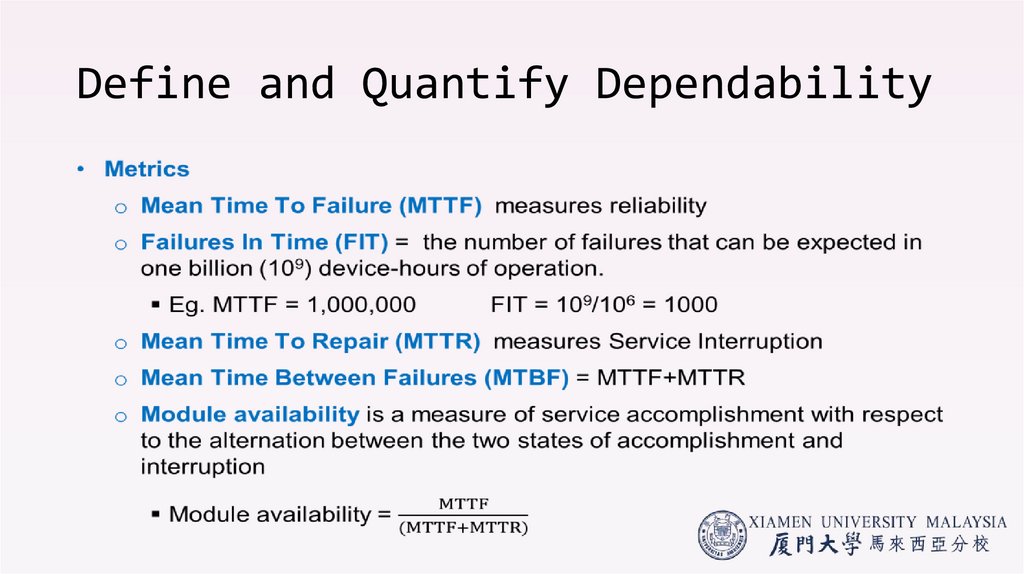
50. Define and Quantify Dependability
51. Define and Quantify Dependability
Still functionalNot functional
52. Define and Quantify Dependability
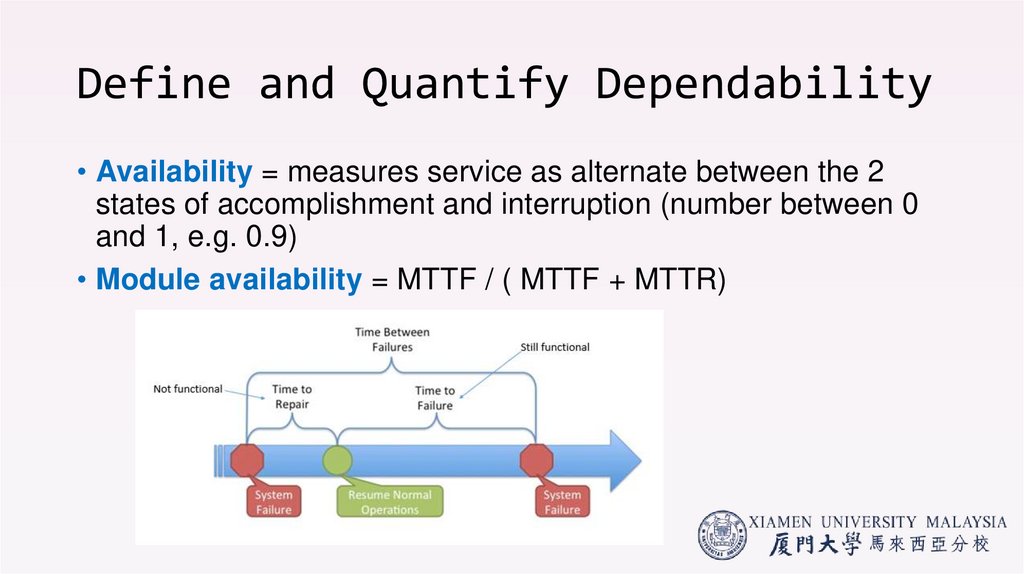
• Availability = measures service as alternate between the 2states of accomplishment and interruption (number between 0
and 1, e.g. 0.9)
• Module availability = MTTF / ( MTTF + MTTR)
53. Increasing Reliability
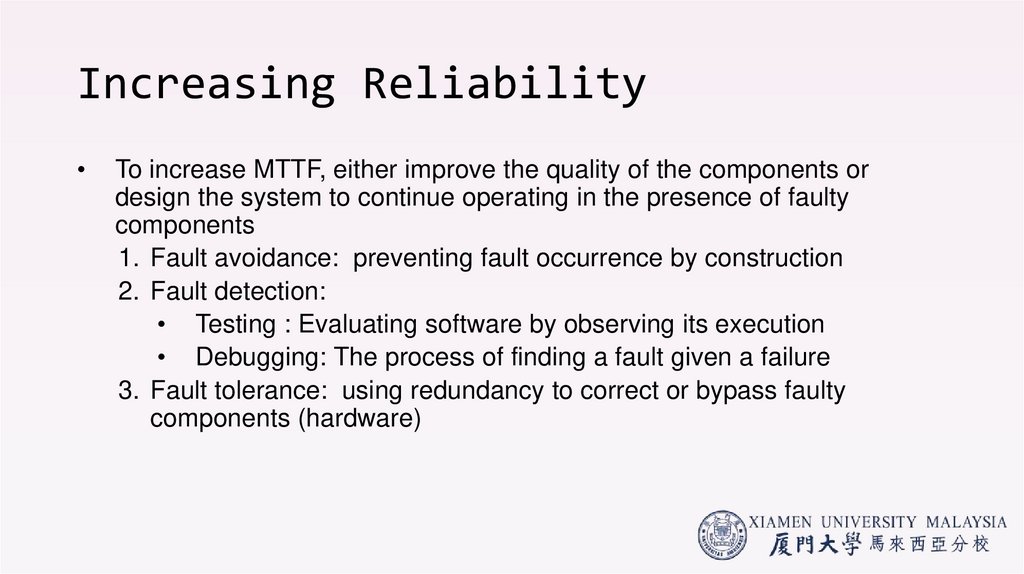
To increase MTTF, either improve the quality of the components or
design the system to continue operating in the presence of faulty
components
1. Fault avoidance: preventing fault occurrence by construction
2. Fault detection:
• Testing : Evaluating software by observing its execution
• Debugging: The process of finding a fault given a failure
3. Fault tolerance: using redundancy to correct or bypass faulty
components (hardware)
54. Example:
• Overall failure rate is the sum of failure rates of all the modules• Calculate FIT and MTTF for 10 disks (1,000,000 hour MTTF per disk), 1
disk controller (500,000 hour MTTF), and 1 power supply (200,000 hour
MTTF):
55. 1.4 CPU Performance
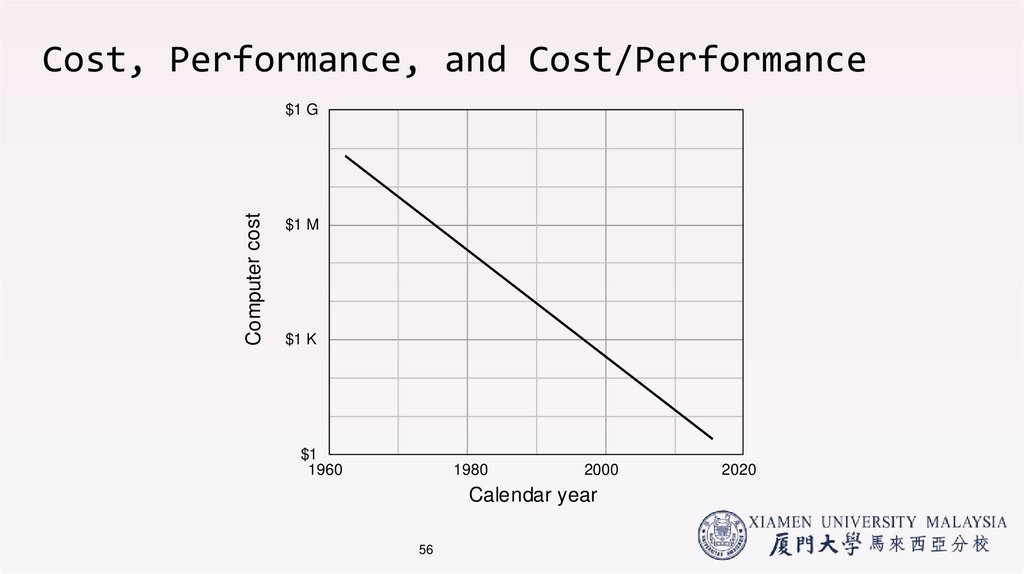
56. Cost, Performance, and Cost/Performance
Computer cost$1 G
$1 M
$1 K
$1
1960
1980
2000
Calendar year
56
2020
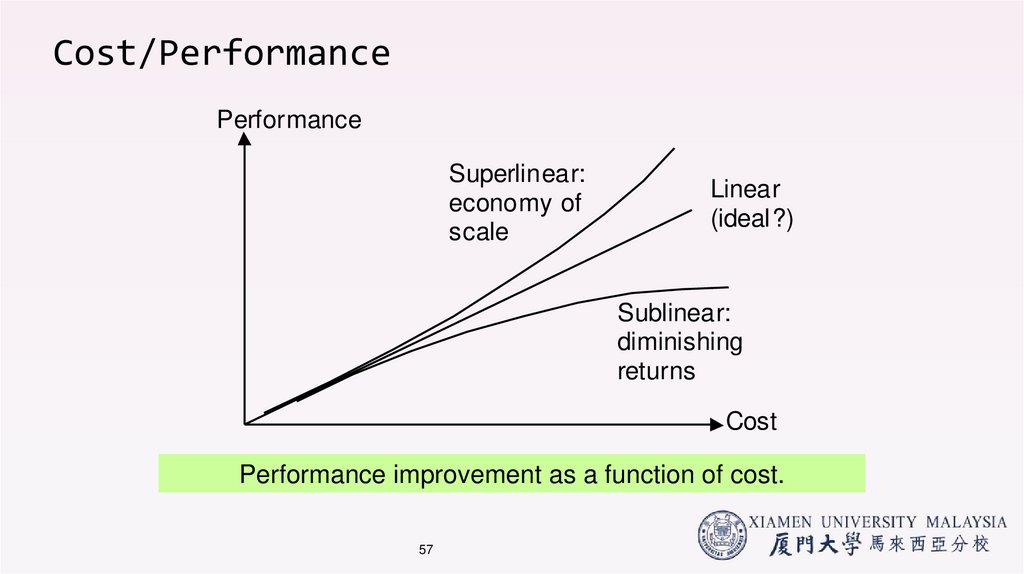
57. Cost/Performance
PerformanceSuperlinear:
economy of
scale
Linear
(ideal?)
Sublinear:
diminishing
returns
Cost
Performance improvement as a function of cost.
57
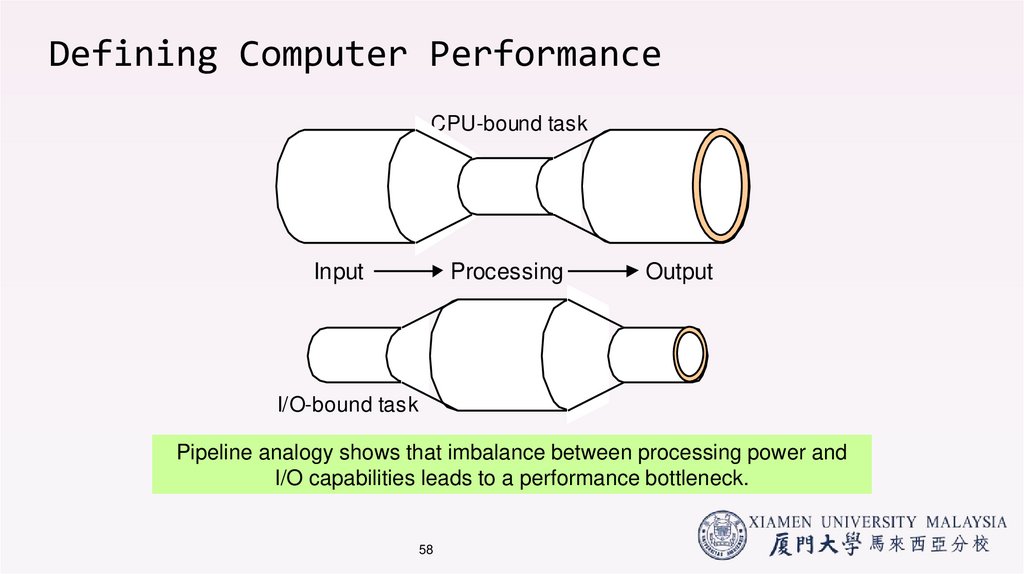
58. Defining Computer Performance
CPU-bound taskInput
Processing
Output
I/O-bound task
Pipeline analogy shows that imbalance between processing power and
I/O capabilities leads to a performance bottleneck.
58
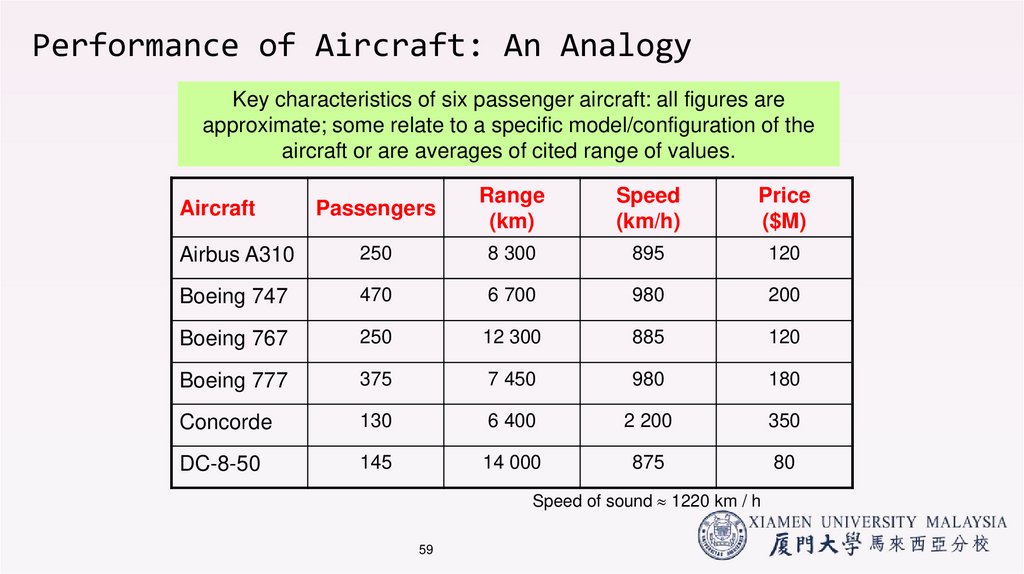
59. Performance of Aircraft: An Analogy
Key characteristics of six passenger aircraft: all figures areapproximate; some relate to a specific model/configuration of the
aircraft or are averages of cited range of values.
Passengers
Range
(km)
Speed
(km/h)
Price
($M)
Airbus A310
250
8 300
895
120
Boeing 747
470
6 700
980
200
Boeing 767
250
12 300
885
120
Boeing 777
375
7 450
980
180
Concorde
130
6 400
2 200
350
DC-8-50
145
14 000
875
80
Aircraft
Speed of sound 1220 km / h
59
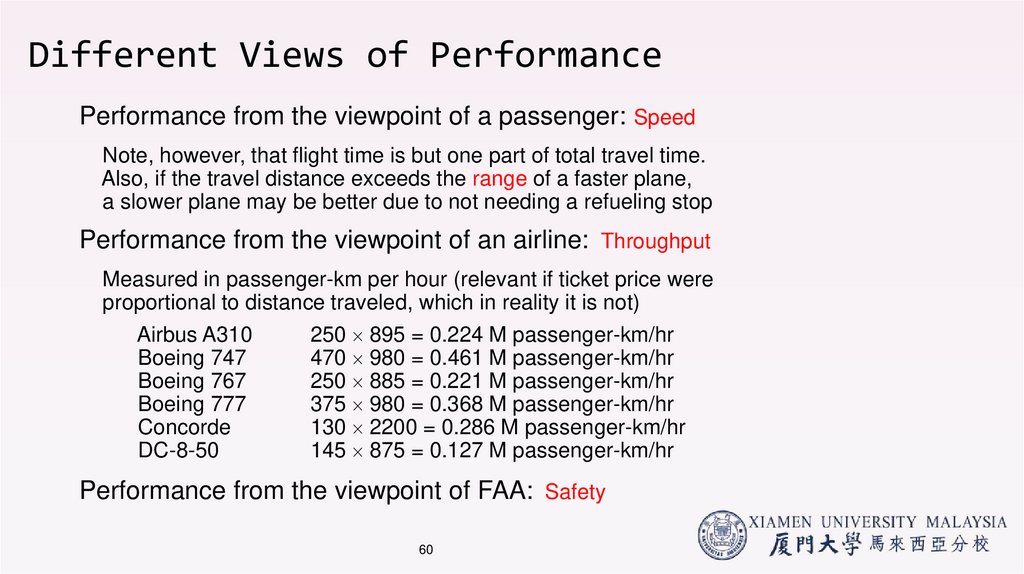
60. Different Views of Performance
Performance from the viewpoint of a passenger: SpeedNote, however, that flight time is but one part of total travel time.
Also, if the travel distance exceeds the range of a faster plane,
a slower plane may be better due to not needing a refueling stop
Performance from the viewpoint of an airline: Throughput
Measured in passenger-km per hour (relevant if ticket price were
proportional to distance traveled, which in reality it is not)
Airbus A310
Boeing 747
Boeing 767
Boeing 777
Concorde
DC-8-50
250 895 = 0.224 M passenger-km/hr
470 980 = 0.461 M passenger-km/hr
250 885 = 0.221 M passenger-km/hr
375 980 = 0.368 M passenger-km/hr
130 2200 = 0.286 M passenger-km/hr
145 875 = 0.127 M passenger-km/hr
Performance from the viewpoint of FAA: Safety
60
61. Computer Performance: Time, Time, Time!
• Response/Execution Time (elapsed time, latency):• how long does it take for my job to run?
• how long does it take to execute (start to finish) my job?
• how long must I wait for the database query?
Individual user
concerns…
• Throughput:
• how many jobs can the machine run at once?
• what is the average execution rate?
• how much work is getting done?
61
Systems manager
concerns…
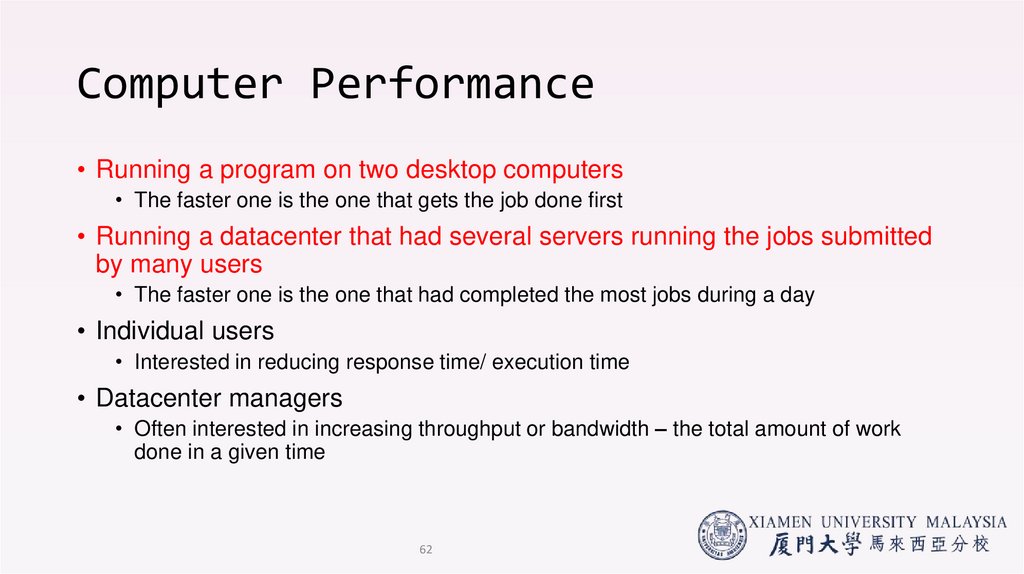
62. Computer Performance
• Running a program on two desktop computers• The faster one is the one that gets the job done first
• Running a datacenter that had several servers running the jobs submitted
by many users
• The faster one is the one that had completed the most jobs during a day
• Individual users
• Interested in reducing response time/ execution time
• Datacenter managers
• Often interested in increasing throughput or bandwidth – the total amount of work
done in a given time
62
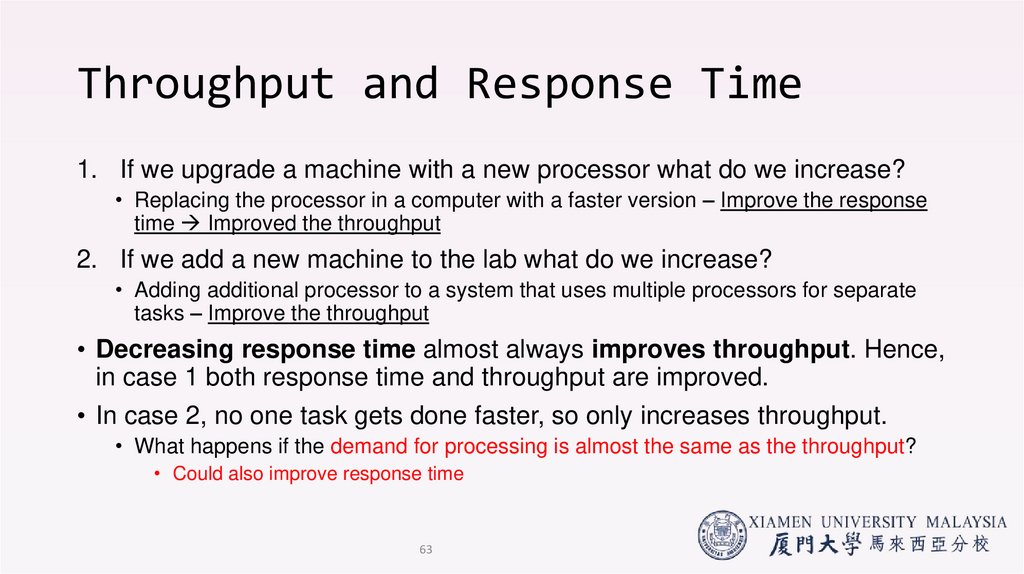
63. Throughput and Response Time
1. If we upgrade a machine with a new processor what do we increase?• Replacing the processor in a computer with a faster version – Improve the response
time Improved the throughput
2. If we add a new machine to the lab what do we increase?
• Adding additional processor to a system that uses multiple processors for separate
tasks – Improve the throughput
• Decreasing response time almost always improves throughput. Hence,
in case 1 both response time and throughput are improved.
• In case 2, no one task gets done faster, so only increases throughput.
• What happens if the demand for processing is almost the same as the throughput?
• Could also improve response time
63
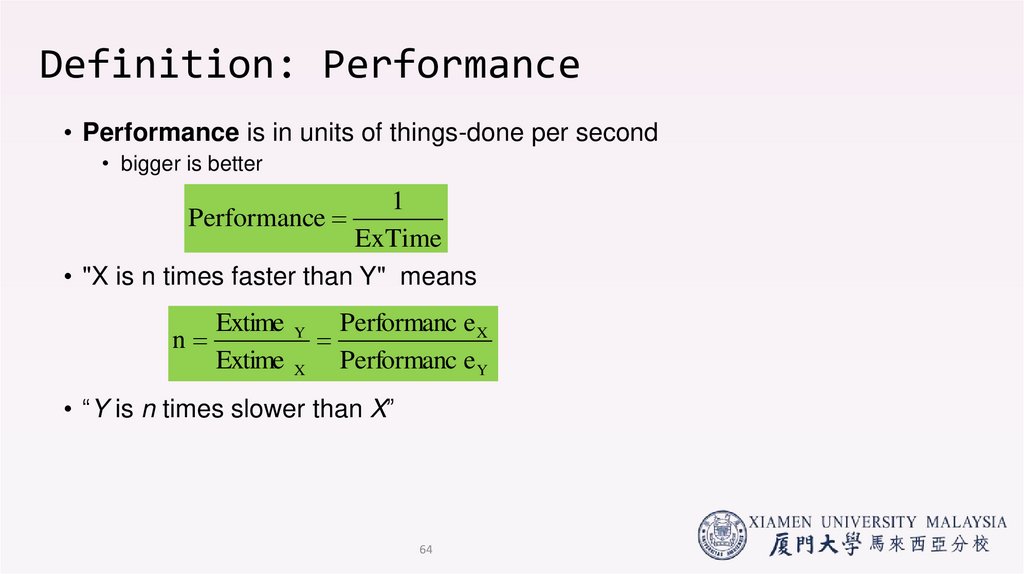
64. Definition: Performance
• Performance is in units of things-done per second• bigger is better
1
Performance
ExTime
• "X is n times faster than Y" means
Extime Y Performanc e X
n
Extime X Performanc e Y
• “Y is n times slower than X”
64
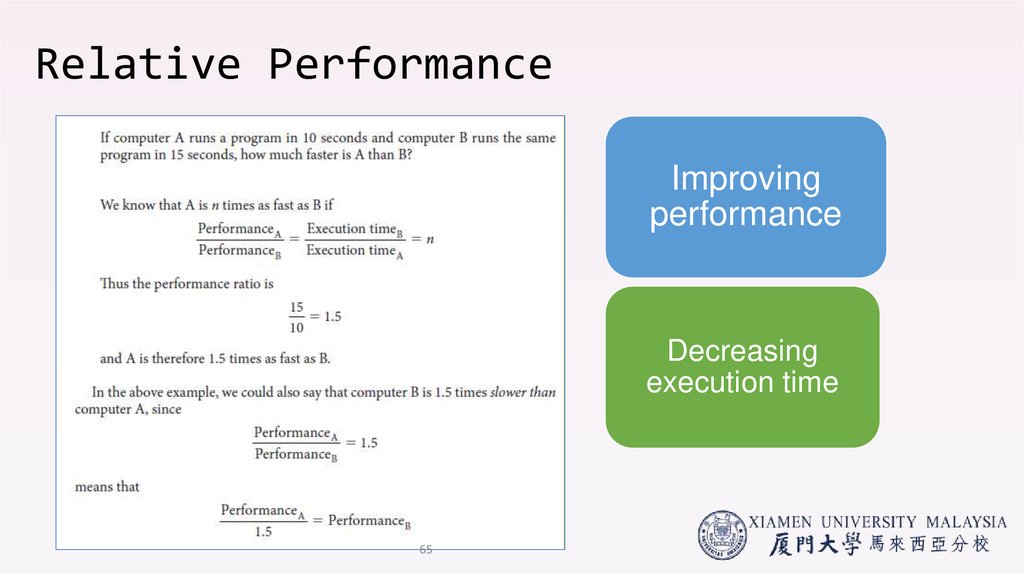
65. Relative Performance
Improvingperformance
Decreasing
execution time
65
66. Execution Time
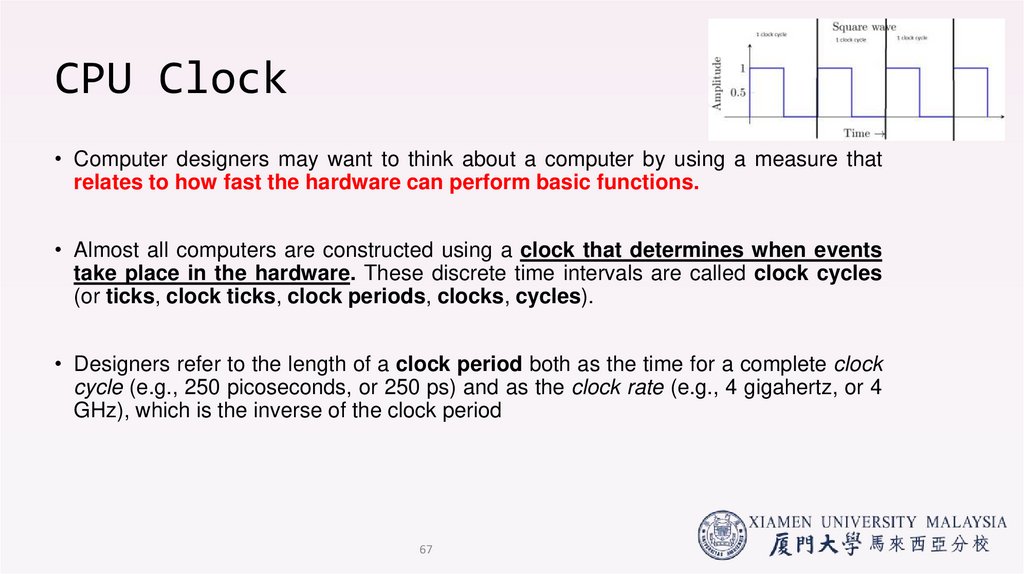
CPU Clock• Computer designers may want to think about a computer by using a measure that
relates to how fast the hardware can perform basic functions.
• Almost all computers are constructed using a clock that determines when events
take place in the hardware. These discrete time intervals are called clock cycles
(or ticks, clock ticks, clock periods, clocks, cycles).
• Designers refer to the length of a clock period both as the time for a complete clock
cycle (e.g., 250 picoseconds, or 250 ps) and as the clock rate (e.g., 4 gigahertz, or 4
GHz), which is the inverse of the clock period
67
67. CPU Clock
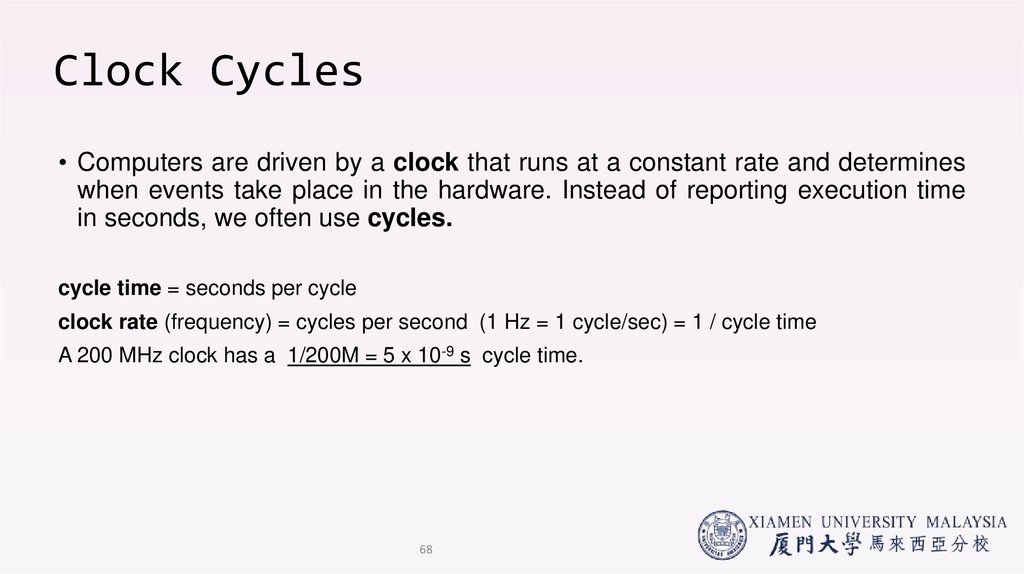
Clock Cycles• Computers are driven by a clock that runs at a constant rate and determines
when events take place in the hardware. Instead of reporting execution time
in seconds, we often use cycles.
cycle time = seconds per cycle
clock rate (frequency) = cycles per second (1 Hz = 1 cycle/sec) = 1 / cycle time
A 200 MHz clock has a 1/200M = 5 x 10⁻⁹ s cycle time.
68
68. Clock Cycles
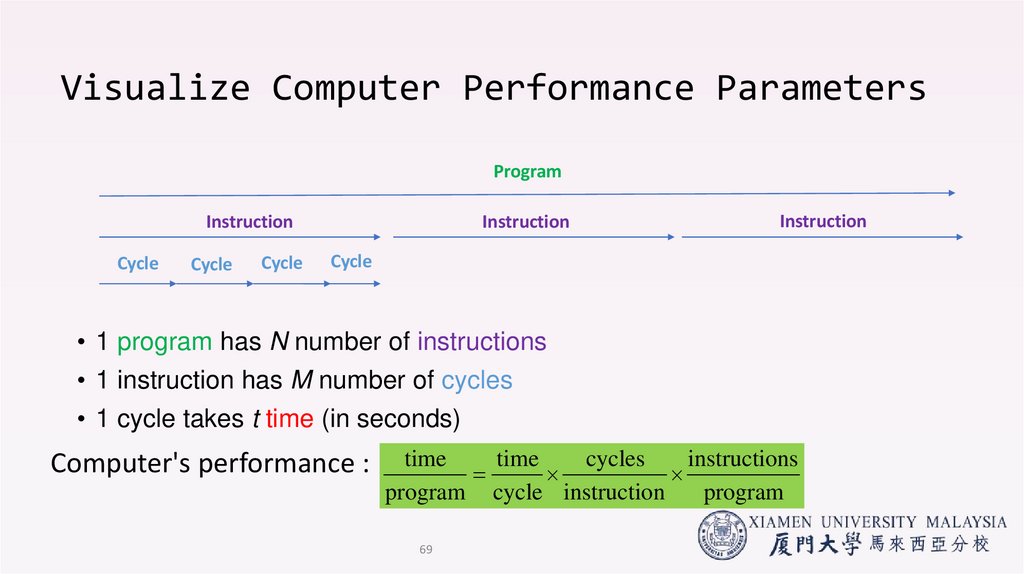
Visualize Computer Performance ParametersProgram
Instruction
Instruction
Cycle
Cycle
Cycle
Instruction
Cycle
• 1 program has N number of instructions
• 1 instruction has M number of cycles
• 1 cycle takes t time (in seconds)
Computer's performance :
time
time
cycles
instructions
program cycle instruction
program
69
69. Visualize Computer Performance Parameters
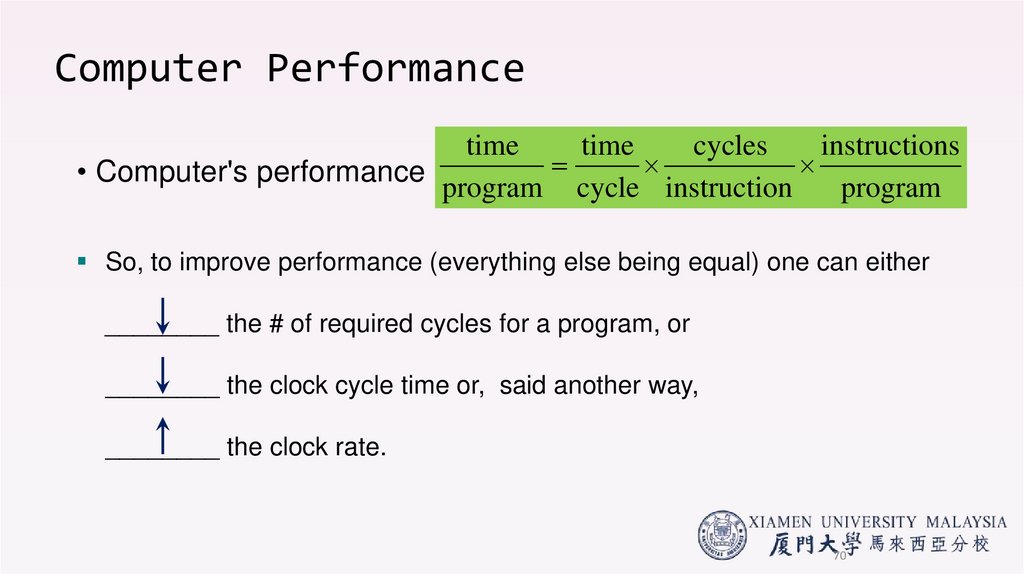
Computer Performancetime
time
cycles
instructions
• Computer's performance :
program cycle instruction
program
So, to improve performance (everything else being equal) one can either
________ the # of required cycles for a program, or
________ the clock cycle time or, said another way,
________ the clock rate.
70
70. Computer Performance
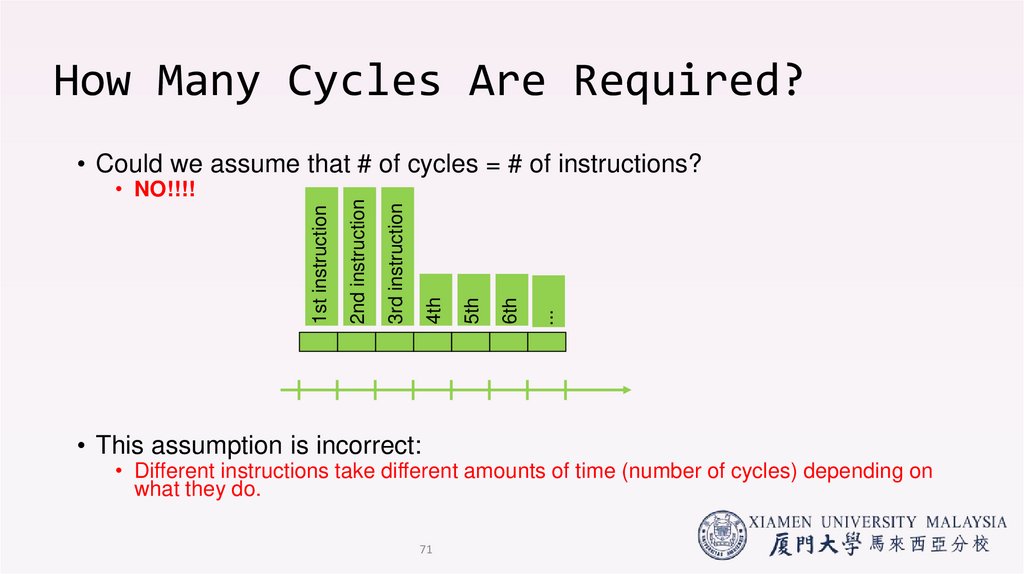
How Many Cycles Are Required?• This assumption is incorrect:
...
6th
5th
4th
3rd instruction
1st instruction
• NO!!!!
2nd instruction
• Could we assume that # of cycles = # of instructions?
• Different instructions take different amounts of time (number of cycles) depending on
what they do.
71
71. How Many Cycles Are Required?
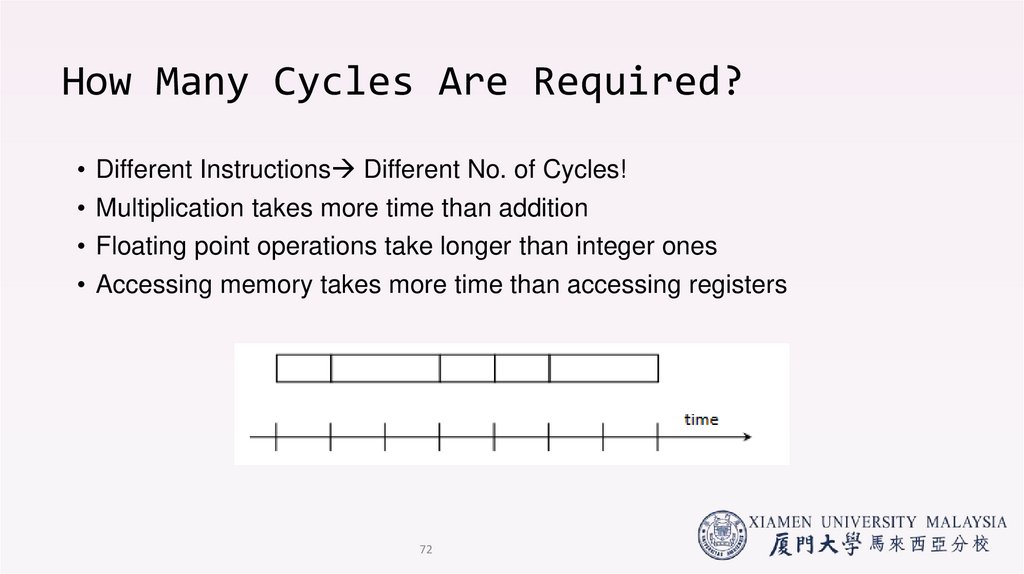
• Different Instructions Different No. of Cycles!• Multiplication takes more time than addition
• Floating point operations take longer than integer ones
• Accessing memory takes more time than accessing registers
72
72. How Many Cycles Are Required?
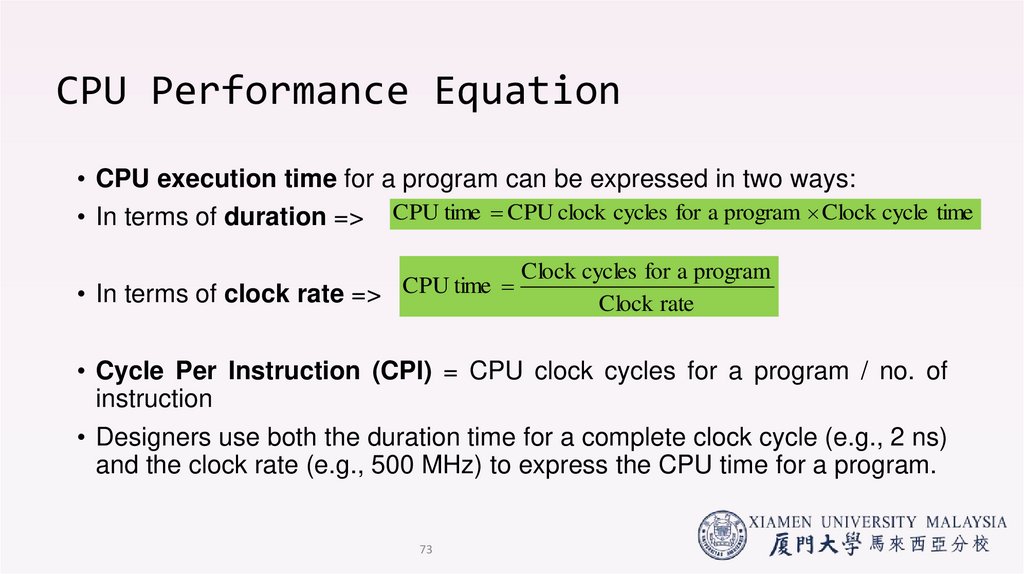
CPU Performance Equation• CPU execution time for a program can be expressed in two ways:
• In terms of duration => CPU time CPU clock cycles for a program Clock cycle time
• In terms of clock rate => CPU time
Clock cycles for a program
Clock rate
• Cycle Per Instruction (CPI) = CPU clock cycles for a program / no. of
instruction
• Designers use both the duration time for a complete clock cycle (e.g., 2 ns)
and the clock rate (e.g., 500 MHz) to express the CPU time for a program.
73
73. CPU Performance Equation
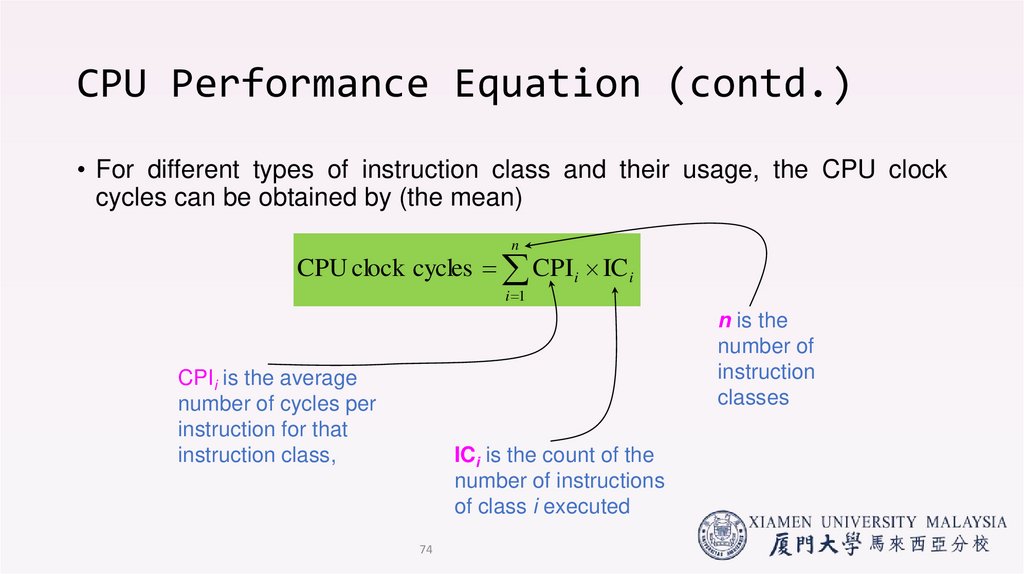
(contd.)• For different types of instruction class and their usage, the CPU clock
cycles can be obtained by (the mean)
n
CPU clock cycles CPI i IC i
i 1
n is the
number of
instruction
classes
CPIi is the average
number of cycles per
instruction for that
instruction class,
ICi is the count of the
number of instructions
of class i executed
74
74. CPU Performance Equation (contd.)
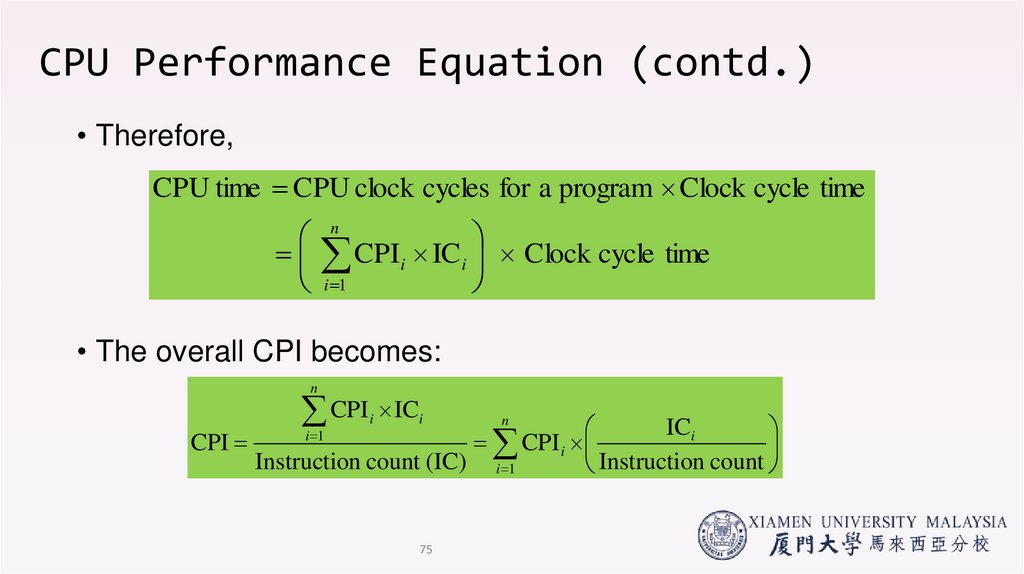
• Therefore,CPU time CPU clock cycles for a program Clock cycle time
n
CPIi IC i Clock cycle time
i 1
• The overall CPI becomes:
n
CPI IC
ICi
CPI
CPI i
Instruction count (IC) i 1
Instructio
n
count
i 1
i
i
75
n
75. CPU Performance Equation (contd.)
End of lecture 1!• Additional readings:
• Chapter 1 (Fundamentals of Quantitative Design and Analysis)
• John L. Hennessy and David Patterson, Computer Architecture: A Quantitative
Approach, Fourth Edition, Morgan Kaufham.
• Chapter 2 (Performance Issues)
• Stallings, W. Computer organization and architecture: Designing for performance,
Tenth Edition Upper Saddle River, N.J: Prentice Hall.
• Next lecture: Continue Quantitative principles of computer
design
• Questions?
76
76. End of lecture 1!
Homework to attempt!• Some example questions in the next four slides for you to
attempt before the next class.
77
77. Homework to attempt!
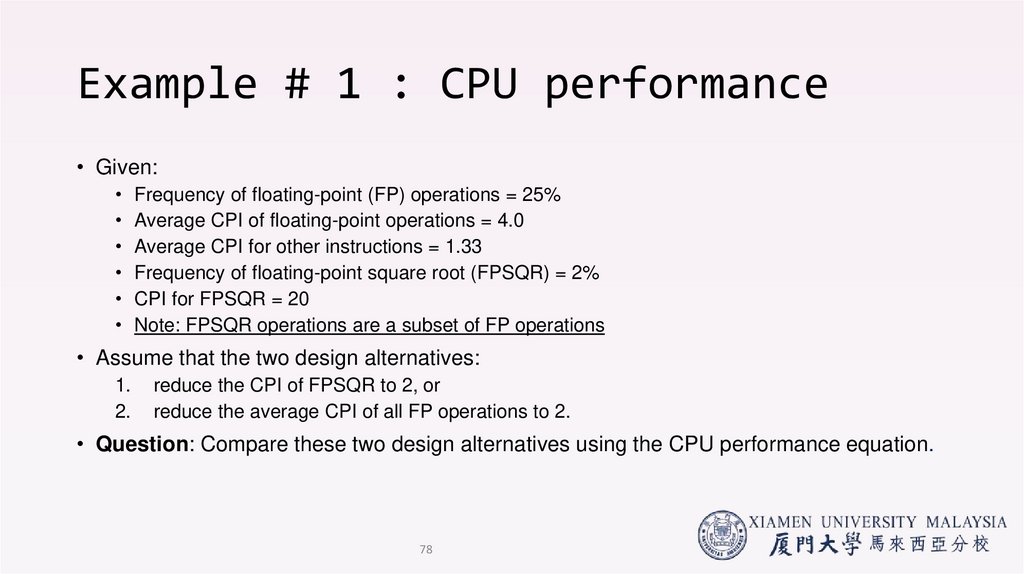
Example # 1 : CPU performance• Given:
• Frequency of floating-point (FP) operations = 25%
• Average CPI of floating-point operations = 4.0
• Average CPI for other instructions = 1.33
• Frequency of floating-point square root (FPSQR) = 2%
• CPI for FPSQR = 20
• Note: FPSQR operations are a subset of FP operations
• Assume that the two design alternatives:
1.
2.
reduce the CPI of FPSQR to 2, or
reduce the average CPI of all FP operations to 2.
• Question: Compare these two design alternatives using the CPU performance equation.
78
78. Example # 1 : CPU performance
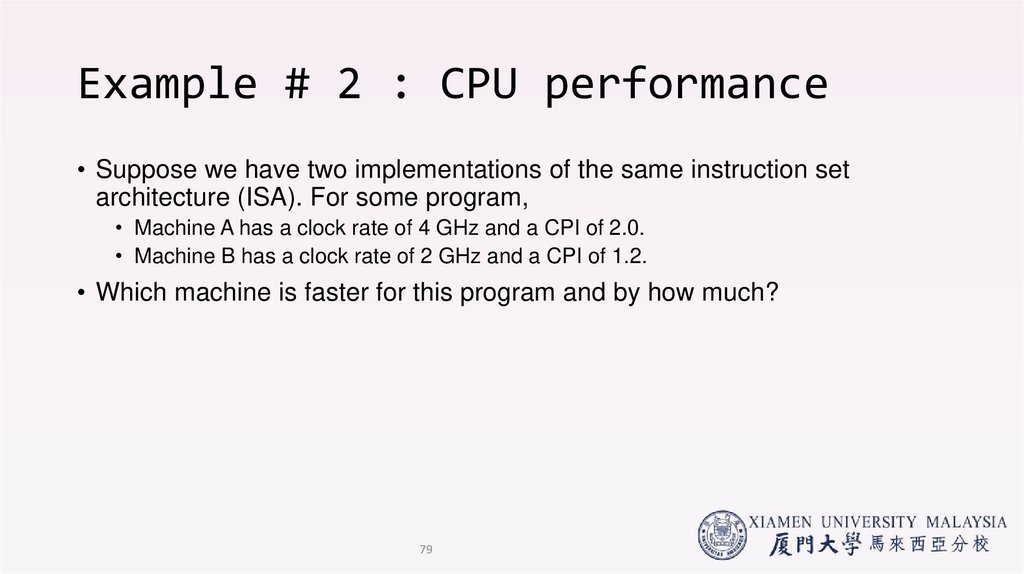
Example # 2 : CPU performance• Suppose we have two implementations of the same instruction set
architecture (ISA). For some program,
• Machine A has a clock rate of 4 GHz and a CPI of 2.0.
• Machine B has a clock rate of 2 GHz and a CPI of 1.2.
• Which machine is faster for this program and by how much?
79
79. Example # 2 : CPU performance
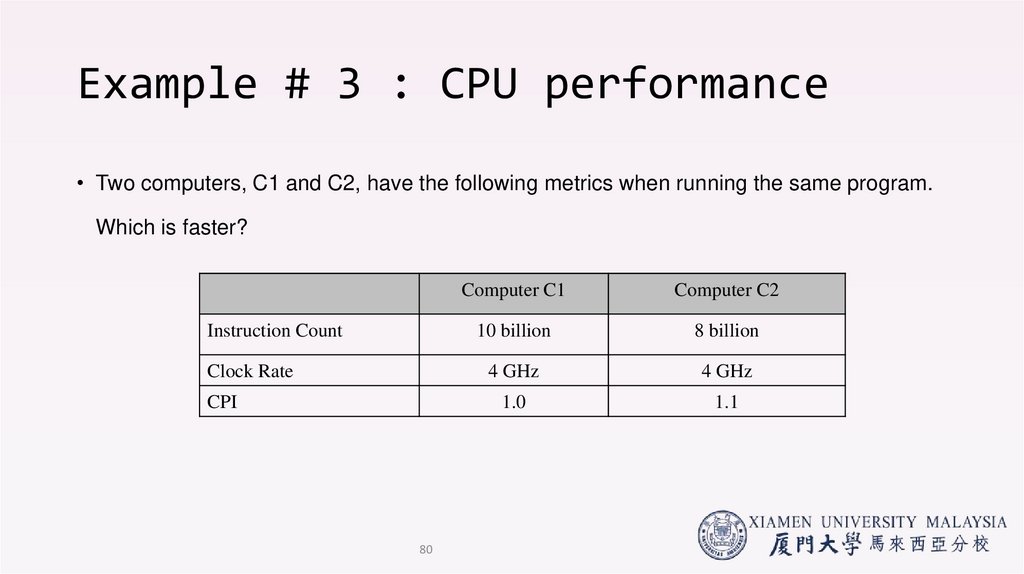
Example # 3 : CPU performance• Two computers, C1 and C2, have the following metrics when running the same program.
Which is faster?
Computer C1
Computer C2
Instruction Count
10 billion
8 billion
Clock Rate
4 GHz
4 GHz
CPI
1.0
1.1
80
80. Example # 3 : CPU performance
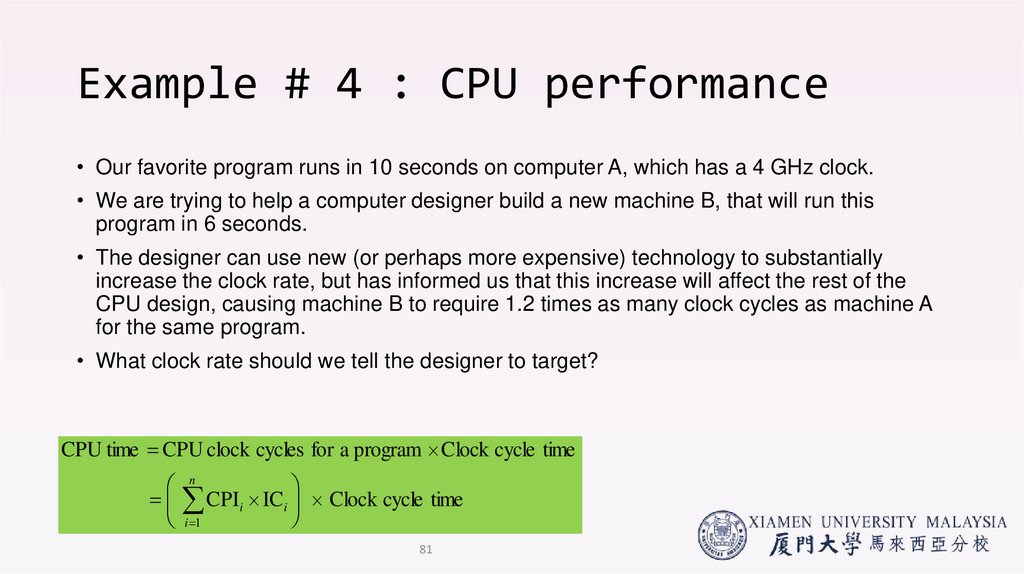
Example # 4 : CPU performance• Our favorite program runs in 10 seconds on computer A, which has a 4 GHz clock.
• We are trying to help a computer designer build a new machine B, that will run this
program in 6 seconds.
• The designer can use new (or perhaps more expensive) technology to substantially
increase the clock rate, but has informed us that this increase will affect the rest of the
CPU design, causing machine B to require 1.2 times as many clock cycles as machine A
for the same program.
• What clock rate should we tell the designer to target?
CPU time CPU clock cycles for a program Clock cycle time
n
CPIi IC i Clock cycle time
i 1
81
81. Example # 4 : CPU performance
End of Lecture 1!• Additional readings:
• Chapter 1 (Fundamentals of Quantitative Design and Analysis)
• John L. Hennessy and David Patterson, Computer Architecture: A Quantitative Approach,
Fourth Edition, Morgan Kaufham.
• Chapter 2 (Performance Issues)
• Stallings, W. Computer organization and architecture: Designing for performance, Tenth
Edition Upper Saddle River, N.J: Prentice Hall.
• Questions?
82
82. End of Lecture 1!
References• John L. Hennessy and David Patterson, Computer Architecture: A
Quantitative Approach, Fourth Edition, Morgan Kaufham.
• Stallings, W. Computer organization and architecture: Designing for
performance, Tenth Edition Upper Saddle River, N.J: Prentice Hall.
83. References
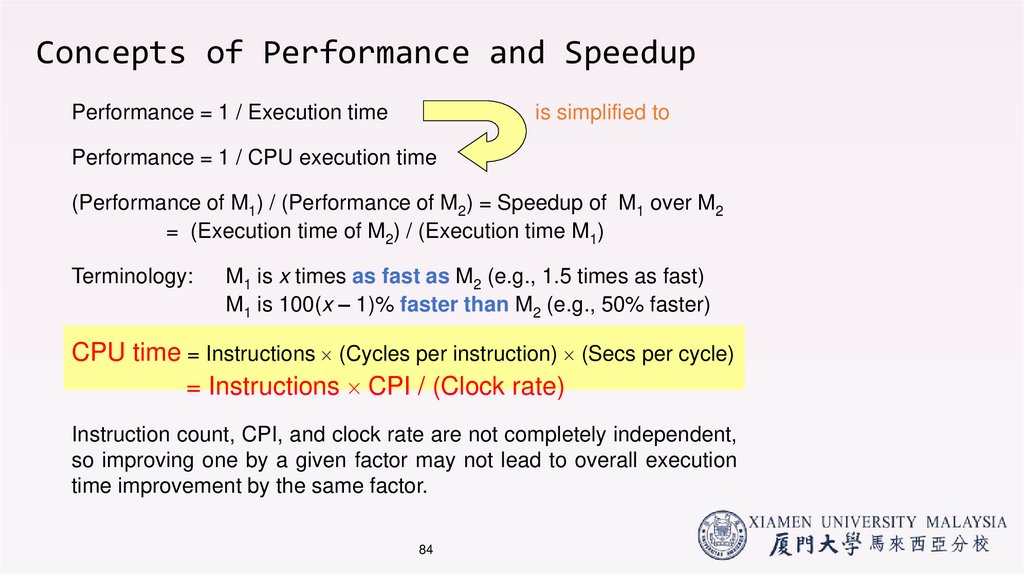
Concepts of Performance and SpeedupPerformance = 1 / Execution time
is simplified to
Performance = 1 / CPU execution time
(Performance of M1) / (Performance of M2) = Speedup of M1 over M2
= (Execution time of M2) / (Execution time M1)
Terminology:
M1 is x times as fast as M2 (e.g., 1.5 times as fast)
M1 is 100(x – 1)% faster than M2 (e.g., 50% faster)
CPU time = Instructions (Cycles per instruction) (Secs per cycle)
= Instructions CPI / (Clock rate)
Instruction count, CPI, and clock rate are not completely independent,
so improving one by a given factor may not lead to overall execution
time improvement by the same factor.
84
84. Concepts of Performance and Speedup
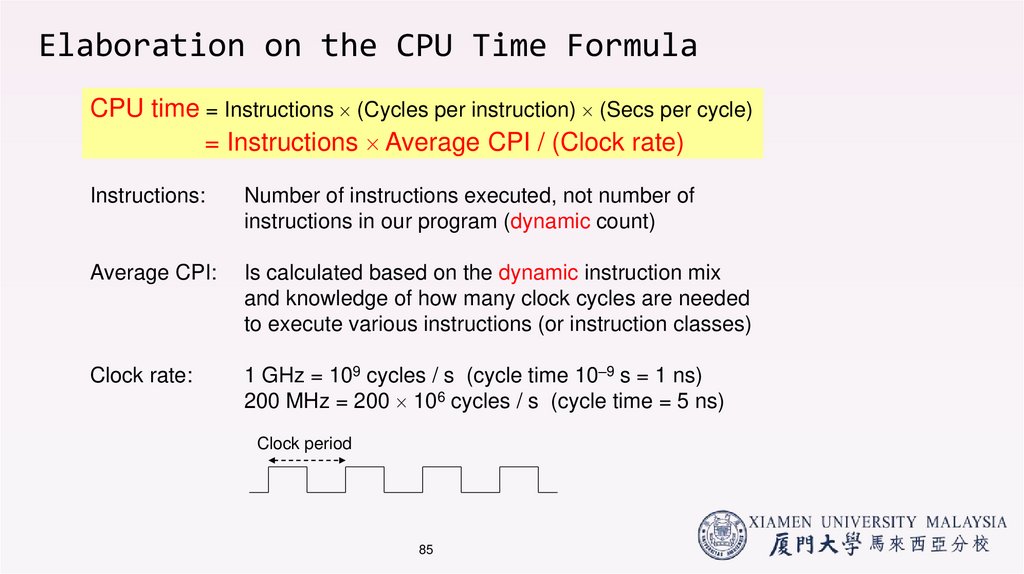
Elaboration on the CPU Time FormulaCPU time = Instructions (Cycles per instruction) (Secs per cycle)
= Instructions Average CPI / (Clock rate)
Instructions:
Number of instructions executed, not number of
instructions in our program (dynamic count)
Average CPI:
Is calculated based on the dynamic instruction mix
and knowledge of how many clock cycles are needed
to execute various instructions (or instruction classes)
Clock rate:
1 GHz = 109 cycles / s (cycle time 10–9 s = 1 ns)
200 MHz = 200 106 cycles / s (cycle time = 5 ns)
Clock period
85
85. Elaboration on the CPU Time Formula
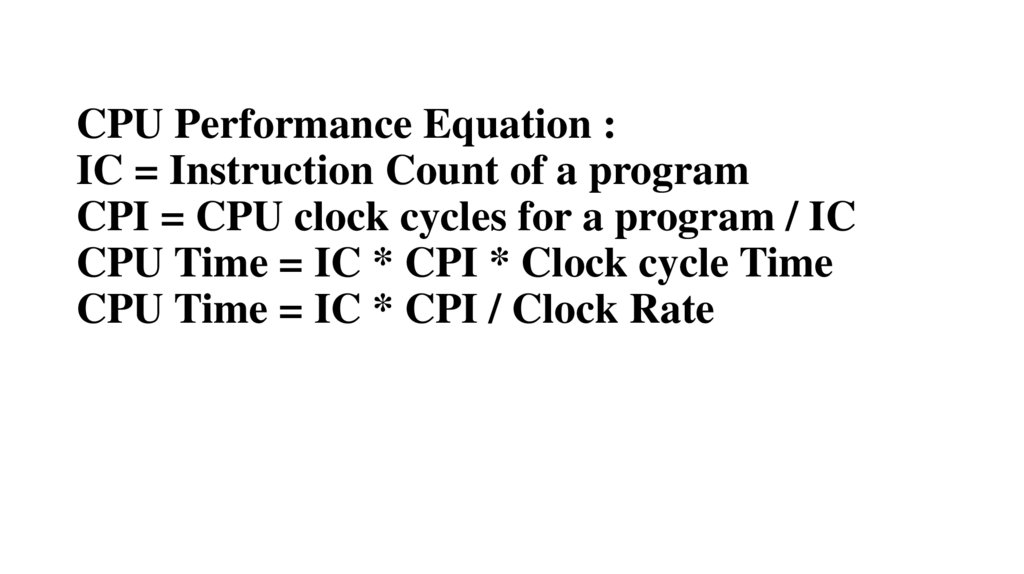
CPU Performance Equation :IC = Instruction Count of a program
CPI = CPU clock cycles for a program / IC
CPU Time = IC * CPI * Clock cycle Time
CPU Time = IC * CPI / Clock Rate