


 programming
Similar presentations:










F 8 SERIES V1.1.02.240911 SOFTWARE AND BOARDS UPGRADE VERSION V1.0 MACCURA | 2024.09
1.
F 8 SERIES V1.1.02.240911SOFTWARE AND BOARDS UPGRADE
VERSION V1.0
MACCURA | 2024.09
2.
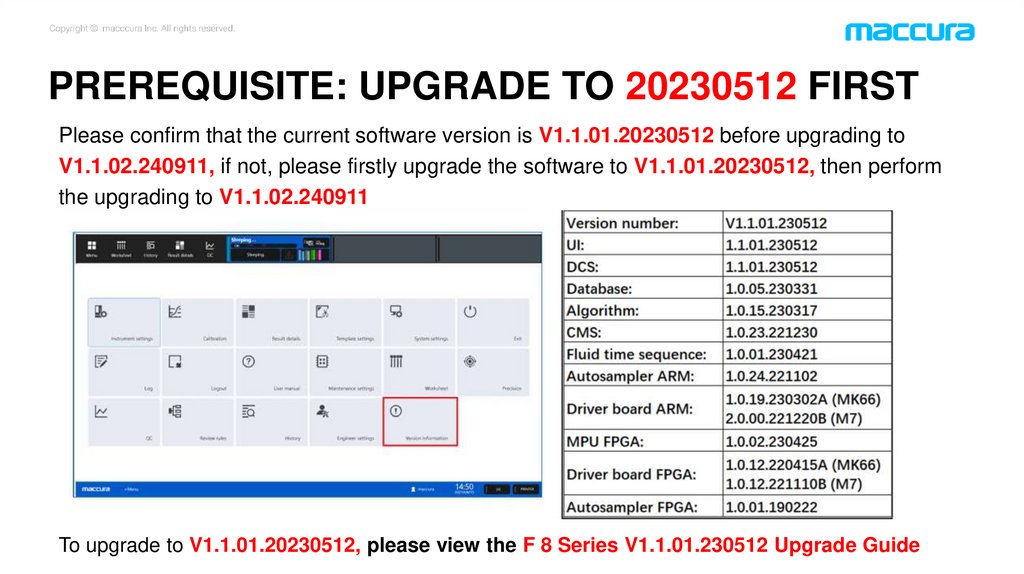
PREREQUISITE: UPGRADE TO 20230512 FIRSTPlease confirm that the current software version is V1.1.01.20230512 before upgrading to
V1.1.02.240911, if not, please firstly upgrade the software to V1.1.01.20230512, then perform
the upgrading to V1.1.02.240911
To upgrade to V1.1.01.20230512, please view the F 8 Series V1.1.01.230512 Upgrade Guide
3.
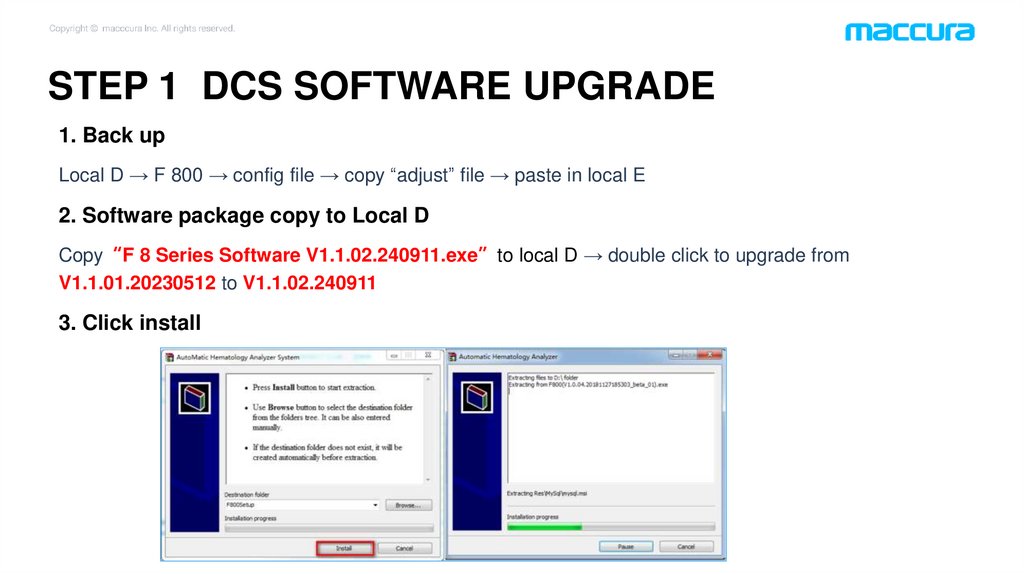
STEP 1 DCS SOFTWARE UPGRADE1. Back up
Local D → F 800 → config file → copy “adjust” file → paste in local E
2. Software package copy to Local D
Copy“F 8 Series Software V1.1.02.240911.exe”to local D → double click to upgrade from
V1.1.01.20230512 to V1.1.02.240911
3. Click install
4.
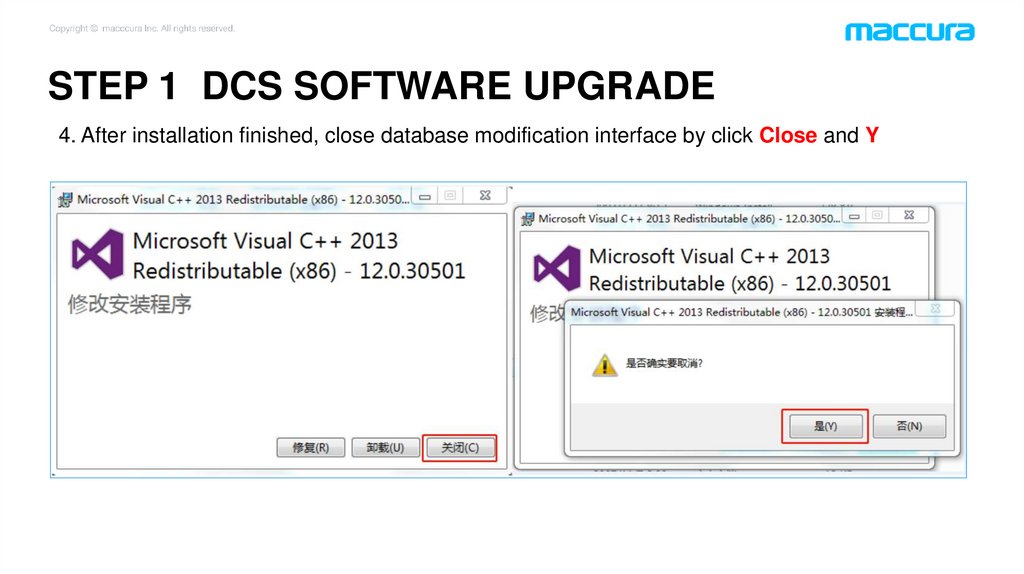
STEP 1 DCS SOFTWARE UPGRADE4. After installation finished, close database modification interface by click Close and Y
5.
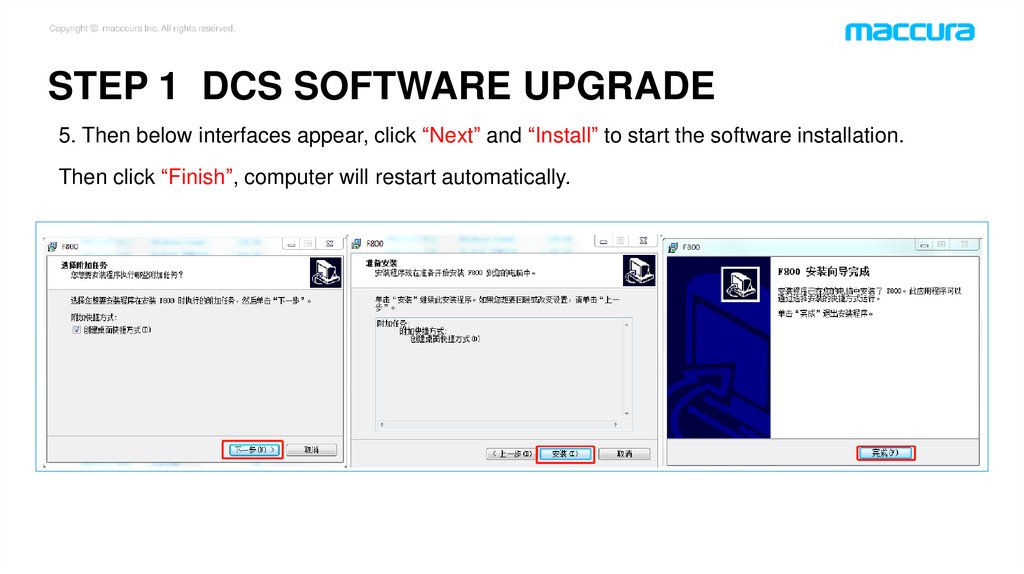
STEP 1 DCS SOFTWARE UPGRADE5. Then below interfaces appear, click “Next” and “Install” to start the software installation.
Then click “Finish”, computer will restart automatically.
6.
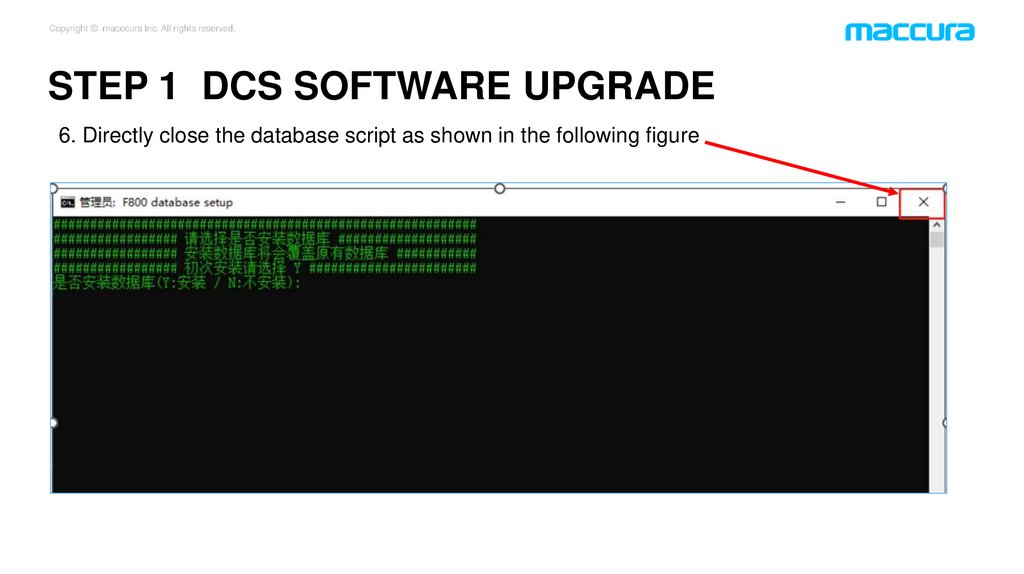
STEP 1 DCS SOFTWARE UPGRADE6. Directly close the database script as shown in the following figure
7.
STEP 1 DCS SOFTWARE UPGRADE7. After restarting, computer will automatically enter the interface shown in the figure below, wait
for the database to automatically update;
Then enter the login interface by Account: eng Password: eng123, enter the main menu
interface, click “Version Information” and confirm that the software version is V1.1.02.240911.
8.
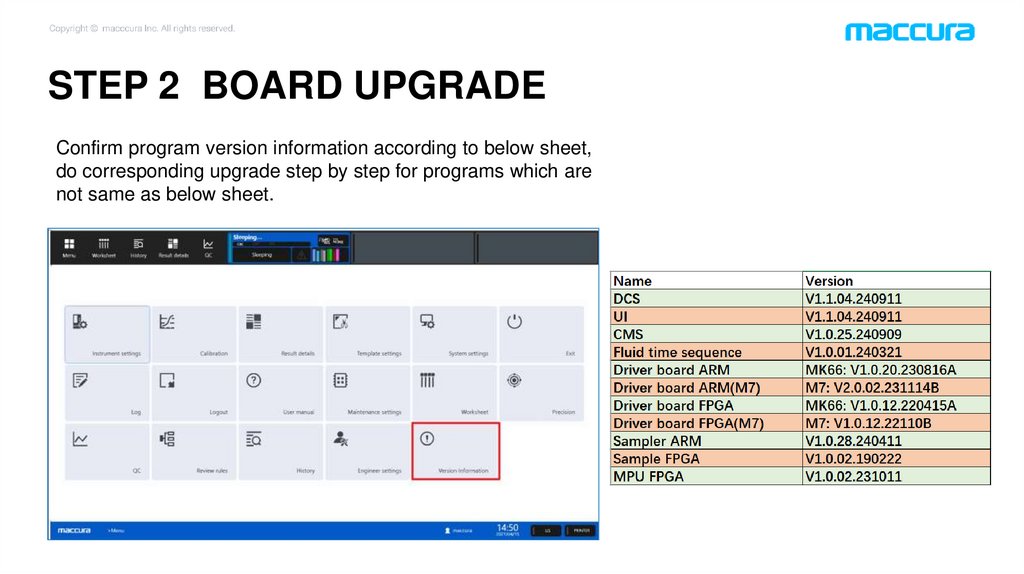
STEP 2 BOARD UPGRADEConfirm program version information according to below sheet,
do corresponding upgrade step by step for programs which are
not same as below sheet.
9.
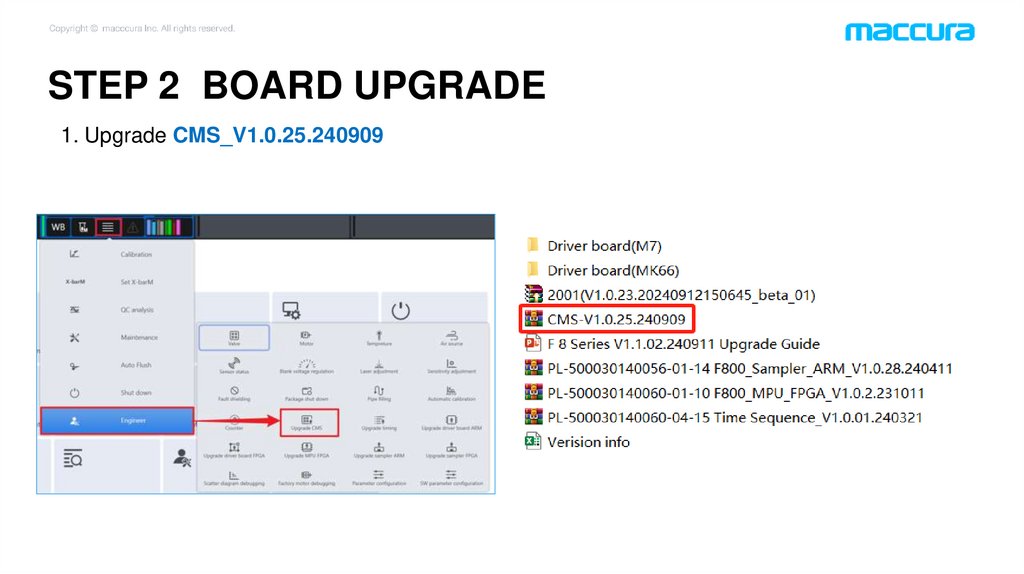
STEP 2 BOARD UPGRADE1. Upgrade CMS_V1.0.25.240909
10.
STEP 2 BOARD UPGRADE2. Upgrade Fluid time sequence_V1.0.01.240321
11.
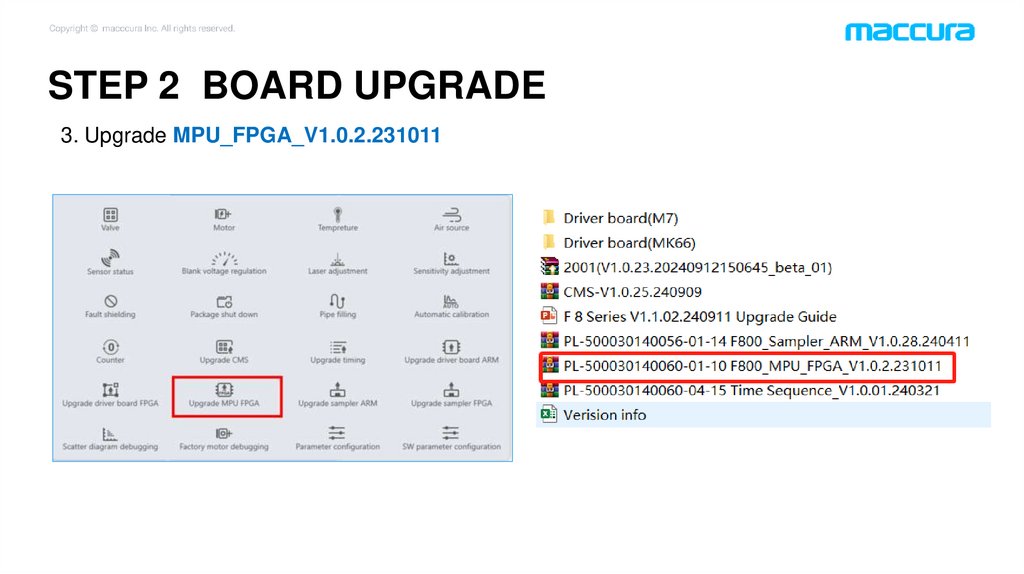
STEP 2 BOARD UPGRADE3. Upgrade MPU_FPGA_V1.0.2.231011
12.
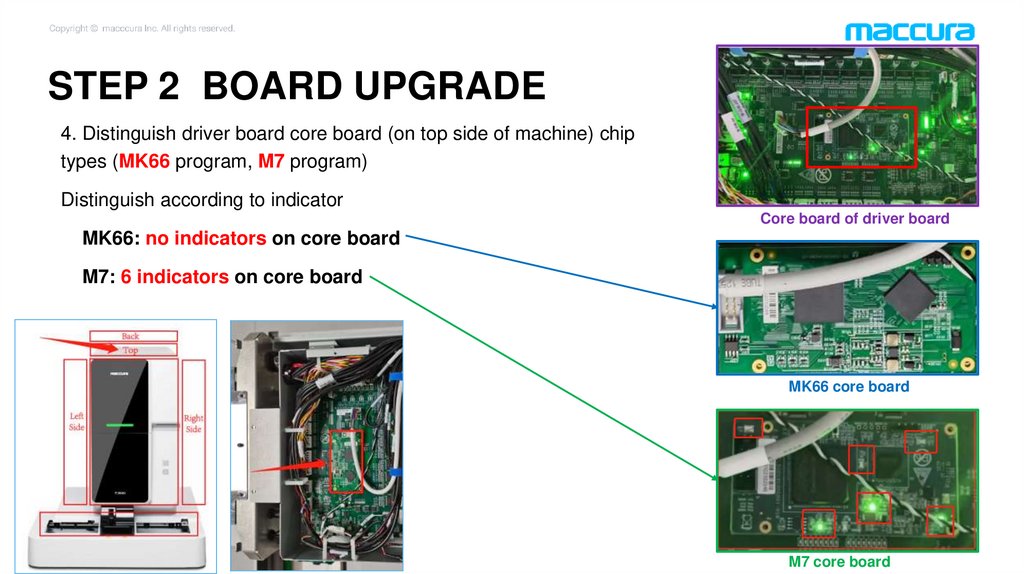
STEP 2 BOARD UPGRADE4. Distinguish driver board core board (on top side of machine) chip
types (MK66 program, M7 program)
Distinguish according to indicator
Core board of driver board
MK66: no indicators on core board
M7: 6 indicators on core board
MK66 core board
M7 core board
13.
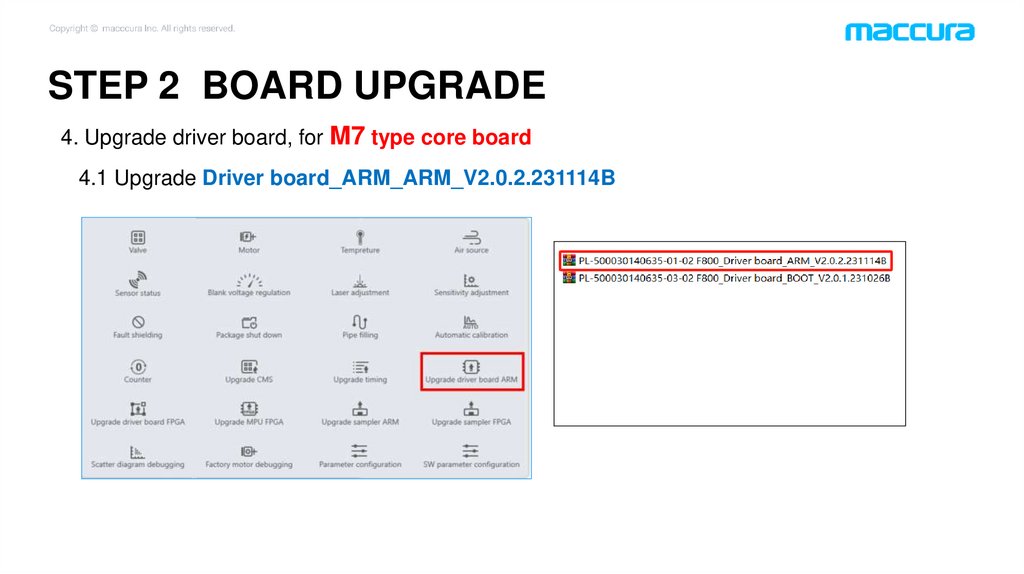
STEP 2 BOARD UPGRADE4. Upgrade driver board, for M7 type core board
4.1 Upgrade Driver board_ARM_ARM_V2.0.2.231114B
14.
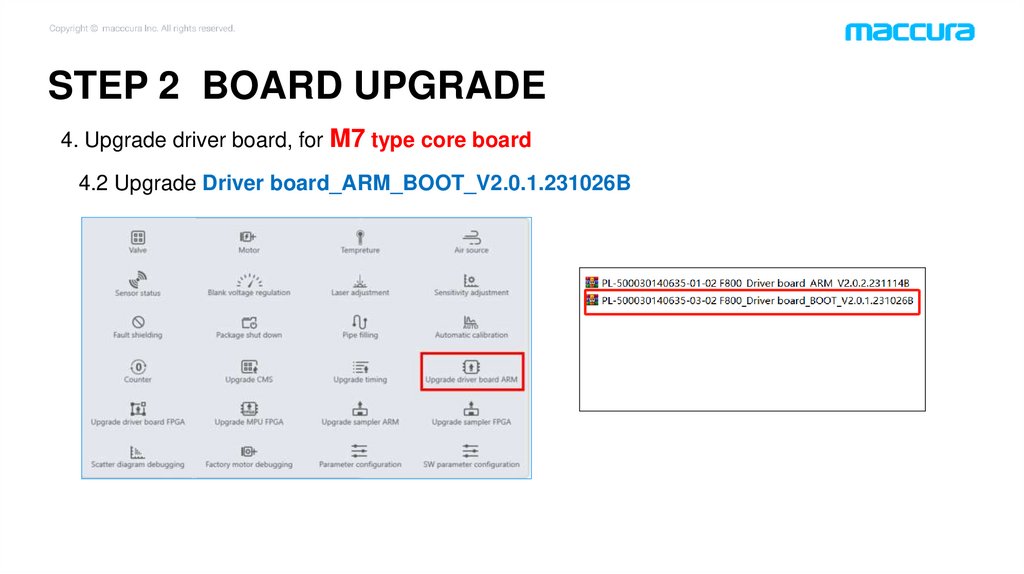
STEP 2 BOARD UPGRADE4. Upgrade driver board, for M7 type core board
4.2 Upgrade Driver board_ARM_BOOT_V2.0.1.231026B
15.
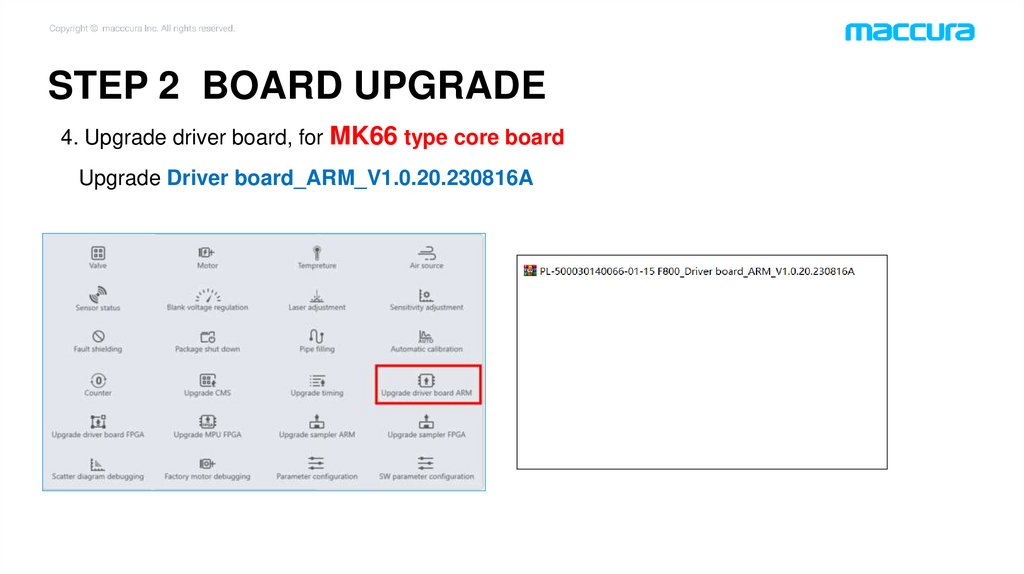
STEP 2 BOARD UPGRADE4. Upgrade driver board, for MK66 type core board
Upgrade Driver board_ARM_V1.0.20.230816A
16.
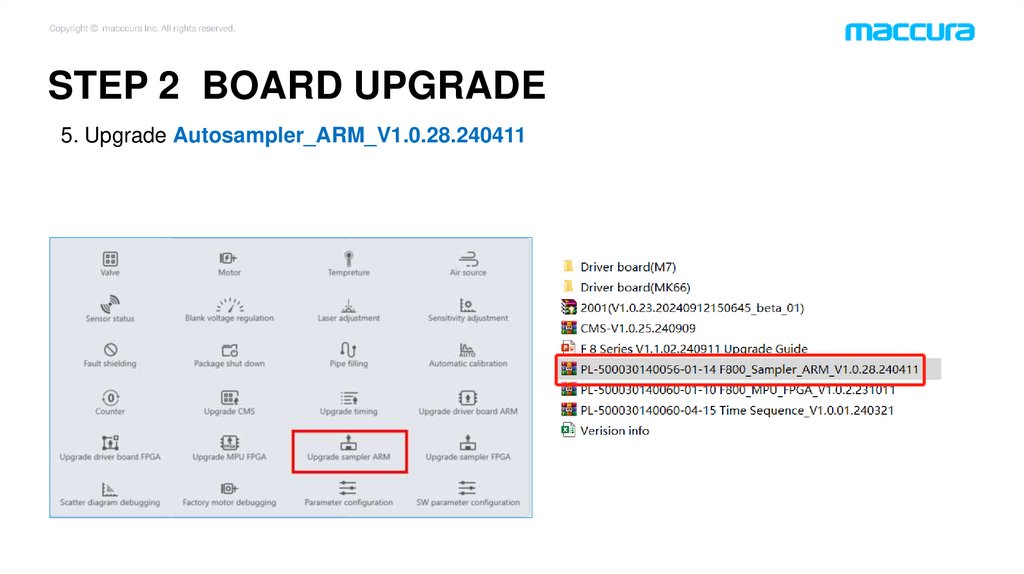
STEP 2 BOARD UPGRADE5. Upgrade Autosampler_ARM_V1.0.28.240411
17.
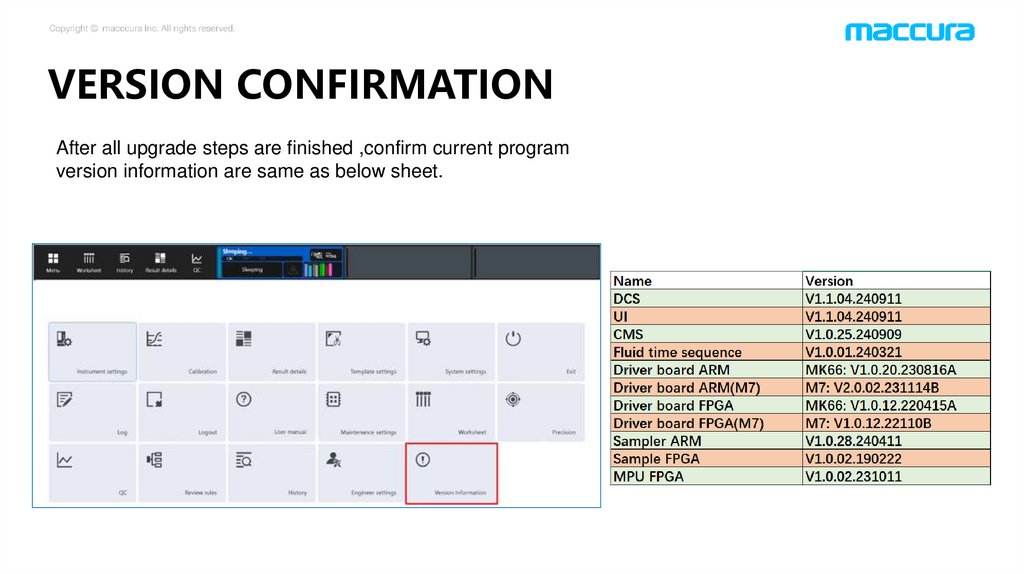
VERSION CONFIRMATIONAfter all upgrade steps are finished ,confirm current program
version information are same as below sheet.
18.
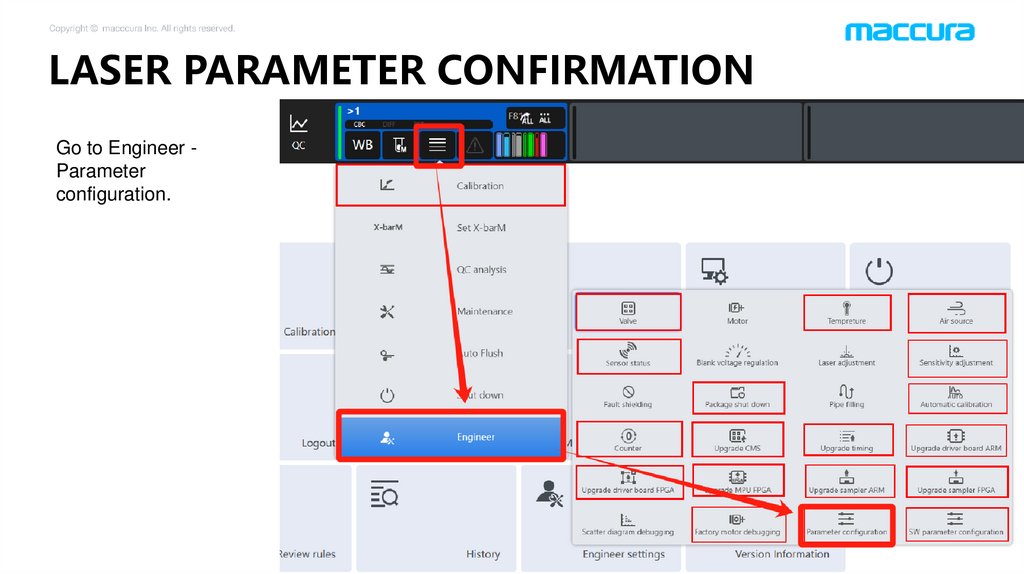
LASER PARAMETER CONFIRMATIONGo to Engineer Parameter
configuration.
19.
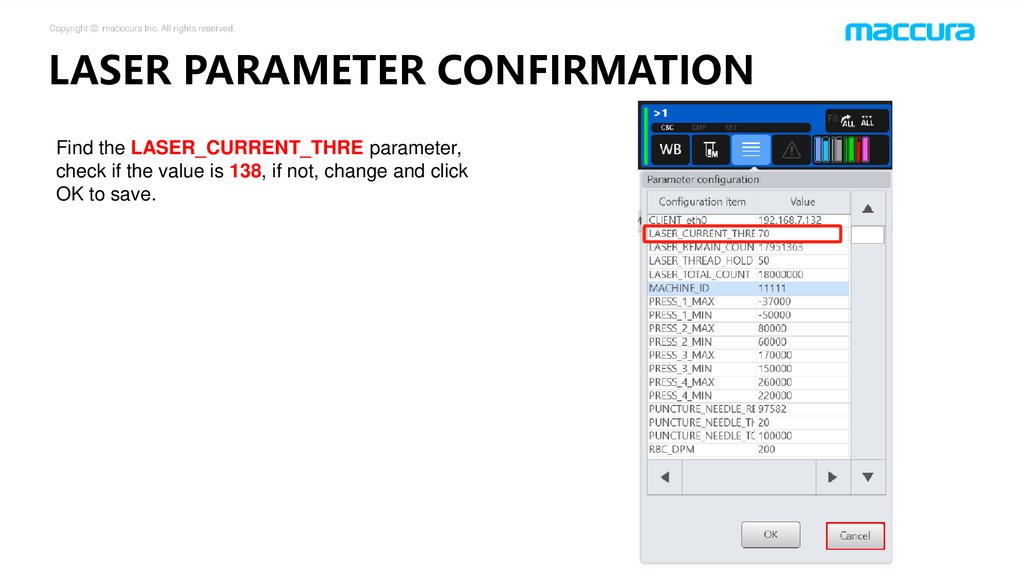
LASER PARAMETER CONFIRMATIONFind the LASER_CURRENT_THRE parameter,
check if the value is 138, if not, change and click
OK to save.