




 software
Similar presentations:







Flight Control System for Creative Business
1.
Creative-HubFlight Control System for Creative Business
Course presentation draft focused on product
logic, working flow, and programming
decisions.
Public landing page and protected workspace
Authentication, reports, and reusable UI patterns
Built with ASP.NET Core, Razor Components, EF Core,
and SQLite
What this deck shows
What the product does
What is already implemented
How the code is structured
What I would show live
10-minute demo
deck
1
2.
COURSE PROJECT DEMOP roblem, Goal, and P roduct Direction
Problem
Creative work is often scattered across files,
notes, and platforms.
Listing status, review needs, and reports are
hard to track in one place.
Important decisions become manual because
the system view is missing.
Goal
Build one structured web application for
creative business workflows.
Connect artworks, platform listings, reports,
and issue visibility.
S upport a real workflow, not just isolated
screens.
Creative-Hub is designed as a “flight control system” for creative business: one place to monitor
artworks, listings, issues, and business visibility without turning art work into chaos.
2
3.
COURSE PROJECT DEMOWhat Is Implemented Today
Implemented
features
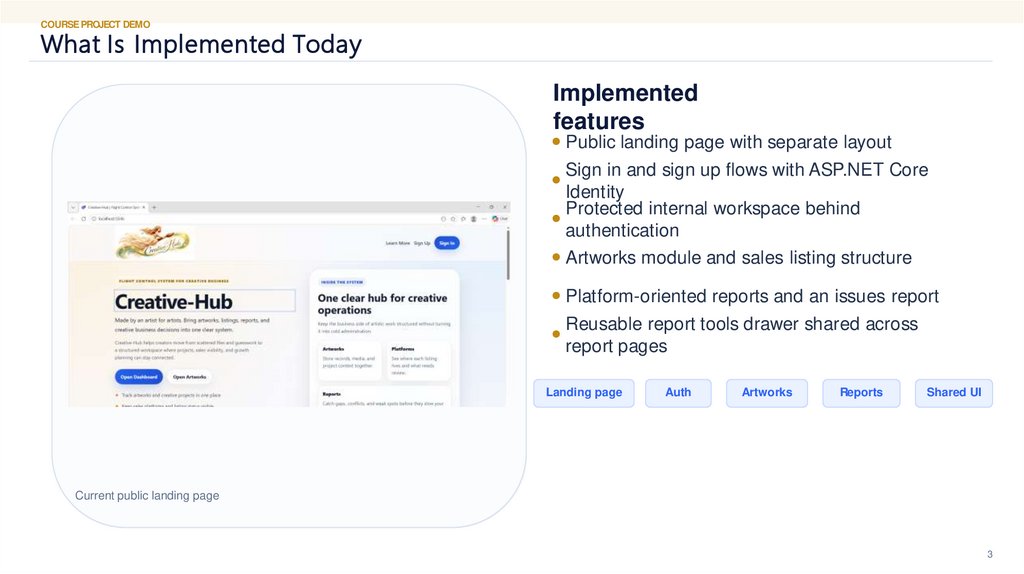
Public landing page with separate layout
Sign in and sign up flows with ASP.NET Core
Identity
Protected internal workspace behind
authentication
Artworks module and sales listing structure
Platform-oriented reports and an issues report
Reusable report tools drawer shared across
report pages
Landing page
Auth
Artworks
Reports
Shared UI
Current public landing page
3
4.
COURSE PROJECT DEMOL ive Demo P lan for the P res entation
1
2
3
1 . Open the public page
Show the landing page and explain the product
idea.
2. Open S ign In
Show that the public page leads into the real auth
flow.
3. Enter the internal
works pace
Open Artworks or Dashboard after sign in.
F iles to open during the
code demo
Components/Layout/PublicLayout.razor
Components/Layout/MainLayout.razor
Components/Pages/Overview/Overview.razor
Components/Pages/Shared/TableToolsDrawer.
razor
Data/Identity/CreativeHubDbContext.cs
Pages/Auth/S ignIn.cshtml.cs
4
4. Open a report page
5
5. Open code files in VS
Code
E
xplain layout separation, auth setup, and reusable
Show platform report or issues report and the
shared tools drawer.
Tip: keep the demo focused on one flow, one
report, and 4–6 code files only.
components.
4
5.
COURSE PROJECT DEMOTechnology S tack and P roject S tructure
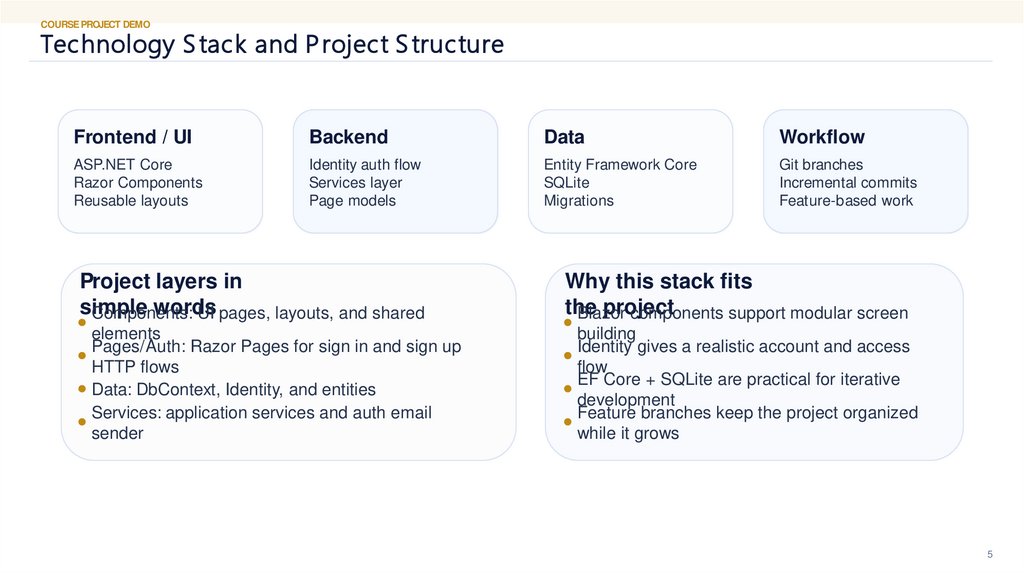
Frontend / UI
Backend
Data
Workflow
ASP.NET Core
Razor Components
Reusable layouts
Identity auth flow
Services layer
Page models
Entity Framework Core
SQLite
Migrations
Git branches
Incremental commits
Feature-based work
Project layers in
simple
words
Components:
UI pages, layouts, and shared
elements
Pages/Auth: Razor Pages for sign in and sign up
HTTP flows
Data: DbContext, Identity, and entities
Services: application services and auth email
sender
Why this stack fits
the
project
Blazor
components support modular screen
building
Identity gives a realistic account and access
flow
EF Core + SQLite are practical for iterative
development
Feature branches keep the project organized
while it grows
5
6.
COURSE PROJECT DEMOR outing, L ayouts , and Acces s L ogic
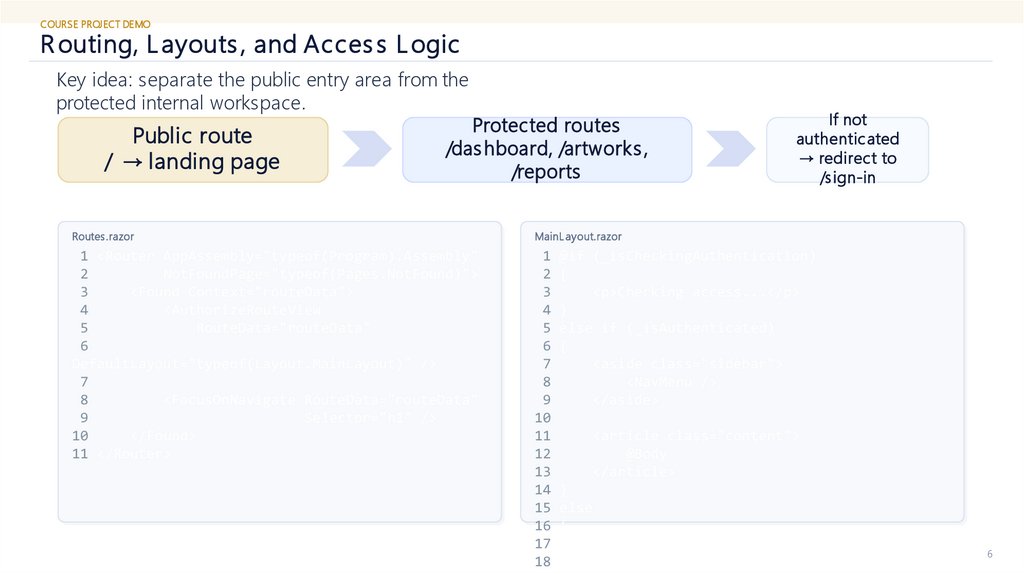
Key idea: separate the public entry area from the
protected internal workspace.
Public route
/ → landing page
Protected routes
/das hboard, /artworks ,
/reports
If not
authenticated
→ redirect to
/sign-in
Routes .razor
MainL ayout.razor
1 <Router AppAssembly="typeof(Program).Assembly"
2
NotFoundPage="typeof(Pages.NotFound)">
3
<Found Context="routeData">
4
<AuthorizeRouteView
5
RouteData="routeData"
6
DefaultLayout="typeof(Layout.MainLayout)" />
7
8
<FocusOnNavigate RouteData="routeData"
9
Selector="h1" />
10
</Found>
11 </Router>
1 @if (_isCheckingAuthentication)
2 {
3
<p>Checking access...</p>
4 }
5 else if (_isAuthenticated)
6 {
7
<aside class="sidebar">
8
<NavMenu />
9
</aside>
10
11
<article class="content">
12
@Body
13
</article>
14 }
15 else
16 {
17
<meta http-equiv="refresh"
18
content="0;url=@signInUrl" />
6
7.
COURSE PROJECT DEMOAuthentication and S ervice R egis tration
Program.cs
1 builder.Services.AddRazorPages();
2 builder.Services.AddRazorComponents()
3
.AddInteractiveServerComponents();
4
5
builder.Services.AddDbContext<CreativeHubDbContext>
(options =>
6
options.UseSqlite(builder.Configuration
7
.GetConnectionString("CreativeHubConnection")));
8
9 builder.Services
10
.AddIdentityCore<ApplicationUser>(options =>
11
{
12
options.User.RequireUniqueEmail = true;
13
options.SignIn.RequireConfirmedAccount =
true;
14
options.SignIn.RequireConfirmedEmail =
true;
15
})
16
.AddRoles<IdentityRole>()
17
.AddEntityFrameworkStores<CreativeHubDbContext>()
18
.AddSignInManager()
19
.AddDefaultTokenProviders();
Why this
matters
Real account flow instead of a fake demo login
Email confirmation is already part of the local
auth setup
The same project supports public pages and
protected pages
SignIn.cshtml.cs
SignUp.cshtml.cs
1 public class
SignInModel(
2
SignInManager<Applica
tionUser>
signInManager,
3
UserManager<Applicati
onUser> userManager)
: PageModel
4 {
5
[BindProperty]
6
public
InputModel Input {
1 public class
SignUpModel(
2
UserManager<Applicati
onUser> userManager,
3
IAuthEmailSender
authEmailSender,
4
IWebHostEnvironment
environment) :
PageModel
5 {
6
[BindProperty]
7
8.
COURSE PROJECT DEMOR eus able UI, R eports , and Data Thinking
Reus able UI
patterns
S hared TableToolsDrawer for
report pages
Common report filters and
column controls
Layout separation for public vs
internal views
Incremental extraction of
repeated UI elements
Reports already
in focus
All P latforms R eport
P latform R eport
Issues R eport
Artworks-related sales
flows
Data layer
direction
ArtworkE ntity and artwork media
records
ArtworkS alesListingE ntity for
sales visibility
CreativeHubDbContext with E F
Core
Migrations used to evolve the
schema over time
This is important for the
presentation because it shows
both UI reuse and database
thinking, not only page styling.
8
9.
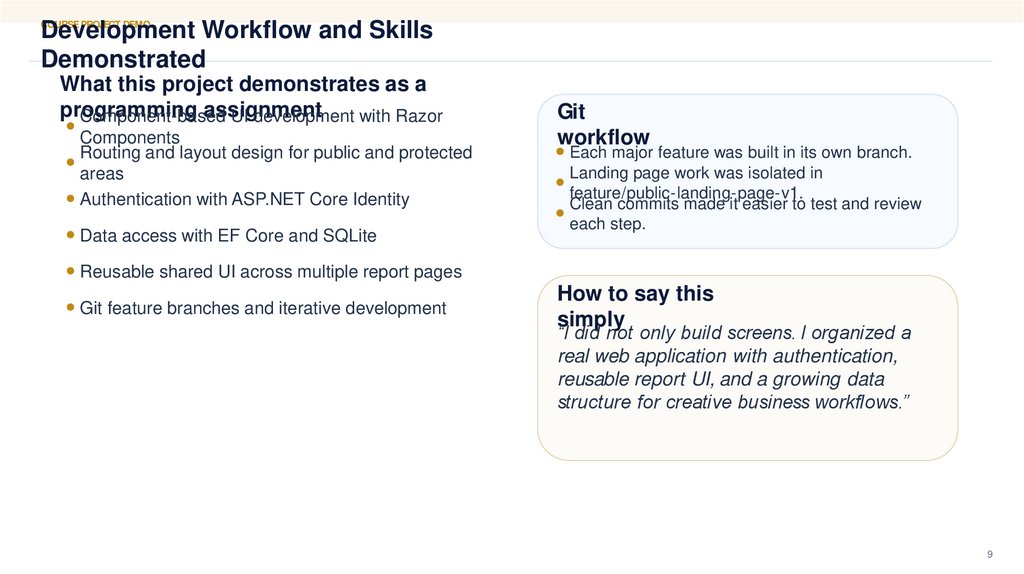
Development Workflow and SkillsDemonstrated
COURSE PROJECT DEMO
What this project demonstrates as a
programming
assignment
Component-based
UI development with Razor
Components
Routing and layout design for public and protected
areas
Authentication with ASP.NET Core Identity
Data access with EF Core and SQLite
Git
workflow
Each major feature was built in its own branch.
Landing page work was isolated in
feature/public-landing-page-v1.
Clean commits made it easier to test and review
each step.
Reusable shared UI across multiple report pages
Git feature branches and iterative development
How to say this
simply
“I did not only build screens. I organized a
real web application with authentication,
reusable report UI, and a growing data
structure for creative business workflows.”
9
10.
Next StepsComplete one business direction end-to-end with all
related reports.
Keep stabilizing the data model and report logic.
After the workflow becomes stable, extract a stronger
themeable design system.
Only then move into responsive polish and visual
refinement.
Thank you
Creative-Hub course demo
Made by an artist for artists
10