



 programming
Similar presentations:







HashMap and Map in Java
1. Map HashMap
2. Map
Map is a collection that stores key-value pairs, where each key is uniqueand maps to specific value.
3. HashMap
A HashMap is a part of Java's java.util package that implements the Map interface using
a hash table. It stores key-value pairs and allows efficient retrieval, insertion, and deletion
of elements based on their keys.
Creating an HashMap:
HashMap<KeyType, ValueType> map = new HashMap<>();
Here, Type refers to the data type (e.g., Integer, String, Double, etc.).
4. Key Features of HashMap
Key-Value Pair Storage: Each key is associated with exactly
one value.
No Duplicate Keys: A key must be unique, but multiple keys
can have the same value.
Allows Null Keys and Values: HashMap allows one null key and
multiple null values.
5. HashMap Example
HashMap<String, Integer> map = new HashMap<>();map.put("Apple", 3);
map.put("Banana", 2);
map.put("Cherry", 4);
System.out.println(map.get("Apple"));
System.out.println(map);
Output:
3
{Apple=3, Cherry=4,
Banana=2}
6. Looping through HashMap
HashMap<String, Integer> map = new HashMap<>();map.put("Apple", 3);
map.put("Banana", 2);
map.put("Cherry", 4);
for(Map.Entry<String, Integer> entry : map.entrySet()){
System.out.println(entry.getKey() + ":" + entry.getValue());
}
Output:
Apple:3
Cherry:4
Banana:2
7. HashMap Methods
HashMap<Integer, String> map= new HashSet<>();Method
Description
Example
put(K key, V value)
Adds a key-value pair to the HashMap.
map.put(1, "Apple");
putIfAbsent(K key, V value)
Adds a key-value pair only if the key does not
exist.
map.putIfAbsent(1, "Mango");
get(K key)
Retrieves the value for a given key.
map.get(1);
getOrDefault(key, defaultValue) returns the value associated with a given key. If
the key does not exist, it returns the specified
default value
map.getOrDefault(“Apple”,0)
remove(K key)
Removes a key-value pair.
map.remove(1);
containsKey(K key)
Checks if the key exists.
map.containsKey(1);
size()
Returns the number of key-value pairs.
map.size();
8. Examples
HashMap<String, Integer> map = new HashMap<>();map.put("apple", 5);
map.put("banana", 3);
map.put("cherry", 10);
map.put("aaa", 4);
System.out.println(map.size());
int val = map.getOrDefault("apple", 0);
map.put("apple", val+1);
System.out.println(map.get("apple"));
map.remove("aaa");
9. HashMap Methods
HashMap<Integer, String> map= new HashSet<>();Method
Description
Example
isEmpty()
Checks if the map is empty.
map.isEmpty();
clear()
Removes all entries from the HashMap
map.clear();
keySet()
Returns a Set of all keys
map.keySet();
values()
Returns a Collection of all values.
map.values();
entrySet()
Returns a Set of key-value pairs (Map.Entry).
map.entrySet();
replace(K key, V newValue)
Updates the value for an existing key.
map.replace(1, "Mango");
10. Examples
HashMap<String, Integer> map = new HashMap<>();map.put("apple", 5);
map.put("banana", 3);
map.put("cherry", 10);
map.put("aaa", 4);
map.put("aaa", 11);
System.out.println(map.keySet());
for(String key: map.keySet()){
System.out.println(key + " : " + map.get(key));
}
for(int val: map.values()){
System.out.println(val);
}
for(Map.Entry<String, Integer> entry : map.entrySet()){
System.out.println(entry.getKey() + ":" + entry.getValue());
}
11. Frequency of numbers
HashMap<Integer, Integer> freqmap = new HashMap<>();int n = input.nextInt();
for(int i=0; i<n; i++){
int num = input.nextInt();
int val = freqmap.getOrDefault(num, 0);
freqmap.put(num, val+1);
}
System.out.println(freqmap);
Input:
10
2 3 4 2 3 4 2 5 4 1
Output:
{1=1, 2=3, 3=2, 4=3,
5=1}
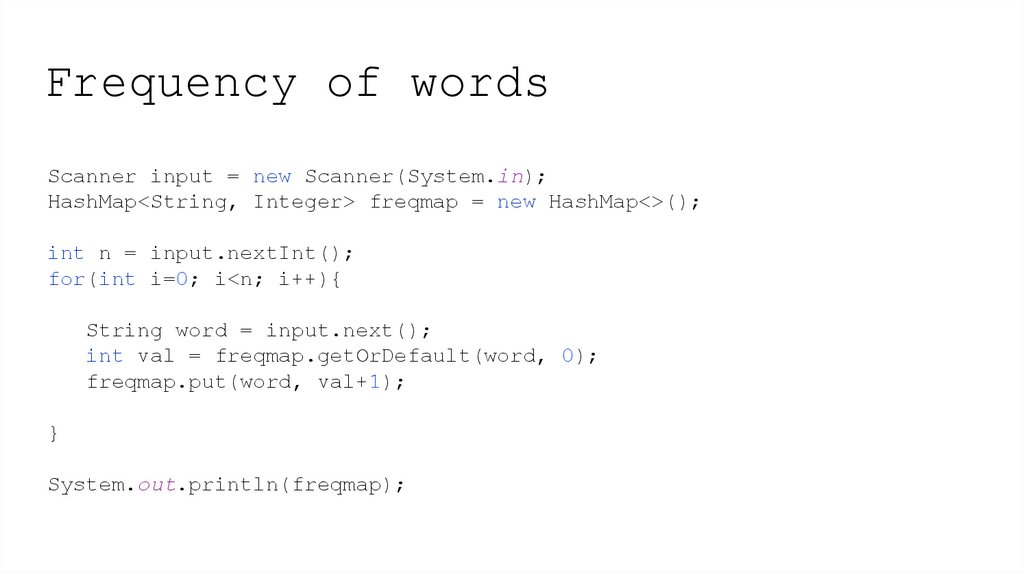
12. Frequency of words
Scanner input = new Scanner(System.in);HashMap<String, Integer> freqmap = new HashMap<>();
int n = input.nextInt();
for(int i=0; i<n; i++){
String word = input.next();
int val = freqmap.getOrDefault(word, 0);
freqmap.put(word, val+1);
}
System.out.println(freqmap);
13. Practice
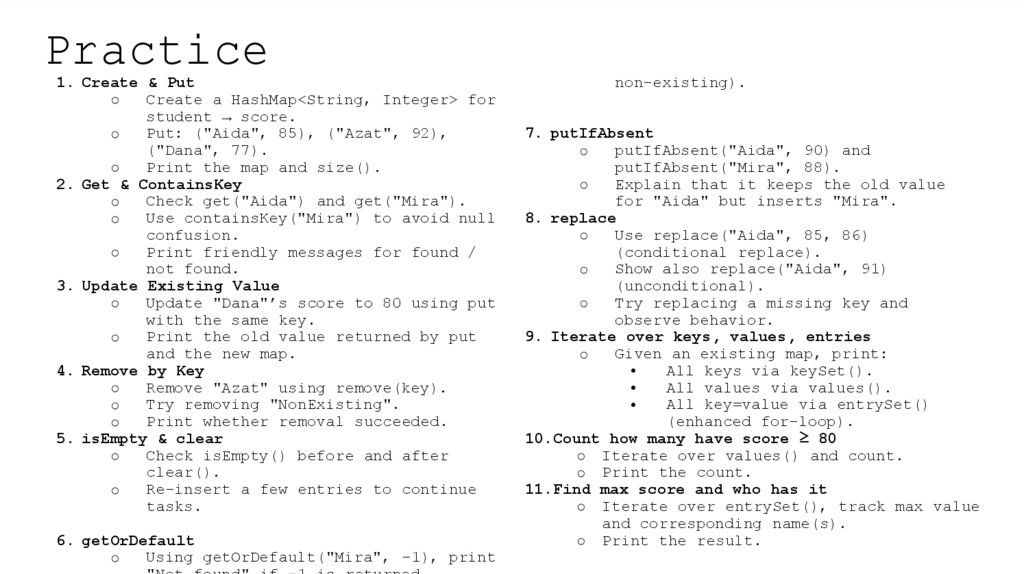
1. Create & PutCreate a HashMap<String, Integer> for
○
student → score.
Put: ("Aida", 85), ("Azat", 92),
○
("Dana", 77).
Print the map and size().
○
2. Get & ContainsKey
Check get("Aida") and get("Mira").
○
Use containsKey("Mira") to avoid null
○
confusion.
Print friendly messages for found /
○
not found.
3. Update Existing Value
Update "Dana"’s score to 80 using put
○
with the same key.
Print the old value returned by put
○
and the new map.
4. Remove by Key
Remove "Azat" using remove(key).
○
Try removing "NonExisting".
○
Print whether removal succeeded.
○
5. isEmpty & clear
Check isEmpty() before and after
○
clear().
Re-insert a few entries to continue
○
tasks.
6. getOrDefault
Using getOrDefault("Mira", -1), print
○
non-existing).
7. putIfAbsent
putIfAbsent("Aida", 90) and
○
putIfAbsent("Mira", 88).
Explain that it keeps the old value
○
for "Aida" but inserts "Mira".
8. replace
Use replace("Aida", 85, 86)
○
(conditional replace).
Show also replace("Aida", 91)
○
(unconditional).
Try replacing a missing key and
○
observe behavior.
9. Iterate over keys, values, entries
Given an existing map, print:
○
All keys via keySet().
All values via values().
All key=value via entrySet()
(enhanced for-loop).
10.Count how many have score ≥ 80
○ Iterate over values() and count.
○ Print the count.
11.Find max score and who has it
○ Iterate over entrySet(), track max value
and corresponding name(s).
○ Print the result.
14. Practice
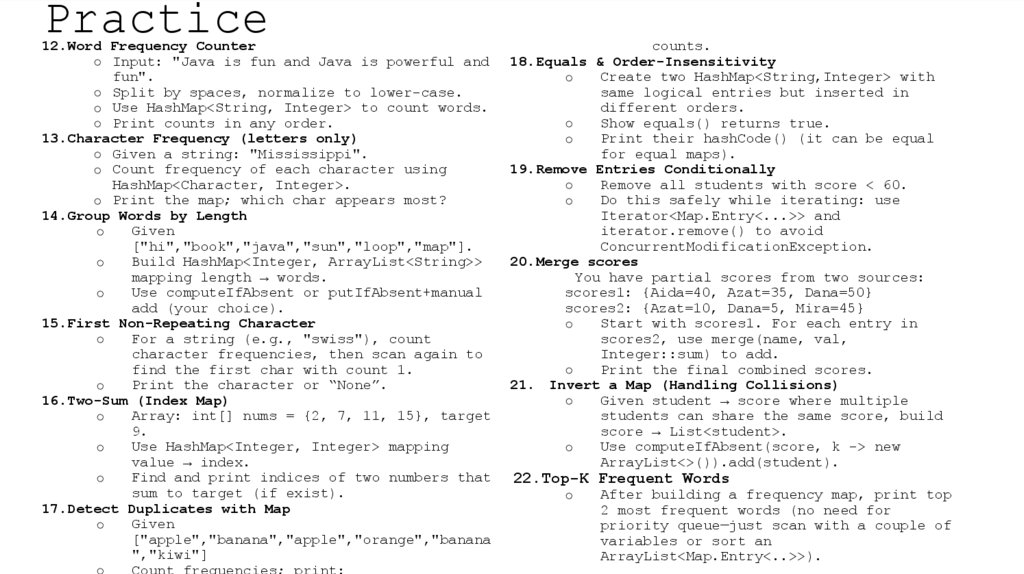
12.Word Frequency Counter○ Input: "Java is fun and Java is powerful and
fun".
○ Split by spaces, normalize to lower-case.
○ Use HashMap<String, Integer> to count words.
○ Print counts in any order.
13.Character Frequency (letters only)
○ Given a string: "Mississippi".
○ Count frequency of each character using
HashMap<Character, Integer>.
○ Print the map; which char appears most?
14.Group Words by Length
Given
○
["hi","book","java","sun","loop","map"].
Build HashMap<Integer, ArrayList<String>>
○
mapping length → words.
Use computeIfAbsent or putIfAbsent+manual
○
add (your choice).
15.First Non-Repeating Character
For a string (e.g., "swiss"), count
○
character frequencies, then scan again to
find the first char with count 1.
Print the character or “None”.
○
16.Two-Sum (Index Map)
Array: int[] nums = {2, 7, 11, 15}, target
○
9.
Use HashMap<Integer, Integer> mapping
○
value → index.
Find and print indices of two numbers that
○
sum to target (if exist).
17.Detect Duplicates with Map
Given
○
["apple","banana","apple","orange","banana
","kiwi"]
Count frequencies; print:
○
counts.
18.Equals & Order-Insensitivity
Create two HashMap<String,Integer> with
○
same logical entries but inserted in
different orders.
Show equals() returns true.
○
Print their hashCode() (it can be equal
○
for equal maps).
19.Remove Entries Conditionally
Remove all students with score < 60.
○
Do this safely while iterating: use
○
Iterator<Map.Entry<...>> and
iterator.remove() to avoid
ConcurrentModificationException.
20.Merge scores
You have partial scores from two sources:
scores1: {Aida=40, Azat=35, Dana=50}
scores2: {Azat=10, Dana=5, Mira=45}
Start with scores1. For each entry in
○
scores2, use merge(name, val,
Integer::sum) to add.
Print the final combined scores.
○
21. Invert a Map (Handling Collisions)
Given student → score where multiple
○
students can share the same score, build
score → List<student>.
Use computeIfAbsent(score, k -> new
○
ArrayList<>()).add(student).
22.Top-K Frequent Words
○
After building a frequency map, print top
2 most frequent words (no need for
priority queue—just scan with a couple of
variables or sort an
ArrayList<Map.Entry<..>>).
15. Home Assignment
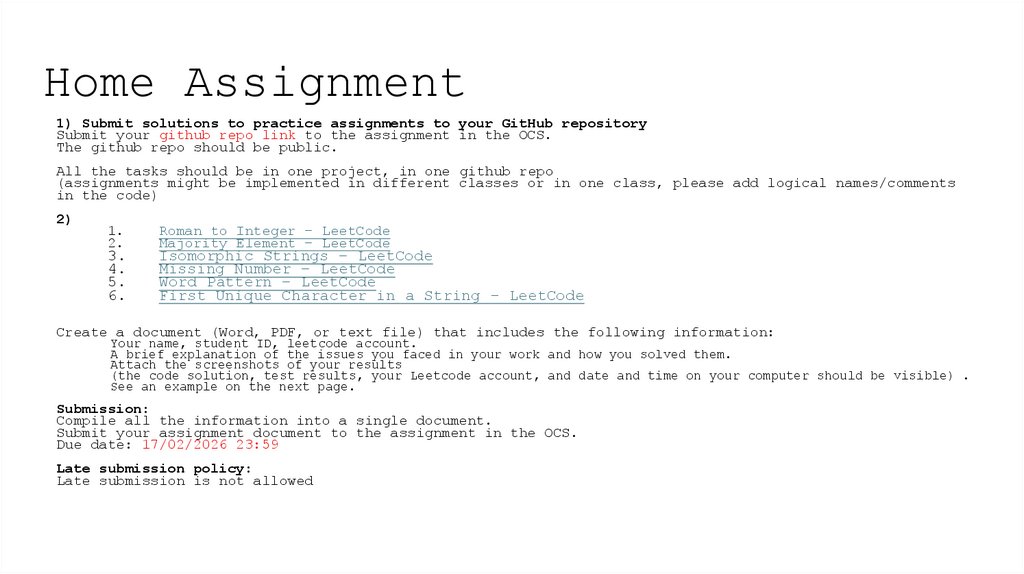
1) Submit solutions to practice assignments to your GitHub repositorySubmit your github repo link to the assignment in the OCS.
The github repo should be public.
All the tasks should be in one project, in one github repo
(assignments might be implemented in different classes or in one class, please add logical names/comments
in the code)
2)
1.
2.
3.
4.
5.
6.
Roman to Integer – LeetCode
Majority Element – LeetCode
Isomorphic Strings – LeetCode
Missing Number – LeetCode
Word Pattern – LeetCode
First Unique Character in a String - LeetCode
Create a document (Word, PDF, or text file) that includes the following information:
Your name, student ID, leetcode account.
A brief explanation of the issues you faced in your work and how you solved them.
Attach the screenshots of your results
(the code solution, test results, your Leetcode account, and date and time on your computer should be visible) .
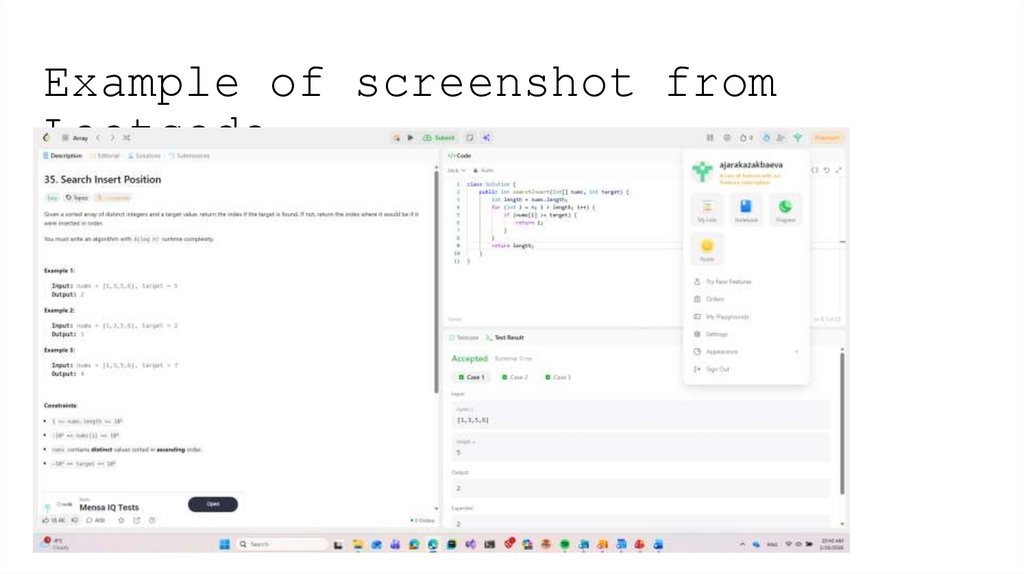
See an example on the next page.
Submission:
Compile all the information into a single document.
Submit your assignment document to the assignment in the OCS.
Due date: 17/02/2026 23:59
Late submission policy:
Late submission is not allowed