
 programming
Similar presentations:








Generics and Collections
1. Generics and Collections
Copyright © 2012, Oracle and/or its affiliates. All rights reserved.2. Objectives
After completing this lesson, you should be able to:• Create a custom generic class
• Use the type inference diamond to create an object
• Create a collection without using generics
• Create a collection by using generics
• Implement an ArrayList
• Implement a Set
• Implement a HashMap
• Implement a stack by using a deque
• Use enumerated types
7-2
Copyright © 2012, Oracle and/or its affiliates. All rights reserved.
3. Generics
7-3
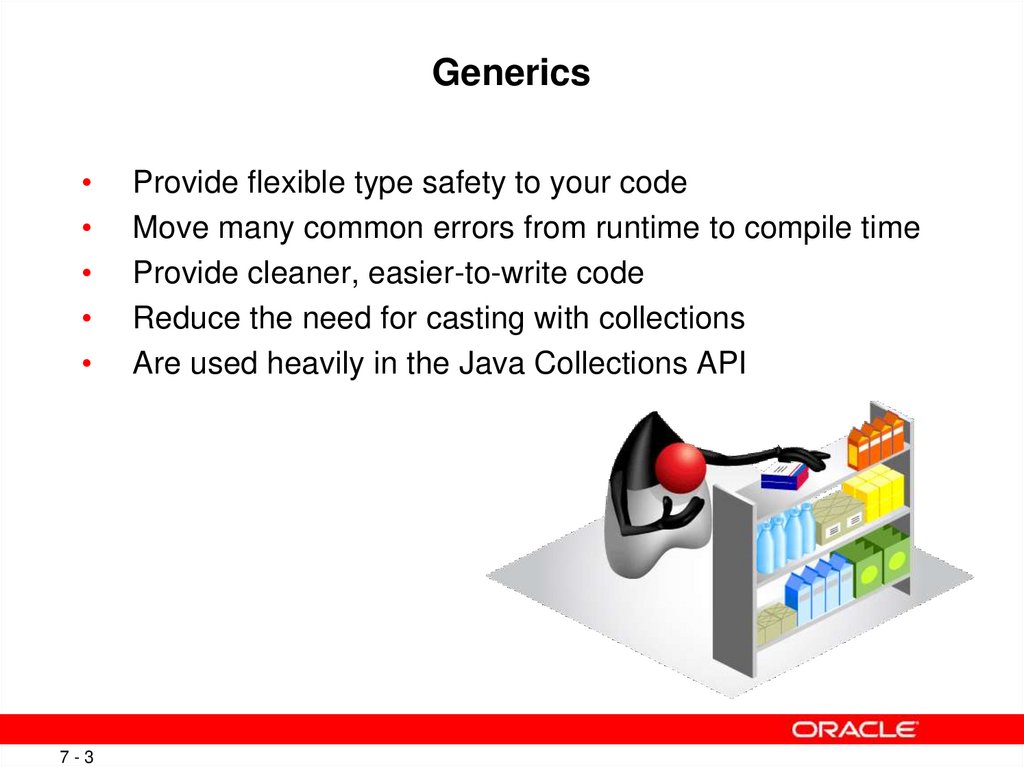
Provide flexible type safety to your code
Move many common errors from runtime to compile time
Provide cleaner, easier-to-write code
Reduce the need for casting with collections
Are used heavily in the Java Collections API
Copyright © 2012, Oracle and/or its affiliates. All rights reserved.
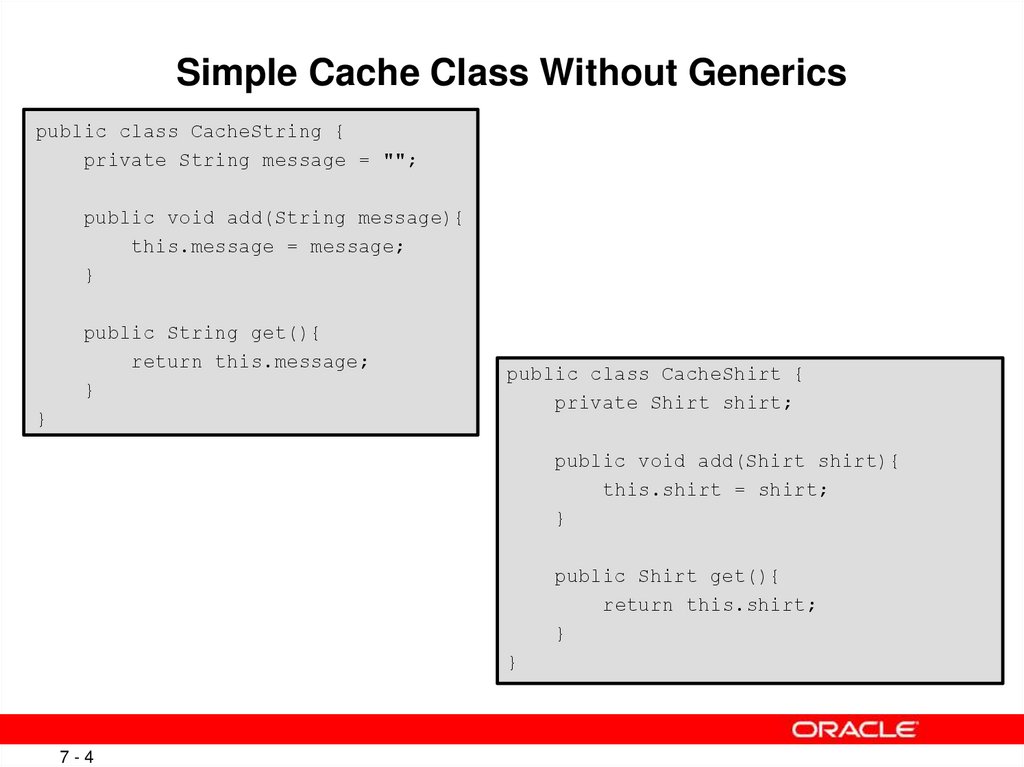
4. Simple Cache Class Without Generics
public class CacheString {private String message = "";
public void add(String message){
this.message = message;
}
public String get(){
return this.message;
}
}
public class CacheShirt {
private Shirt shirt;
public void add(Shirt shirt){
this.shirt = shirt;
}
public Shirt get(){
return this.shirt;
}
}
7-4
Copyright © 2012, Oracle and/or its affiliates. All rights reserved.
5. Generic Cache Class
1 public class CacheAny <T>{2
3
private T t;
4
5
public void add(T t){
6
this.t = t;
7
}
8
9
public T get(){
10
return this.t;
11
}
12 }
7-5
Copyright © 2012, Oracle and/or its affiliates. All rights reserved.
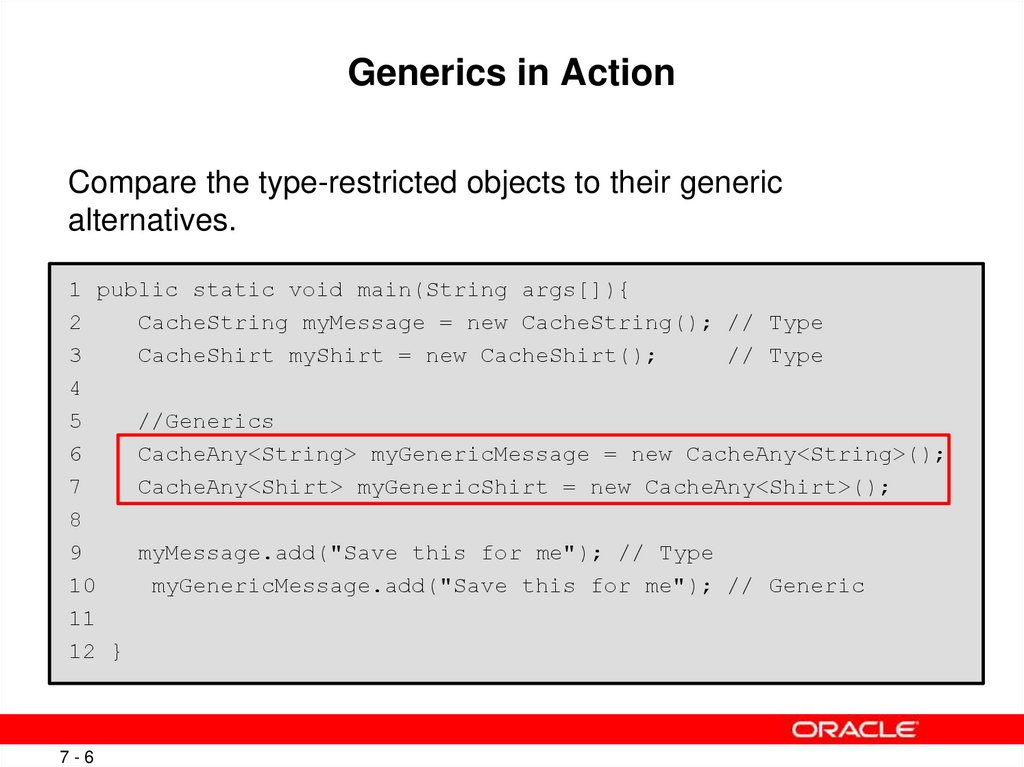
6. Generics in Action
Compare the type-restricted objects to their genericalternatives.
1 public static void main(String args[]){
2
CacheString myMessage = new CacheString(); // Type
3
CacheShirt myShirt = new CacheShirt();
// Type
4
5
//Generics
6
CacheAny<String> myGenericMessage = new CacheAny<String>();
7
CacheAny<Shirt> myGenericShirt = new CacheAny<Shirt>();
8
9
myMessage.add("Save this for me"); // Type
10
myGenericMessage.add("Save this for me"); // Generic
11
12 }
7-6
Copyright © 2012, Oracle and/or its affiliates. All rights reserved.
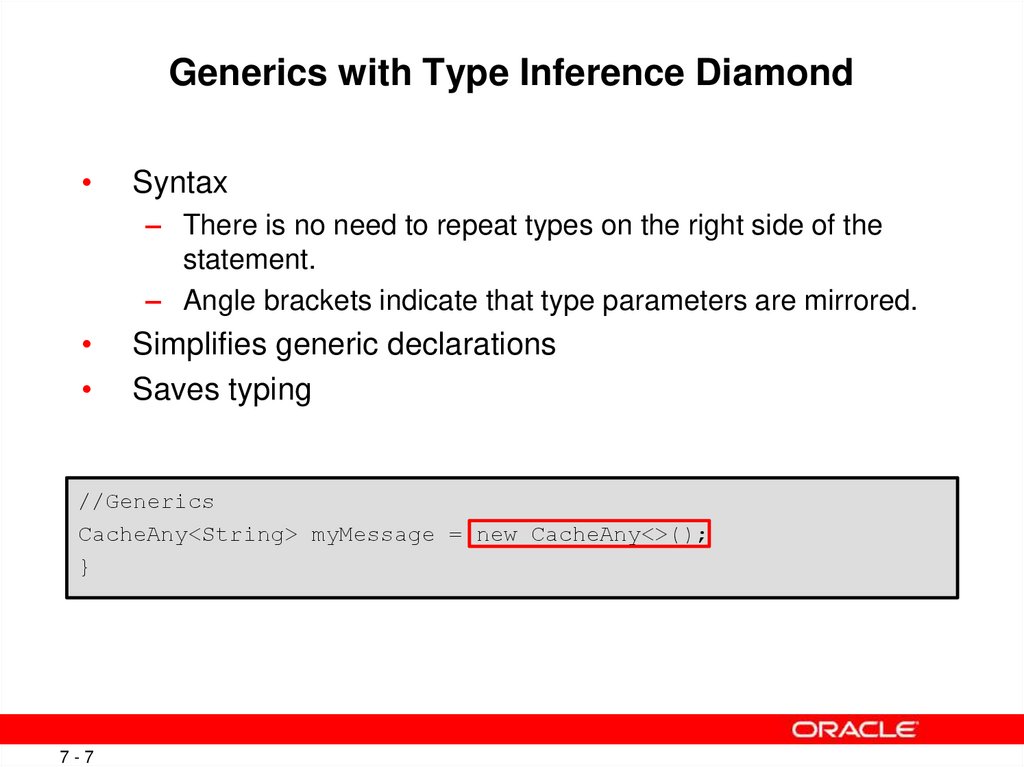
7. Generics with Type Inference Diamond
Syntax
– There is no need to repeat types on the right side of the
statement.
– Angle brackets indicate that type parameters are mirrored.
Simplifies generic declarations
Saves typing
//Generics
CacheAny<String> myMessage = new CacheAny<>();
}
7-7
Copyright © 2012, Oracle and/or its affiliates. All rights reserved.
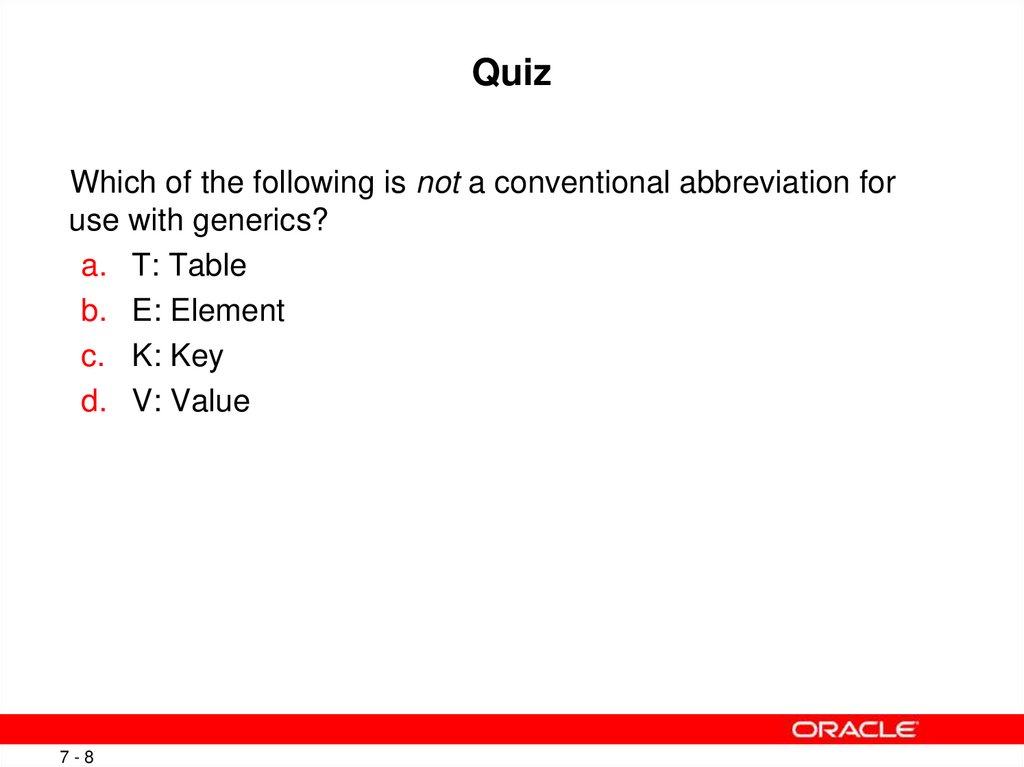
8. Quiz
Which of the following is not a conventional abbreviation foruse with generics?
a. T: Table
b. E: Element
c. K: Key
d. V: Value
7-8
Copyright © 2012, Oracle and/or its affiliates. All rights reserved.
9. Collections
A collection is a single object designed to manage a group
of objects.
– Objects in a collection are called elements.
– Primitives are not allowed in a collection.
Various collection types implement many common data
structures:
– Stack, queue, dynamic array, hash
7-9
The Collections API relies heavily
on generics for its implementation.
Copyright © 2012, Oracle and/or its affiliates. All rights reserved.
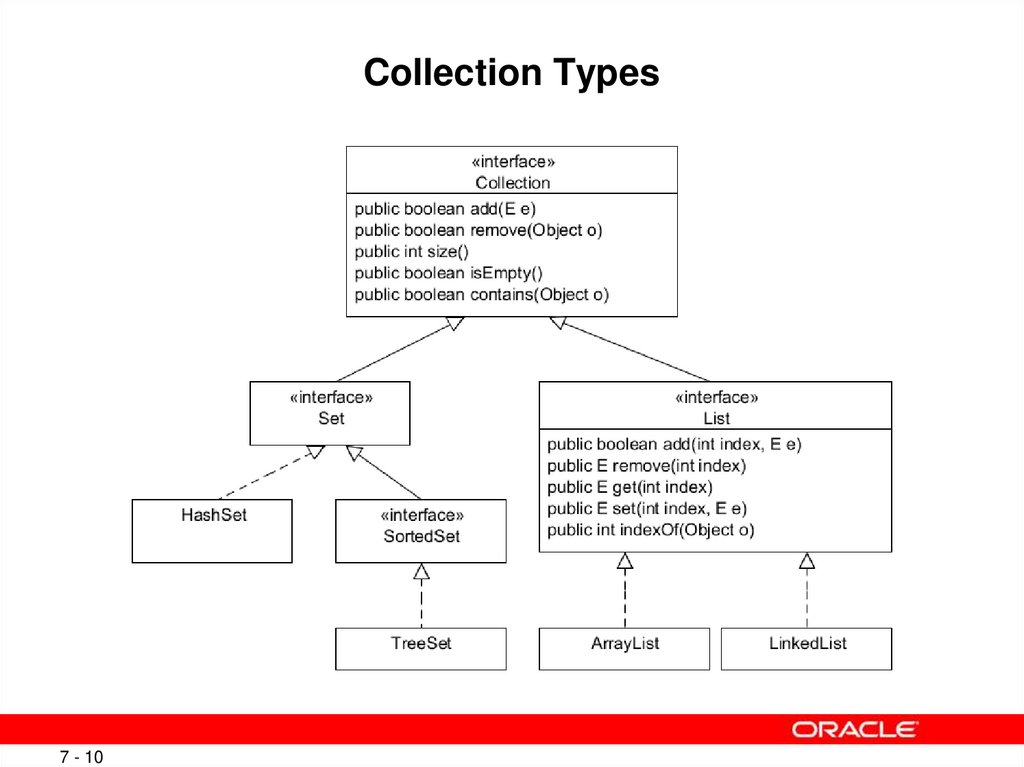
10. Collection Types
7 - 10Copyright © 2012, Oracle and/or its affiliates. All rights reserved.
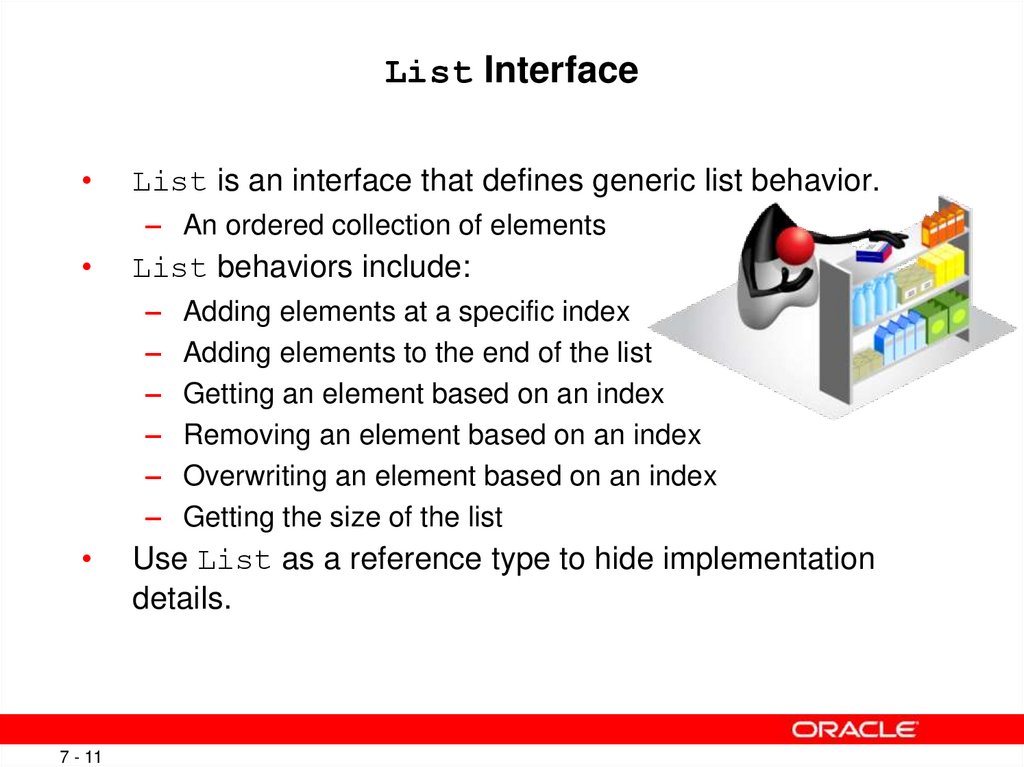
11. List Interface
List is an interface that defines generic list behavior.
– An ordered collection of elements
List behaviors include:
–
–
–
–
–
–
Adding elements at a specific index
Adding elements to the end of the list
Getting an element based on an index
Removing an element based on an index
Overwriting an element based on an index
Getting the size of the list
Use List as a reference type to hide implementation
details.
7 - 11
Copyright © 2012, Oracle and/or its affiliates. All rights reserved.
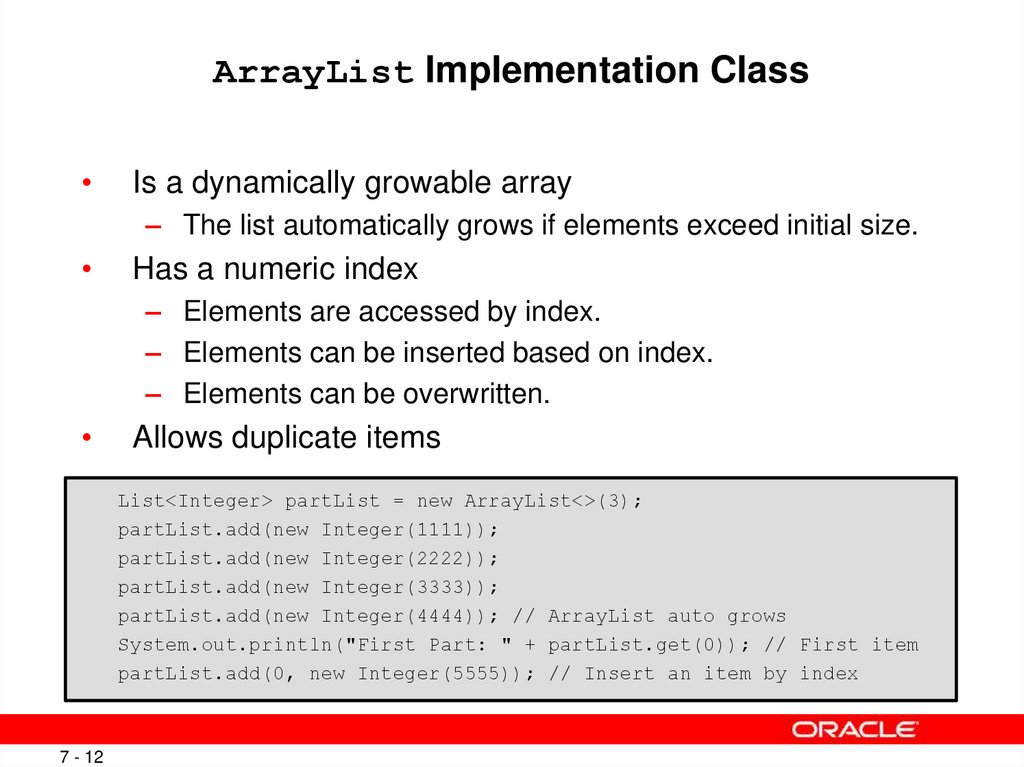
12. ArrayList Implementation Class
Is a dynamically growable array
– The list automatically grows if elements exceed initial size.
Has a numeric index
– Elements are accessed by index.
– Elements can be inserted based on index.
– Elements can be overwritten.
Allows duplicate items
List<Integer> partList = new ArrayList<>(3);
partList.add(new Integer(1111));
partList.add(new Integer(2222));
partList.add(new Integer(3333));
partList.add(new Integer(4444)); // ArrayList auto grows
System.out.println("First Part: " + partList.get(0)); // First item
partList.add(0, new Integer(5555)); // Insert an item by index
7 - 12
Copyright © 2012, Oracle and/or its affiliates. All rights reserved.
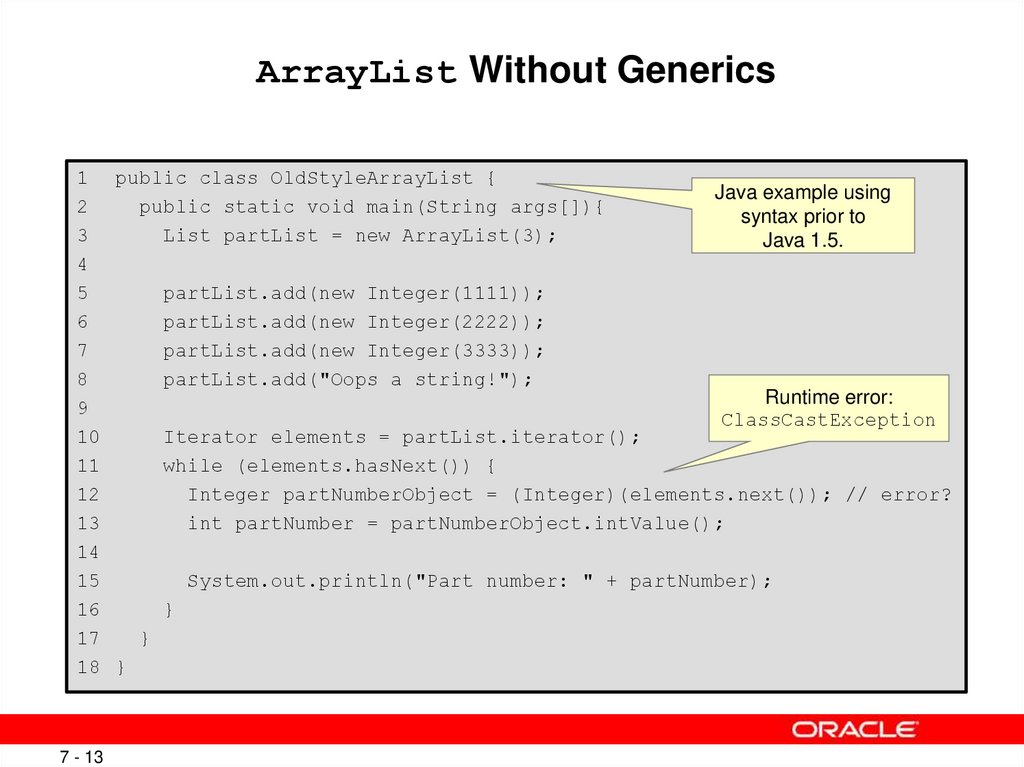
13. ArrayList Without Generics
1 public class OldStyleArrayList {Java example using
2
public static void main(String args[]){
syntax prior to
3
List partList = new ArrayList(3);
Java 1.5.
4
5
partList.add(new Integer(1111));
6
partList.add(new Integer(2222));
7
partList.add(new Integer(3333));
8
partList.add("Oops a string!");
Runtime error:
9
ClassCastException
10
Iterator elements = partList.iterator();
11
while (elements.hasNext()) {
12
Integer partNumberObject = (Integer)(elements.next()); // error?
13
int partNumber = partNumberObject.intValue();
14
15
System.out.println("Part number: " + partNumber);
16
}
17
}
18 }
7 - 13
Copyright © 2012, Oracle and/or its affiliates. All rights reserved.
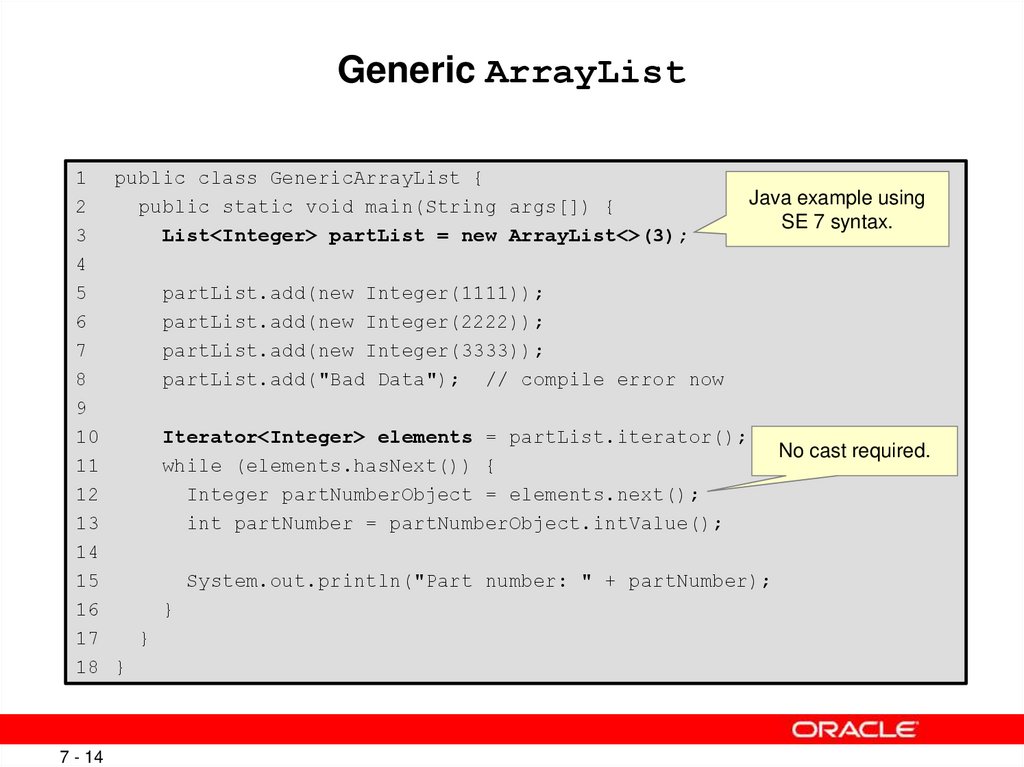
14. Generic ArrayList
1 public class GenericArrayList {Java example using
2
public static void main(String args[]) {
SE 7 syntax.
3
List<Integer> partList = new ArrayList<>(3);
4
5
partList.add(new Integer(1111));
6
partList.add(new Integer(2222));
7
partList.add(new Integer(3333));
8
partList.add("Bad Data"); // compile error now
9
10
Iterator<Integer> elements = partList.iterator();
No cast required.
11
while (elements.hasNext()) {
12
Integer partNumberObject = elements.next();
13
int partNumber = partNumberObject.intValue();
14
15
System.out.println("Part number: " + partNumber);
16
}
17
}
18 }
7 - 14
Copyright © 2012, Oracle and/or its affiliates. All rights reserved.
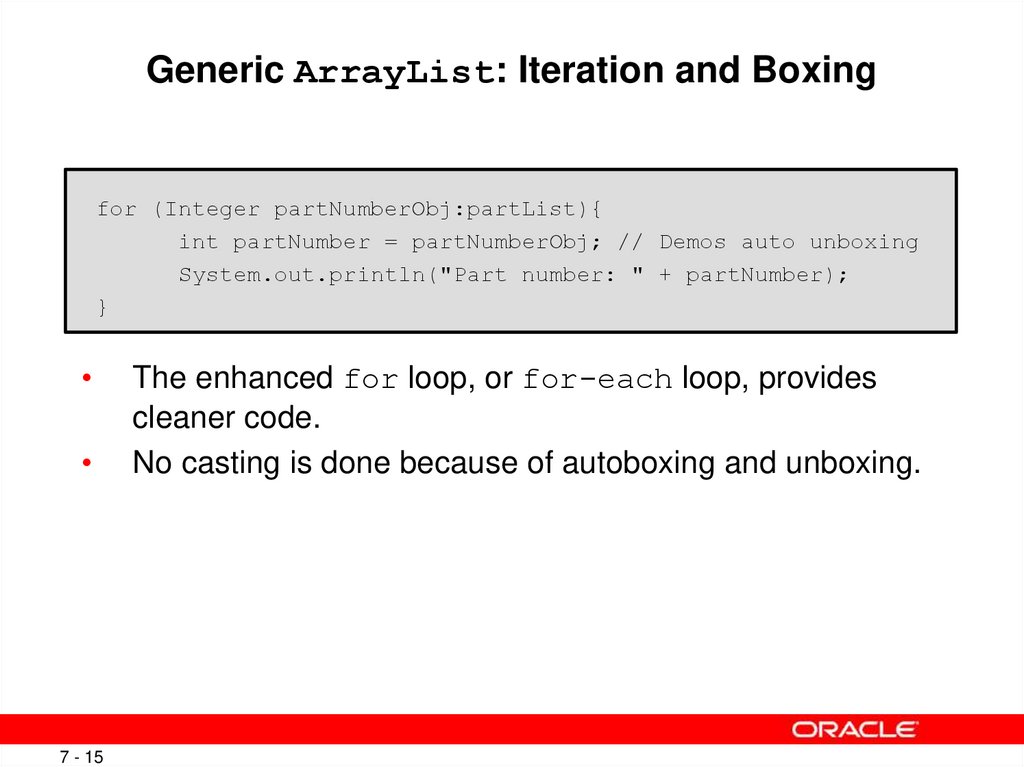
15. Generic ArrayList: Iteration and Boxing
for (Integer partNumberObj:partList){int partNumber = partNumberObj; // Demos auto unboxing
System.out.println("Part number: " + partNumber);
}
7 - 15
The enhanced for loop, or for-each loop, provides
cleaner code.
No casting is done because of autoboxing and unboxing.
Copyright © 2012, Oracle and/or its affiliates. All rights reserved.
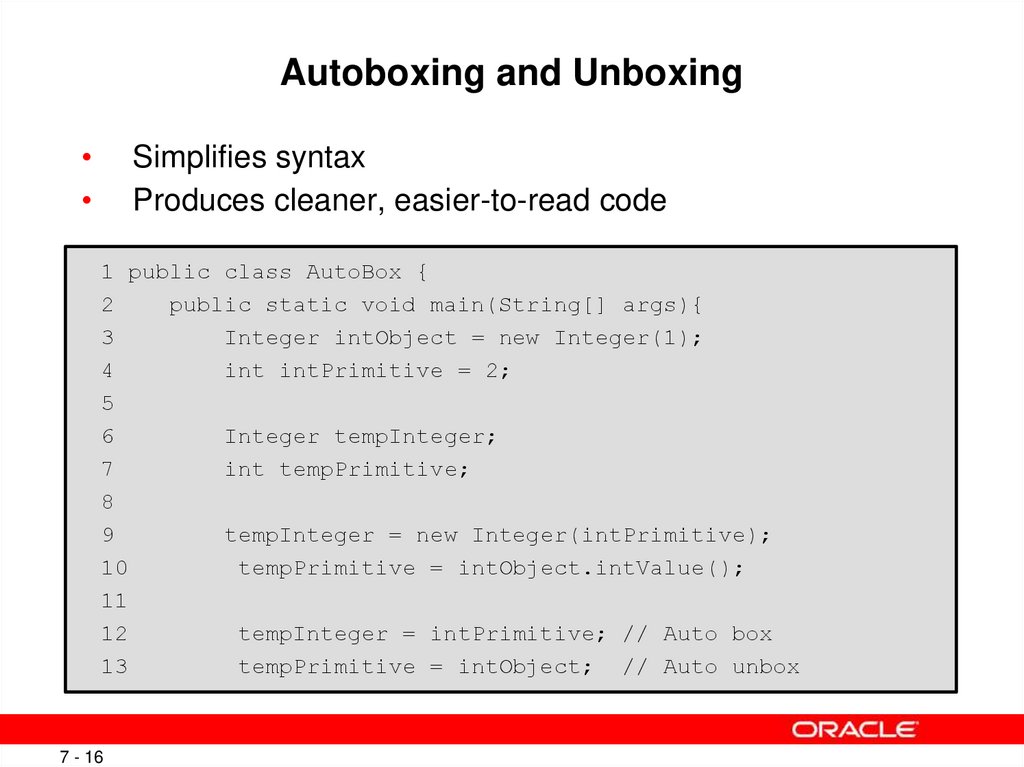
16. Autoboxing and Unboxing
Simplifies syntax
Produces cleaner, easier-to-read code
1 public class AutoBox {
2
public static void main(String[] args){
3
Integer intObject = new Integer(1);
4
int intPrimitive = 2;
5
6
Integer tempInteger;
7
int tempPrimitive;
8
9
tempInteger = new Integer(intPrimitive);
10
tempPrimitive = intObject.intValue();
11
12
tempInteger = intPrimitive; // Auto box
13
tempPrimitive = intObject; // Auto unbox
7 - 16
Copyright © 2012, Oracle and/or its affiliates. All rights reserved.
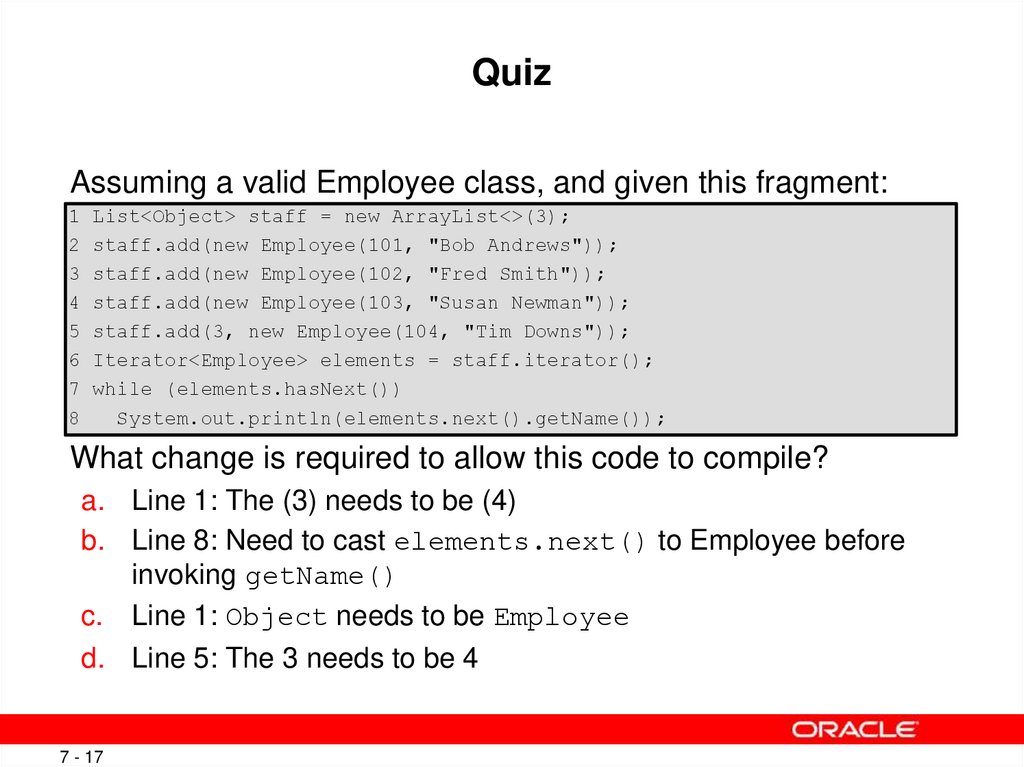
17. Quiz
Assuming a valid Employee class, and given this fragment:1 List<Object> staff = new ArrayList<>(3);
2 staff.add(new Employee(101, "Bob Andrews"));
3 staff.add(new Employee(102, "Fred Smith"));
4 staff.add(new Employee(103, "Susan Newman"));
5 staff.add(3, new Employee(104, "Tim Downs"));
6 Iterator<Employee> elements = staff.iterator();
7 while (elements.hasNext())
8
System.out.println(elements.next().getName());
What change is required to allow this code to compile?
a. Line 1: The (3) needs to be (4)
b. Line 8: Need to cast elements.next() to Employee before
invoking getName()
c. Line 1: Object needs to be Employee
d. Line 5: The 3 needs to be 4
7 - 17
Copyright © 2012, Oracle and/or its affiliates. All rights reserved.
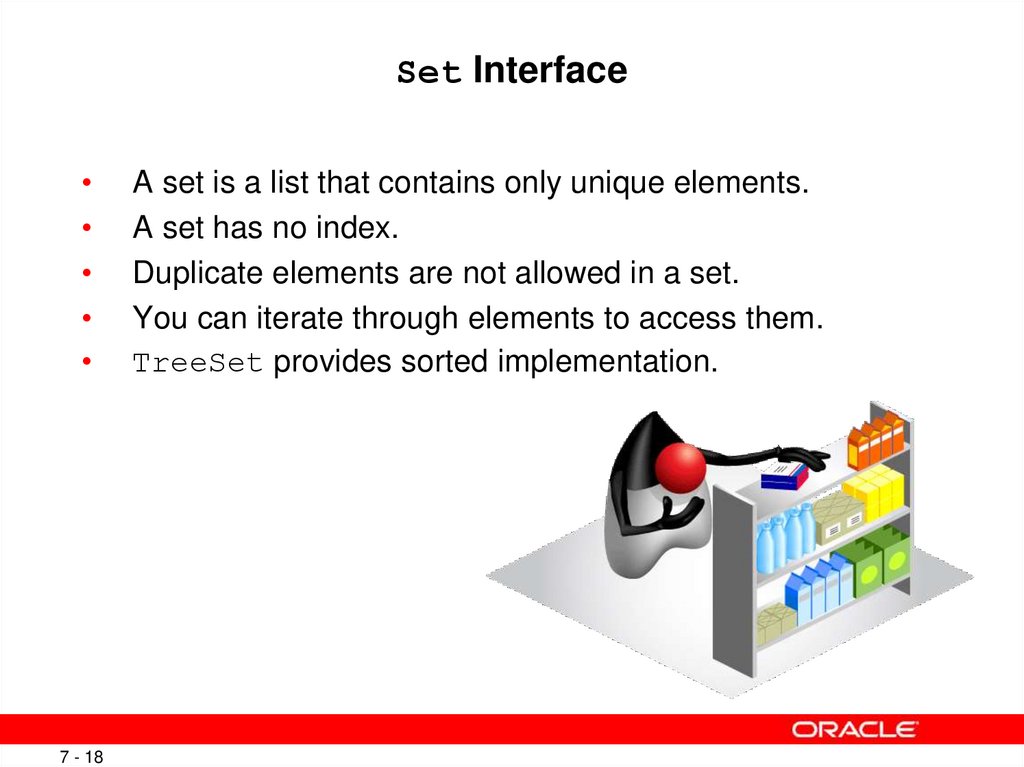
18. Set Interface
7 - 18
A set is a list that contains only unique elements.
A set has no index.
Duplicate elements are not allowed in a set.
You can iterate through elements to access them.
TreeSet provides sorted implementation.
Copyright © 2012, Oracle and/or its affiliates. All rights reserved.
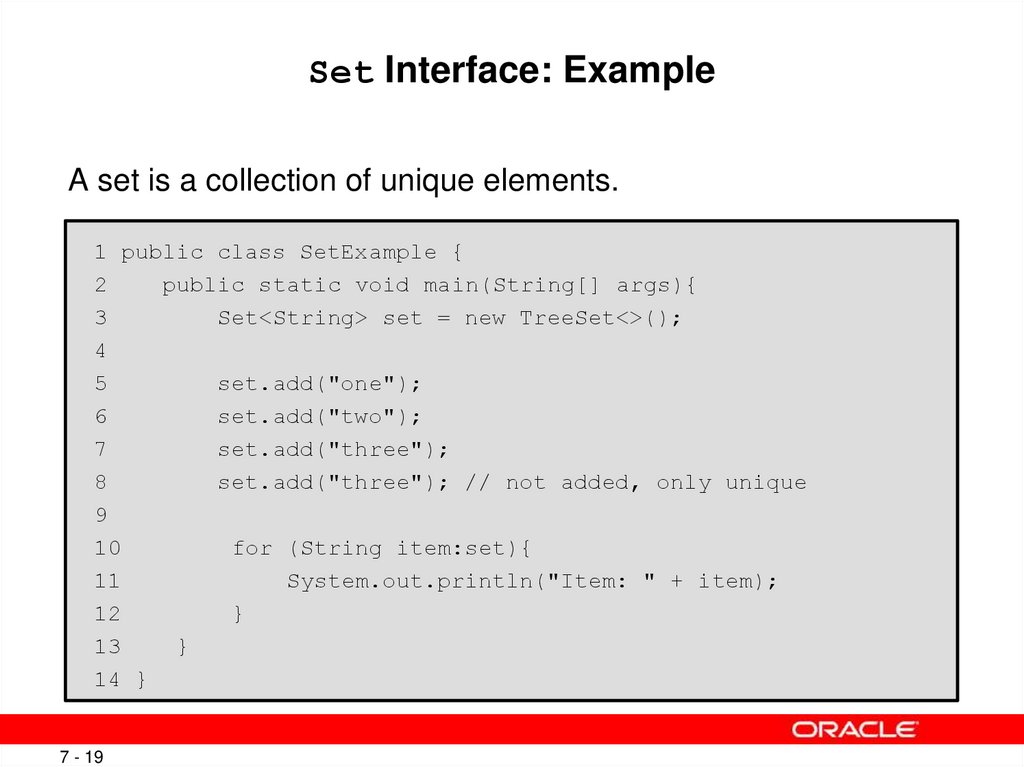
19. Set Interface: Example
A set is a collection of unique elements.1 public class SetExample {
2
public static void main(String[] args){
3
Set<String> set = new TreeSet<>();
4
5
set.add("one");
6
set.add("two");
7
set.add("three");
8
set.add("three"); // not added, only unique
9
10
for (String item:set){
11
System.out.println("Item: " + item);
12
}
13
}
14 }
7 - 19
Copyright © 2012, Oracle and/or its affiliates. All rights reserved.
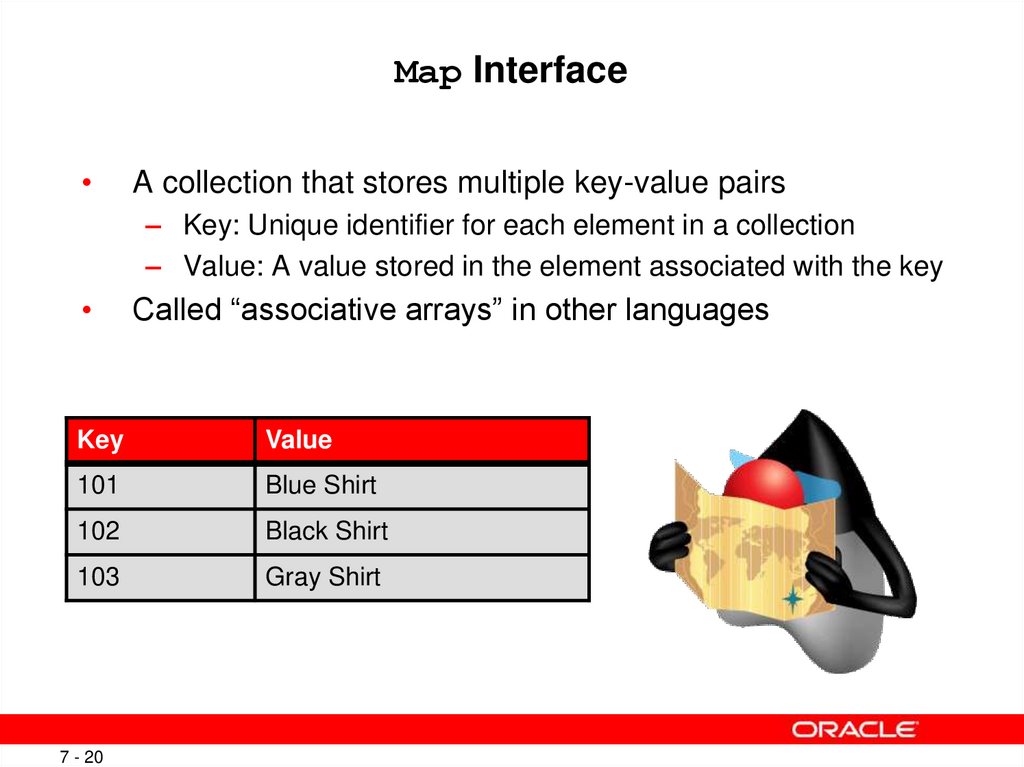
20. Map Interface
A collection that stores multiple key-value pairs
– Key: Unique identifier for each element in a collection
– Value: A value stored in the element associated with the key
Called “associative arrays” in other languages
Key
Value
101
Blue Shirt
102
Black Shirt
103
Gray Shirt
7 - 20
Copyright © 2012, Oracle and/or its affiliates. All rights reserved.
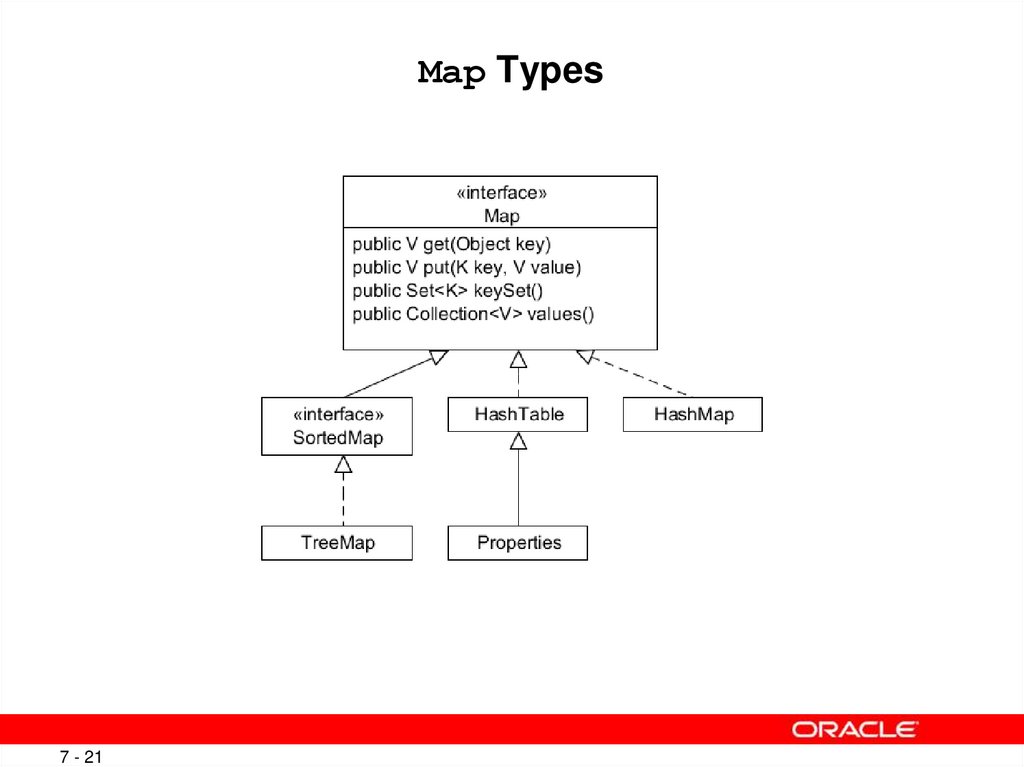
21. Map Types
7 - 21Copyright © 2012, Oracle and/or its affiliates. All rights reserved.
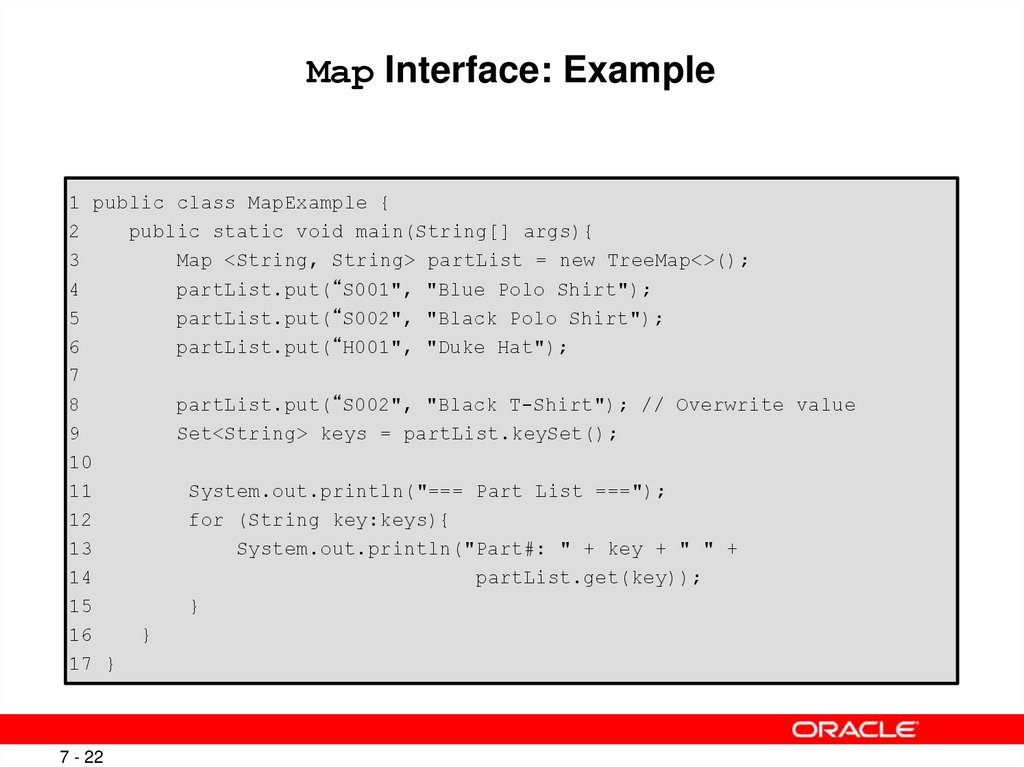
22. Map Interface: Example
1 public class MapExample {2
public static void main(String[] args){
3
Map <String, String> partList = new TreeMap<>();
4
partList.put(“S001", "Blue Polo Shirt");
5
partList.put(“S002", "Black Polo Shirt");
6
partList.put(“H001", "Duke Hat");
7
8
partList.put(“S002", "Black T-Shirt"); // Overwrite value
9
Set<String> keys = partList.keySet();
10
11
System.out.println("=== Part List ===");
12
for (String key:keys){
13
System.out.println("Part#: " + key + " " +
14
partList.get(key));
15
}
16
}
17 }
7 - 22
Copyright © 2012, Oracle and/or its affiliates. All rights reserved.
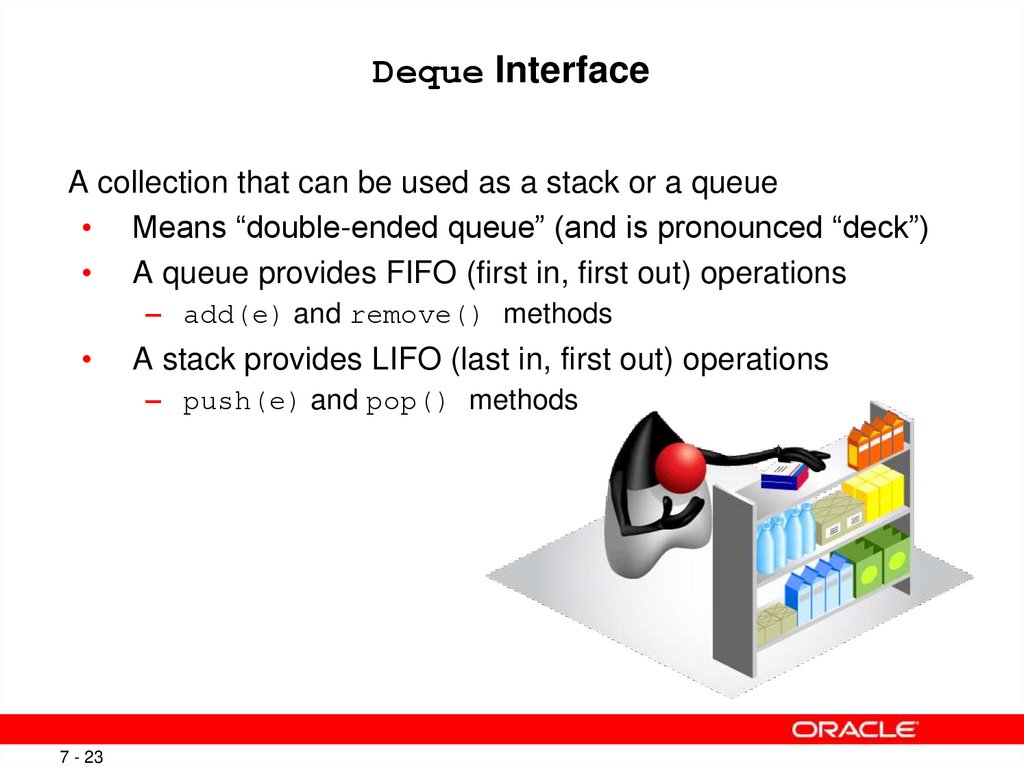
23. Deque Interface
A collection that can be used as a stack or a queue• Means “double-ended queue” (and is pronounced “deck”)
• A queue provides FIFO (first in, first out) operations
– add(e) and remove() methods
A stack provides LIFO (last in, first out) operations
– push(e) and pop() methods
7 - 23
Copyright © 2012, Oracle and/or its affiliates. All rights reserved.
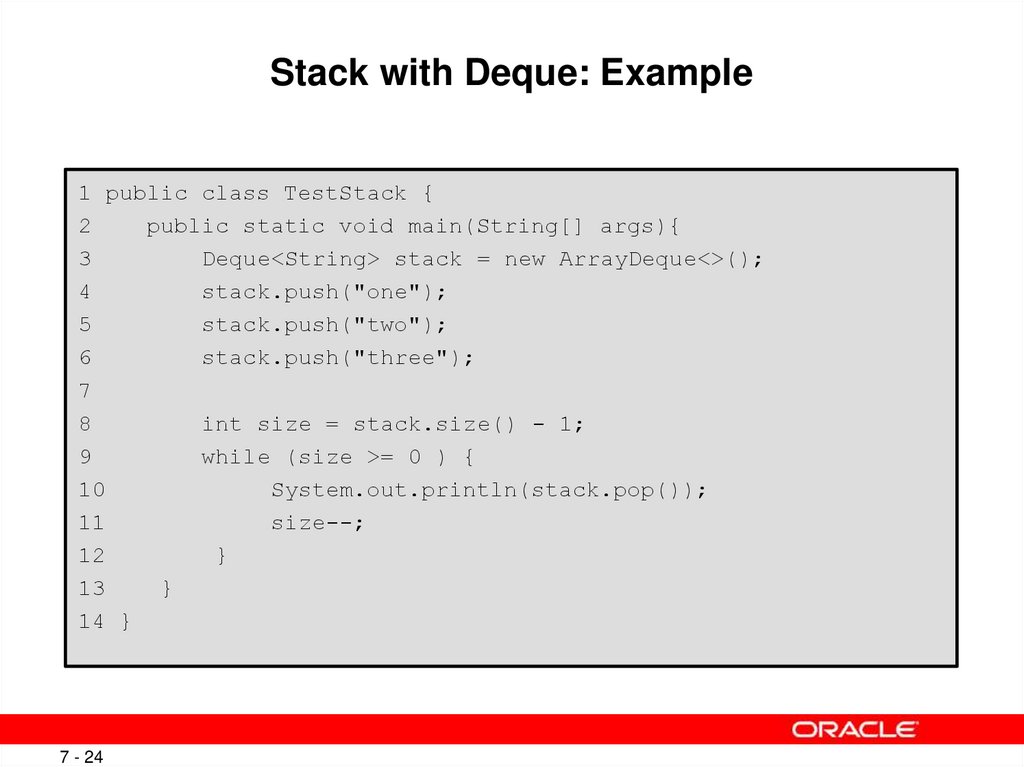
24. Stack with Deque: Example
1 public class TestStack {2
public static void main(String[] args){
3
Deque<String> stack = new ArrayDeque<>();
4
stack.push("one");
5
stack.push("two");
6
stack.push("three");
7
8
int size = stack.size() - 1;
9
while (size >= 0 ) {
10
System.out.println(stack.pop());
11
size--;
12
}
13
}
14 }
7 - 24
Copyright © 2012, Oracle and/or its affiliates. All rights reserved.
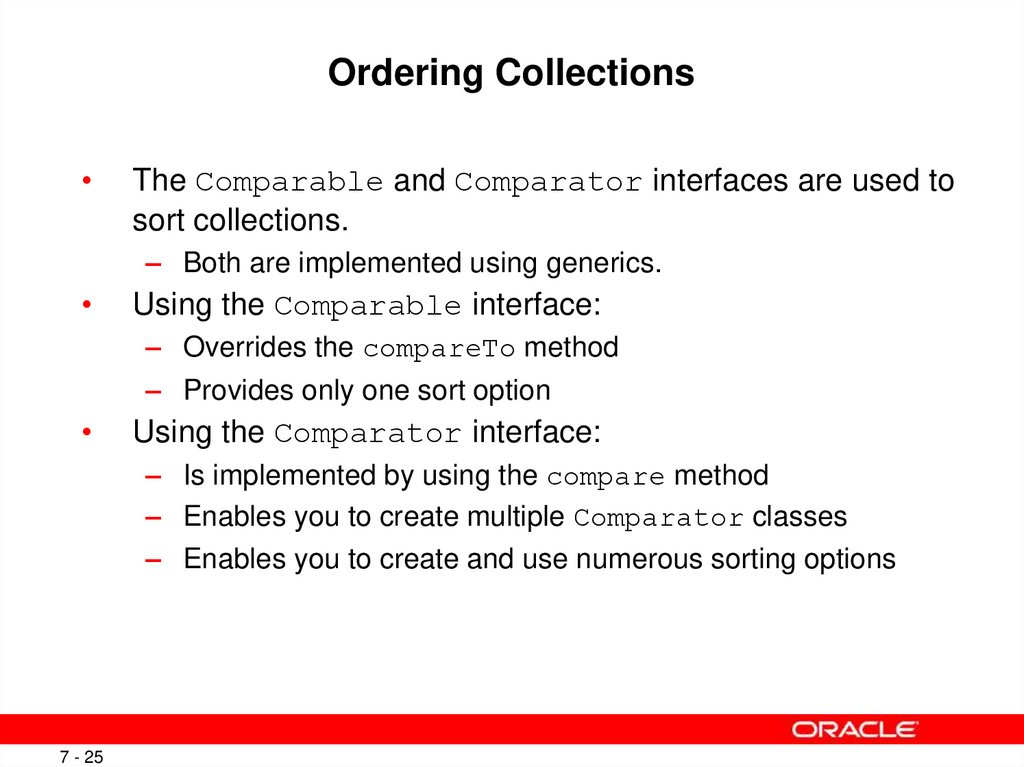
25. Ordering Collections
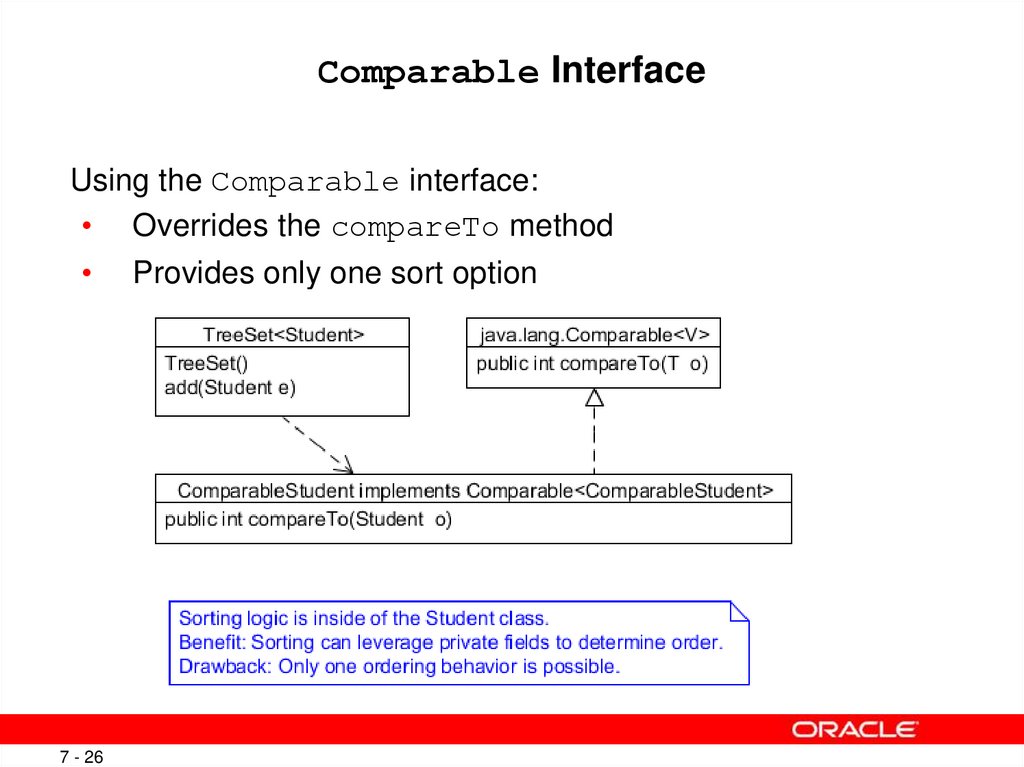
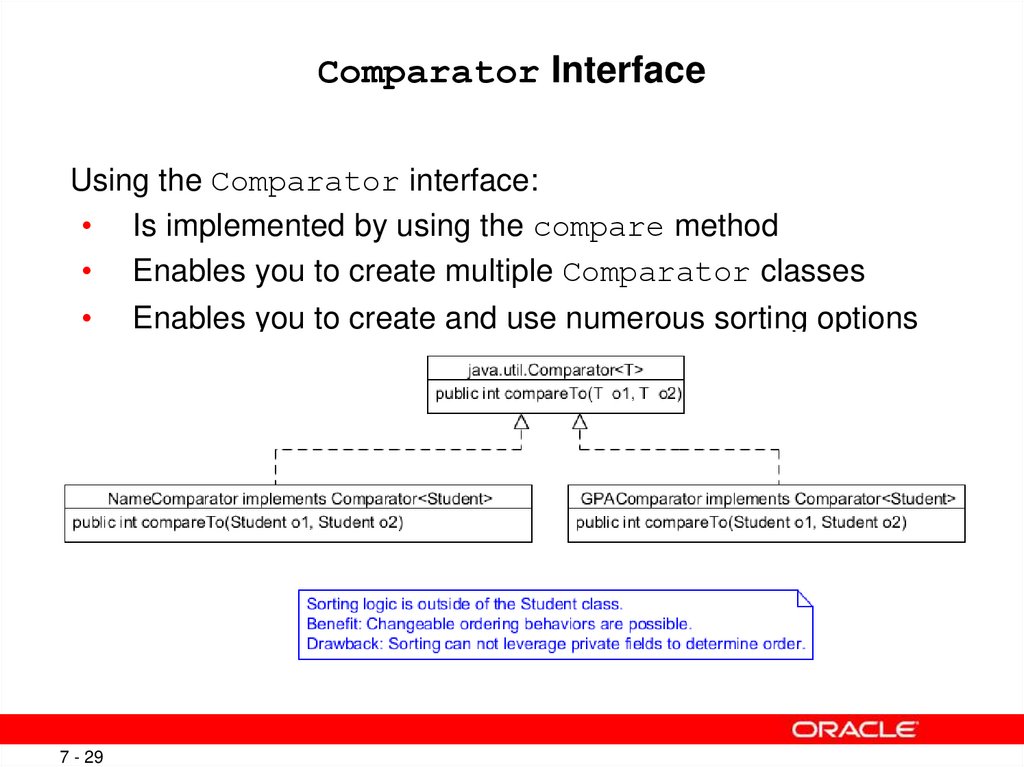
The Comparable and Comparator interfaces are used to
sort collections.
– Both are implemented using generics.
Using the Comparable interface:
– Overrides the compareTo method
– Provides only one sort option
Using the Comparator interface:
– Is implemented by using the compare method
– Enables you to create multiple Comparator classes
– Enables you to create and use numerous sorting options
7 - 25
Copyright © 2012, Oracle and/or its affiliates. All rights reserved.
26. Comparable Interface
Using the Comparable interface:• Overrides the compareTo method
7 - 26
Provides only one sort option
Copyright © 2012, Oracle and/or its affiliates. All rights reserved.
27. Comparable: Example
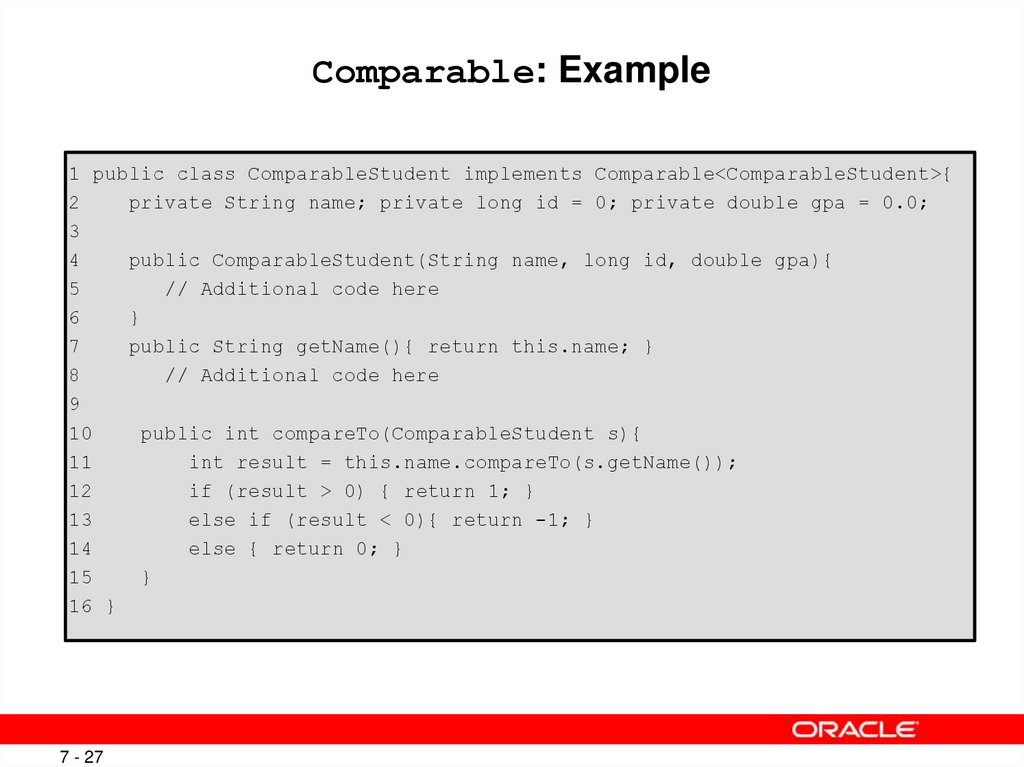
1 public class ComparableStudent implements Comparable<ComparableStudent>{2
private String name; private long id = 0; private double gpa = 0.0;
3
4
public ComparableStudent(String name, long id, double gpa){
5
// Additional code here
6
}
7
public String getName(){ return this.name; }
8
// Additional code here
9
10
public int compareTo(ComparableStudent s){
11
int result = this.name.compareTo(s.getName());
12
if (result > 0) { return 1; }
13
else if (result < 0){ return -1; }
14
else { return 0; }
15
}
16 }
7 - 27
Copyright © 2012, Oracle and/or its affiliates. All rights reserved.
28. Comparable Test: Example
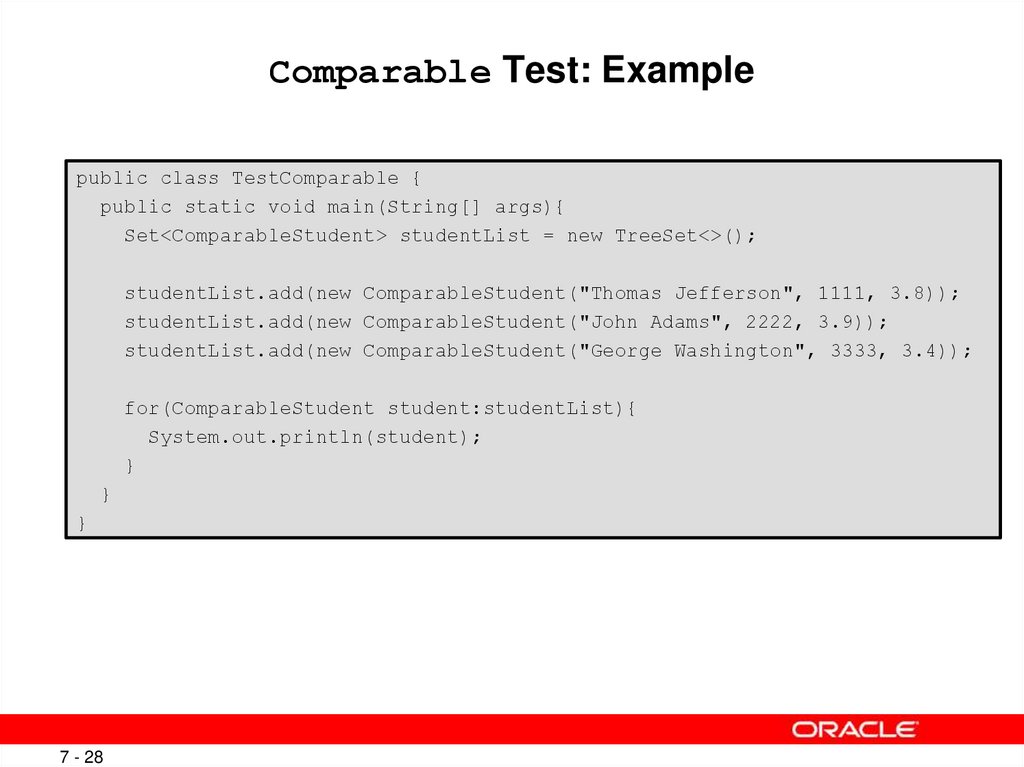
public class TestComparable {public static void main(String[] args){
Set<ComparableStudent> studentList = new TreeSet<>();
studentList.add(new ComparableStudent("Thomas Jefferson", 1111, 3.8));
studentList.add(new ComparableStudent("John Adams", 2222, 3.9));
studentList.add(new ComparableStudent("George Washington", 3333, 3.4));
for(ComparableStudent student:studentList){
System.out.println(student);
}
}
}
7 - 28
Copyright © 2012, Oracle and/or its affiliates. All rights reserved.
29. Comparator Interface
Using the Comparator interface:• Is implemented by using the compare method
• Enables you to create multiple Comparator classes
7 - 29
Enables you to create and use numerous sorting options
Copyright © 2012, Oracle and/or its affiliates. All rights reserved.
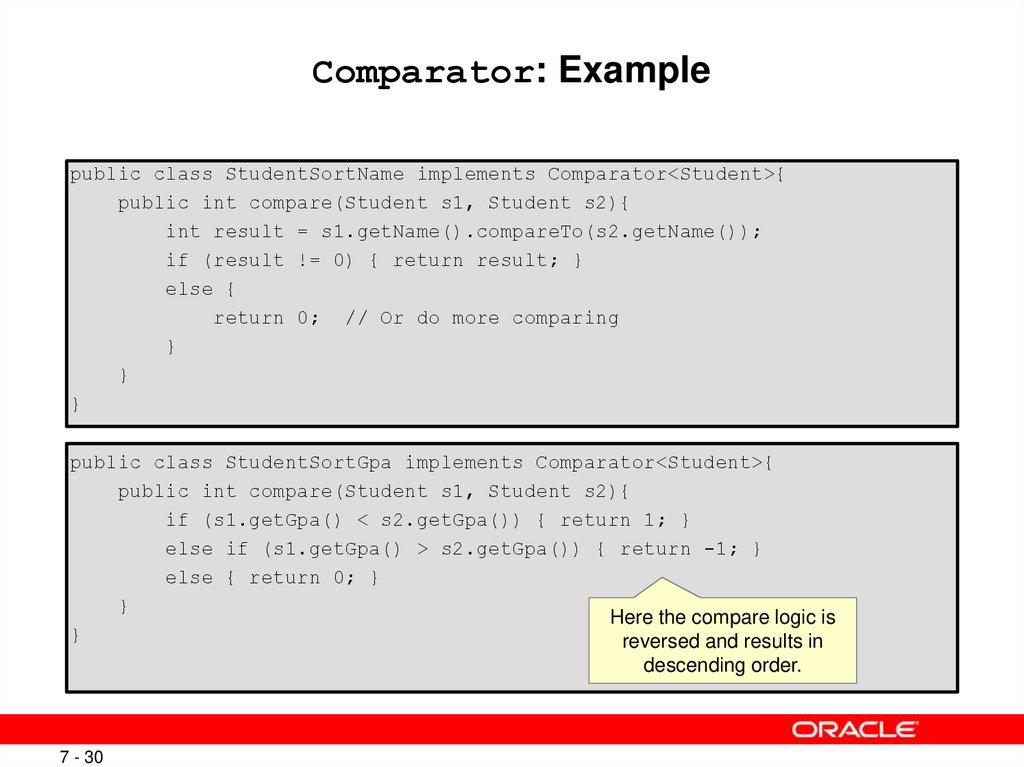
30. Comparator: Example
public class StudentSortName implements Comparator<Student>{public int compare(Student s1, Student s2){
int result = s1.getName().compareTo(s2.getName());
if (result != 0) { return result; }
else {
return 0; // Or do more comparing
}
}
}
public class StudentSortGpa implements Comparator<Student>{
public int compare(Student s1, Student s2){
if (s1.getGpa() < s2.getGpa()) { return 1; }
else if (s1.getGpa() > s2.getGpa()) { return -1; }
else { return 0; }
}
Here the compare logic is
}
reversed and results in
descending order.
7 - 30
Copyright © 2012, Oracle and/or its affiliates. All rights reserved.
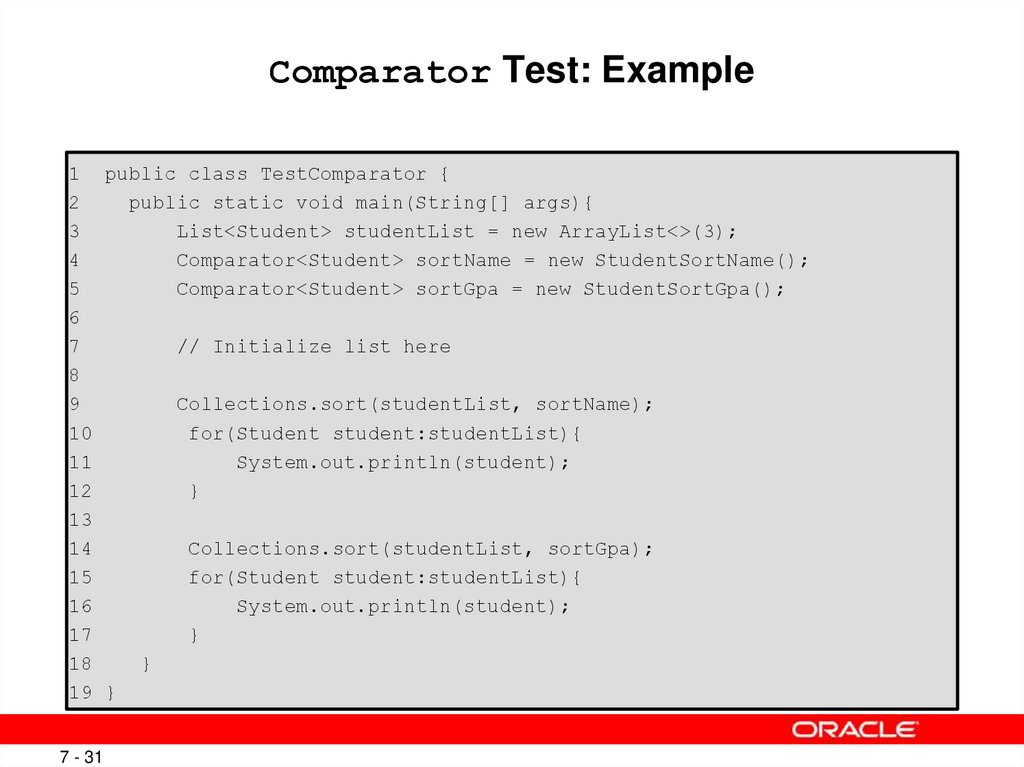
31. Comparator Test: Example
1 public class TestComparator {2
public static void main(String[] args){
3
List<Student> studentList = new ArrayList<>(3);
4
Comparator<Student> sortName = new StudentSortName();
5
Comparator<Student> sortGpa = new StudentSortGpa();
6
7
// Initialize list here
8
9
Collections.sort(studentList, sortName);
10
for(Student student:studentList){
11
System.out.println(student);
12
}
13
14
Collections.sort(studentList, sortGpa);
15
for(Student student:studentList){
16
System.out.println(student);
17
}
18
}
19 }
7 - 31
Copyright © 2012, Oracle and/or its affiliates. All rights reserved.
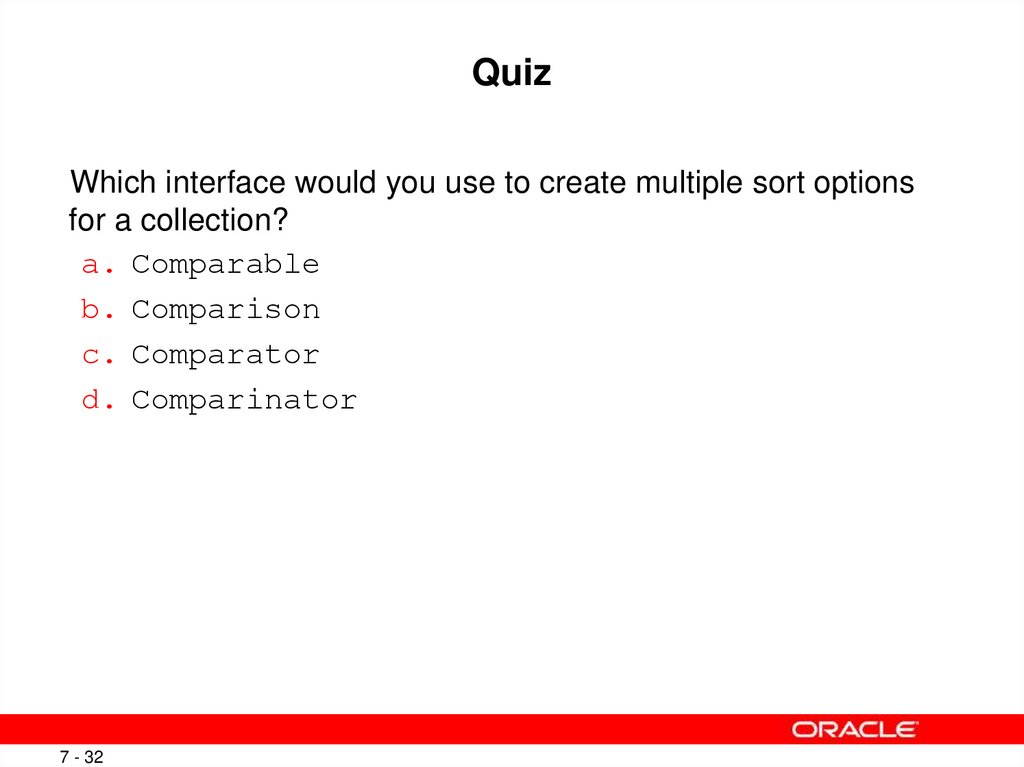
32. Quiz
Which interface would you use to create multiple sort optionsfor a collection?
a. Comparable
b. Comparison
c. Comparator
d. Comparinator
7 - 32
Copyright © 2012, Oracle and/or its affiliates. All rights reserved.
33. Summary
In this lesson, you should have learned how to:• Create a custom generic class
• Use the type inference diamond to create an object
• Create a collection without using generics
• Create a collection by using generics
• Implement an ArrayList
• Implement a Set
• Implement a HashMap
• Implement a stack by using a deque
7 - 33
Use enumerated types
Copyright © 2012, Oracle and/or its affiliates. All rights reserved.