 programming
Similar presentations:









Взаимодействие на основе протокола HTTP
1.
Взаимодействие на основепротокола HTTP
2.
Запустим Java NetBeans. Выберем п. Файл –Создать Проект – web-приложение.
Назовем проект ServletHeaders.
Минимальное web-приложение будет состоять
из одного файла index.jsp. Если этого файла нет,
то создадим его. Для этого ЩПК на узле Вебстраницы- Новый –JSP- index.jsp.
3.
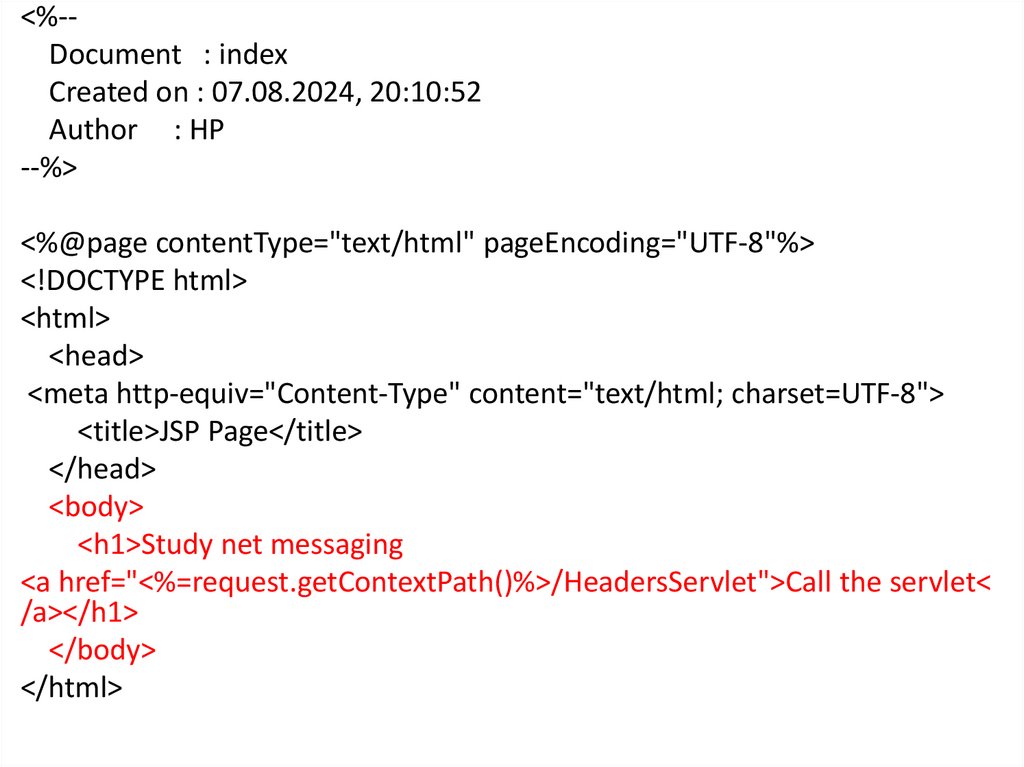
<%-Document : indexCreated on : 07.08.2024, 20:10:52
Author : HP
--%>
<%@page contentType="text/html" pageEncoding="UTF-8"%>
<!DOCTYPE html>
<html>
<head>
<meta http-equiv="Content-Type" content="text/html; charset=UTF-8">
<title>JSP Page</title>
</head>
<body>
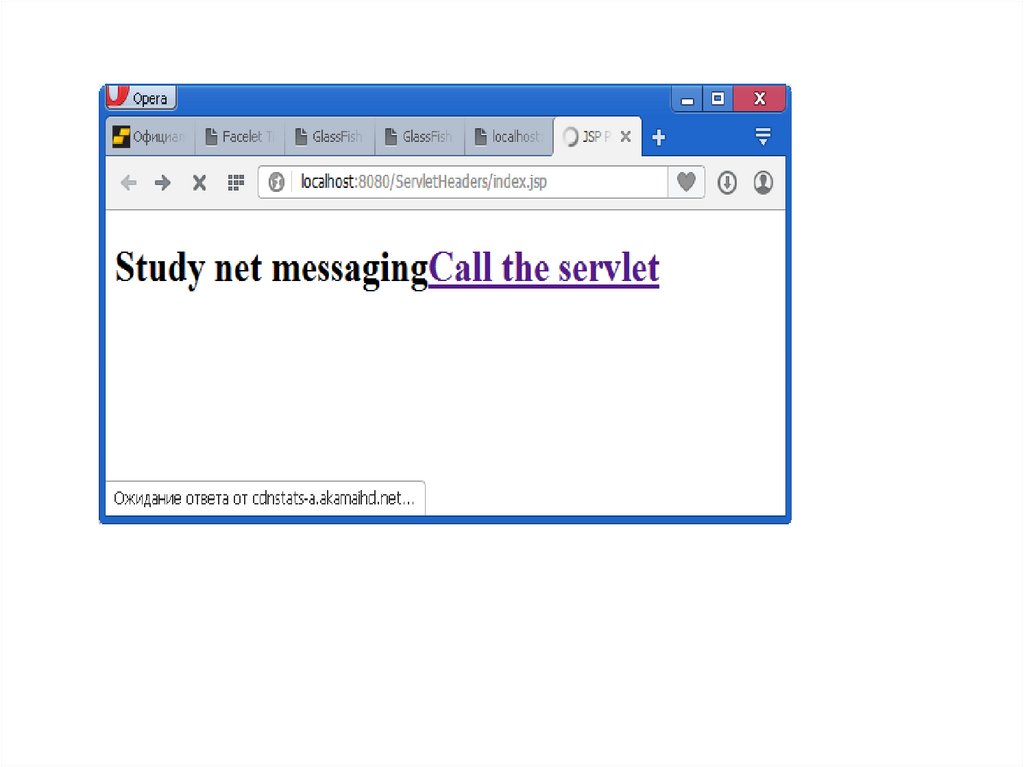
<h1>Study net messaging
<a href="<%=request.getContextPath()%>/HeadersServlet">Call the servlet<
/a></h1>
</body>
</html>
4.
5.
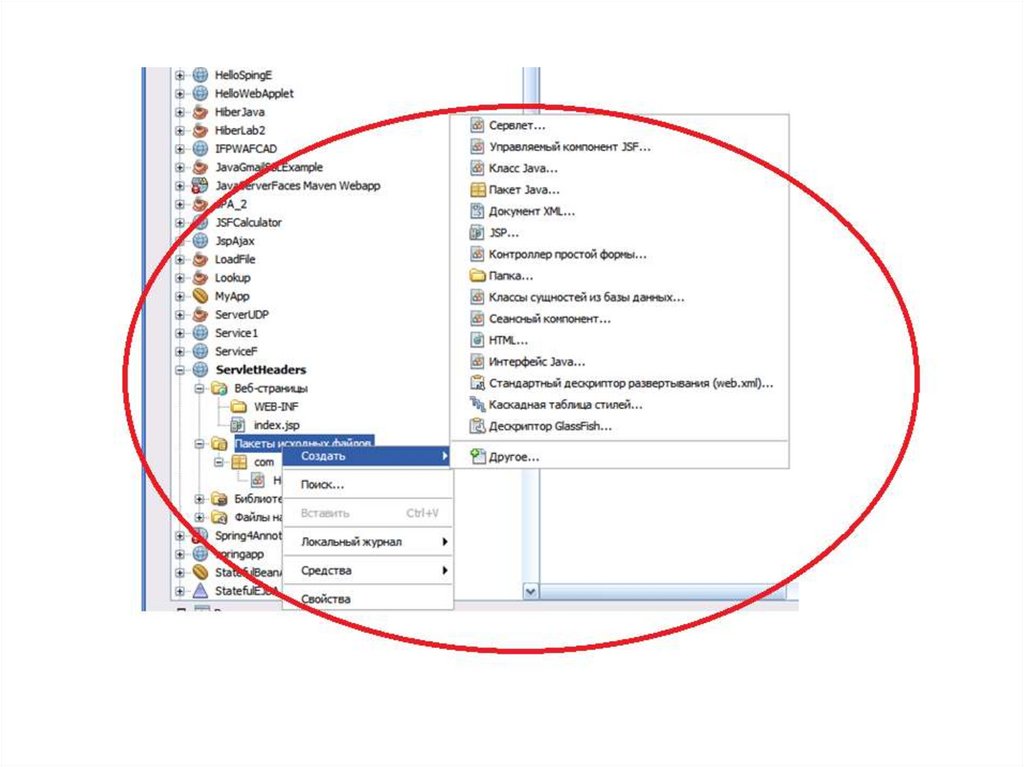
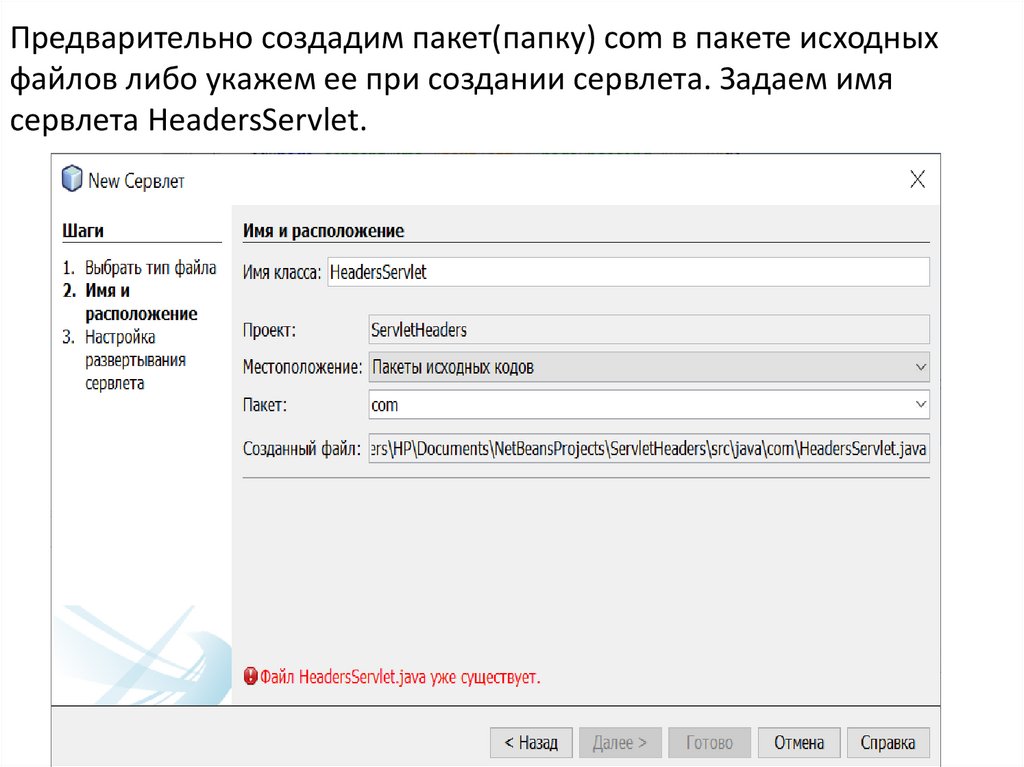
Предварительно создадим пакет(папку) com в пакете исходныхфайлов либо укажем ее при создании сервлета. Задаем имя
сервлета HeadersServlet.
6.
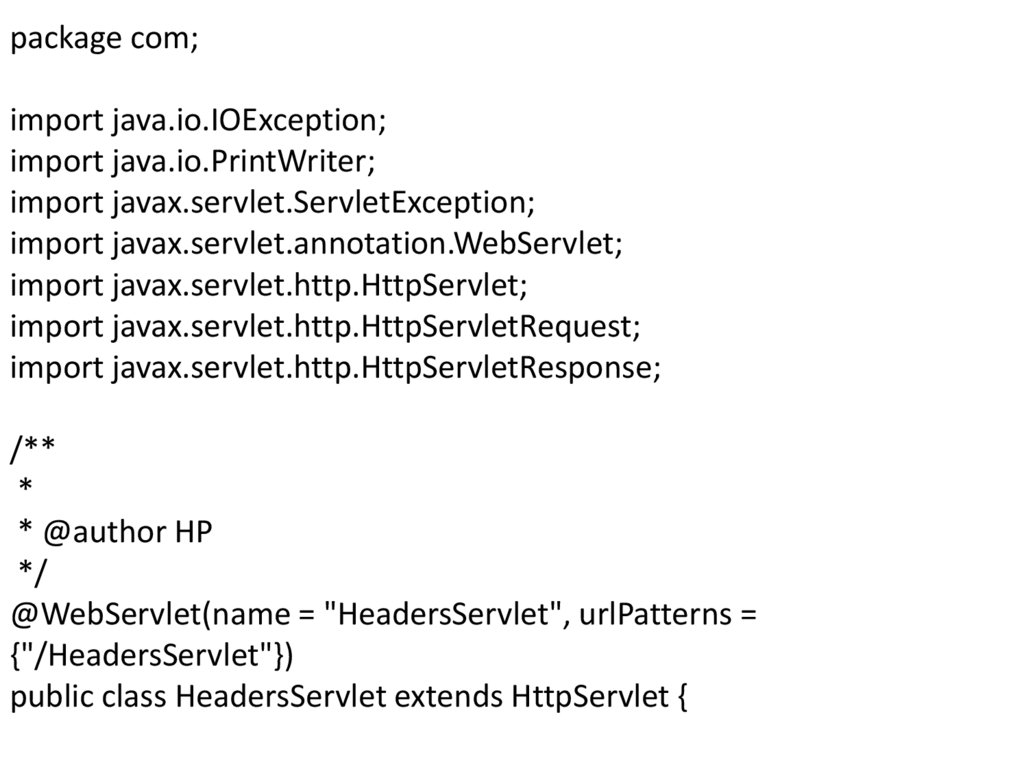
package com;import java.io.IOException;
import java.io.PrintWriter;
import javax.servlet.ServletException;
import javax.servlet.annotation.WebServlet;
import javax.servlet.http.HttpServlet;
import javax.servlet.http.HttpServletRequest;
import javax.servlet.http.HttpServletResponse;
/**
*
* @author HP
*/
@WebServlet(name = "HeadersServlet", urlPatterns =
{"/HeadersServlet"})
public class HeadersServlet extends HttpServlet {
7.
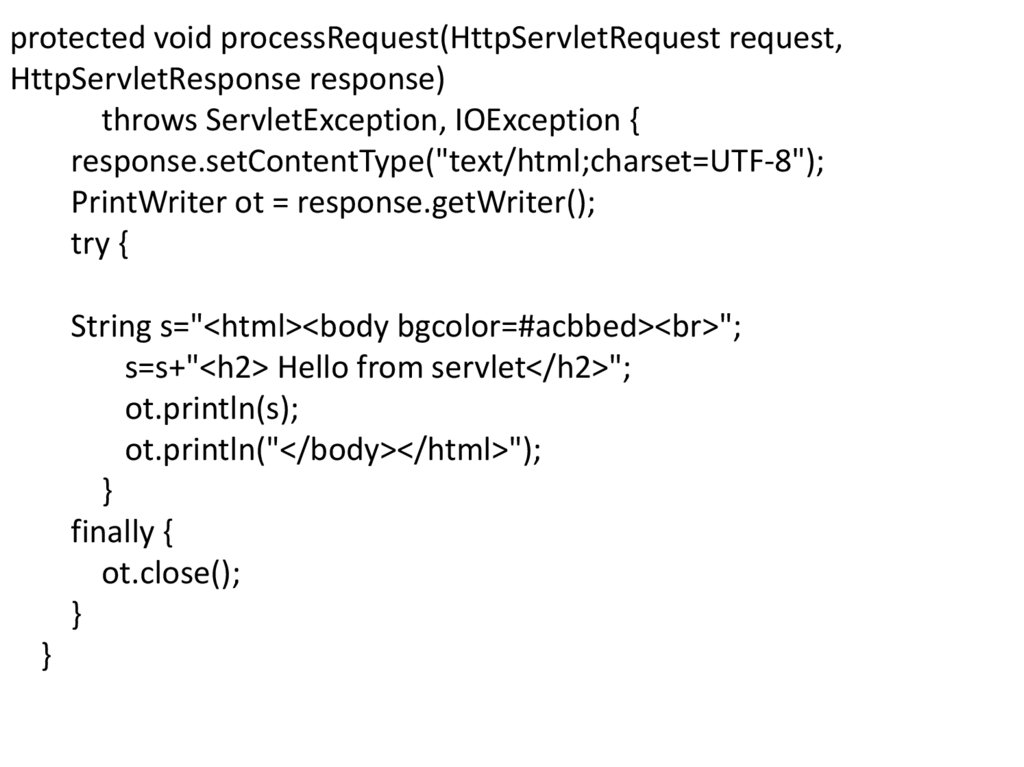
protected void processRequest(HttpServletRequest request,HttpServletResponse response)
throws ServletException, IOException {
response.setContentType("text/html;charset=UTF-8");
PrintWriter ot = response.getWriter();
try {
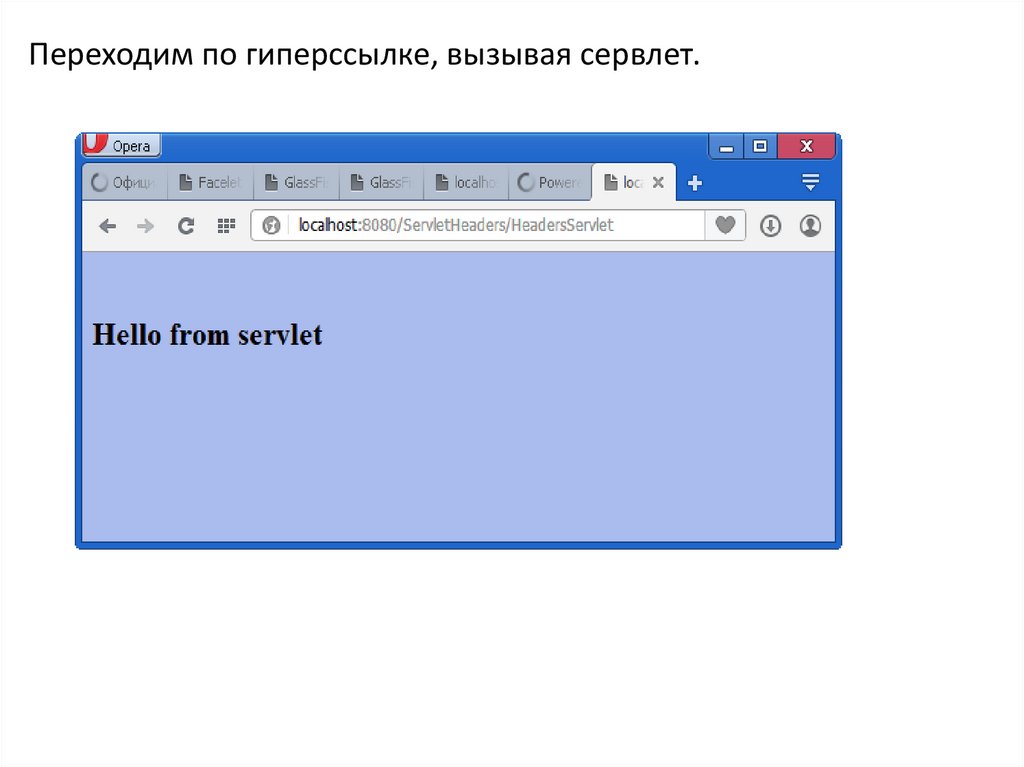
String s="<html><body bgcolor=#acbbed><br>";
s=s+"<h2> Hello from servlet</h2>";
ot.println(s);
ot.println("</body></html>");
}
finally {
ot.close();
}
}
8.
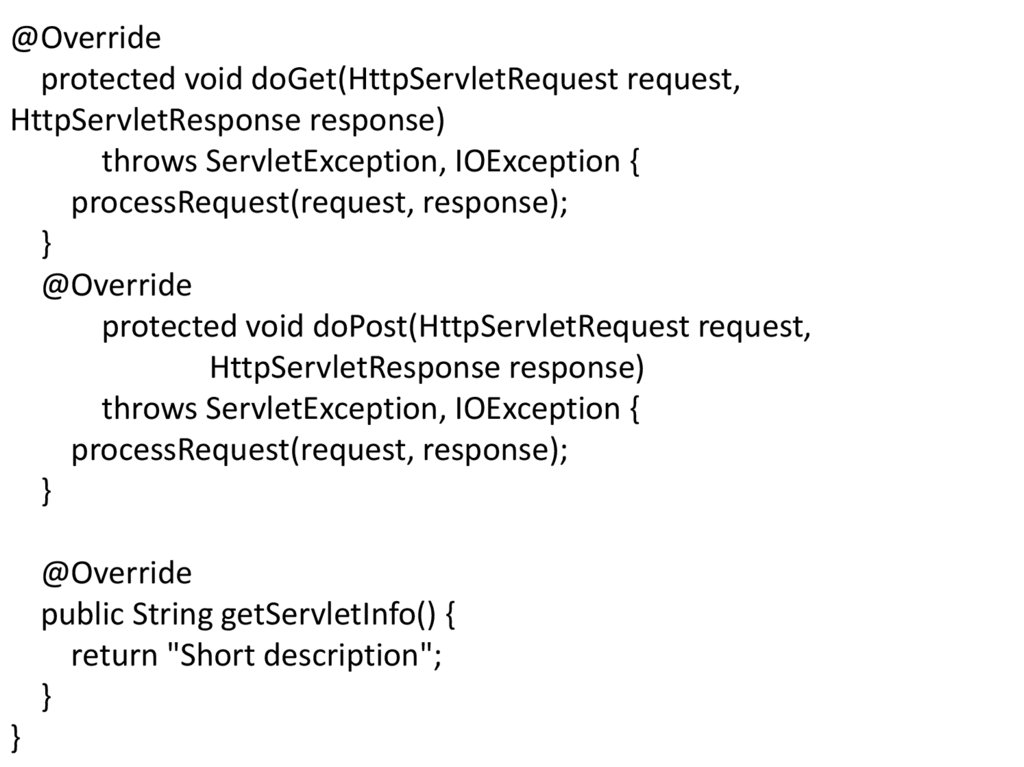
@Overrideprotected void doGet(HttpServletRequest request,
HttpServletResponse response)
throws ServletException, IOException {
processRequest(request, response);
}
@Override
protected void doPost(HttpServletRequest request,
HttpServletResponse response)
throws ServletException, IOException {
processRequest(request, response);
}
@Override
public String getServletInfo() {
return "Short description";
}
}
9.
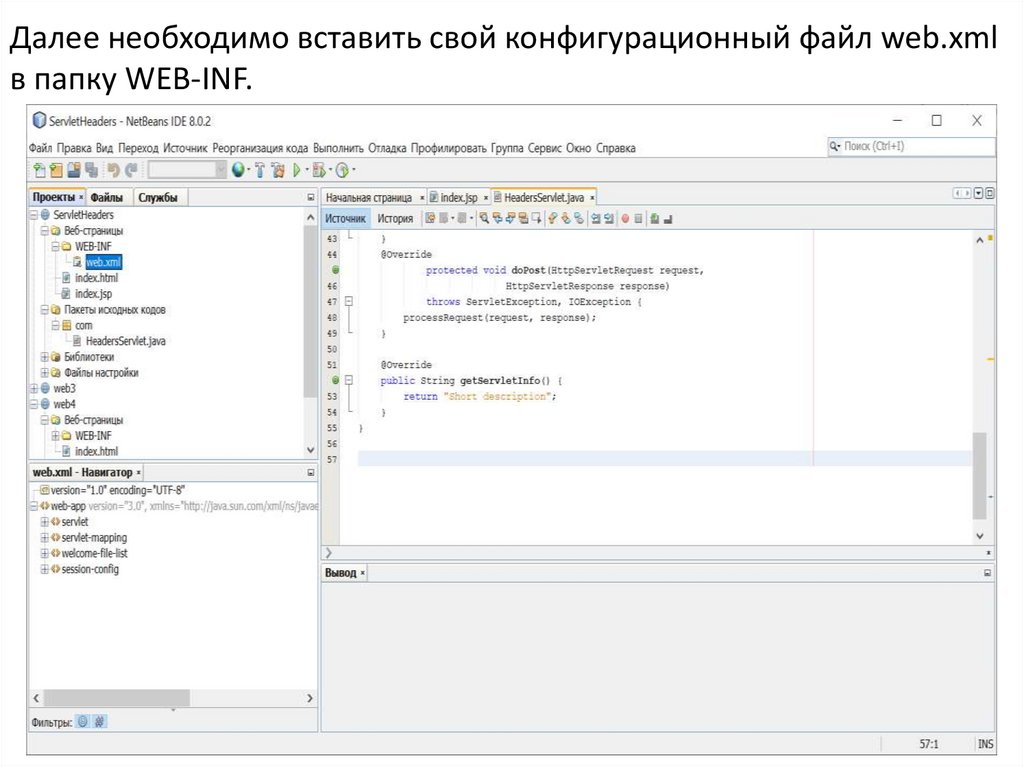
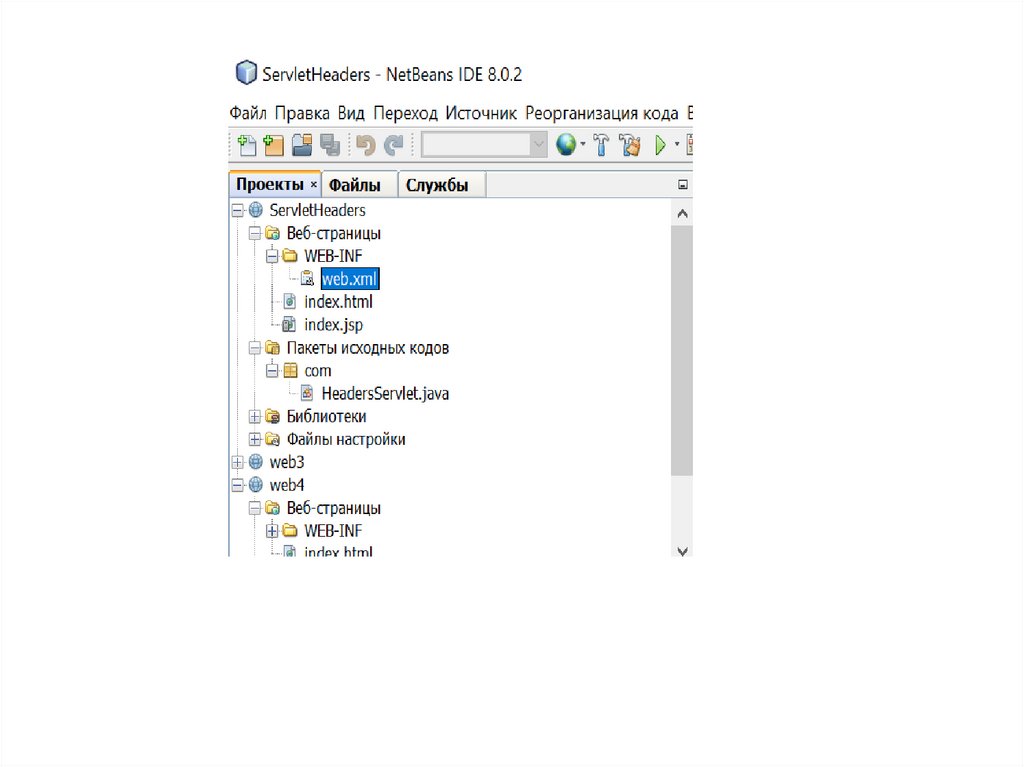
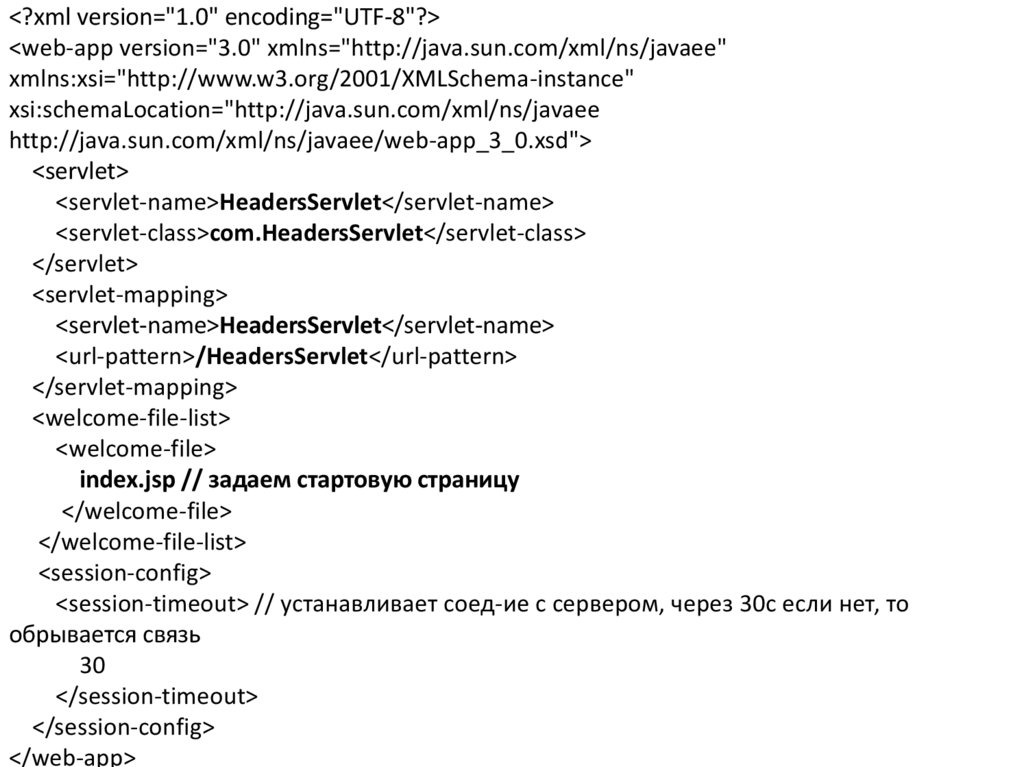
Далее необходимо вставить cвой конфигурационный файл web.xmlв папку WEB-INF.
10.
11.
<?xml version="1.0" encoding="UTF-8"?><web-app version="3.0" xmlns="http://java.sun.com/xml/ns/javaee"
xmlns:xsi="http://www.w3.org/2001/XMLSchema-instance"
xsi:schemaLocation="http://java.sun.com/xml/ns/javaee
http://java.sun.com/xml/ns/javaee/web-app_3_0.xsd">
<servlet>
<servlet-name>HeadersServlet</servlet-name>
<servlet-class>com.HeadersServlet</servlet-class>
</servlet>
<servlet-mapping>
<servlet-name>HeadersServlet</servlet-name>
<url-pattern>/HeadersServlet</url-pattern>
</servlet-mapping>
<welcome-file-list>
<welcome-file>
index.jsp // задаем стартовую страницу
</welcome-file>
</welcome-file-list>
<session-config>
<session-timeout> // устанавливает соед-ие с сервером, через 30с если нет, то
обрывается связь
30
</session-timeout>
</session-config>
</web-app>
12.
13.
14.
Переходим по гиперссылке, вызывая сервлет.15.
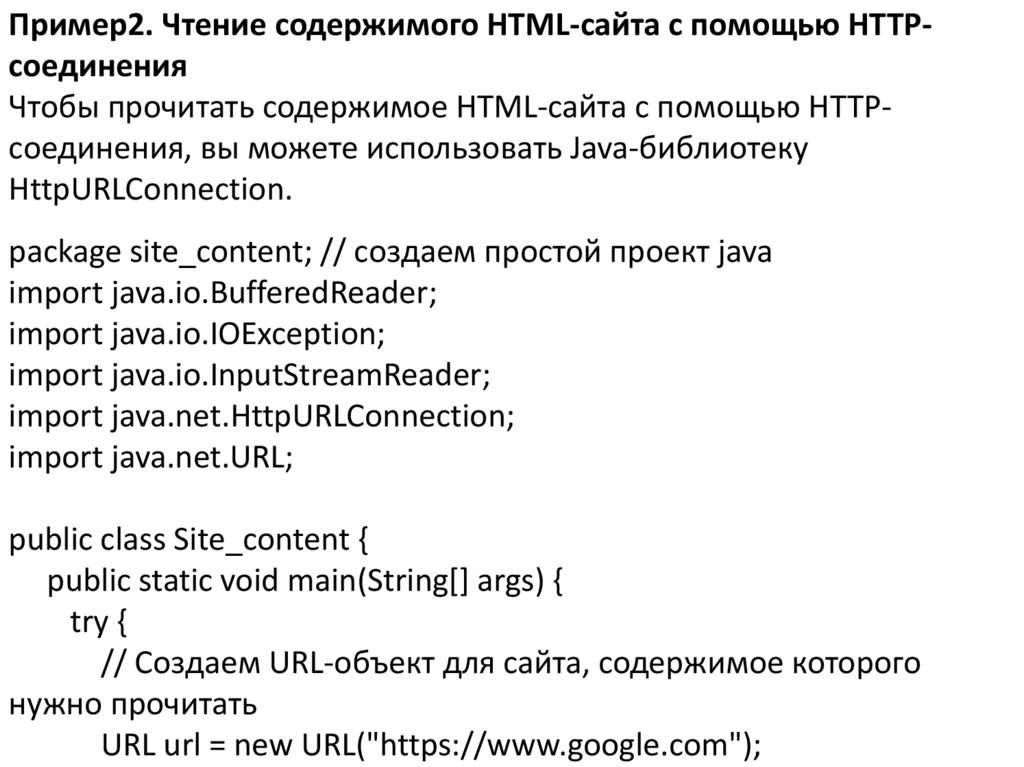
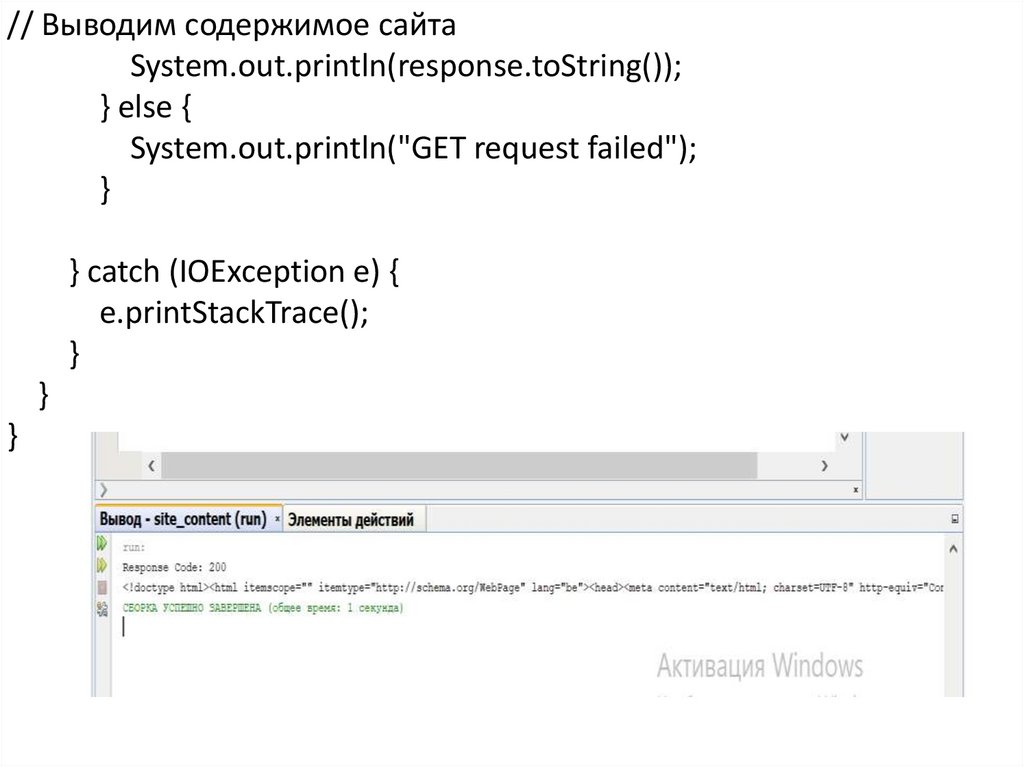
Пример2. Чтение содержимого HTML-сайта с помощью HTTPсоединенияЧтобы прочитать содержимое HTML-сайта с помощью HTTPсоединения, вы можете использовать Java-библиотеку
HttpURLConnection.
package site_content; // создаем простой проект java
import java.io.BufferedReader;
import java.io.IOException;
import java.io.InputStreamReader;
import java.net.HttpURLConnection;
import java.net.URL;
public class Site_content {
public static void main(String[] args) {
try {
// Создаем URL-объект для сайта, содержимое которого
нужно прочитать
URL url = new URL("https://www.google.com");
16.
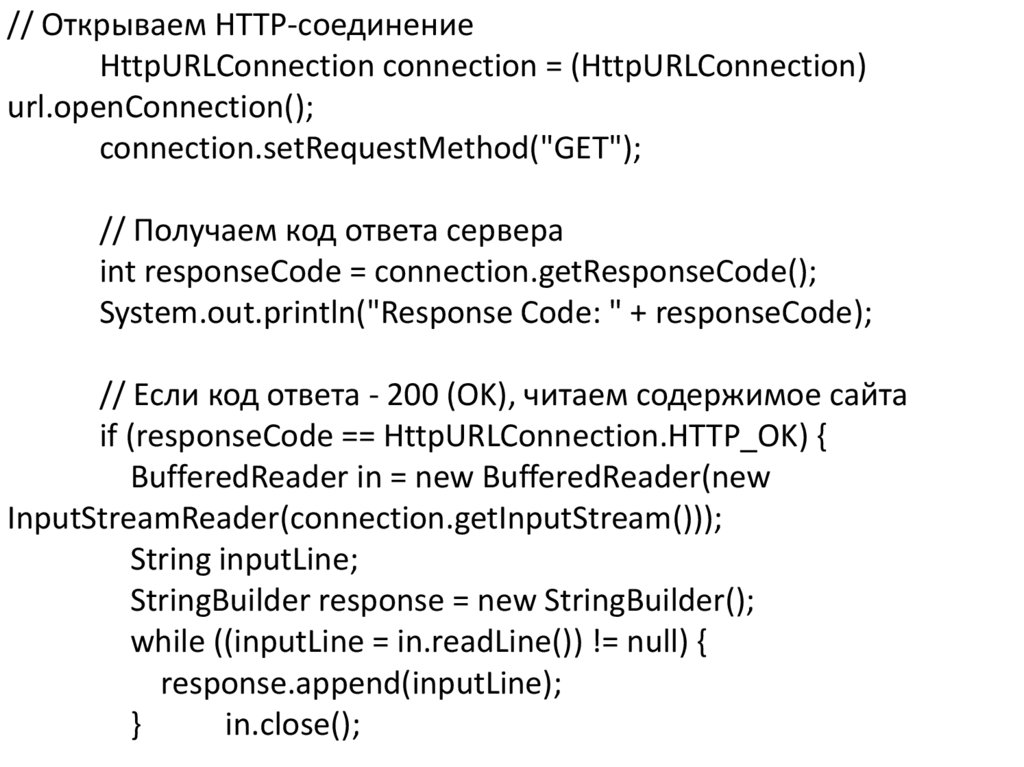
// Открываем HTTP-соединениеHttpURLConnection connection = (HttpURLConnection)
url.openConnection();
connection.setRequestMethod("GET");
// Получаем код ответа сервера
int responseCode = connection.getResponseCode();
System.out.println("Response Code: " + responseCode);
// Если код ответа - 200 (OK), читаем содержимое сайта
if (responseCode == HttpURLConnection.HTTP_OK) {
BufferedReader in = new BufferedReader(new
InputStreamReader(connection.getInputStream()));
String inputLine;
StringBuilder response = new StringBuilder();
while ((inputLine = in.readLine()) != null) {
response.append(inputLine);
}
in.close();
17.
// Выводим содержимое сайтаSystem.out.println(response.toString());
} else {
System.out.println("GET request failed");
}
} catch (IOException e) {
e.printStackTrace();
}
}
}
18.
Пример приложения, скачивающего картинку на основеHTTPConnection
Cоздаем обычное приложение java
package imageloader;
import javax.imageio.ImageIO;
import javax.swing.*;
import java.awt.*;
import java.io.File;
import java.io.IOException;
import java.net.HttpURLConnection;
import java.net.MalformedURLException;
import java.net.URL;
public class ImageLoader {
public static void main(String[] args) {
19.
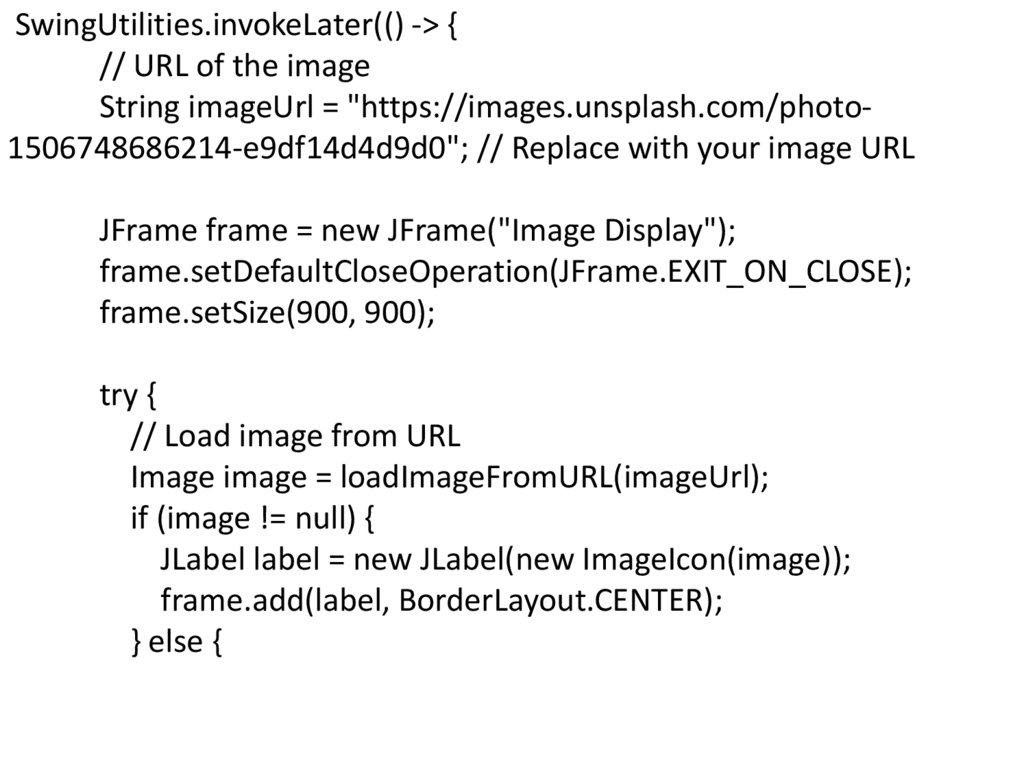
SwingUtilities.invokeLater(() -> {// URL of the image
String imageUrl = "https://images.unsplash.com/photo1506748686214-e9df14d4d9d0"; // Replace with your image URL
JFrame frame = new JFrame("Image Display");
frame.setDefaultCloseOperation(JFrame.EXIT_ON_CLOSE);
frame.setSize(900, 900);
try {
// Load image from URL
Image image = loadImageFromURL(imageUrl);
if (image != null) {
JLabel label = new JLabel(new ImageIcon(image));
frame.add(label, BorderLayout.CENTER);
} else {
20.
JLabel errorLabel = new JLabel("Unable to load image",SwingConstants.CENTER);
frame.add(errorLabel, BorderLayout.CENTER);
}
} catch (IOException e) {
JLabel errorLabel = new JLabel("Error loading image: " +
e.getMessage(), SwingConstants.CENTER);
frame.add(errorLabel, BorderLayout.CENTER);
}
frame.setVisible(true);
});
}
21.
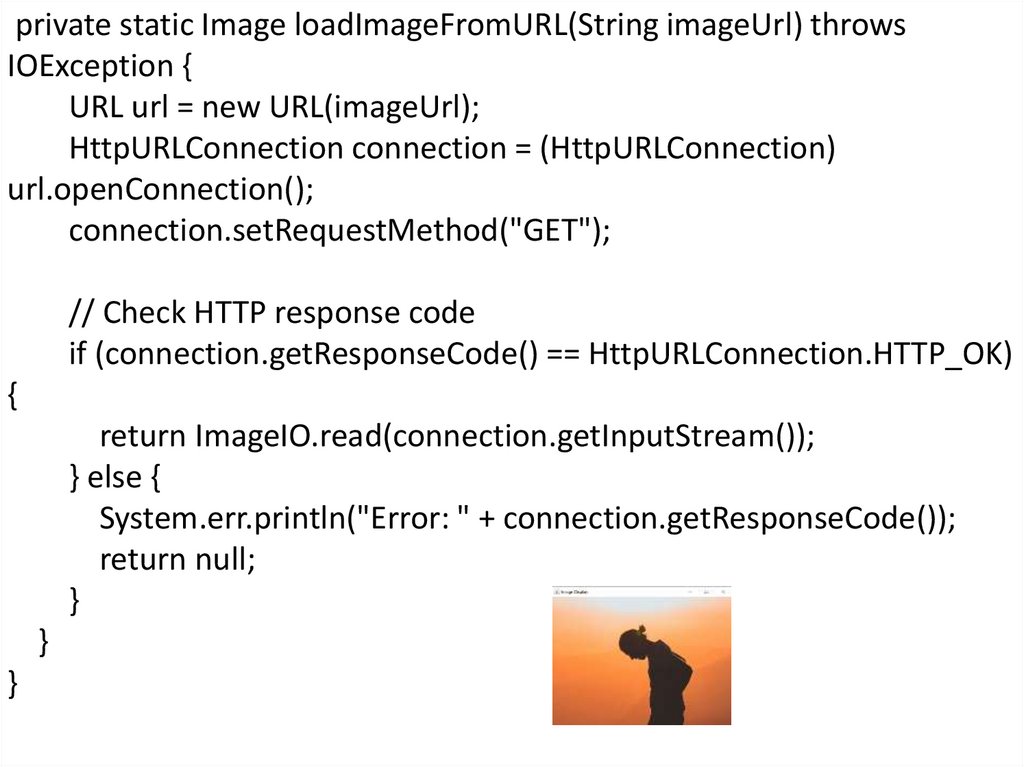
private static Image loadImageFromURL(String imageUrl) throwsIOException {
URL url = new URL(imageUrl);
HttpURLConnection connection = (HttpURLConnection)
url.openConnection();
connection.setRequestMethod("GET");
// Check HTTP response code
if (connection.getResponseCode() == HttpURLConnection.HTTP_OK)
{
return ImageIO.read(connection.getInputStream());
} else {
System.err.println("Error: " + connection.getResponseCode());
return null;
}
}
}