

Similar presentations:









Edit FRU
1.
Edit FRU2.
Before Update• Before Update, you need to prepare below things
• OS: Windows or Linux
• Ipmitool: Windows or Linux version
• ASUS_FRU_Tools: Windows or Linux version
• The Steps executed on Linux environment
3.
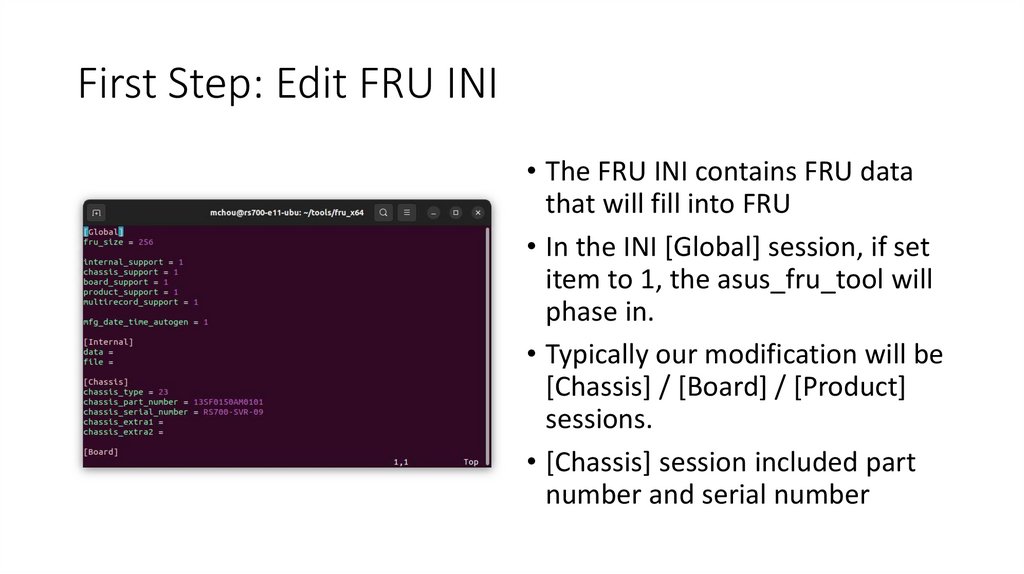
First Step: Edit FRU INI• The FRU INI contains FRU data
that will fill into FRU
• In the INI [Global] session, if set
item to 1, the asus_fru_tool will
phase in.
• Typically our modification will be
[Chassis] / [Board] / [Product]
sessions.
• [Chassis] session included part
number and serial number
4.
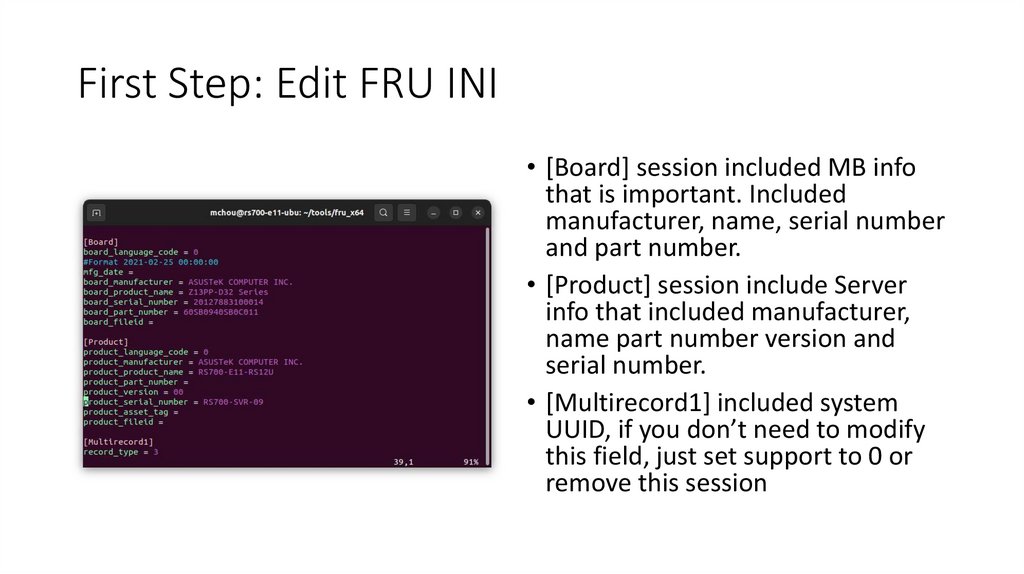
First Step: Edit FRU INI• [Board] session included MB info
that is important. Included
manufacturer, name, serial number
and part number.
• [Product] session include Server
info that included manufacturer,
name part number version and
serial number.
• [Multirecord1] included system
UUID, if you don’t need to modify
this field, just set support to 0 or
remove this session
5.
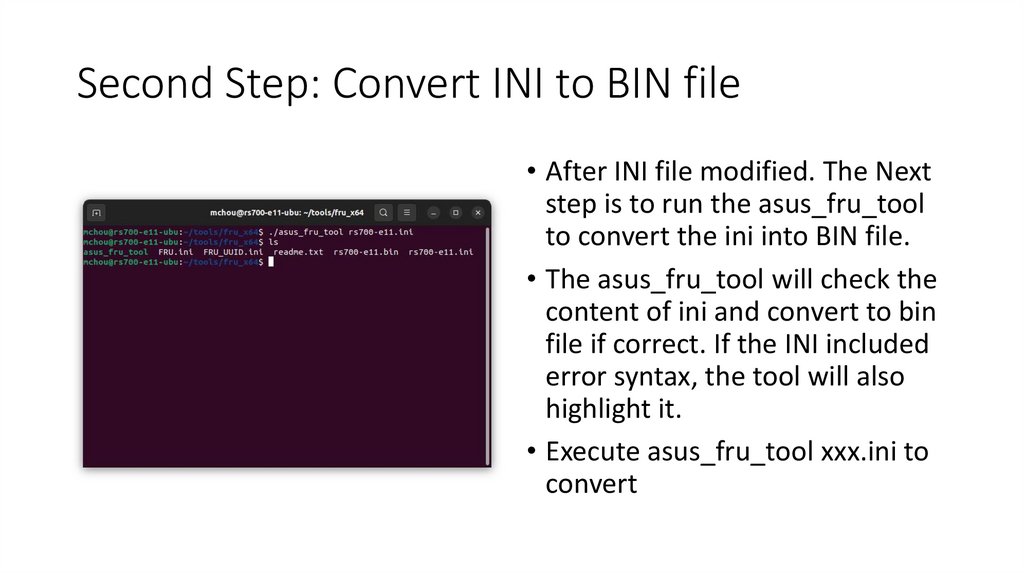
Second Step: Convert INI to BIN file• After INI file modified. The Next
step is to run the asus_fru_tool
to convert the ini into BIN file.
• The asus_fru_tool will check the
content of ini and convert to bin
file if correct. If the INI included
error syntax, the tool will also
highlight it.
• Execute asus_fru_tool xxx.ini to
convert
6.
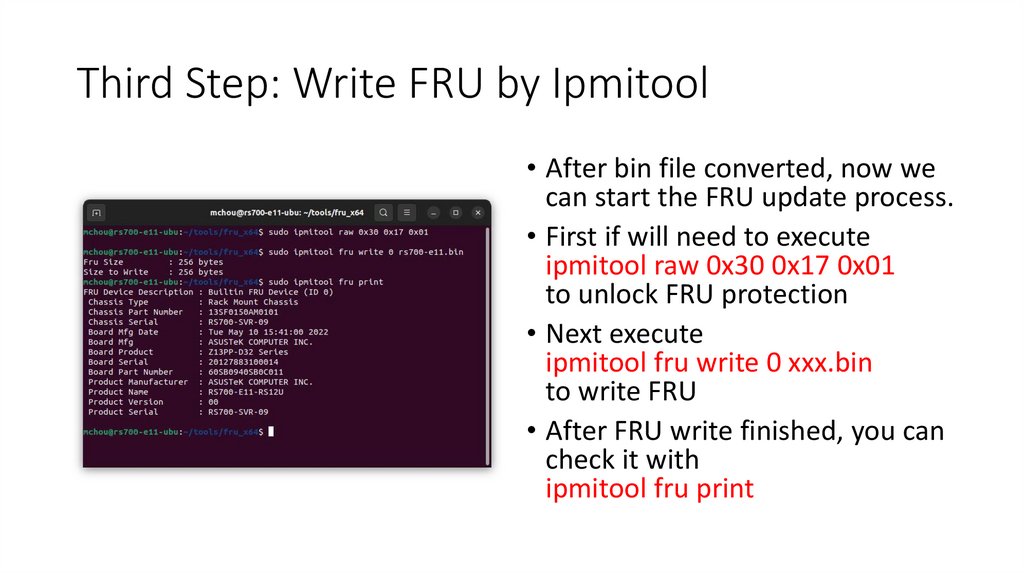
Third Step: Write FRU by Ipmitool• After bin file converted, now we
can start the FRU update process.
• First if will need to execute
ipmitool raw 0x30 0x17 0x01
to unlock FRU protection
• Next execute
ipmitool fru write 0 xxx.bin
to write FRU
• After FRU write finished, you can
check it with
ipmitool fru print