
 software
Similar presentations:








Software Requirements Analysis
1. software Requirements analysis
SOFTWAREREQUIREMENTS
ANALYSIS
DR. CHANDRA REKA
2. OUTLINE
Software requirement analysis◦ Activities during software requirements analysis
◦ Modelling requirements
◦ Methods and Techniques
◦ Structured and Object-oriented modelling and analysis
◦ Usage Modelling
◦ Process Modelling
3. Learning Outcomes
At the end of this LESSON youshould be able to:
◦ Describe what is Requirements
Analysis
◦ Differentiate Business Use Case
versus System Use Case
◦ Design a use case diagram from
a scenario
◦ Write Use case descriptions from
a use case diagram
◦ Model usage scenario
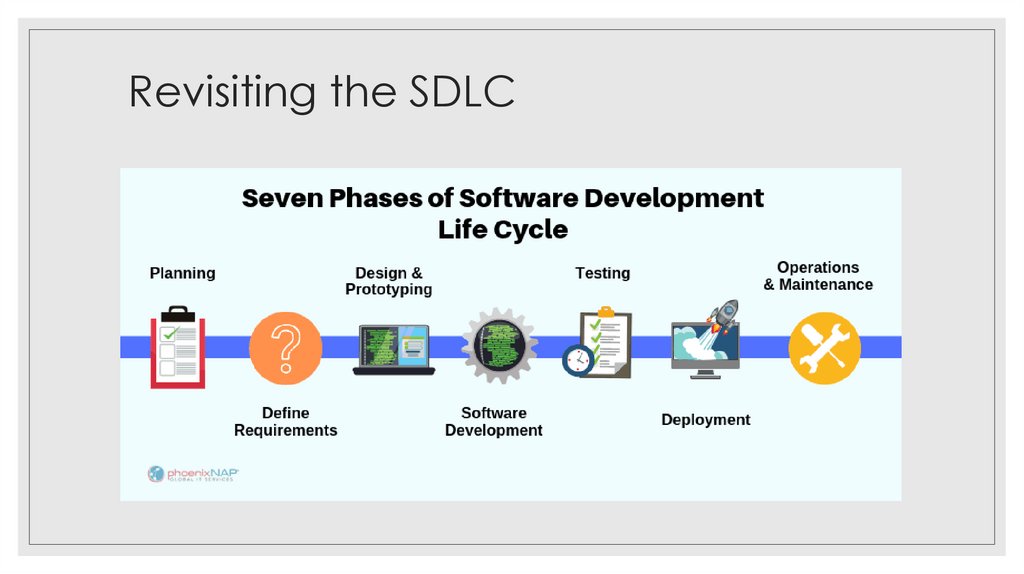
4. Revisiting the SDLC
5. Software Requirements Analysis
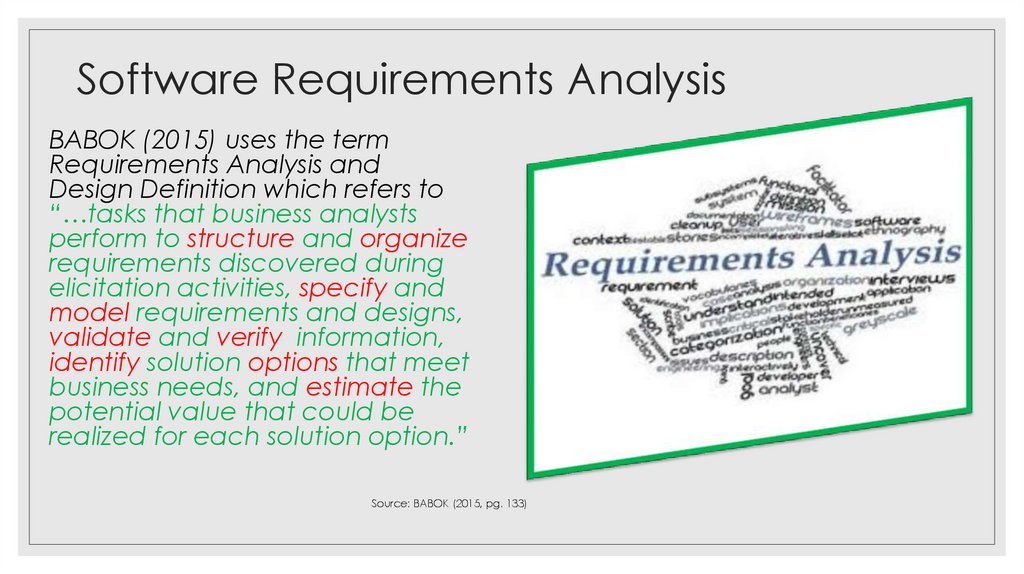
BABOK (2015) uses the termRequirements Analysis and
Design Definition which refers to
“…tasks that business analysts
perform to structure and organize
requirements discovered during
elicitation activities, specify and
model requirements and designs,
validate and verify information,
identify solution options that meet
business needs, and estimate the
potential value that could be
realized for each solution option.”
Source: BABOK (2015, pg. 133)
6. Software Requirements Analysis
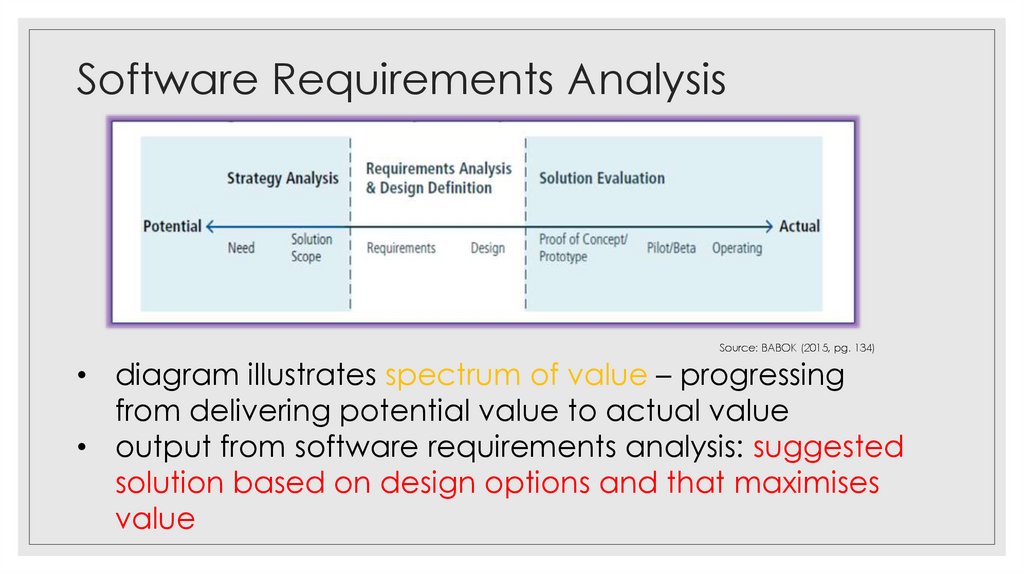
Source: BABOK (2015, pg. 134)• diagram illustrates spectrum of value – progressing
from delivering potential value to actual value
• output from software requirements analysis: suggested
solution based on design options and that maximises
value
7. Software Requirements Analysis
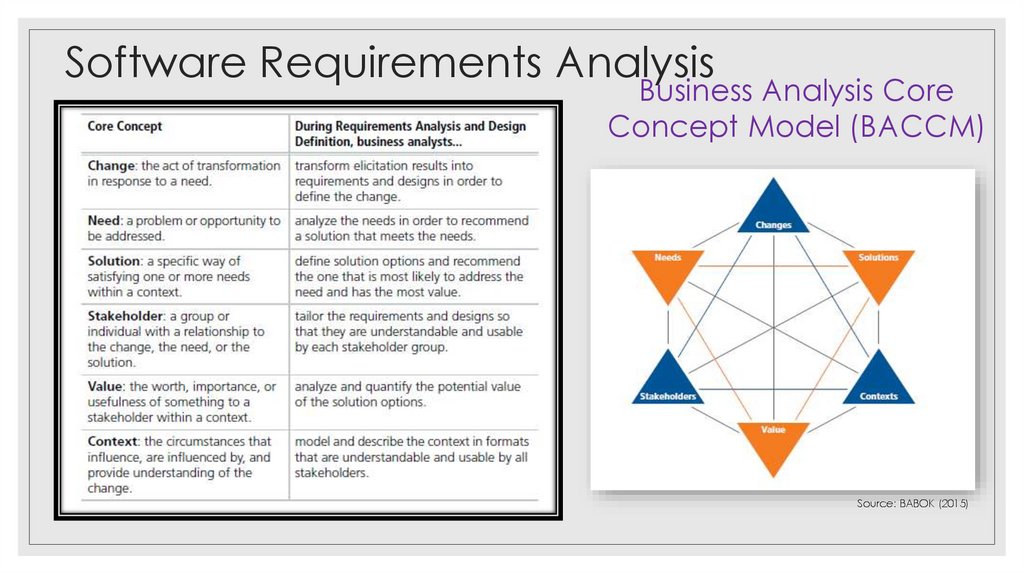
Business Analysis CoreConcept Model (BACCM)
Source: BABOK (2015)
8. Software Requirements Analysis
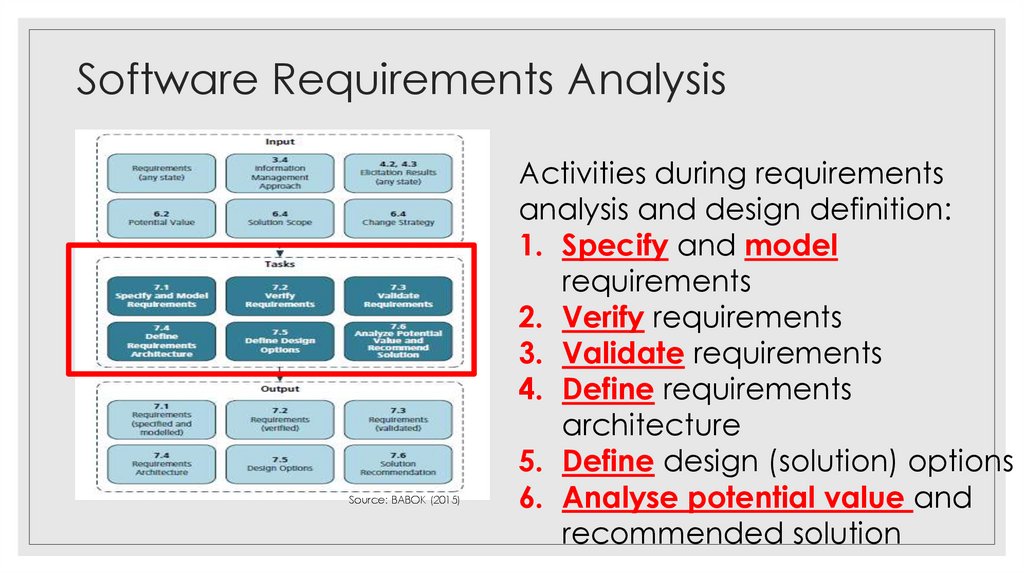
Source: BABOK (2015)Activities during requirements
analysis and design definition:
1. Specify and model
requirements
2. Verify requirements
3. Validate requirements
4. Define requirements
architecture
5. Define design (solution) options
6. Analyse potential value and
recommended solution
9. 1. Specify and model requirements
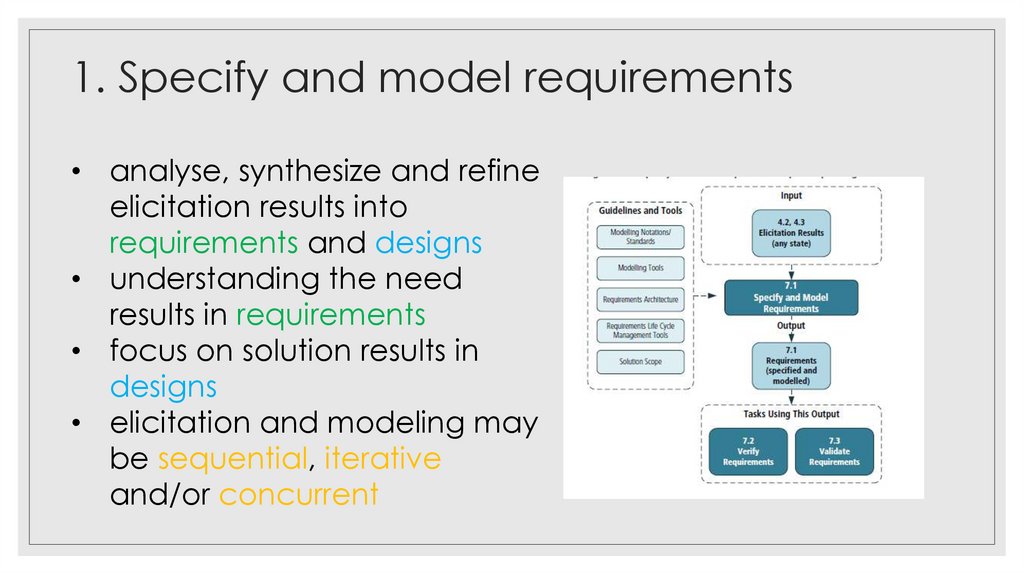
• analyse, synthesize and refineelicitation results into
requirements and designs
• understanding the need
results in requirements
• focus on solution results in
designs
• elicitation and modeling may
be sequential, iterative
and/or concurrent
10. 2. Modelling Requirements
• descriptive and visual method to communicateinformation, confirm knowledge, identify gaps, identify
• duplicate
format: information
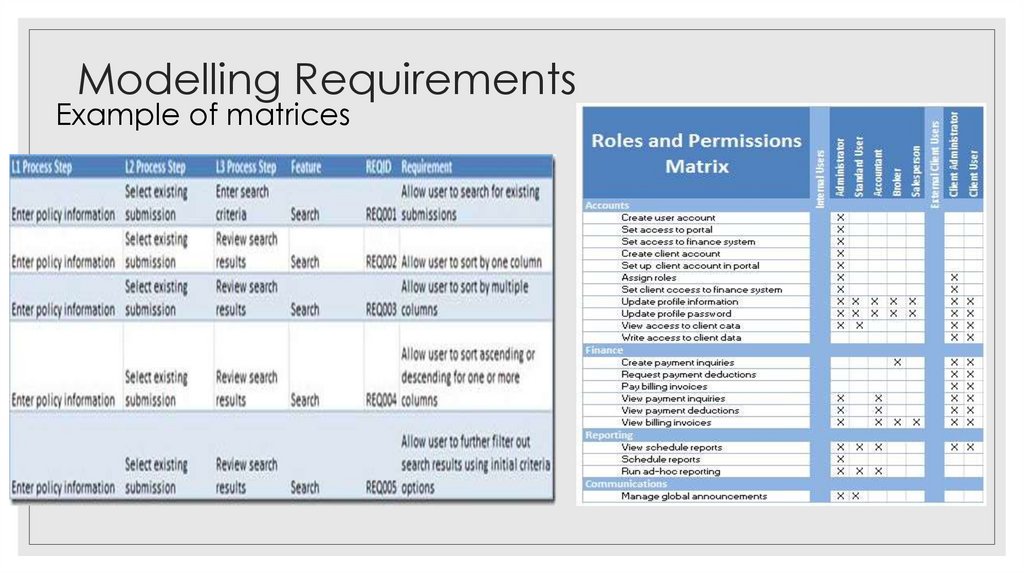
a. matrices
• suitable when requirements are complex but
uniform structure
• used for data dictionaries, requirements
traceability, gap analysis, prioritizing requirements,
recording requirements attributes and meta data
11. Modelling Requirements
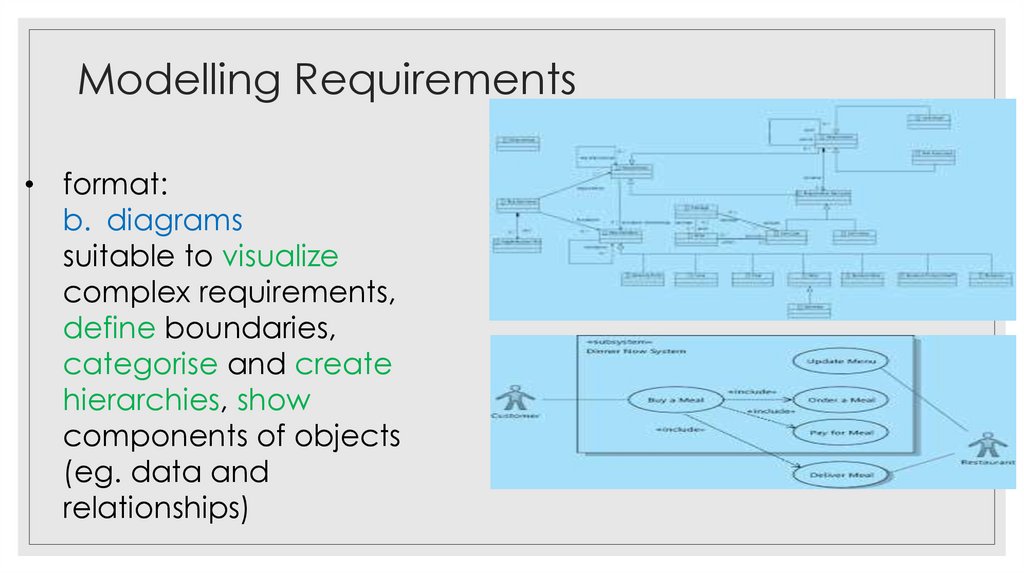
Example of matrices12. Modelling Requirements
• format:b. diagrams
suitable to visualize
complex requirements,
define boundaries,
categorise and create
hierarchies, show
components of objects
(eg. data and
relationships)
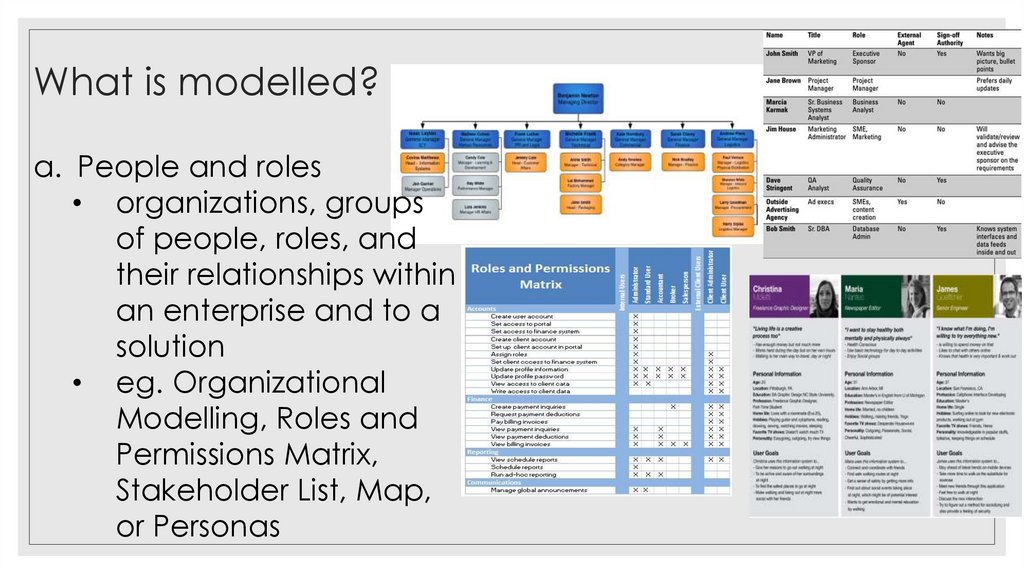
13. What is modelled?
a. People and roles• organizations, groups
of people, roles, and
their relationships within
an enterprise and to a
solution
• eg. Organizational
Modelling, Roles and
Permissions Matrix,
Stakeholder List, Map,
or Personas
14. What is modelled?
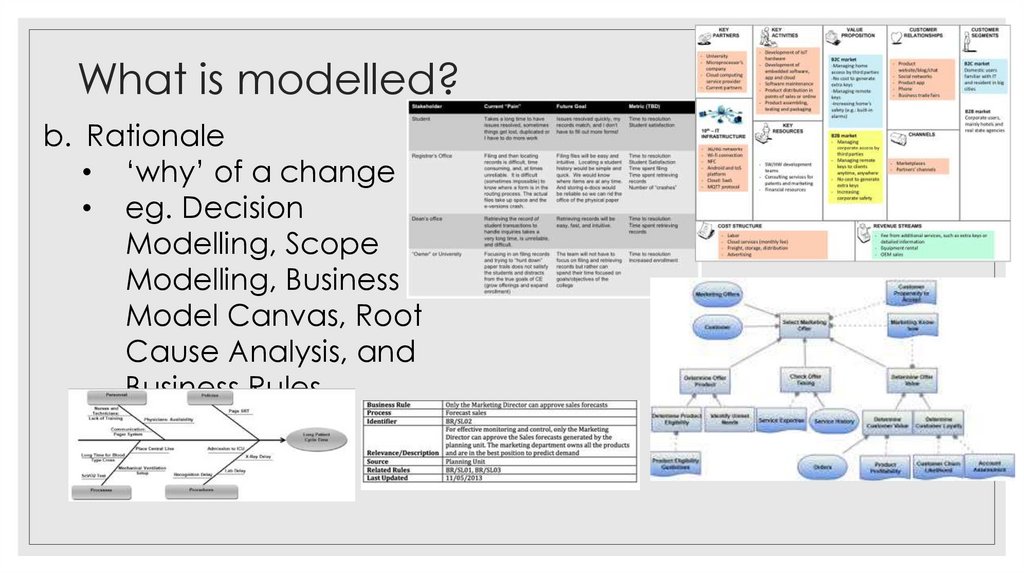
b. Rationale• ‘why’ of a change
• eg. Decision
Modelling, Scope
Modelling, Business
Model Canvas, Root
Cause Analysis, and
Business Rules
Analysis
15. What is modelled?
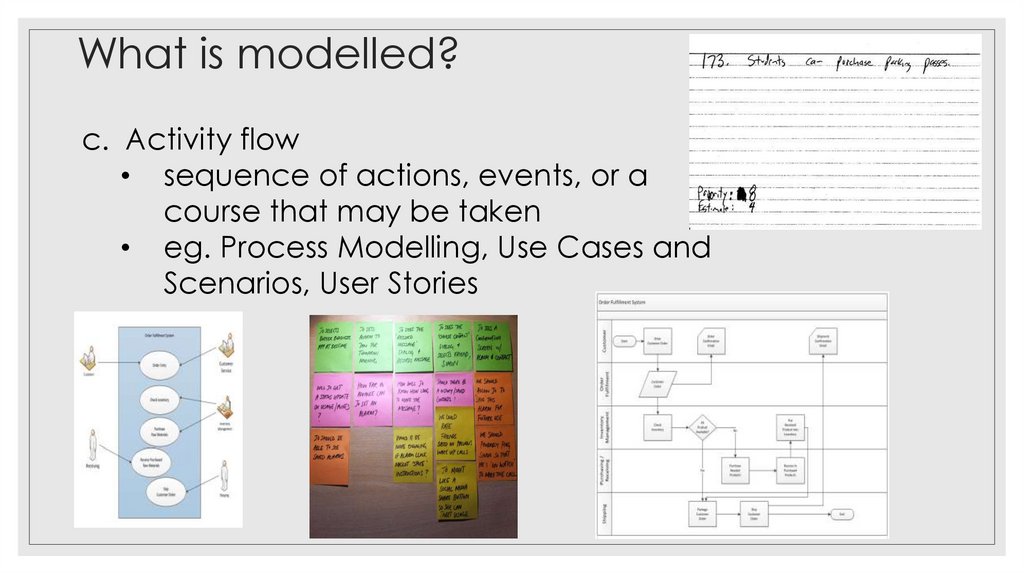
c. Activity flow• sequence of actions, events, or a
course that may be taken
• eg. Process Modelling, Use Cases and
Scenarios, User Stories
16. What is modelled?
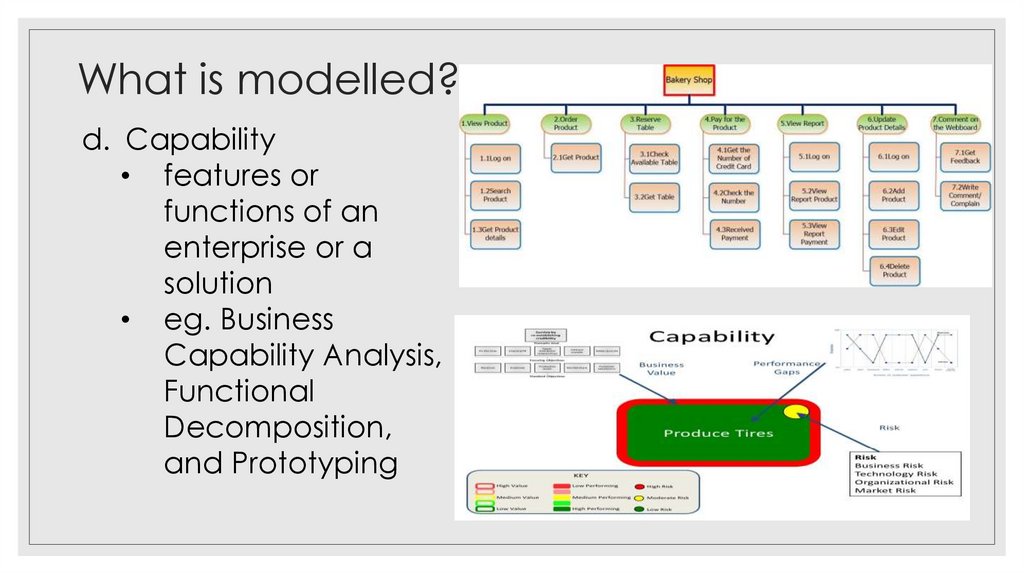
d. Capability• features or
functions of an
enterprise or a
solution
• eg. Business
Capability Analysis,
Functional
Decomposition,
and Prototyping
17. What is modelled?
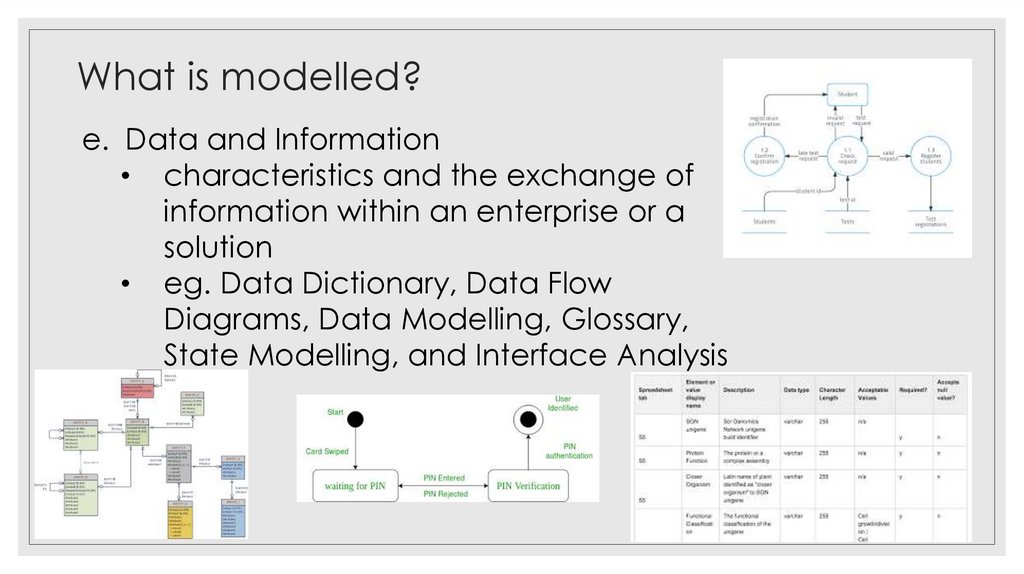
e. Data and Information• characteristics and the exchange of
information within an enterprise or a
solution
• eg. Data Dictionary, Data Flow
Diagrams, Data Modelling, Glossary,
State Modelling, and Interface Analysis
18. Resources required
Modelling Categoriesrelates to how people work with the system
19. Structured and Object-oriented modelling and analysis
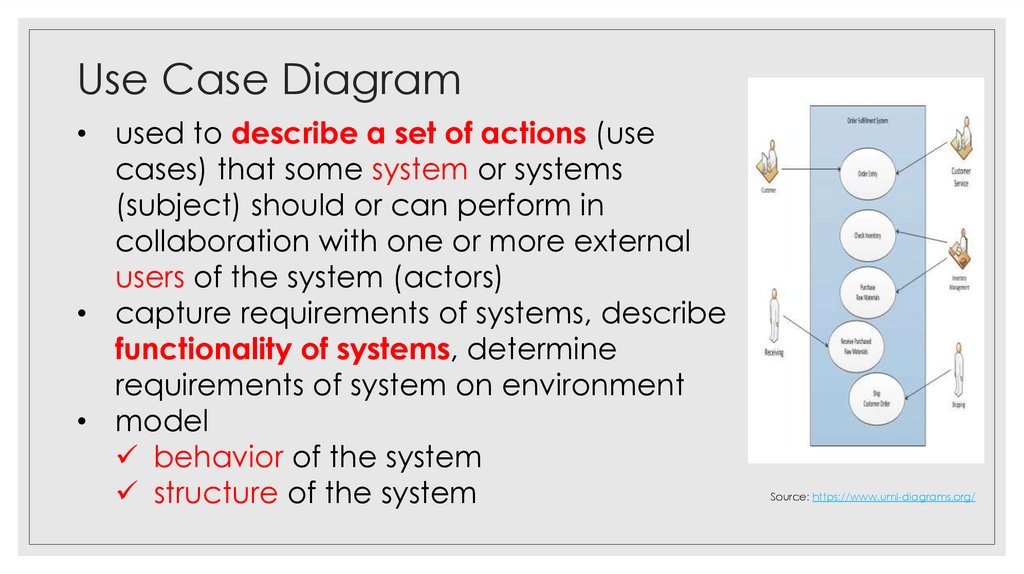
Use Case Diagram• used to describe a set of actions (use
cases) that some system or systems
(subject) should or can perform in
collaboration with one or more external
users of the system (actors)
• capture requirements of systems, describe
functionality of systems, determine
requirements of system on environment
• model
behavior of the system
structure of the system
Source: https://www.uml-diagrams.org/
20. Modelling Categories
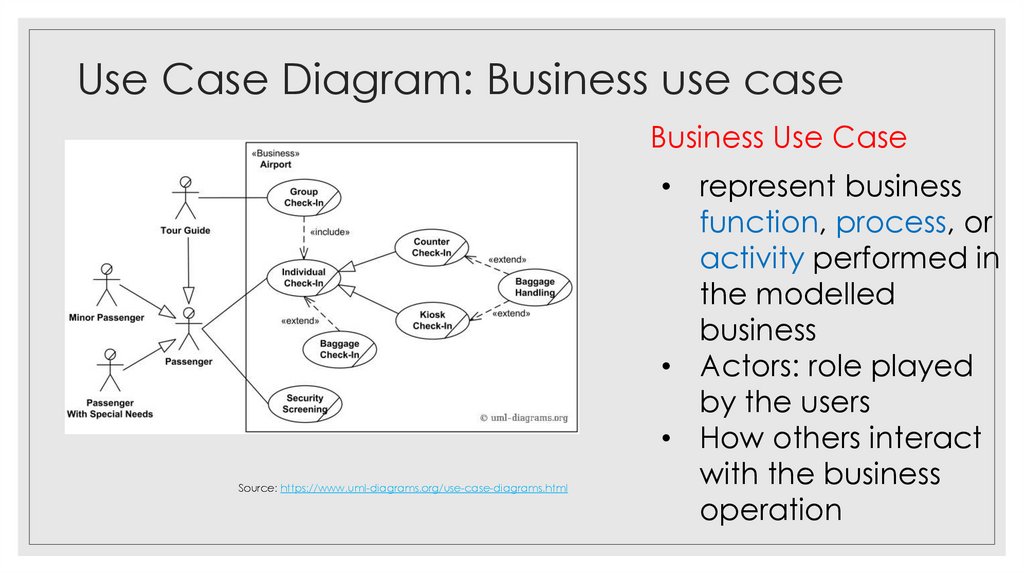
Use Case Diagram: Business use caseBusiness Use Case
Source: https://www.uml-diagrams.org/use-case-diagrams.html
• represent business
function, process, or
activity performed in
the modelled
business
• Actors: role played
by the users
• How others interact
with the business
operation
21. Use Case Diagram
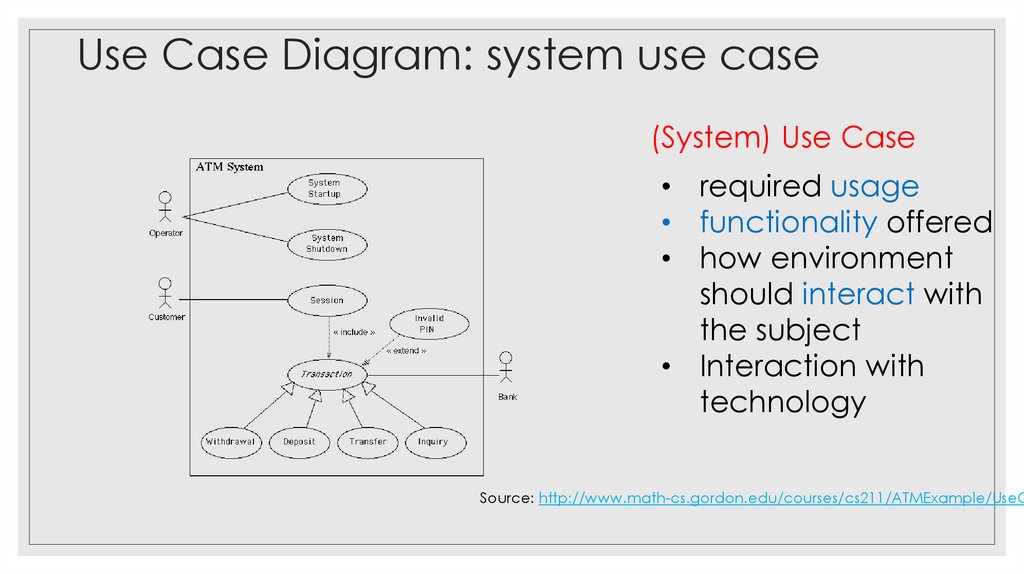
Use Case Diagram: system use case(System) Use Case
• required usage
• functionality offered
• how environment
should interact with
the subject
• Interaction with
technology
Source: http://www.math-cs.gordon.edu/courses/cs211/ATMExample/UseC
22. Use Case Diagram: Business use case
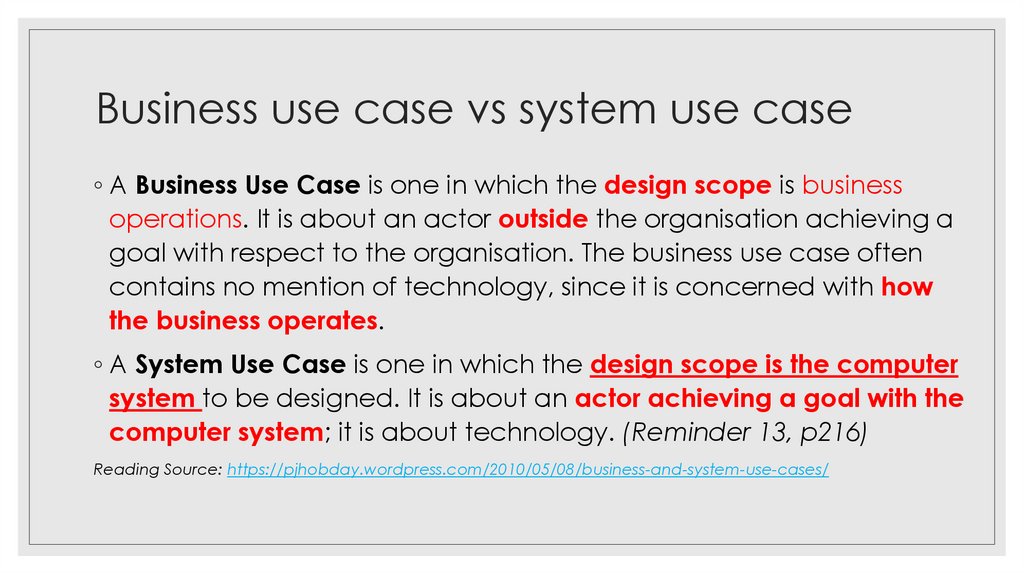
Business use case vs system use case◦ A Business Use Case is one in which the design scope is business
operations. It is about an actor outside the organisation achieving a
goal with respect to the organisation. The business use case often
contains no mention of technology, since it is concerned with how
the business operates.
◦ A System Use Case is one in which the design scope is the computer
system to be designed. It is about an actor achieving a goal with the
computer system; it is about technology. (Reminder 13, p216)
Reading Source: https://pjhobday.wordpress.com/2010/05/08/business-and-system-use-cases/
23. Use Case Diagram: system use case
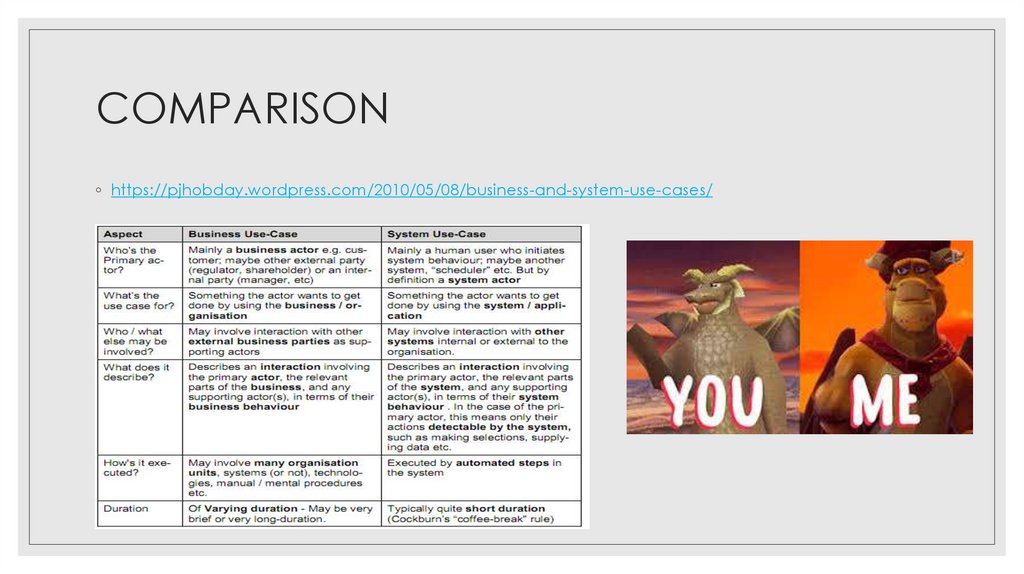
COMPARISON◦ https://pjhobday.wordpress.com/2010/05/08/business-and-system-use-cases/
24. Business use case vs system use case
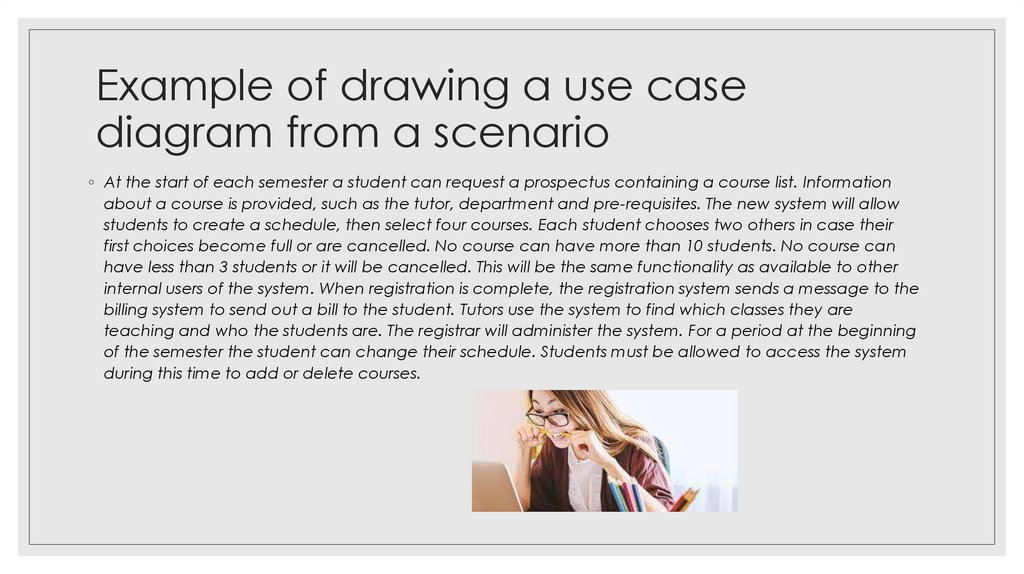
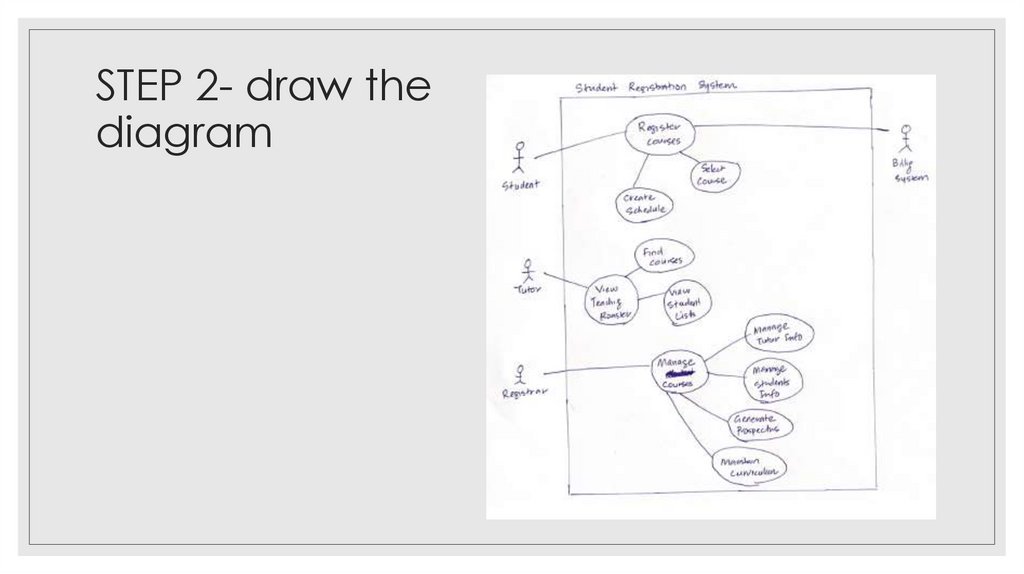
Example of drawing a use casediagram from a scenario
◦ At the start of each semester a student can request a prospectus containing a course list. Information
about a course is provided, such as the tutor, department and pre-requisites. The new system will allow
students to create a schedule, then select four courses. Each student chooses two others in case their
first choices become full or are cancelled. No course can have more than 10 students. No course can
have less than 3 students or it will be cancelled. This will be the same functionality as available to other
internal users of the system. When registration is complete, the registration system sends a message to the
billing system to send out a bill to the student. Tutors use the system to find which classes they are
teaching and who the students are. The registrar will administer the system. For a period at the beginning
of the semester the student can change their schedule. Students must be allowed to access the system
during this time to add or delete courses.
25. COMPARISON
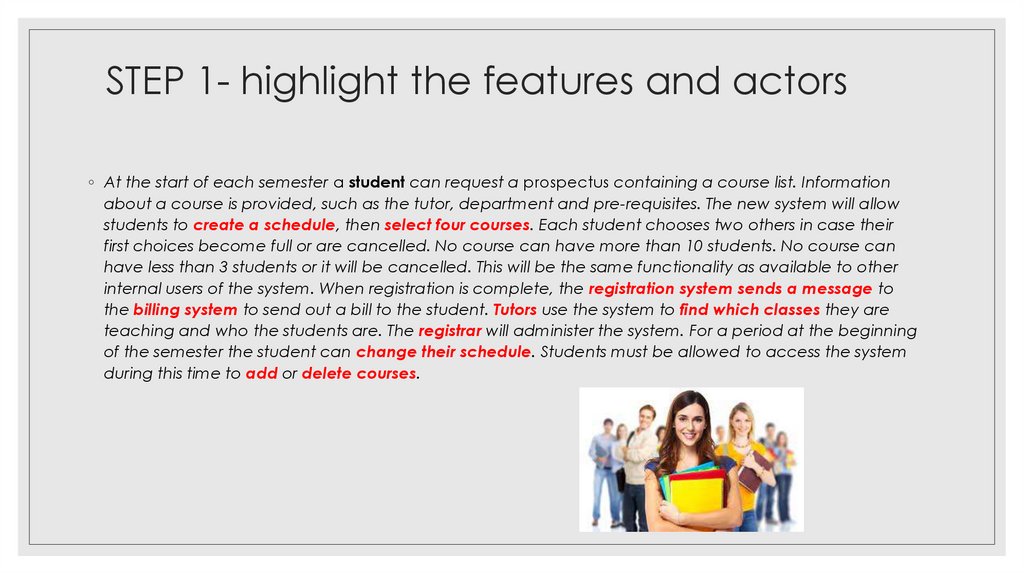
STEP 1- highlight the features and actors◦ At the start of each semester a student can request a prospectus containing a course list. Information
about a course is provided, such as the tutor, department and pre-requisites. The new system will allow
students to create a schedule, then select four courses. Each student chooses two others in case their
first choices become full or are cancelled. No course can have more than 10 students. No course can
have less than 3 students or it will be cancelled. This will be the same functionality as available to other
internal users of the system. When registration is complete, the registration system sends a message to
the billing system to send out a bill to the student. Tutors use the system to find which classes they are
teaching and who the students are. The registrar will administer the system. For a period at the beginning
of the semester the student can change their schedule. Students must be allowed to access the system
during this time to add or delete courses.
26. Example of drawing a use case diagram from a scenario
STEP 2- draw thediagram
27. STEP 1- highlight the features and actors
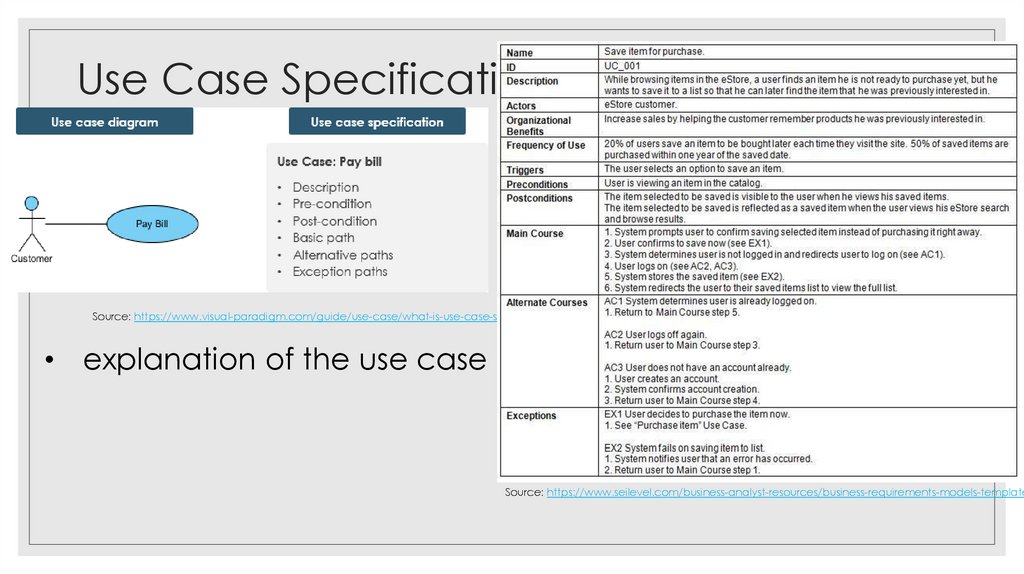
Use Case SpecificationSource: https://www.visual-paradigm.com/guide/use-case/what-is-use-case-specification/
• explanation of the use case
Source: https://www.seilevel.com/business-analyst-resources/business-requirements-models-template
28. STEP 2- draw the diagram
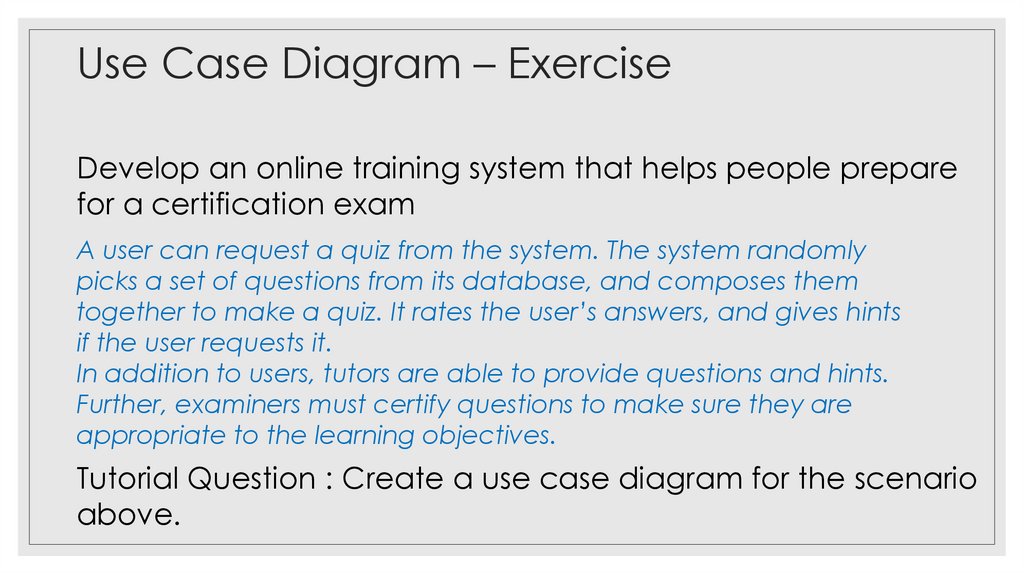
Use Case Diagram – ExerciseDevelop an online training system that helps people prepare
for a certification exam
A user can request a quiz from the system. The system randomly
picks a set of questions from its database, and composes them
together to make a quiz. It rates the user’s answers, and gives hints
if the user requests it.
In addition to users, tutors are able to provide questions and hints.
Further, examiners must certify questions to make sure they are
appropriate to the learning objectives.
Tutorial Question : Create a use case diagram for the scenario
above.
29. Use Case Specification
BREAK30. Use Case Diagram – Exercise
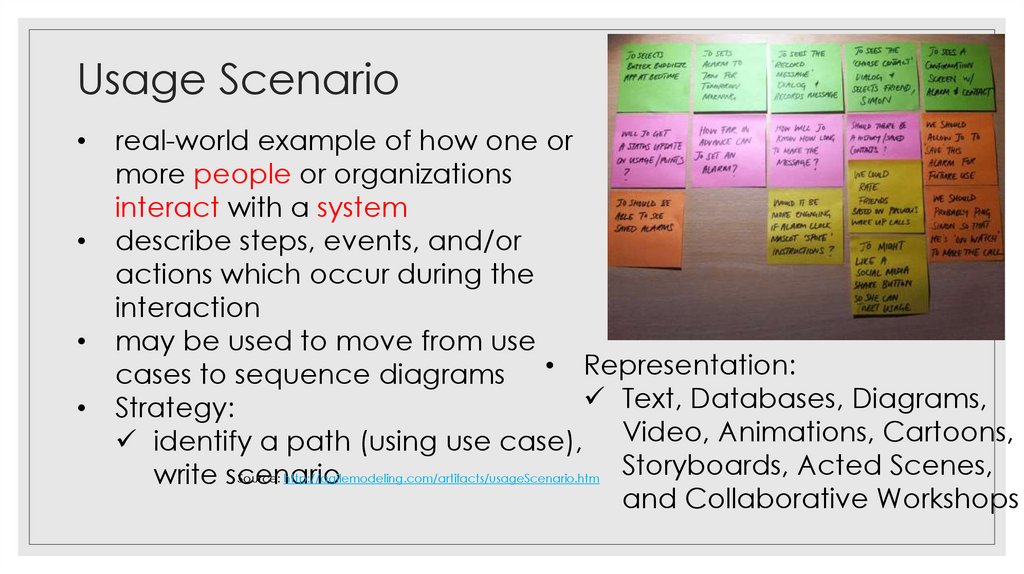
Usage Scenarioreal-world example of how one or
more people or organizations
interact with a system
describe steps, events, and/or
actions which occur during the
interaction
may be used to move from use
cases to sequence diagrams • Representation:
Text, Databases, Diagrams,
Strategy:
identify a path (using use case), Video, Animations, Cartoons,
Storyboards, Acted Scenes,
Source: http://agilemodeling.com/artifacts/usageScenario.htm
write scenario
and Collaborative Workshops
31. BREAK
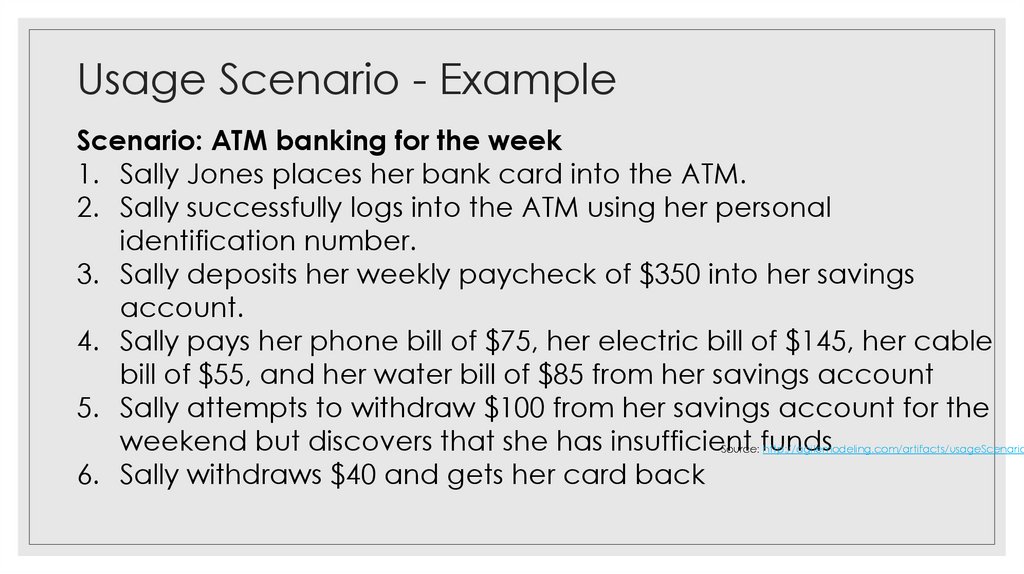
Usage Scenario - ExampleScenario: ATM banking for the week
1. Sally Jones places her bank card into the ATM.
2. Sally successfully logs into the ATM using her personal
identification number.
3. Sally deposits her weekly paycheck of $350 into her savings
account.
4. Sally pays her phone bill of $75, her electric bill of $145, her cable
bill of $55, and her water bill of $85 from her savings account
5. Sally attempts to withdraw $100 from her savings account for the
weekend but discovers that she has insufficient funds
6. Sally withdraws $40 and gets her card back
Source: http://agilemodeling.com/artifacts/usageScenario
32. Usage Scenario
– ExerciseDevelop an online training system that helps people prepare
for a certification exam
A user can request a quiz from the system. The system randomly
picks a set of questions from its database, and composes them
together to make a quiz. It rates the user’s answers, and gives hints
if the user requests it.
In addition to users, tutors are able to provide questions and hints.
Further, examiners must certify questions to make sure they
appropriate to the learning objectives.
Tutorial: Create a usage scenario for one of the use cases
that you identified in the earlier exercise.
33. Usage Scenario - Example
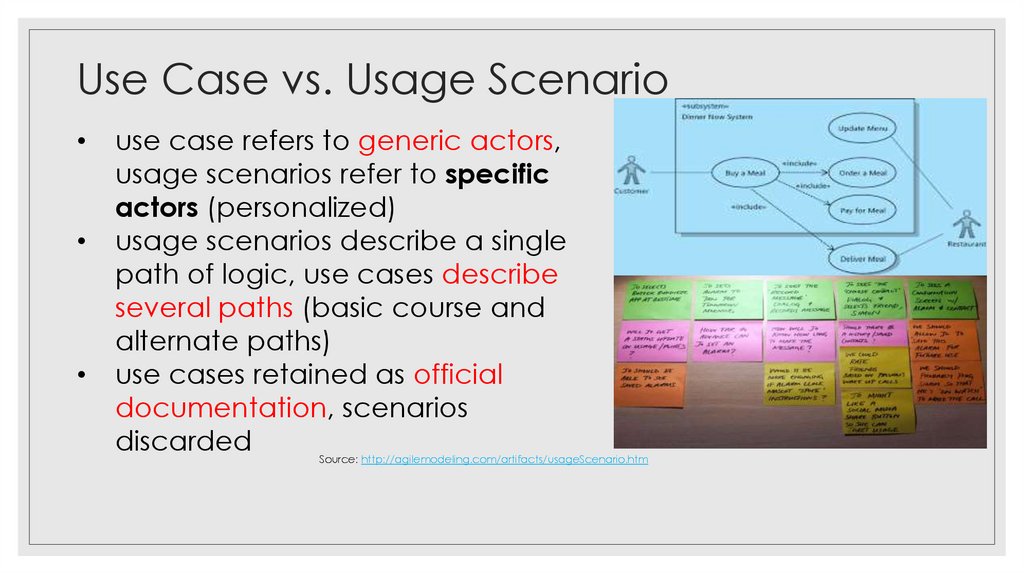
Use Case vs. Usage Scenariouse case refers to generic actors,
usage scenarios refer to specific
actors (personalized)
usage scenarios describe a single
path of logic, use cases describe
several paths (basic course and
alternate paths)
use cases retained as official
documentation, scenarios
discarded
Source: http://agilemodeling.com/artifacts/usageScenario.htm
34. Usage Scenario – Exercise
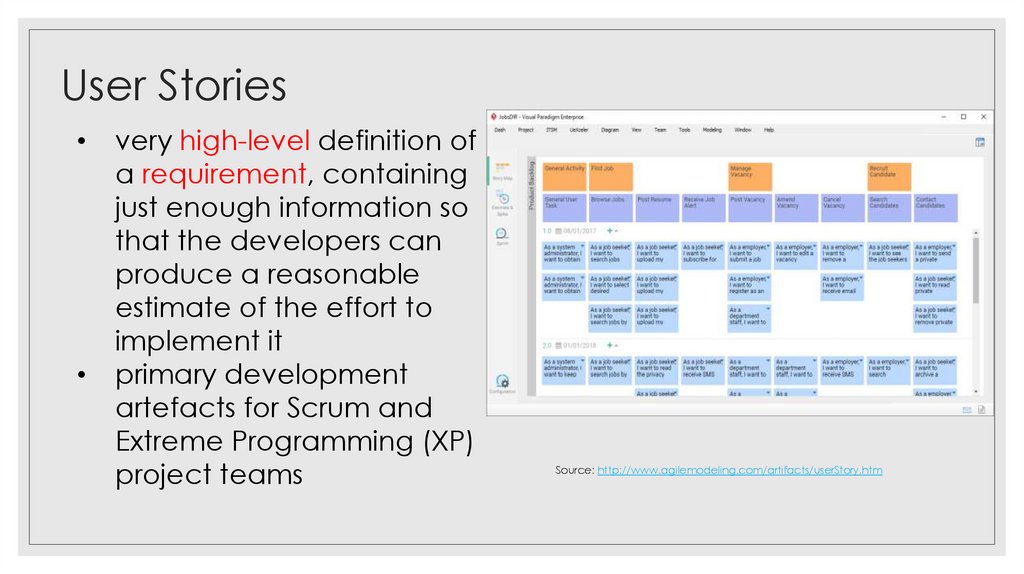
User Storiesvery high-level definition of
a requirement, containing
just enough information so
that the developers can
produce a reasonable
estimate of the effort to
implement it
primary development
artefacts for Scrum and
Extreme Programming (XP)
project teams
Source: http://www.agilemodeling.com/artifacts/userStory.htm
35. Use Case vs. Usage Scenario
User StoriesSource: https://www.youtube.com/watch?v=apOvF9NVguA
36. User Stories
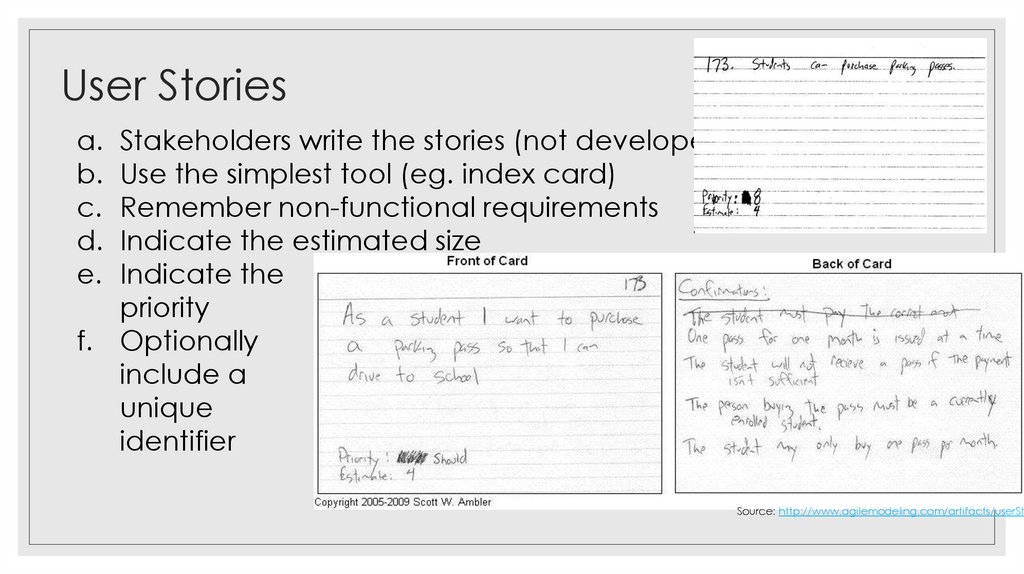
a. Stakeholders write the stories (not developers)b. Use the simplest tool (eg. index card)
c. Remember non-functional requirements
d. Indicate the estimated size
e. Indicate the
priority
f. Optionally
include a
unique
identifier
Source: http://www.agilemodeling.com/artifacts/userSto
37. User Stories
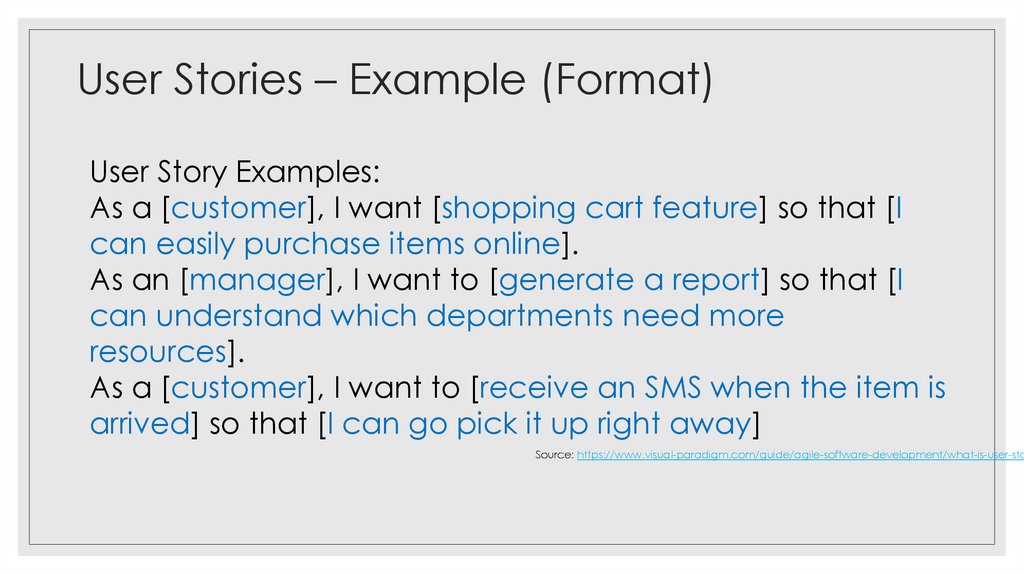
– Example (Format)User Story Examples:
As a [customer], I want [shopping cart feature] so that [I
can easily purchase items online].
As an [manager], I want to [generate a report] so that [I
can understand which departments need more
resources].
As a [customer], I want to [receive an SMS when the item is
arrived] so that [I can go pick it up right away]
Source: https://www.visual-paradigm.com/guide/agile-software-development/what-is-user-sto
38. User Stories
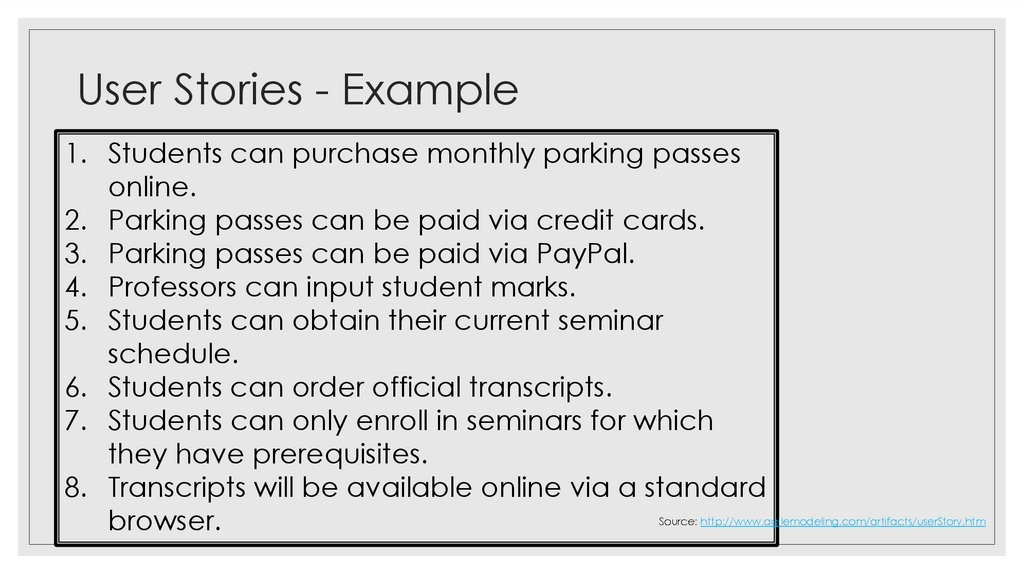
- Example1. Students can purchase monthly parking passes
online.
2. Parking passes can be paid via credit cards.
3. Parking passes can be paid via PayPal.
4. Professors can input student marks.
5. Students can obtain their current seminar
schedule.
6. Students can order official transcripts.
7. Students can only enroll in seminars for which
they have prerequisites.
8. Transcripts will be available online via a standard
browser.
Source: http://www.agilemodeling.com/artifacts/userStory.htm
39. User Stories – Example (Format)
Modelling Categoriesrelates to the flow of activities
40. User Stories - Example
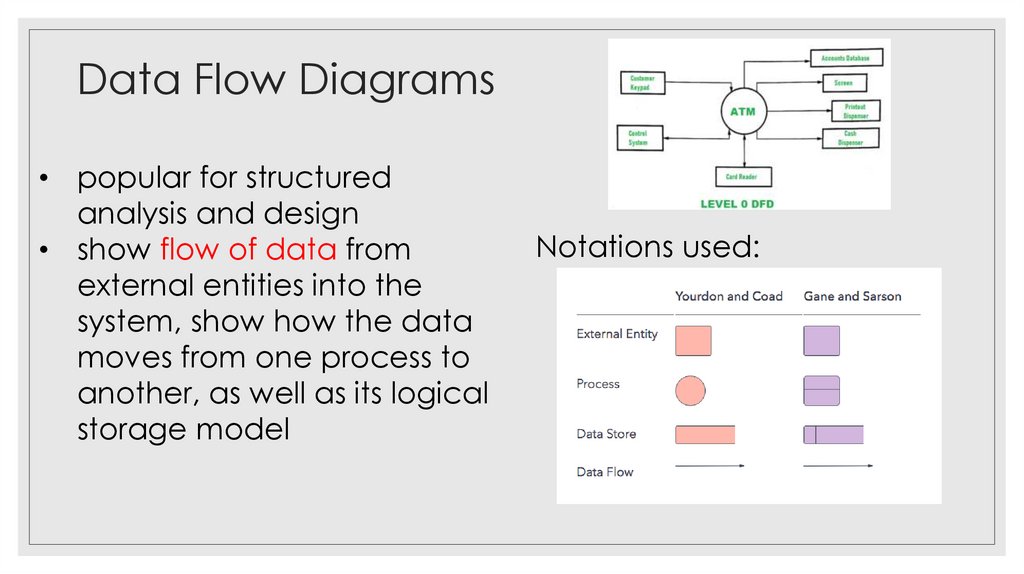
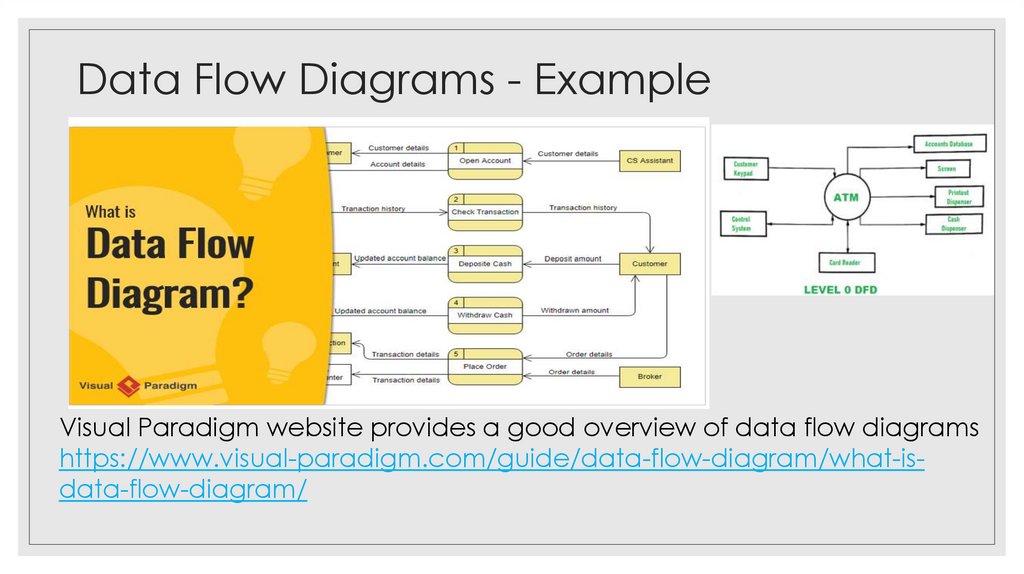
Data Flow Diagrams• popular for structured
analysis and design
• show flow of data from
external entities into the
system, show how the data
moves from one process to
another, as well as its logical
storage model
Notations used:
41. Modelling Categories
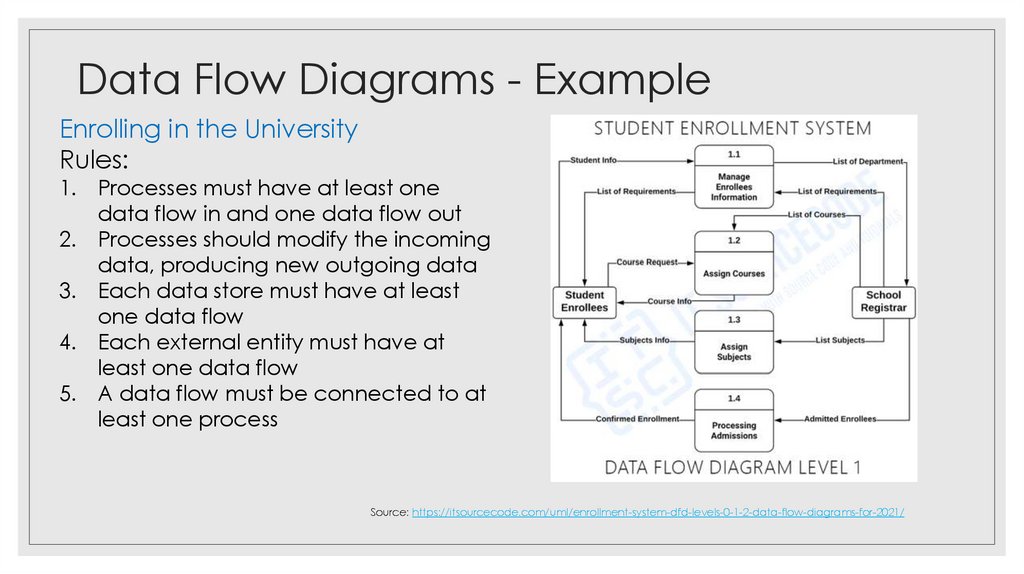
Data Flow Diagrams - ExampleEnrolling in the University
Rules:
1. Processes must have at least one
data flow in and one data flow out
2. Processes should modify the incoming
data, producing new outgoing data
3. Each data store must have at least
one data flow
4. Each external entity must have at
least one data flow
5. A data flow must be connected to at
least one process
Source: https://itsourcecode.com/uml/enrollment-system-dfd-levels-0-1-2-data-flow-diagrams-for-2021/
42. Data Flow Diagrams
- ExampleVisual Paradigm website provides a good overview of data flow diagrams
https://www.visual-paradigm.com/guide/data-flow-diagram/what-isdata-flow-diagram/
43. Data Flow Diagrams - Example
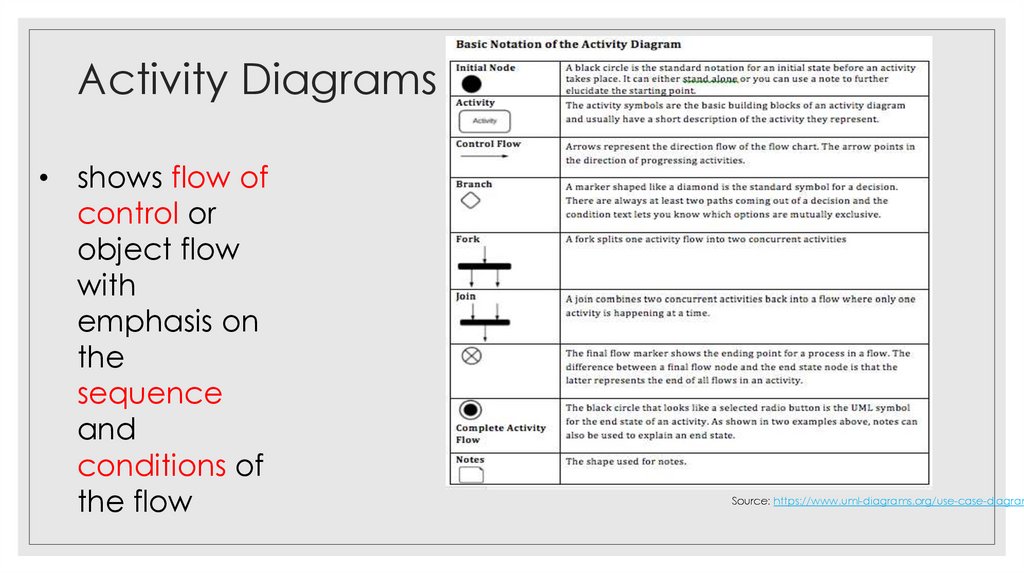
Activity Diagrams• shows flow of
control or
object flow
with
emphasis on
the
sequence
and
conditions of
the flow
Source: https://www.uml-diagrams.org/use-case-diagram
44. Data Flow Diagrams - Example
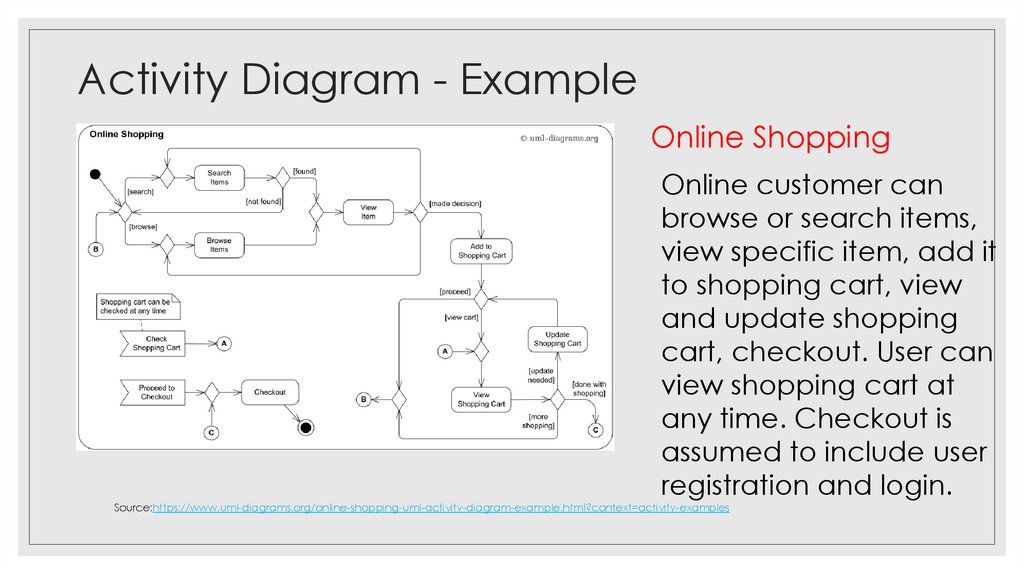
Activity Diagram - ExampleOnline Shopping
Online customer can
browse or search items,
view specific item, add it
to shopping cart, view
and update shopping
cart, checkout. User can
view shopping cart at
any time. Checkout is
assumed to include user
registration and login.
Source:https://www.uml-diagrams.org/online-shopping-uml-activity-diagram-example.html?context=activity-examples
45. Activity Diagrams
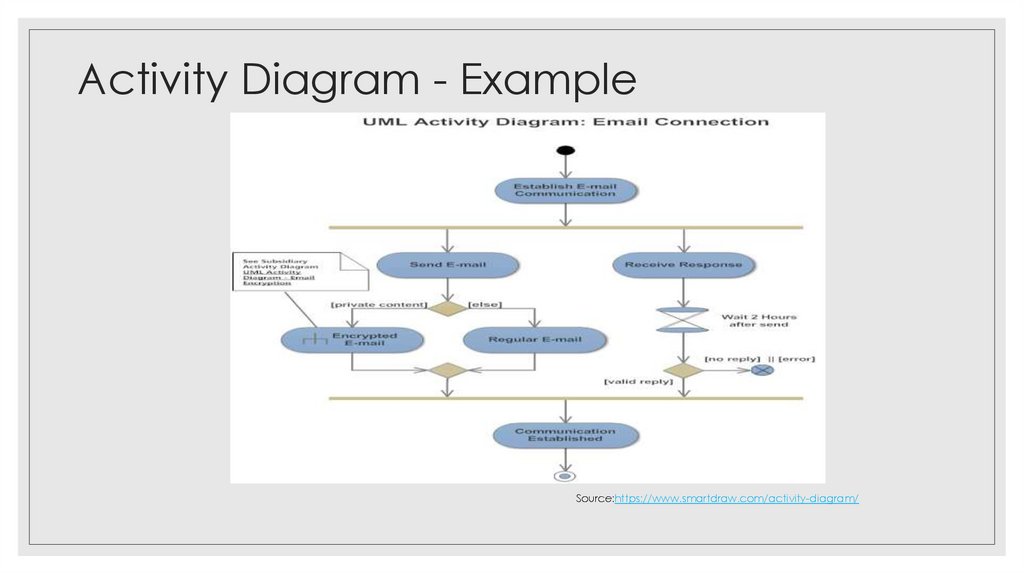
Activity Diagram - ExampleSource:https://www.smartdraw.com/activity-diagram/
46. Activity Diagram - Example
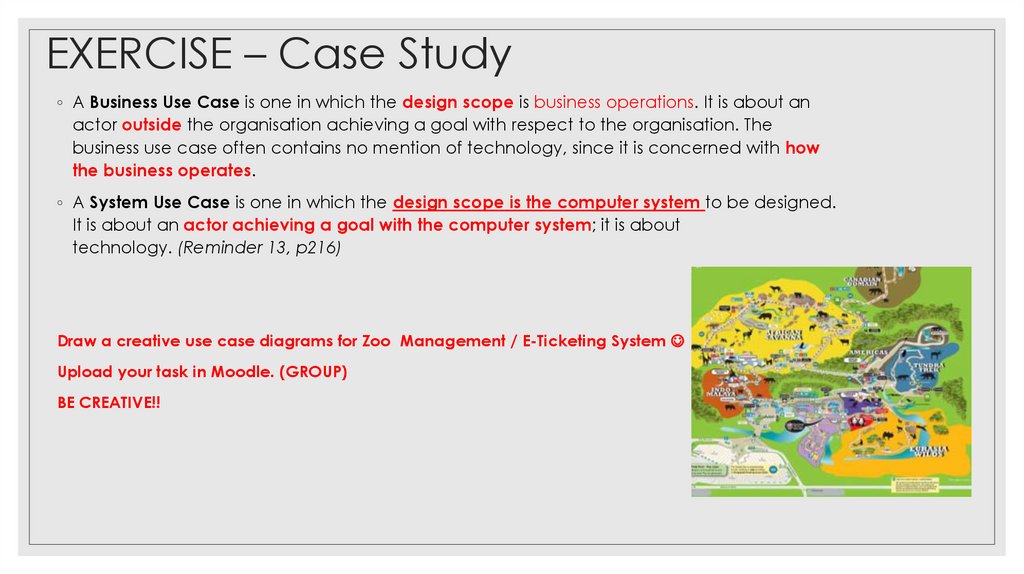
EXERCISE – Case Study◦ A Business Use Case is one in which the design scope is business operations. It is about an
actor outside the organisation achieving a goal with respect to the organisation. The
business use case often contains no mention of technology, since it is concerned with how
the business operates.
◦ A System Use Case is one in which the design scope is the computer system to be designed.
It is about an actor achieving a goal with the computer system; it is about
technology. (Reminder 13, p216)
Draw a creative use case diagrams for Zoo Management / E-Ticketing System
Upload your task in Moodle. (GROUP)
BE CREATIVE!!
47. Activity Diagram - Example
Reference Materials◦ Agile Modeling. Retrieved from: http://agilemodeling.com/
◦ The Unified Modeling Language. Retrieved from: https://www.uml-diagrams.org/use-case-diagrams.html
◦ Visual Paradigm. Retrieved from: https://www.visual-paradigm.com