Similar presentations:



new Practice 5
1. Week 6 - Assignment 5 –
1 PURPOSE OF THE WORKExplore the virtual /proc filesystem and understand where kernel and process information is stored.
View and interpret process information using various ps options.
Manage processes by suspending, resuming, and terminating them.
View and analyze system log files.
Examine and identify shared libraries used by programs.
View and verify the system’s network configuration, interfaces, routing, and DNS.
Test network connectivity and name resolution.
2. TASKS FOR WORK
2.1Open the course NDG Linux Essentials
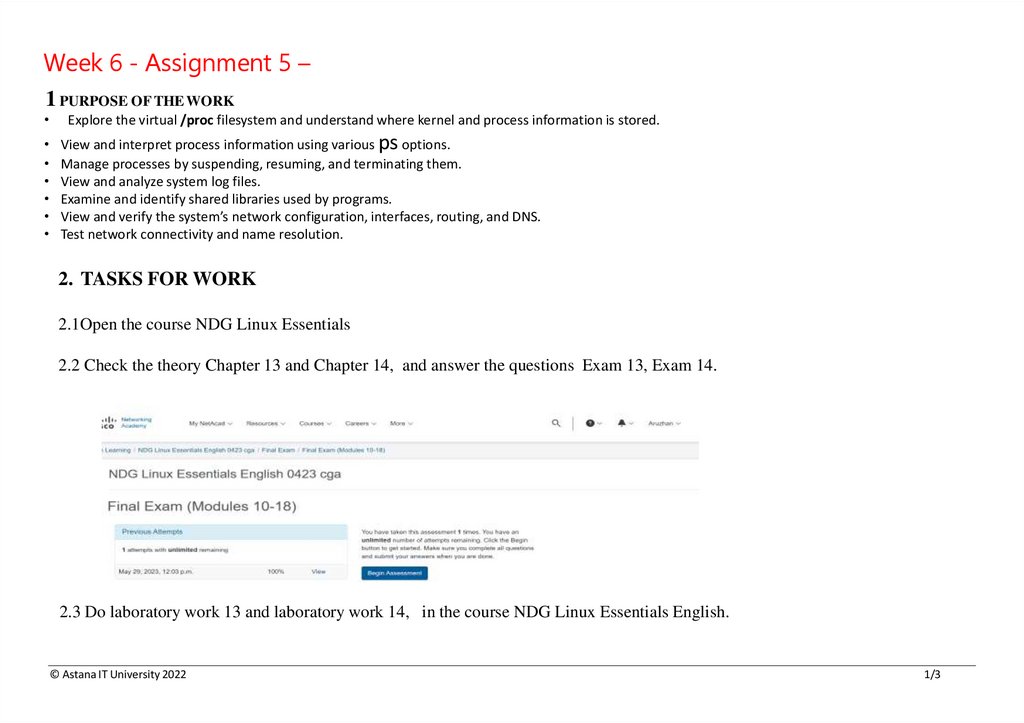
2.2 Check the theory Chapter 13 and Chapter 14, and answer the questions Exam 13, Exam 14.
2.3 Do laboratory work 13 and laboratory work 14, in the course NDG Linux Essentials English.
© Astana IT University 2022
1/3
2.
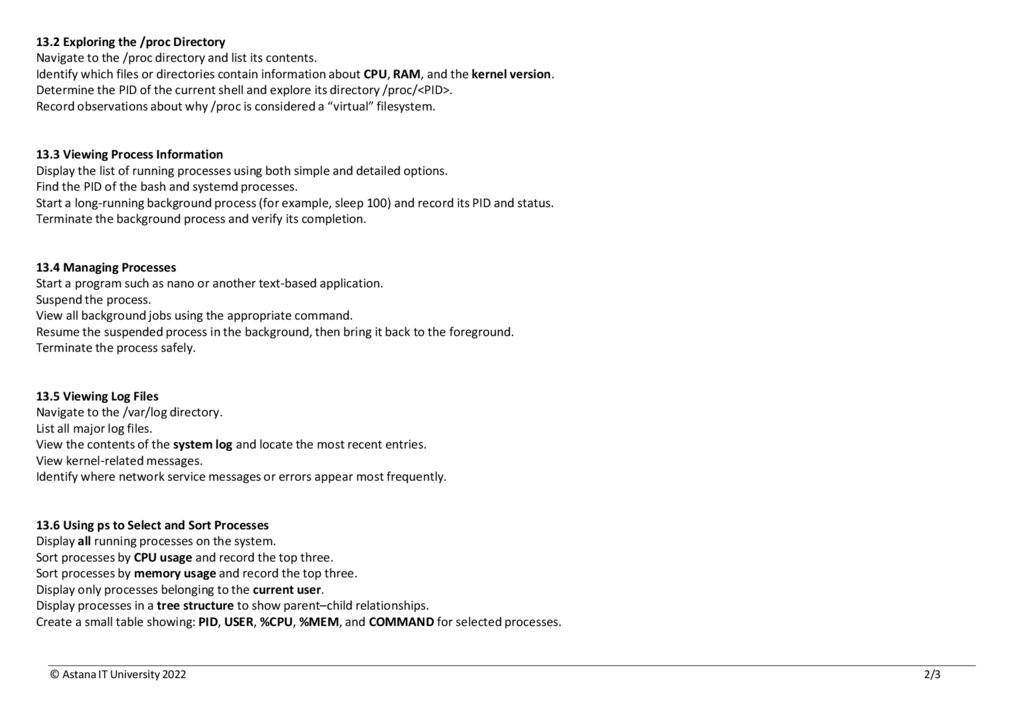
13.2 Exploring the /proc DirectoryNavigate to the /proc directory and list its contents.
Identify which files or directories contain information about CPU, RAM, and the kernel version.
Determine the PID of the current shell and explore its directory /proc/<PID>.
Record observations about why /proc is considered a “virtual” filesystem.
13.3 Viewing Process Information
Display the list of running processes using both simple and detailed options.
Find the PID of the bash and systemd processes.
Start a long-running background process (for example, sleep 100) and record its PID and status.
Terminate the background process and verify its completion.
13.4 Managing Processes
Start a program such as nano or another text-based application.
Suspend the process.
View all background jobs using the appropriate command.
Resume the suspended process in the background, then bring it back to the foreground.
Terminate the process safely.
13.5 Viewing Log Files
Navigate to the /var/log directory.
List all major log files.
View the contents of the system log and locate the most recent entries.
View kernel-related messages.
Identify where network service messages or errors appear most frequently.
13.6 Using ps to Select and Sort Processes
Display all running processes on the system.
Sort processes by CPU usage and record the top three.
Sort processes by memory usage and record the top three.
Display only processes belonging to the current user.
Display processes in a tree structure to show parent–child relationships.
Create a small table showing: PID, USER, %CPU, %MEM, and COMMAND for selected processes.
© Astana IT University 2022
2/3
3.
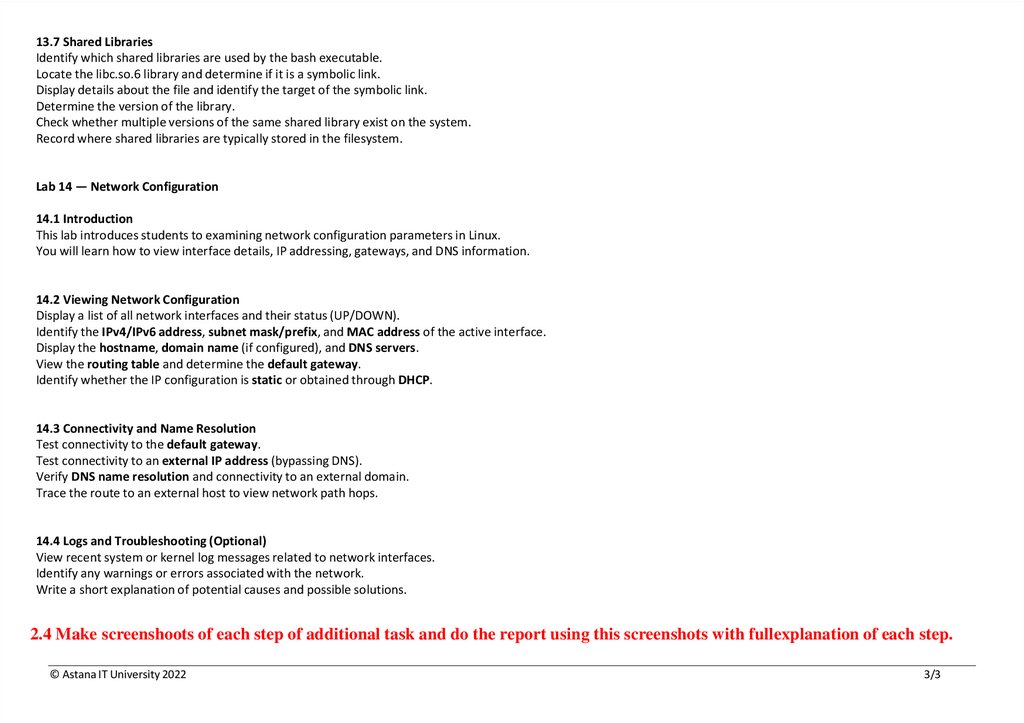
13.7 Shared LibrariesIdentify which shared libraries are used by the bash executable.
Locate the libc.so.6 library and determine if it is a symbolic link.
Display details about the file and identify the target of the symbolic link.
Determine the version of the library.
Check whether multiple versions of the same shared library exist on the system.
Record where shared libraries are typically stored in the filesystem.
Lab 14 — Network Configuration
14.1 Introduction
This lab introduces students to examining network configuration parameters in Linux.
You will learn how to view interface details, IP addressing, gateways, and DNS information.
14.2 Viewing Network Configuration
Display a list of all network interfaces and their status (UP/DOWN).
Identify the IPv4/IPv6 address, subnet mask/prefix, and MAC address of the active interface.
Display the hostname, domain name (if configured), and DNS servers.
View the routing table and determine the default gateway.
Identify whether the IP configuration is static or obtained through DHCP.
14.3 Connectivity and Name Resolution
Test connectivity to the default gateway.
Test connectivity to an external IP address (bypassing DNS).
Verify DNS name resolution and connectivity to an external domain.
Trace the route to an external host to view network path hops.
14.4 Logs and Troubleshooting (Optional)
View recent system or kernel log messages related to network interfaces.
Identify any warnings or errors associated with the network.
Write a short explanation of potential causes and possible solutions.
2.4 Make screenshoots of each step of additional task and do the report using this screenshots with fullexplanation of each step.
© Astana IT University 2022
3/3