

 informatics
Similar presentations:










Technical Facilities of Information
1.
TechnicalFacilities of
Information
Prepared & Presented by: Mirlan Nurbekov, Lecturer
Office hours: Friday 9:00–17:00
AlaToo IT & Business College
Fall 2025
1
2.
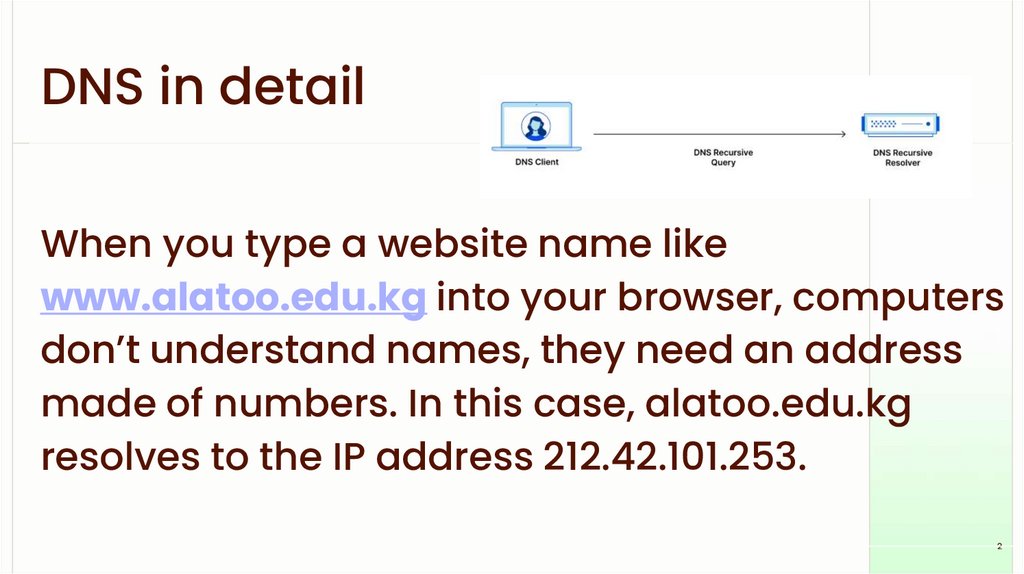
DNS in detailWhen you type a website name like
www.alatoo.edu.kg into your browser, computers
don’t understand names, they need an address
made of numbers. In this case, alatoo.edu.kg
resolves to the IP address 212.42.101.253.
2
3.
How does it work?3
4.
Stage 0000 - stub resolverDNS client running on
your machine to see
your cashe, because you
might have recently
visited the place u were
looking for.
4
5.
Stage 0001 - common DNS serverYour stub resolver will send a DNS query to the
Google DNS servers (public) it is basically a
phonebook for the Internet. Preferred DNS
server: 8.8.8.8
5
6.
Stage 0002 - casheGoogle DNS servers will search through its
cashe to see if this request was made before
by other users and act accordingly, if no then
next stage will start
6
7.
Stage 0003 - recursive meansGoogle DNS servers are mainly recursive
which means it connects to other servers to
look for the requested information. (making
multiple requests to other DNS servers to find)
7
8.
Stage 0004 - 13 root servers8
9.
Stage- 13 root
servers
When
the0004
DNS resolver
cannot
find the answer
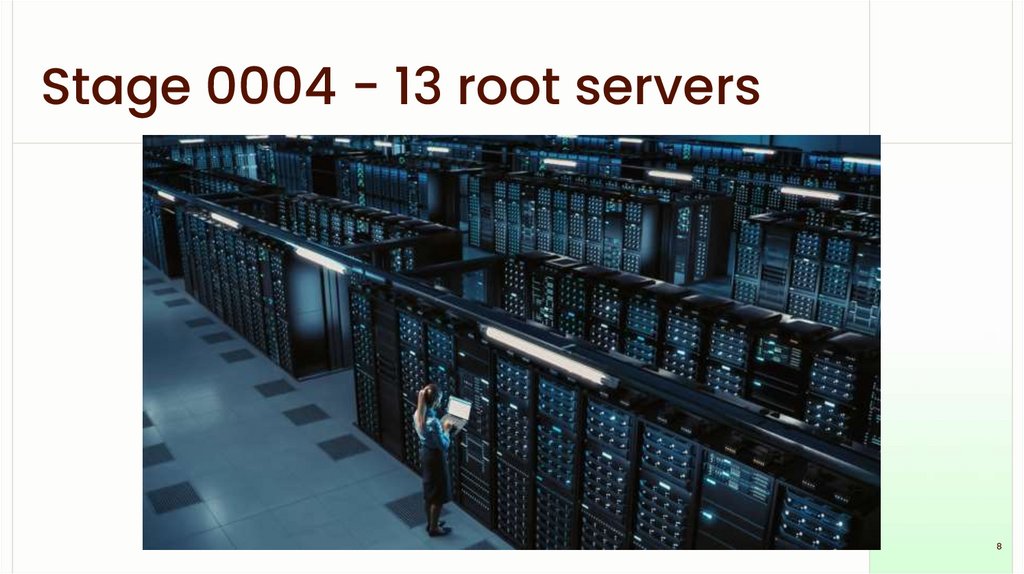
locally, it goes to the root servers. There are 13
logical root servers, named from A to M, and
they are the highest level of the DNS
hierarchy. These servers don’t store the IP of
every website — instead, their job is to direct
the DNS resolver to the correct Top-Level
Domain (TLD) server, for example .kg, .com,
.org.
9
10.
Stage 0004 - 13 root serversAlthough we say ‘13 servers,’ each one is actually
a global network of hundreds of physical servers
distributed across many countries. This makes
the DNS system fast, reliable, and resistant to
failure or attacks. So the root servers are like the
first major checkpoint in the DNS lookup process,
guiding the resolver to the correct TLD based on
the domain extension.
10
11.
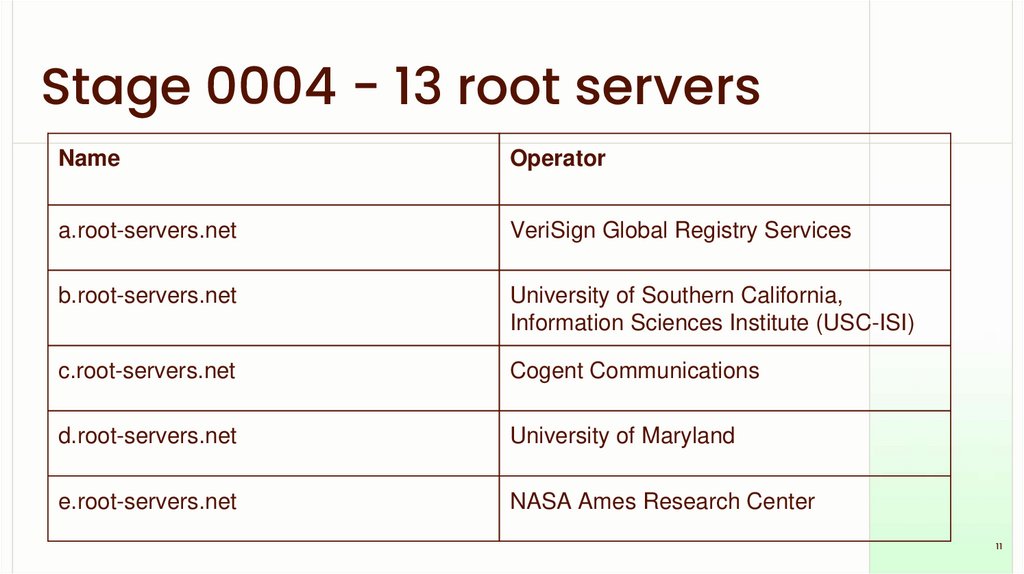
Stage 0004 - 13 root serversName
Operator
a.root-servers.net
VeriSign Global Registry Services
b.root-servers.net
University of Southern California,
Information Sciences Institute (USC-ISI)
c.root-servers.net
Cogent Communications
d.root-servers.net
University of Maryland
e.root-servers.net
NASA Ames Research Center
11
12.
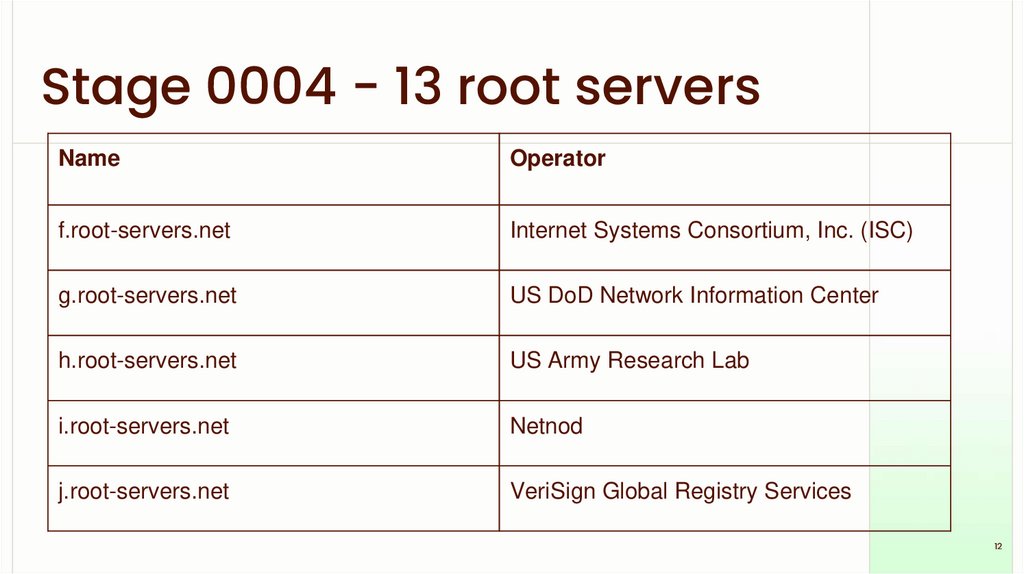
Stage 0004 - 13 root serversName
Operator
f.root-servers.net
Internet Systems Consortium, Inc. (ISC)
g.root-servers.net
US DoD Network Information Center
h.root-servers.net
US Army Research Lab
i.root-servers.net
Netnod
j.root-servers.net
VeriSign Global Registry Services
12
13.
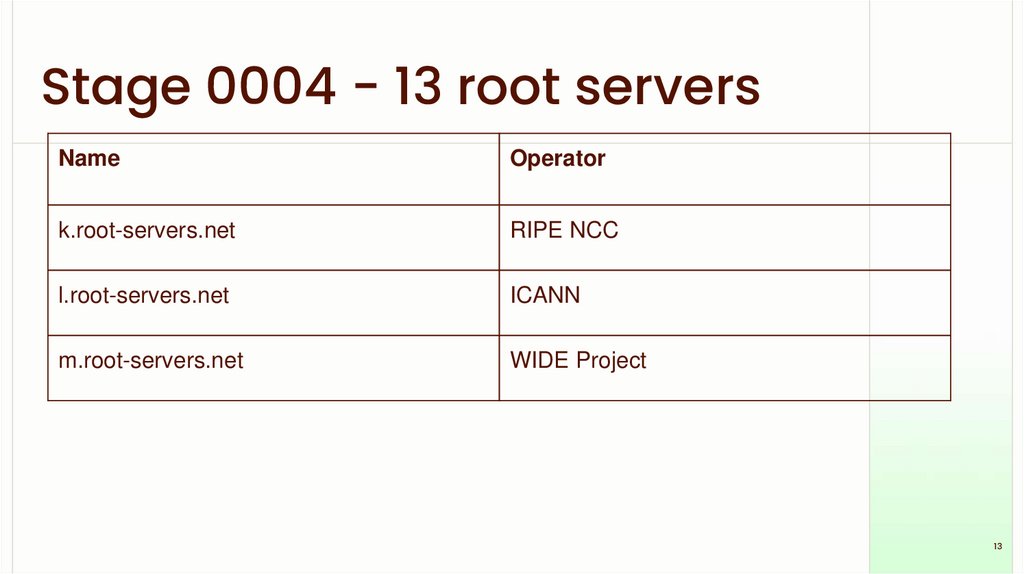
Stage 0004 - 13 root serversName
Operator
k.root-servers.net
RIPE NCC
l.root-servers.net
ICANN
m.root-servers.net
WIDE Project
13
14.
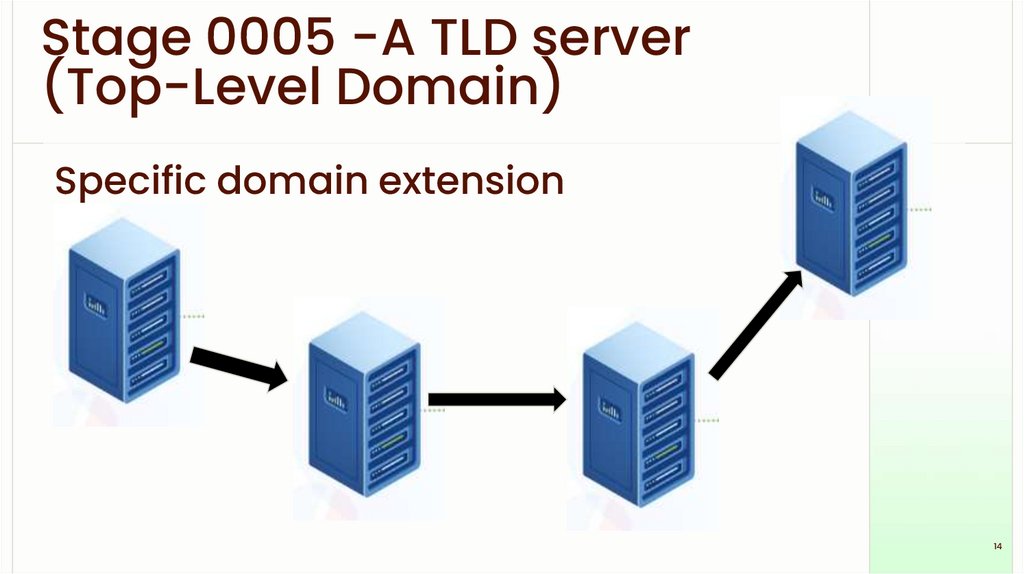
Stage 0005 -A TLD server(Top-Level Domain)
Specific domain extension
14
15.
DNS security problems:DNS spoofing/cache poisoning
- Attackers inject fake DNS records into a
resolver cache
- User is redirected to a fake or malicious
website
- Happens when DNS answers are not verified
- Leads to phishing, credential theft, malware
infections
15
16.
DNS security problems:DNS spoofing/cache poisoning
Cache poisoning is dangerous because users
think they are visiting a real website, but the DNS
sends them to an attacker’s IP address. All it
takes is one fake entry in the resolver.
16
17.
DNS security problems: DNS Hijacking- Attackers take control of DNS settings
- Can be done by malware, router attack, or ISP
interception
- Redirects all user traffic to unwanted locations
- Can block sites, spy on browsing, or show ads
17
18.
DNS security problems: DNS HijackingIn hijacking, the attacker doesn't poison the
cache, they completely change where your DNS
points. It’s like changing the phone book itself.
18
19.
DNS security problems:DDoS attacks on DNS servers
- Attackers flood DNS servers with massive
traffic
- Legitimate queries cannot be processed
- Causes slowdowns or complete outage of
websites
- Root servers and major DNS providers are
frequent targets
19
20.
DNS security problems:DDoS attacks on DNS servers
A DNS server under DDoS attack becomes
unavailable. Even though the website is fine,
users cannot reach it because DNS resolution is
blocked.
20
21.
Self-test questions1. What is the main purpose of DNS root servers?
2. Why does a stub resolver check its cache first?
3. What is the difference between DNS cache
poisoning and DNS hijacking?
4. What role do TLD servers play in the DNS lookup
process?
5. How can a DDoS attack affect DNS even if a
website is working normally?
21