 informatics
Similar presentations:







Data manipulation Language foundation, basic SQL overview, principles of data manipulation
1. Data manipulation Language foundation, basic SQL overview, principles of data manipulation
2. This Lecture
• SQL SELECT• WHERE Clauses
• SELECT from multiple tables
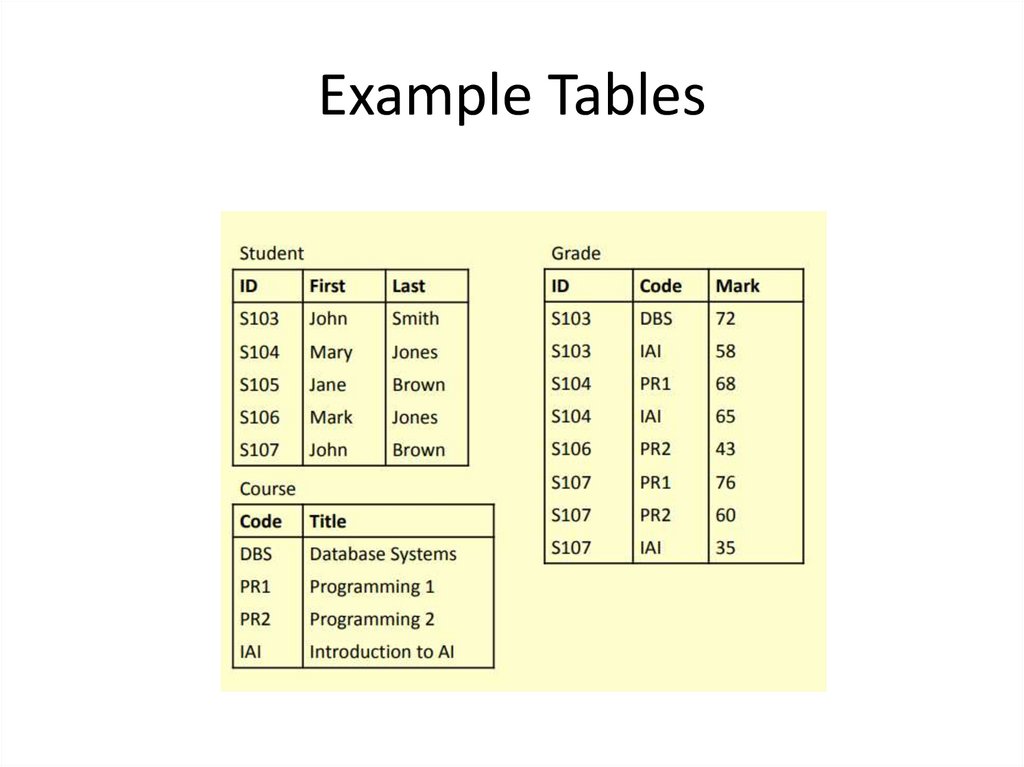
3. Example Tables
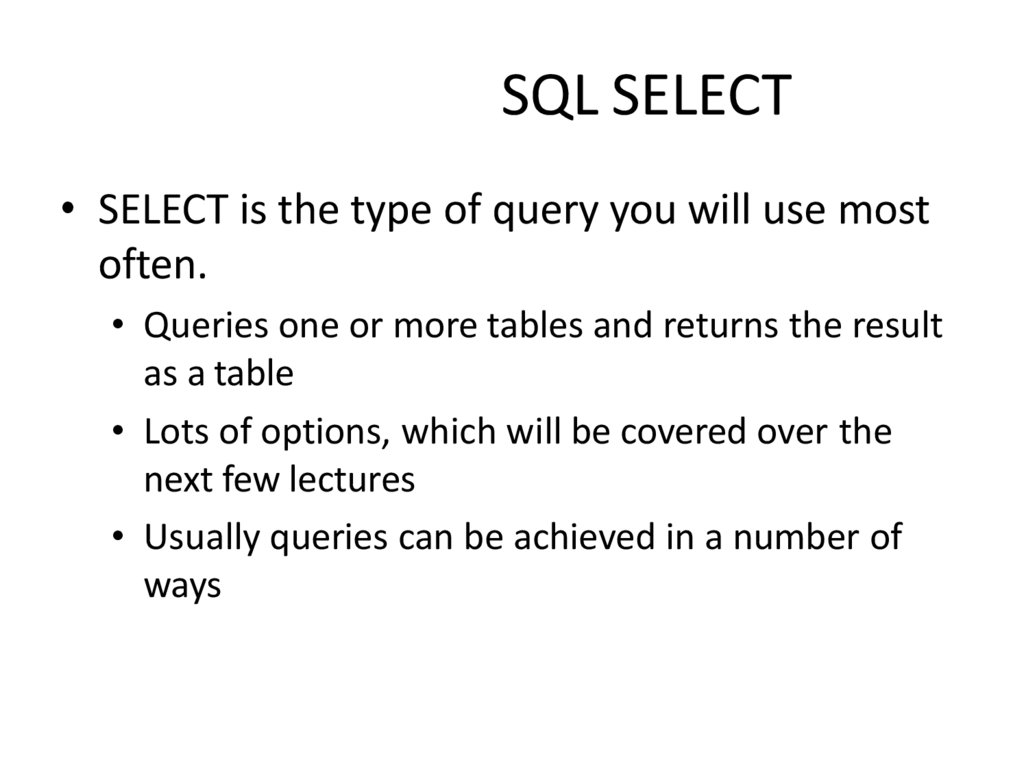
4. SQL SELECT
• SELECT is the type of query you will use mostoften.
• Queries one or more tables and returns the result
as a table
• Lots of options, which will be covered over the
next few lectures
• Usually queries can be achieved in a number of
ways
5. Simple SELECT
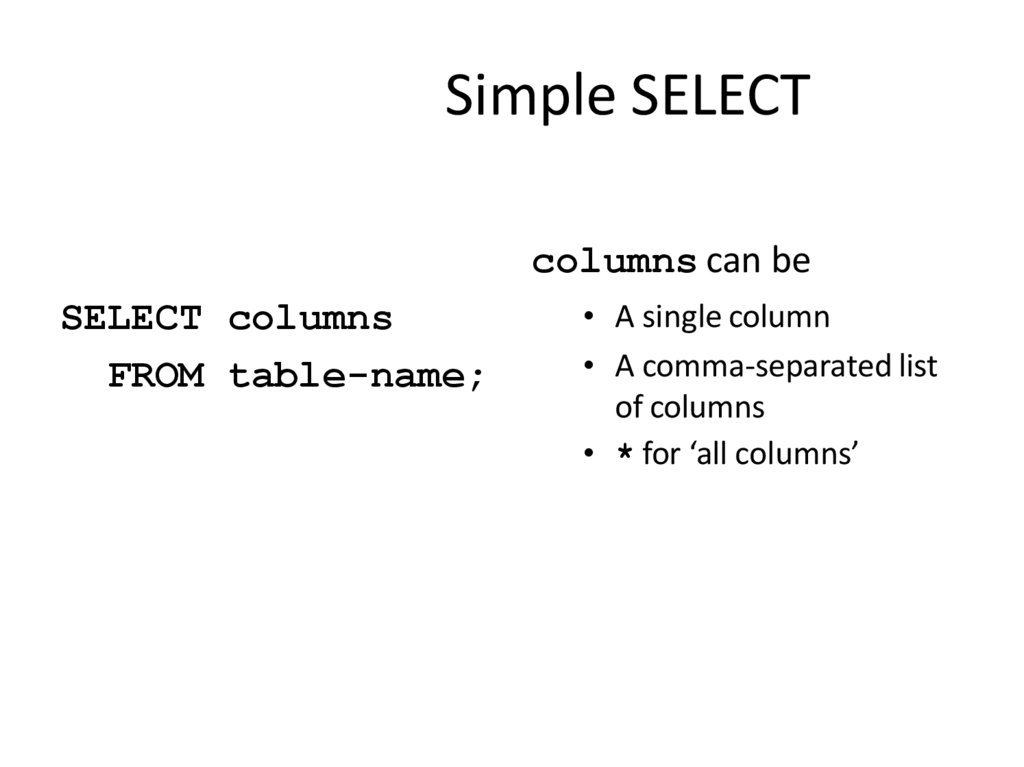
columns can beSELECT columns
FROM table-name;
• A single column
• A comma-separated list
of columns
• * for ‘all columns’
6. Sample SELECTs
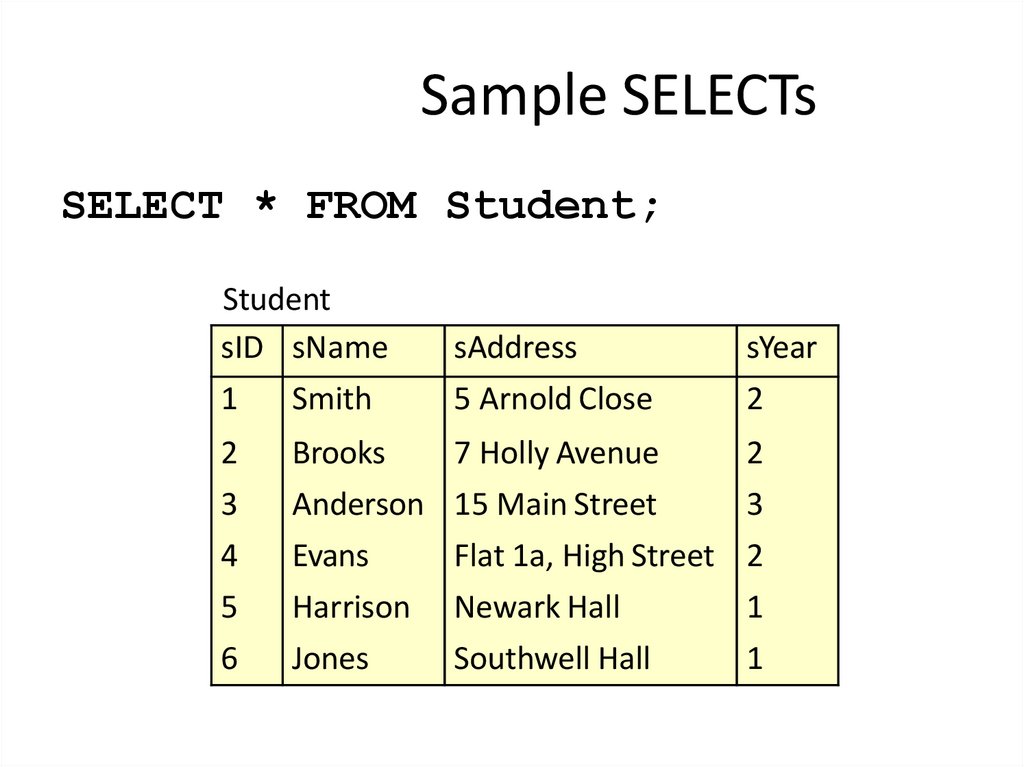
SELECT * FROM Student;Student
sID sName
1
Smith
sAddress
5 Arnold Close
sYear
2
2
3
Brooks
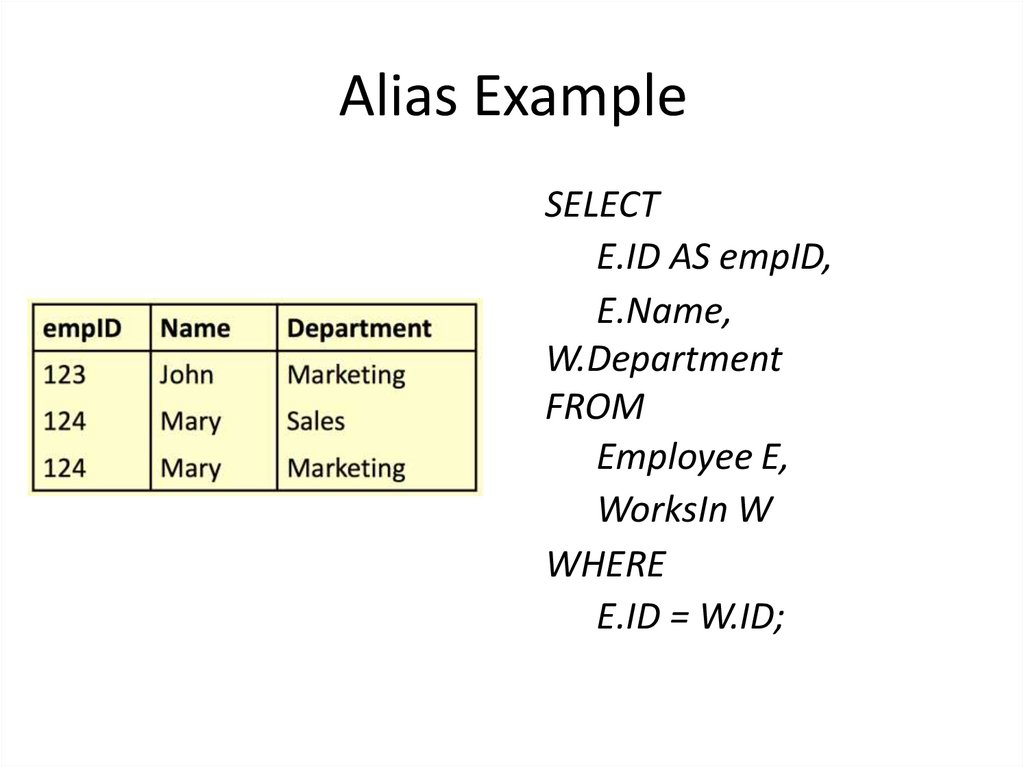
7 Holly Avenue
Anderson 15 Main Street
2
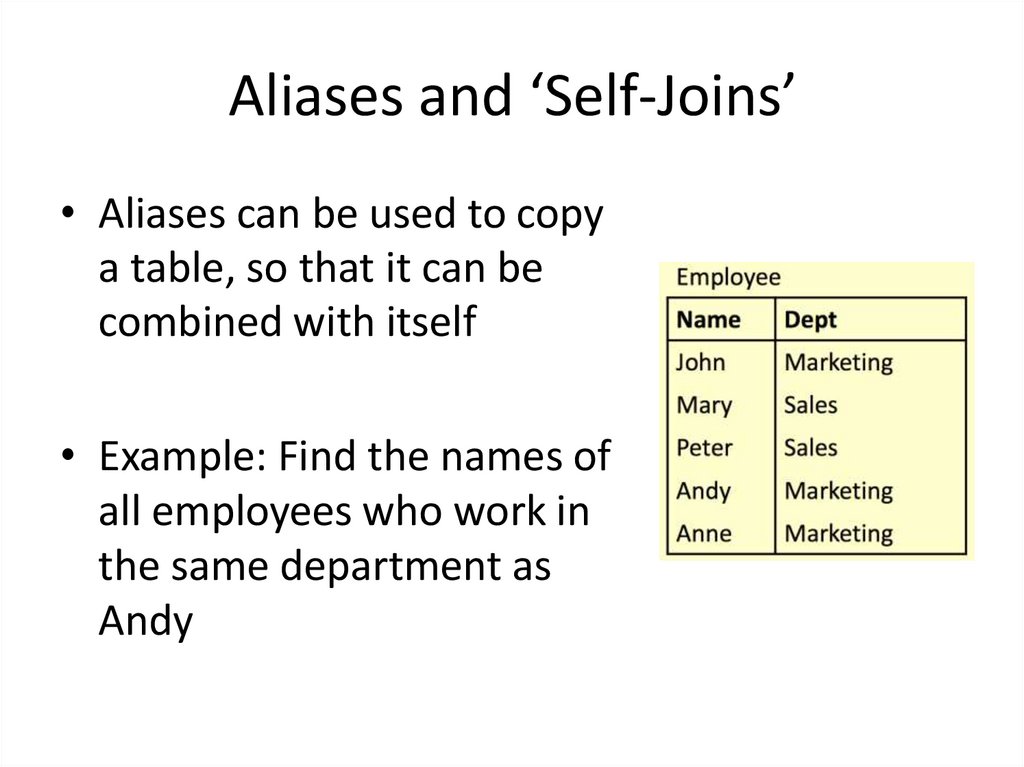
3
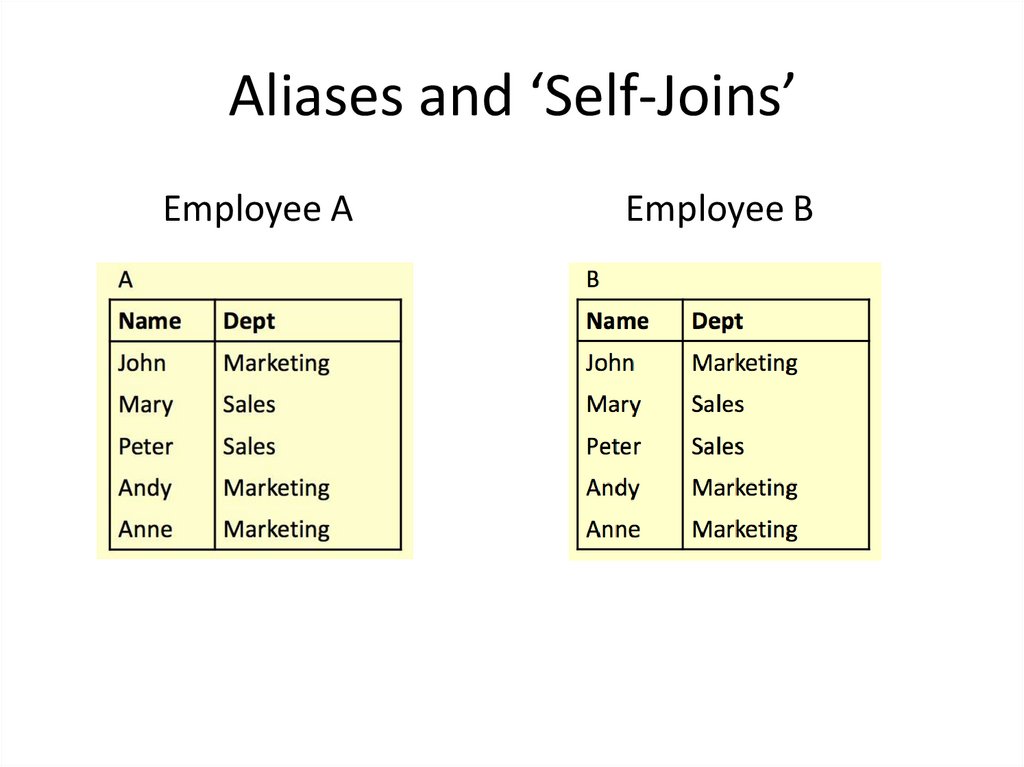
4
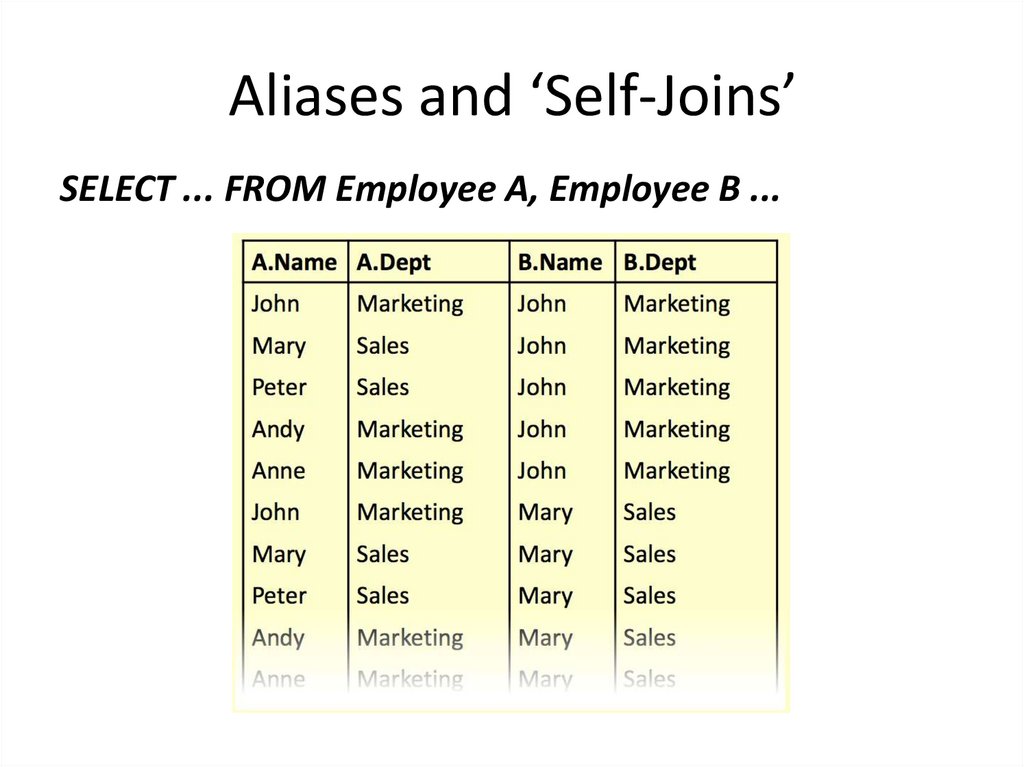
5
Evans
Harrison
Flat 1a, High Street 2
Newark Hall
1
6
Jones
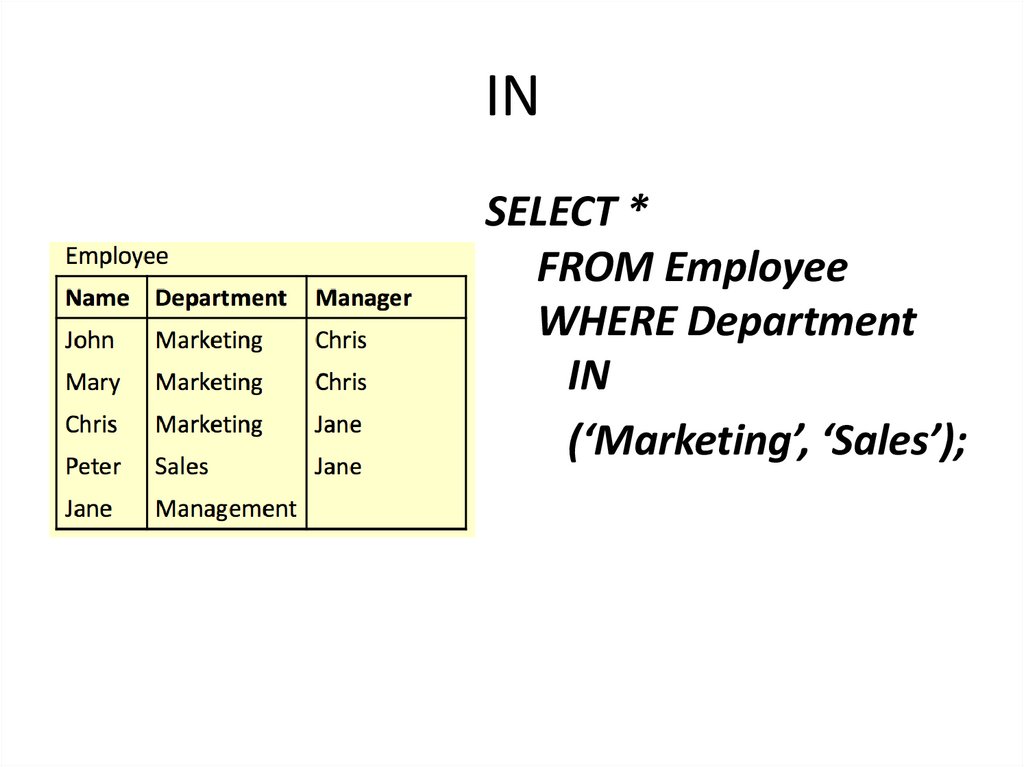
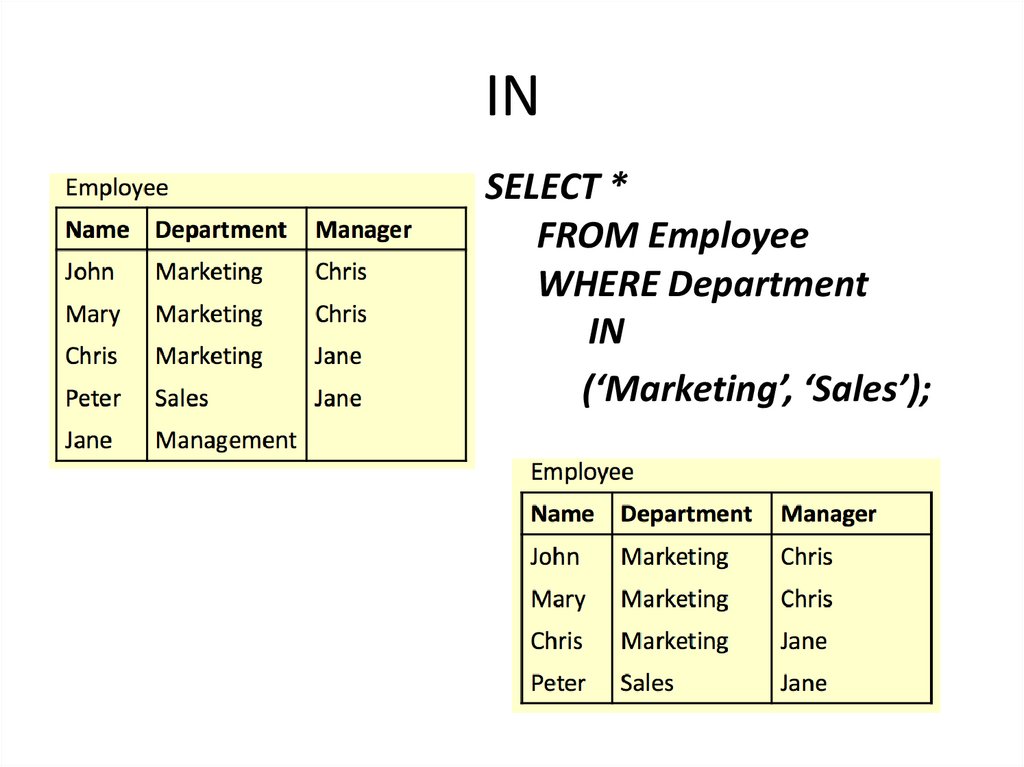
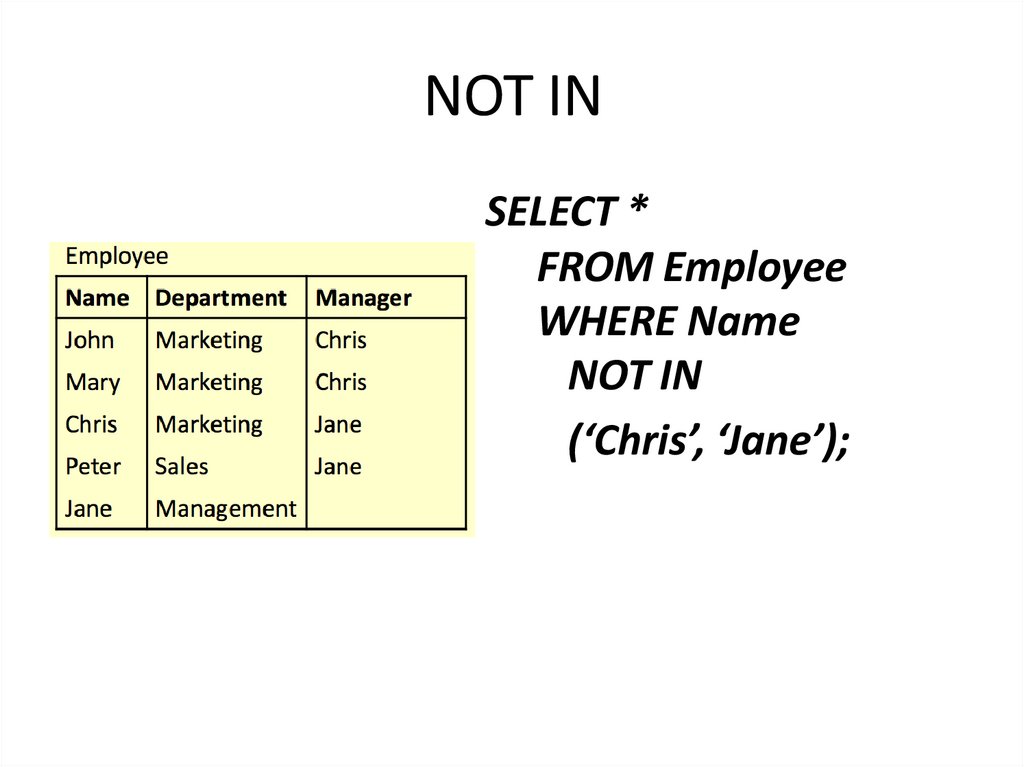
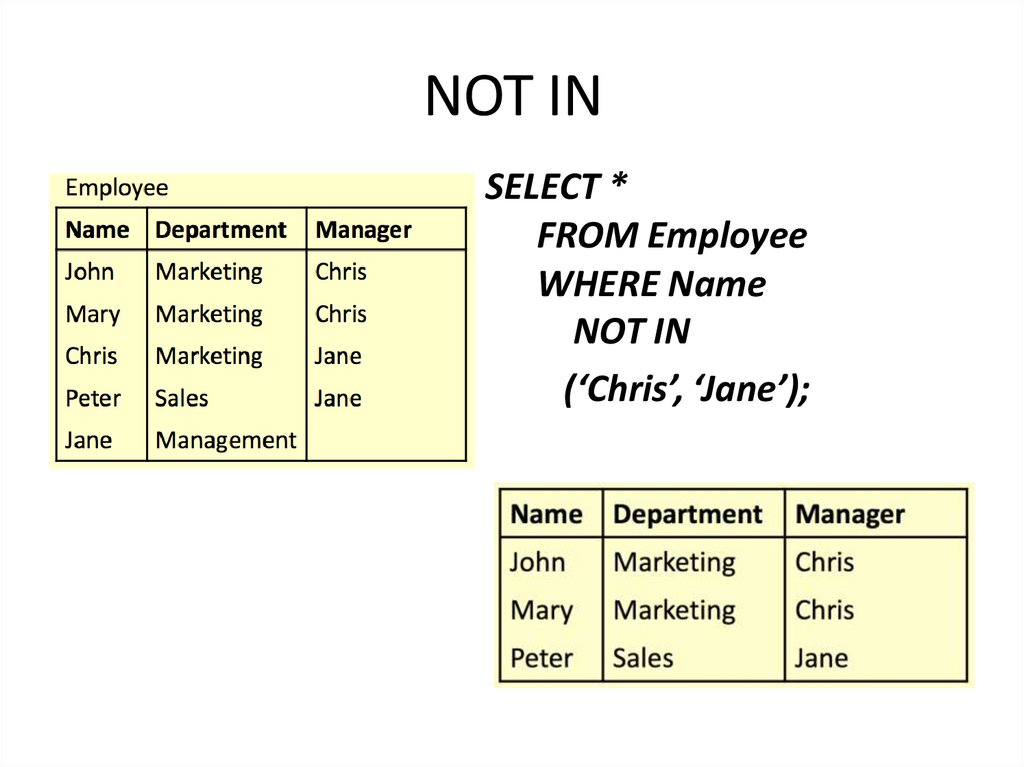
Southwell Hall
1
7. Sample SELECTs
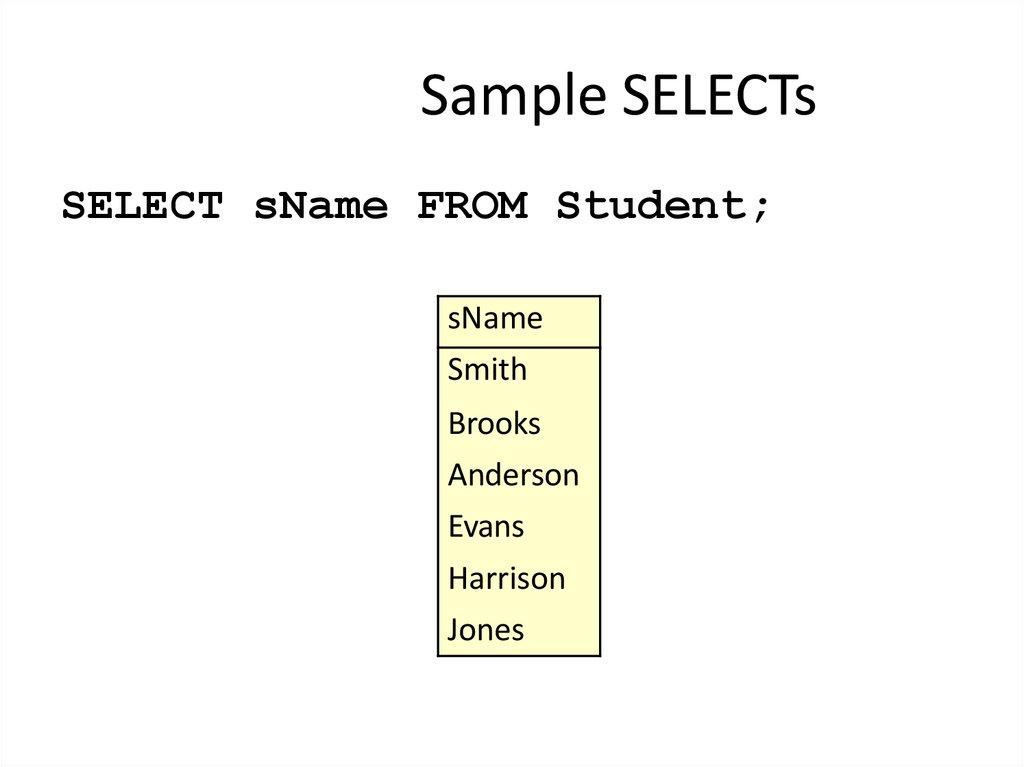
SELECT sName FROM Student;8. Sample SELECTs
SELECT sName FROM Student;sName
Smith
Brooks
Anderson
Evans
Harrison
Jones
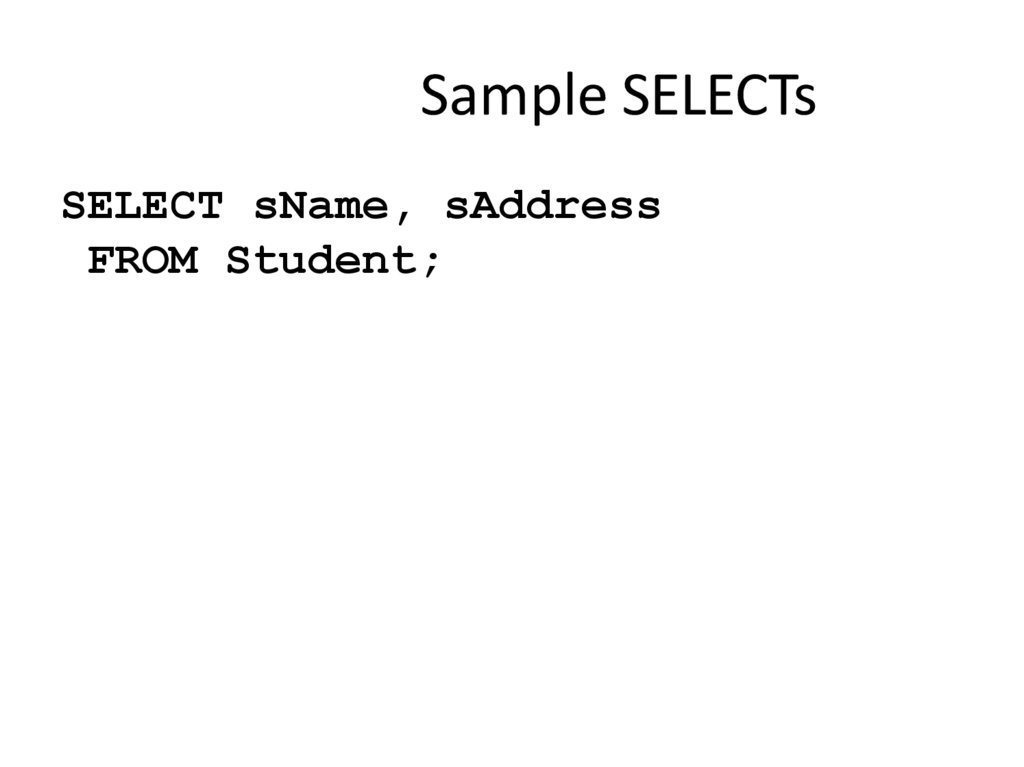
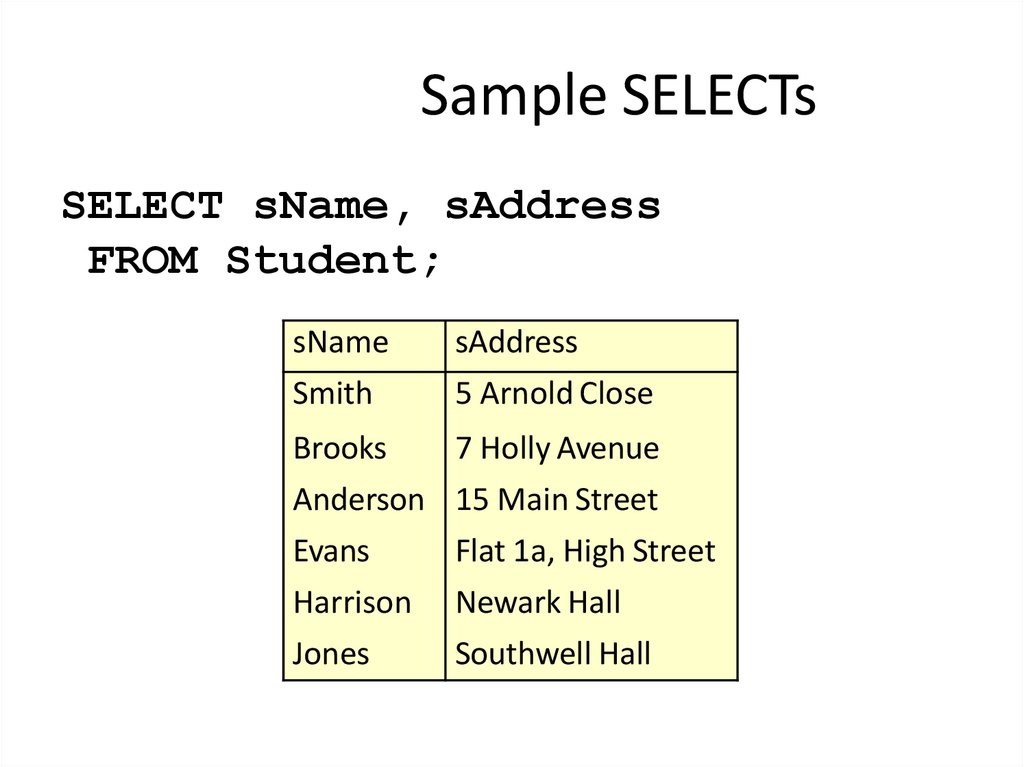
9. Sample SELECTs
SELECT sName, sAddressFROM Student;
10. Sample SELECTs
SELECT sName, sAddressFROM Student;
sName
Smith
sAddress
5 Arnold Close
Brooks
7 Holly Avenue
Anderson 15 Main Street
Evans
Flat 1a, High Street
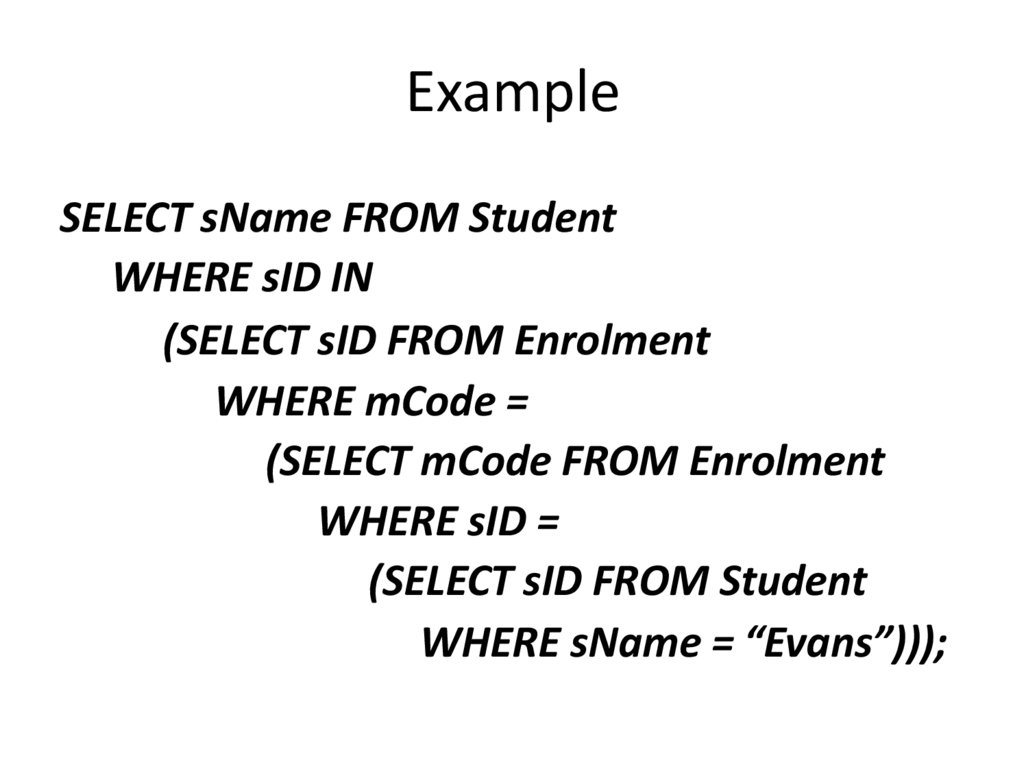
Harrison
Jones
Newark Hall
Southwell Hall
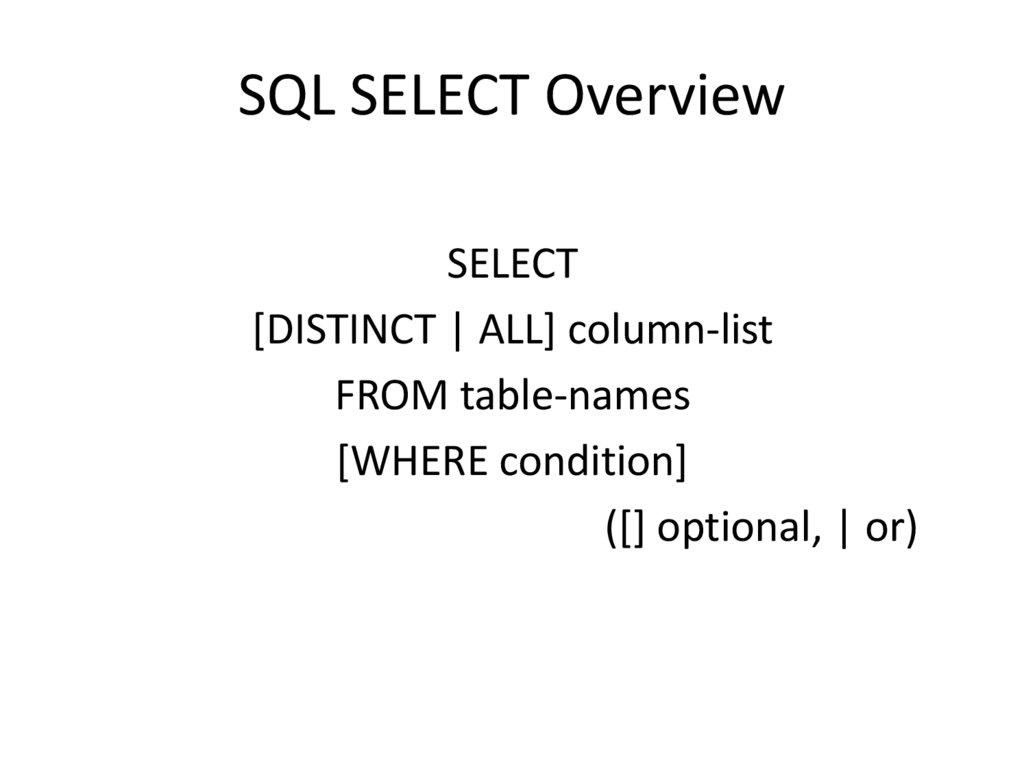
11. SQL SELECT Overview
SELECT[DISTINCT | ALL] column-list
FROM table-names
[WHERE condition]
([] optional, | or)
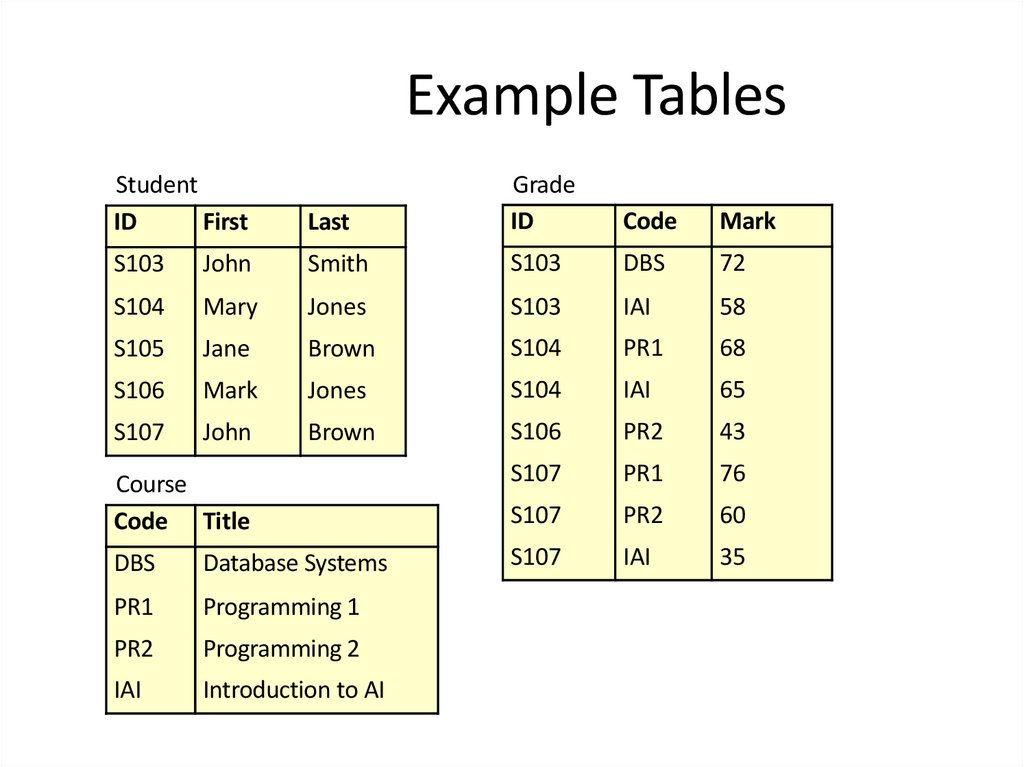
12. Example Tables
StudentID
First
Last
Grade
ID
Code
Mark
S103
John
Smith
S103
DBS
72
S104
Mary
Jones
S103
IAI
58
S105
Jane
Brown
S104
PR1
68
S106
Mark
Jones
S104
IAI
65
S107
John
Brown
S106
PR2
43
Course
Code Title
S107
PR1
76
S107
PR2
60
DBS
Database Systems
S107
IAI
35
PR1
Programming 1
PR2
Programming 2
IAI
Introduction to AI
13. DISTINCT
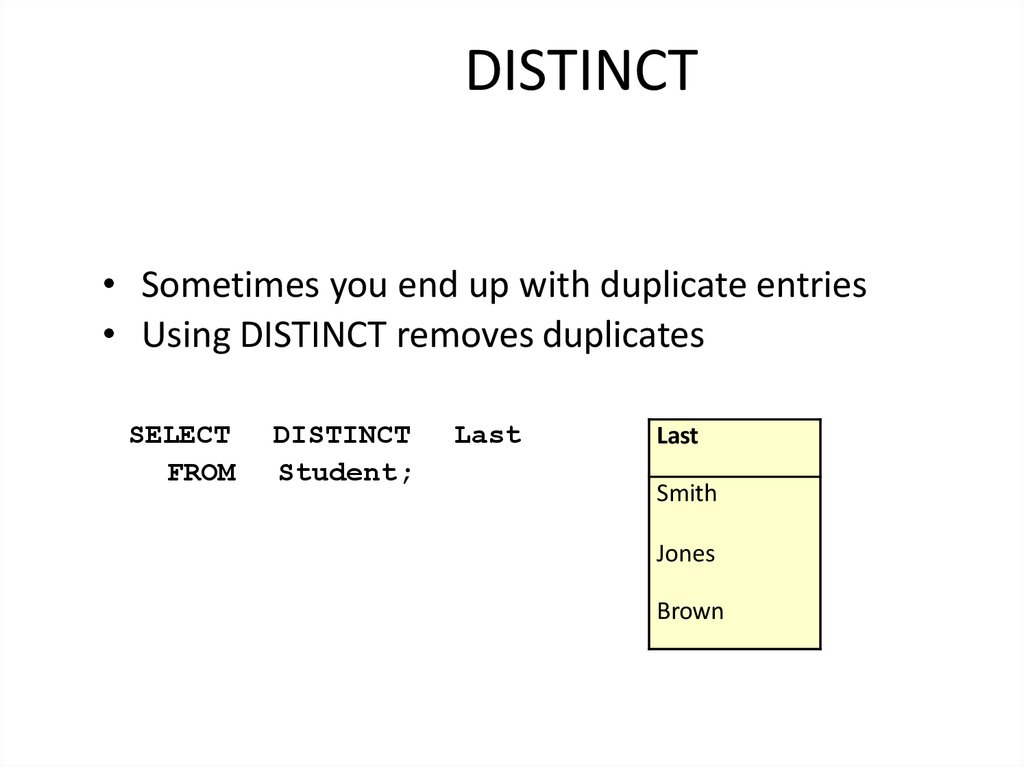
• Sometimes you end up with duplicate entries• Using DISTINCT removes duplicates
SELECT
FROM
DISTINCT
Student;
Last
Last
Smith
Jones
Brown
14. WHERE Clauses
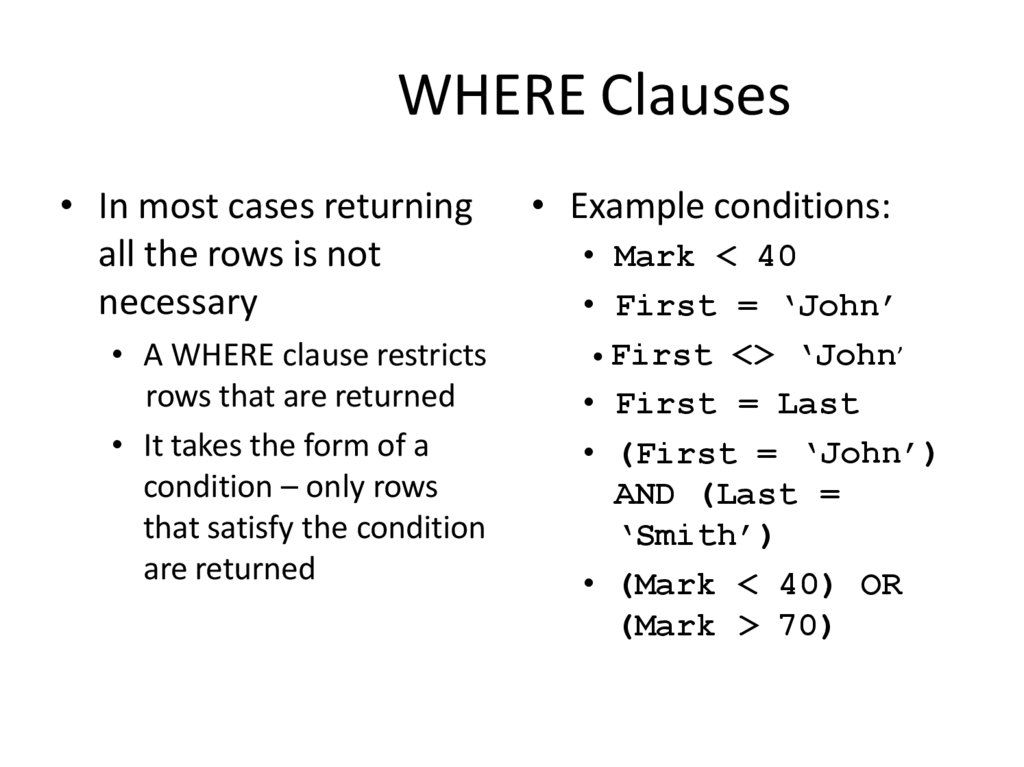
• In most cases returningall the rows is not
necessary
• A WHERE clause restricts
rows that are returned
• It takes the form of a
condition – only rows
that satisfy the condition
are returned
• Example conditions:
• Mark < 40
• First = ‘John’
• First <> ‘John’
• First = Last
• (First = ‘John’)
AND (Last =
‘Smith’)
• (Mark < 40) OR
(Mark > 70)
15. WHERE Examples
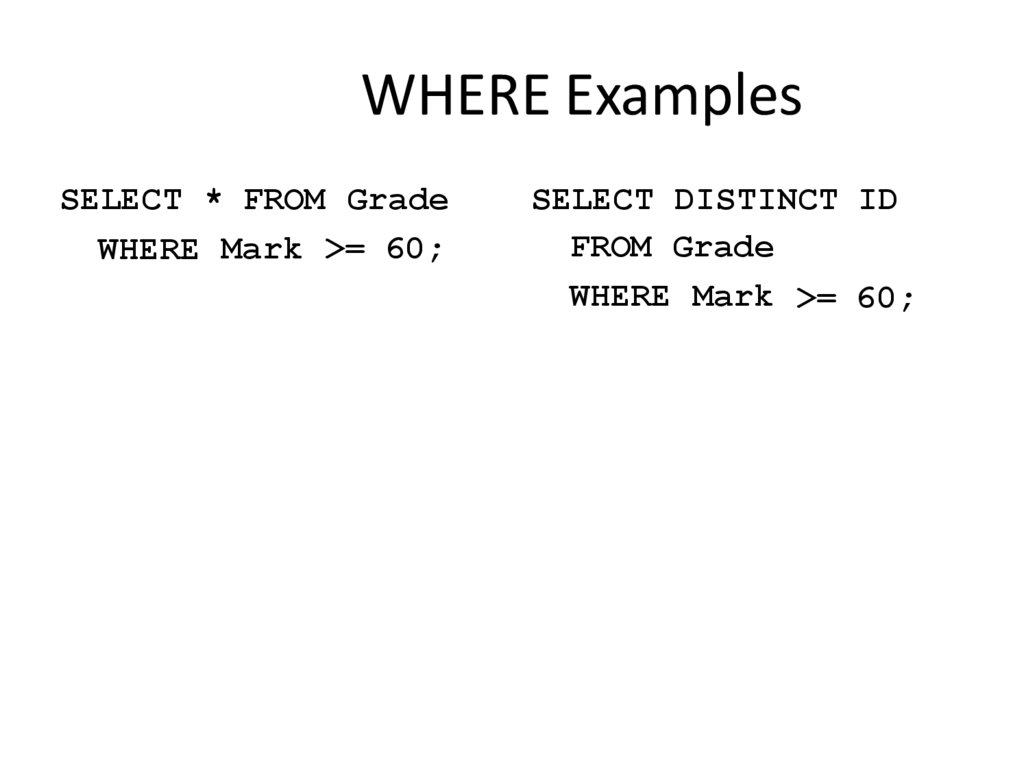
SELECT * FROM GradeWHERE Mark >= 60;
SELECT DISTINCT ID
FROM Grade
WHERE Mark >= 60;
16. WHERE Examples
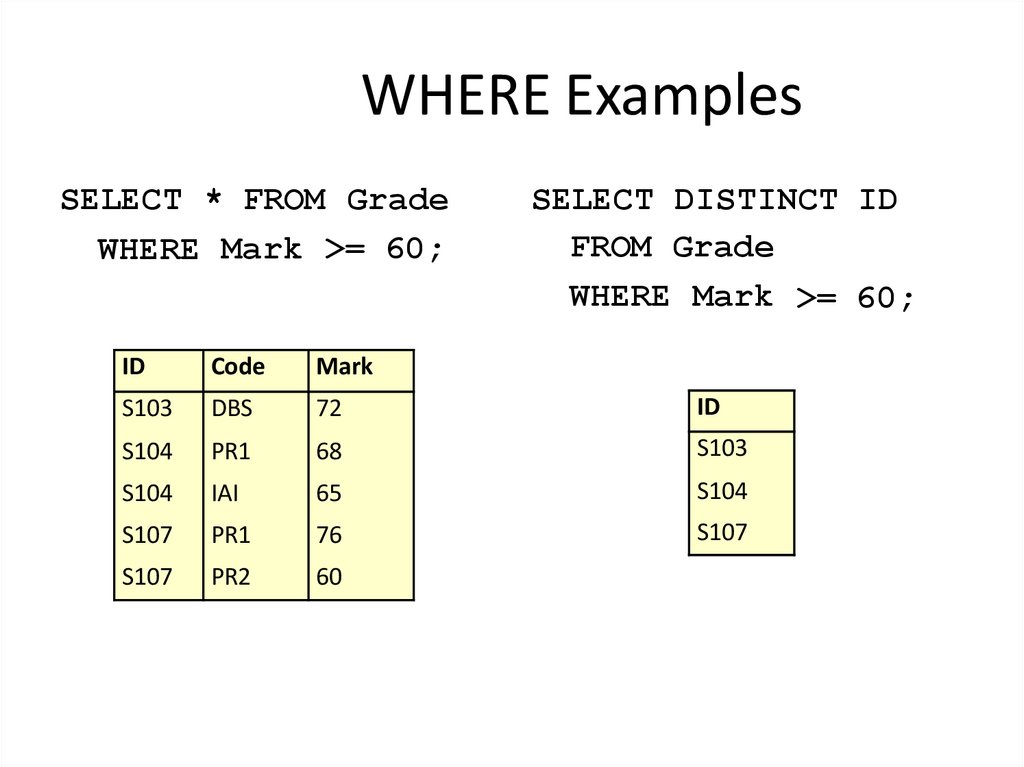
SELECT * FROM GradeWHERE Mark >= 60;
SELECT DISTINCT ID
FROM Grade
WHERE Mark >= 60;
ID
Code
Mark
S103
DBS
72
ID
S104
PR1
68
S103
S104
IAI
65
S104
S107
PR1
76
S107
S107
PR2
60
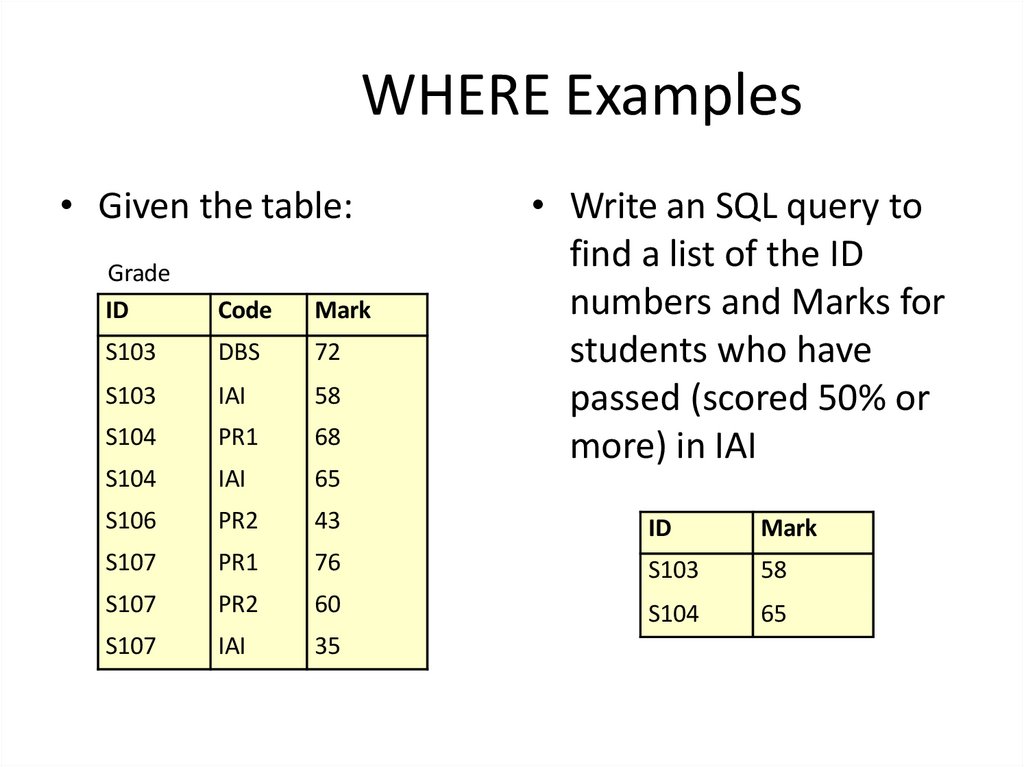
17. WHERE Examples
• Given the table:• Write an SQL query to
find a list of the ID
numbers and Marks for
students who have
passed (scored 50% or
more) in IAI
Grade
ID
Code
Mark
S103
DBS
72
S103
IAI
58
S104
PR1
68
S104
IAI
65
S106
PR2
43
ID
Mark
S107
PR1
76
S103
58
S107
PR2
60
S104
65
S107
IAI
35
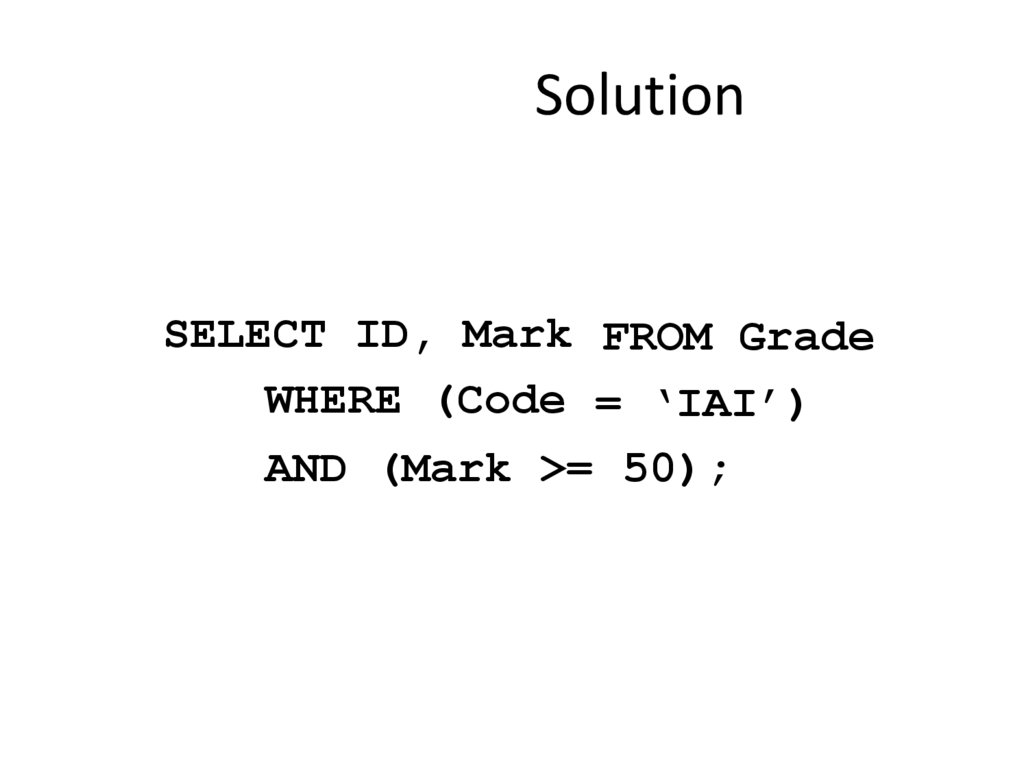
18. Solution
SELECT ID, Mark FROM GradeWHERE (Code = ‘IAI’)
AND (Mark >= 50);
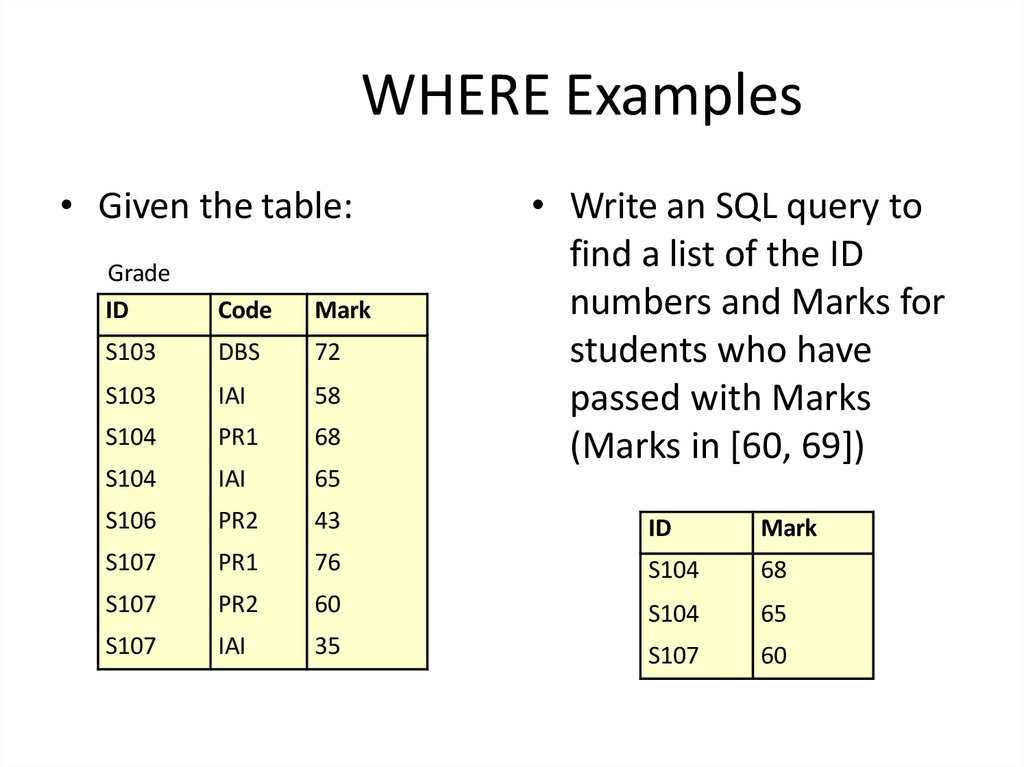
19. WHERE Examples
• Given the table:• Write an SQL query to
find a list of the ID
numbers and Marks for
students who have
passed with Marks
(Marks in [60, 69])
Grade
ID
Code
Mark
S103
DBS
72
S103
IAI
58
S104
PR1
68
S104
IAI
65
S106
PR2
43
ID
Mark
S107
PR1
76
S104
68
S107
PR2
60
S104
65
S107
IAI
35
S107
60
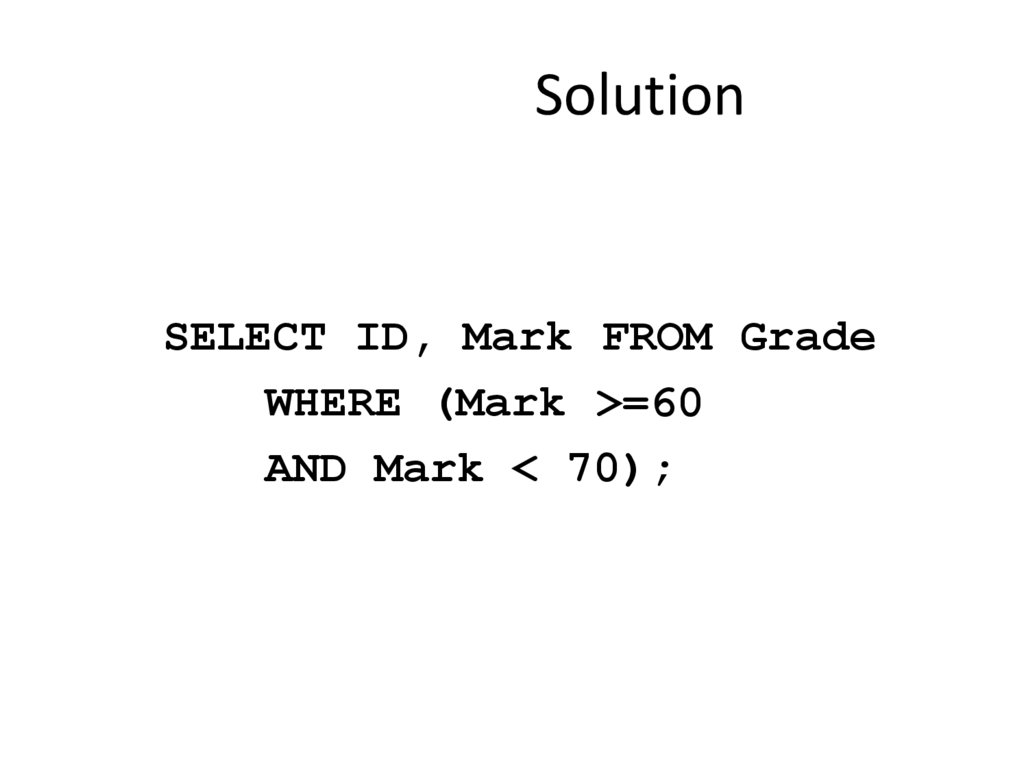
20. Solution
SELECT ID, Mark FROM GradeWHERE (Mark >=60
AND Mark < 70);
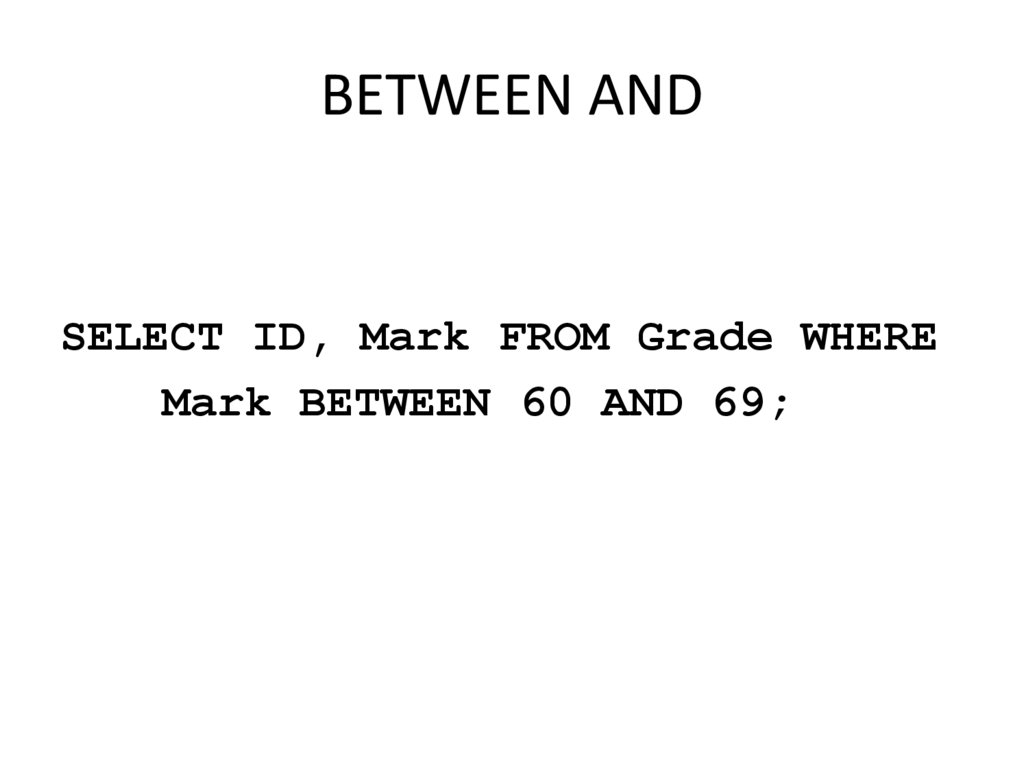
21. BETWEEN AND
SELECT ID, Mark FROM Grade WHEREMark BETWEEN 60 AND 69;
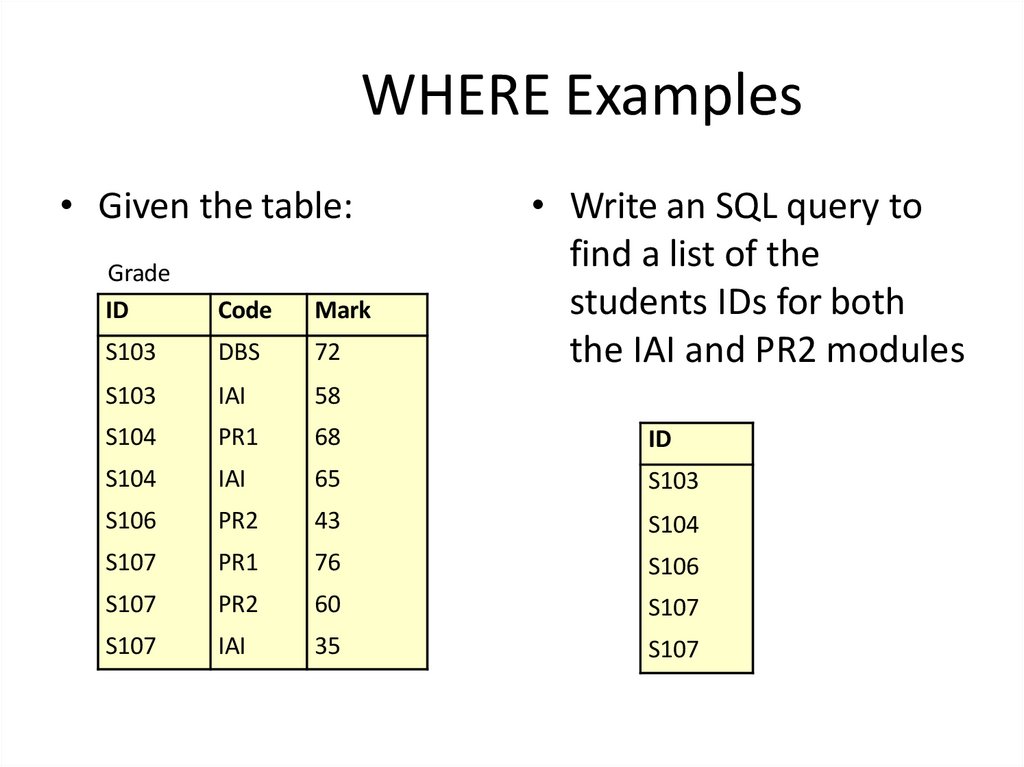
22. WHERE Examples
• Given the table:• Write an SQL query to
find a list of the
students IDs for both
the IAI and PR2 modules
Grade
ID
Code
Mark
S103
DBS
72
S103
IAI
58
S104
PR1
68
ID
S104
IAI
65
S103
S106
PR2
43
S104
S107
PR1
76
S106
S107
PR2
60
S107
S107
IAI
35
S107
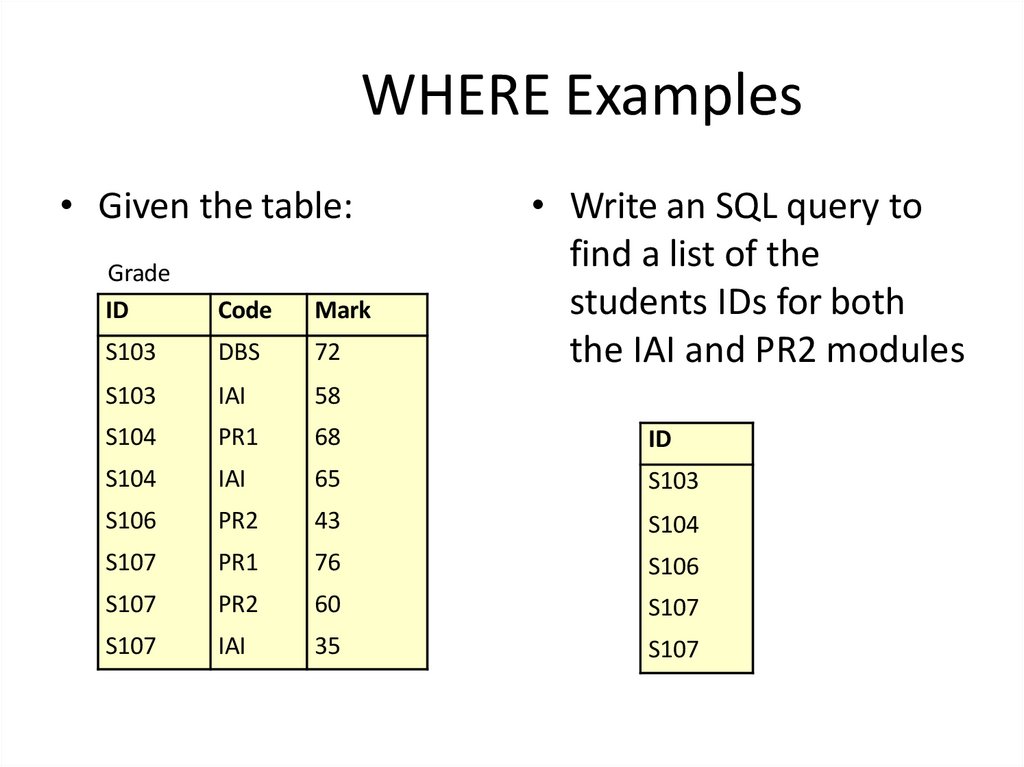
23. WHERE Examples
• Given the table:• Write an SQL query to
find a list of the
students IDs for both
the IAI and PR2 modules
Grade
ID
Code
Mark
S103
DBS
72
S103
IAI
58
S104
PR1
68
ID
S104
IAI
65
S103
S106
PR2
43
S104
S107
PR1
76
S106
S107
PR2
60
S107
S107
IAI
35
S107
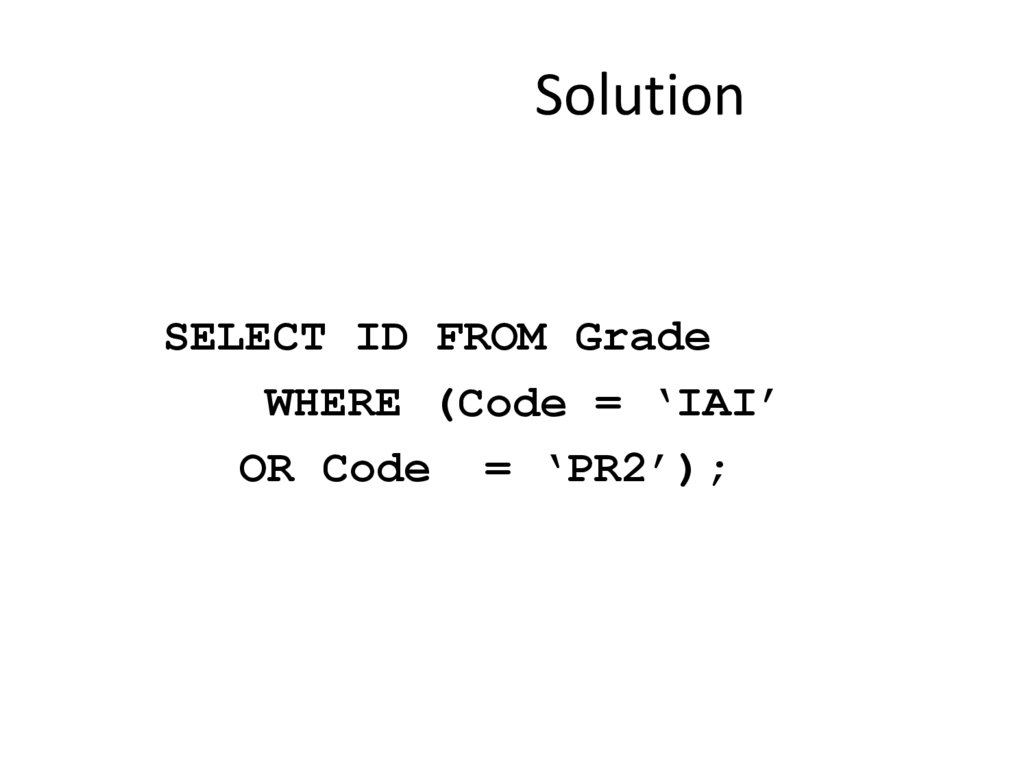
24. Solution
SELECT ID FROM GradeWHERE (Code = ‘IAI’
OR Code = ‘PR2’);
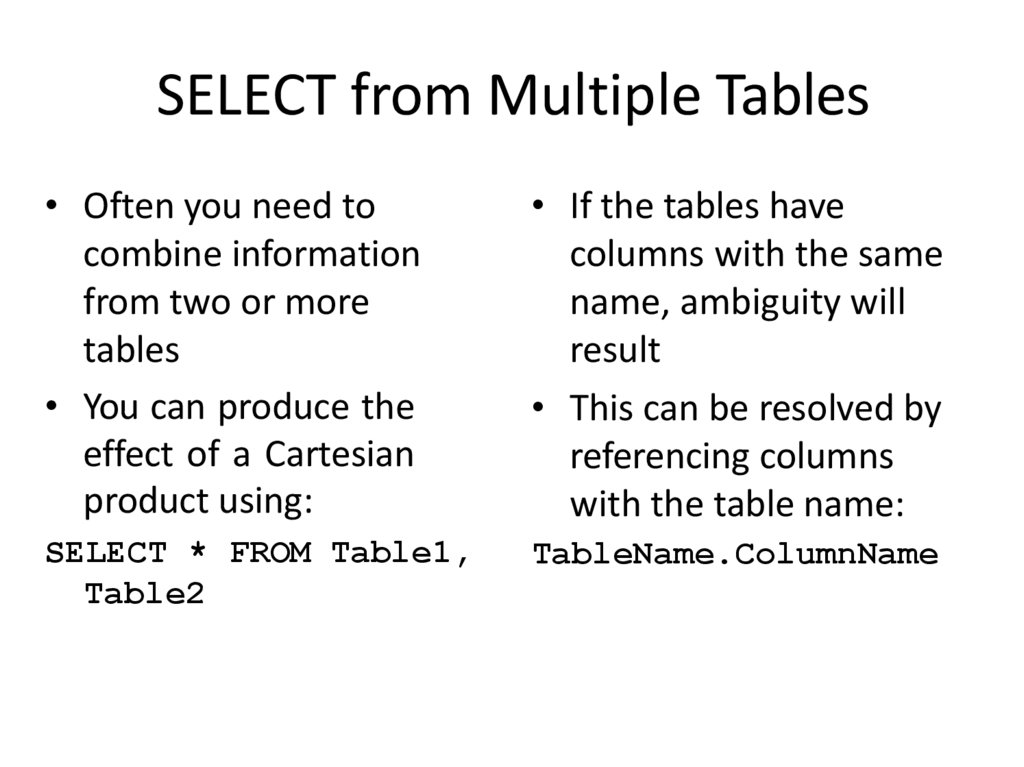
25. SELECT from Multiple Tables
• Often you need tocombine information
from two or more
tables
• You can produce the
effect of a Cartesian
product using:
• If the tables have
columns with the same
name, ambiguity will
result
• This can be resolved by
referencing columns
with the table name:
SELECT * FROM Table1,
Table2
TableName.ColumnName
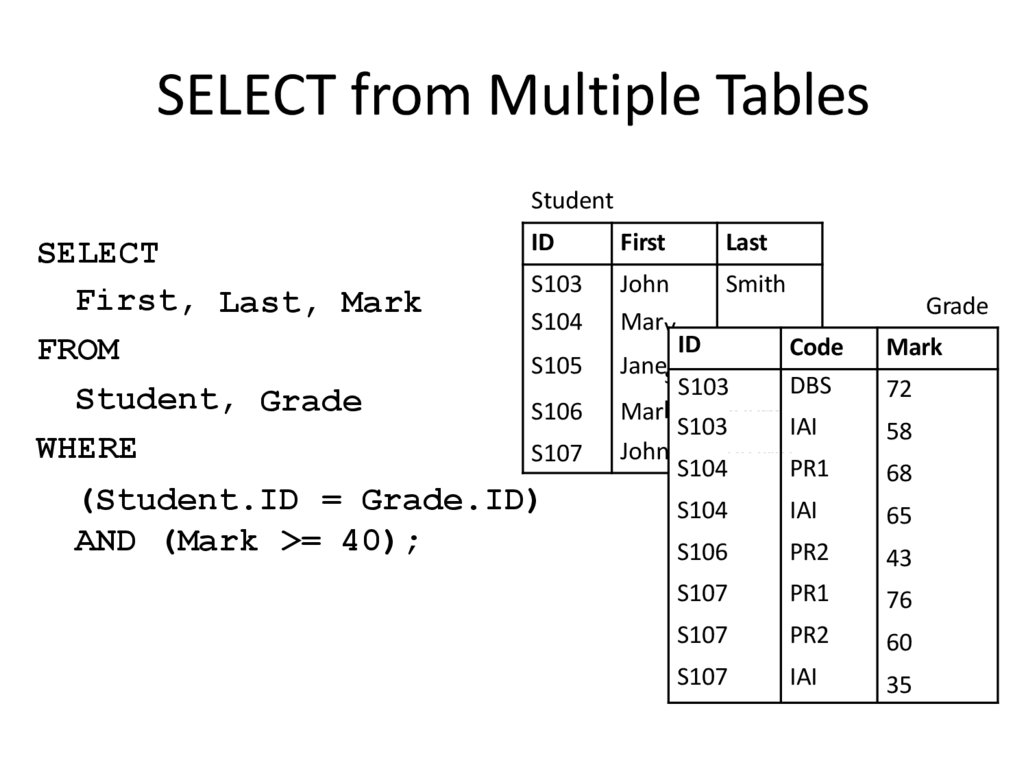
26. SELECT from Multiple Tables
StudentSELECT
First, Last, Mark
FROM
Student, Grade
WHERE
ID
First
Last
S103
S104
John
Mary
Smith
S105
S106
S107
(Student.ID = Grade.ID)
AND (Mark >= 40);
Grade
ID Jone Code
Janes
Brown
DBS
S103
Jones
Mark
IAI
S103
John
Brown
PR1
S104
Mark
72
58
68
S104
IAI
65
S106
PR2
43
S107
PR1
76
S107
PR2
60
S107
IAI
35
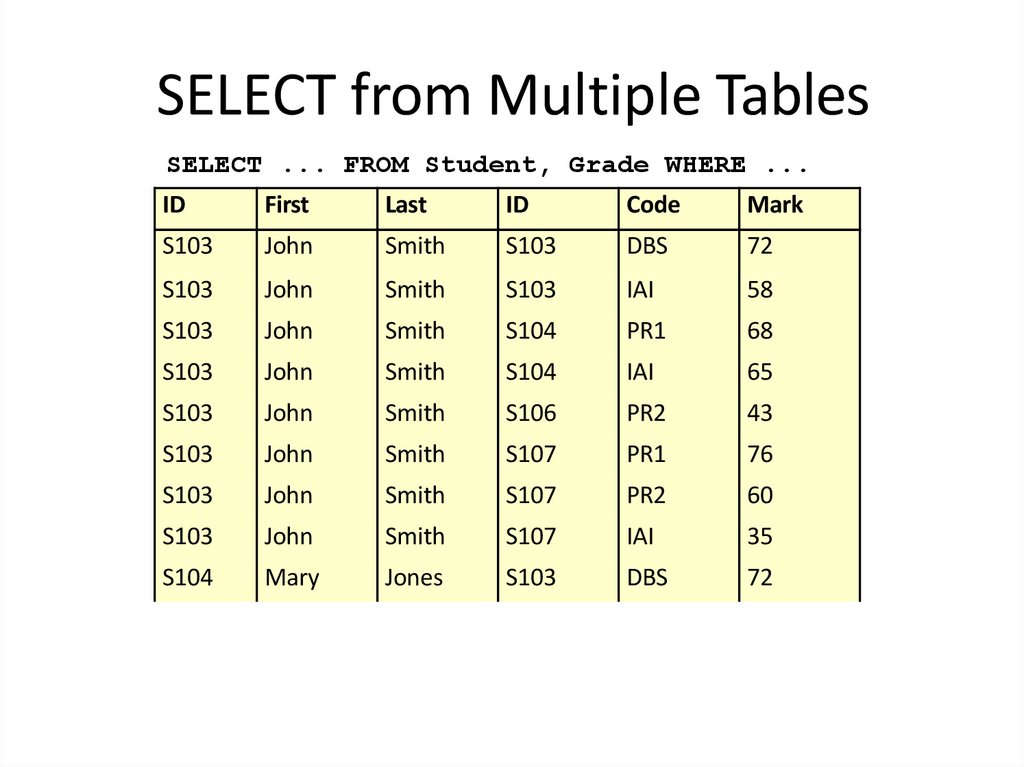
27. SELECT from Multiple Tables
SELECT ... FROM Student, Grade WHERE ...ID
First
Last
ID
Code
Mark
S103
John
Smith
S103
DBS
72
S103
John
Smith
S103
IAI
58
S103
John
Smith
S104
PR1
68
S103
John
Smith
S104
IAI
65
S103
John
Smith
S106
PR2
43
S103
John
Smith
S107
PR1
76
S103
John
Smith
S107
PR2
60
S103
John
Smith
S107
IAI
35
S104
Mary
Jones
S103
DBS
72
S104
Mary
Jones
S103
IAI
58
S104
Mary
Jones
S104
PR1
68
S104
Mary
Jones
S104
IAI
65
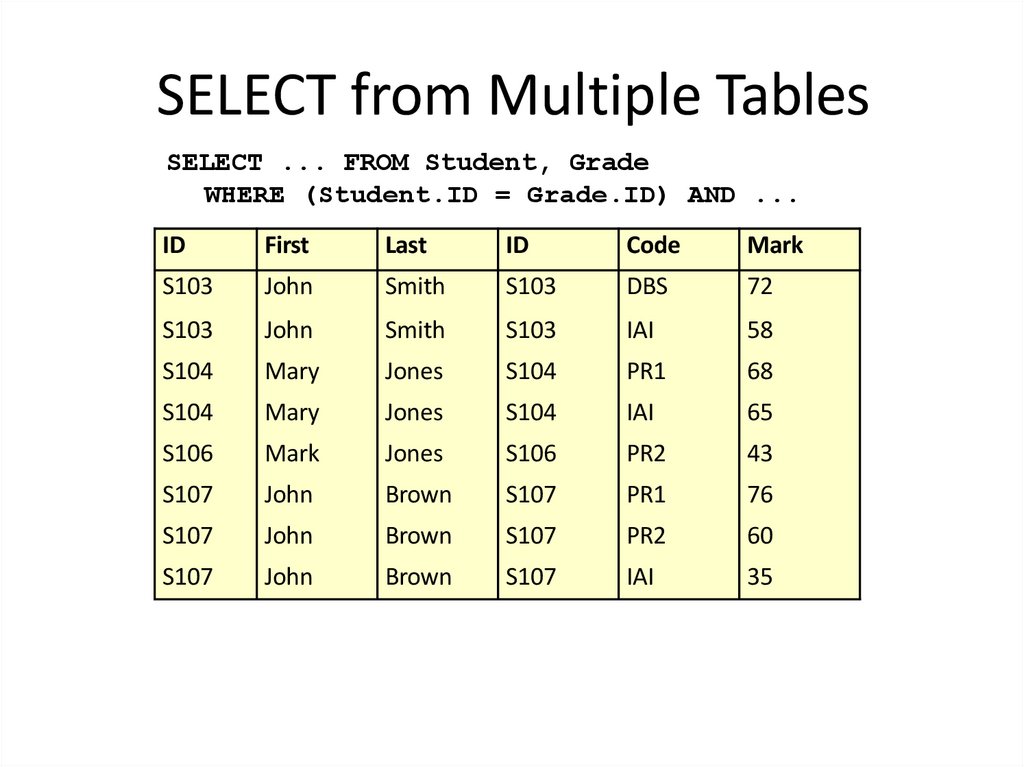
28. SELECT from Multiple Tables
SELECT ... FROM Student, GradeWHERE (Student.ID = Grade.ID) AND ...
ID
First
Last
ID
Code
Mark
S103
John
Smith
S103
DBS
72
S103
John
Smith
S103
IAI
58
S104
Mary
Jones
S104
PR1
68
S104
Mary
Jones
S104
IAI
65
S106
Mark
Jones
S106
PR2
43
S107
John
Brown
S107
PR1
76
S107
John
Brown
S107
PR2
60
S107
John
Brown
S107
IAI
35
29. SELECT from Multiple Tables
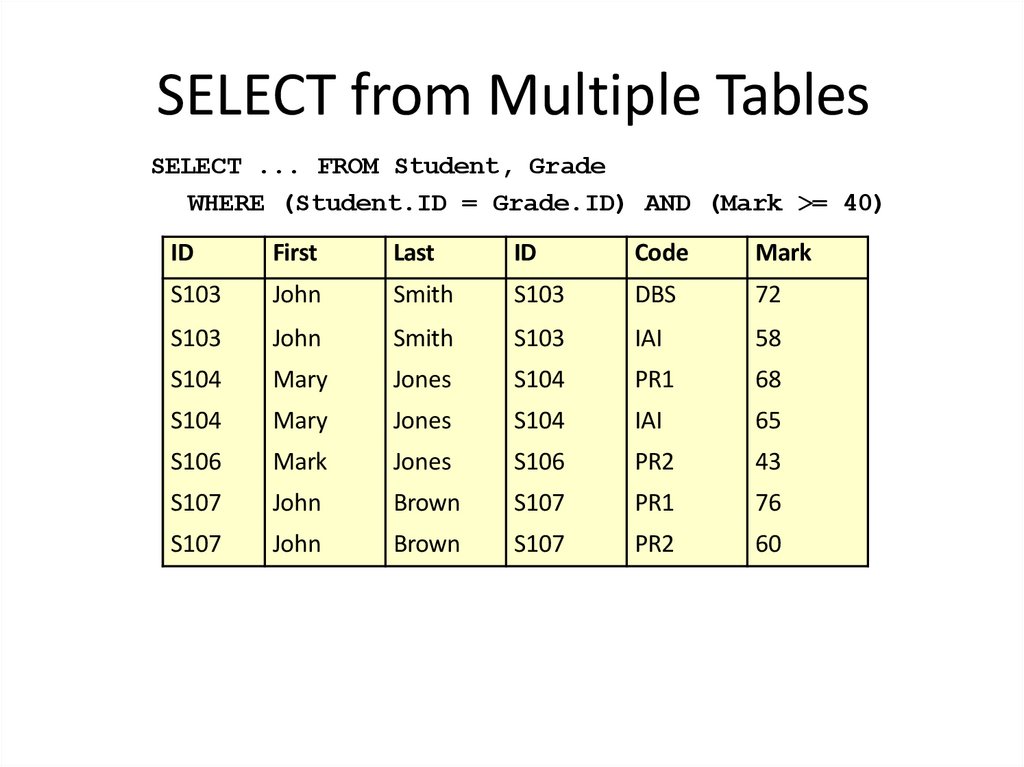
SELECT ... FROM Student, GradeWHERE (Student.ID = Grade.ID) AND (Mark >= 40)
ID
First
Last
ID
Code
Mark
S103
John
Smith
S103
DBS
72
S103
John
Smith
S103
IAI
58
S104
Mary
Jones
S104
PR1
68
S104
Mary
Jones
S104
IAI
65
S106
Mark
Jones
S106
PR2
43
S107
John
Brown
S107
PR1
76
S107
John
Brown
S107
PR2
60
30. SELECT from Multiple Tables
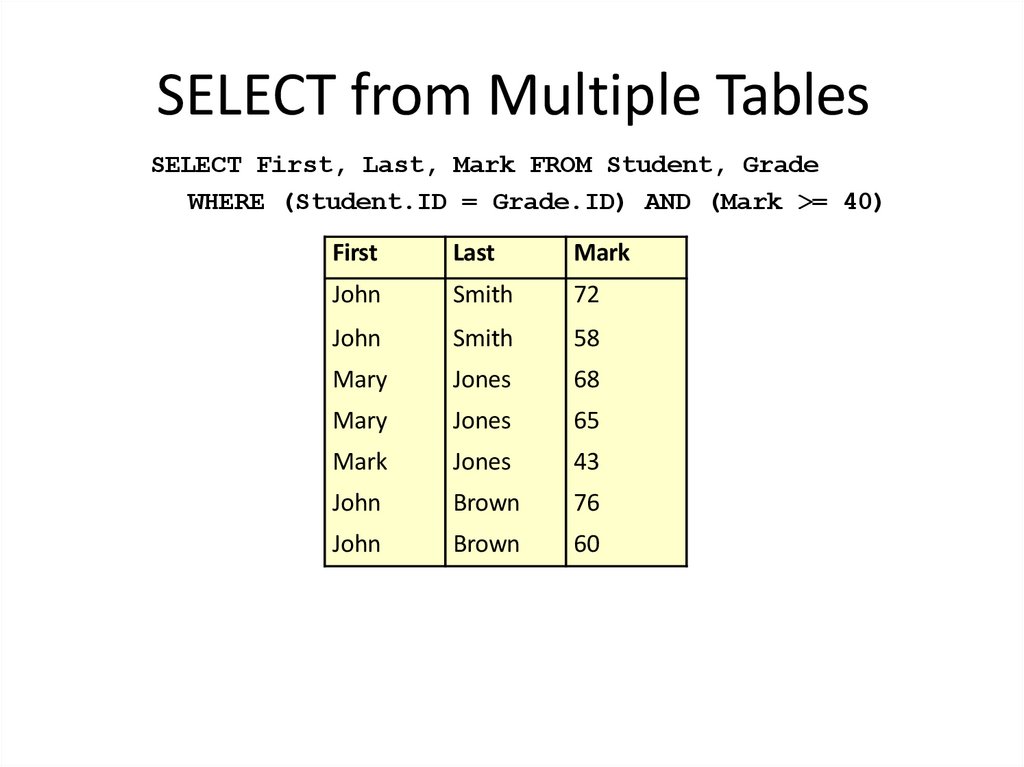
SELECT First, Last, Mark FROM Student, GradeWHERE (Student.ID = Grade.ID) AND (Mark >= 40)
First
Last
Mark
John
Smith
72
John
Smith
58
Mary
Jones
68
Mary
Jones
65
Mark
Jones
43
John
Brown
76
John
Brown
60
31. SELECT from Multiple Tables
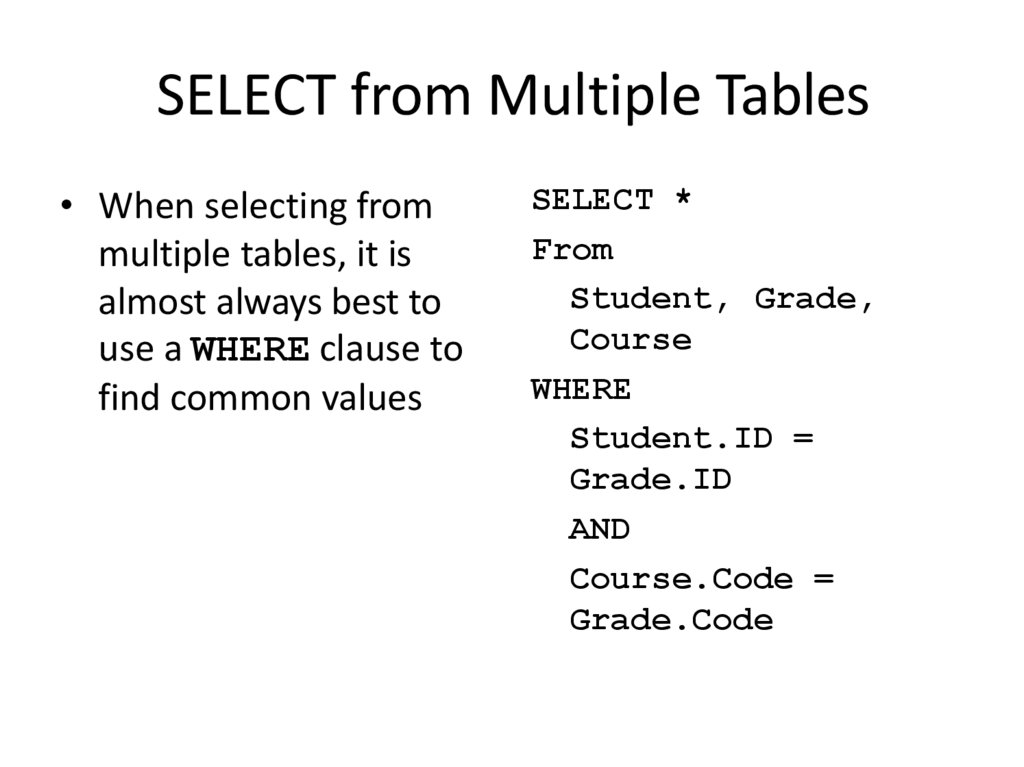
• When selecting frommultiple tables, it is
almost always best to
use a WHERE clause to
find common values
SELECT *
From
Student, Grade,
Course
WHERE
Student.ID =
Grade.ID
AND
Course.Code =
Grade.Code
32. SELECT from Multiple Tables
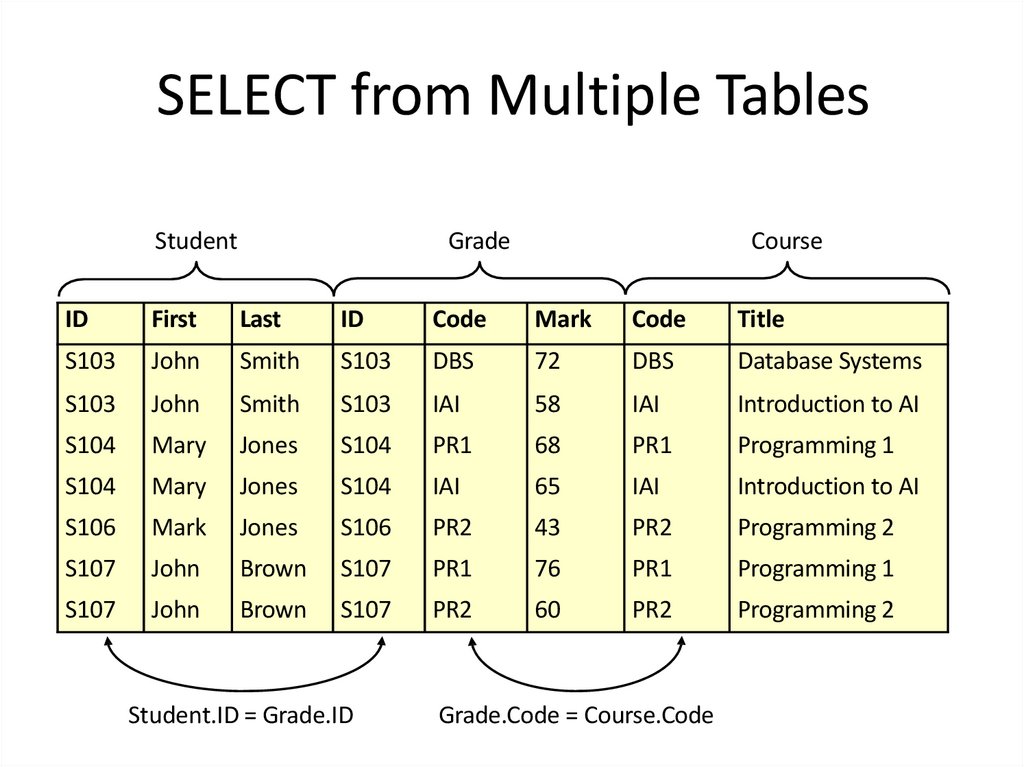
StudentGrade
Course
ID
First
Last
ID
Code
Mark
Code
Title
S103
John
Smith
S103
DBS
72
DBS
Database Systems
S103
John
Smith
S103
IAI
58
IAI
Introduction to AI
S104
Mary
Jones
S104
PR1
68
PR1
Programming 1
S104
Mary
Jones
S104
IAI
65
IAI
Introduction to AI
S106
Mark
Jones
S106
PR2
43
PR2
Programming 2
S107
John
Brown
S107
PR1
76
PR1
Programming 1
S107
John
Brown
S107
PR2
60
PR2
Programming 2
Student.ID = Grade.ID
Grade.Code = Course.Code
33. Data table selection, data filtering, ordering of output data
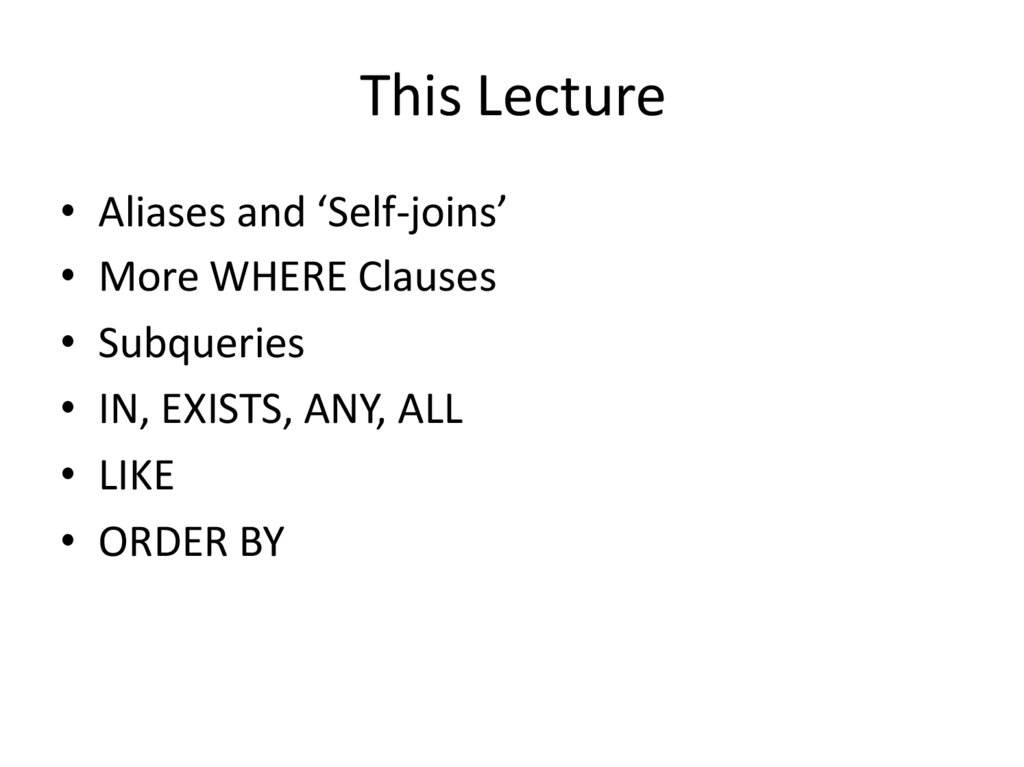
34. This Lecture
• Aliases and ‘Self-joins’• More WHERE Clauses
• Subqueries
• IN, EXISTS, ANY, ALL
• LIKE
• ORDER BY
35. Aliases
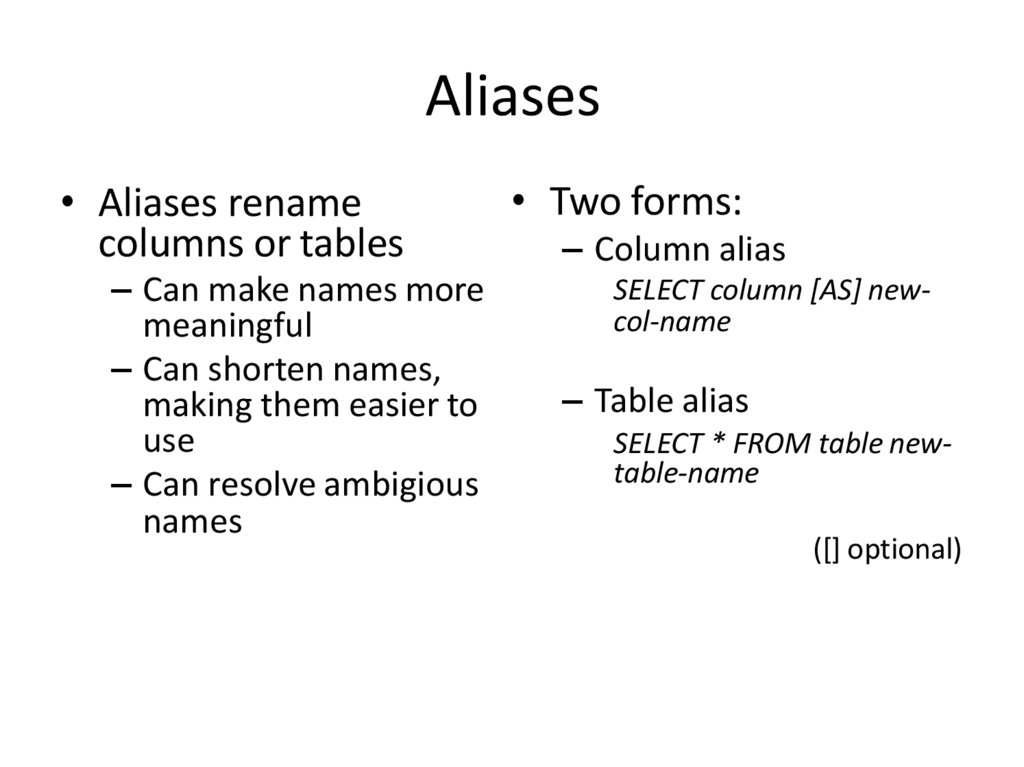
• Aliases renamecolumns or tables
– Can make names more
meaningful
– Can shorten names,
making them easier to
use
– Can resolve ambigious
names
• Two forms:
– Column alias
SELECT column [AS] newcol-name
– Table alias
SELECT * FROM table newtable-name
([] optional)
36. Alias Example
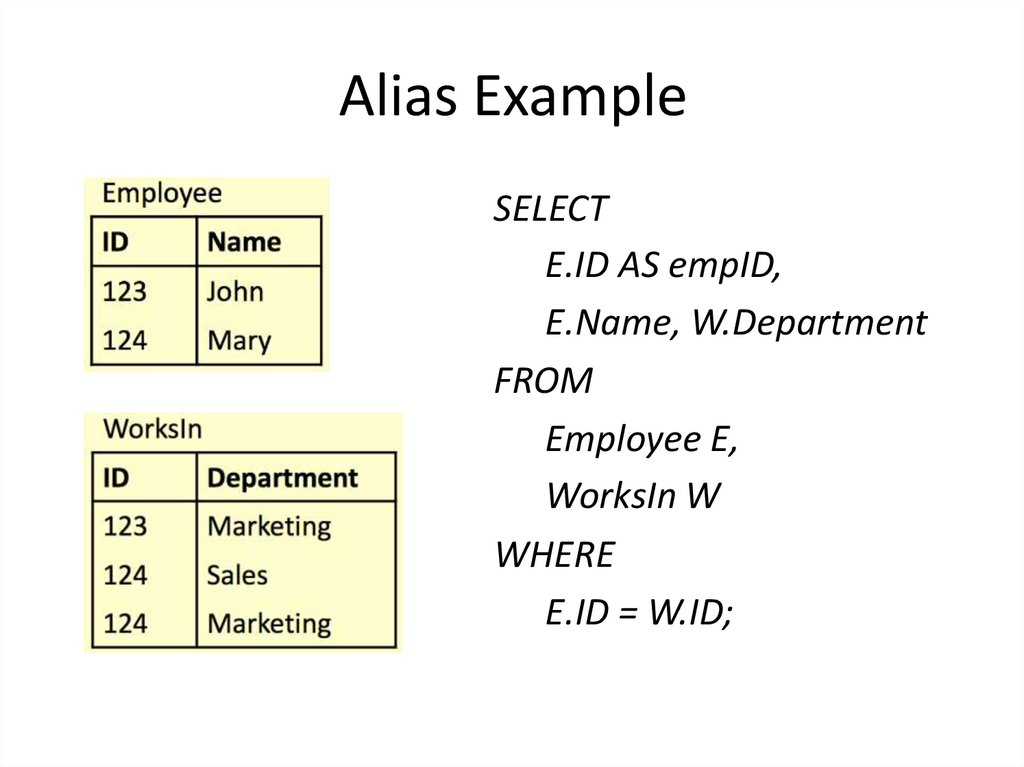
SELECTE.ID AS empID,
E.Name, W.Department
FROM
Employee E,
WorksIn W
WHERE
E.ID = W.ID;
37. Alias Example
SELECTE.ID AS empID,
E.Name,
W.Department
FROM
Employee E,
WorksIn W
WHERE
E.ID = W.ID;
38. Aliases and ‘Self-Joins’
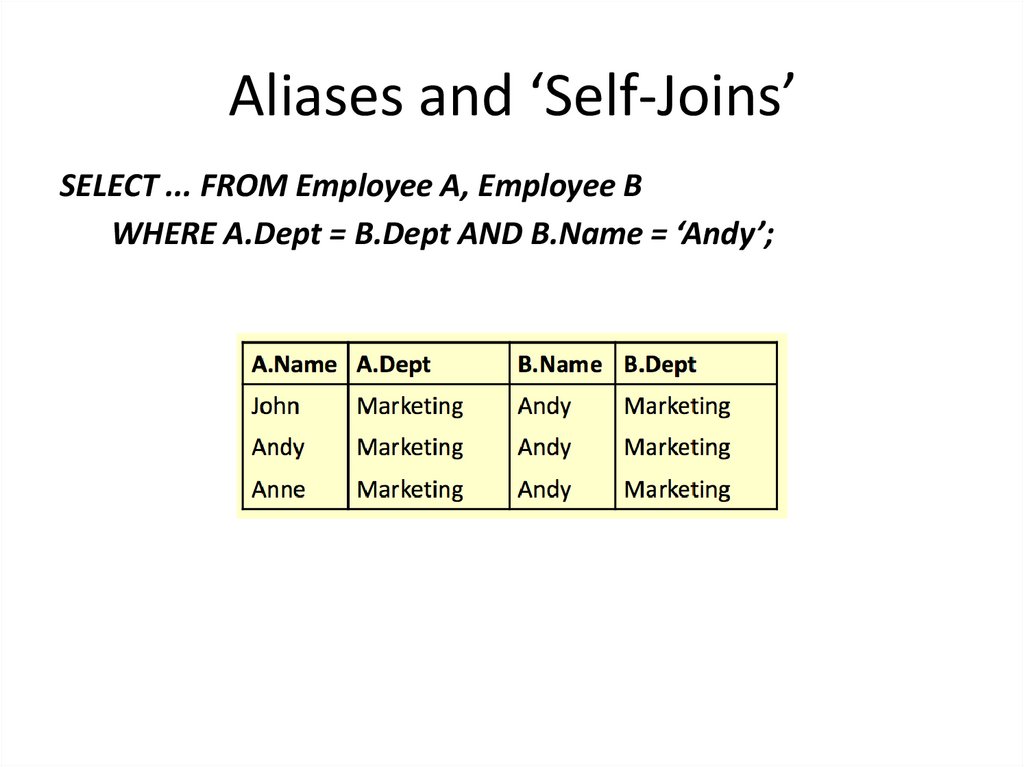
• Aliases can be used to copya table, so that it can be
combined with itself
• Example: Find the names of
all employees who work in
the same department as
Andy
39. Aliases and ‘Self-Joins’
Employee AEmployee B
40. Aliases and ‘Self-Joins’
SELECT ... FROM Employee A, Employee B ...41. Aliases and ‘Self-Joins’
SELECT ... FROM Employee A, Employee BWHERE A.Dept = B.Dept AND B.Name = ‘Andy’;
42. Aliases and ‘Self-Joins’
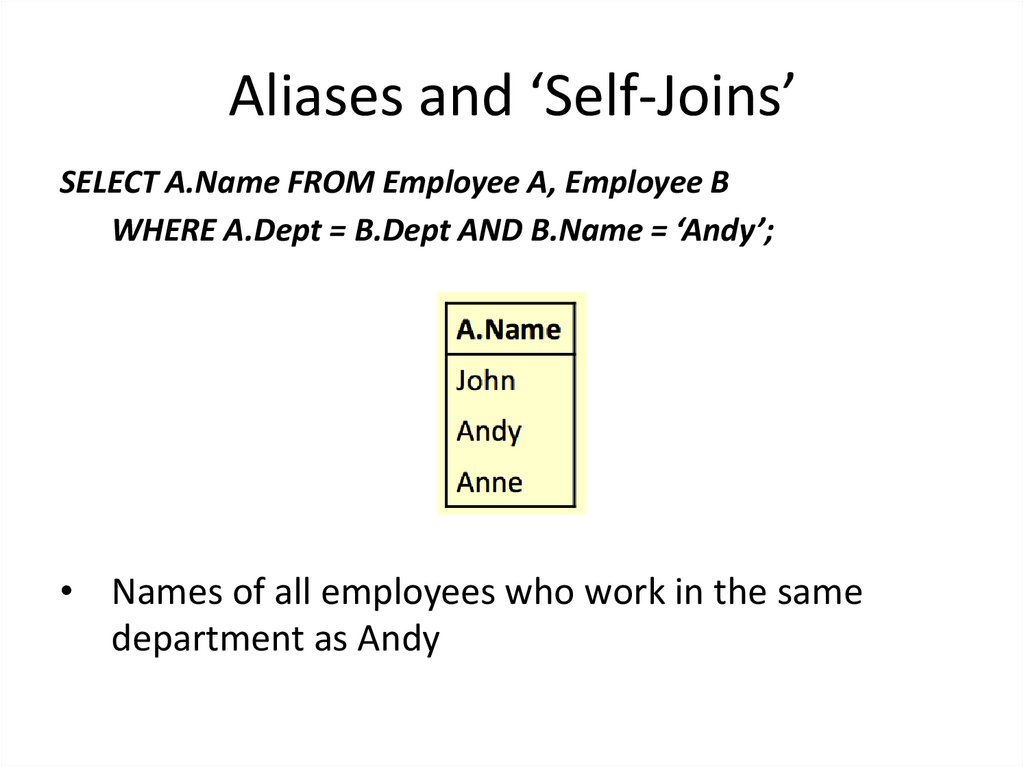
SELECT A.Name FROM Employee A, Employee BWHERE A.Dept = B.Dept AND B.Name = ‘Andy’;
• Names of all employees who work in the same
department as Andy
43. The SQL WHERE Clause
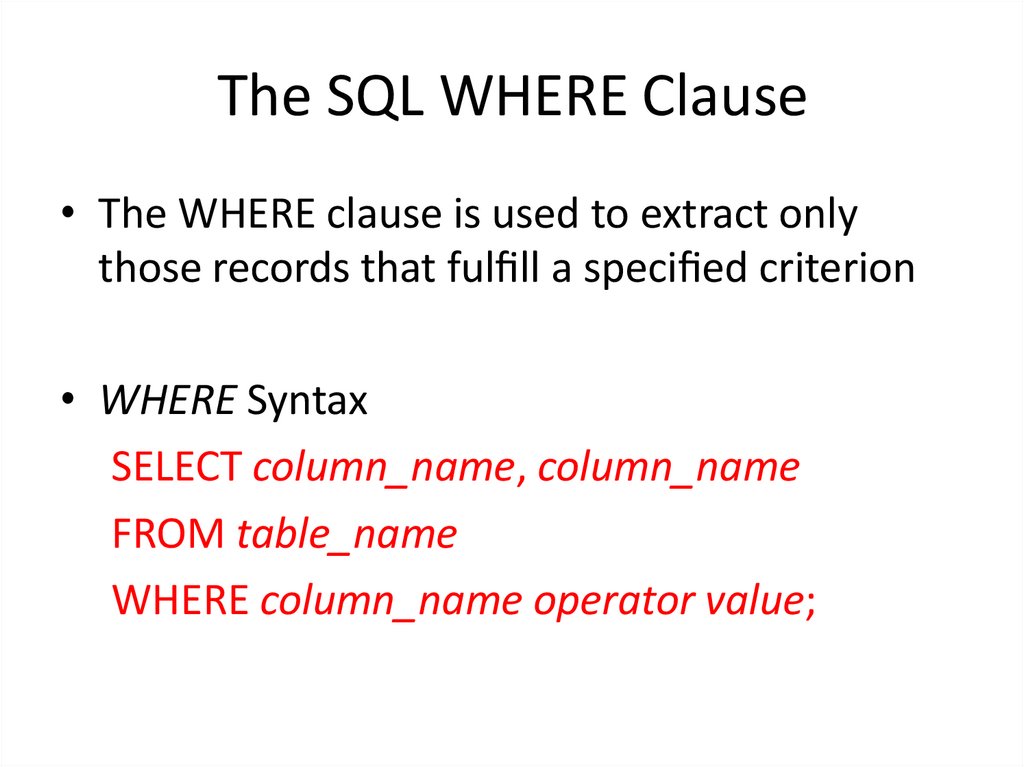
• The WHERE clause is used to extract onlythose records that ful ll a speci ed criterion
• WHERE Syntax
SELECT column_name, column_name
FROM table_name
WHERE column_name operator value;
44. Operators in The WHERE Clause
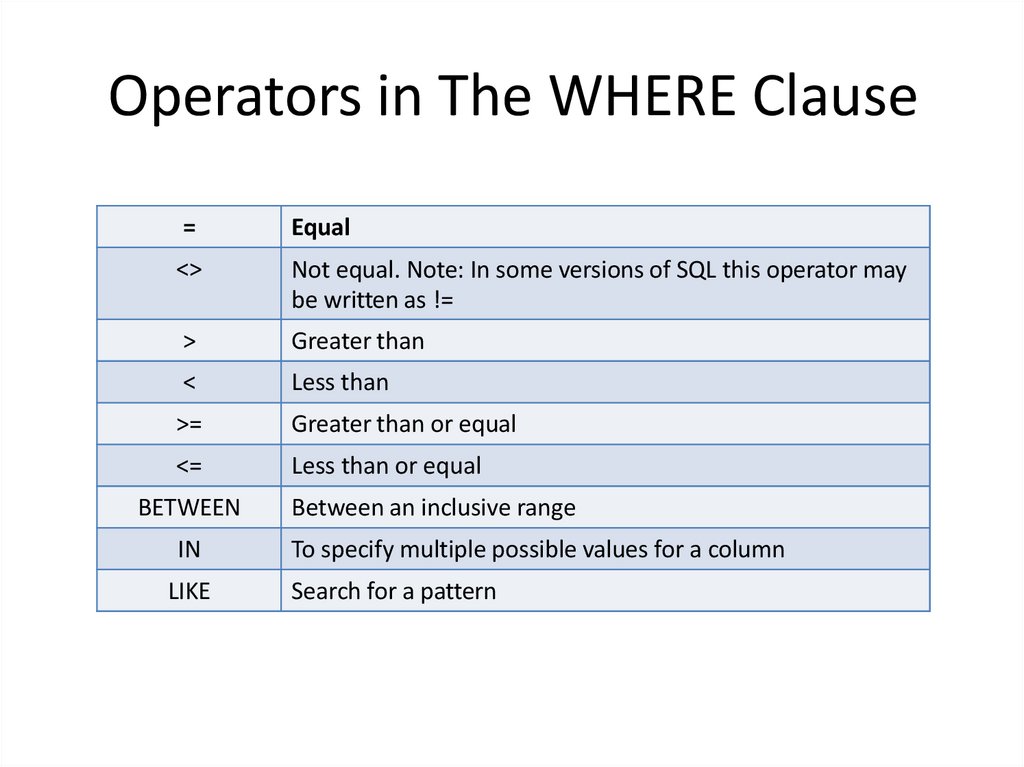
=Equal
<>
Not equal. Note: In some versions of SQL this operator may
be written as !=
>
Greater than
<
Less than
>=
Greater than or equal
<=
Less than or equal
BETWEEN
Between an inclusive range
IN
To specify multiple possible values for a column
LIKE
Search for a pattern
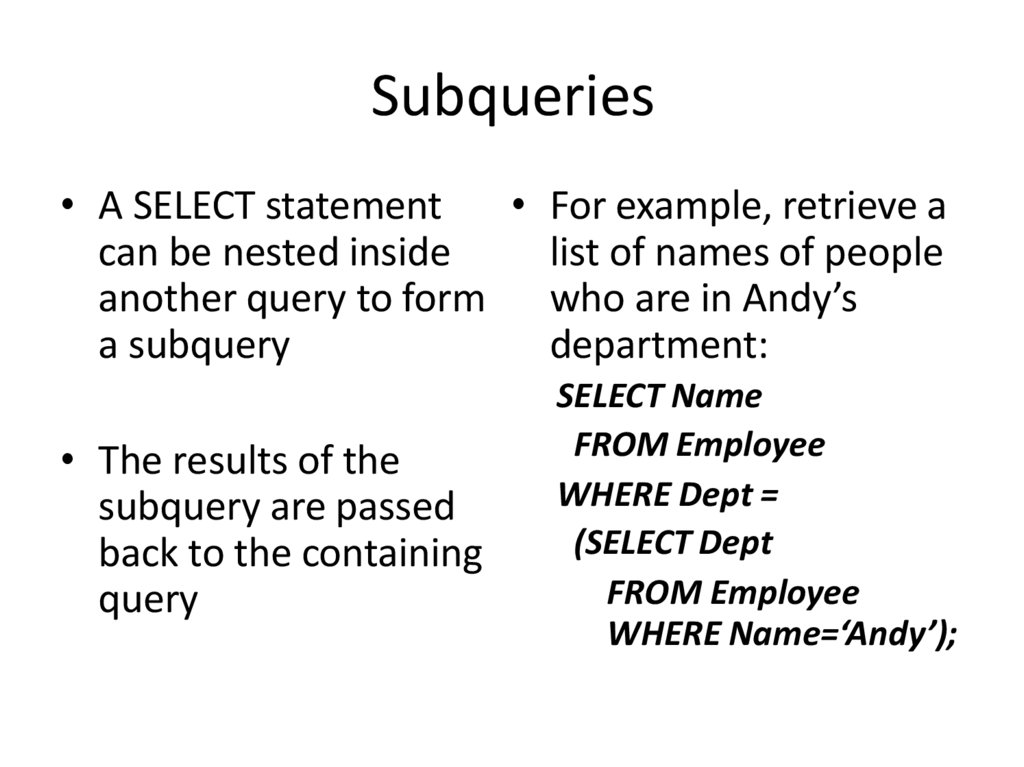
45. Subqueries
• A SELECT statement• For example, retrieve a
can be nested inside
list of names of people
another query to form who are in Andy’s
a subquery
department:
• The results of the
subquery are passed
back to the containing
query
SELECT Name
FROM Employee
WHERE Dept =
(SELECT Dept
FROM Employee
WHERE Name=‘Andy’);
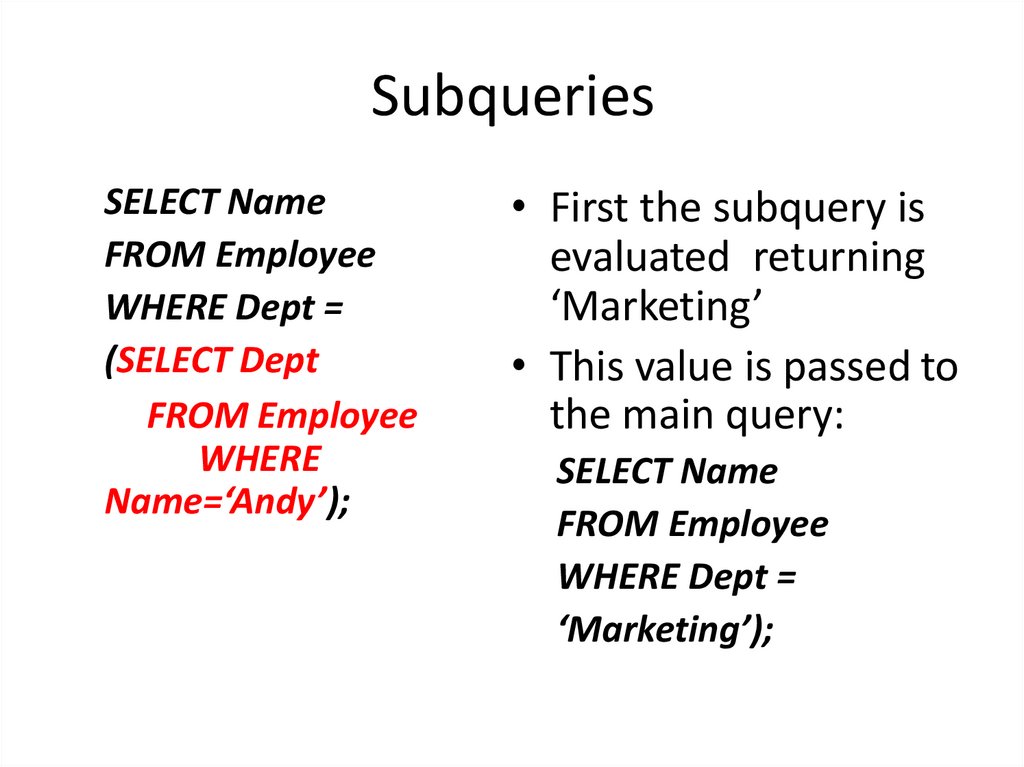
46. Subqueries
SELECT NameFROM Employee
WHERE Dept =
(SELECT Dept
FROM Employee
WHERE
Name=‘Andy’);
• First the subquery is
evaluated returning
‘Marketing’
• This value is passed to
the main query:
SELECT Name
FROM Employee
WHERE Dept =
‘Marketing’);
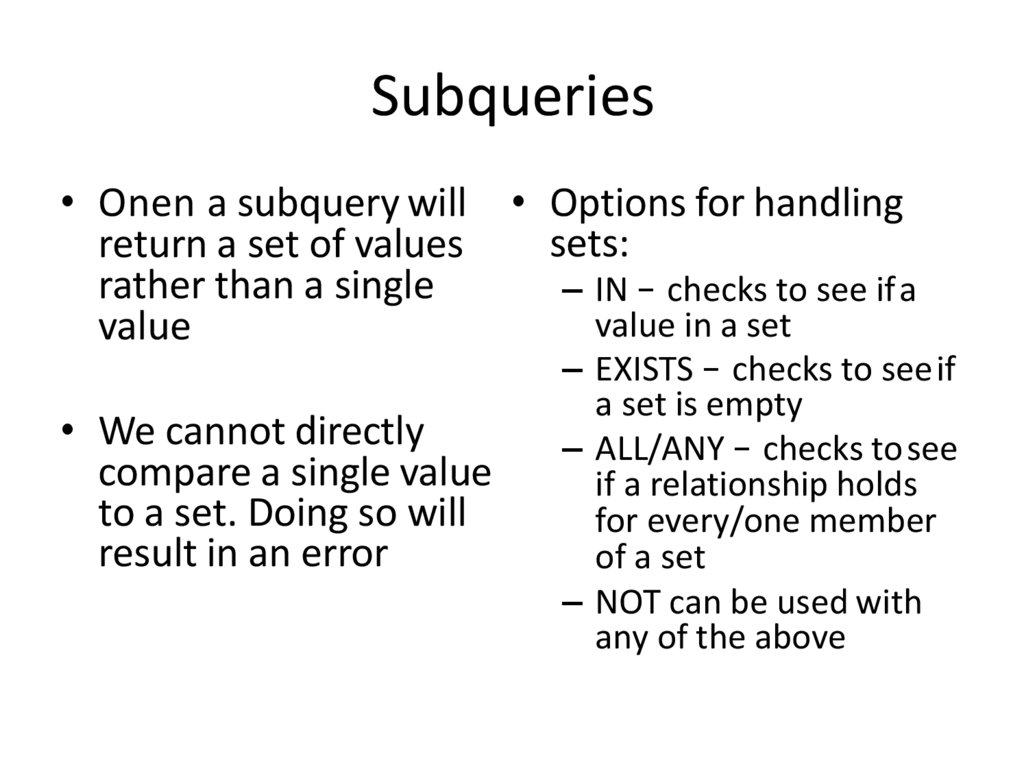
47. Subqueries
• Onen a subquery willreturn a set of values
rather than a single
value
• We cannot directly
compare a single value
to a set. Doing so will
result in an error
• Options for handling
sets:
– IN – checks to see ifa
value in a set
– EXISTS – checks to seeif
a set is empty
– ALL/ANY – checks tosee
if a relationship holds
for every/one member
of a set
– NOT can be used with
any of the above
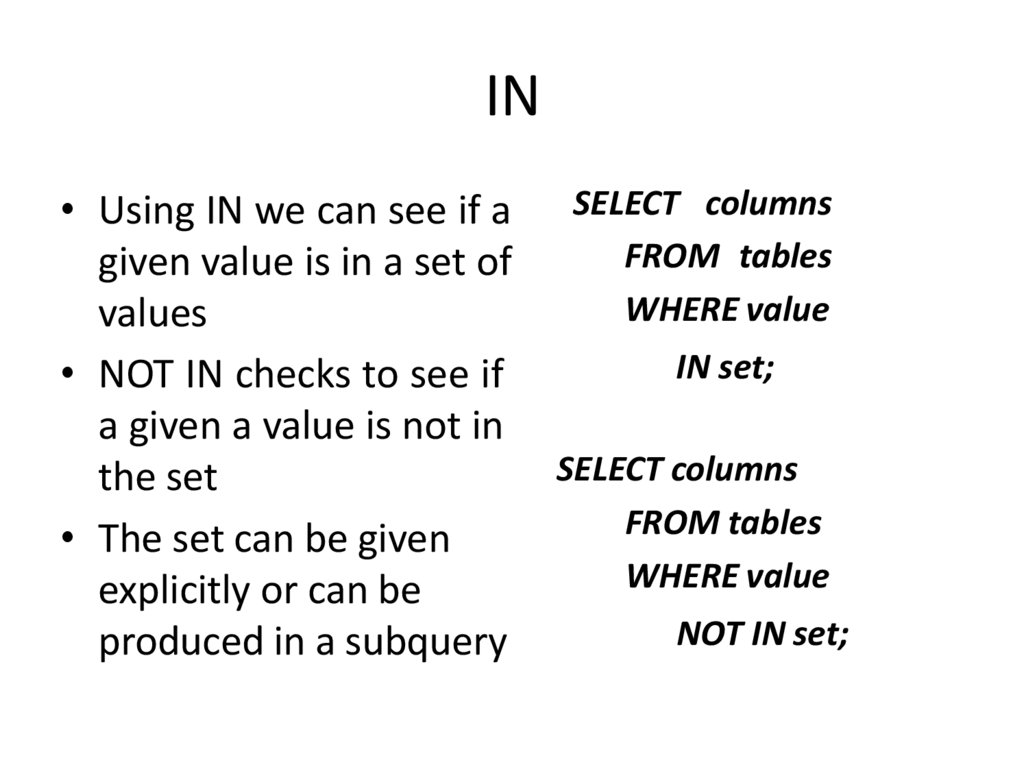
48. IN
• Using IN we can see if agiven value is in a set of
values
• NOT IN checks to see if
a given a value is not in
the set
• The set can be given
explicitly or can be
produced in a subquery
SELECT columns
FROM tables
WHERE value
IN set;
SELECT columns
FROM tables
WHERE value
NOT IN set;
49. IN
SELECT *FROM Employee
WHERE Department
IN
(‘Marketing’, ‘Sales’);
50. IN
SELECT *FROM Employee
WHERE Department
IN
(‘Marketing’, ‘Sales’);
51. NOT IN
SELECT *FROM Employee
WHERE Name
NOT IN
(‘Chris’, ‘Jane’);
52. NOT IN
SELECT *FROM Employee
WHERE Name
NOT IN
(‘Chris’, ‘Jane’);
53. EXISTS
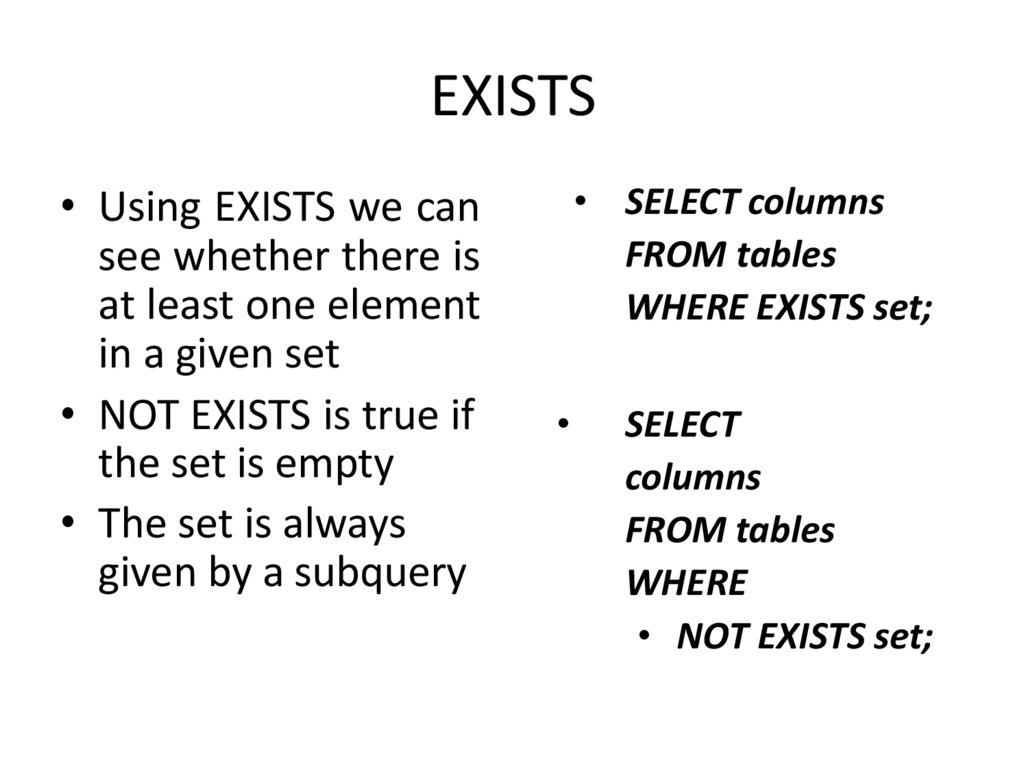
• Using EXISTS we cansee whether there is
at least one element
in a given set
• NOT EXISTS is true if
the set is empty
• The set is always
given by a subquery
• SELECT columns
FROM tables
WHERE EXISTS set;
SELECT
columns
FROM tables
WHERE
• NOT EXISTS set;
54. EXISTS
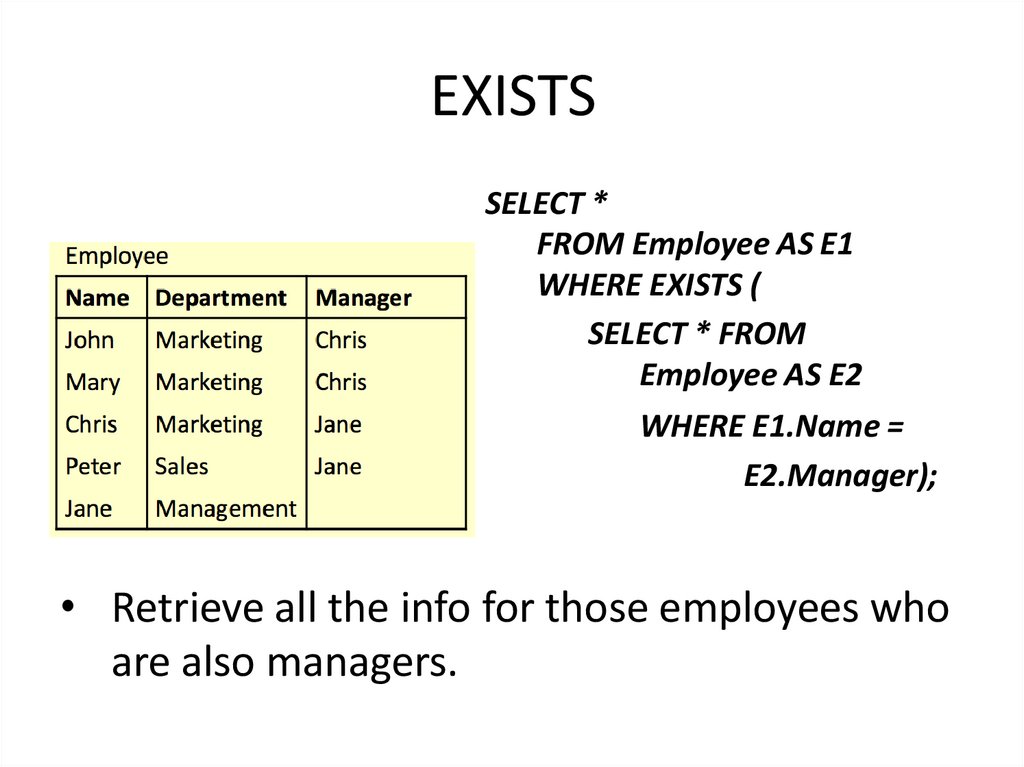
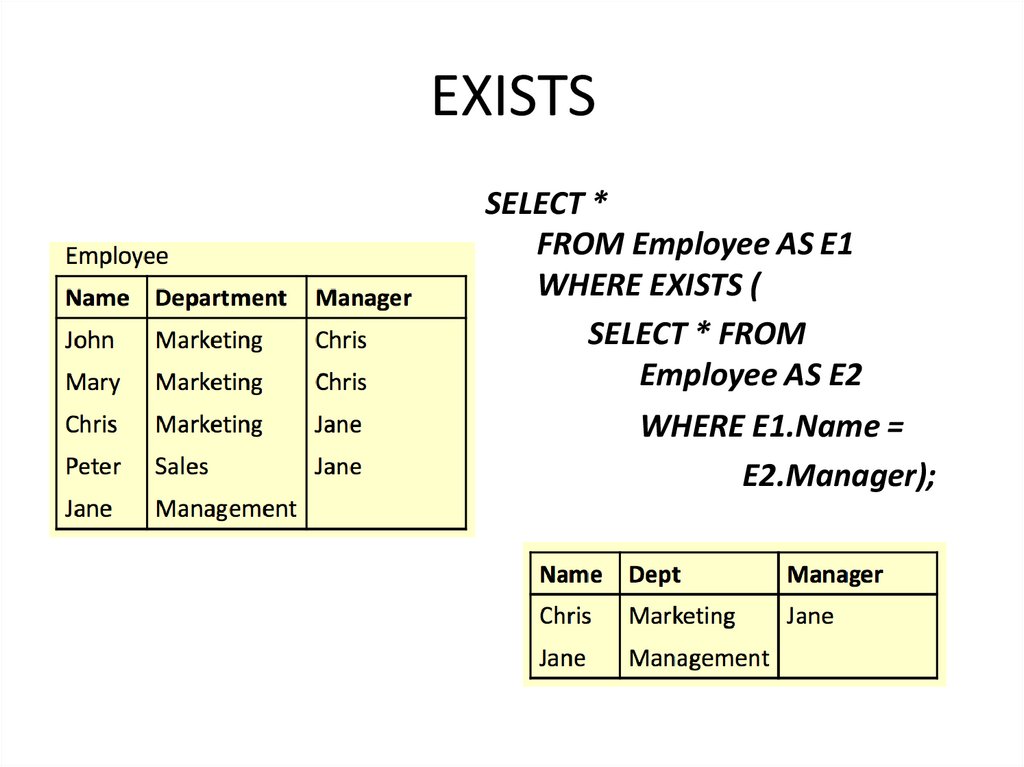
SELECT *FROM Employee AS E1
WHERE EXISTS (
SELECT * FROM
Employee AS E2
WHERE E1.Name =
E2.Manager);
• Retrieve all the info for those employees who
are also managers.
55. EXISTS
56. EXISTS
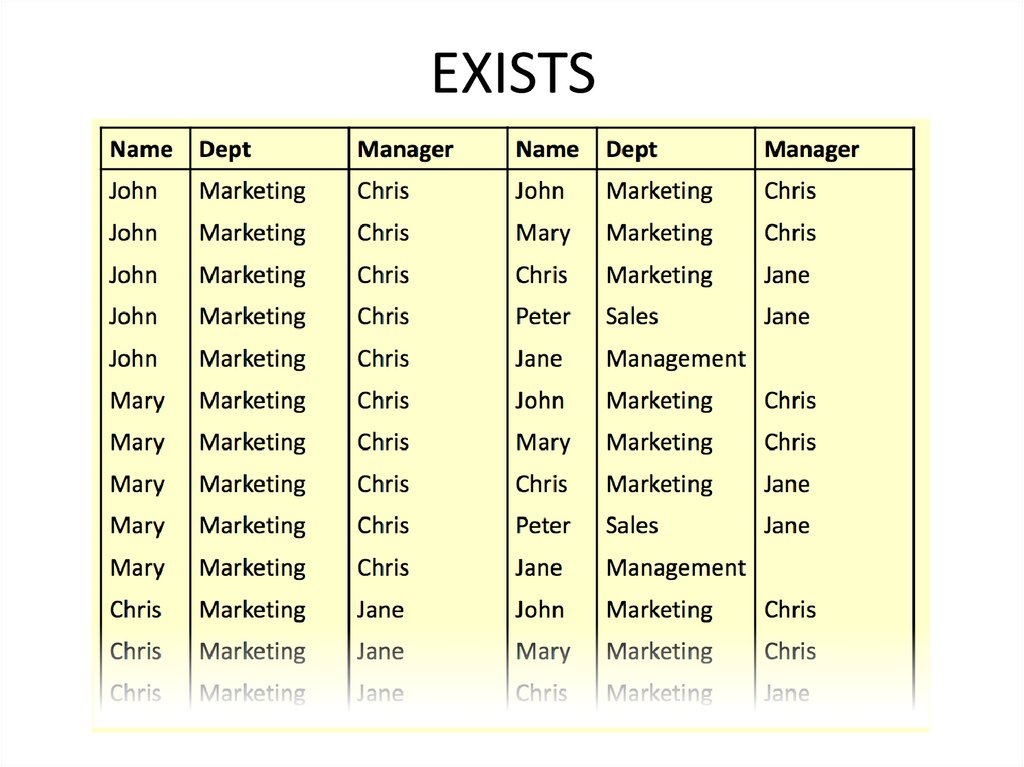
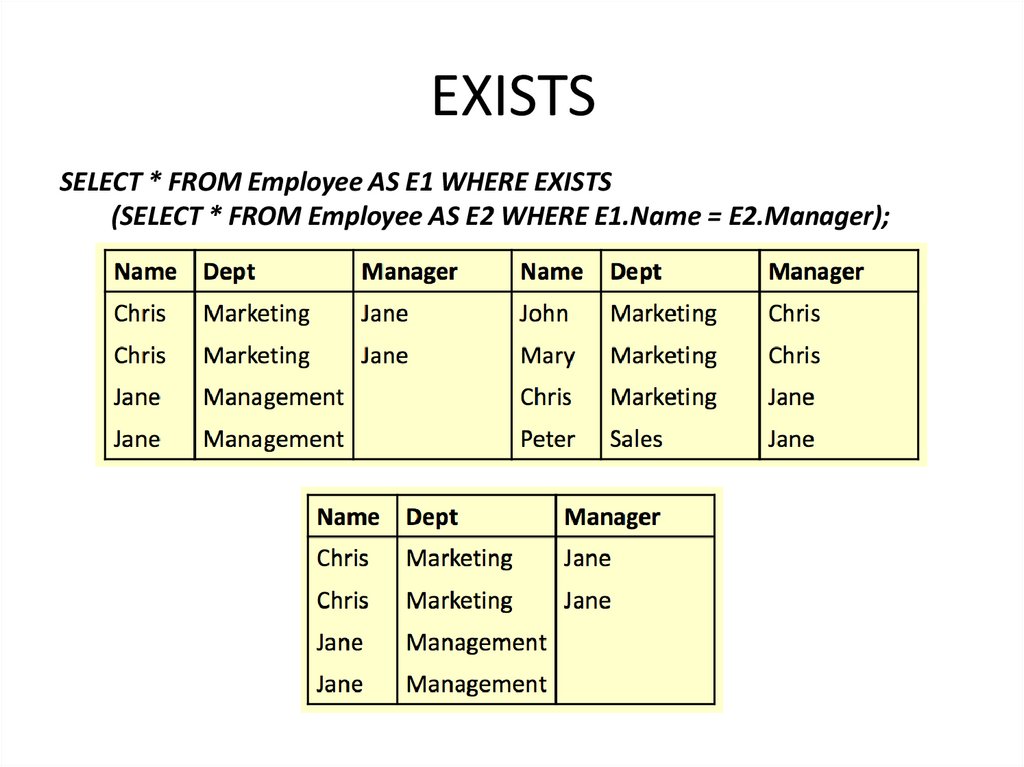
SELECT * FROM Employee AS E1 WHERE EXISTS(SELECT * FROM Employee AS E2 WHERE E1.Name = E2.Manager);
57. EXISTS
SELECT *FROM Employee AS E1
WHERE EXISTS (
SELECT * FROM
Employee AS E2
WHERE E1.Name =
E2.Manager);
58. ANY and ALL
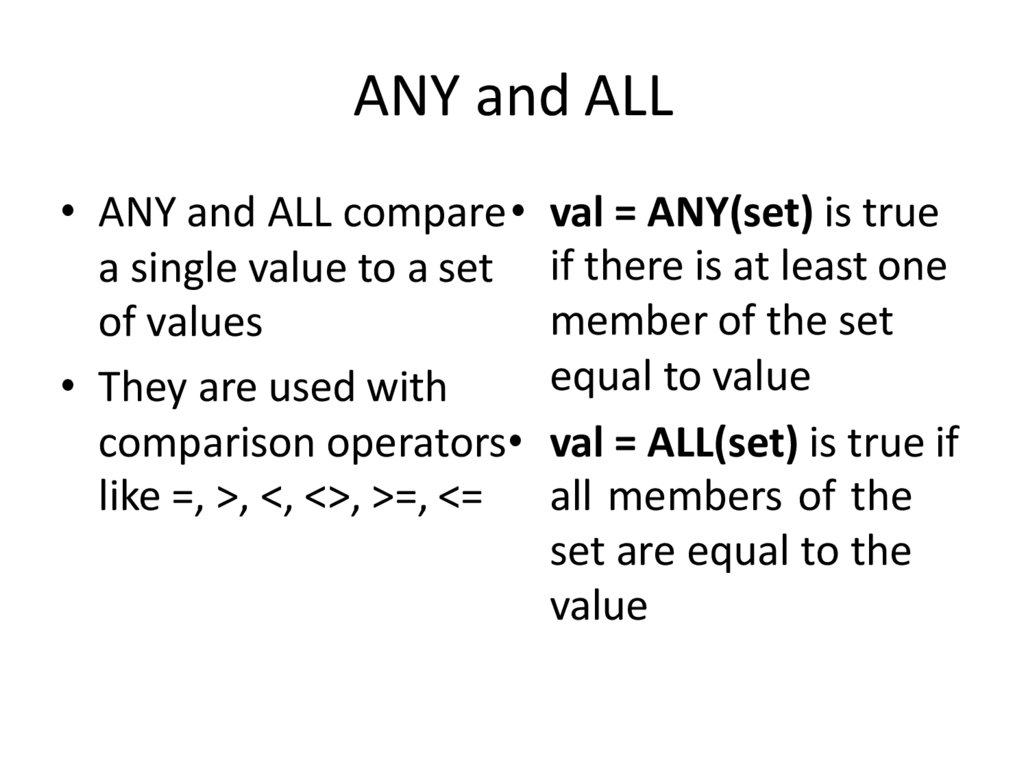
• ANY and ALL compare• val = ANY(set) is truea single value to a set if there is at least one
member of the set
of values
equal to value
• They are used with
comparison operators• val = ALL(set) is true if
like =, >, <, <>, >=, <= all members of the
set are equal to the
value
59. ALL
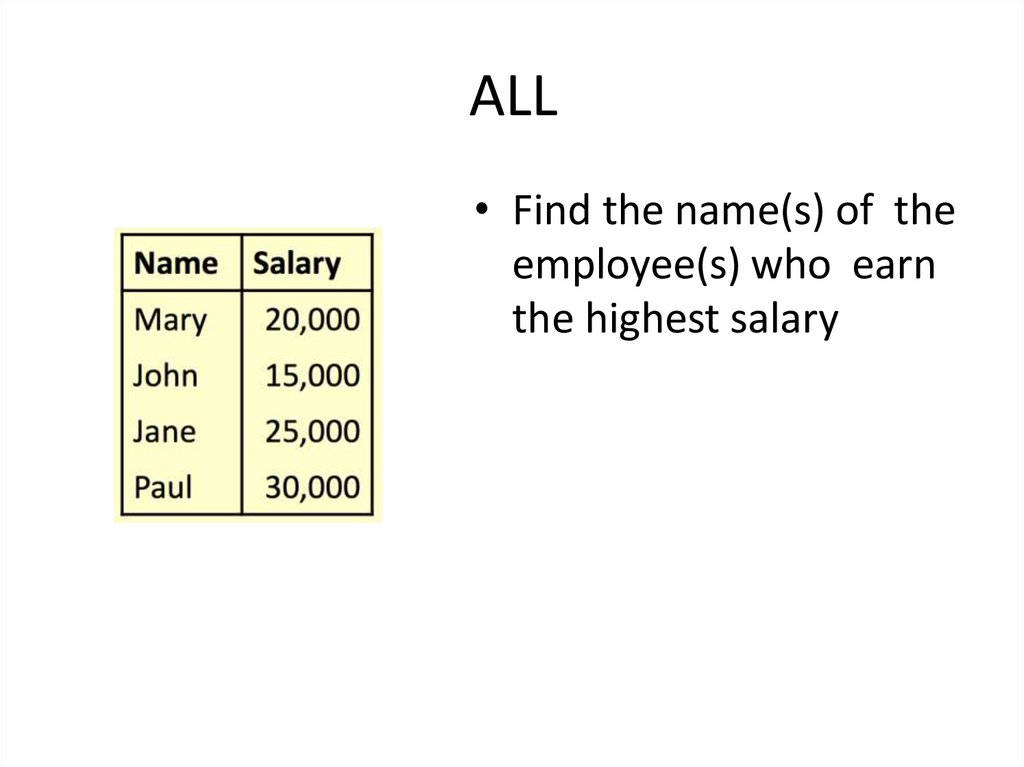
• Find the name(s) of theemployee(s) who earn
the highest salary
60. ALL
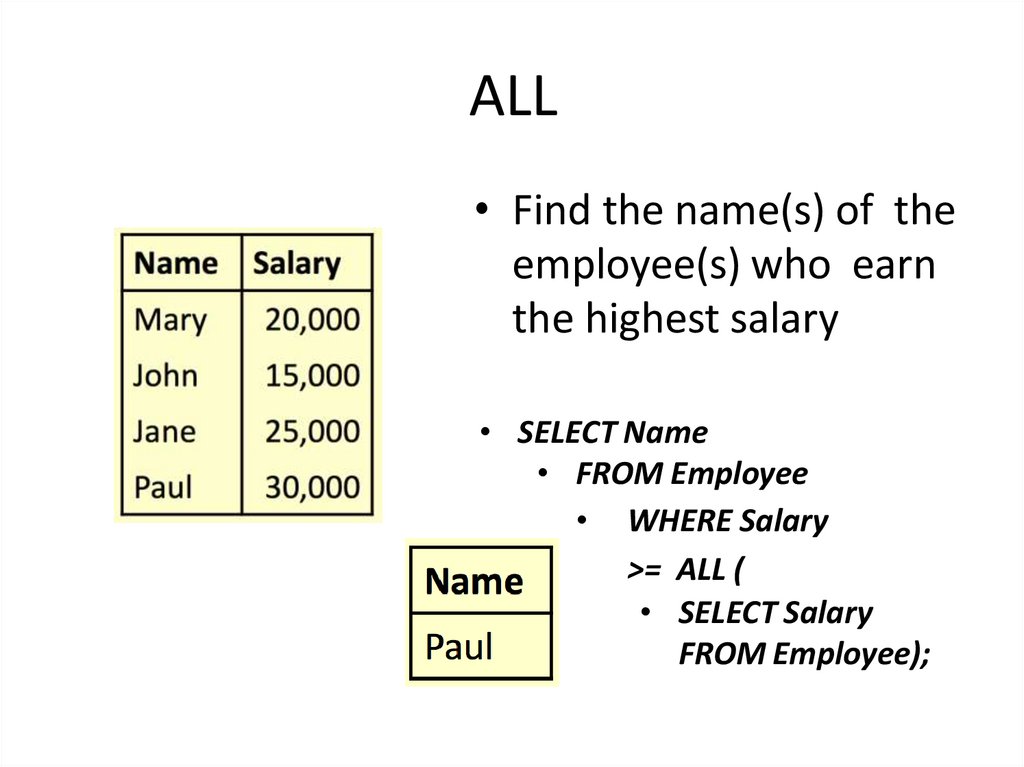
• Find the name(s) of theemployee(s) who earn
the highest salary
• SELECT Name
• FROM Employee
• WHERE Salary
>= ALL (
• SELECT Salary
FROM Employee);
61. ANY
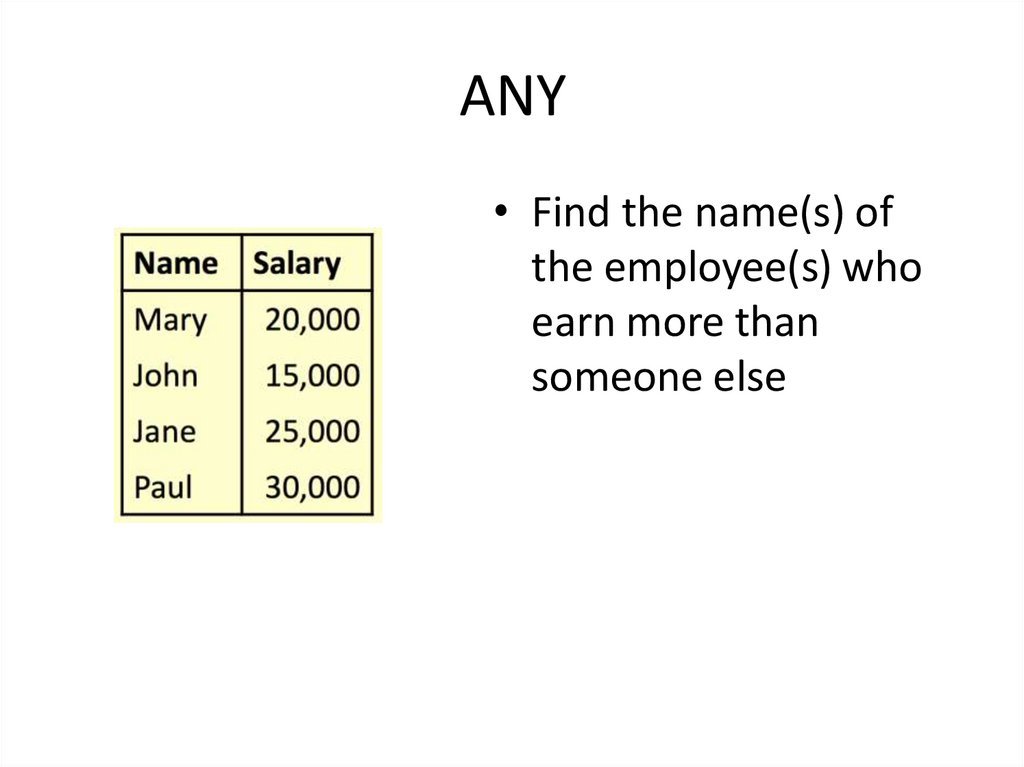
• Find the name(s) ofthe employee(s) who
earn more than
someone else
62. ANY
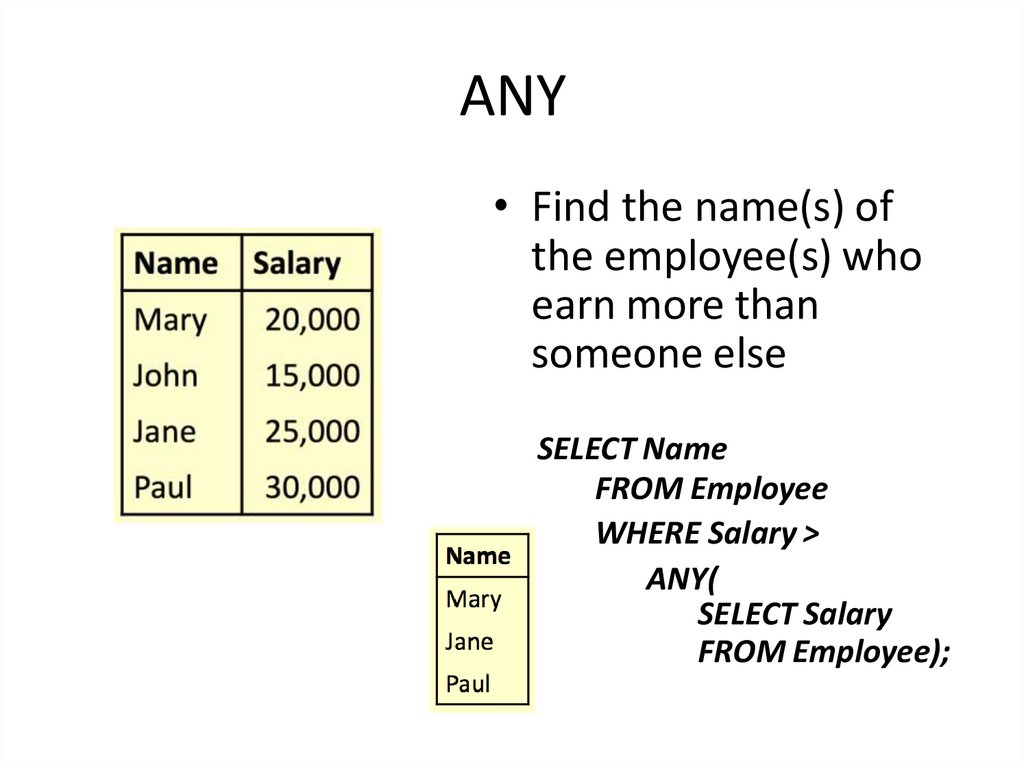
• Find the name(s) ofthe employee(s) who
earn more than
someone else
SELECT Name
FROM Employee
WHERE Salary >
ANY(
SELECT Salary
FROM Employee);
63. Word Search
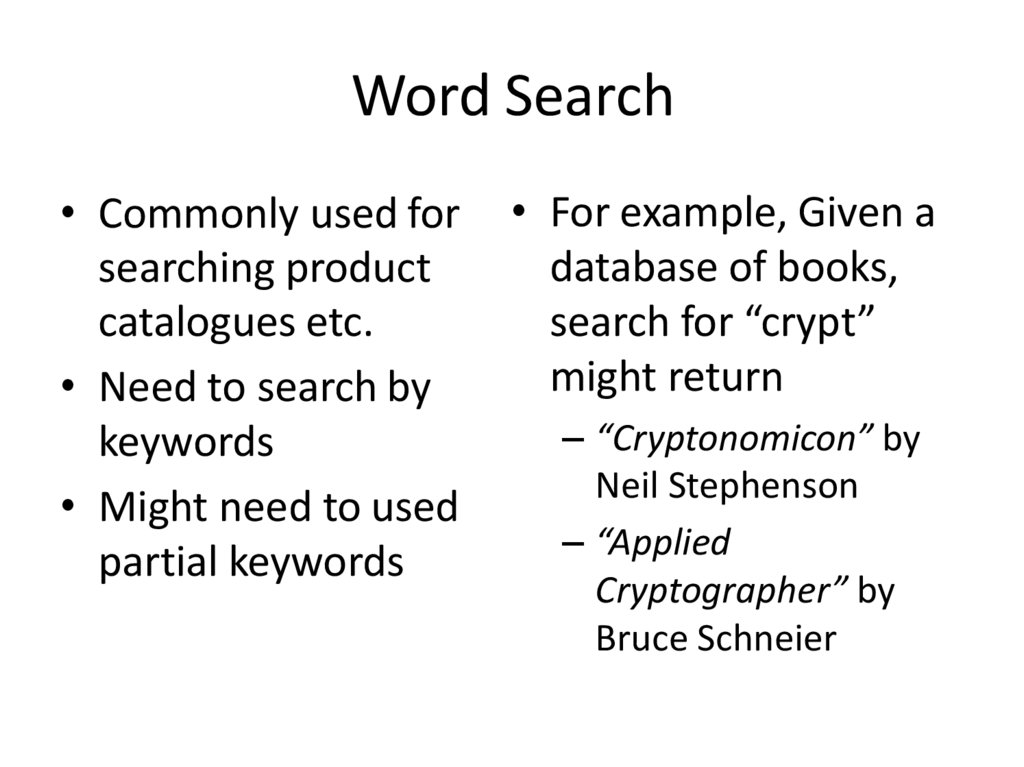
• Commonly used forsearching product
catalogues etc.
• Need to search by
keywords
• Might need to used
partial keywords
• For example, Given a
database of books,
search for “crypt”
might return
– “Cryptonomicon” by
Neil Stephenson
– “Applied
Cryptographer” by
Bruce Schneier
64. LIKE
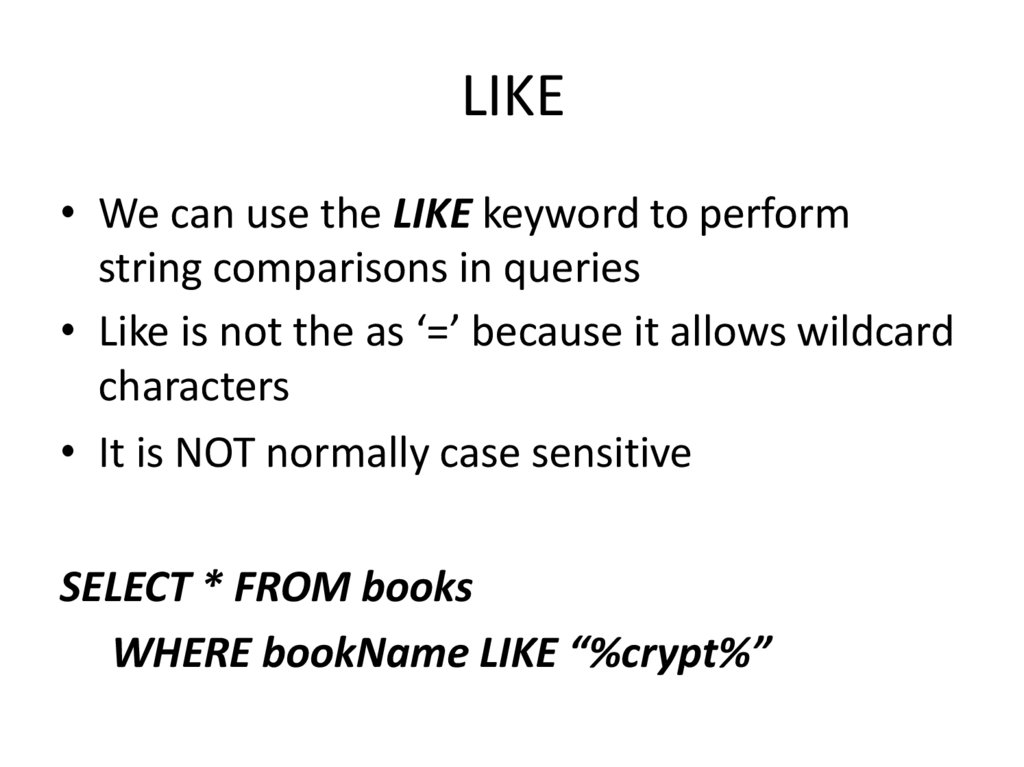
• We can use the LIKE keyword to performstring comparisons in queries
• Like is not the as ‘=’ because it allows wildcard
characters
• It is NOT normally case sensitive
SELECT * FROM books
WHERE bookName LIKE “%crypt%”
65. LIKE
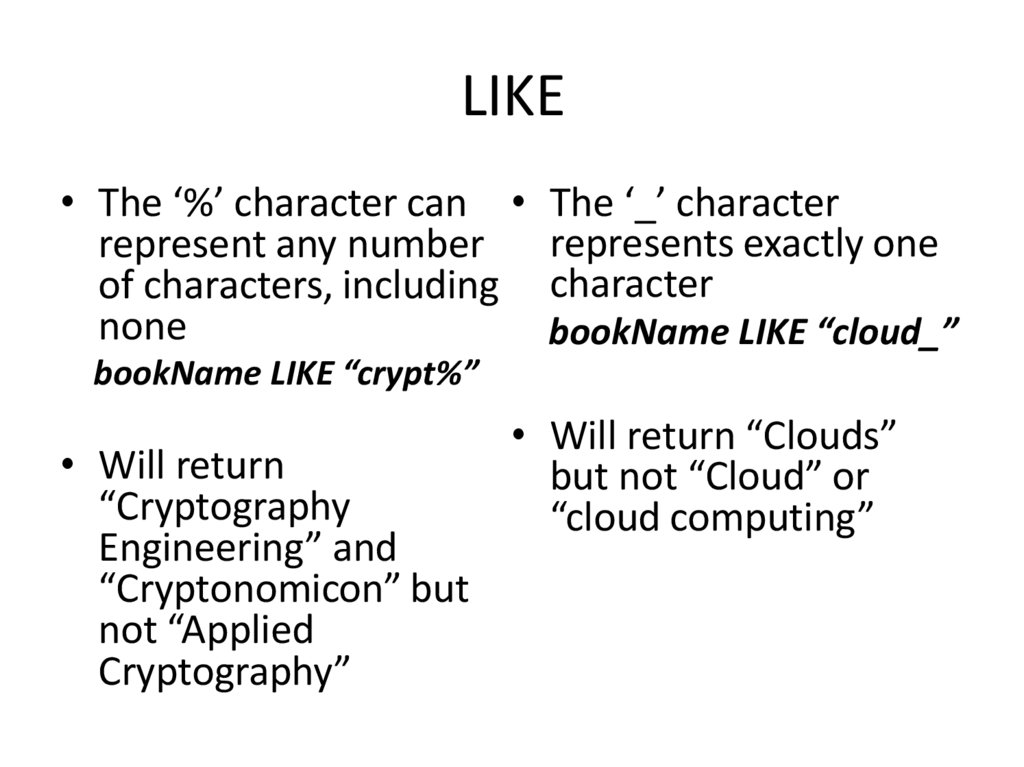
• The ‘%’ character can • The ‘_’ characterrepresents exactly one
represent any number
of characters, including character
none
bookName LIKE “cloud_”
bookName LIKE “crypt%”
• Will return
“Cryptography
Engineering” and
“Cryptonomicon” but
not “Applied
Cryptography”
• Will return “Clouds”
but not “Cloud” or
“cloud computing”
66. SQL ORDER BY
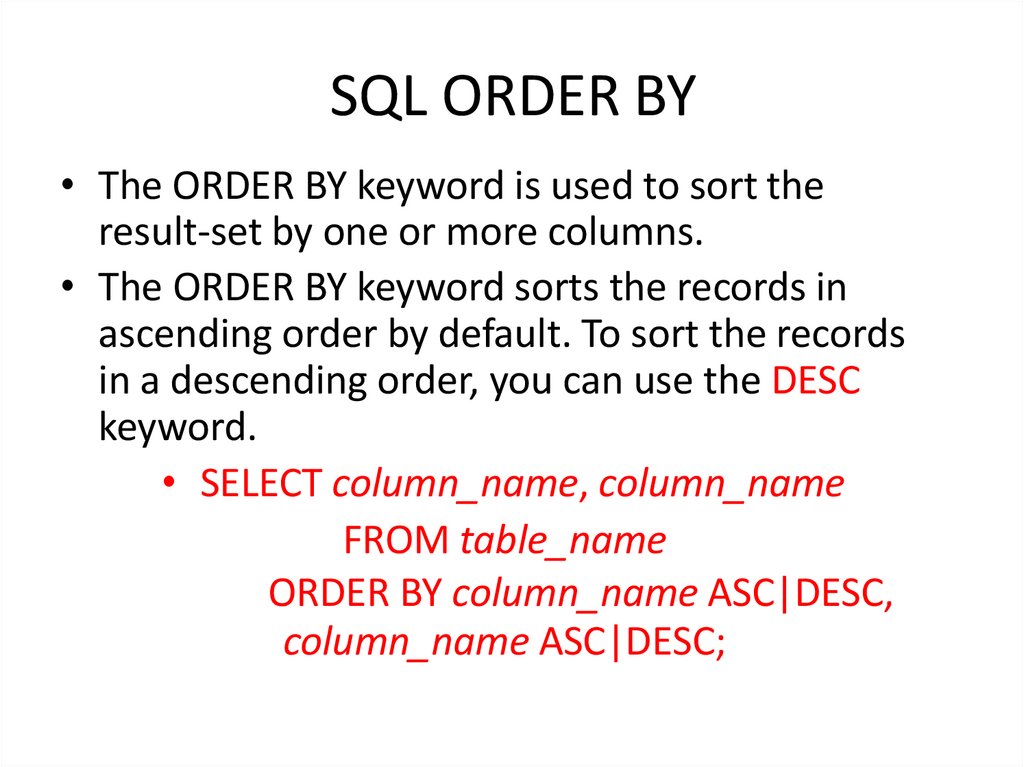
• The ORDER BY keyword is used to sort theresult-set by one or more columns.
• The ORDER BY keyword sorts the records in
ascending order by default. To sort the records
in a descending order, you can use the DESC
keyword.
• SELECT column_name, column_name
FROM table_name
ORDER BY column_name ASC|DESC,
column_name ASC|DESC;
67.
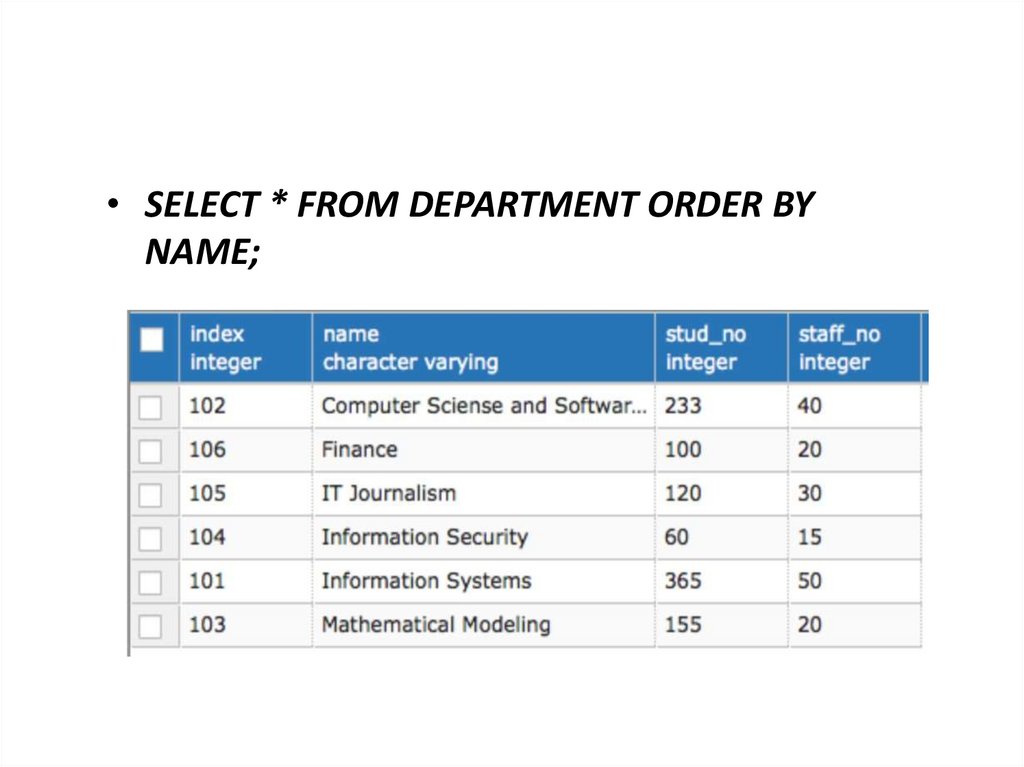
• SELECT * FROM DEPARTMENT ORDER BYNAME;
68.
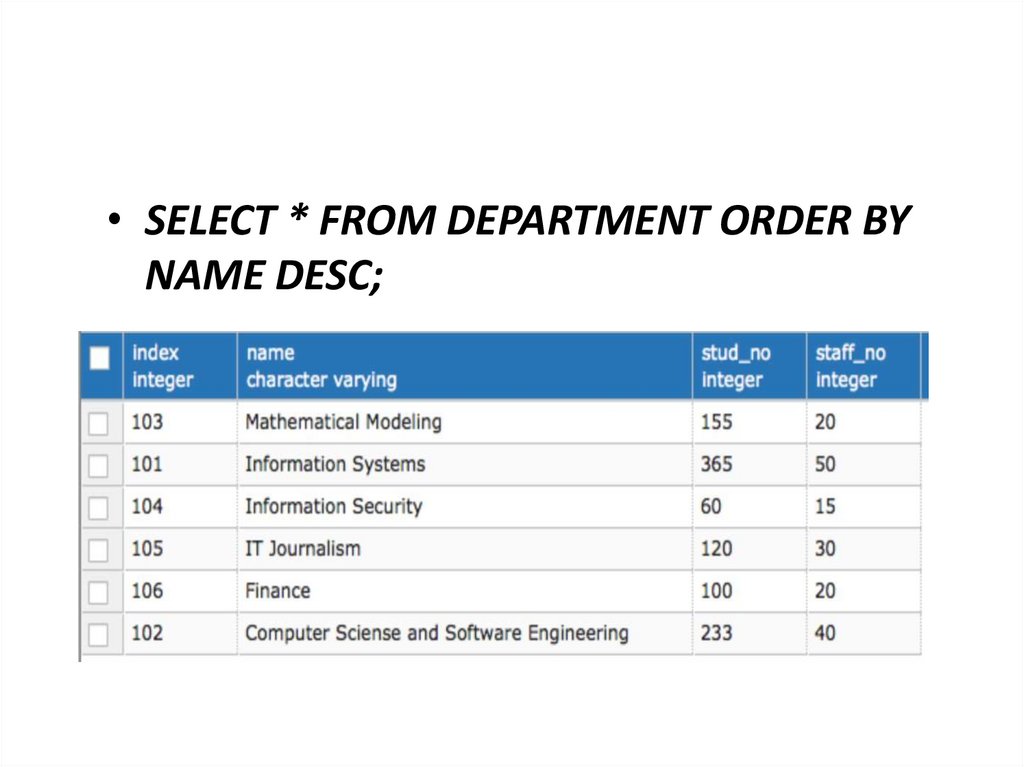
• SELECT * FROM DEPARTMENT ORDER BYNAME DESC;
69.
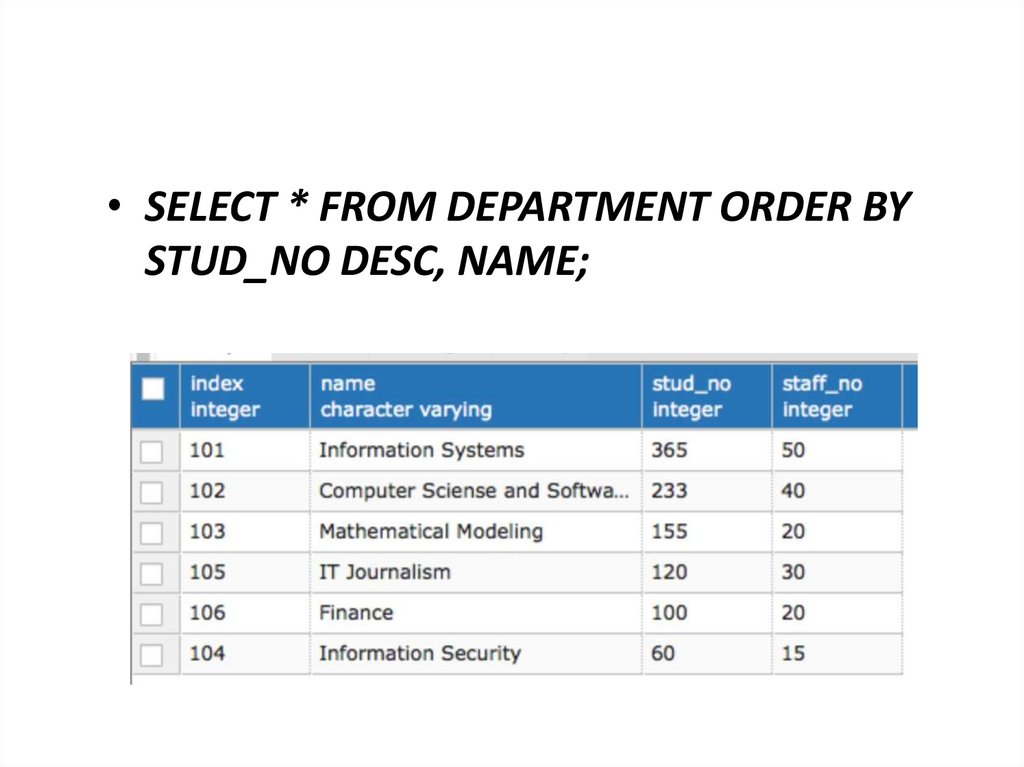
• SELECT * FROM DEPARTMENT ORDER BYSTUD_NO DESC, NAME;
70. Example
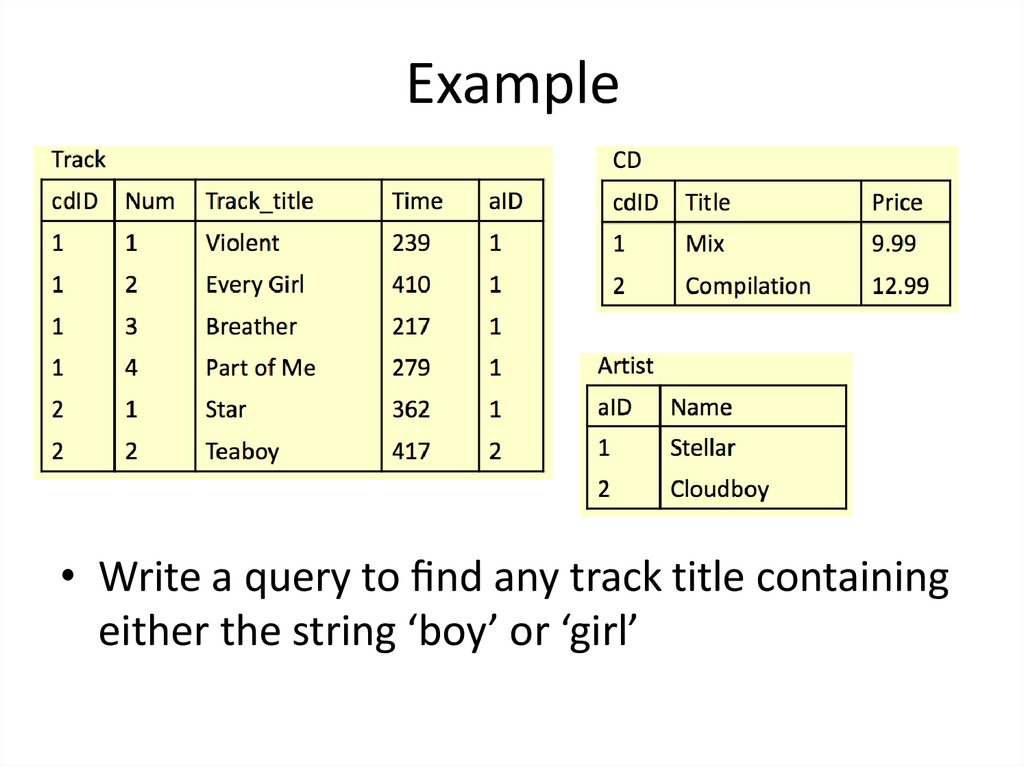
• Write a query to nd any track title containingeither the string ‘boy’ or ‘girl’
71. Example
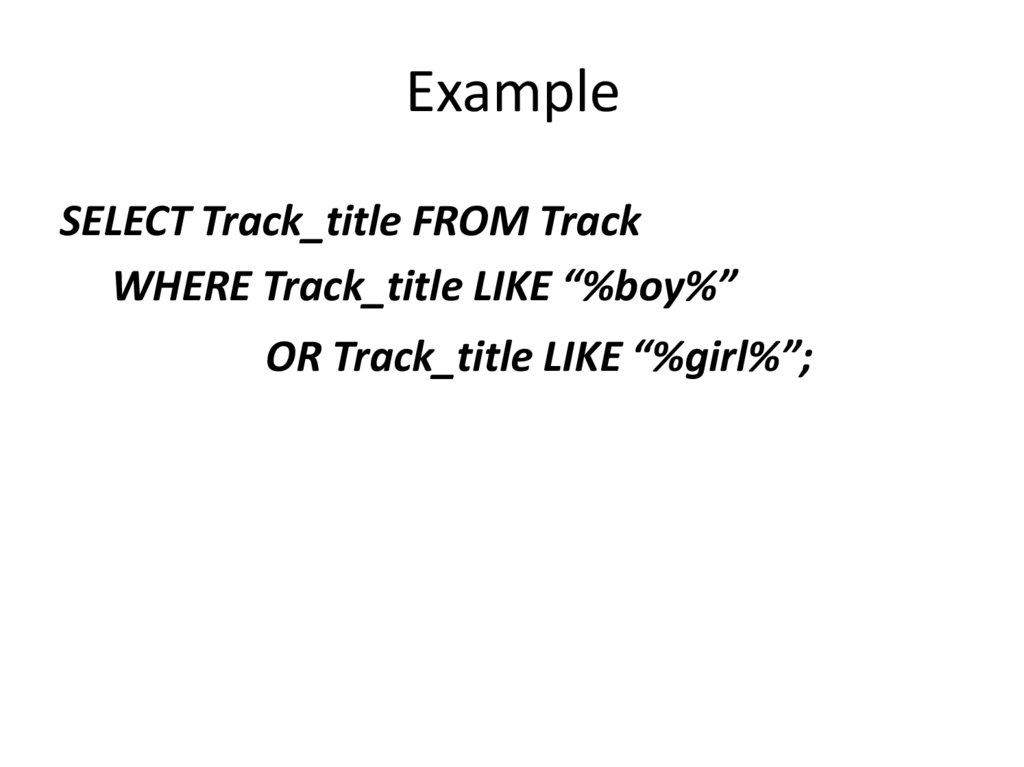
SELECT Track_title FROM TrackWHERE Track_title LIKE “%boy%”
OR Track_title LIKE “%girl%”;
72. Example
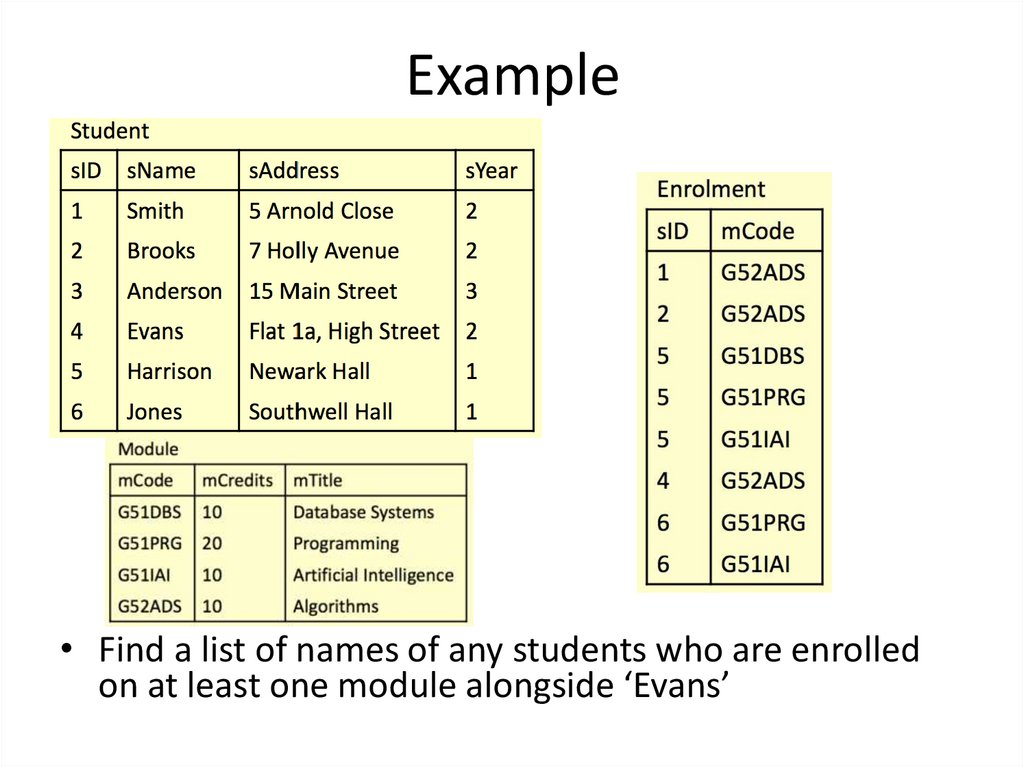
• Find a list of names of any students who are enrolledon at least one module alongside ‘Evans’
73. Example
SELECT sName FROM StudentWHERE sID IN
(SELECT sID FROM Enrolment
WHERE mCode =
(SELECT mCode FROM Enrolment
WHERE sID =
(SELECT sID FROM Student
WHERE sName = “Evans”)));