





 software
Similar presentations:


User Defied Events. Helping yourself
1.
User Defined EventsHelping yourself
John Joyce Manufacturing Engineer
Senior Aerospace
Enfield, CT
jjoyce@senioraeroct.com
https://www.linkedin.com/in/johnljoyce
2.
“The best place to find a helpinghand is at the end of your
own arm.” ~Swedish Proverb
3.
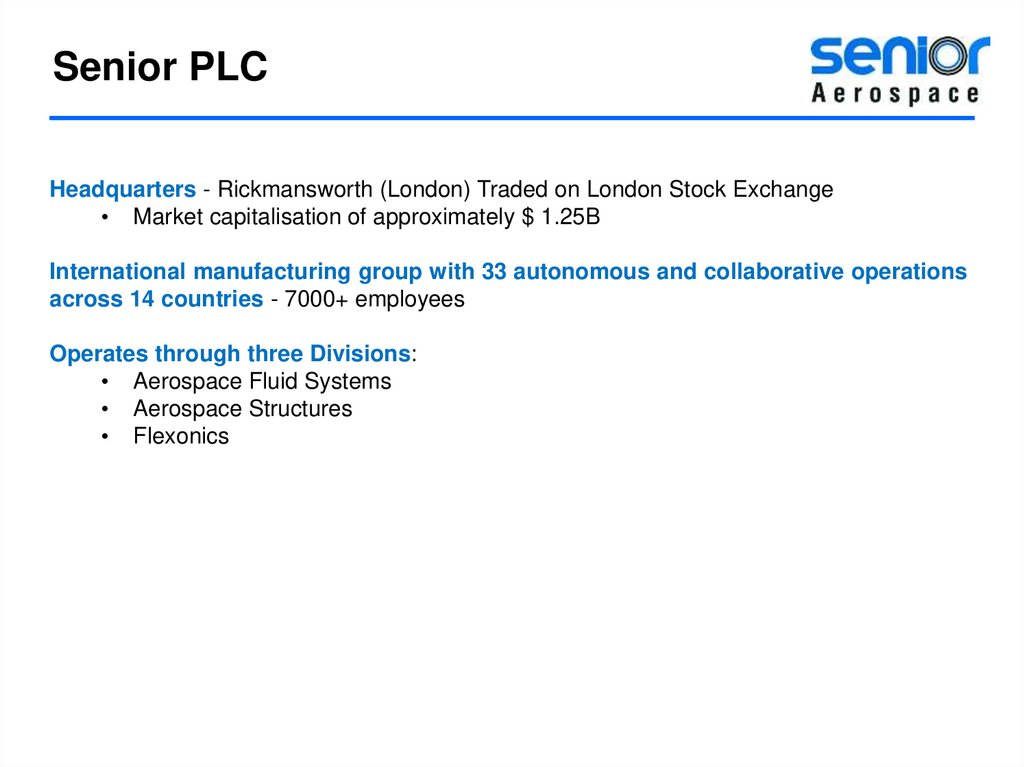
Senior PLCHeadquarters - Rickmansworth (London) Traded on London Stock Exchange
• Market capitalisation of approximately $ 1.25B
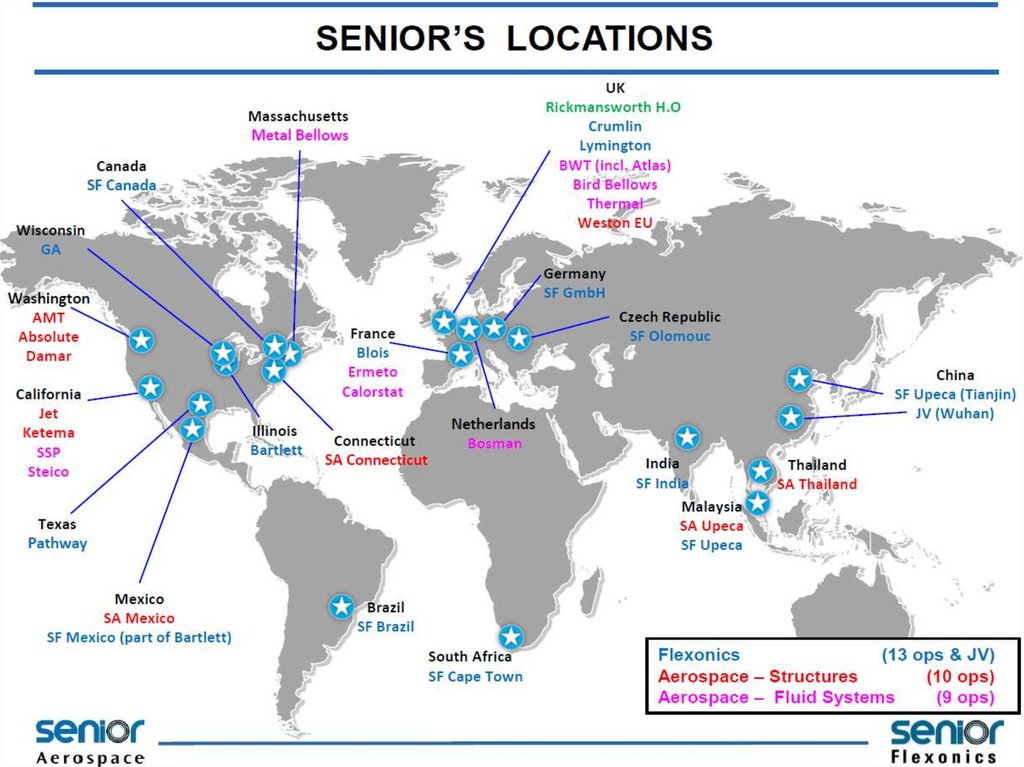
International manufacturing group with 33 autonomous and collaborative operations
across 14 countries - 7000+ employees
Operates through three Divisions:
• Aerospace Fluid Systems
• Aerospace Structures
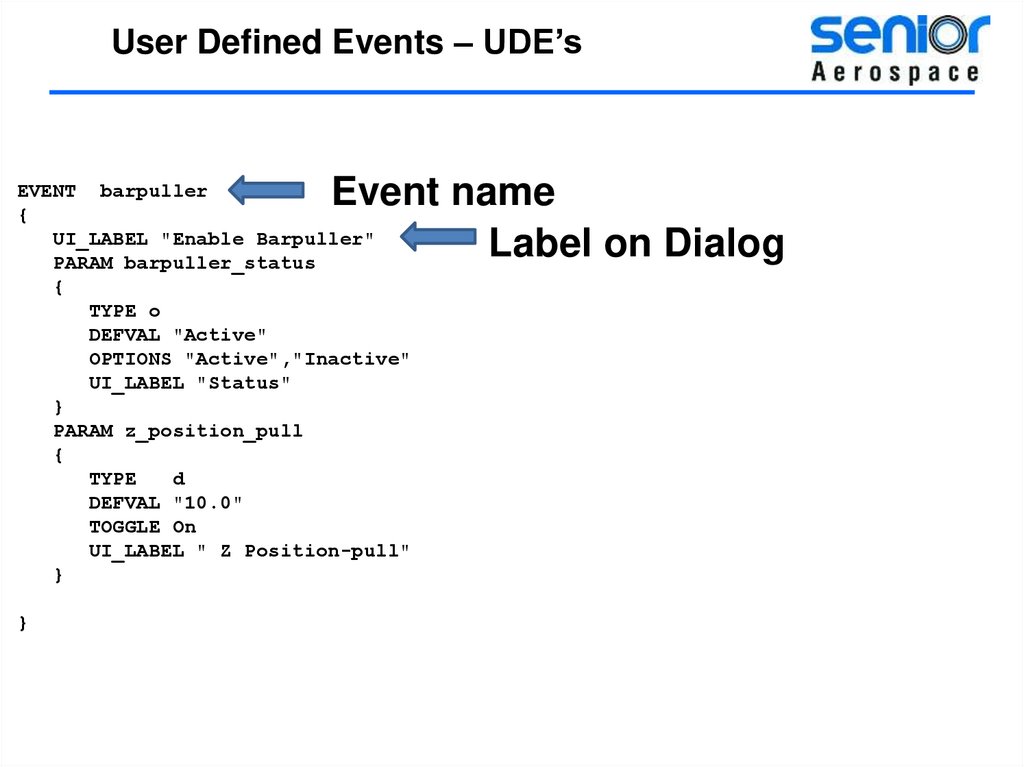
• Flexonics
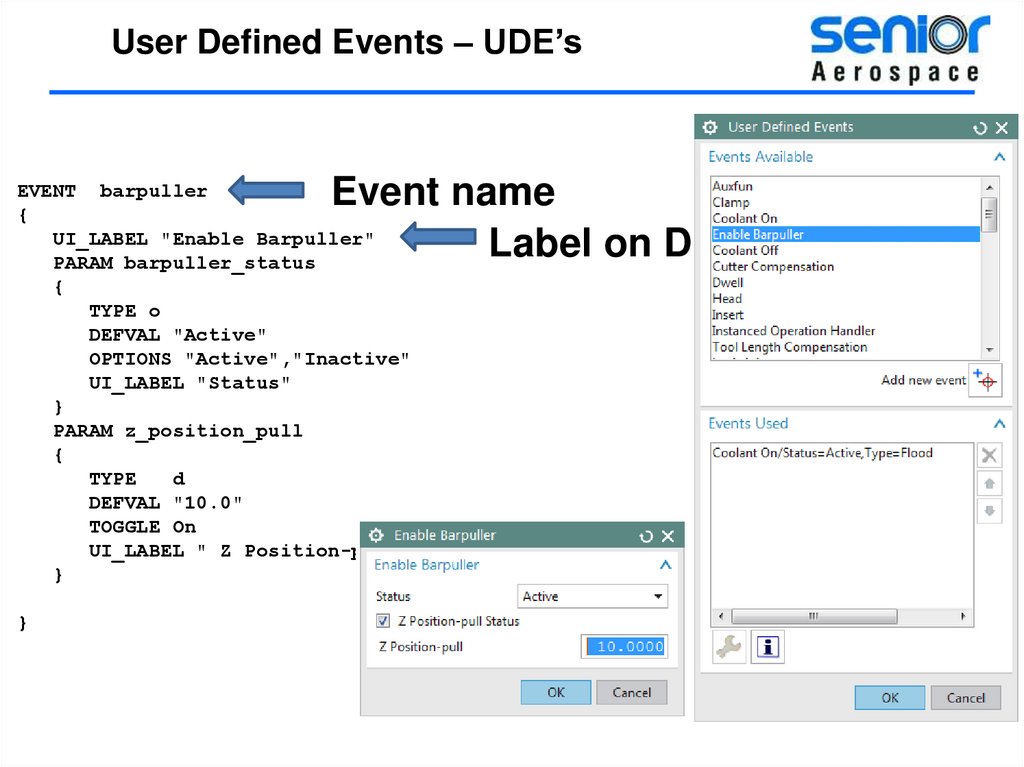
4.
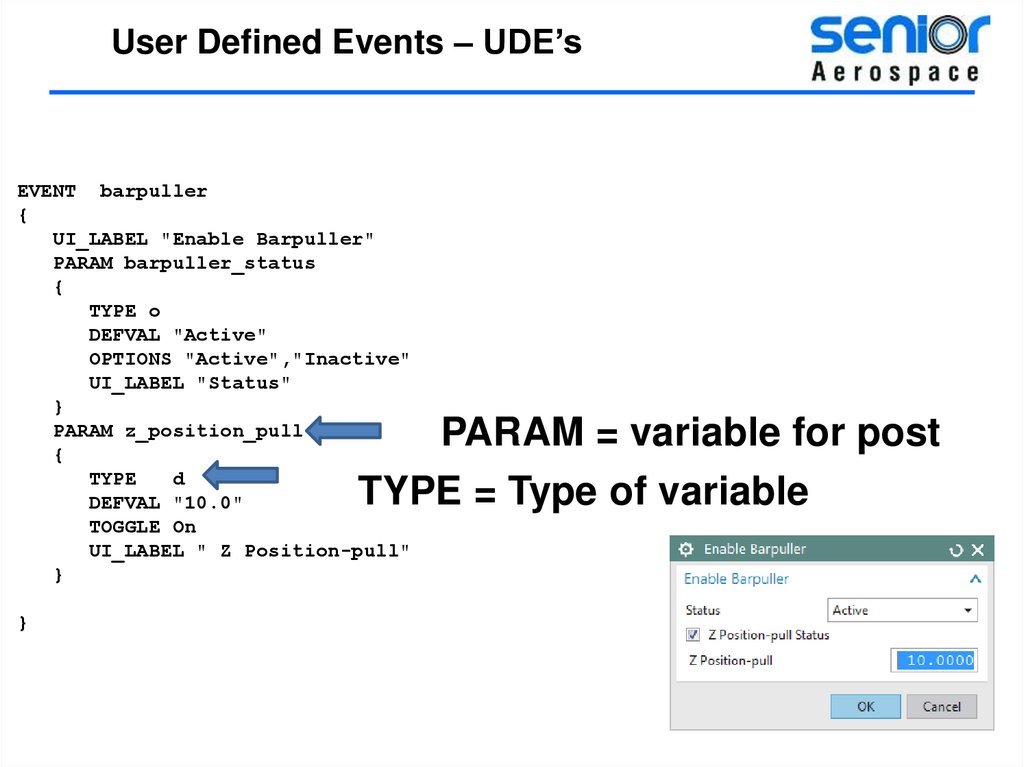
5.
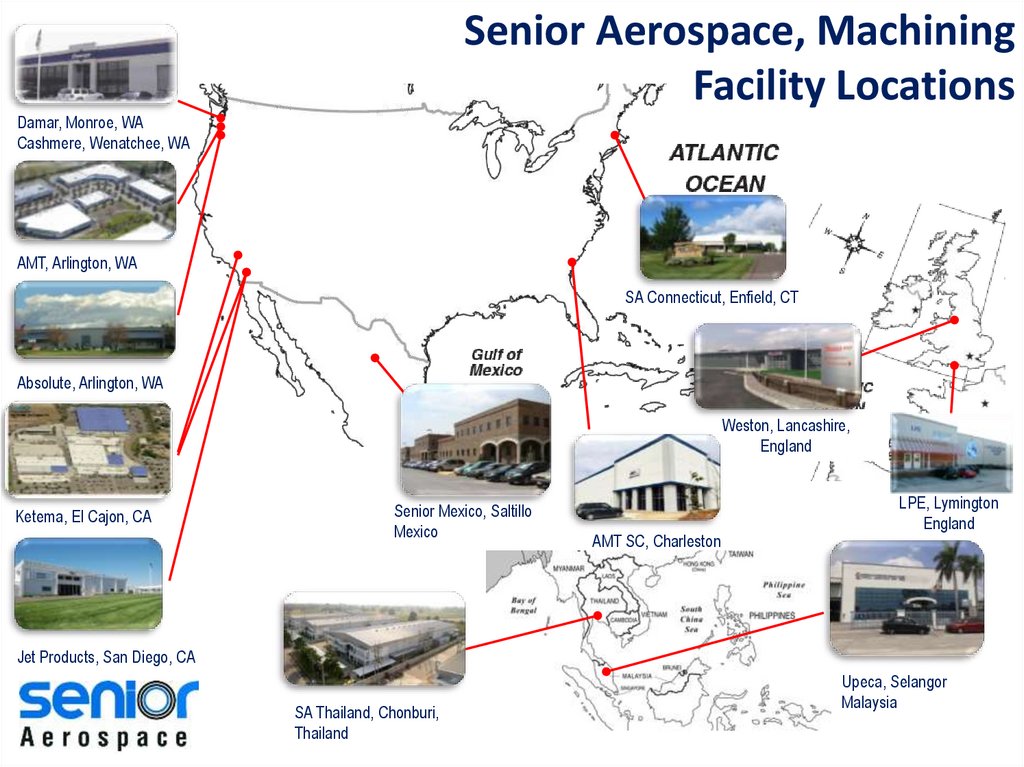
Senior Aerospace, MachiningFacility Locations
Damar, Monroe, WA
Cashmere, Wenatchee, WA
AMT, Arlington, WA
SA Connecticut, Enfield, CT
Absolute, Arlington, WA
Weston, Lancashire,
England
Ketema, El Cajon, CA
Senior Mexico, Saltillo
Mexico
AMT SC, Charleston
LPE, Lymington
England
Jet Products, San Diego, CA
SA Thailand, Chonburi,
Thailand
Upeca, Selangor
Malaysia
6.
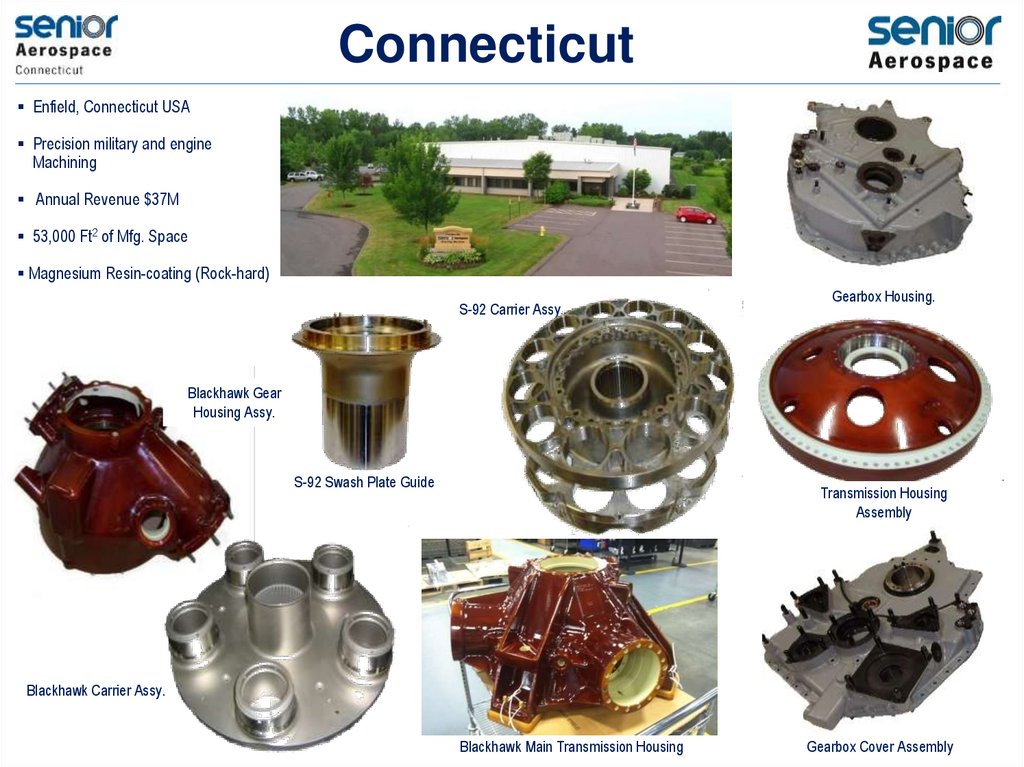
ConnecticutEnfield, Connecticut USA
Precision military and engine
Machining
Annual Revenue $37M
53,000 Ft2 of Mfg. Space
Magnesium Resin-coating (Rock-hard)
S-92 Carrier Assy.
Gearbox Housing.
Blackhawk Gear
Housing Assy.
S-92 Swash Plate Guide
Transmission Housing
Assembly
Blackhawk Carrier Assy.
Blackhawk Main Transmission Housing
Gearbox Cover Assembly
7.
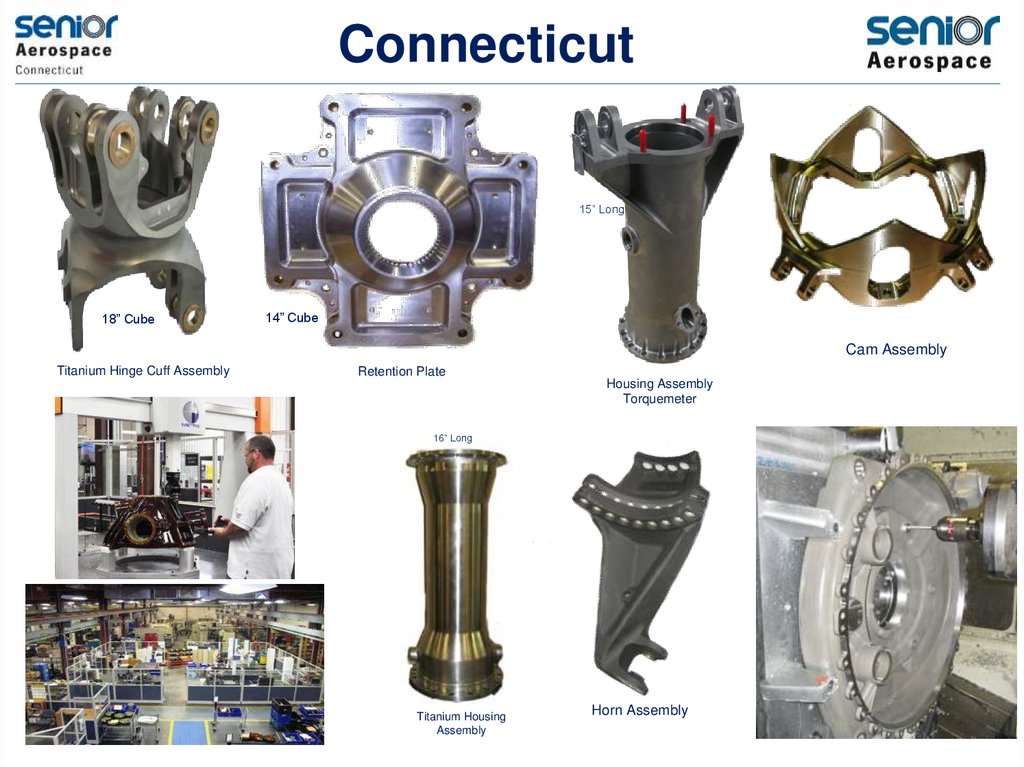
Connecticut15” Long
18” Cube
14” Cube
Cam Assembly
Titanium Hinge Cuff Assembly
Retention Plate
Housing Assembly
Torquemeter
16” Long
Titanium Housing
Assembly
Horn Assembly
8.
Programs / CustomersSikorsky
Blackhawk
Sikorsky S-76
GE Marine (LM2500)
Sikorsky CH53K
A350/TrentXWB
Bell-Boeing V-22 Osprey
Sikorsky
S-92®
(Rolls Royce 1107-C)
Lockheed C-130 Hercules
(Rolls Royce T-56)
Bombardier CRJ
Kaman SH-2G Super Sea Sprite
(GE CF34)
9.
10.
User Defined Events – UDE’sUser Defined Events file
Defining “events”
Customizing events
Passing events to the post
Customized output
Adding Help to a UDE
11.
User Defined Events – UDE’s·
·
·
·
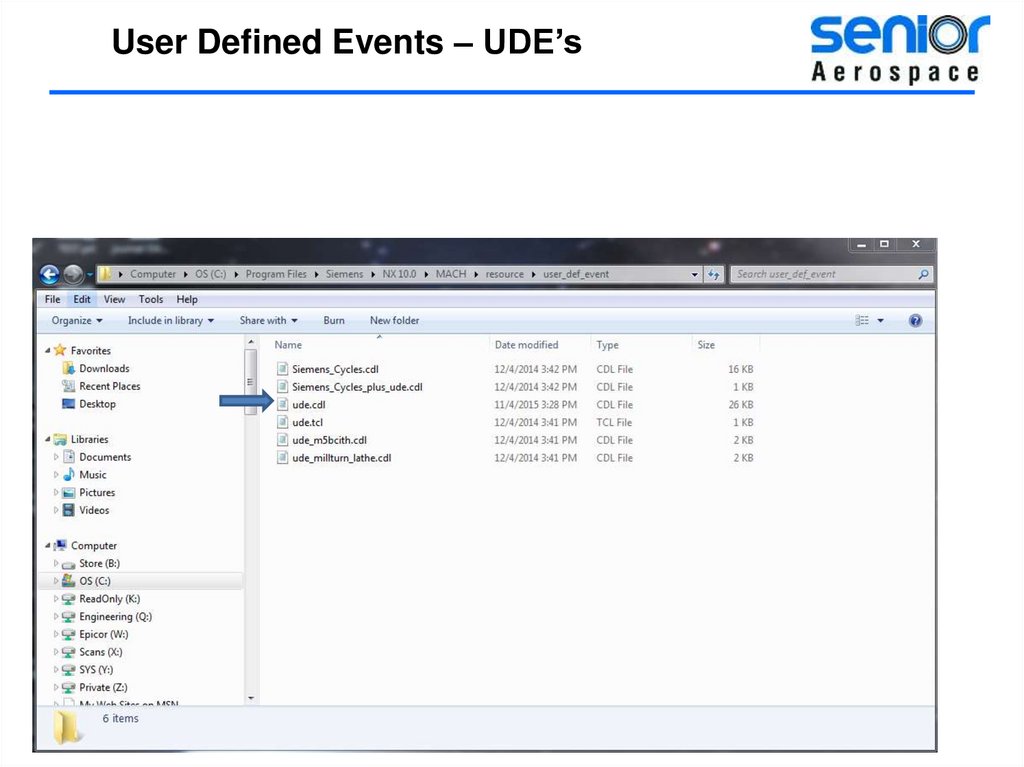
Where is the ude.cdl file?
What does the ude.cdl file do?
How can you add or remove events?
How can you add Help docs
12.
User Defined Events – UDE’s13.
User Defined Events – UDE’s14.
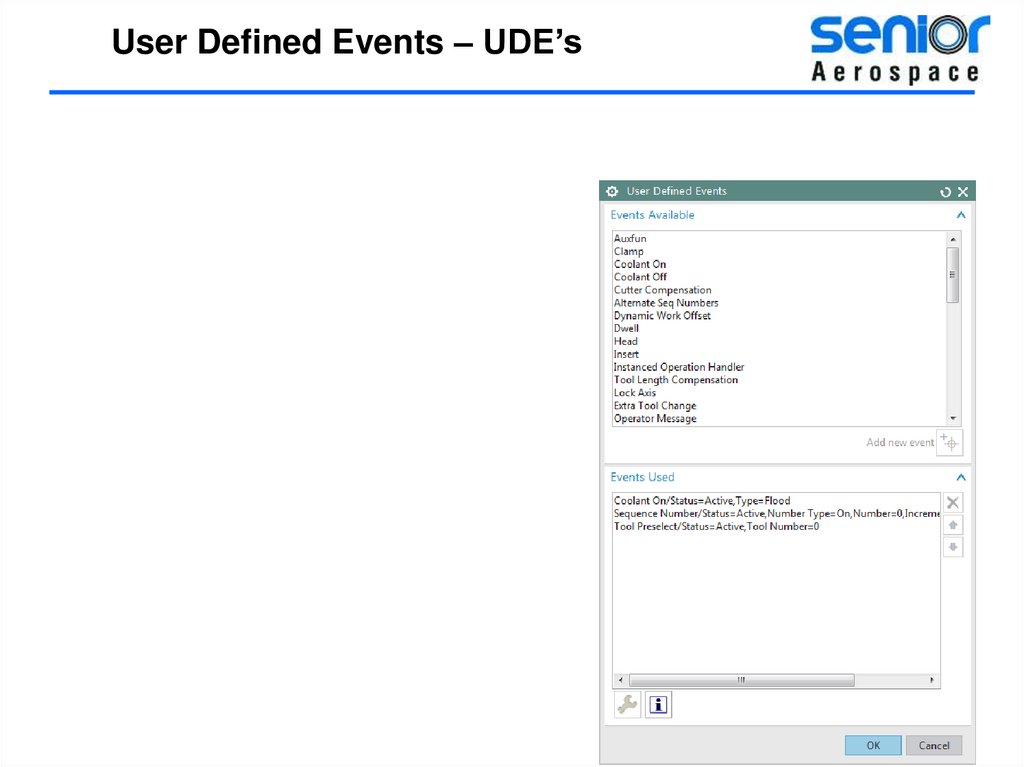
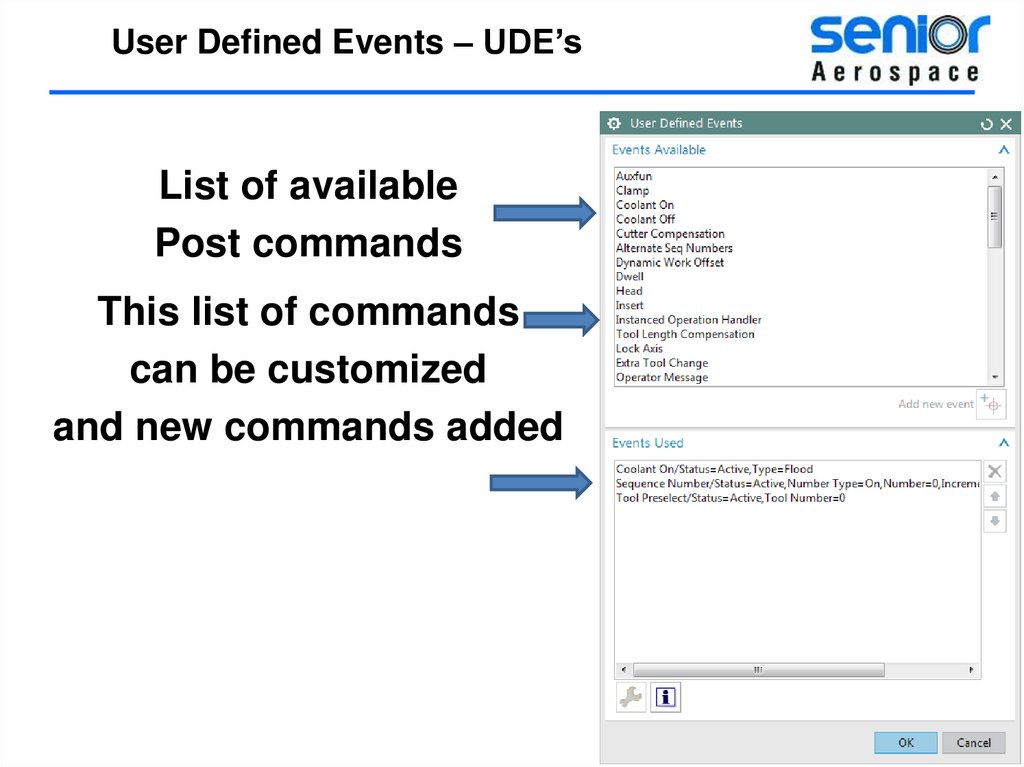
User Defined Events – UDE’sList of available
Post commands
This list of commands
can be customized
and new commands added
15.
User Defined Events – UDE’sEditing the ude file
and adding events
16.
User Defined Events – UDE’sMake a copy of the original
ude.cdl file BEFORE
attempting
to make any changes!
17.
User Defined Events – UDE’sI recommend creating a
Separate custom
Resource folder.
18.
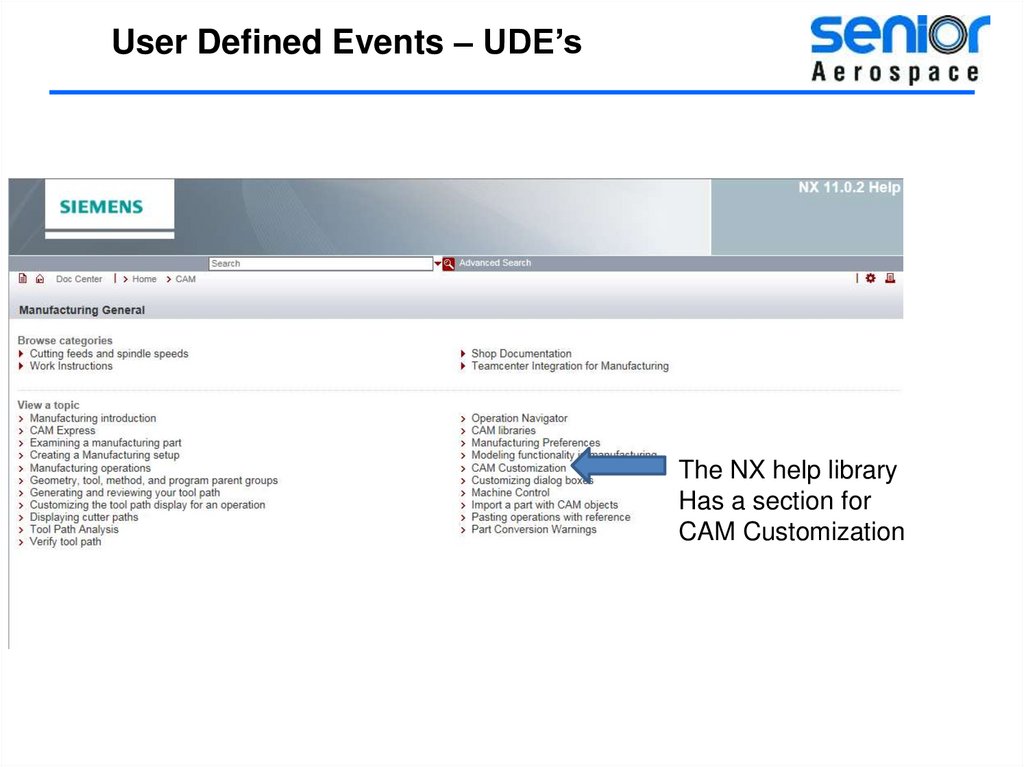
User Defined Events – UDE’sThe NX help library
Has a section for
CAM Customization
19.
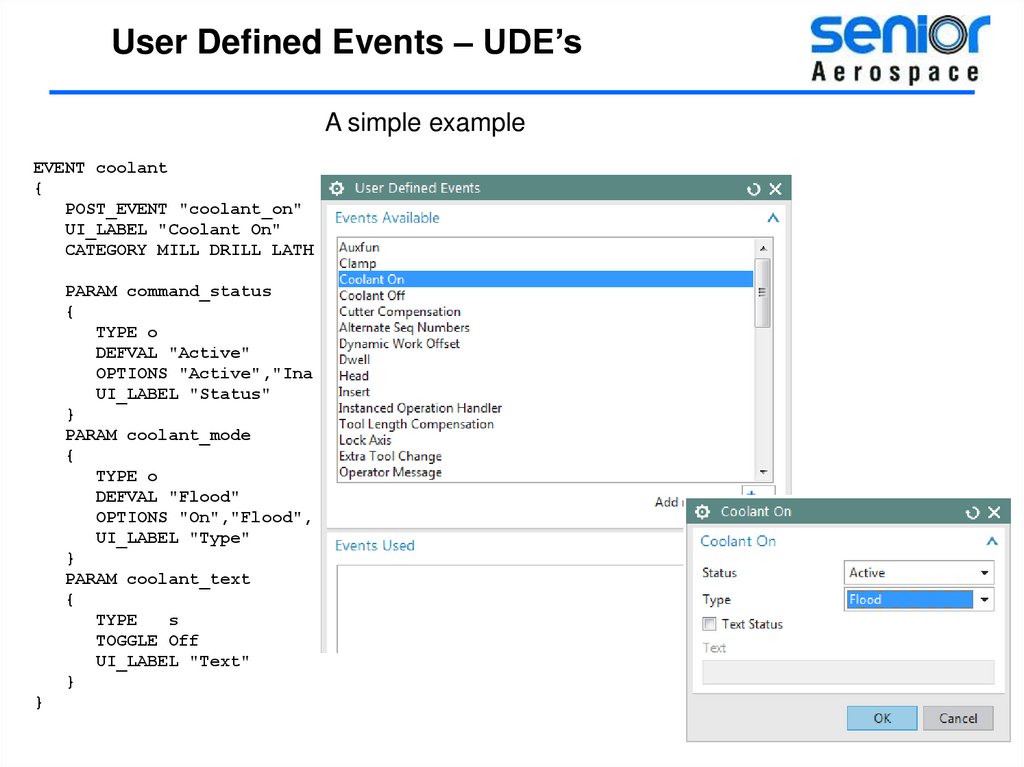
User Defined Events – UDE’sA simple example
EVENT coolant
{
POST_EVENT "coolant_on"
UI_LABEL "Coolant On"
CATEGORY MILL DRILL LATHE
PARAM command_status
{
TYPE o
DEFVAL "Active"
OPTIONS "Active","Inactive","User Defined"
UI_LABEL "Status"
}
PARAM coolant_mode
{
TYPE o
DEFVAL "Flood"
OPTIONS "On","Flood","Mist","Tap","Thru"
UI_LABEL "Type"
}
PARAM coolant_text
{
TYPE
s
TOGGLE Off
UI_LABEL "Text"
}
}
20.
User Defined Events – UDE’sAn event is what triggers the post
to perform some action
and cause output.
Events also pass variables
to the post processor
21.
User Defined Events – UDE’sEvent name
Label on Dialog
EVENT barpuller
{
UI_LABEL "Enable Barpuller"
PARAM barpuller_status
{
TYPE o
DEFVAL "Active"
OPTIONS "Active","Inactive"
UI_LABEL "Status"
}
PARAM z_position_pull
{
TYPE
d
DEFVAL "10.0"
TOGGLE On
UI_LABEL " Z Position-pull"
}
}
22.
User Defined Events – UDE’sEvent name
Label on Dialog
EVENT barpuller
{
UI_LABEL "Enable Barpuller"
PARAM barpuller_status
{
TYPE o
DEFVAL "Active"
OPTIONS "Active","Inactive"
UI_LABEL "Status"
}
PARAM z_position_pull
{
TYPE
d
DEFVAL "10.0"
TOGGLE On
UI_LABEL " Z Position-pull"
}
}
23.
User Defined Events – UDE’sEVENT barpuller
{
UI_LABEL "Enable Barpuller"
PARAM barpuller_status
{
TYPE o
DEFVAL "Active"
OPTIONS "Active","Inactive"
UI_LABEL "Status"
}
PARAM z_position_pull
{
TYPE
d
DEFVAL "10.0"
TOGGLE On
UI_LABEL " Z Position-pull"
}
PARAM = variable for post
TYPE = Type of variable
}
24.
User Defined Events – UDE’sThis is only half the story. You need to have the post do something
with the input we defined
How does the Post know what to do with this UDE?
25.
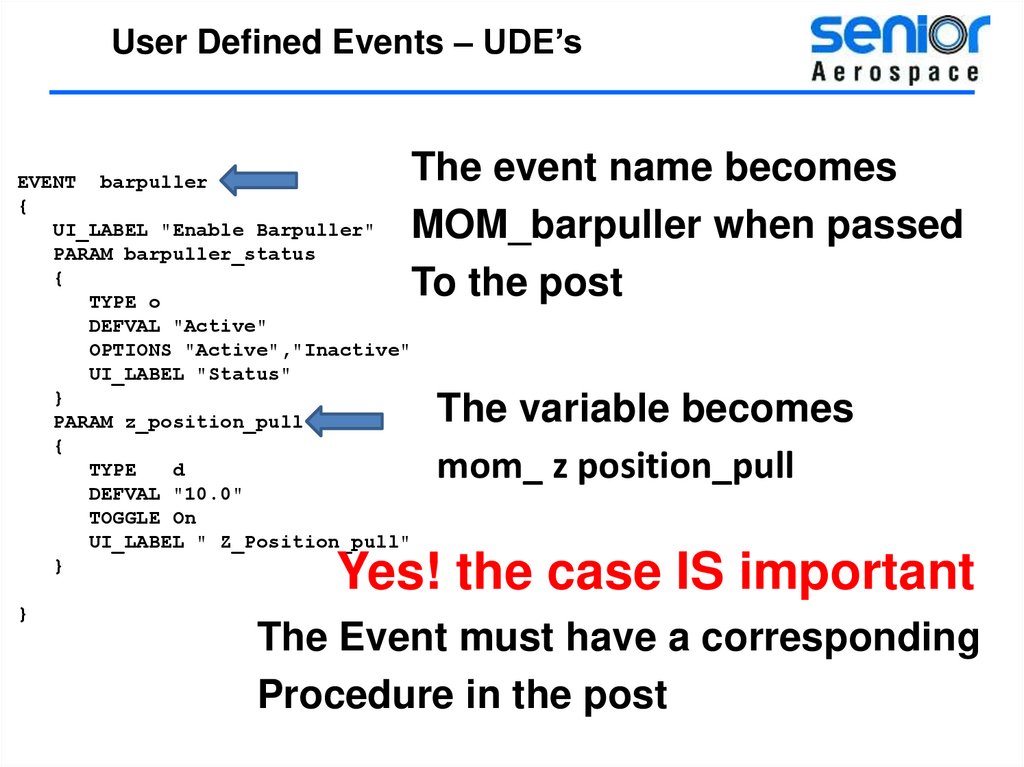
User Defined Events – UDE’sThe event name becomes
MOM_barpuller when passed
To the post
EVENT barpuller
{
UI_LABEL "Enable Barpuller"
PARAM barpuller_status
{
TYPE o
DEFVAL "Active"
OPTIONS "Active","Inactive"
UI_LABEL "Status"
}
PARAM z_position_pull
{
TYPE
d
DEFVAL "10.0"
TOGGLE On
UI_LABEL " Z_Position_pull"
}
The variable becomes
mom_ z position_pull
Yes! the case IS important
}
The Event must have a corresponding
Procedure in the post
26.
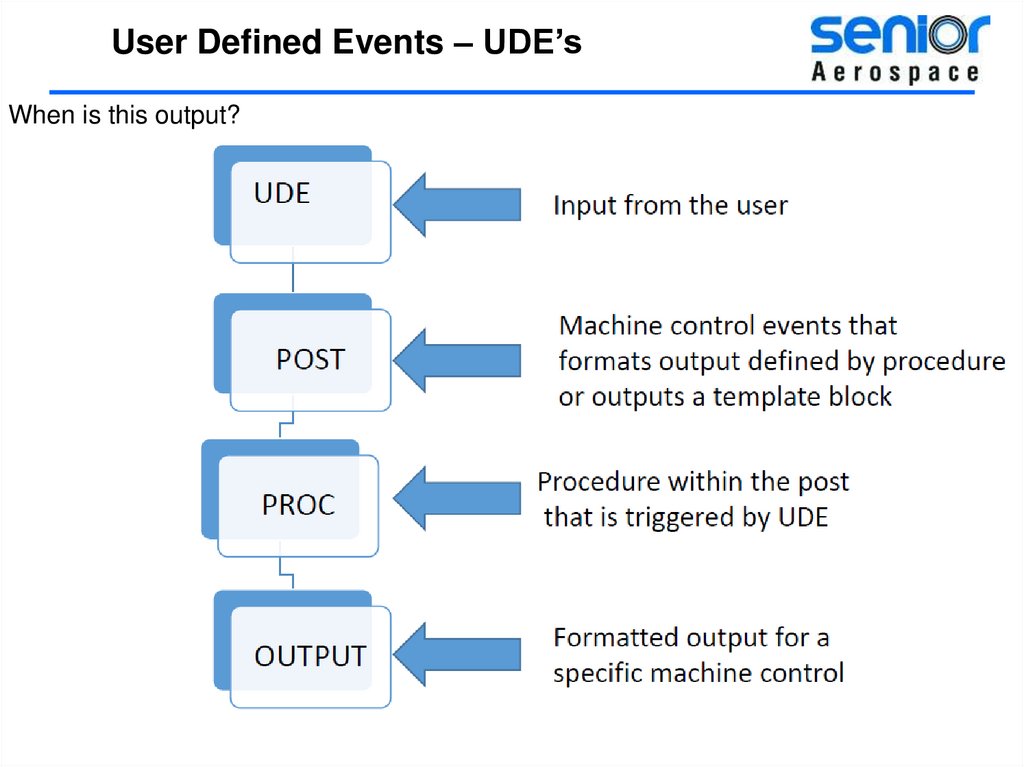
User Defined Events – UDE’sWhen is this output?
27.
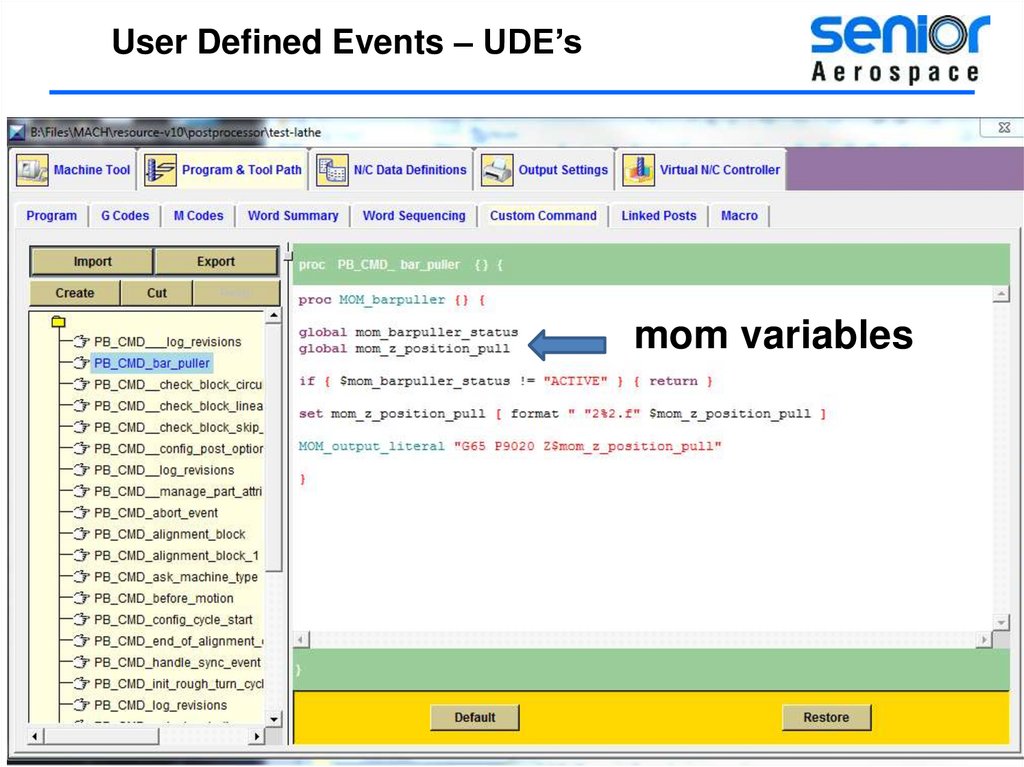
User Defined Events – UDE’sJust as it is in the real world MOM controls everything.
28.
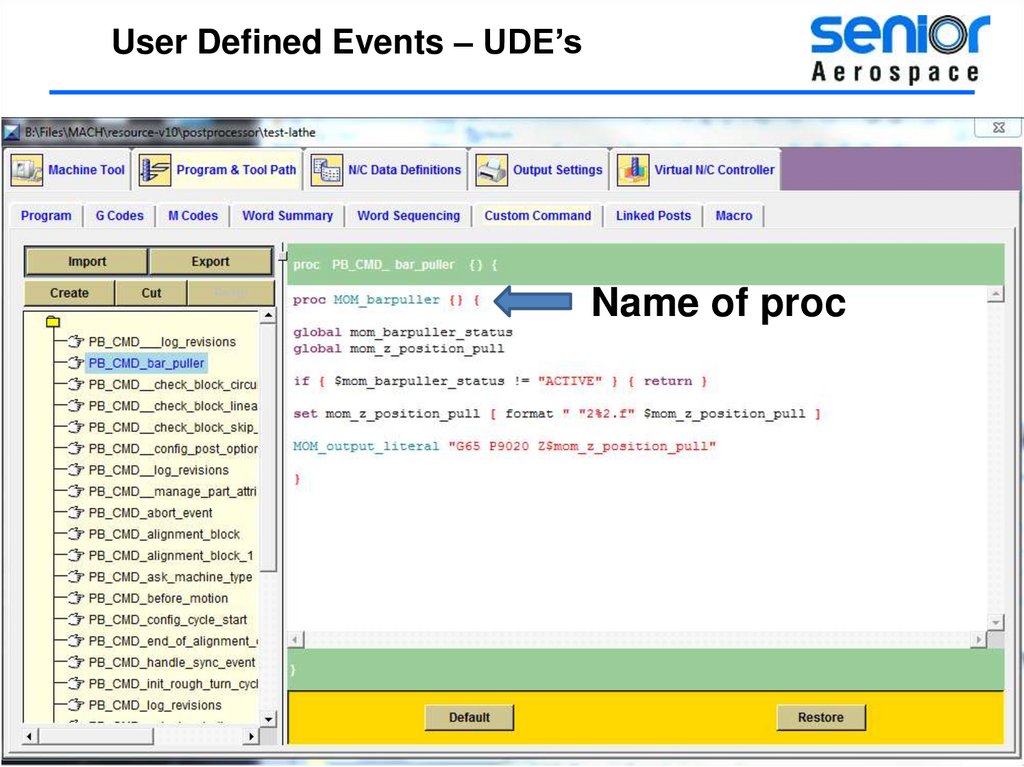
User Defined Events – UDE’sName of proc
29.
User Defined Events – UDE’smom variables
30.
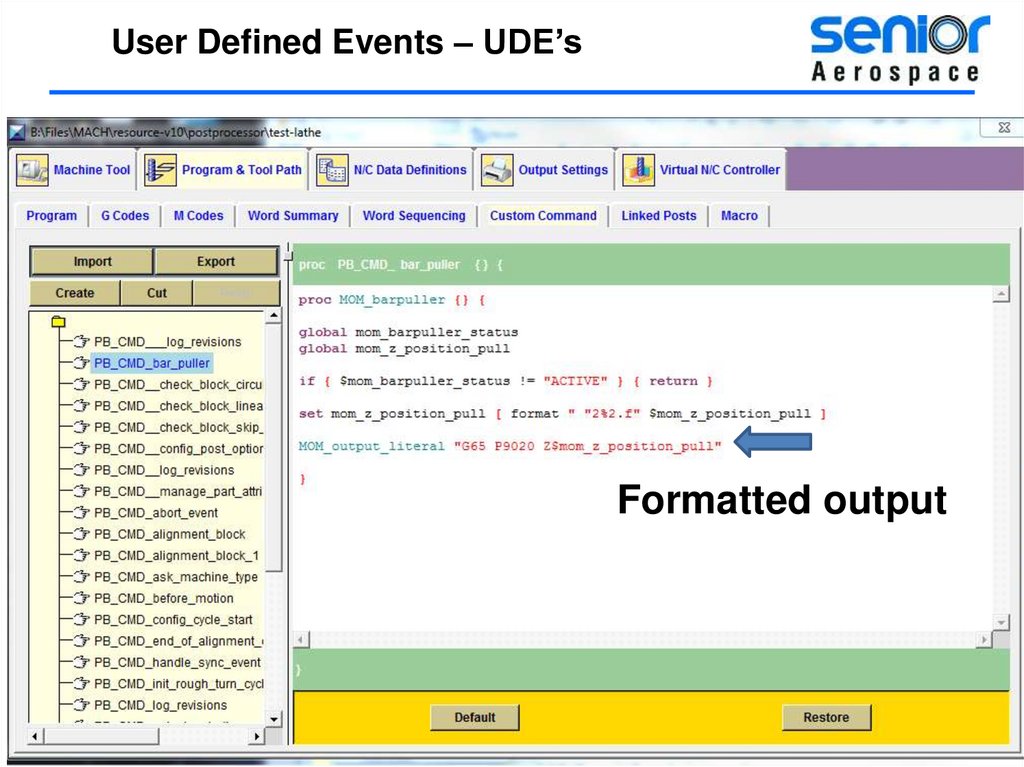
User Defined Events – UDE’sFormatted output
31.
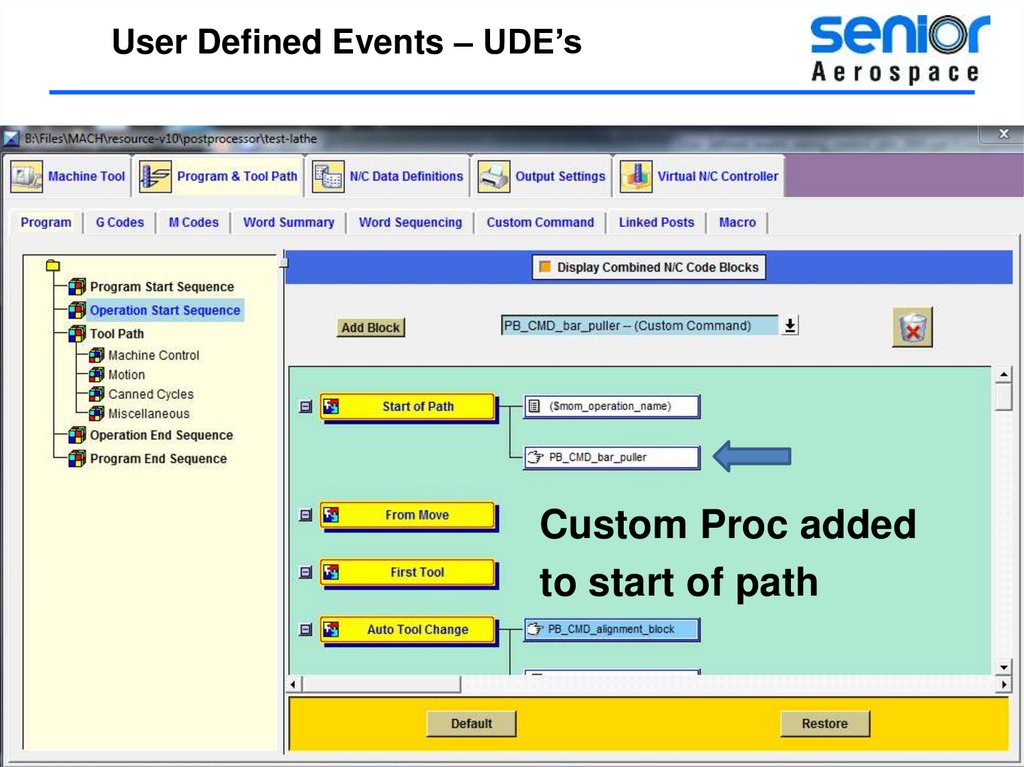
User Defined Events – UDE’sCustom Proc added
to start of path
32.
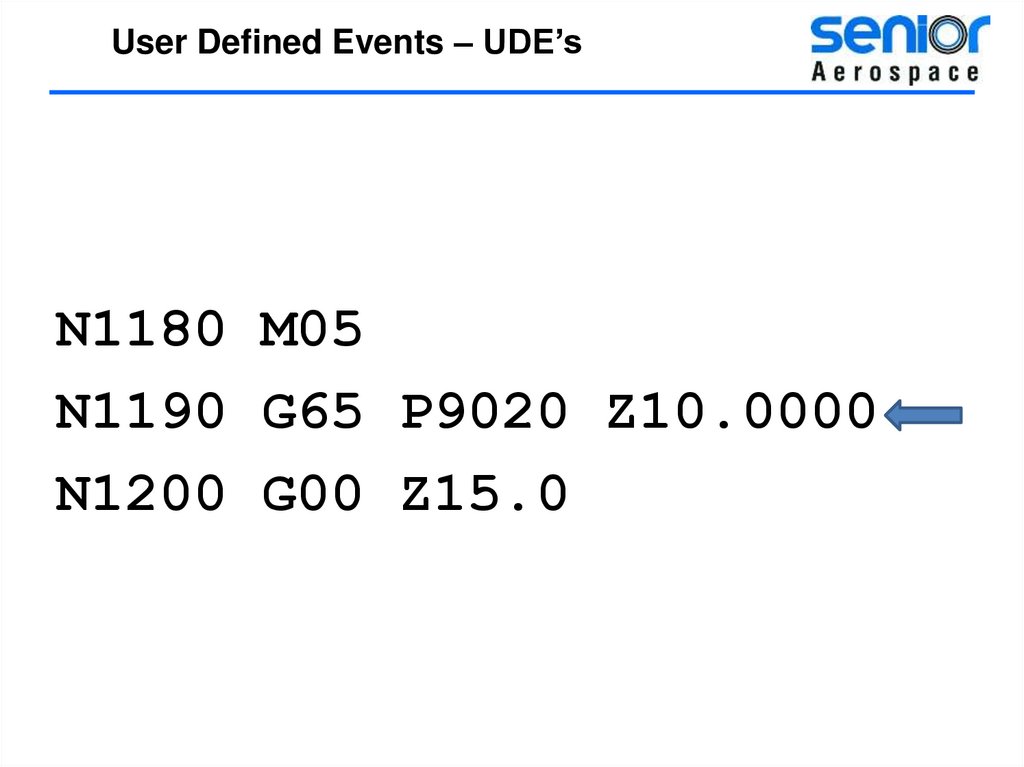
User Defined Events – UDE’sN1180 M05
N1190 G65 P9020 Z10.0000
N1200 G00 Z15.0
33.
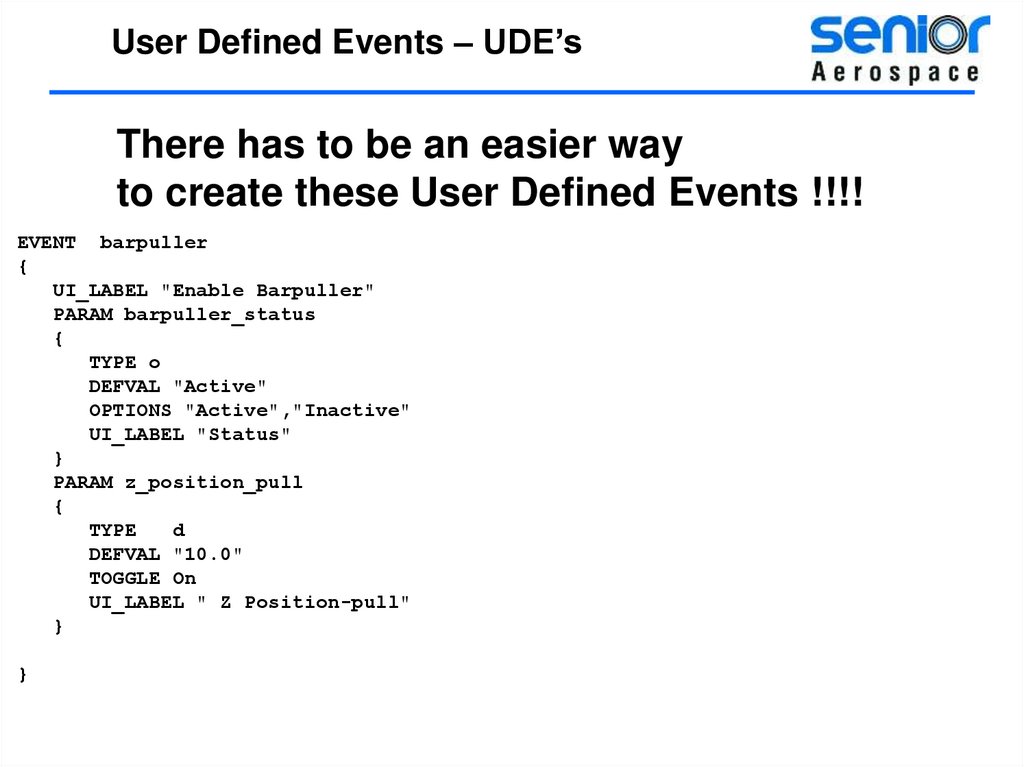
User Defined Events – UDE’sThere has to be an easier way
to create these User Defined Events !!!!
EVENT barpuller
{
UI_LABEL "Enable Barpuller"
PARAM barpuller_status
{
TYPE o
DEFVAL "Active"
OPTIONS "Active","Inactive"
UI_LABEL "Status"
}
PARAM z_position_pull
{
TYPE
d
DEFVAL "10.0"
TOGGLE On
UI_LABEL " Z Position-pull"
}
}
34.
User Defined Events – UDE’sAs with NX there is almost always more than one
way to do the same thing
35.
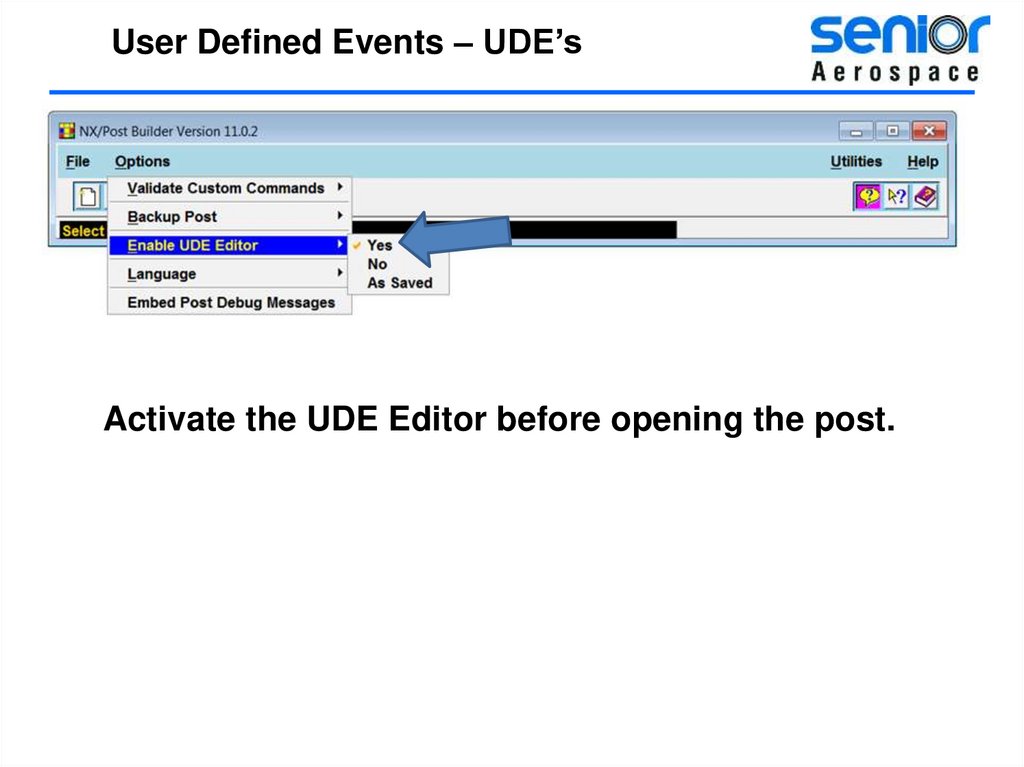
User Defined Events – UDE’sActivate the UDE Editor before opening the post.
36.
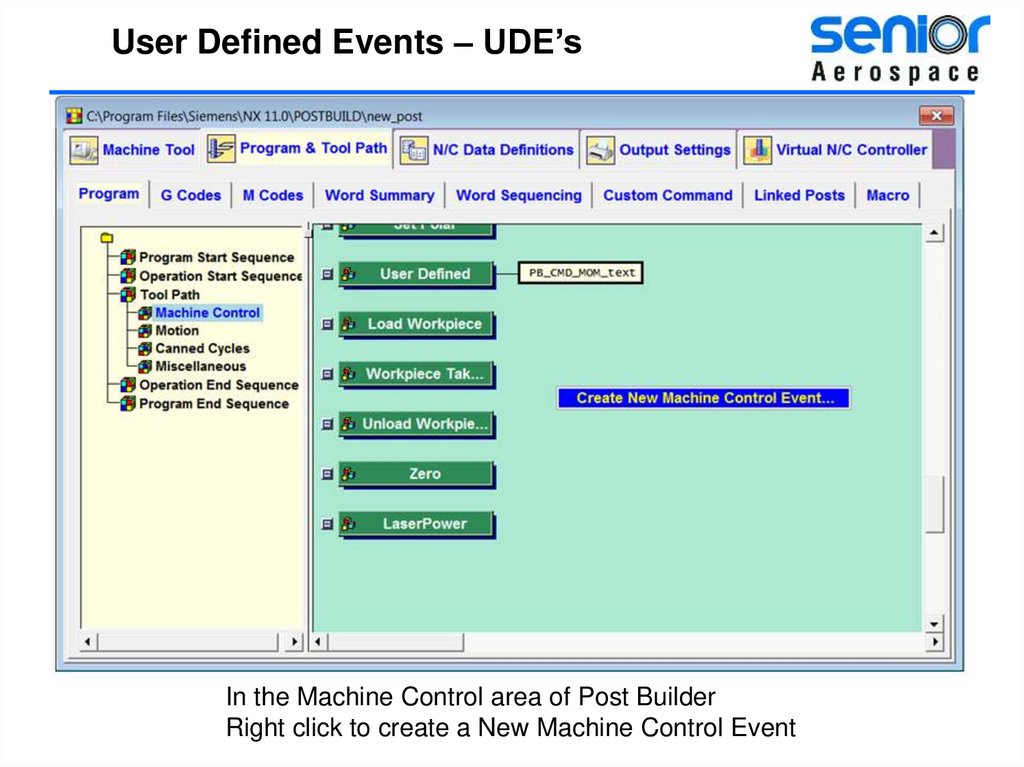
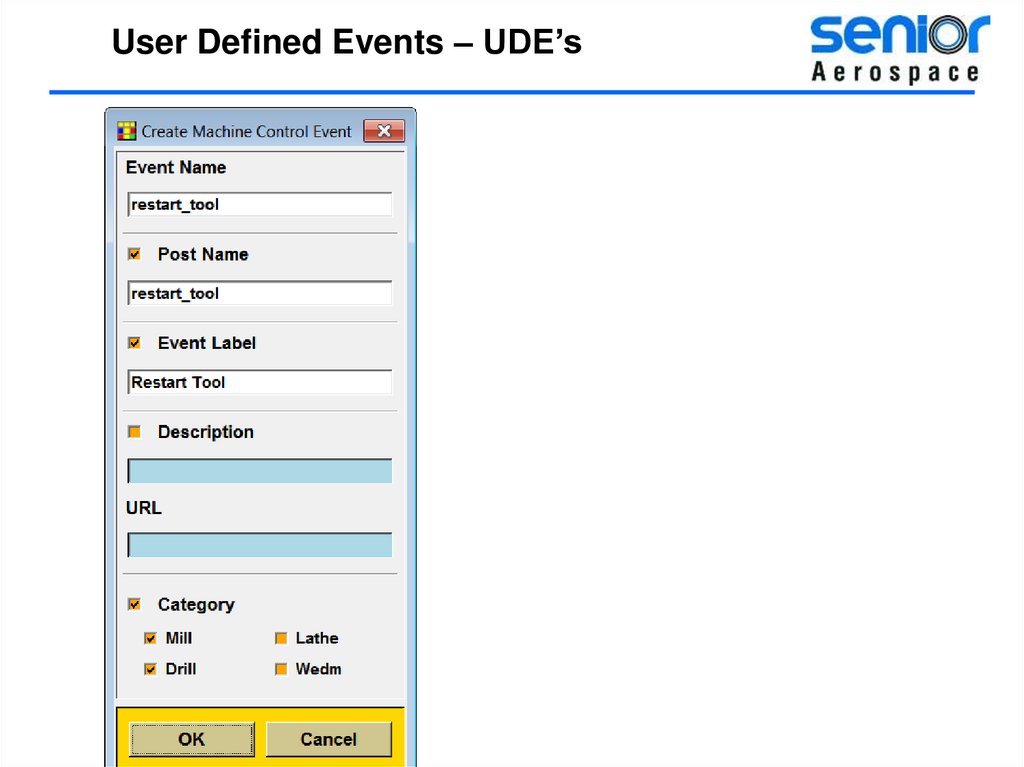
User Defined Events – UDE’sIn the Machine Control area of Post Builder
Right click to create a New Machine Control Event
37.
User Defined Events – UDE’s38.
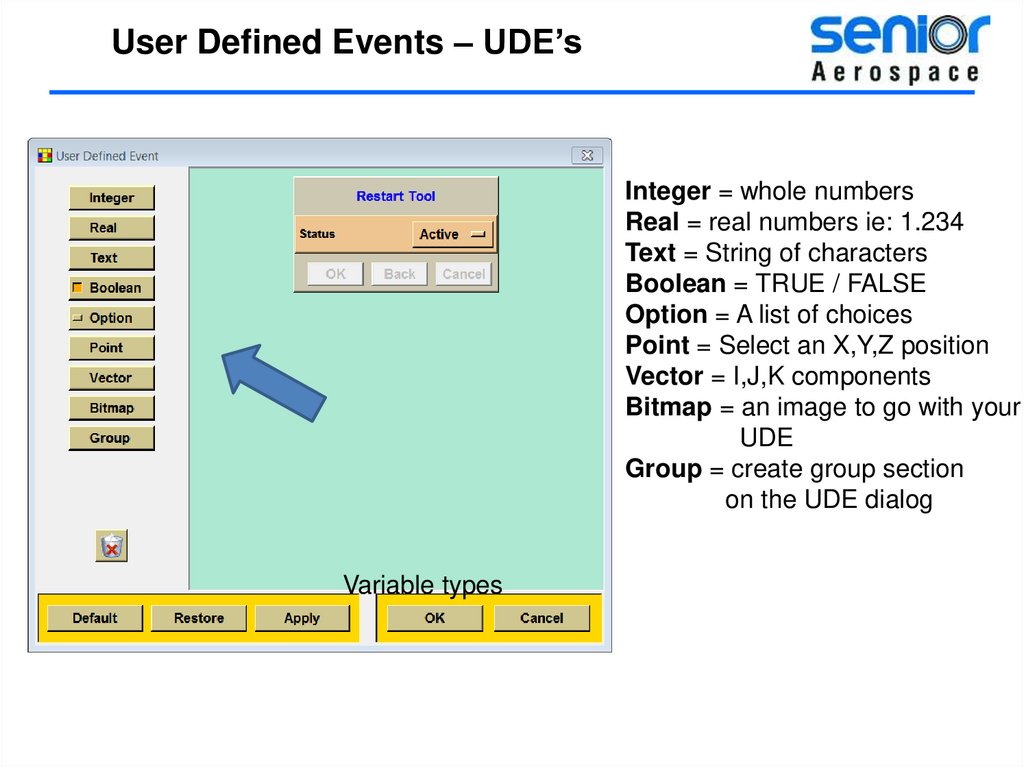
User Defined Events – UDE’sInteger = whole numbers
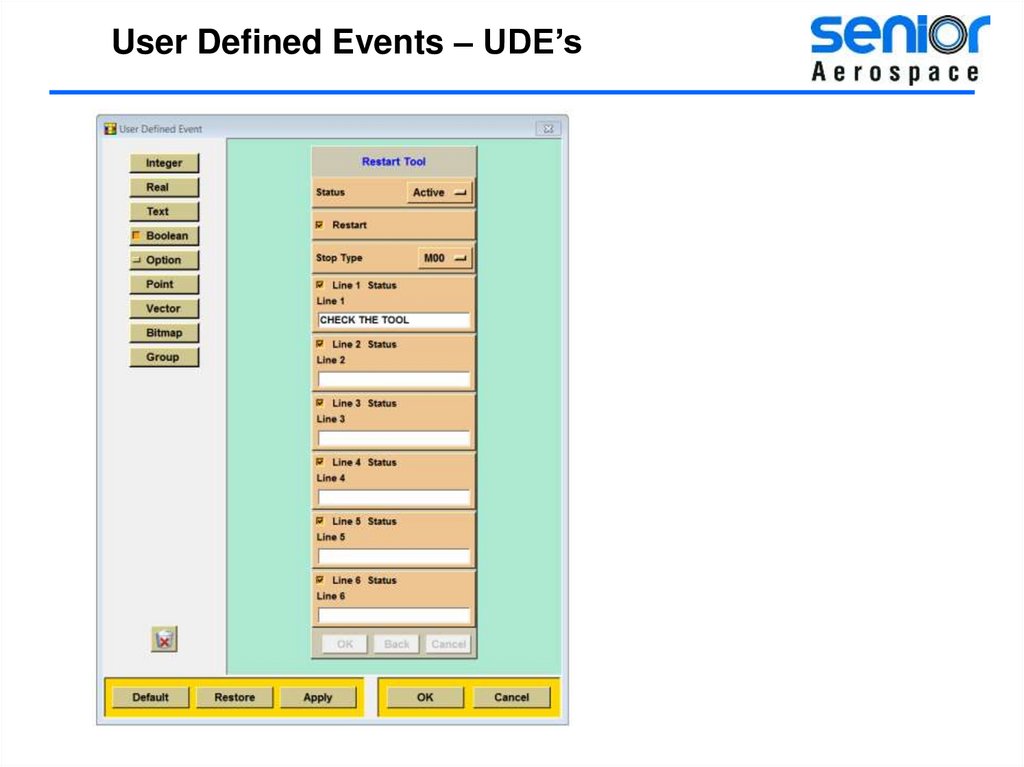
Real = real numbers ie: 1.234
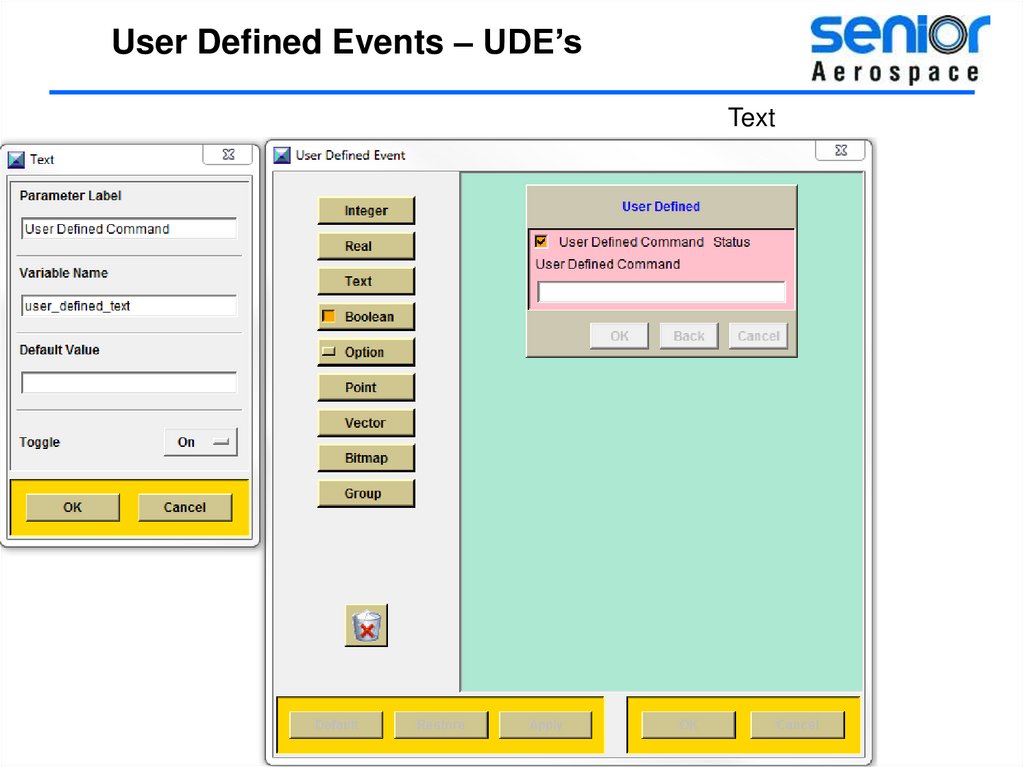
Text = String of characters
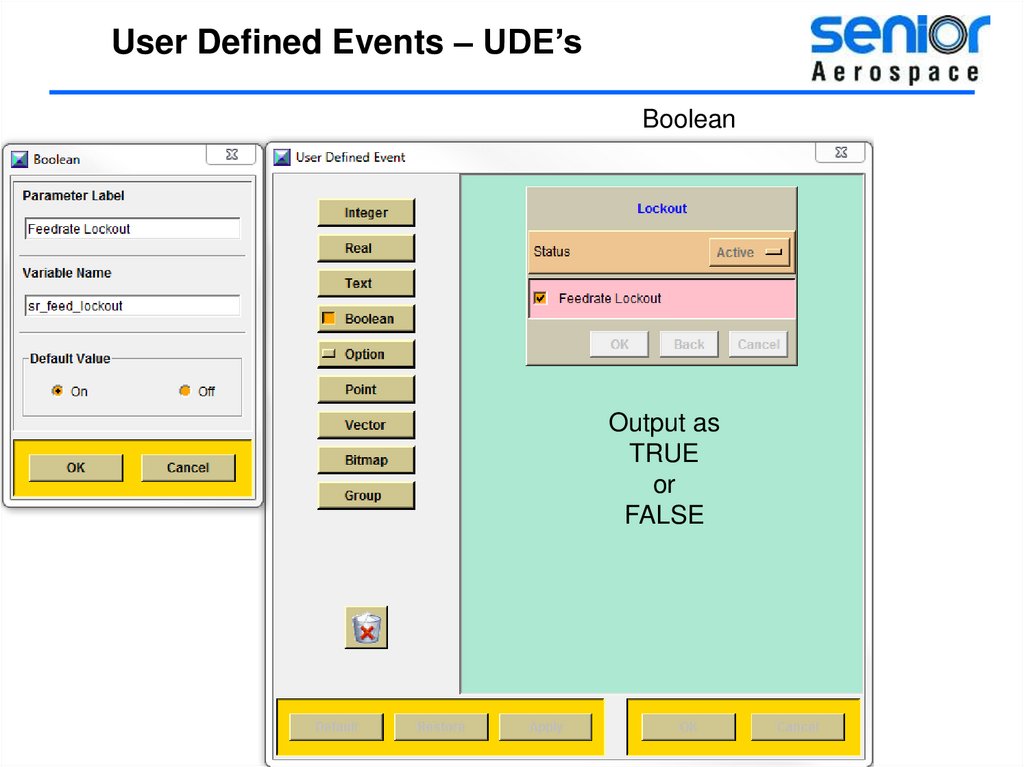
Boolean = TRUE / FALSE
Option = A list of choices
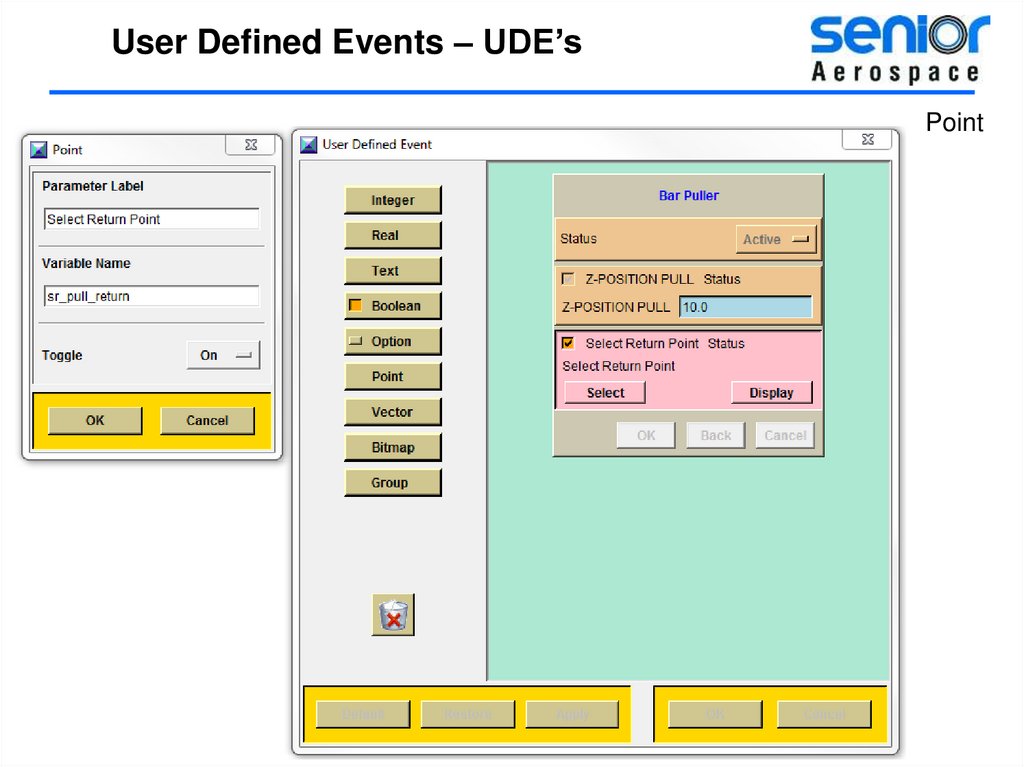
Point = Select an X,Y,Z position
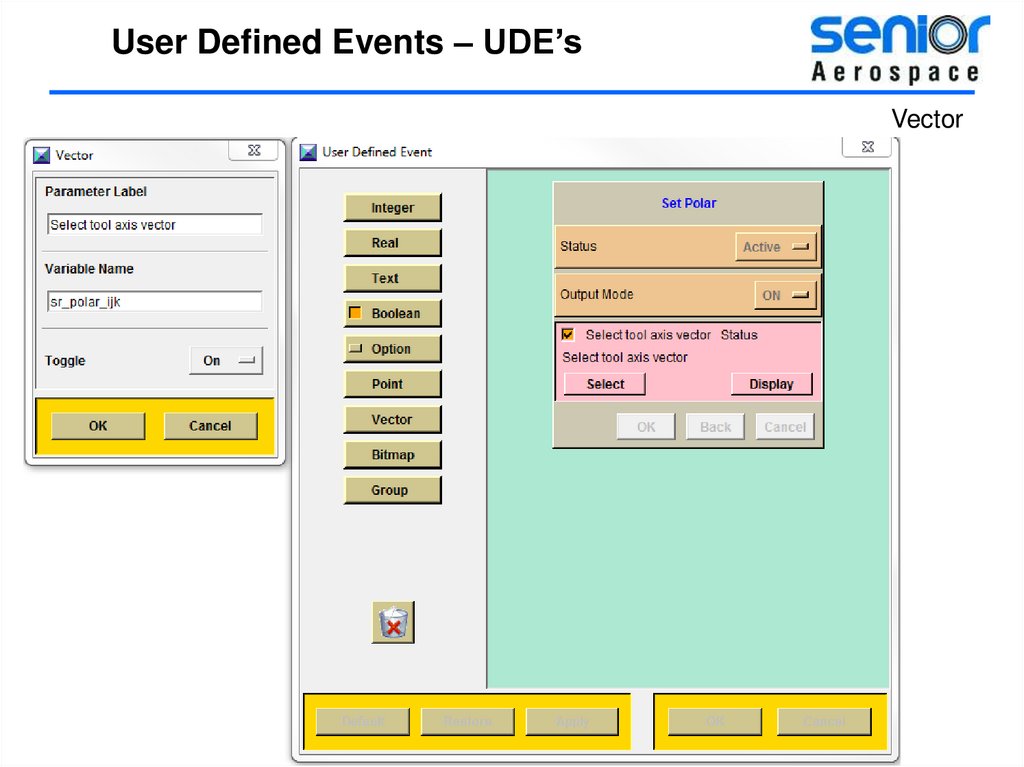
Vector = I,J,K components
Bitmap = an image to go with your
UDE
Group = create group section
on the UDE dialog
Variable types
39.
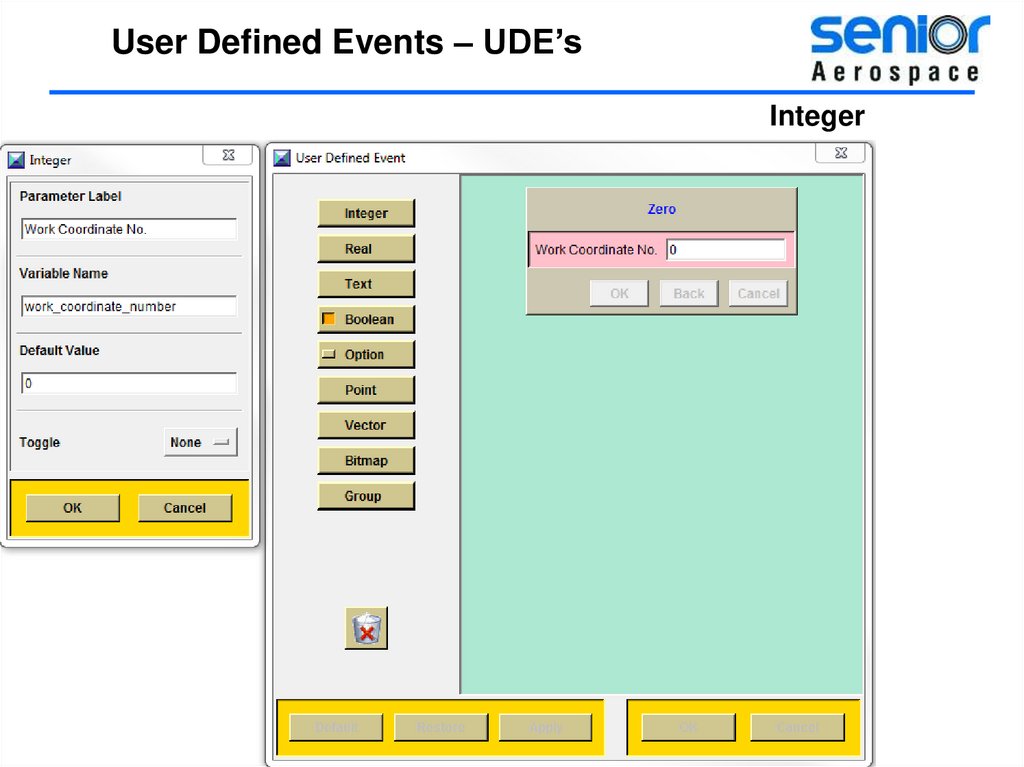
User Defined Events – UDE’sInteger
40.
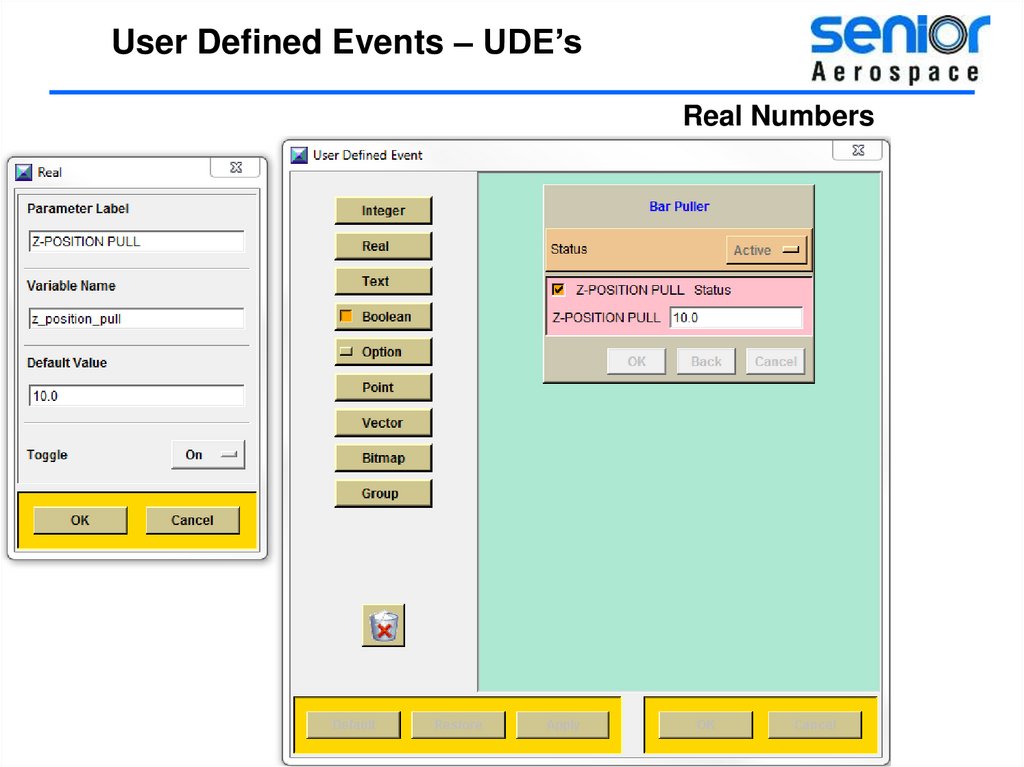
User Defined Events – UDE’sReal Numbers
41.
User Defined Events – UDE’sText
42.
User Defined Events – UDE’sBoolean
Output as
TRUE
or
FALSE
43.
User Defined Events – UDE’sOptions – Good for controlling
the input from users.
44.
User Defined Events – UDE’sPoint
45.
User Defined Events – UDE’sVector
46.
User Defined Events – UDE’s47.
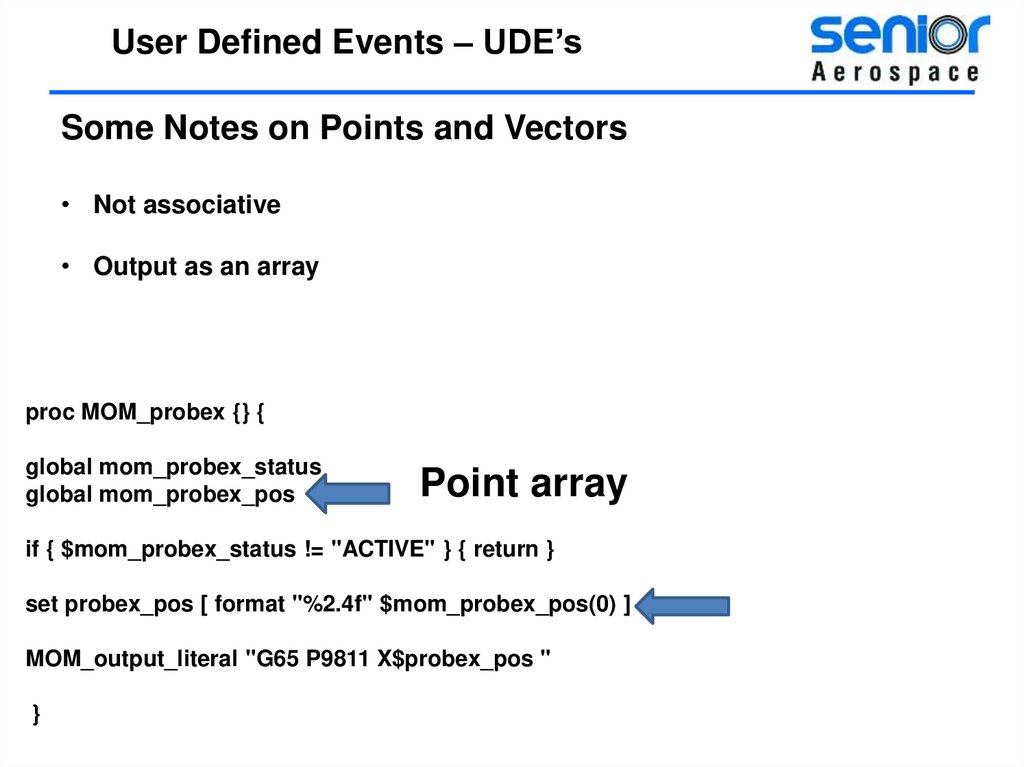
User Defined Events – UDE’sSome Notes on Points and Vectors
• Not associative
• Output as an array
proc MOM_probex {} {
global mom_probex_status
global mom_probex_pos
Point array
if { $mom_probex_status != "ACTIVE" } { return }
set probex_pos [ format "%2.4f" $mom_probex_pos(0) ]
MOM_output_literal "G65 P9811 X$probex_pos "
}
48.
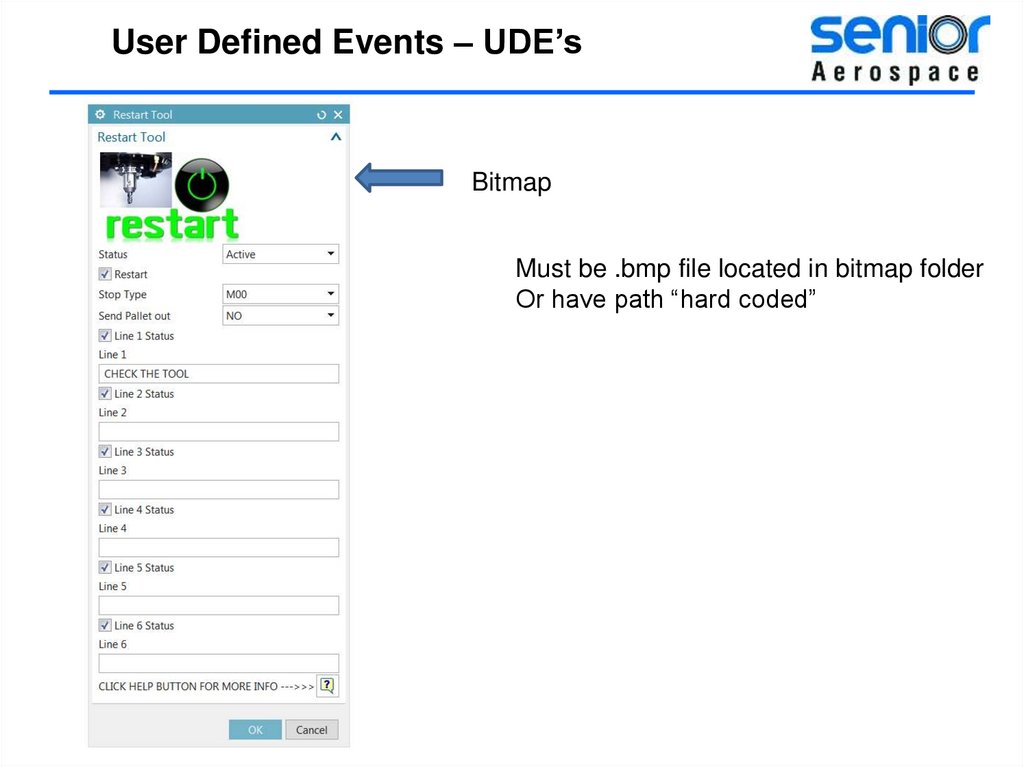
User Defined Events – UDE’sBitmap
Must be .bmp file located in bitmap folder
Or have path “hard coded”
49.
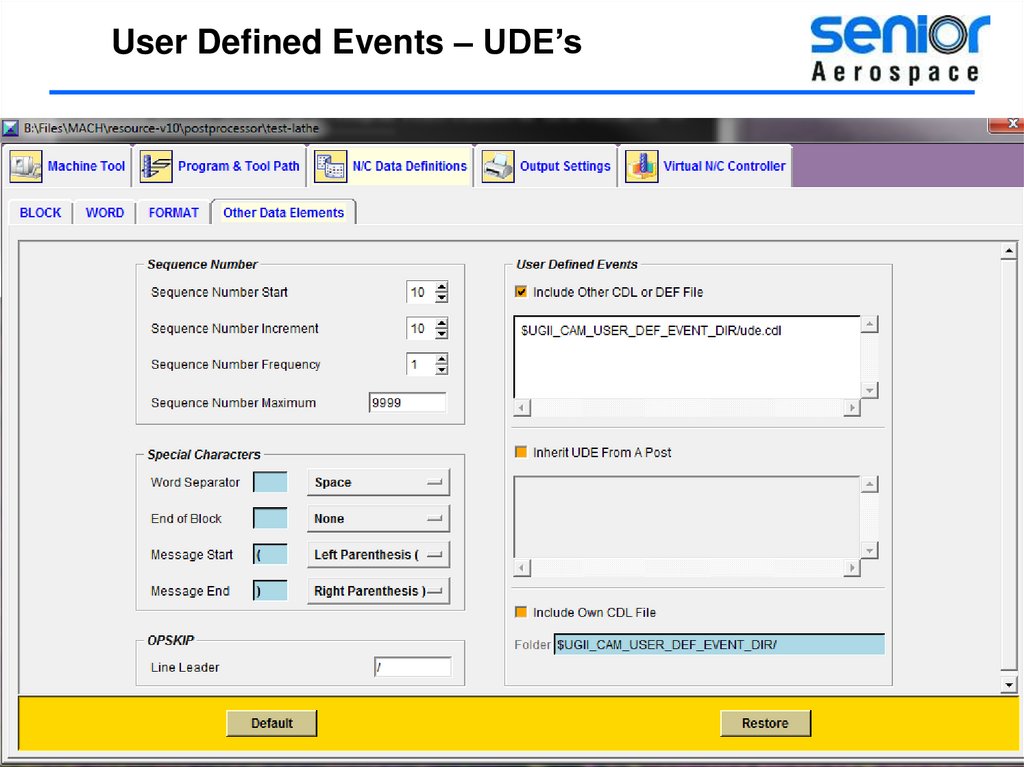
User Defined Events – UDE’sBy default when you save the post a .cdl file is also saved in the same folder
You can edit the .cdl file and cut and paste the custom commands
To your .cdl file
50.
User Defined Events – UDE’s51.
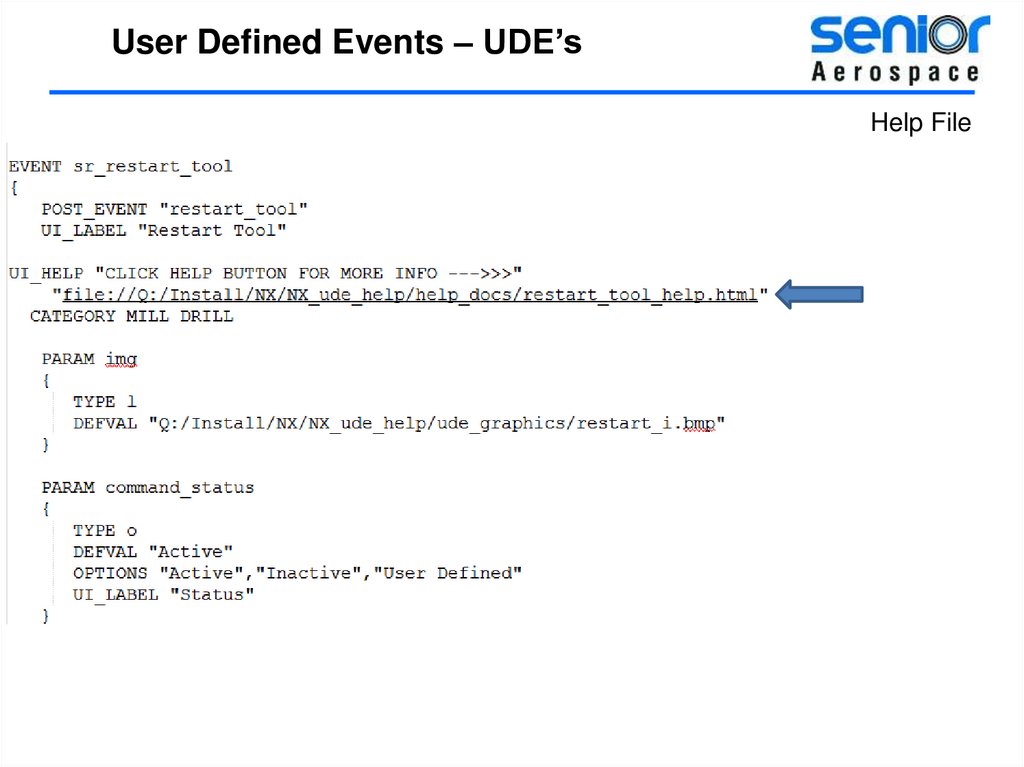
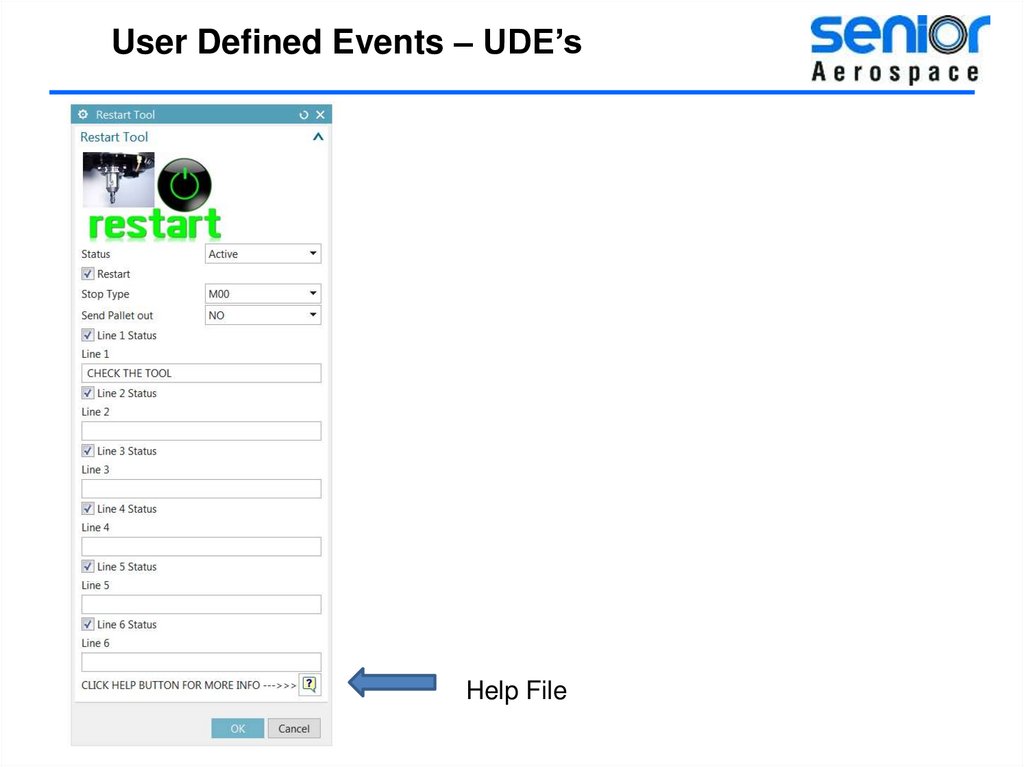
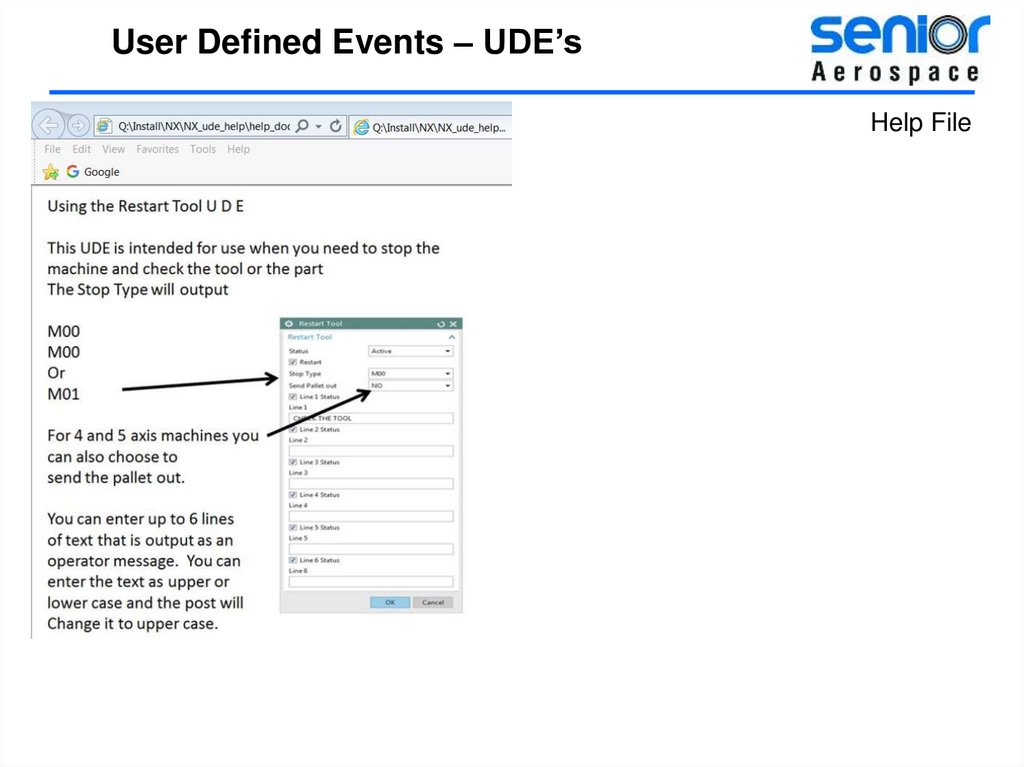
User Defined Events – UDE’sHelp File
52.
User Defined Events – UDE’sHelp File
53.
User Defined Events – UDE’sHelp File
54.
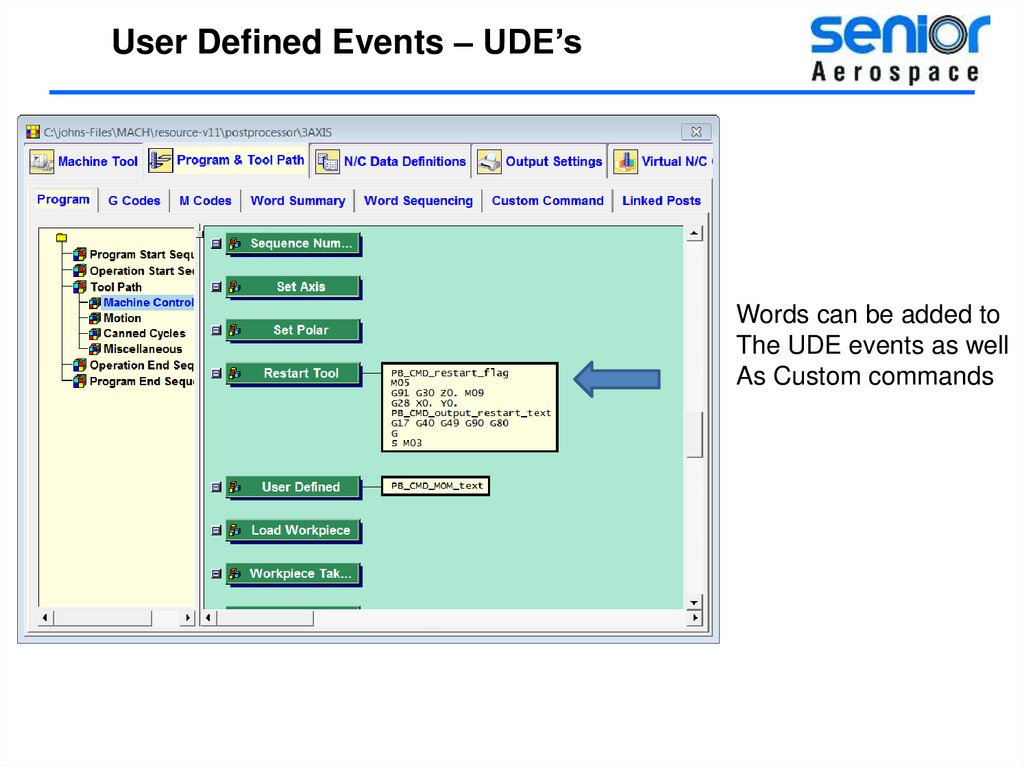
User Defined Events – UDE’sWords can be added to
The UDE events as well
As Custom commands
55.
User Defined Events – UDE’sDeciding when to output your code.
There are times when you may want to “Hold” onto the output
From your UDE until you reach a very specific point in the program.
Put Procedure at start of path
Have second custom command to output the commands from the UDE
At the location of you choice, First Move, Approach Move etc..
56.
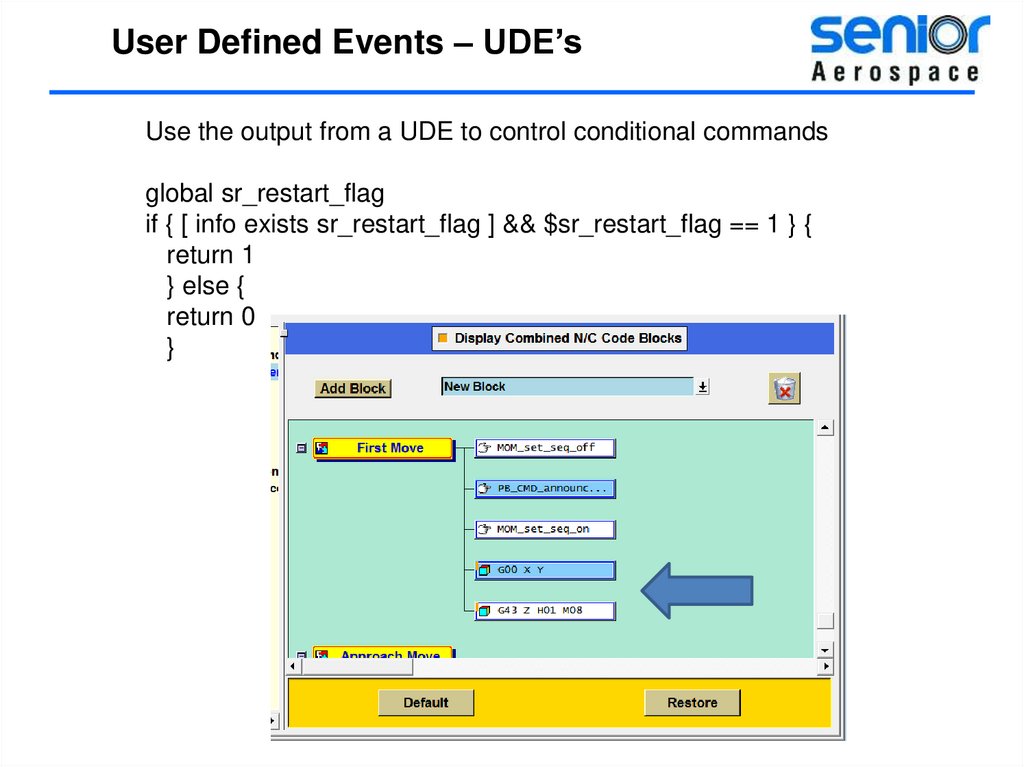
User Defined Events – UDE’sUse the output from a UDE to control conditional commands
global sr_restart_flag
if { [ info exists sr_restart_flag ] && $sr_restart_flag == 1 } {
return 1
} else {
return 0
}
57.
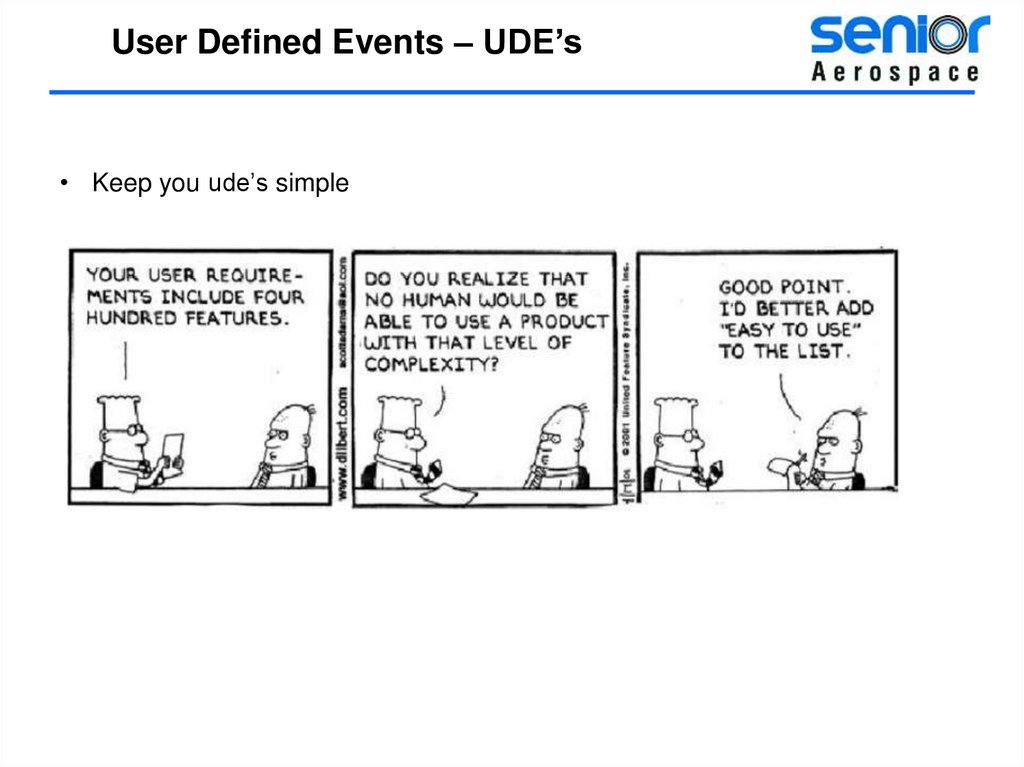
User Defined Events – UDE’s• Keep you ude’s simple
58.
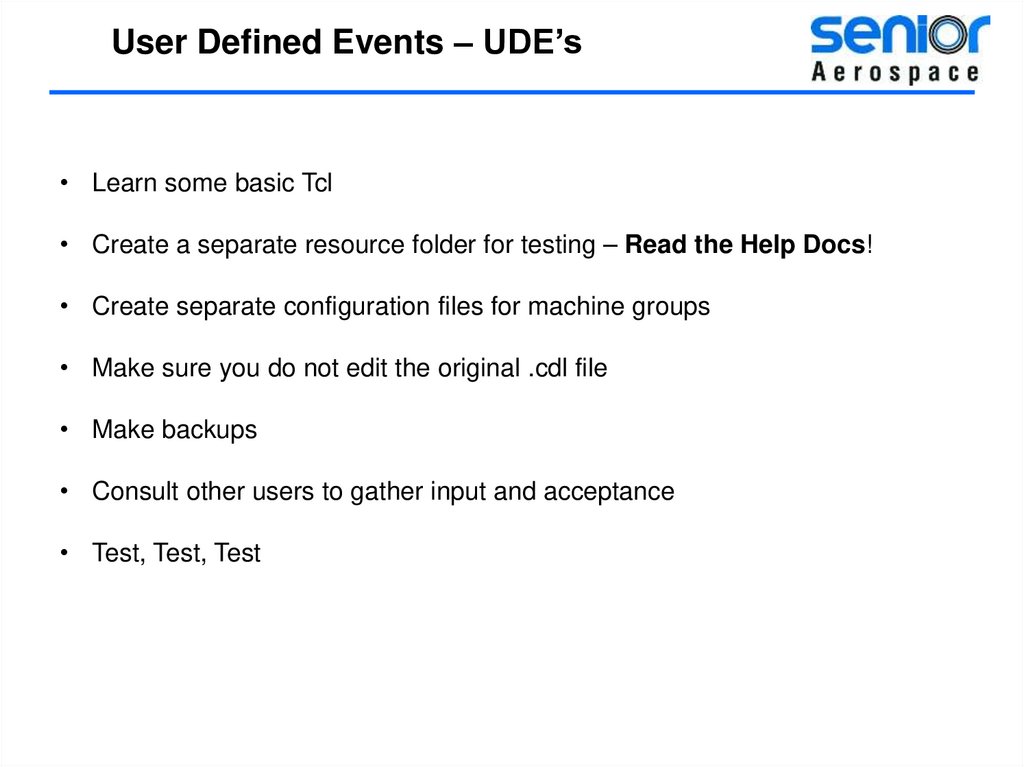
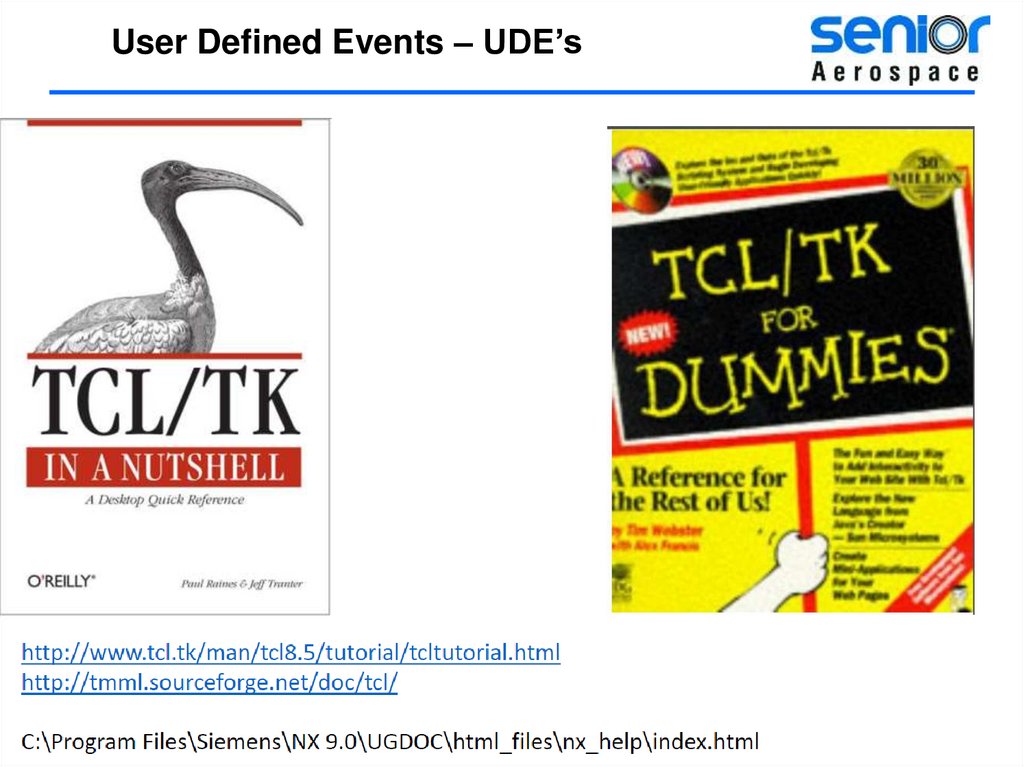
User Defined Events – UDE’s• Learn some basic Tcl
• Create a separate resource folder for testing – Read the Help Docs!
• Create separate configuration files for machine groups
• Make sure you do not edit the original .cdl file
• Make backups
• Consult other users to gather input and acceptance
• Test, Test, Test