
 sport
sportSimilar presentations:









Modifying the Sports Front UI Style
1.
Modifying theSports Front UI Style
2.
IntroductionWhile creating their site, partners who are implementing the Digitain Sport Front
collaborate with Digitain Account Managers to define their brand color palette and
grant their site its distinct identity.
This slideshow presents which Sport Front elements can be changed and what
limitations apply.
www.digitain.com
2
3.
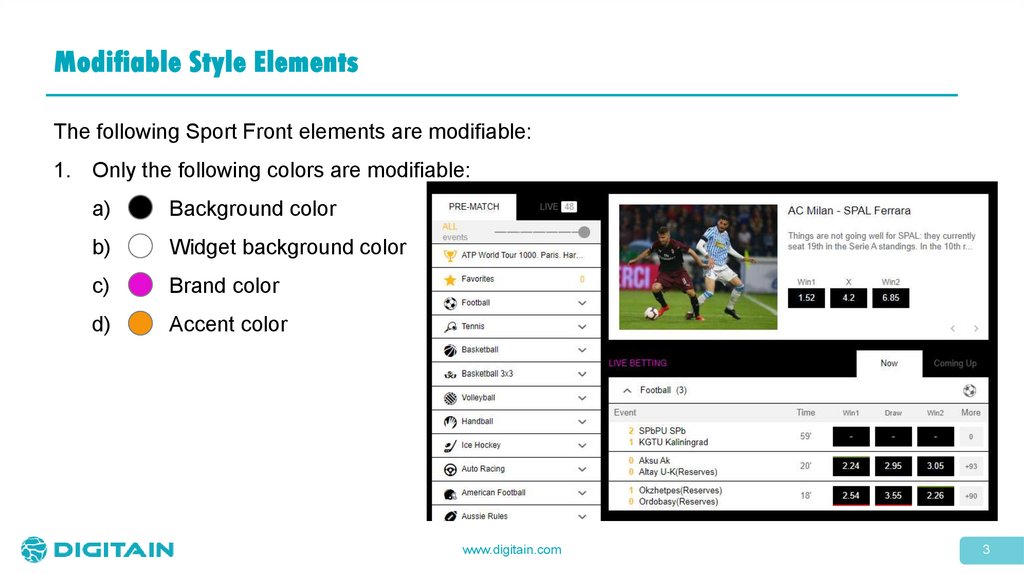
Modifiable Style ElementsThe following Sport Front elements are modifiable:
1. Only the following colors are modifiable:
a)
Background color
b)
Widget background color
c)
Brand color
d)
Accent color
www.digitain.com
3
4.
Modifiable Style Elements (continued)2.
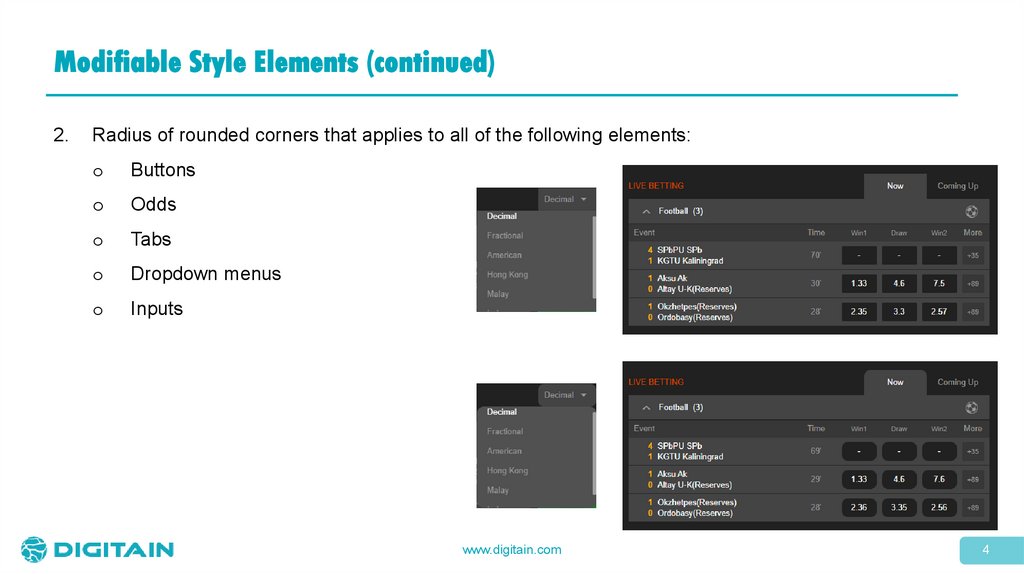
Radius of rounded corners that applies to all of the following elements:
o
Buttons
o
Odds
o
Tabs
o
Dropdown menus
o
Inputs
www.digitain.com
4
5.
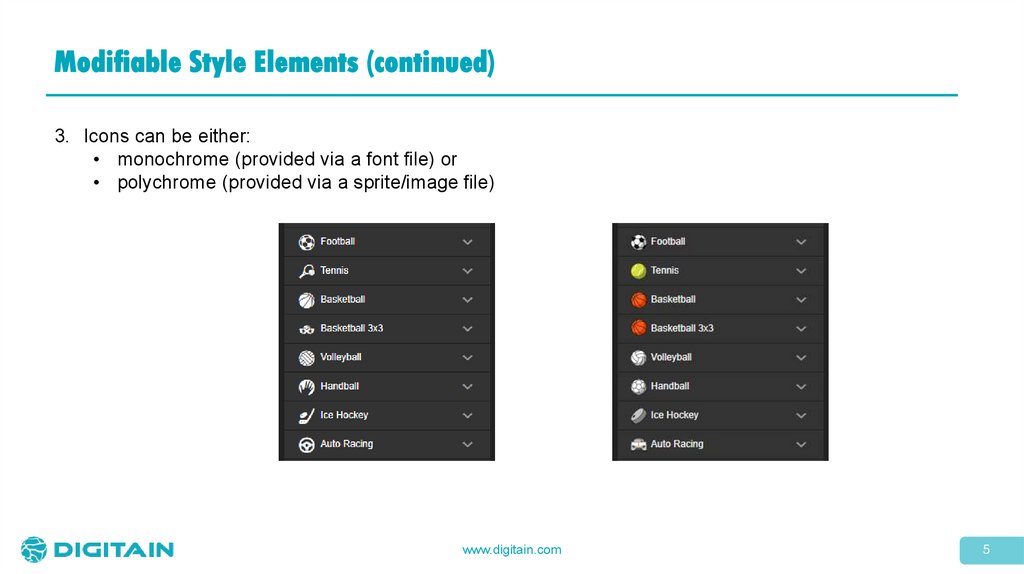
Modifiable Style Elements (continued)3. Icons can be either:
• monochrome (provided via a font file) or
• polychrome (provided via a sprite/image file)
www.digitain.com
5
6.
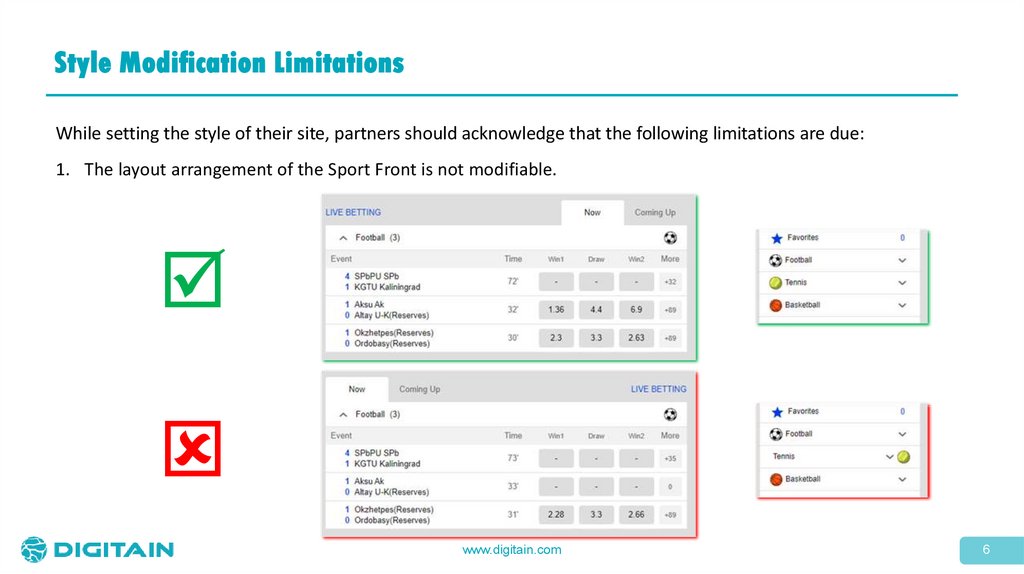
Style Modification LimitationsWhile setting the style of their site, partners should acknowledge that the following limitations are due:
1. The layout arrangement of the Sport Front is not modifiable.
www.digitain.com
6
7.
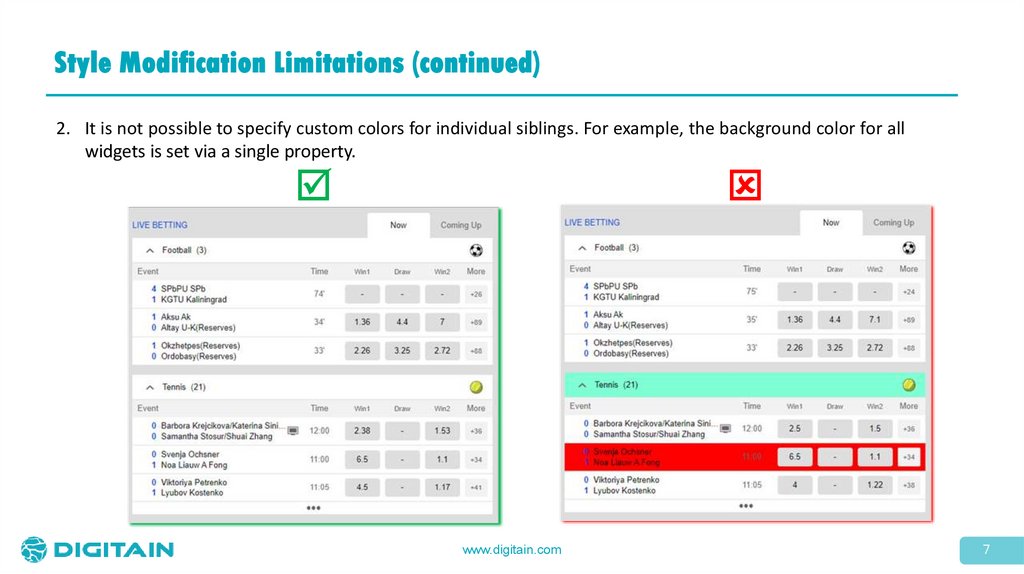
Style Modification Limitations (continued)2. It is not possible to specify custom colors for individual siblings. For example, the background color for all
widgets is set via a single property.
www.digitain.com
7
8.
Style Modification Limitations (continued)3.
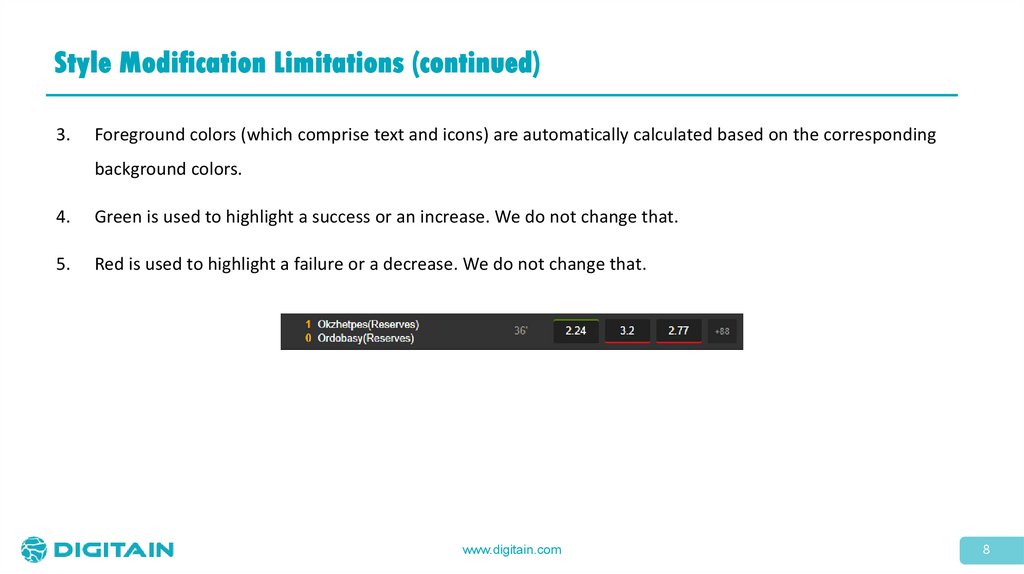
Foreground colors (which comprise text and icons) are automatically calculated based on the corresponding
background colors.
4.
Green is used to highlight a success or an increase. We do not change that.
5.
Red is used to highlight a failure or a decrease. We do not change that.
www.digitain.com
8