




 programming
Similar presentations:




RhinoScript 101 Creativity "or how to do interesting things that are not easy to do with the mouse"
1. RhinoScript 101 Creativity
"or how to do interesting things thatare not easy to do with the mouse"
Dr. Ricardo Sosa (rdsosam@itesm.mx)
2. Nevermind the code…
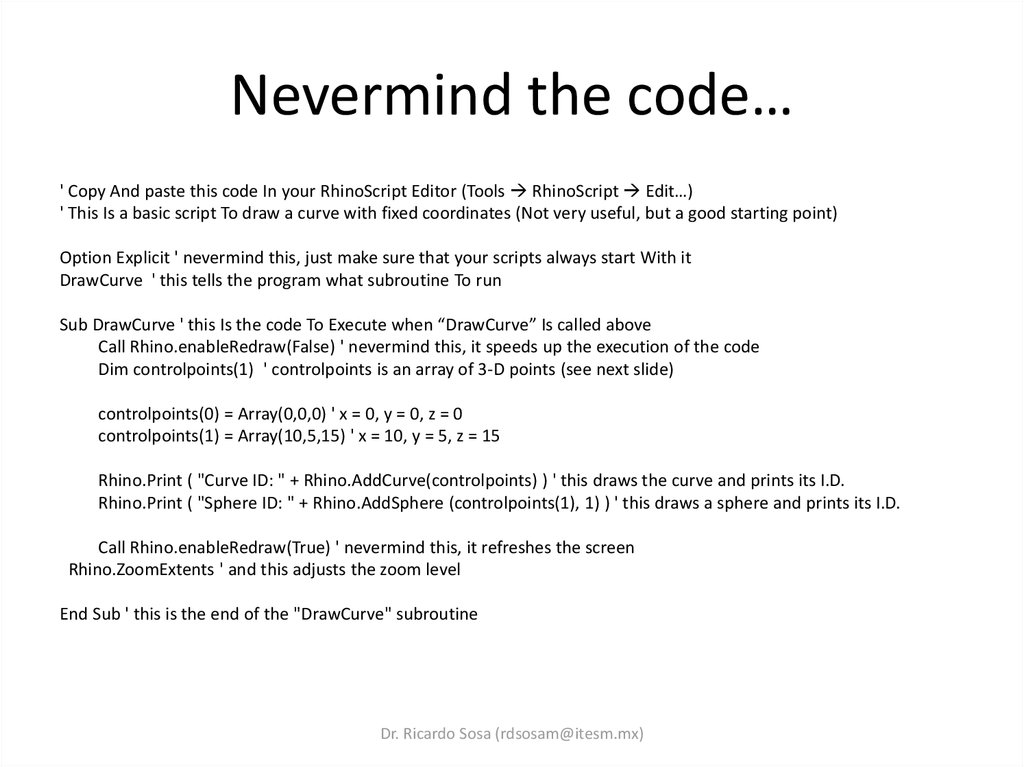
' Copy And paste this code In your RhinoScript Editor (Tools RhinoScript Edit…)' This Is a basic script To draw a curve with fixed coordinates (Not very useful, but a good starting point)
Option Explicit ' nevermind this, just make sure that your scripts always start With it
DrawCurve ' this tells the program what subroutine To run
Sub DrawCurve ' this Is the code To Execute when “DrawCurve” Is called above
Call Rhino.enableRedraw(False) ' nevermind this, it speeds up the execution of the code
Dim controlpoints(1) ' controlpoints is an array of 3-D points (see next slide)
controlpoints(0) = Array(0,0,0) ' x = 0, y = 0, z = 0
controlpoints(1) = Array(10,5,15) ' x = 10, y = 5, z = 15
Rhino.Print ( "Curve ID: " + Rhino.AddCurve(controlpoints) ) ' this draws the curve and prints its I.D.
Rhino.Print ( "Sphere ID: " + Rhino.AddSphere (controlpoints(1), 1) ) ' this draws a sphere and prints its I.D.
Call Rhino.enableRedraw(True) ' nevermind this, it refreshes the screen
Rhino.ZoomExtents ' and this adjusts the zoom level
End Sub ' this is the end of the "DrawCurve" subroutine
Dr. Ricardo Sosa (rdsosam@itesm.mx)
3. Diapositiva 3
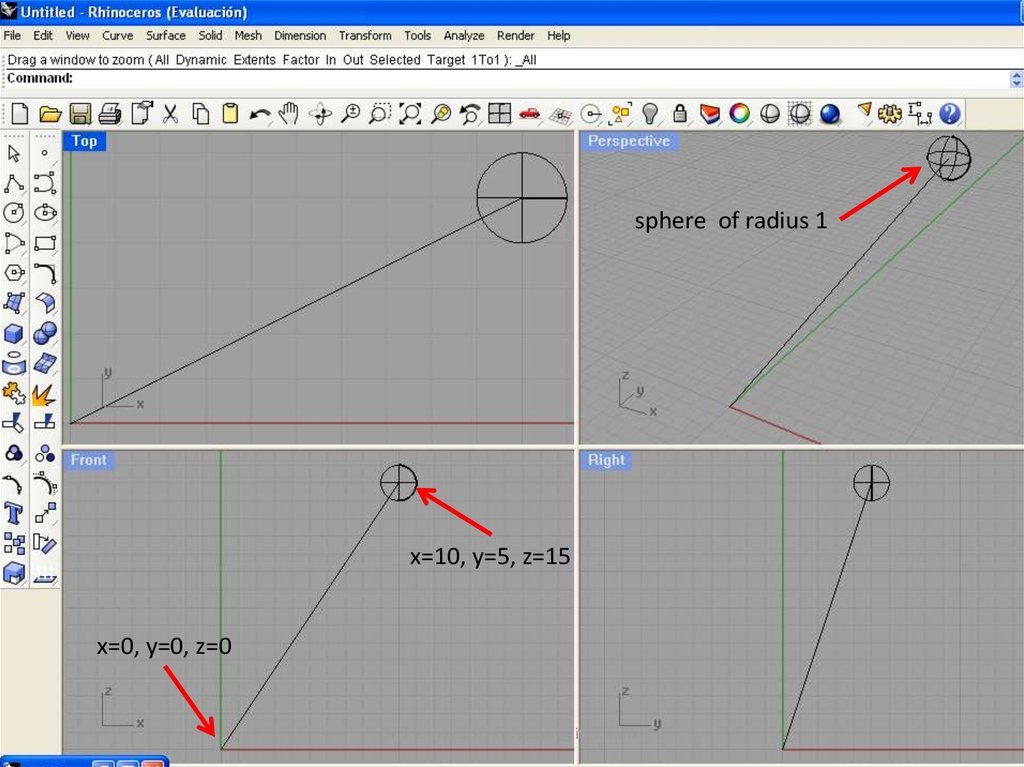
sphere of radius 1x=10, y=5, z=15
x=0, y=0, z=0
Dr. Ricardo Sosa (rdsosam@itesm.mx)
4. Diapositiva 4
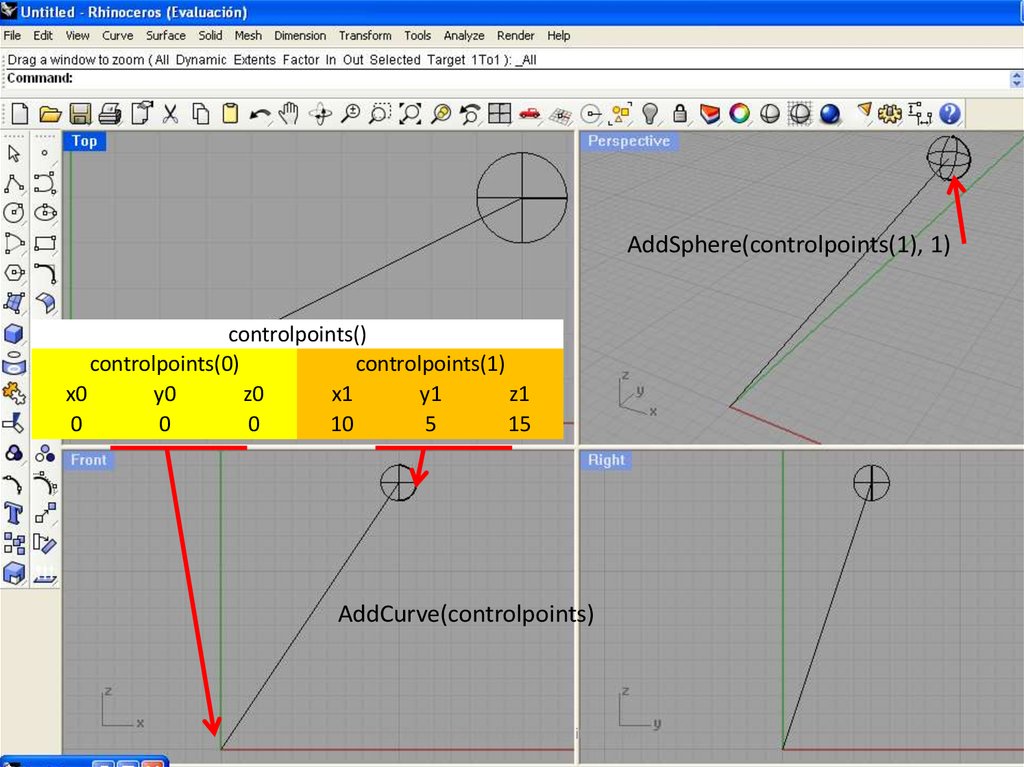
AddSphere(controlpoints(1), 1)controlpoints()
controlpoints(0)
controlpoints(1)
x0
y0
z0
x1
y1
z1
0
0
0
10
5
15
AddCurve(controlpoints)
Dr. Ricardo Sosa (rdsosam@itesm.mx)
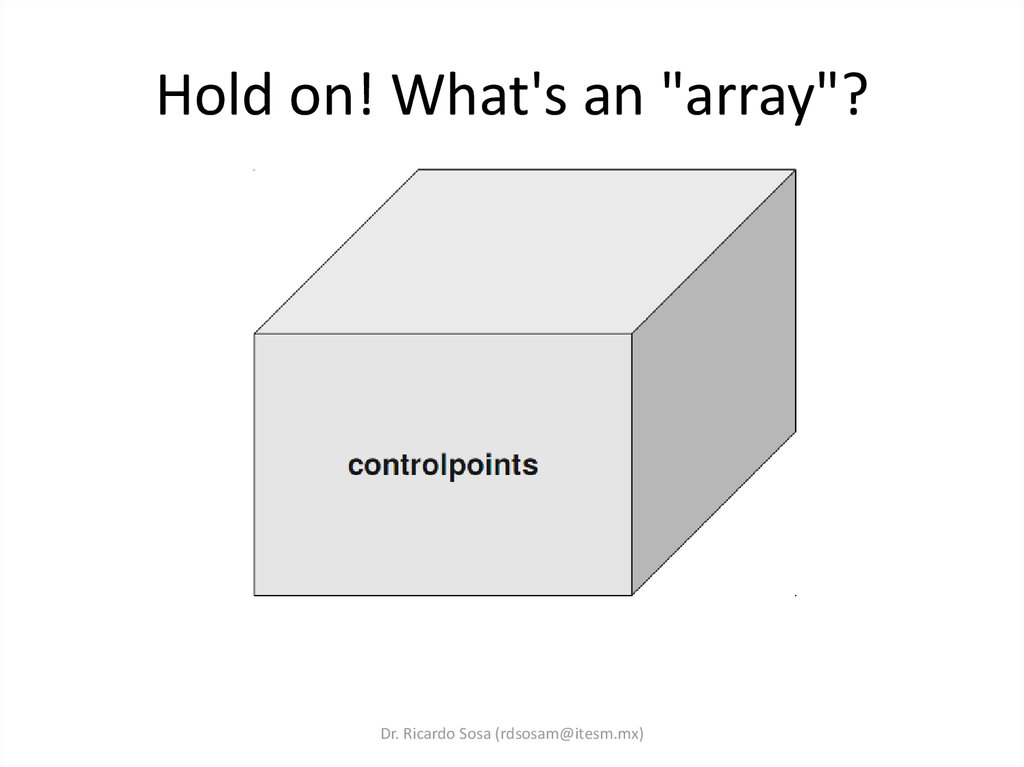
5. Hold on! What's an "array"?
Hold on! What's an "array"?Dr. Ricardo Sosa (rdsosam@itesm.mx)
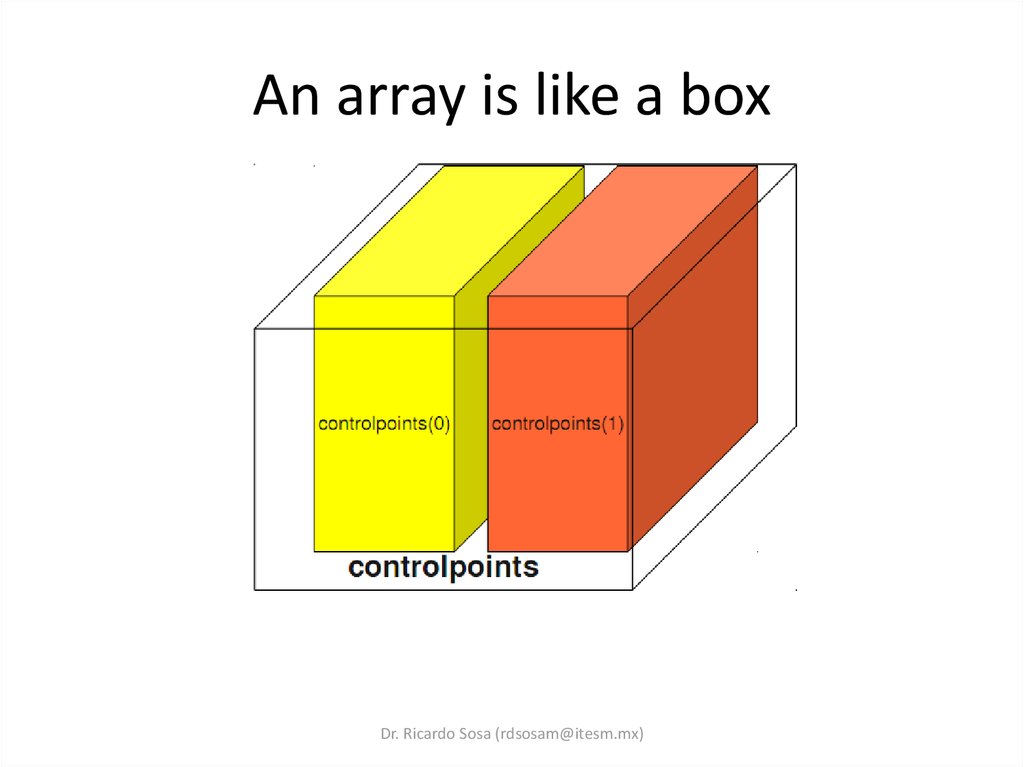
6. An array is like a box
Dr. Ricardo Sosa (rdsosam@itesm.mx)7. A box that holds 3D coordinates
Dr. Ricardo Sosa (rdsosam@itesm.mx)8. Diapositiva 8
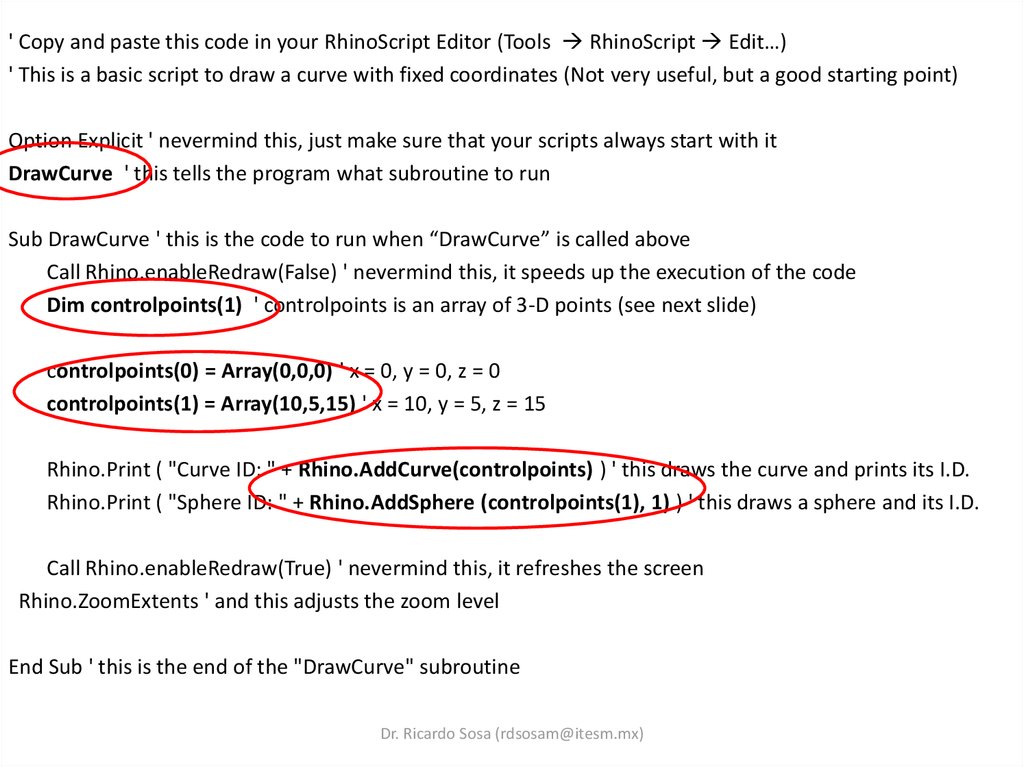
' Copy and paste this code in your RhinoScript Editor (Tools RhinoScript Edit…)' This is a basic script to draw a curve with fixed coordinates (Not very useful, but a good starting point)
Option Explicit ' nevermind this, just make sure that your scripts always start with it
DrawCurve ' this tells the program what subroutine to run
Sub DrawCurve ' this is the code to run when “DrawCurve” is called above
Call Rhino.enableRedraw(False) ' nevermind this, it speeds up the execution of the code
Dim controlpoints(1) ' controlpoints is an array of 3-D points (see next slide)
controlpoints(0) = Array(0,0,0) ' x = 0, y = 0, z = 0
controlpoints(1) = Array(10,5,15) ' x = 10, y = 5, z = 15
Rhino.Print ( "Curve ID: " + Rhino.AddCurve(controlpoints) ) ' this draws the curve and prints its I.D.
Rhino.Print ( "Sphere ID: " + Rhino.AddSphere (controlpoints(1), 1) ) ' this draws a sphere and its I.D.
Call Rhino.enableRedraw(True) ' nevermind this, it refreshes the screen
Rhino.ZoomExtents ' and this adjusts the zoom level
End Sub ' this is the end of the "DrawCurve" subroutine
Dr. Ricardo Sosa (rdsosam@itesm.mx)
9. Diapositiva 9
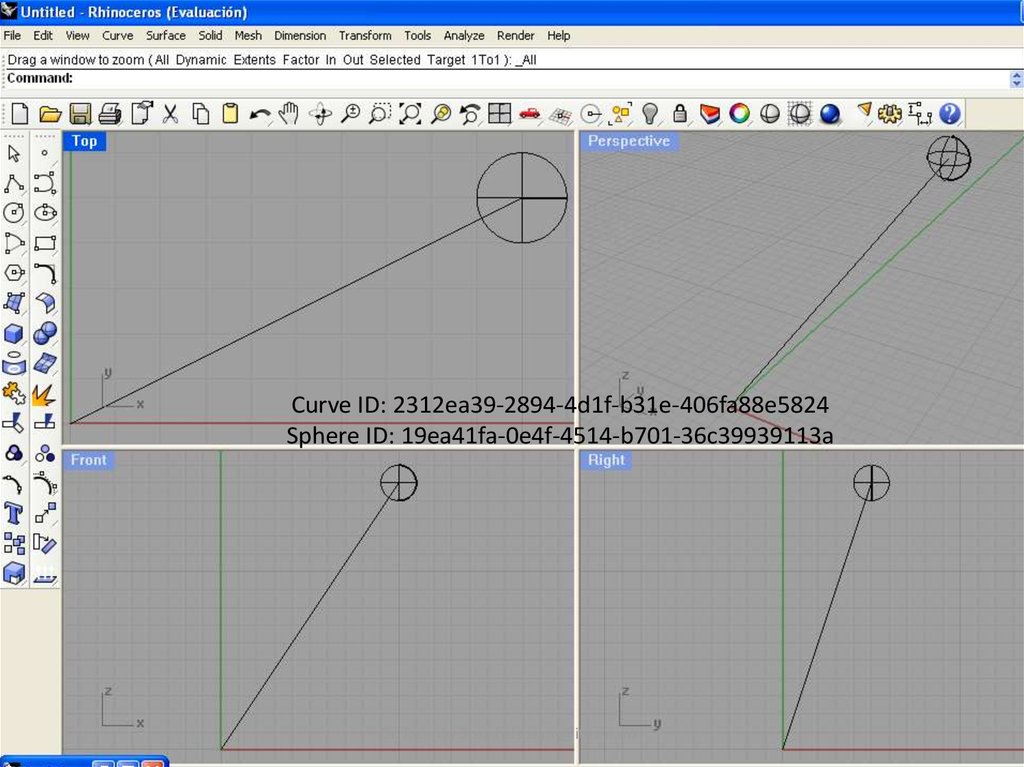
Curve ID: 2312ea39-2894-4d1f-b31e-406fa88e5824Sphere ID: 19ea41fa-0e4f-4514-b701-36c39939113a
Dr. Ricardo Sosa (rdsosam@itesm.mx)
10. Now some randomness…
' Copy and paste this code in your RhinoScript Editor (Tools RhinoScript Edit…)' This is a basic script to draw a curve with fixed coordinates (Not very useful, but a good starting point)
Option Explicit ' nevermind this, just make sure that your scripts always start with it
DrawCurve ' this tells the program what subroutine to run
Sub DrawCurve ' this is the code to run when “DrawCurve” is called above
Call Rhino.enableRedraw(False) ' nevermind this, it speeds up the execution of the code
Dim controlpoints(1) ' controlpoints is an array of 3-D points (see next slide)
controlpoints(0) = Array(0,0,0) ' x = 0, y = 0, z = 0
controlpoints(1) = Array(randomBetween(-10,10),randomBetween(-10,10),15) ' x = random, y = random, z = 15
Rhino.Print ( "Curve ID: " + Rhino.AddCurve(controlpoints) ) ' this draws the curve and prints its I.D.
Rhino.Print ( "Sphere ID: " + Rhino.AddSphere (controlpoints(1), 1) ) ' this draws a sphere and its I.D.
Call Rhino.enableRedraw(True) ' nevermind this, it refreshes the screen
Rhino.ZoomExtents ' and this adjusts the zoom level
End Sub ' this is the end of the "DrawCurve" subroutine
Function randomBetween(min,max) ' this is the code to generate random numbers between limits
randomBetween = Rnd*(max-min)+min ' returns a random number between the limits specified
End Function ' end of the randomness function
Dr. Ricardo Sosa (rdsosam@itesm.mx)
11. Diapositiva 11
RicardoSosa a
(rdsosam@itesm.mx)
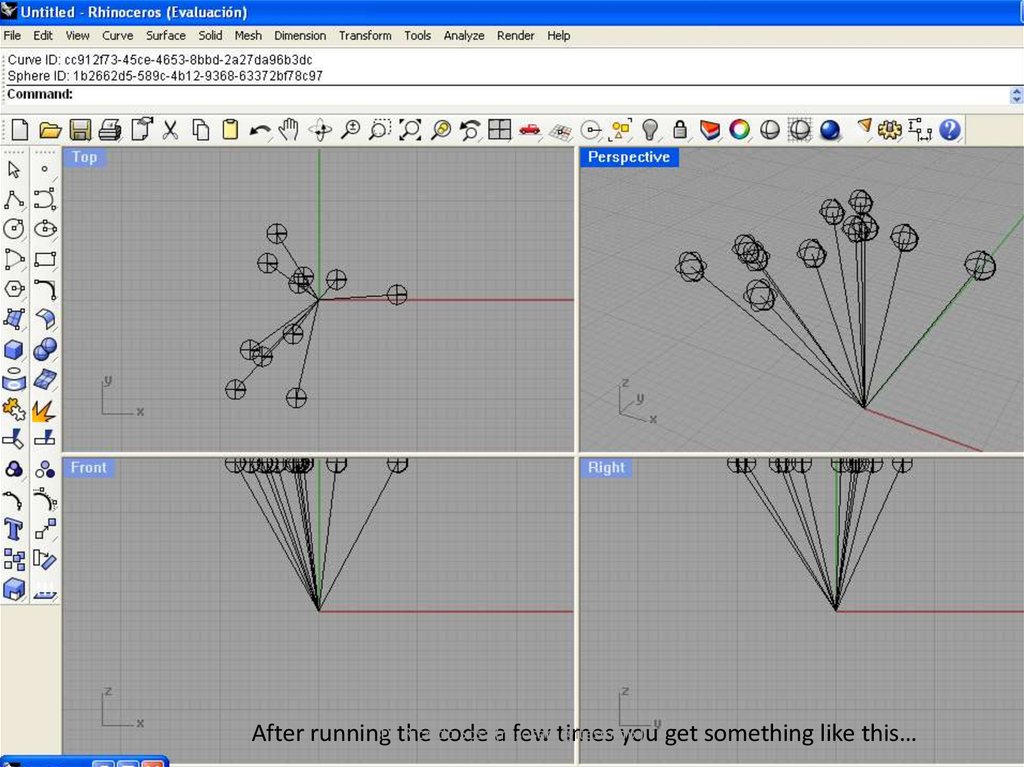
After runningDr.the
code
few times you get something like this…
12. Now some recursion…
' Copy and paste this code in your RhinoScript Editor (Tools RhinoScript Edit…)' This is a basic script to draw a curve with fixed coordinates (Not very useful, but a good starting point)
Option Explicit ' nevermind this, just make sure that your scripts always start with it
DrawCurve ' this tells the program what subroutine to run
Sub DrawCurve ' this is the code to run when “DrawCurve” is called above
Call Rhino.enableRedraw(False) ' nevermind this, it speeds up the execution of the code
Dim controlpoints(1) ' controlpoints is an array of 3-D points (see next slide)
Dim i
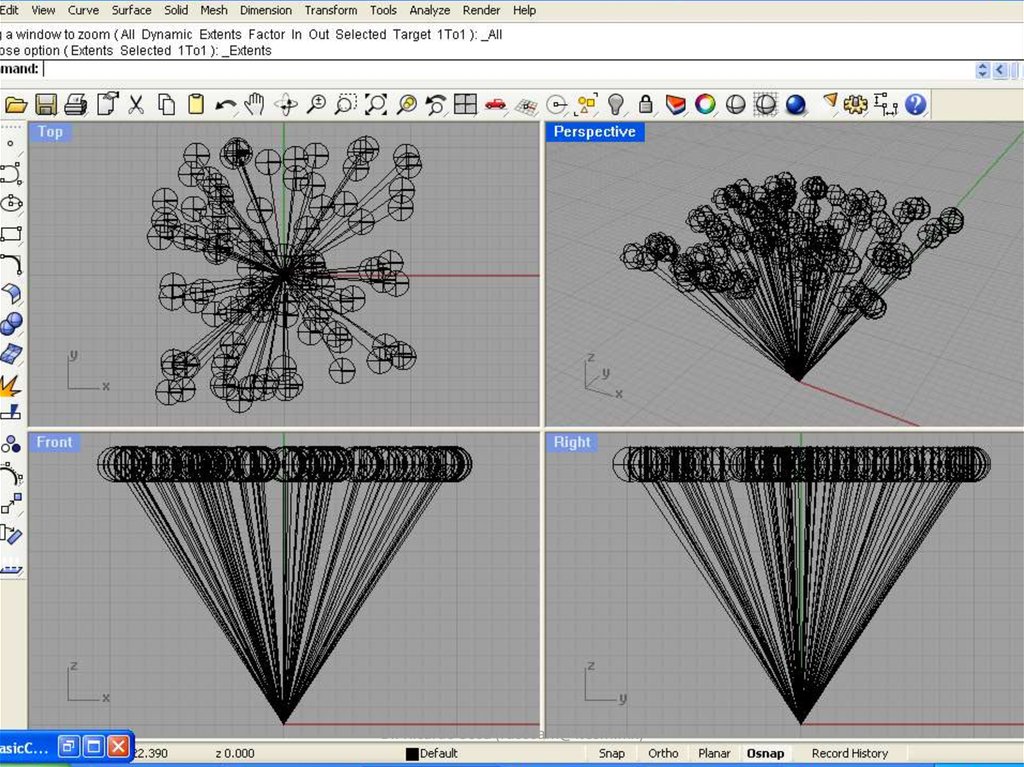
For i=0 To 100
controlpoints(0) = Array(0,0,0) ' x = 0, y = 0, z = 0
controlpoints(1) = Array(randomBetween(-10,10),randomBetween(-10,10),15) ' x = random, y = random, z = 15
Rhino.AddCurve controlpoints ' this draws the curve
Rhino.AddSphere controlpoints(1), 1 ' this draws a sphere
Next
Call Rhino.enableRedraw(True) ' nevermind this, it refreshes the screen
Rhino.ZoomExtents ' and this adjusts the zoom level
End Sub ' this is the end of the "DrawCurve" subroutine
Function randomBetween(min,max) ' this is the code to generate random numbers between limits
randomBetween = Rnd*(max-min)+min ' returns a random number between the limits specified
End Function ' end of the randomness function
Dr. Ricardo Sosa (rdsosam@itesm.mx)
13. Diapositiva 13
Dr. Ricardo Sosa (rdsosam@itesm.mx)14. Diapositiva 14
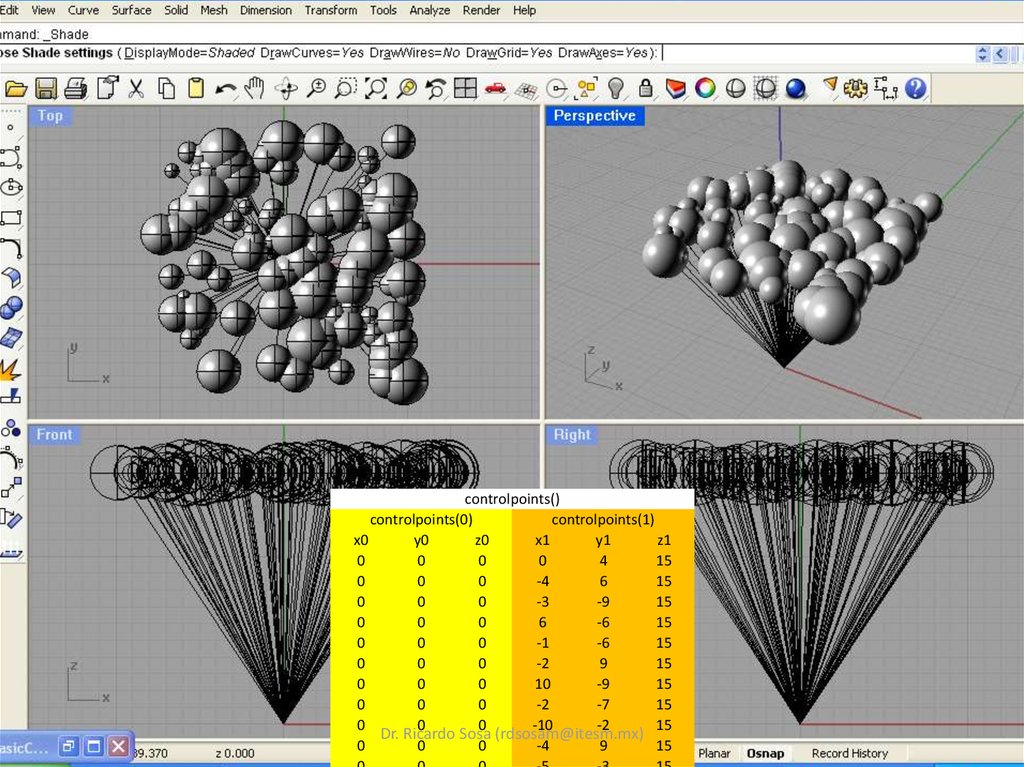
controlpoints()controlpoints(0)
controlpoints(1)
x0
y0
z0
x1
y1
z1
0
0
0
0
4
15
0
0
0
-4
6
15
0
0
0
-3
-9
15
0
0
0
6
-6
15
0
0
0
-1
-6
15
0
0
0
-2
9
15
0
0
0
10
-9
15
0
0
0
-2
-7
15
0
0
0
-10
-2
15
Dr. Ricardo Sosa (rdsosam@itesm.mx)
0
0
0
-4
9
15
15. Diapositiva 15
Dr. RicardoSosa (rdsosam@itesm.mx)
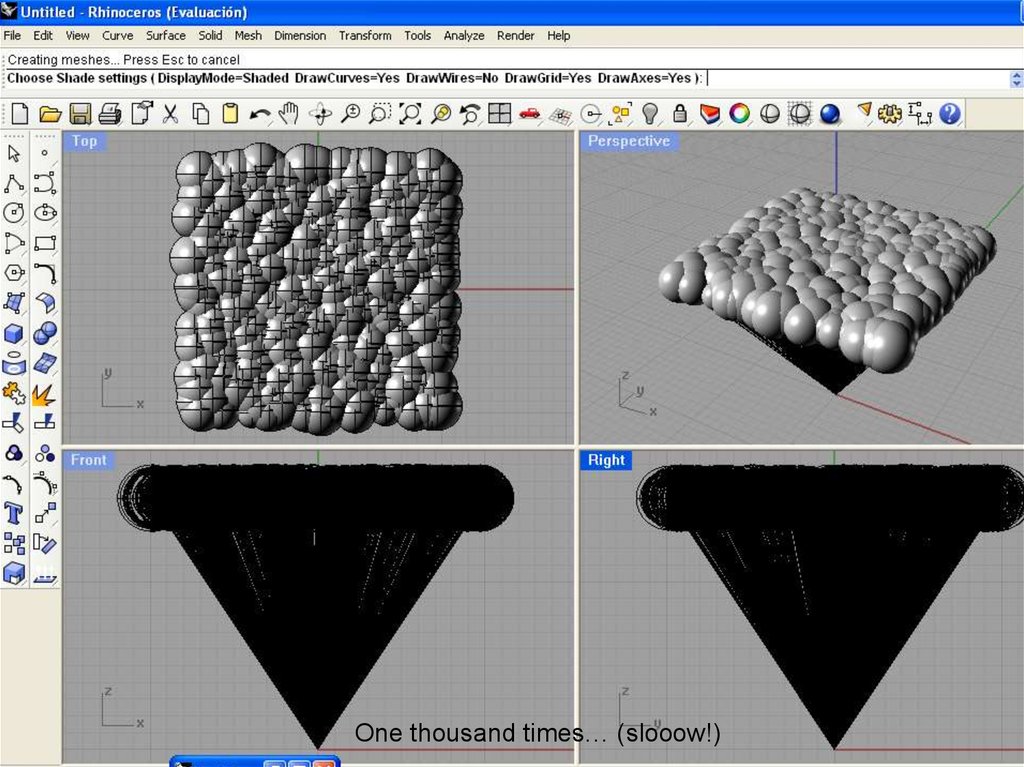
One
thousand
times… (slooow!)
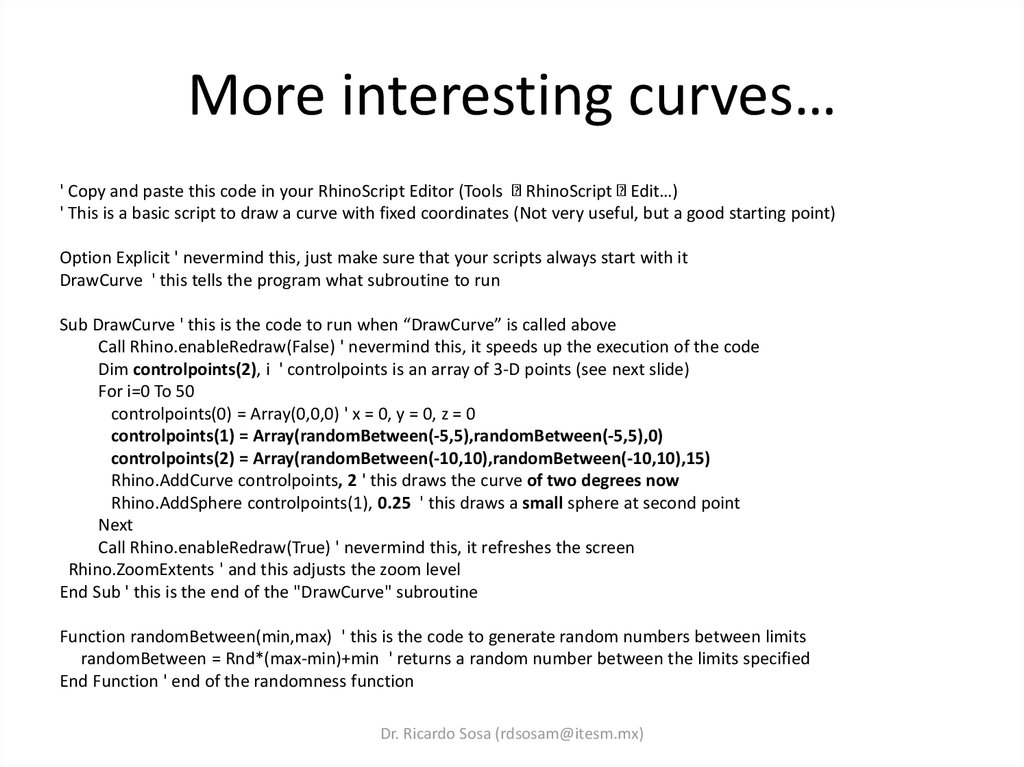
16. More interesting curves…
' Copy and paste this code in your RhinoScript Editor (Tools RhinoScript Edit…)' This is a basic script to draw a curve with fixed coordinates (Not very useful, but a good starting point)
Option Explicit ' nevermind this, just make sure that your scripts always start with it
DrawCurve ' this tells the program what subroutine to run
Sub DrawCurve ' this is the code to run when “DrawCurve” is called above
Call Rhino.enableRedraw(False) ' nevermind this, it speeds up the execution of the code
Dim controlpoints(2), i ' controlpoints is an array of 3-D points (see next slide)
For i=0 To 50
controlpoints(0) = Array(0,0,0) ' x = 0, y = 0, z = 0
controlpoints(1) = Array(randomBetween(-5,5),randomBetween(-5,5),0)
controlpoints(2) = Array(randomBetween(-10,10),randomBetween(-10,10),15)
Rhino.AddCurve controlpoints, 2 ' this draws the curve of two degrees now
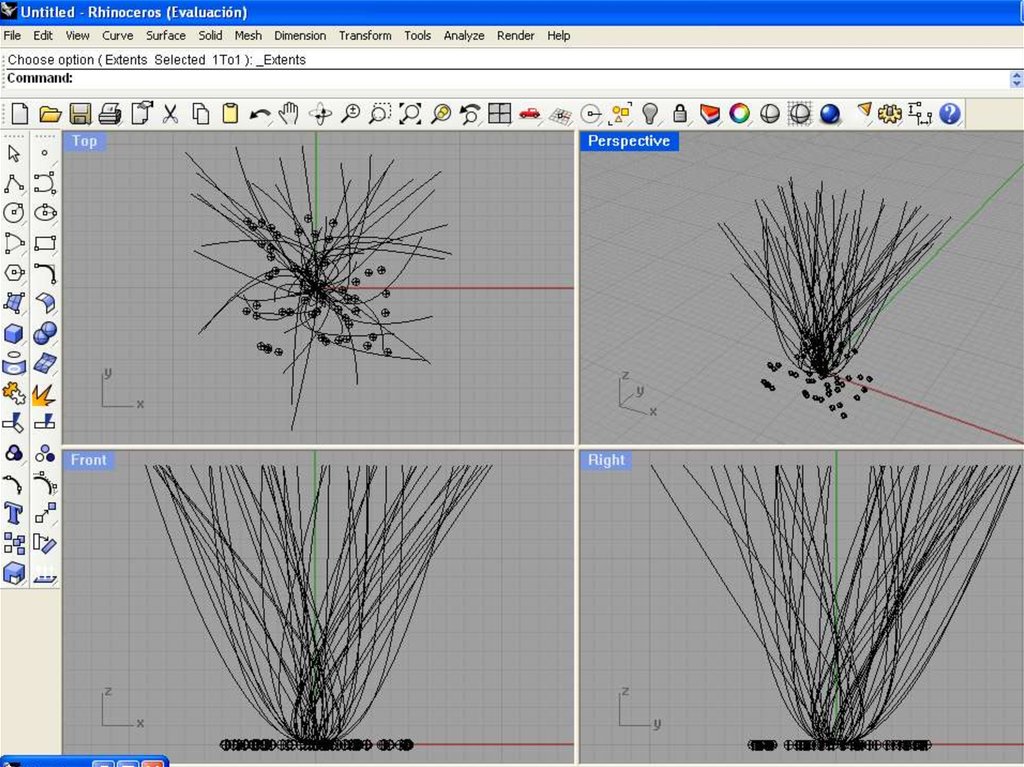
Rhino.AddSphere controlpoints(1), 0.25 ' this draws a small sphere at second point
Next
Call Rhino.enableRedraw(True) ' nevermind this, it refreshes the screen
Rhino.ZoomExtents ' and this adjusts the zoom level
End Sub ' this is the end of the "DrawCurve" subroutine
Function randomBetween(min,max) ' this is the code to generate random numbers between limits
randomBetween = Rnd*(max-min)+min ' returns a random number between the limits specified
End Function ' end of the randomness function
Dr. Ricardo Sosa (rdsosam@itesm.mx)
17. Diapositiva 17
Dr. Ricardo Sosa (rdsosam@itesm.mx)18. Diapositiva 18
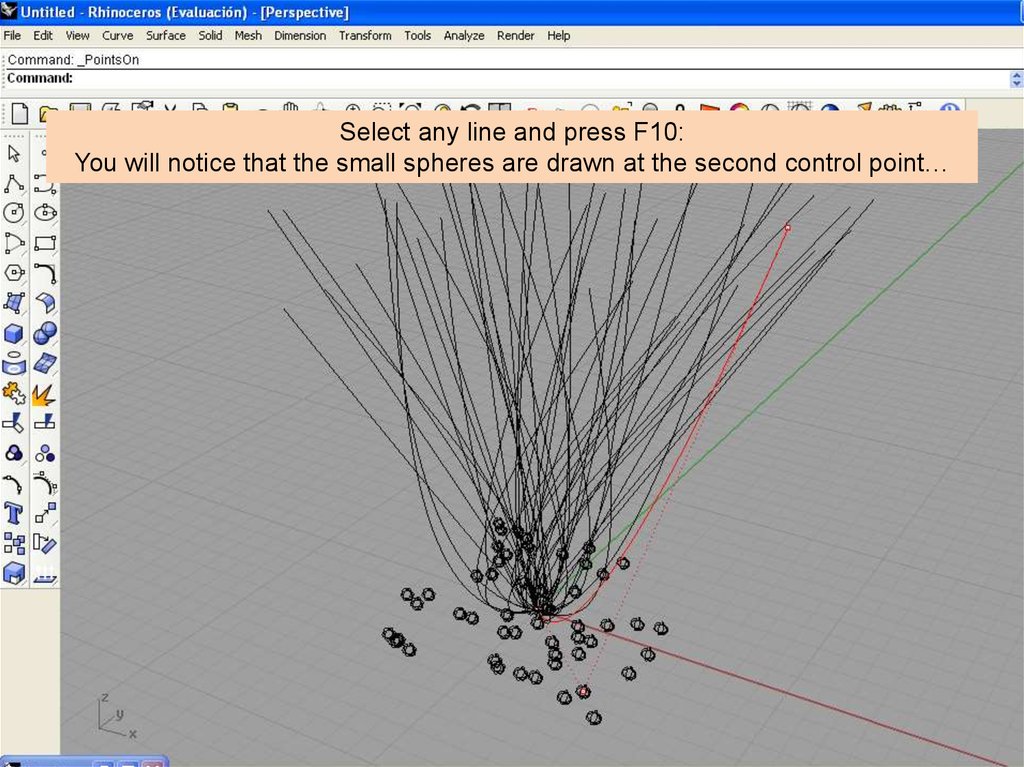
Select any line and press F10:You will notice that the small spheres are drawn at the second control point…
Dr. Ricardo Sosa (rdsosam@itesm.mx)
19. Diapositiva 19
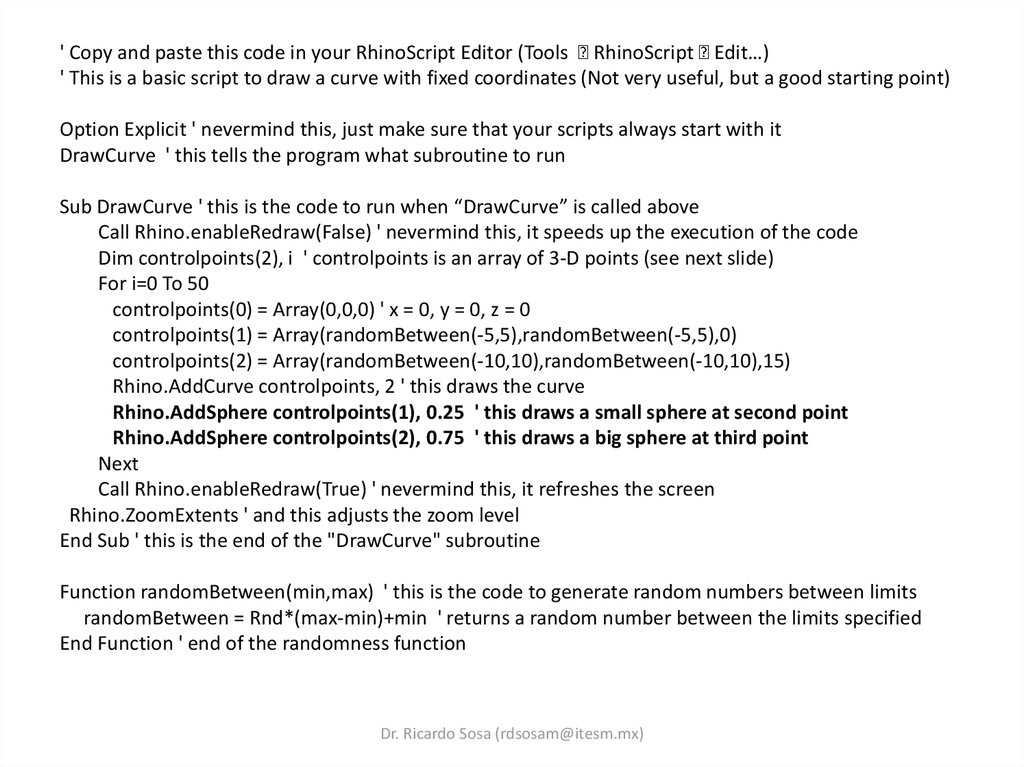
' Copy and paste this code in your RhinoScript Editor (Tools RhinoScript Edit…)' This is a basic script to draw a curve with fixed coordinates (Not very useful, but a good starting point)
Option Explicit ' nevermind this, just make sure that your scripts always start with it
DrawCurve ' this tells the program what subroutine to run
Sub DrawCurve ' this is the code to run when “DrawCurve” is called above
Call Rhino.enableRedraw(False) ' nevermind this, it speeds up the execution of the code
Dim controlpoints(2), i ' controlpoints is an array of 3-D points (see next slide)
For i=0 To 50
controlpoints(0) = Array(0,0,0) ' x = 0, y = 0, z = 0
controlpoints(1) = Array(randomBetween(-5,5),randomBetween(-5,5),0)
controlpoints(2) = Array(randomBetween(-10,10),randomBetween(-10,10),15)
Rhino.AddCurve controlpoints, 2 ' this draws the curve
Rhino.AddSphere controlpoints(1), 0.25 ' this draws a small sphere at second point
Rhino.AddSphere controlpoints(2), 0.75 ' this draws a big sphere at third point
Next
Call Rhino.enableRedraw(True) ' nevermind this, it refreshes the screen
Rhino.ZoomExtents ' and this adjusts the zoom level
End Sub ' this is the end of the "DrawCurve" subroutine
Function randomBetween(min,max) ' this is the code to generate random numbers between limits
randomBetween = Rnd*(max-min)+min ' returns a random number between the limits specified
End Function ' end of the randomness function
Dr. Ricardo Sosa (rdsosam@itesm.mx)
20. Diapositiva 20
Dr. Ricardo Sosa (rdsosam@itesm.mx)21. Time for a challenge…
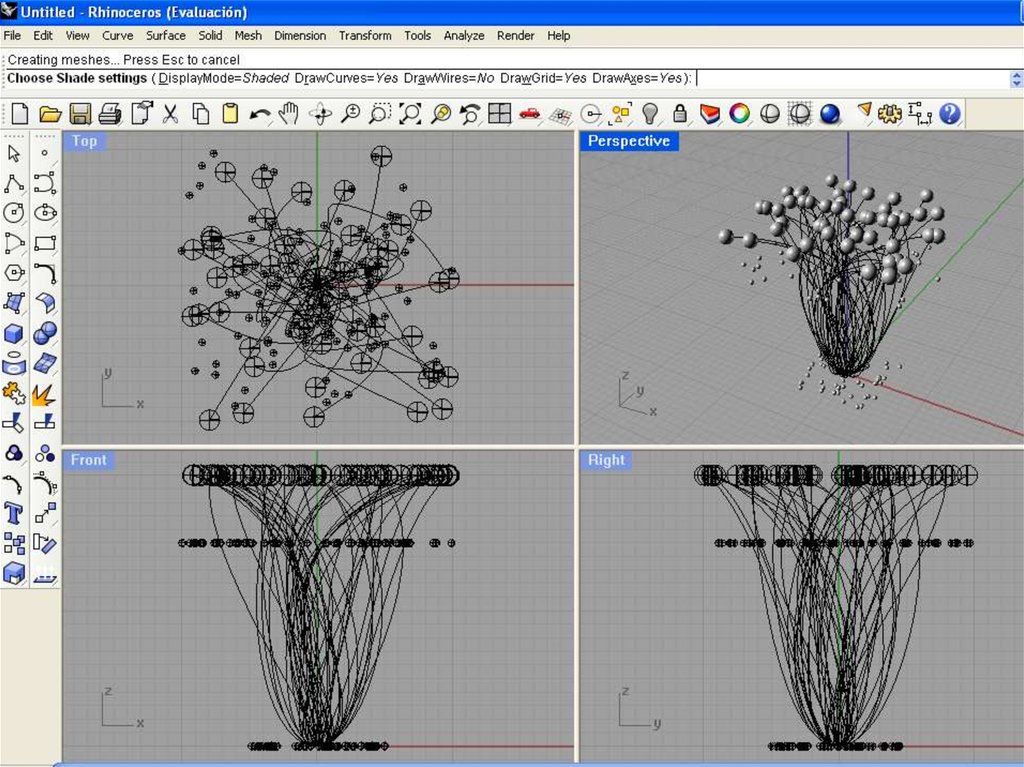
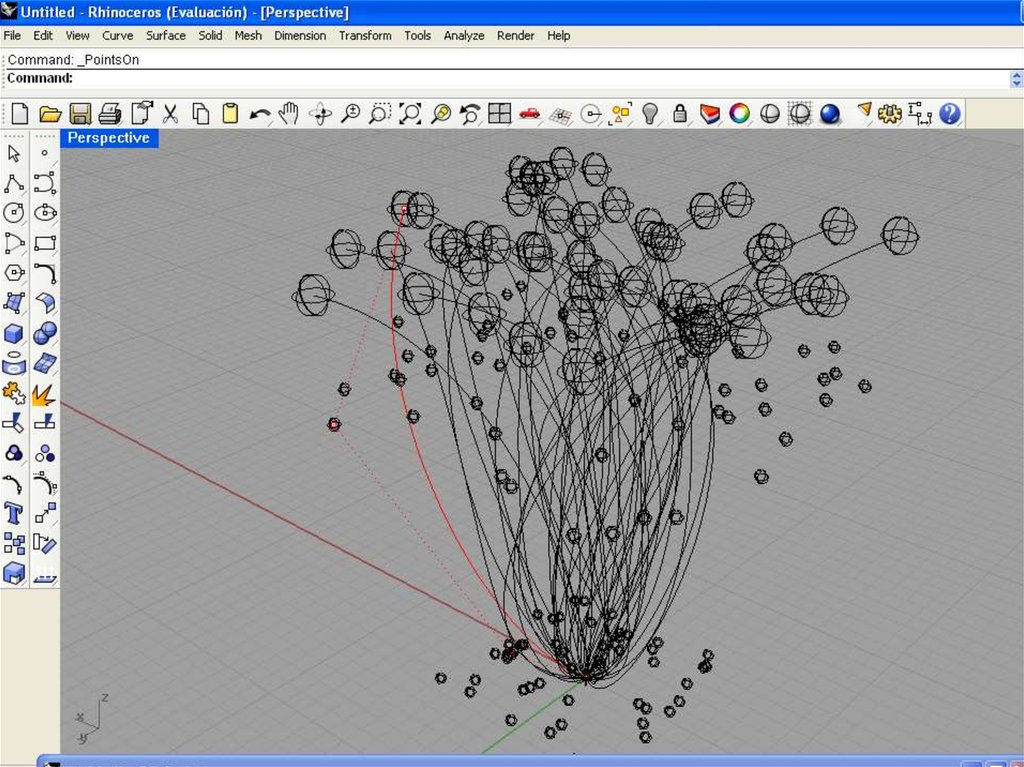
How do you achieve the following?Dr. Ricardo Sosa (rdsosam@itesm.mx)
22. Diapositiva 22
Dr. Ricardo Sosa (rdsosam@itesm.mx)23. Diapositiva 23
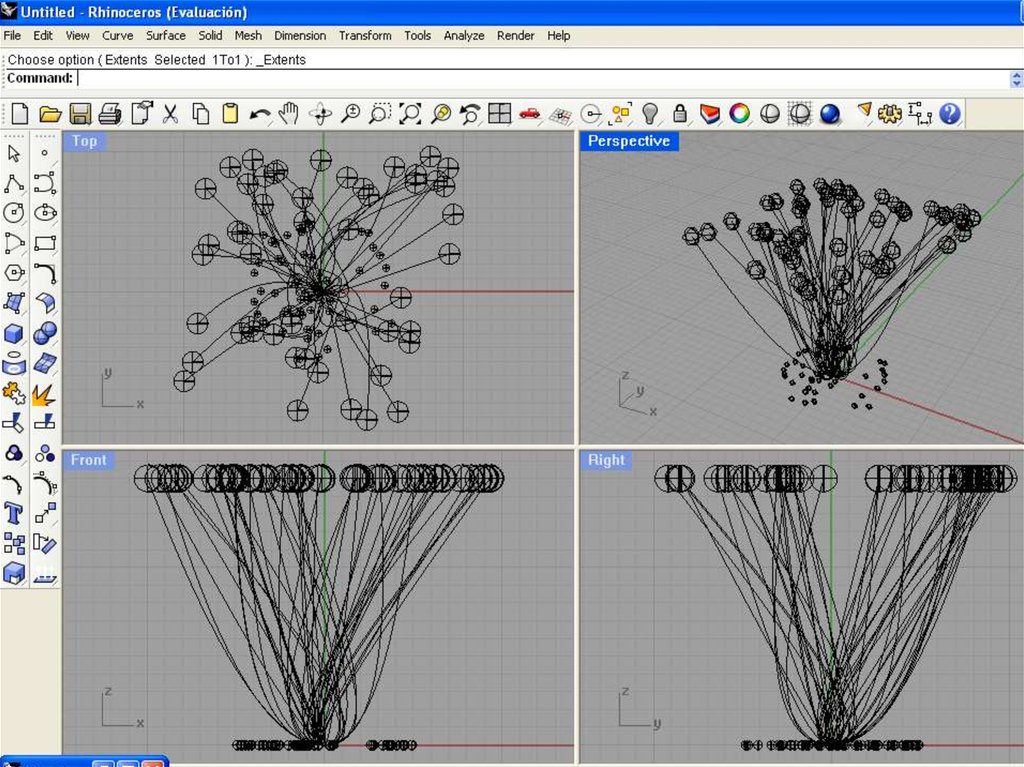
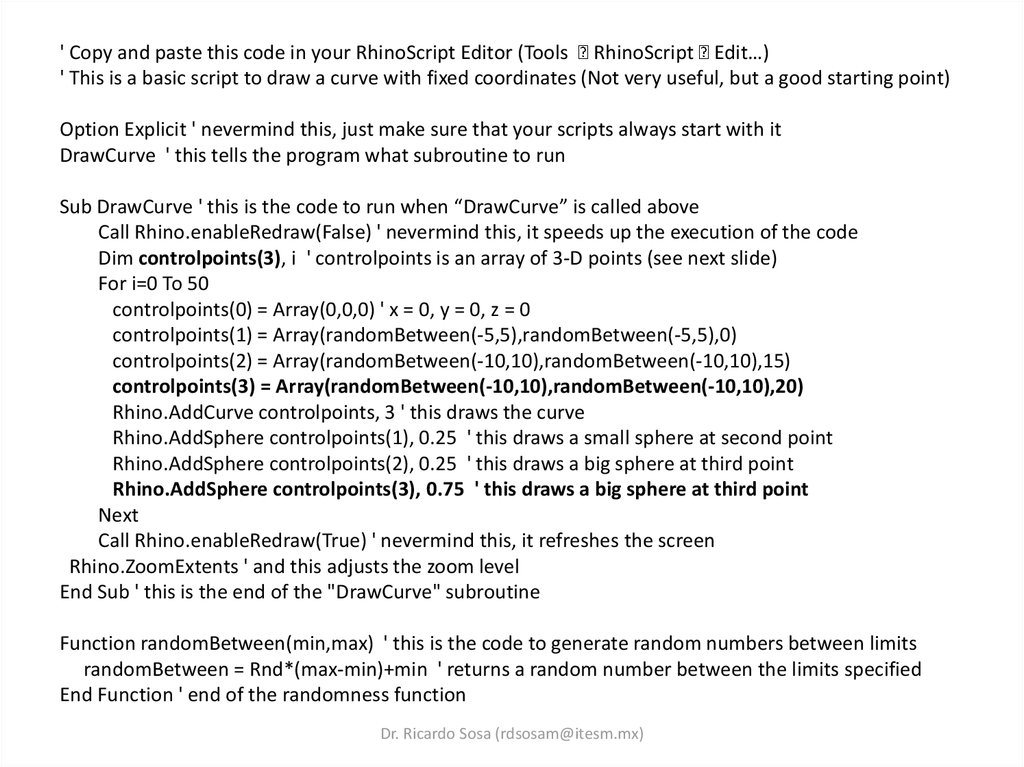
' Copy and paste this code in your RhinoScript Editor (Tools RhinoScript Edit…)' This is a basic script to draw a curve with fixed coordinates (Not very useful, but a good starting point)
Option Explicit ' nevermind this, just make sure that your scripts always start with it
DrawCurve ' this tells the program what subroutine to run
Sub DrawCurve ' this is the code to run when “DrawCurve” is called above
Call Rhino.enableRedraw(False) ' nevermind this, it speeds up the execution of the code
Dim controlpoints(3), i ' controlpoints is an array of 3-D points (see next slide)
For i=0 To 50
controlpoints(0) = Array(0,0,0) ' x = 0, y = 0, z = 0
controlpoints(1) = Array(randomBetween(-5,5),randomBetween(-5,5),0)
controlpoints(2) = Array(randomBetween(-10,10),randomBetween(-10,10),15)
controlpoints(3) = Array(randomBetween(-10,10),randomBetween(-10,10),20)
Rhino.AddCurve controlpoints, 3 ' this draws the curve
Rhino.AddSphere controlpoints(1), 0.25 ' this draws a small sphere at second point
Rhino.AddSphere controlpoints(2), 0.25 ' this draws a big sphere at third point
Rhino.AddSphere controlpoints(3), 0.75 ' this draws a big sphere at third point
Next
Call Rhino.enableRedraw(True) ' nevermind this, it refreshes the screen
Rhino.ZoomExtents ' and this adjusts the zoom level
End Sub ' this is the end of the "DrawCurve" subroutine
Function randomBetween(min,max) ' this is the code to generate random numbers between limits
randomBetween = Rnd*(max-min)+min ' returns a random number between the limits specified
End Function ' end of the randomness function
Dr. Ricardo Sosa (rdsosam@itesm.mx)
24. Diapositiva 24
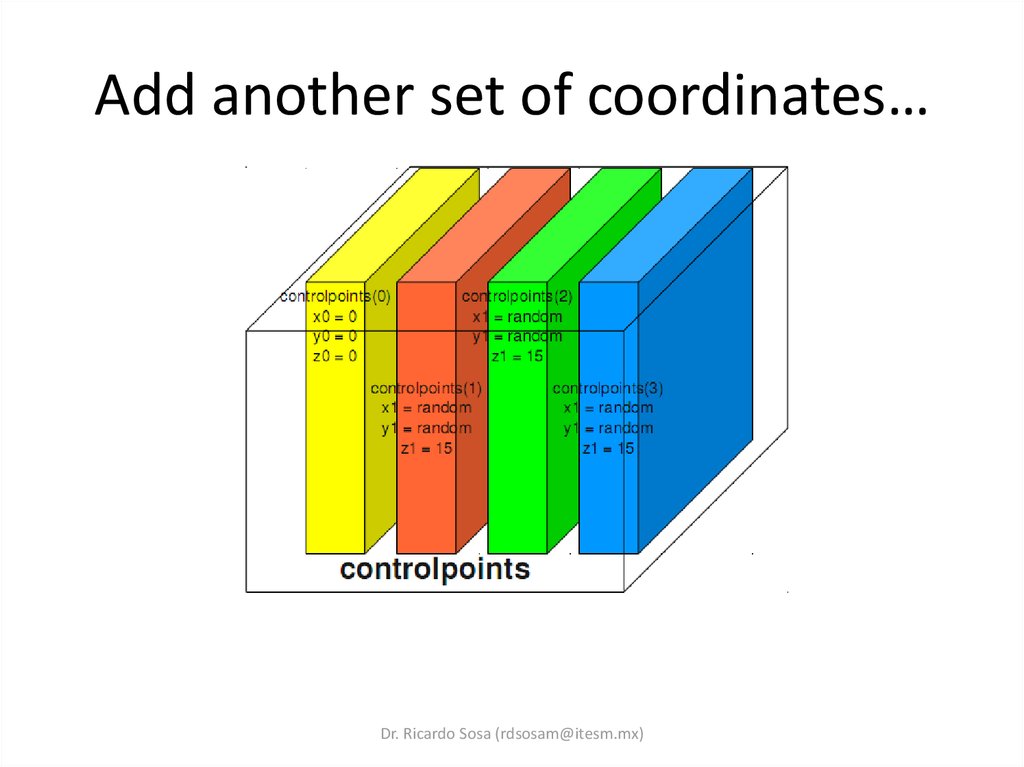
Dr. Ricardo Sosa (rdsosam@itesm.mx)25. Add another set of coordinates…
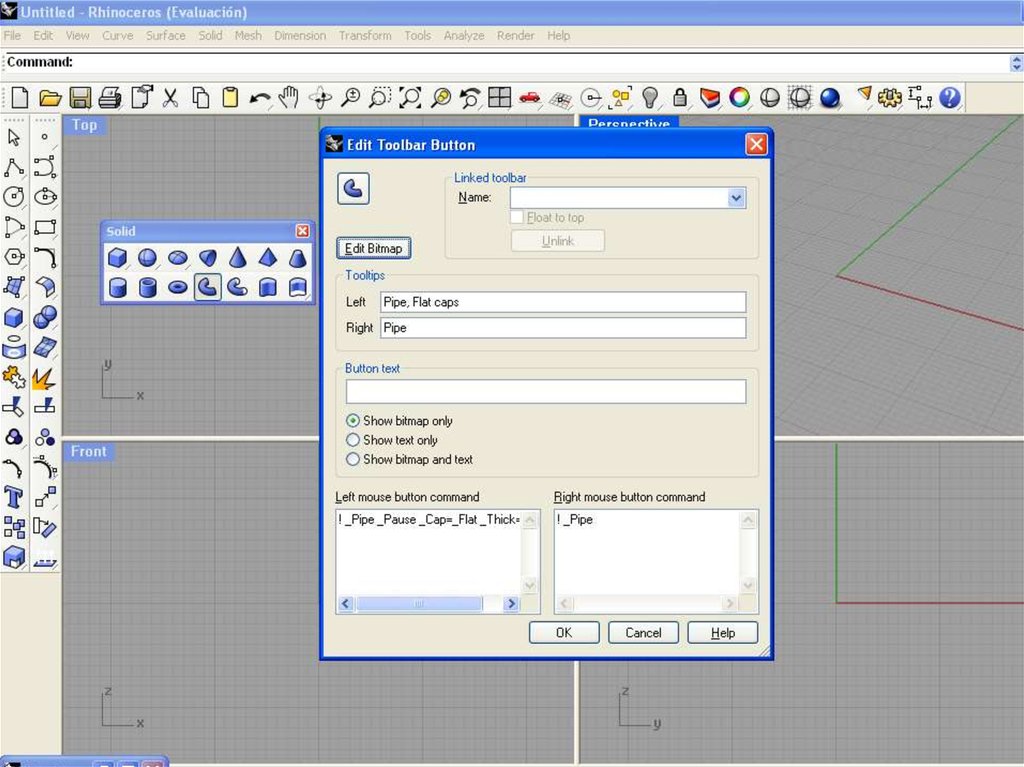
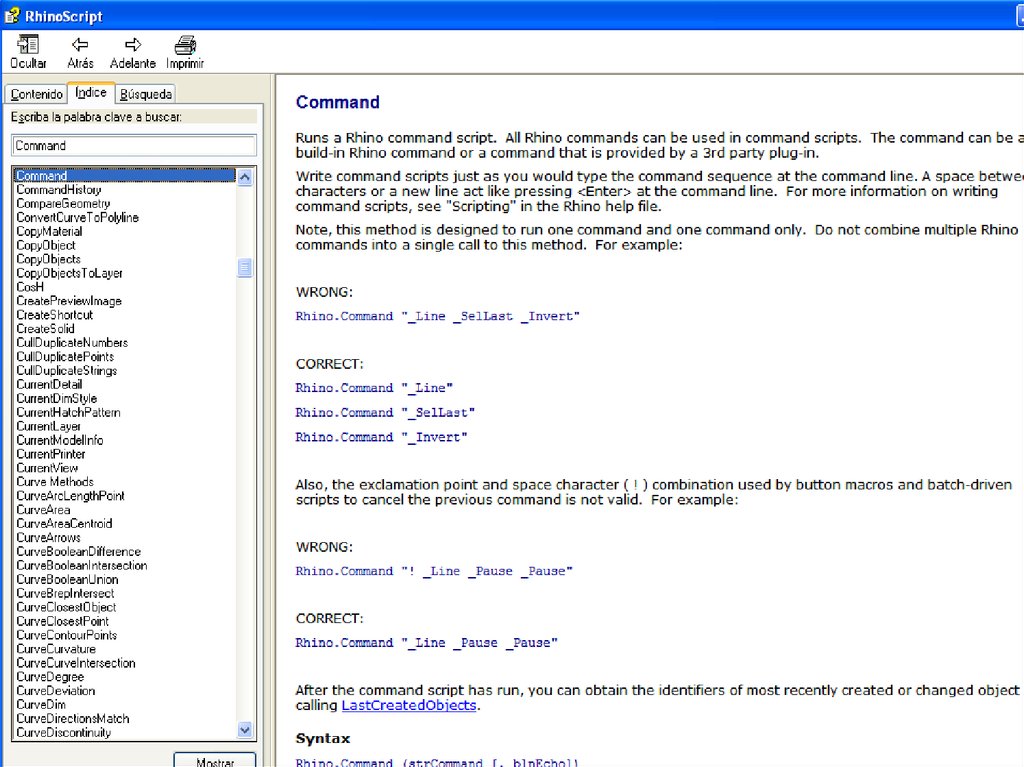
Dr. Ricardo Sosa (rdsosam@itesm.mx)26. Rhino.Command "anycommand"
Rhino.Command "anycommand"Shift + Rightclick any tool icon to see
its _Command
Dr. Ricardo Sosa (rdsosam@itesm.mx)
27. Diapositiva 27
Dr. Ricardo Sosa (rdsosam@itesm.mx)28. Diapositiva 28
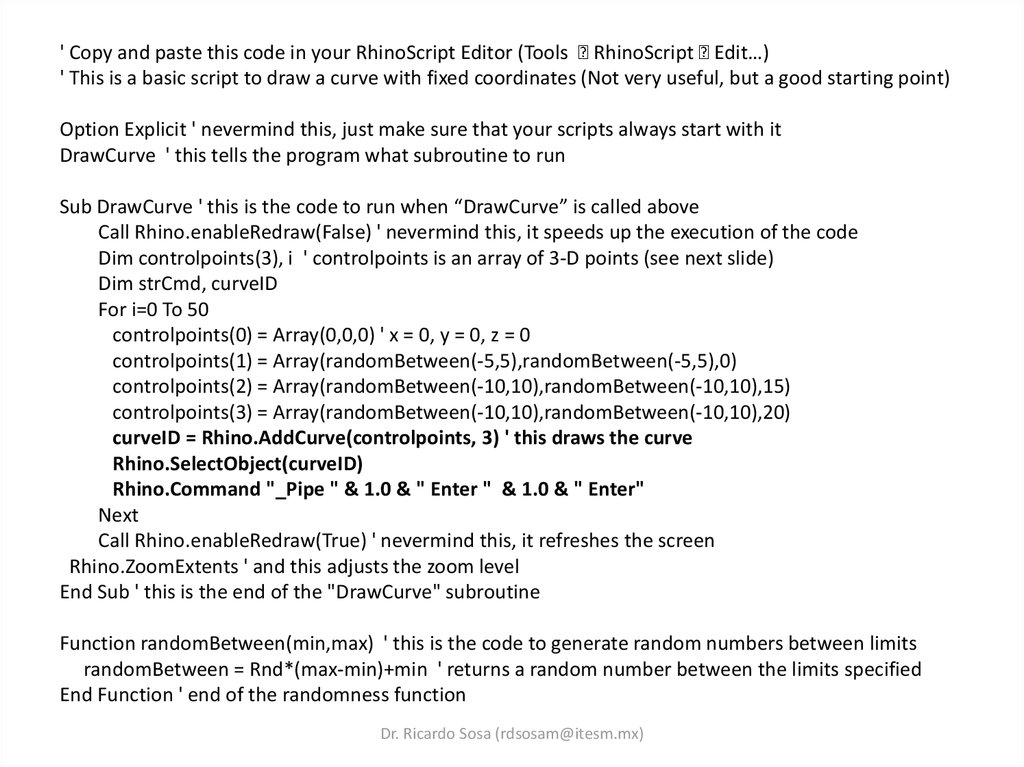
' Copy and paste this code in your RhinoScript Editor (Tools RhinoScript Edit…)' This is a basic script to draw a curve with fixed coordinates (Not very useful, but a good starting point)
Option Explicit ' nevermind this, just make sure that your scripts always start with it
DrawCurve ' this tells the program what subroutine to run
Sub DrawCurve ' this is the code to run when “DrawCurve” is called above
Call Rhino.enableRedraw(False) ' nevermind this, it speeds up the execution of the code
Dim controlpoints(3), i ' controlpoints is an array of 3-D points (see next slide)
Dim strCmd, curveID
For i=0 To 50
controlpoints(0) = Array(0,0,0) ' x = 0, y = 0, z = 0
controlpoints(1) = Array(randomBetween(-5,5),randomBetween(-5,5),0)
controlpoints(2) = Array(randomBetween(-10,10),randomBetween(-10,10),15)
controlpoints(3) = Array(randomBetween(-10,10),randomBetween(-10,10),20)
curveID = Rhino.AddCurve(controlpoints, 3) ' this draws the curve
Rhino.SelectObject(curveID)
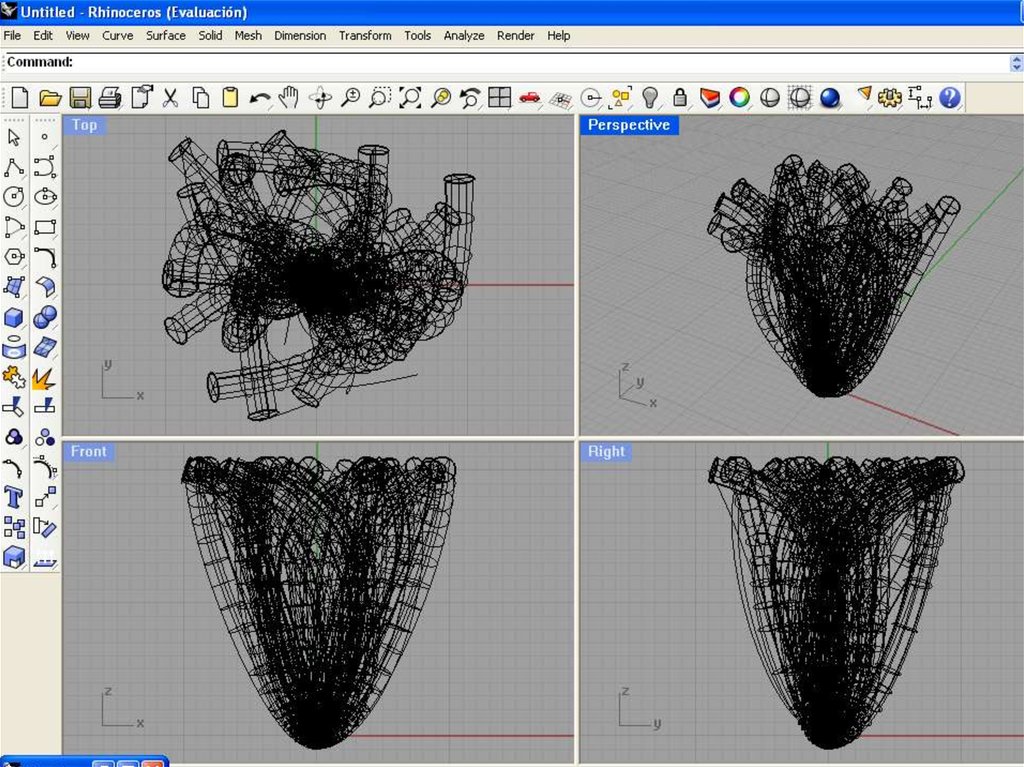
Rhino.Command "_Pipe " & 1.0 & " Enter " & 1.0 & " Enter"
Next
Call Rhino.enableRedraw(True) ' nevermind this, it refreshes the screen
Rhino.ZoomExtents ' and this adjusts the zoom level
End Sub ' this is the end of the "DrawCurve" subroutine
Function randomBetween(min,max) ' this is the code to generate random numbers between limits
randomBetween = Rnd*(max-min)+min ' returns a random number between the limits specified
End Function ' end of the randomness function
Dr. Ricardo Sosa (rdsosam@itesm.mx)
29. Diapositiva 29
Dr. Ricardo Sosa (rdsosam@itesm.mx)30. Diapositiva 30
Dr. Ricardo Sosa (rdsosam@itesm.mx)31. Diapositiva 31
Dr. Ricardo Sosa (rdsosam@itesm.mx)32. Diapositiva 32
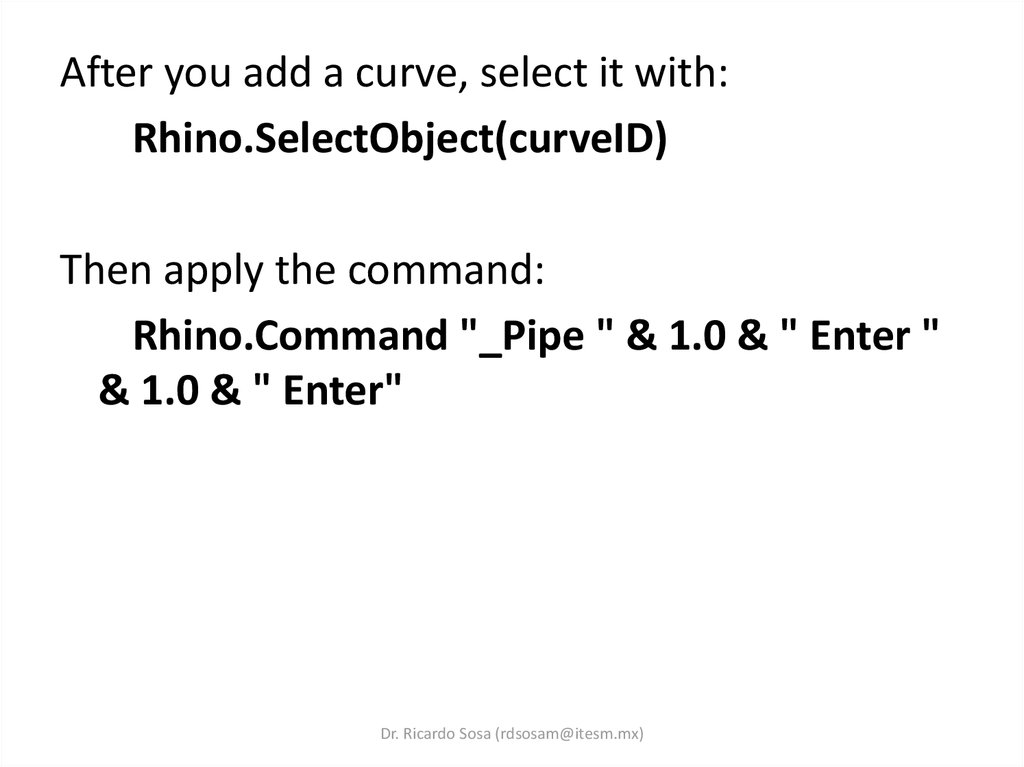
After you add a curve, select it with:Rhino.SelectObject(curveID)
Then apply the command:
Rhino.Command "_Pipe " & 1.0 & " Enter "
& 1.0 & " Enter"
Dr. Ricardo Sosa (rdsosam@itesm.mx)
33. Due next class…
Do something interesting of yourown!
Dr. Ricardo Sosa (rdsosam@itesm.mx)