


 Construction
Similar presentations:






Ох, уж этот ремонт!
1. Ох, уж этот ремонт!
Скрипник Артём,Бычков Андрей,
Аванский Лев
8Г класс
2. Цель: создать расчётную ведомость конечной стоимости ремонта комнаты.
Задачи:выбрать комнату и сделать основные измерения и расчеты;
создать схему дизайн-проект комнаты;
изучить этапы ремонта;
сделать расчеты необходимого количества и стоимости
строительного материала для ремонта;
выбрать отделочные материалы;
выбрать материала для чистовой отделки;
рассчитать итоговую стоимость чистового ремонта комнаты.
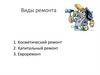
3. Виды ремонта
Косметический ремонтКапитальный ремонт
4. Схема нашей комнвды
5. С чего начинается ремонт?
6. Наши предворительные сметы
7. Итоговая смета
8. Заключение
9. Спасибо за внимание!
8Г классСпасибо за
внимание!
10. IN THE DINING ROOM YOU CAN SEE…
WINDOWCHAIRS
FRUIT
PLATTER
CUTLERY
GLASS
11. IN THE BEDROOM YOU CAN SEE…
CLOCKWARDROBE
BEDSIDE
LAMP
PILLOWS
BED
12. IN THE BATHROOM YOU CAN SEE…
TOILETTOOTHBRUSH
TOWEL
LIQUID
SOAP
SHOWER
13. IN THE GARDEN YOU CAN SEE…
BARROWWATERING
CAN
PLANT POT
GARDEN
HOUSE
TREE
14. THIS IS THE GARAGE
15. IN THE GARAGE YOU CAN SEE…
CARBICYCLE
HAMMER
TOOL BOX
DRILL
16. ALTERNATIVE RESOURCES
Here’s an assortment of alternative resources whose style fits that of this template:Hand drawn interior design labels
Flat construction tools collection
Hand drawn interior design labels
17. Storyset
Create your Story with our illustrated concepts. Choose the style you like the most, edit its colors,pick the background and layers you want to show and bring them to life with the animator panel!
It will boost your presentation. Check out how it works.
Pana
Amico
Bro
Rafiki
Cuate
18. Use our editable graphic resources...
You can easily resize these resources without losing quality. To change the color, just ungroup the resource and clickon the object you want to change. Then, click on the paint bucket and select the color you want. Group the resource again
when you’re done. You can also look for more infographics on Slidesgo.
19.
20.
21.
JANUARYFEBRUARY
MARCH
APRIL
MAY
JUNE
PHASE 1
Task 1
Task 2
PHASE 2
Task 1
Task 2
JANUARY
PHASE 1
Task 1
Task 2
FEBRUARY
MARCH
APRIL
22.
23.
24. ...and our sets of editable icons
You can resize these icons without losing quality.You can change the stroke and fill color; just select the icon and click on the paint bucket/pen.
In Google Slides, you can also use Flaticon’s extension, allowing you to customize and add even more icons.
25.
Educational IconsMedical Icons
26.
Business IconsTeamwork Icons
27.
Help & Support IconsAvatar Icons
28.
Creative Process IconsPerforming Arts Icons