
 programming
Similar presentations:




Технології програмування КС. Лекція 4 (.NET)
1. Технології програмування КС Лекція 4 (.NET)
Проф. Олександр Цимбал,Каф. КІТАМ, ХНУРЕ, Харків, Україна,
oleksandr.tsymbal@nure.ua
2.
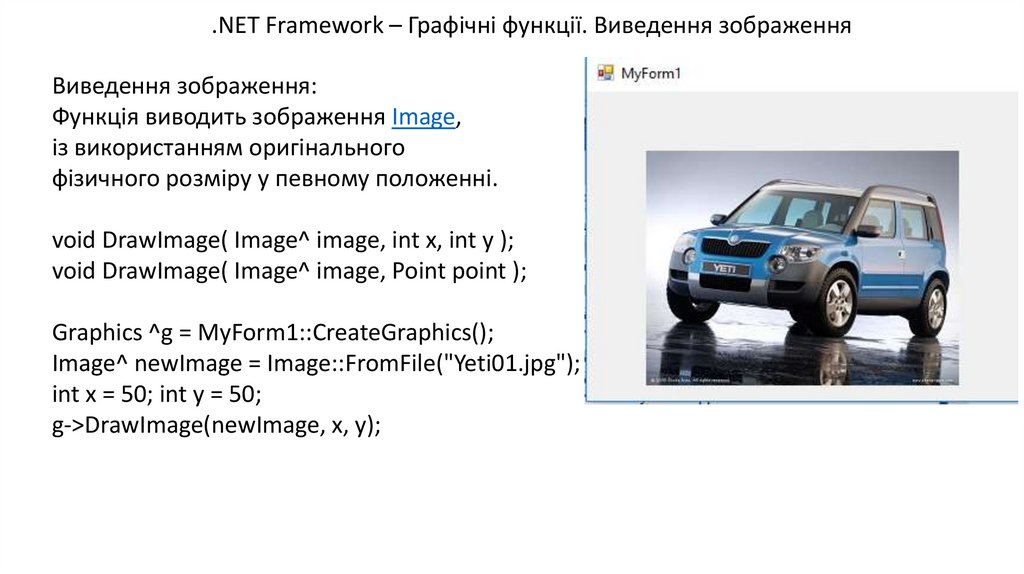
.NET Framework – Графічні функції. Виведення зображенняВиведення зображення:
Функція виводить зображення Image,
із використанням оригінального
фізичного розміру у певному положенні.
void DrawImage( Image^ image, int x, int y );
void DrawImage( Image^ image, Point point );
Graphics ^g = MyForm1::CreateGraphics();
Image^ newImage = Image::FromFile("Yeti01.jpg");
int x = 50; int y = 50;
g->DrawImage(newImage, x, y);
3.
.NET Framework – Графічні функціїФункція відображення ліній:
Відображається лінія, яка поєднує дві точки, задані
координатними парами.
void DrawLine( Pen^ pen, int x1, int y1, int x2, int y2 );
void DrawLine( Pen^ pen, Point pt1, Point pt2 );
void DrawLine( Pen^ pen, PointF pt1, PointF pt2 );
void DrawLine( Pen^ pen, float x1, float y1, float x2, float y2 );
g->DrawLine(gcnew Drawing::Pen(Color::Red,10), Point(100, 200),Point(200,200));
g->DrawLine(gcnew Drawing::Pen(Color::Green, 10), Point(200, 200), Point(200, 100));
4.
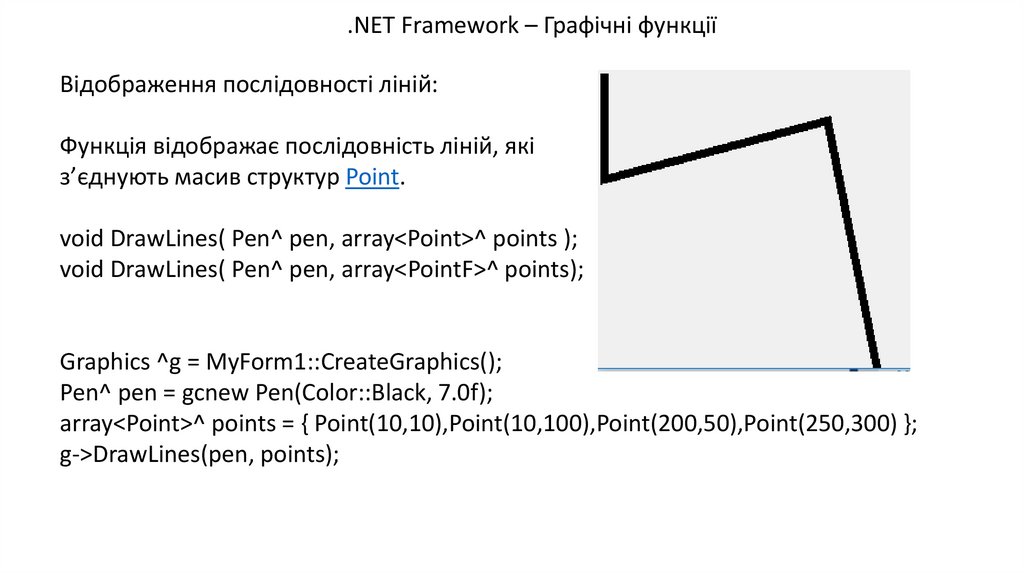
.NET Framework – Графічні функціїВідображення послідовності ліній:
Функція відображає послідовність ліній, які
з’єднують масив структур Point.
void DrawLines( Pen^ pen, array<Point>^ points );
void DrawLines( Pen^ pen, array<PointF>^ points);
Graphics ^g = MyForm1::CreateGraphics();
Pen^ pen = gcnew Pen(Color::Black, 7.0f);
array<Point>^ points = { Point(10,10),Point(10,100),Point(200,50),Point(250,300) };
g->DrawLines(pen, points);
5.
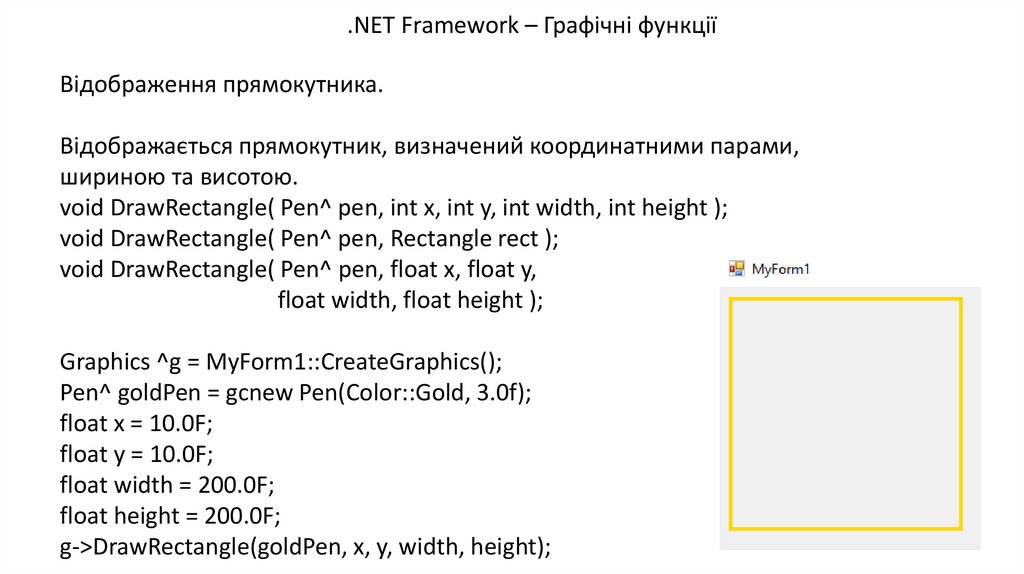
.NET Framework – Графічні функціїВідображення прямокутника.
Відображається прямокутник, визначений координатними парами,
шириною та висотою.
void DrawRectangle( Pen^ pen, int x, int y, int width, int height );
void DrawRectangle( Pen^ pen, Rectangle rect );
void DrawRectangle( Pen^ pen, float x, float y,
float width, float height );
Graphics ^g = MyForm1::CreateGraphics();
Pen^ goldPen = gcnew Pen(Color::Gold, 3.0f);
float x = 10.0F;
float y = 10.0F;
float width = 200.0F;
float height = 200.0F;
g->DrawRectangle(goldPen, x, y, width, height);
6.
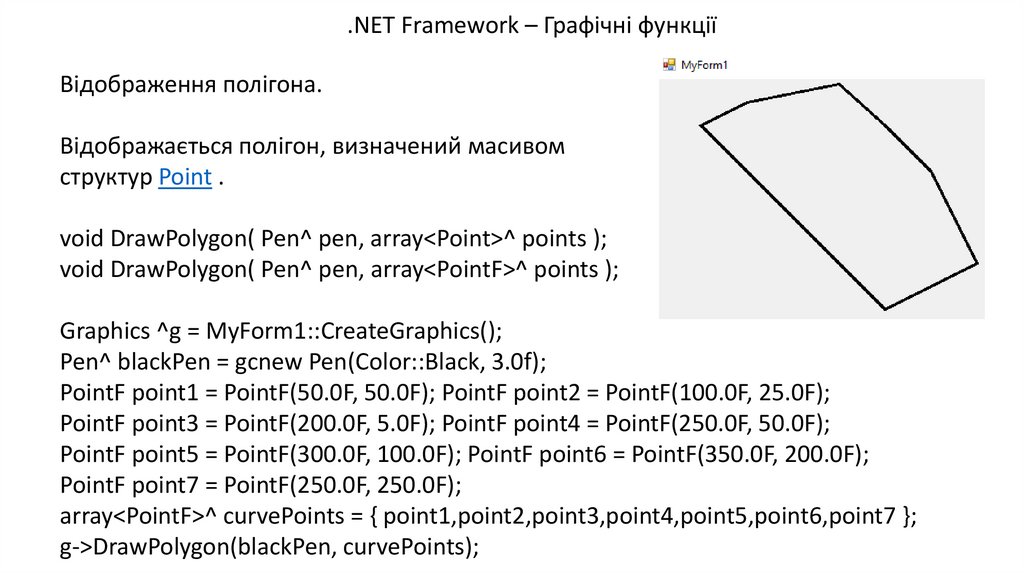
.NET Framework – Графічні функціїВідображення полігона.
Відображається полігон, визначений масивом
структур Point .
void DrawPolygon( Pen^ pen, array<Point>^ points );
void DrawPolygon( Pen^ pen, array<PointF>^ points );
Graphics ^g = MyForm1::CreateGraphics();
Pen^ blackPen = gcnew Pen(Color::Black, 3.0f);
PointF point1 = PointF(50.0F, 50.0F); PointF point2 = PointF(100.0F, 25.0F);
PointF point3 = PointF(200.0F, 5.0F); PointF point4 = PointF(250.0F, 50.0F);
PointF point5 = PointF(300.0F, 100.0F); PointF point6 = PointF(350.0F, 200.0F);
PointF point7 = PointF(250.0F, 250.0F);
array<PointF>^ curvePoints = { point1,point2,point3,point4,point5,point6,point7 };
g->DrawPolygon(blackPen, curvePoints);
7.
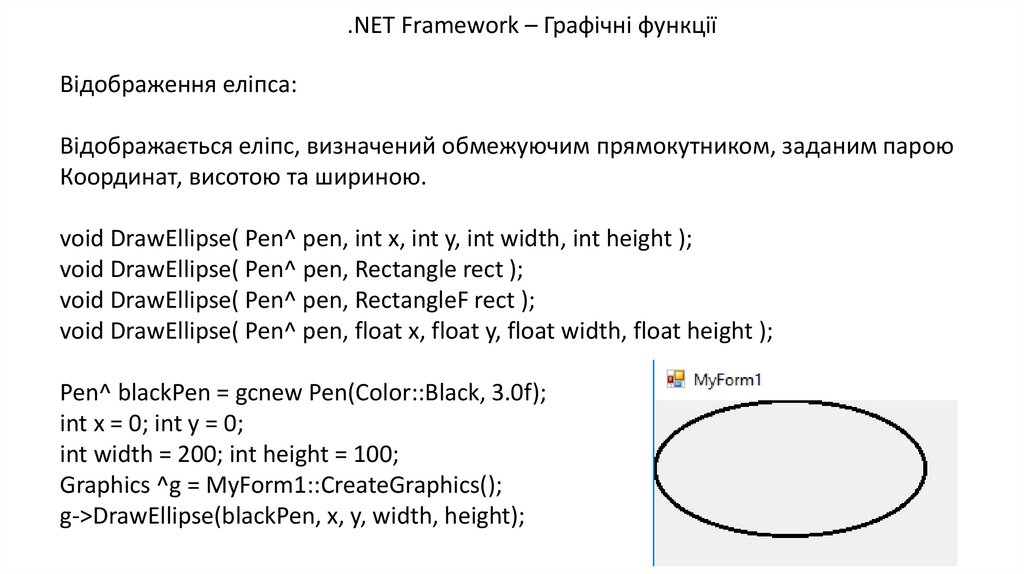
.NET Framework – Графічні функціїВідображення еліпса:
Відображається еліпс, визначений обмежуючим прямокутником, заданим парою
Координат, висотою та шириною.
void DrawEllipse( Pen^ pen, int x, int y, int width, int height );
void DrawEllipse( Pen^ pen, Rectangle rect );
void DrawEllipse( Pen^ pen, RectangleF rect );
void DrawEllipse( Pen^ pen, float x, float y, float width, float height );
Pen^ blackPen = gcnew Pen(Color::Black, 3.0f);
int x = 0; int y = 0;
int width = 200; int height = 100;
Graphics ^g = MyForm1::CreateGraphics();
g->DrawEllipse(blackPen, x, y, width, height);
8.
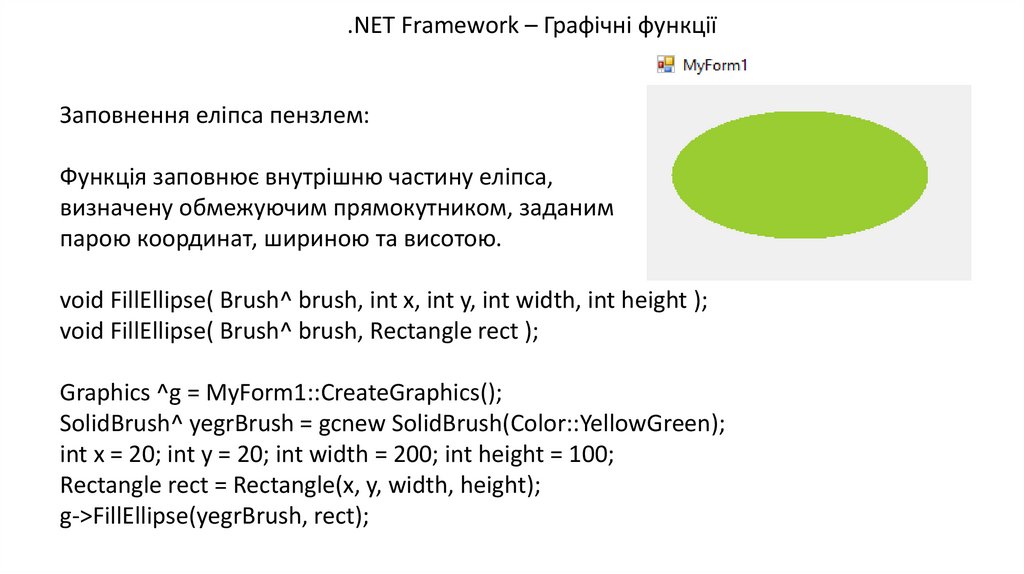
.NET Framework – Графічні функціїЗаповнення еліпса пензлем:
Функція заповнює внутрішню частину еліпса,
визначену обмежуючим прямокутником, заданим
парою координат, шириною та висотою.
void FillEllipse( Brush^ brush, int x, int y, int width, int height );
void FillEllipse( Brush^ brush, Rectangle rect );
Graphics ^g = MyForm1::CreateGraphics();
SolidBrush^ yegrBrush = gcnew SolidBrush(Color::YellowGreen);
int x = 20; int y = 20; int width = 200; int height = 100;
Rectangle rect = Rectangle(x, y, width, height);
g->FillEllipse(yegrBrush, rect);
9.
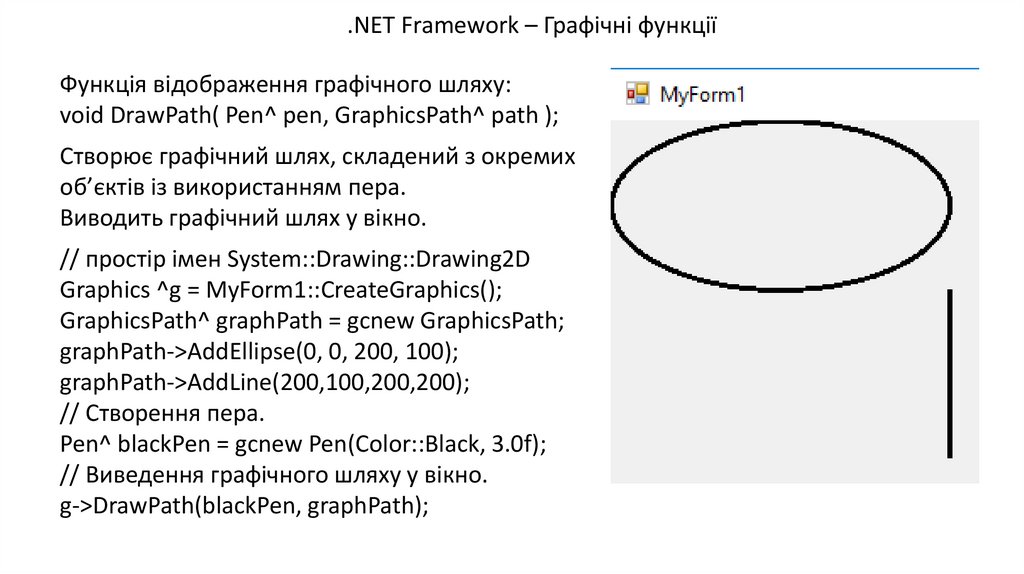
.NET Framework – Графічні функціїФункція відображення графічного шляху:
void DrawPath( Pen^ pen, GraphicsPath^ path );
Створює графічний шлях, складений з окремих
об’єктів із використанням пера.
Виводить графічний шлях у вікно.
// простір імен System::Drawing::Drawing2D
Graphics ^g = MyForm1::CreateGraphics();
GraphicsPath^ graphPath = gcnew GraphicsPath;
graphPath->AddEllipse(0, 0, 200, 100);
graphPath->AddLine(200,100,200,200);
// Cтворення пера.
Pen^ blackPen = gcnew Pen(Color::Black, 3.0f);
// Виведення графічного шляху у вікно.
g->DrawPath(blackPen, graphPath);
10.
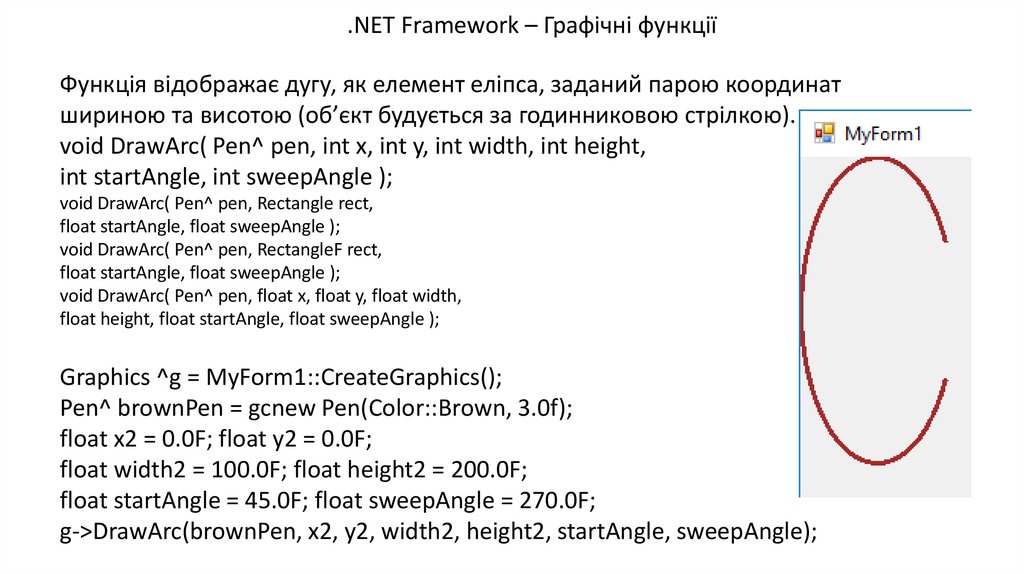
.NET Framework – Графічні функціїФункція відображає дугу, як елемент еліпса, заданий парою координат
шириною та висотою (об’єкт будується за годинниковою стрілкою).
void DrawArc( Pen^ pen, int x, int y, int width, int height,
int startAngle, int sweepAngle );
void DrawArc( Pen^ pen, Rectangle rect,
float startAngle, float sweepAngle );
void DrawArc( Pen^ pen, RectangleF rect,
float startAngle, float sweepAngle );
void DrawArc( Pen^ pen, float x, float y, float width,
float height, float startAngle, float sweepAngle );
Graphics ^g = MyForm1::CreateGraphics();
Pen^ brownPen = gcnew Pen(Color::Brown, 3.0f);
float x2 = 0.0F; float y2 = 0.0F;
float width2 = 100.0F; float height2 = 200.0F;
float startAngle = 45.0F; float sweepAngle = 270.0F;
g->DrawArc(brownPen, x2, y2, width2, height2, startAngle, sweepAngle);
11.
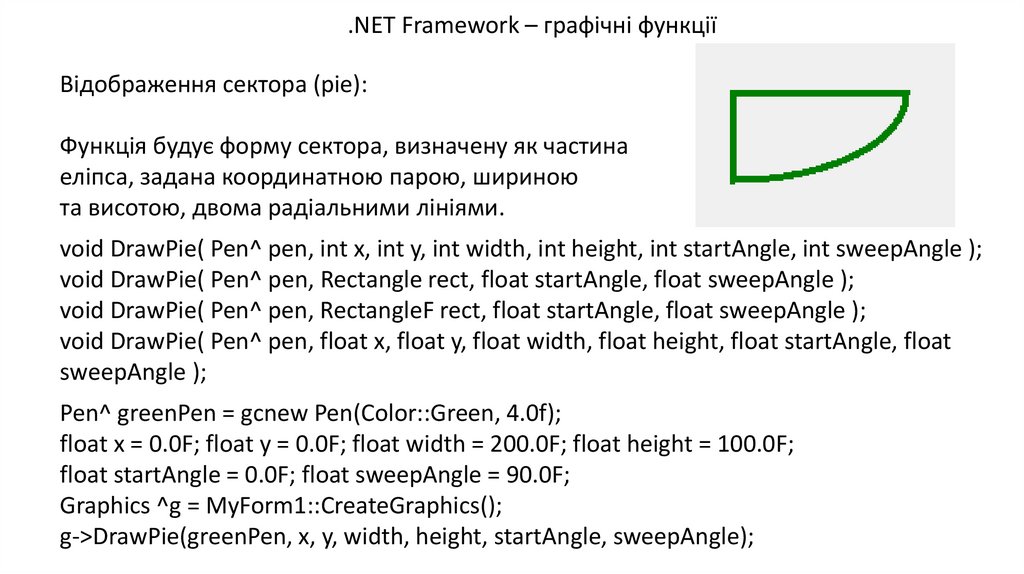
.NET Framework – графічні функціїВідображення сектора (pie):
Функція будує форму сектора, визначену як частина
еліпса, задана координатною парою, шириною
та висотою, двома радіальними лініями.
void DrawPie( Pen^ pen, int x, int y, int width, int height, int startAngle, int sweepAngle );
void DrawPie( Pen^ pen, Rectangle rect, float startAngle, float sweepAngle );
void DrawPie( Pen^ pen, RectangleF rect, float startAngle, float sweepAngle );
void DrawPie( Pen^ pen, float x, float y, float width, float height, float startAngle, float
sweepAngle );
Pen^ greenPen = gcnew Pen(Color::Green, 4.0f);
float x = 0.0F; float y = 0.0F; float width = 200.0F; float height = 100.0F;
float startAngle = 0.0F; float sweepAngle = 90.0F;
Graphics ^g = MyForm1::CreateGraphics();
g->DrawPie(greenPen, x, y, width, height, startAngle, sweepAngle);
12.
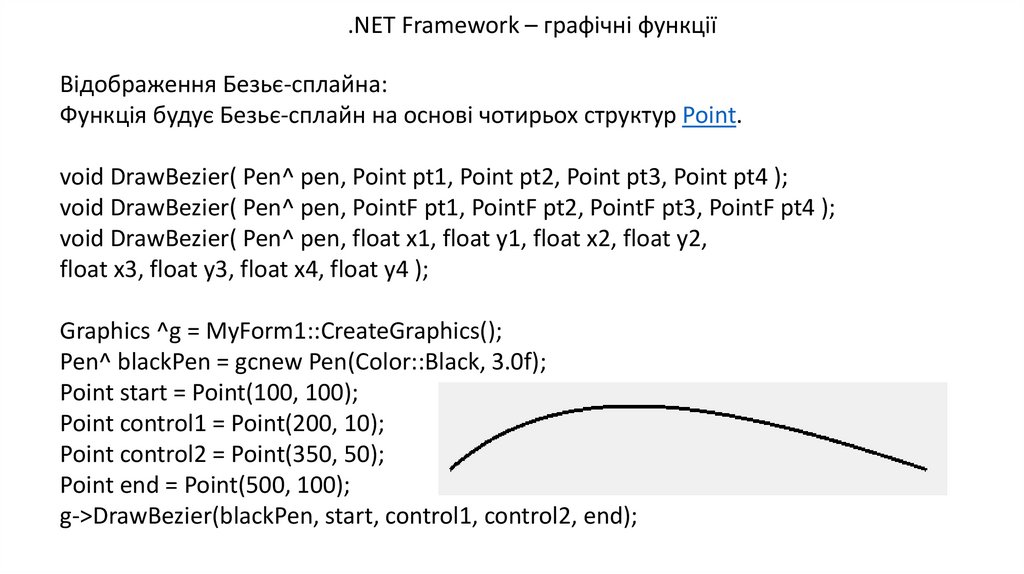
.NET Framework – графічні функціїВідображення Безьє-сплайна:
Функція будує Безьє-сплайн на основі чотирьох структур Point.
void DrawBezier( Pen^ pen, Point pt1, Point pt2, Point pt3, Point pt4 );
void DrawBezier( Pen^ pen, PointF pt1, PointF pt2, PointF pt3, PointF pt4 );
void DrawBezier( Pen^ pen, float x1, float y1, float x2, float y2,
float x3, float y3, float x4, float y4 );
Graphics ^g = MyForm1::CreateGraphics();
Pen^ blackPen = gcnew Pen(Color::Black, 3.0f);
Point start = Point(100, 100);
Point control1 = Point(200, 10);
Point control2 = Point(350, 50);
Point end = Point(500, 100);
g->DrawBezier(blackPen, start, control1, control2, end);
13.
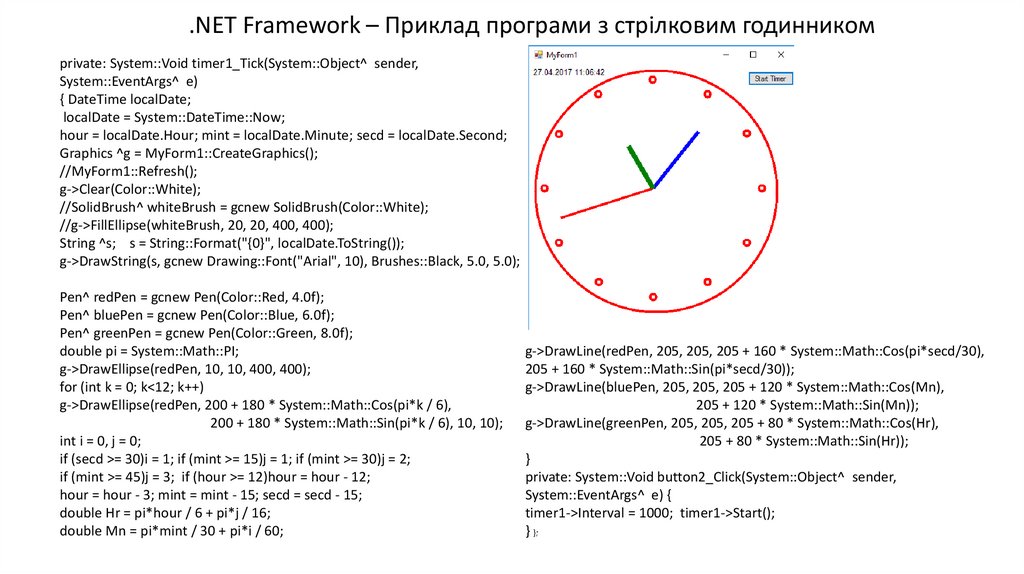
.NET Framework – Приклад програми з стрілковим годинникомprivate: System::Void timer1_Tick(System::Object^ sender,
System::EventArgs^ e)
{ DateTime localDate;
localDate = System::DateTime::Now;
hour = localDate.Hour; mint = localDate.Minute; secd = localDate.Second;
Graphics ^g = MyForm1::CreateGraphics();
//MyForm1::Refresh();
g->Clear(Color::White);
//SolidBrush^ whiteBrush = gcnew SolidBrush(Color::White);
//g->FillEllipse(whiteBrush, 20, 20, 400, 400);
String ^s; s = String::Format("{0}", localDate.ToString());
g->DrawString(s, gcnew Drawing::Font("Arial", 10), Brushes::Black, 5.0, 5.0);
Pen^ redPen = gcnew Pen(Color::Red, 4.0f);
Pen^ bluePen = gcnew Pen(Color::Blue, 6.0f);
Pen^ greenPen = gcnew Pen(Color::Green, 8.0f);
double pi = System::Math::PI;
g->DrawEllipse(redPen, 10, 10, 400, 400);
for (int k = 0; k<12; k++)
g->DrawEllipse(redPen, 200 + 180 * System::Math::Cos(pi*k / 6),
200 + 180 * System::Math::Sin(pi*k / 6), 10, 10);
int i = 0, j = 0;
if (secd >= 30)i = 1; if (mint >= 15)j = 1; if (mint >= 30)j = 2;
if (mint >= 45)j = 3; if (hour >= 12)hour = hour - 12;
hour = hour - 3; mint = mint - 15; secd = secd - 15;
double Hr = pi*hour / 6 + pi*j / 16;
double Mn = pi*mint / 30 + pi*i / 60;
g->DrawLine(redPen, 205, 205, 205 + 160 * System::Math::Cos(pi*secd/30),
205 + 160 * System::Math::Sin(pi*secd/30));
g->DrawLine(bluePen, 205, 205, 205 + 120 * System::Math::Cos(Mn),
205 + 120 * System::Math::Sin(Mn));
g->DrawLine(greenPen, 205, 205, 205 + 80 * System::Math::Cos(Hr),
205 + 80 * System::Math::Sin(Hr));
}
private: System::Void button2_Click(System::Object^ sender,
System::EventArgs^ e) {
timer1->Interval = 1000; timer1->Start();
} };