







 software
Similar presentations:










Benefits of Using DevTools in Testing
1.
Benefits of UsingDevTools in Testing
2.
IntroductionDevTools is a powerful tool for testers,
developers, and QA engineers, allowing them to
inspect, debug, and analyze the behavior of a
web application. Its use enhances software
quality by providing direct access to the
application's structure, performance, and
communications.
3.
Contrasting the UI vs.API
Response
Problem
The UI may display incorrect or incomplete
information due to frontend errors, while the
API might be returning the correct data.
Solution with DevTools
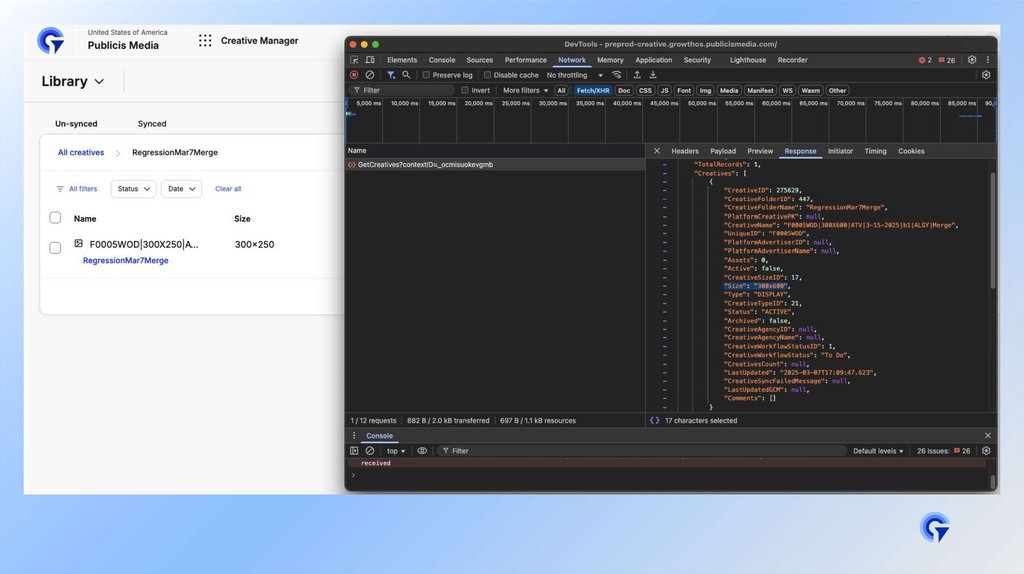
Inspect Network Requests: In the "Network"
tab, review API responses and compare them
with the information displayed in the UI.
Practical Example: If a table displays
incorrect user data, inspect the corresponding
endpoint to verify whether the API is sending
the correct values.
4.
5.
Checking Errors withDevTools
Problem
Console errors can impact functionality and
user experience.
Solution with DevTools
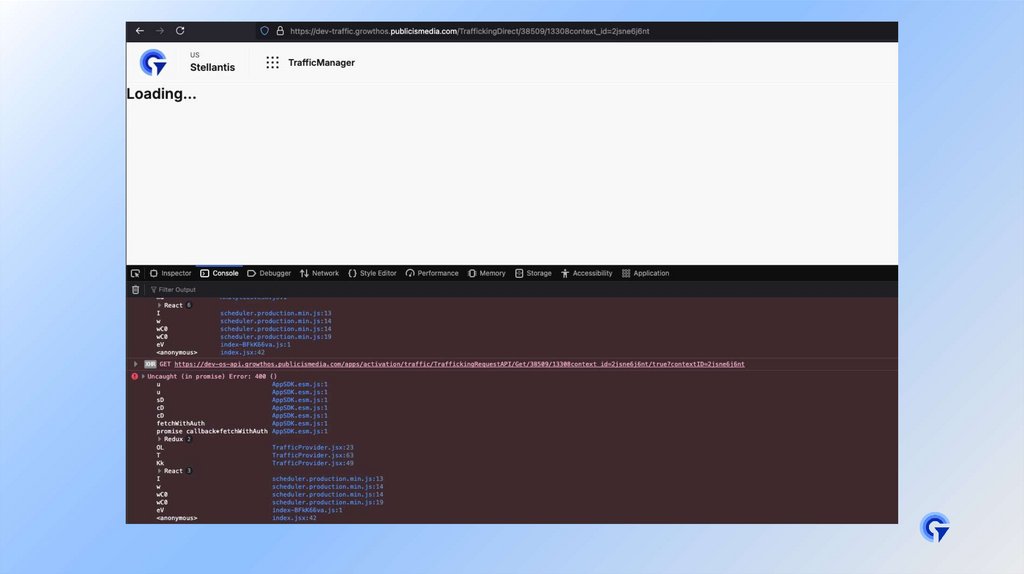
•Console Tab: The "Console" tab shows
JavaScript errors, warnings, and logs.
•Practical Example: If clicking a button does
nothing, inspect the console for script
errors.
6.
7.
Conducting EffectiveTests with DevTools
Functional and Security Testing
•Modify the DOM: Live-edit HTML and CSS to
test different scenarios.
•Simulating Network Conditions: In the
"Network" tab, test situations like slow
connections or API failures.
•Practical Example: When testing a login form,
modify the API response to see how the UI
reacts to an invalid token.
8.
Advanced DevToolsFeatures for Testing
Debugger and Breakpoints
•Set breakpoints in JavaScript code using the
Sources tab to pause execution and inspect
variables.
•Practical Example: Debugging a function that
manipulates data before rendering.
9.
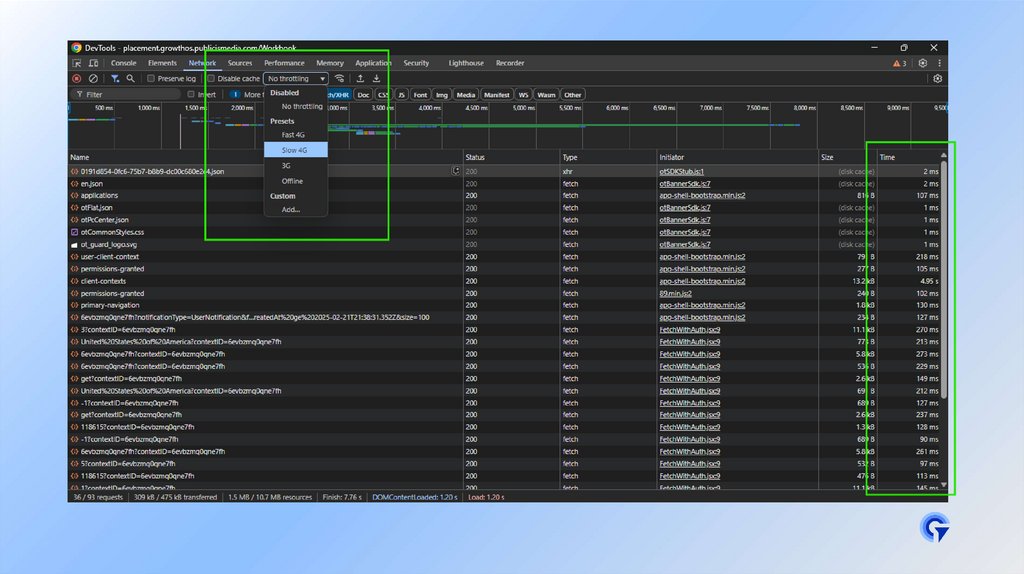
Capturing and AnalyzingNetwork Traffic
•Monitor HTTP Requests: Use the "Network" tab
to capture API calls, check request/response
headers, and analyze load times.
•Filter Requests: Sort by Fetch/XHR to focus
on API-related traffic.
•Throttling for Testing: Simulate different
network speeds to see how the UI behaves under
slow or unstable connections.
10.
•Practical Example: Identify a failing APIcall that causes missing data in the UI and
confirm if the issue is backend-related or due
to incorrect handling in the frontend.
•Filter network requests to inspect XHR,
Fetch, and WebSocket traffic.
•Practical Example: Simulating a slow API
response to test UI loading behavior.
11.
12.
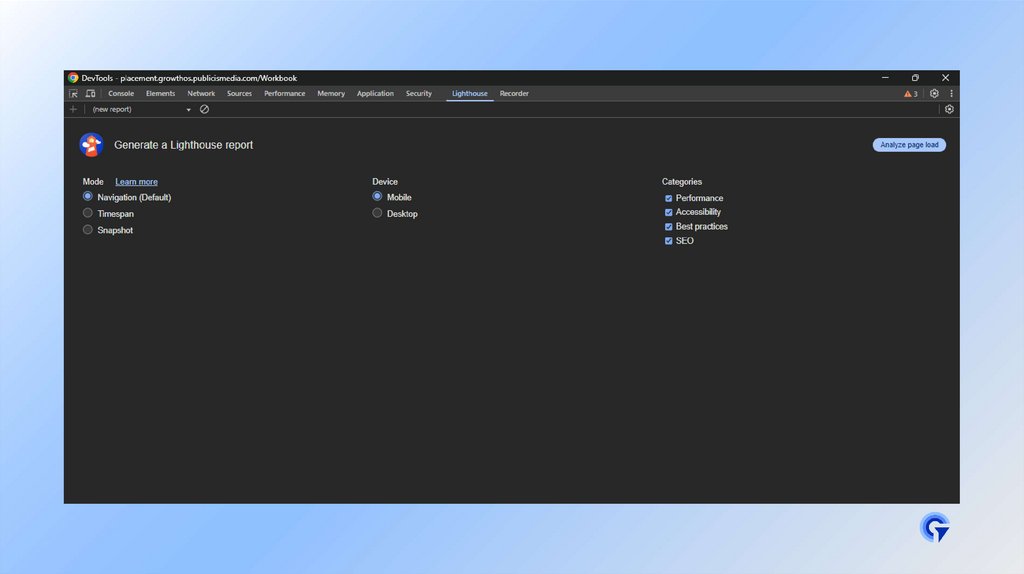
Using Lighthouse forPerformance & SEO Testing
•Run audits in the Lighthouse tab to analyze
performance, accessibility, and best
practices.
•Practical Example: Checking for unused
JavaScript or excessive rendering delays.
13.
14.
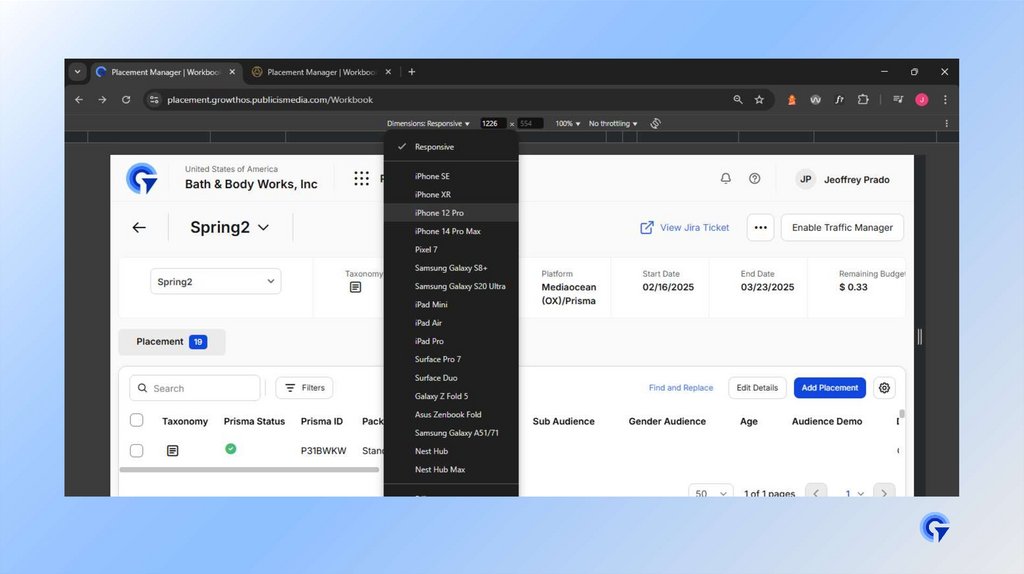
Simulating DifferentDevices and Screen Sizes
•Use Responsive Design Mode to test mobile,
tablet, and desktop views.
•Practical Example: Ensuring a web app looks
correct on various screen sizes.
15.
16.
Other Benefits ofDevTools in Testing
•Performance Debugging: Analyze load times and
optimize rendering.
•Accessibility: Check HTML structure to
improve the experience for users with
disabilities.
•Storage and Cookies: Validate if data
persists correctly between sessions.
17.
Conclusion•Using DevTools in testing helps detect
errors, optimize performance, and validate
expected application behavior. Integrating it
into daily tests improves software quality and
makes it easier to identify issues before
production.