

 programming
Similar presentations:
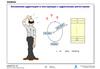
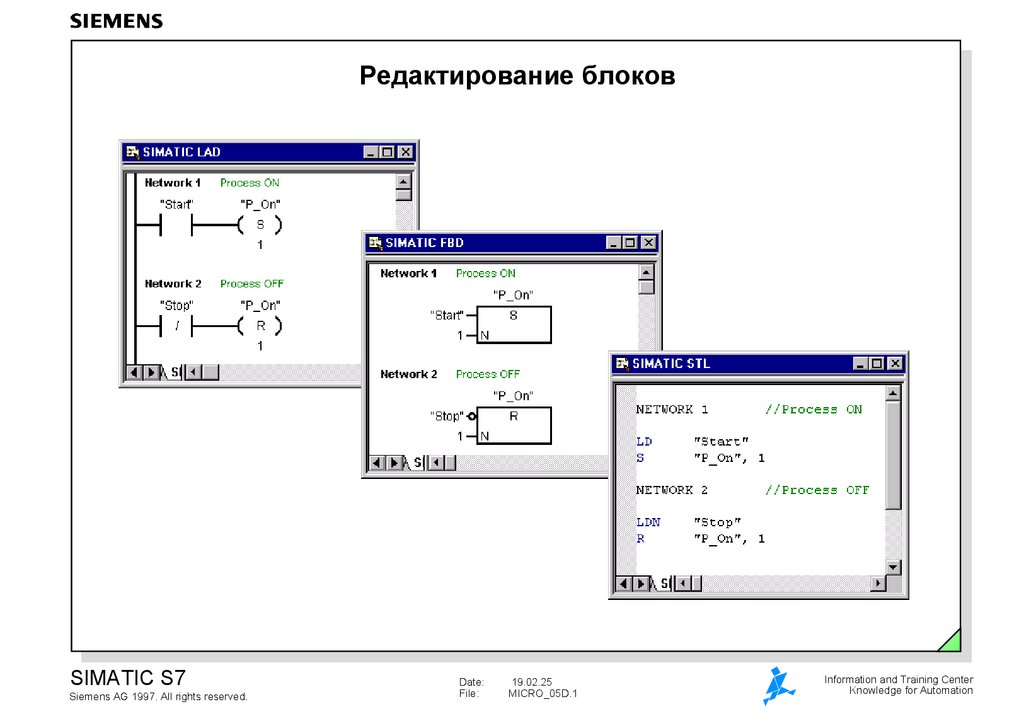
Редактирование блоков
1. Редактирование блоков
SIMATIC S7Siemens AG 1997. All rights reserved.
Date:
File:
19.02.25
MICRO_05D.1
Information and Training Center
Knowledge for Automation
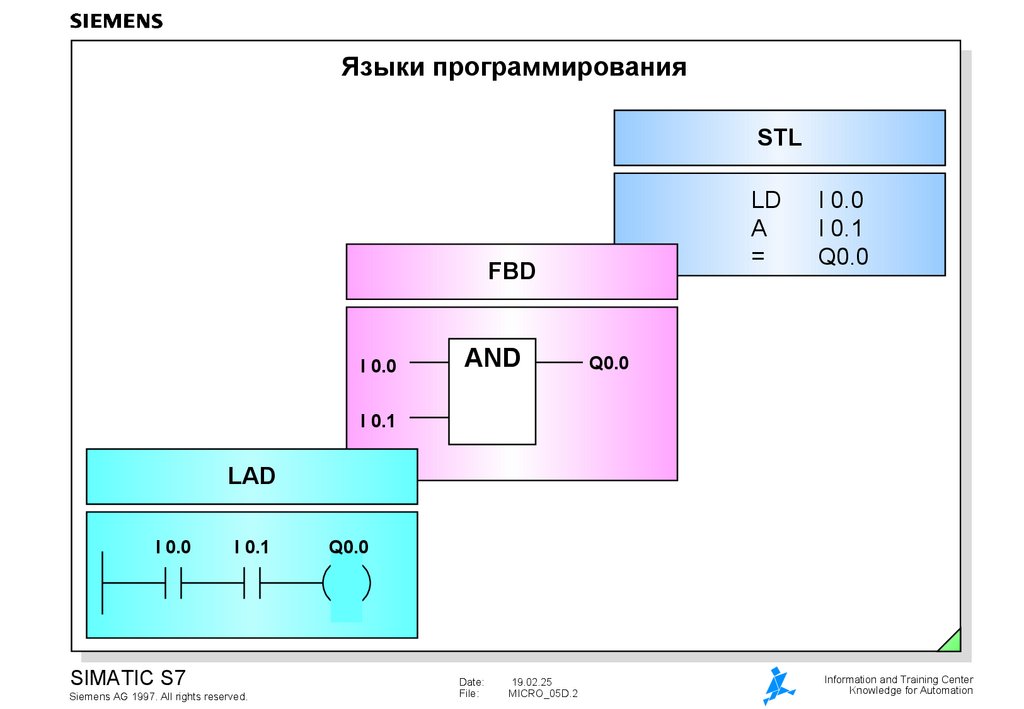
2. Языки программирования
STLLD
A
=
FBD
I 0.0
AND
I 0.0
I 0.1
Q0.0
Q0.0
I 0.1
LAD
I 0.0
I 0.1
SIMATIC S7
Siemens AG 1997. All rights reserved.
Q0.0
Date:
File:
19.02.25
MICRO_05D.2
Information and Training Center
Knowledge for Automation
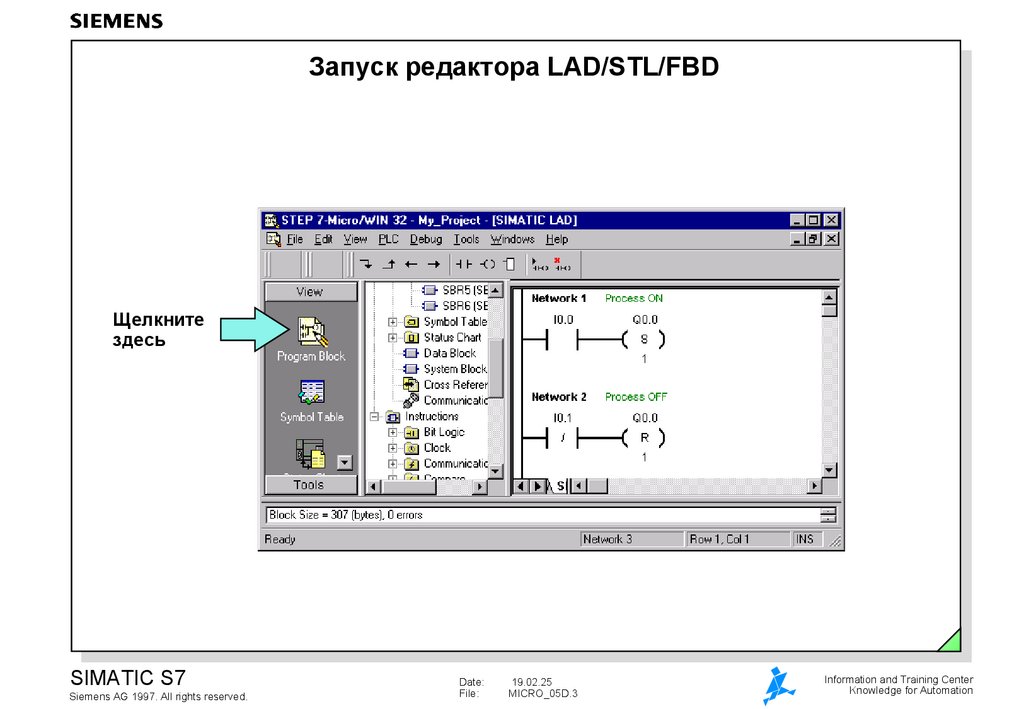
3. Запуск редактора LAD/STL/FBD
Щелкнитездесь
SIMATIC S7
Siemens AG 1997. All rights reserved.
Date:
File:
19.02.25
MICRO_05D.3
Information and Training Center
Knowledge for Automation
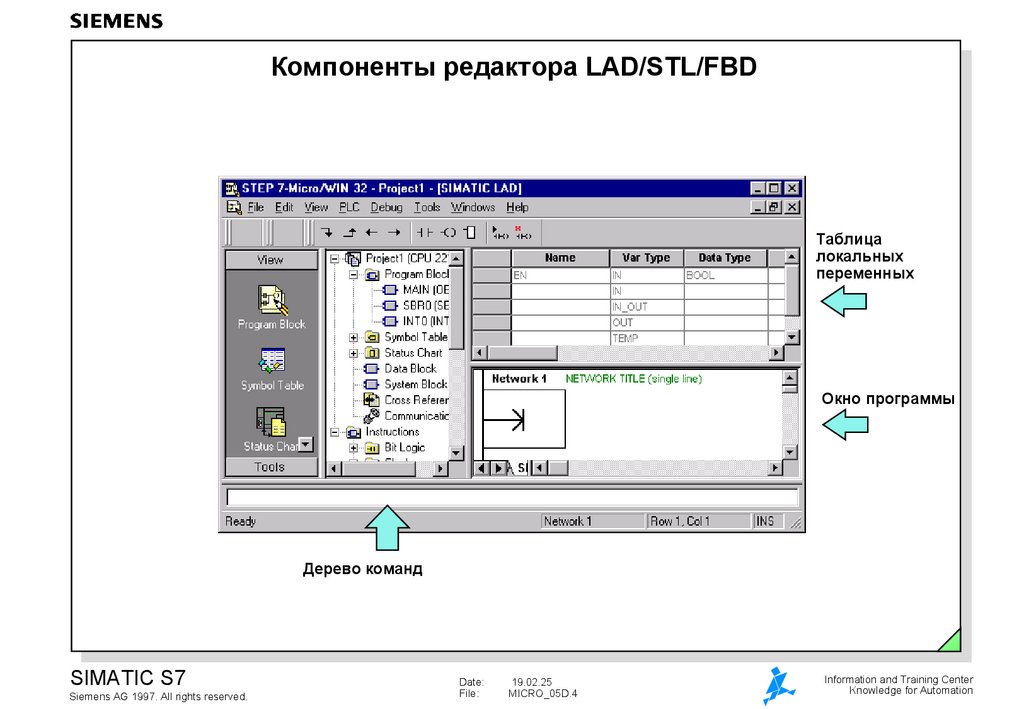
4. Компоненты редактора LAD/STL/FBD
Таблицалокальных
переменных
Окно программы
Дерево команд
SIMATIC S7
Siemens AG 1997. All rights reserved.
Date:
File:
19.02.25
MICRO_05D.4
Information and Training Center
Knowledge for Automation
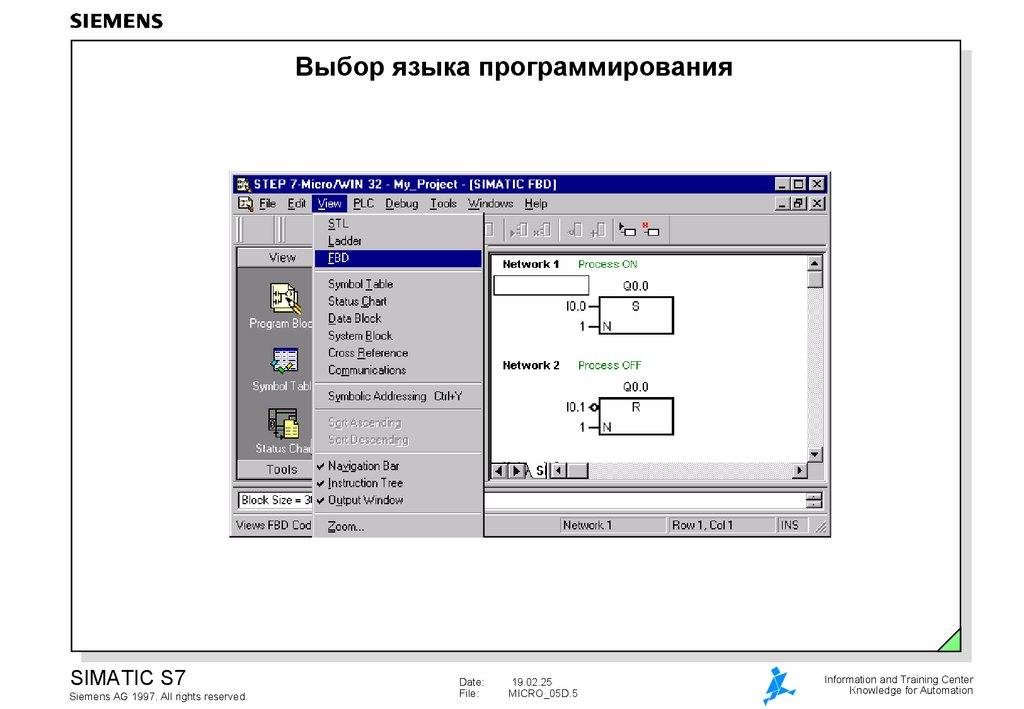
5. Выбор языка программирования
SIMATIC S7Siemens AG 1997. All rights reserved.
Date:
File:
19.02.25
MICRO_05D.5
Information and Training Center
Knowledge for Automation
6. Программирование на LAD
Справьтесь в Help для подробной информацииПанель инструментов
для LAD
для LAD
SIMATIC S7
Siemens AG 1997. All rights reserved.
Date:
File:
19.02.25
MICRO_05D.6
Information and Training Center
Knowledge for Automation
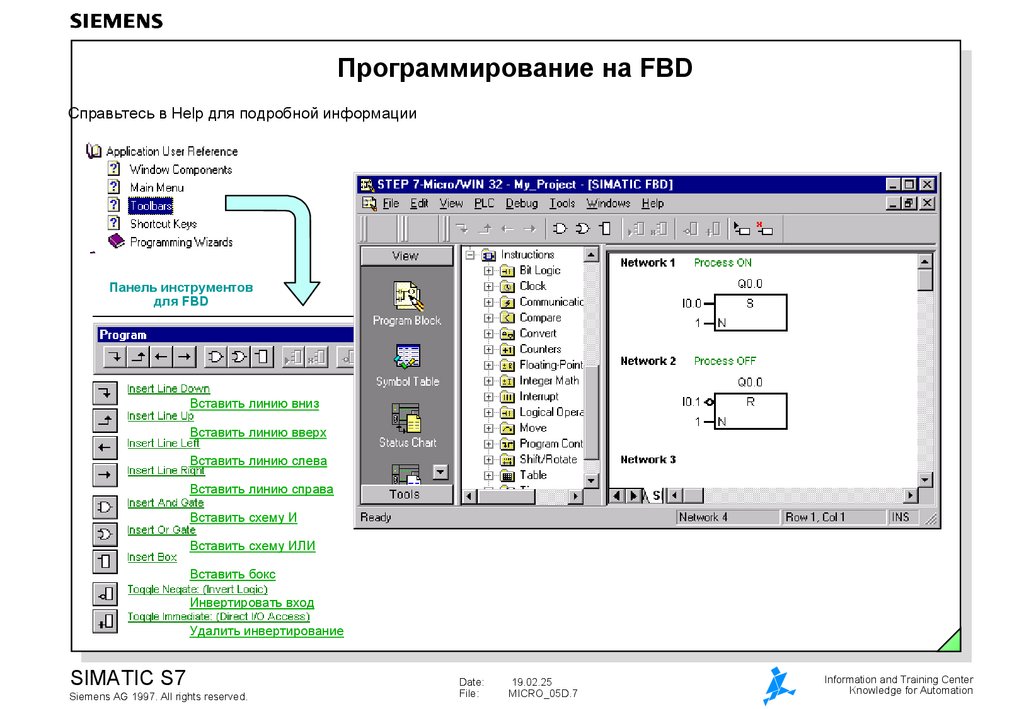
7.
Программирование на FBDСправьтесь в Help для подробной информации
Панель инструментов
для FBD
Вставить линию вниз
Вставить линию вверх
Вставить линию слева
Вставить линию справа
Вставить схему И
Вставить схему ИЛИ
Вставить бокс
Инвертировать вход
Удалить инвертирование
SIMATIC S7
Siemens AG 1997. All rights reserved.
Date:
File:
19.02.25
MICRO_05D.7
Information and Training Center
Knowledge for Automation
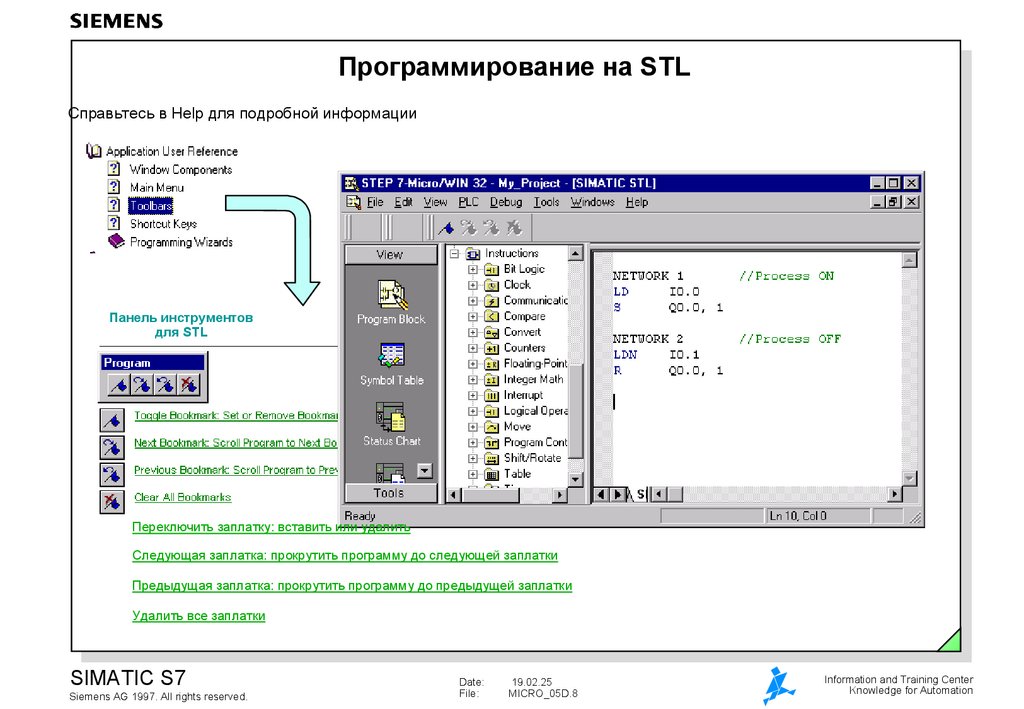
8. Программирование на STL
Справьтесь в Help для подробной информацииПанель инструментов
для STL
Переключить заплатку: вставить или удалить
Следующая заплатка: прокрутить программу до следующей заплатки
Предыдущая заплатка: прокрутить программу до предыдущей заплатки
Удалить все заплатки
SIMATIC S7
Siemens AG 1997. All rights reserved.
Date:
File:
19.02.25
MICRO_05D.8
Information and Training Center
Knowledge for Automation
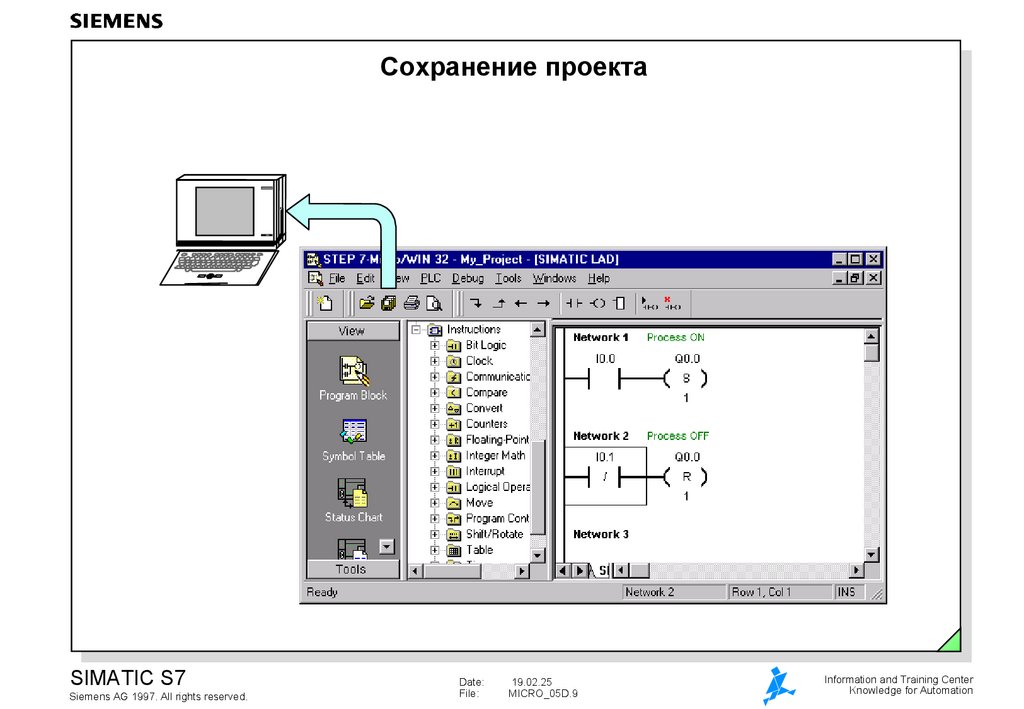
9. Сохранение проекта
SIMATIC S7Siemens AG 1997. All rights reserved.
Date:
File:
19.02.25
MICRO_05D.9
Information and Training Center
Knowledge for Automation
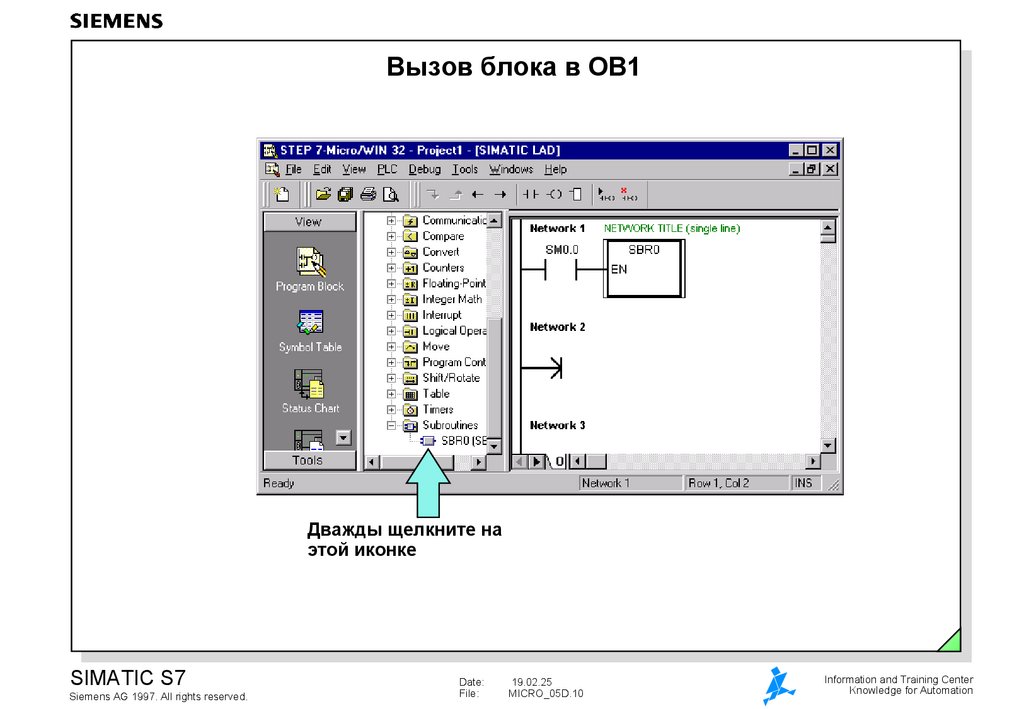
10. Вызов блока в OB1
Дважды щелкните наэтой иконке
SIMATIC S7
Siemens AG 1997. All rights reserved.
Date:
File:
19.02.25
MICRO_05D.10
Information and Training Center
Knowledge for Automation
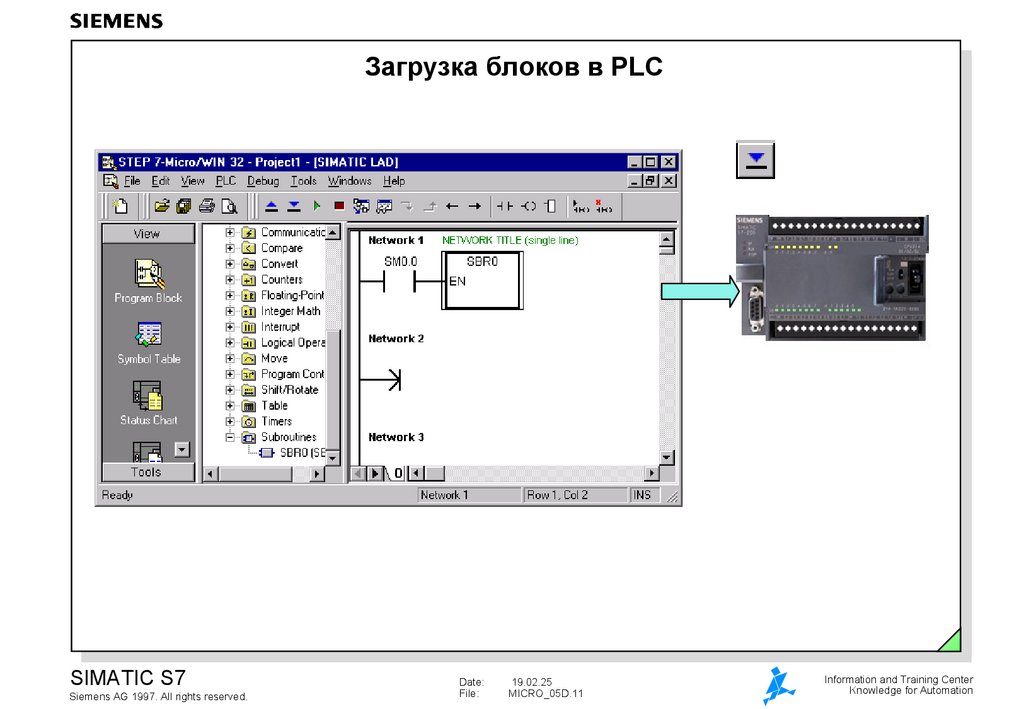
11. Загрузка блоков в PLC
SIMATIC S7Siemens AG 1997. All rights reserved.
Date:
File:
19.02.25
MICRO_05D.11
Information and Training Center
Knowledge for Automation
12. Тестирование простой программы
Нажмите эту кнопкуSIMATIC S7
Siemens AG 1997. All rights reserved.
Date:
File:
19.02.25
MICRO_05D.12
Information and Training Center
Knowledge for Automation
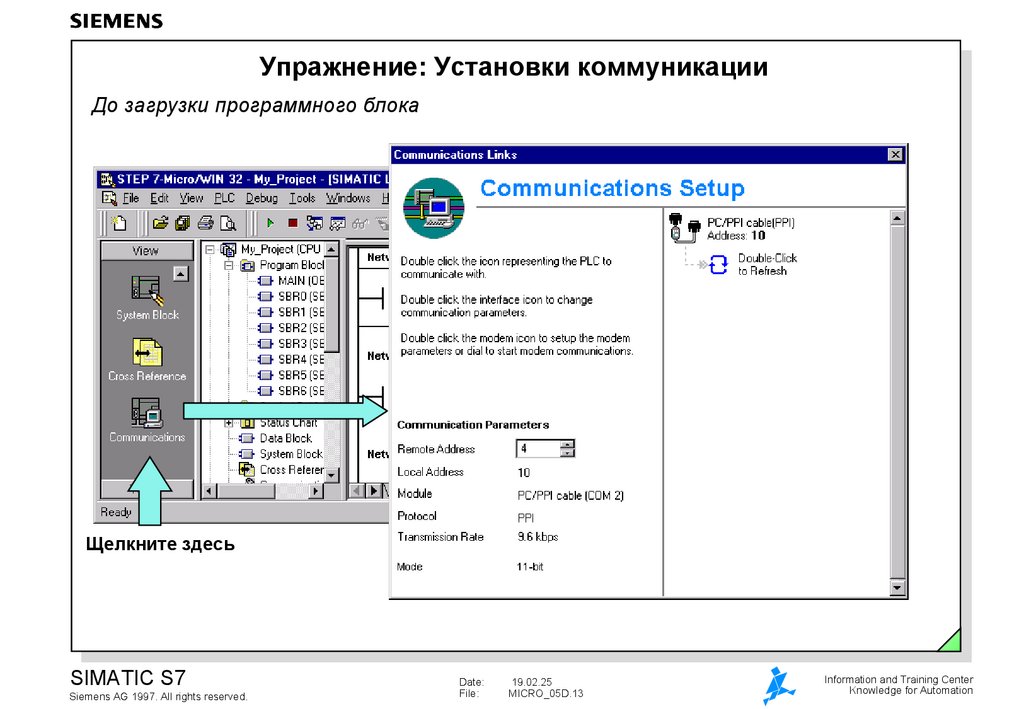
13. Упражнение: Установки коммуникации
До загрузки программного блокаЩелкните здесь
SIMATIC S7
Siemens AG 1997. All rights reserved.
Date:
File:
19.02.25
MICRO_05D.13
Information and Training Center
Knowledge for Automation
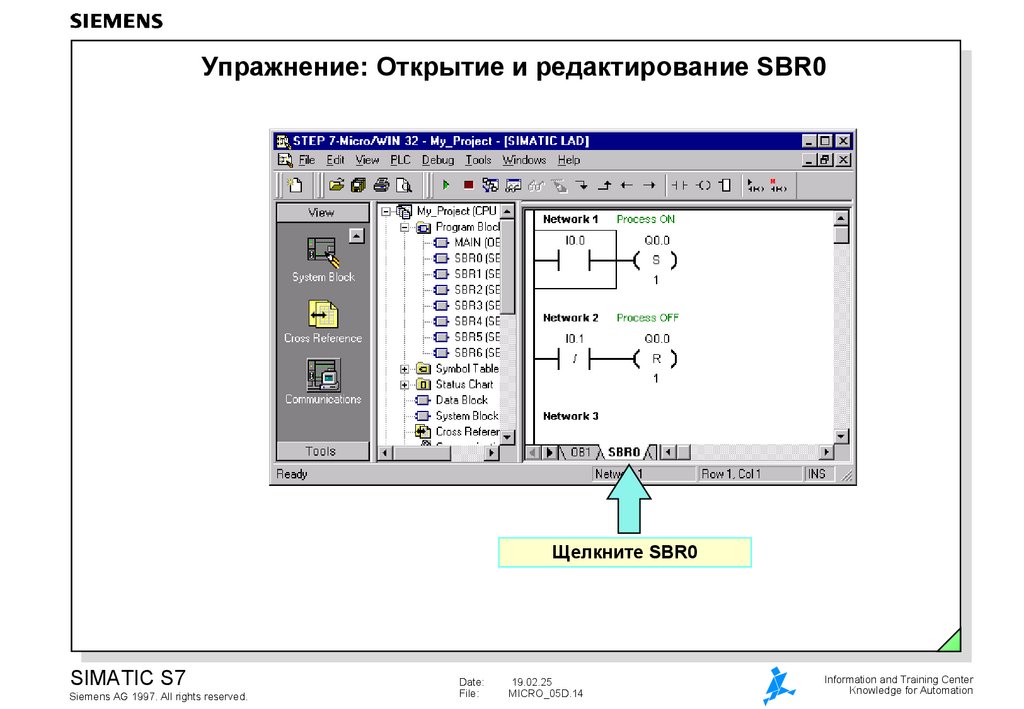
14. Упражнение: Открытие и редактирование SBR0
Щелкните SBR0SIMATIC S7
Siemens AG 1997. All rights reserved.
Date:
File:
19.02.25
MICRO_05D.14
Information and Training Center
Knowledge for Automation