 internet
사증발급 출력 가이드
1.
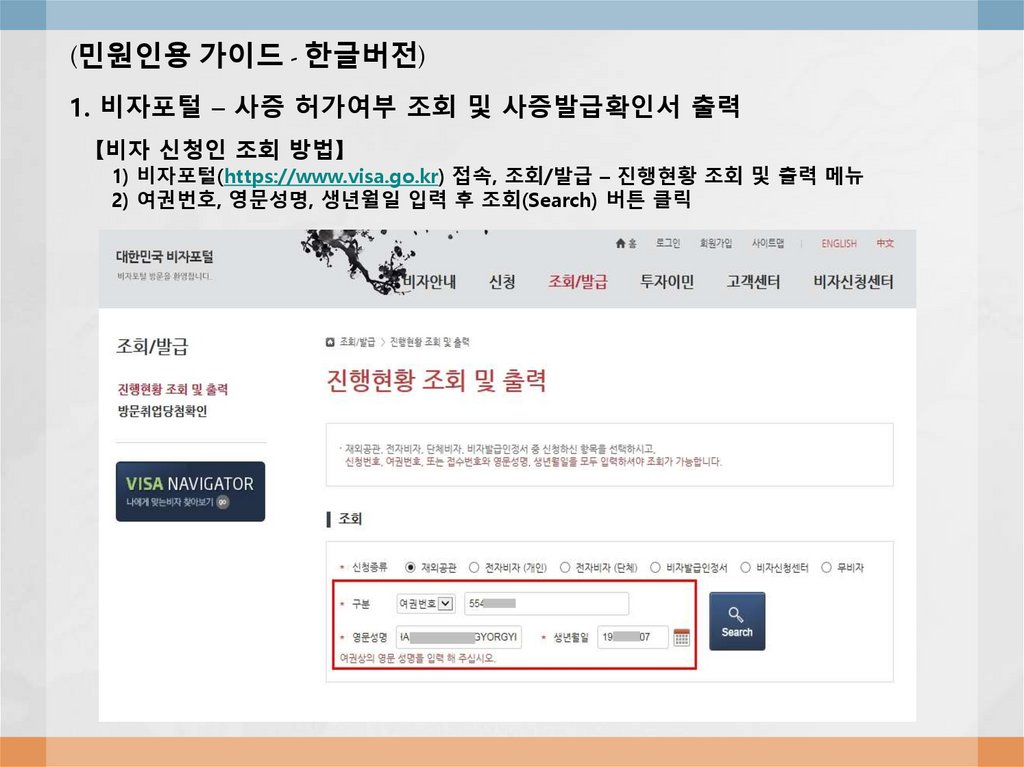
(민원인용 가이드 - 한글버전)1. 비자포털 – 사증 허가여부 조회 및 사증발급확인서 출력
【비자 신청인 조회 방법】
1) 비자포털(https://www.visa.go.kr) 접속, 조회/발급 – 진행현황 조회 및 출력 메뉴
2) 여권번호, 영문성명, 생년월일 입력 후 조회(Search) 버튼 클릭
2.
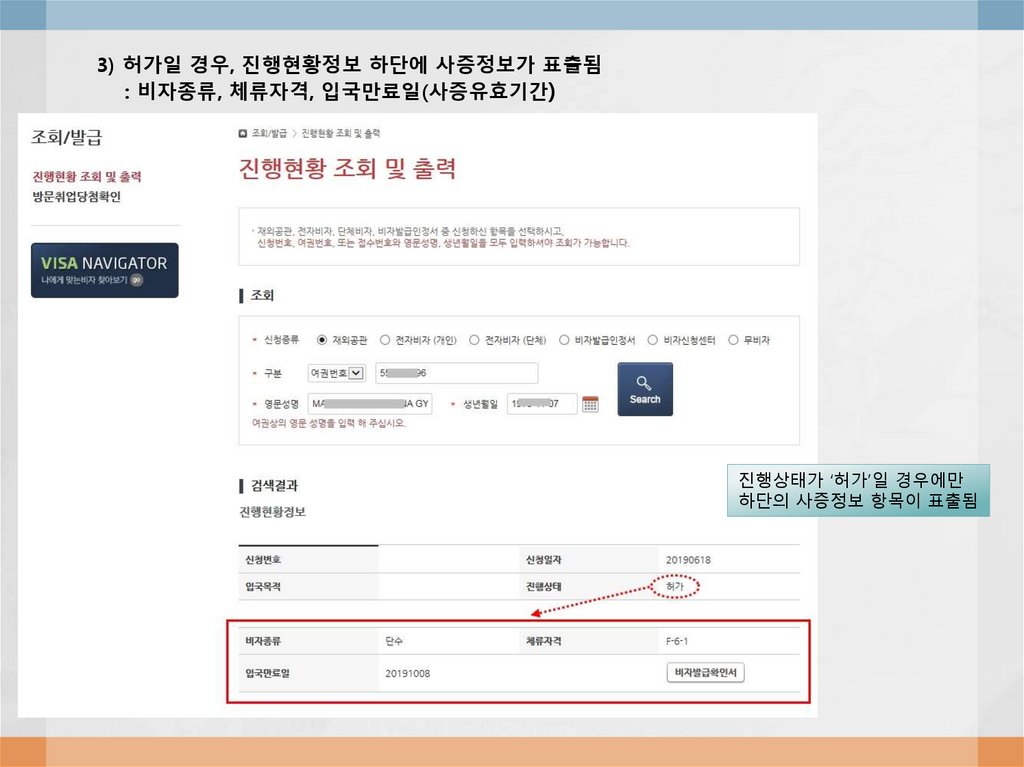
3) 허가일 경우, 진행현황정보 하단에 사증정보가 표출됨: 비자종류, 체류자격, 입국만료일(사증유효기간)
진행상태가 ‘허가’일 경우에만
하단의 사증정보 항목이 표출됨
3.
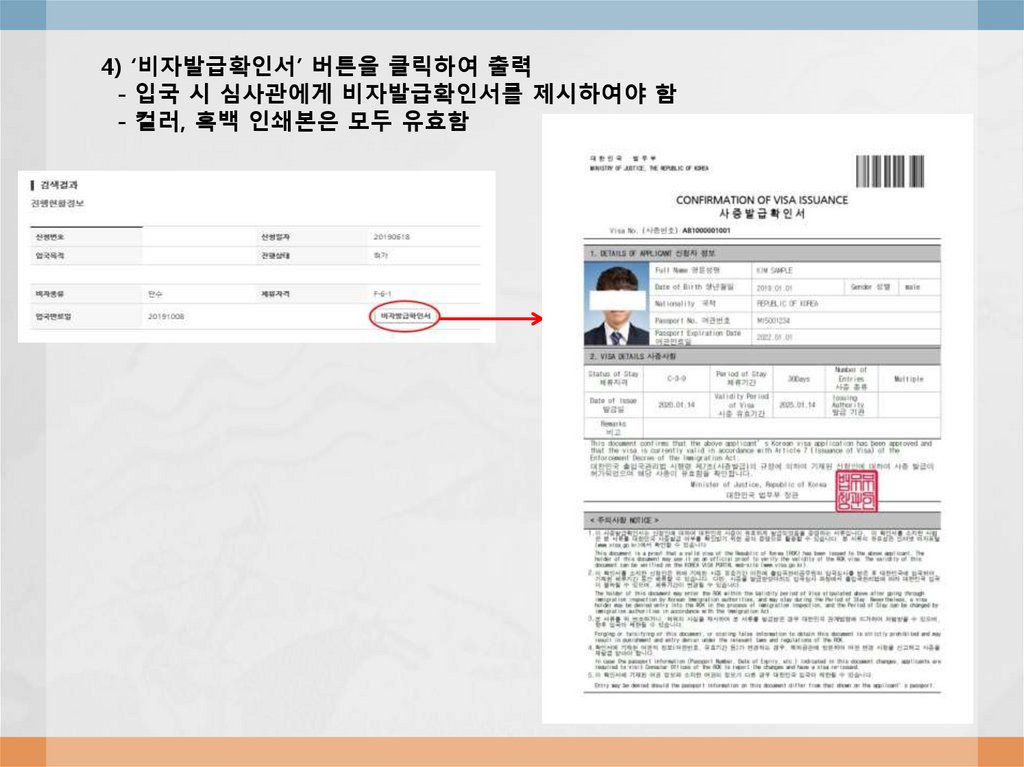
4) ‘비자발급확인서’ 버튼을 클릭하여 출력- 입국 시 심사관에게 비자발급확인서를 제시하여야 함
- 컬러, 흑백 인쇄본은 모두 유효함
4.
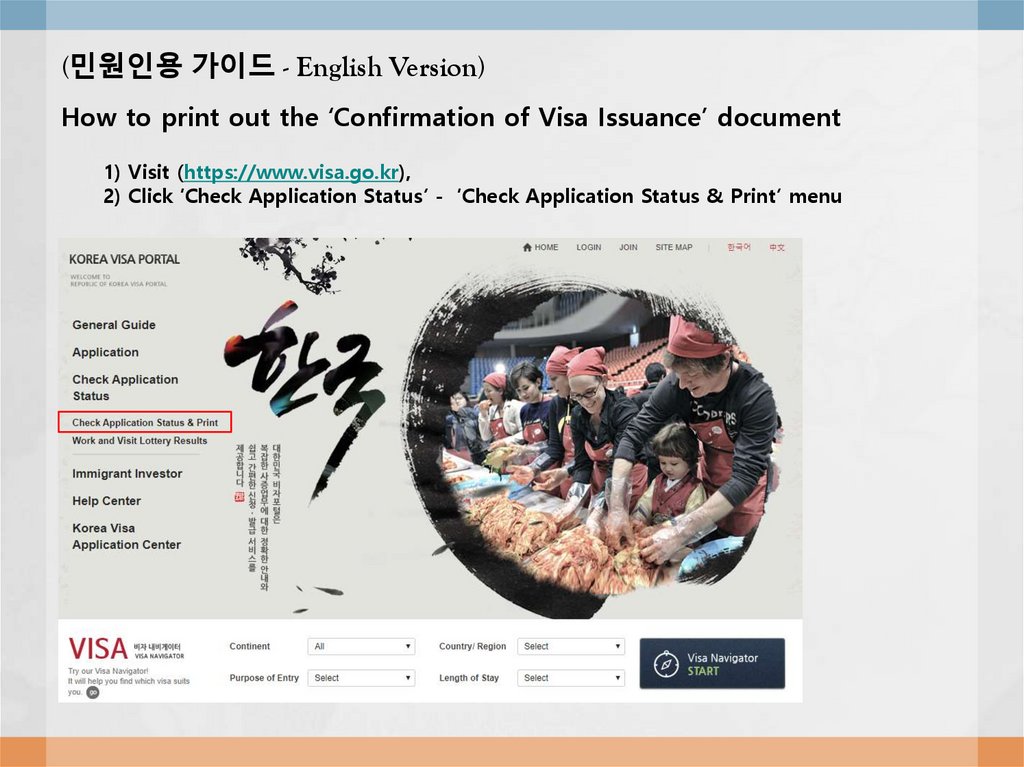
(민원인용 가이드 - English Version)How to print out the ‘Confirmation of Visa Issuance’ document
1) Visit (https://www.visa.go.kr),
2) Click ‘Check Application Status’ - ‘Check Application Status & Print’ menu
5.
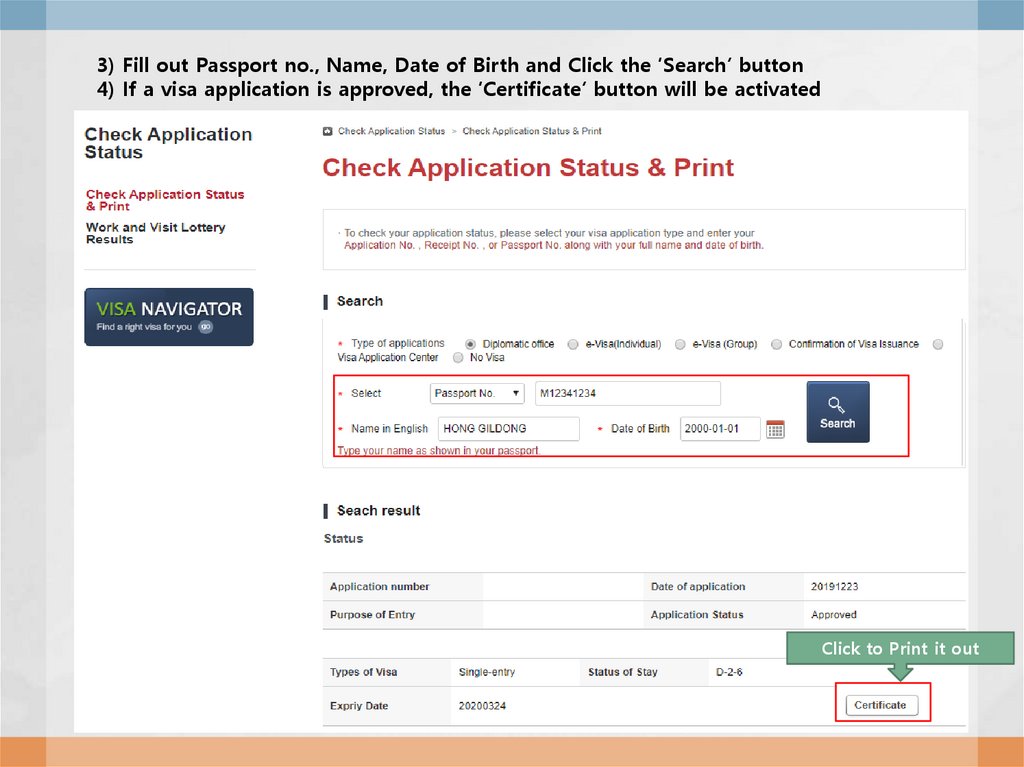
3) Fill out Passport no., Name, Date of Birth and Click the ‘Search’ button4) If a visa application is approved, the ‘Certificate’ button will be activated
Click to Print it out
6.
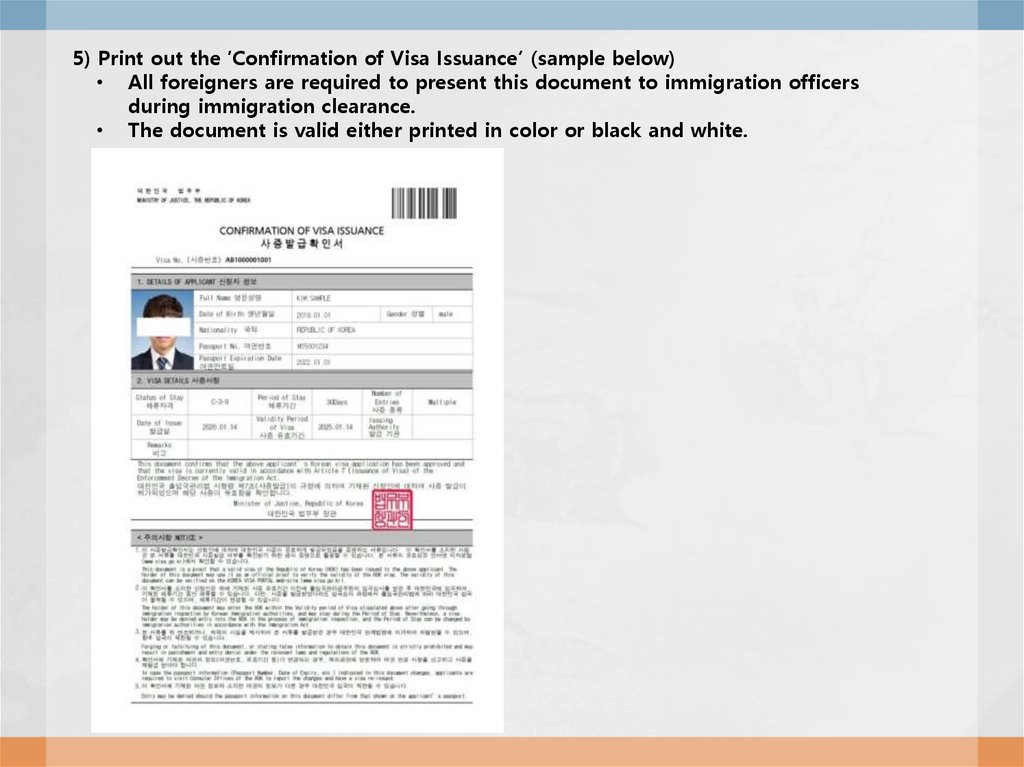
5) Print out the ‘Confirmation of Visa Issuance’ (sample below)• All foreigners are required to present this document to immigration officers
during immigration clearance.
• The document is valid either printed in color or black and white.