 programming
Similar presentations:







Data transfer to the dveet.io platform
1.
Data transfer to the dveet.io platformNikita Ilin
2.
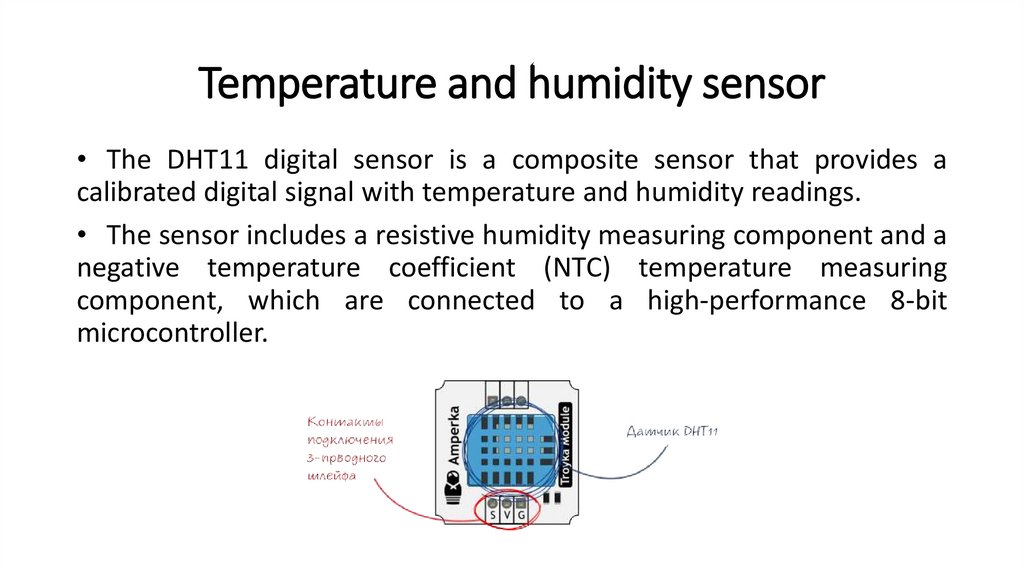
Temperature and humidity sensor• The DHT11 digital sensor is a composite sensor that provides a
calibrated digital signal with temperature and humidity readings.
• The sensor includes a resistive humidity measuring component and a
negative temperature coefficient (NTC) temperature measuring
component, which are connected to a high-performance 8-bit
microcontroller.
3.
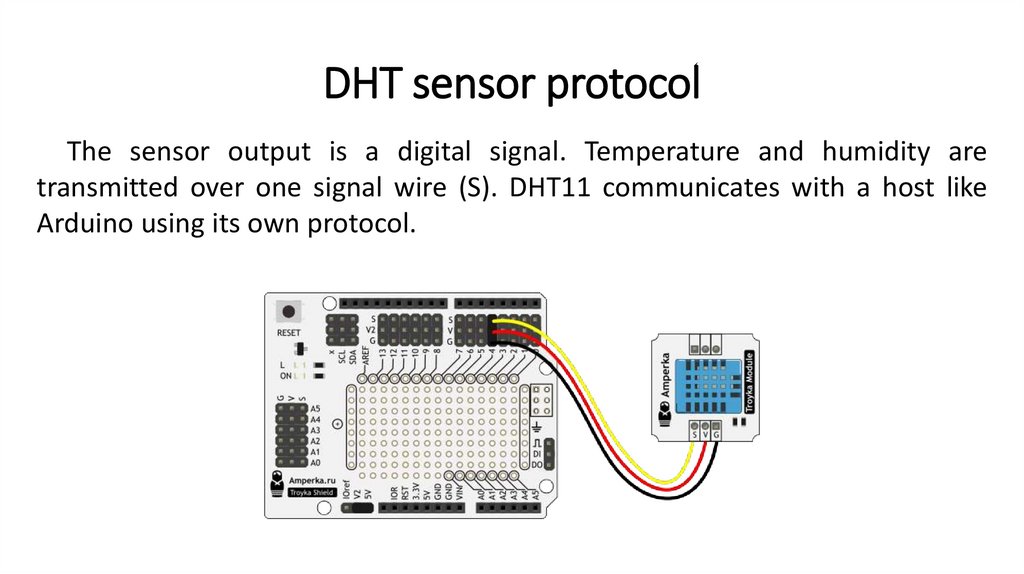
DHT sensor protocolThe sensor output is a digital signal. Temperature and humidity are
transmitted over one signal wire (S). DHT11 communicates with a host like
Arduino using its own protocol.
4.
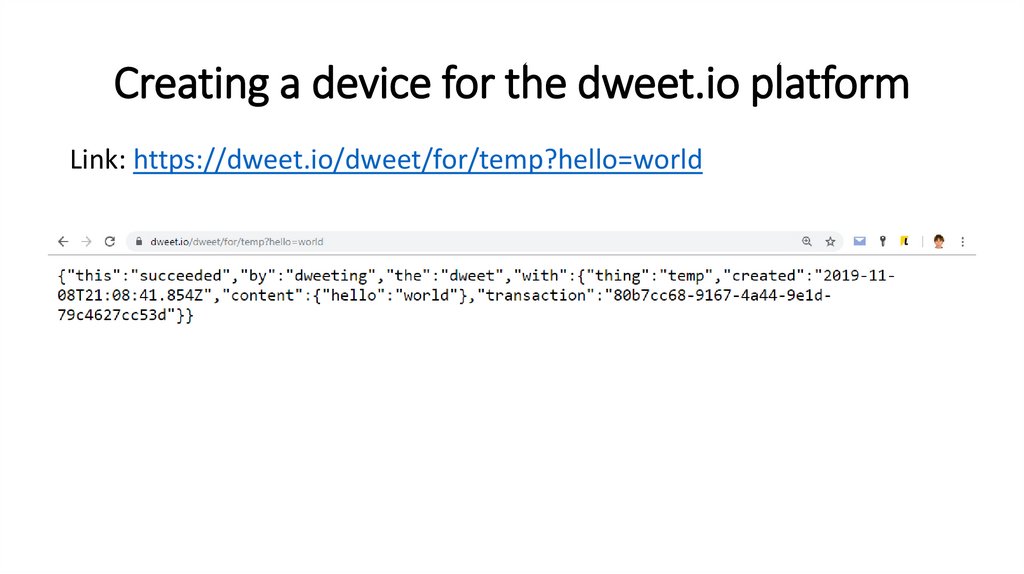
Creating a device for the dweet.io platformLink: https://dweet.io/dweet/for/temp?hello=world
5.
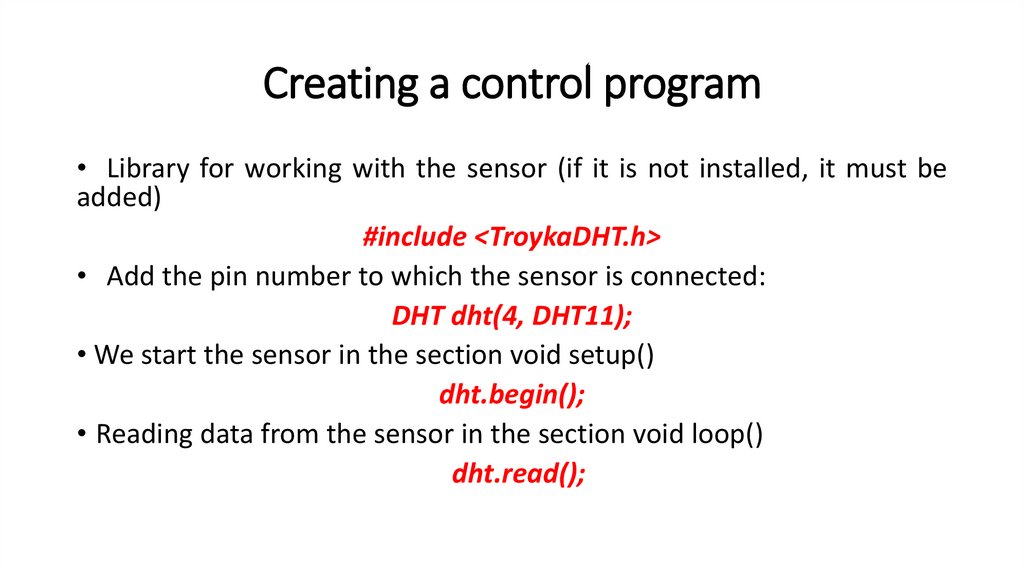
Creating a control program• Library for working with the sensor (if it is not installed, it must be
added)
#include <TroykaDHT.h>
• Add the pin number to which the sensor is connected:
DHT dht(4, DHT11);
• We start the sensor in the section void setup()
dht.begin();
• Reading data from the sensor in the section void loop()
dht.read();
6.
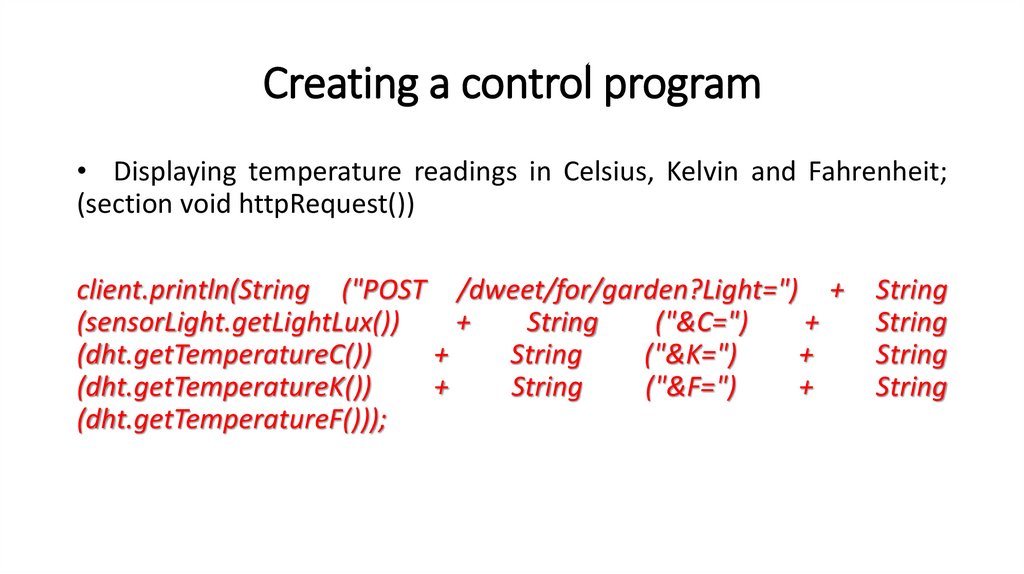
Creating a control program• Displaying temperature readings in Celsius, Kelvin and Fahrenheit;
(section void httpRequest())
client.println(String ("POST /dweet/for/garden?Light=") +
(sensorLight.getLightLux())
+
String
("&С=")
+
(dht.getTemperatureC())
+
String
("&K=")
+
(dht.getTemperatureK())
+
String
("&F=")
+
(dht.getTemperatureF()));
String
String
String
String
7.
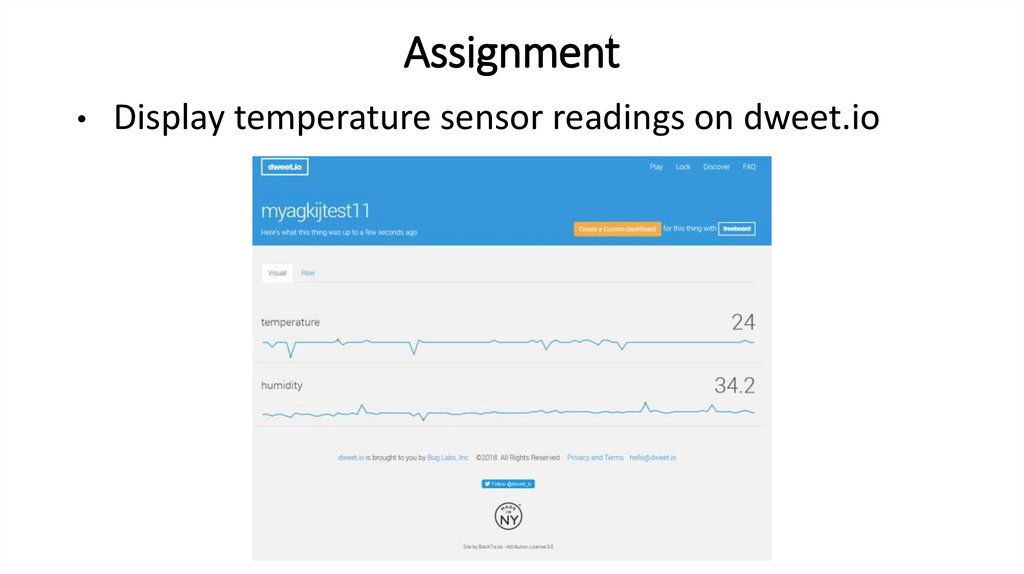
AssignmentDisplay temperature sensor readings on dweet.io
8.
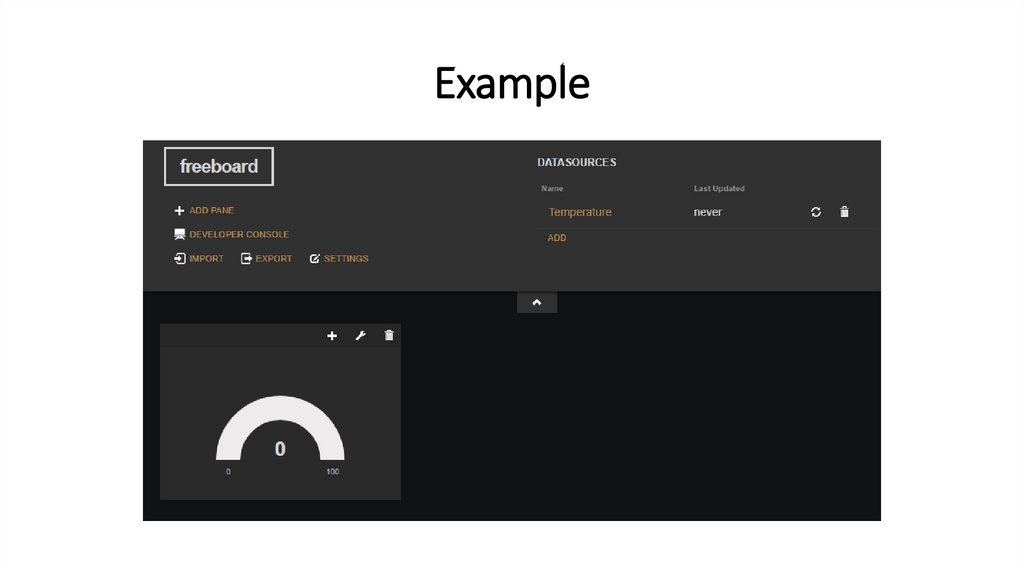
Freeboard interface1. Go to www.freeboard.io
2. Create account / Login to account
3. On the www.dweet.io website, click the Create a custom dashboard
button